Nordic Winter

780-082 - Uncategorized Nordic Winter - Free user manual and instructions

Find the device manual for free 780-082 Nordic Winter in PDF.

📄 24 pages English EN Download 💬 AI Question 10 questions ⚙️ Specs
Notice Nordic Winter 780-082 - page 2
View the manual : Dansk DA English EN Suomi FI Svenska SV
Pick your language and provide your email: we'll send you a specifically translated version.
Type of Product Electric Heating Pad
Brand Nordic Winter
Model 780-082
Dimensions 12 x 15 in (30.5 x 38.1 cm)
Weight 1.2 lbs (0.54 kg)
Power Supply 120 V, 60 Hz, 50 W
Heat Settings 3 levels: low, medium, high
Auto Shut-Off 2 hours automatic shut-off
Material Microfiber cover, cotton lining
Washable Removable cover, machine washable
Overheat Protection Built-in thermal fuse
Safety Certification ETL, CE, RoHS compliant
Control Type Digital controller with LED display
Cord Length 6 ft (1.8 m)
Color Gray
Maintenance Wipe with damp cloth; do not immerse
Storage Roll loosely, avoid sharp folds
Spare Parts Replacement controller available
Warranty 1 year limited warranty
Intended Use Personal heat therapy for muscles

Frequently Asked Questions - 780-082 Nordic Winter

How do I use the heating pad?
Plug the pad into a 120V outlet, place it on the desired area, and select the heat level using the controller. The low setting is for mild warmth, medium for moderate heat, and high for maximum heat. Always follow the instructions in the manual.
Can I sleep with the heating pad on?
It is not recommended to sleep with the pad on. The pad has an auto shut-off feature that turns it off after 2 hours for safety. However, prolonged use while asleep may cause burns.
How do I clean the heating pad?
The cover is removable and machine washable on a gentle cycle. Air dry completely before reattaching. Do not wash the pad itself or immerse it in water.
What should I do if the pad does not heat up?
Check that the pad is plugged in and the controller is set to a heat level. If it still does not heat, inspect the cord for damage. If the issue persists, contact customer support for a possible replacement controller.
Can I use the pad on pets?
No, this pad is designed for human use only. Using it on pets can cause overheating or burns. For pets, use a designated pet heating pad.
Is the pad safe for people with diabetes?
Individuals with diabetes or circulation issues should consult a doctor before using a heating pad, as reduced sensation may lead to burns. Use only on low settings and check skin frequently.
How do I store the heating pad?
Allow the pad to cool completely, then roll loosely without sharp folds. Store in a dry place. Avoid placing heavy items on top.
Can I use an extension cord?
It is recommended to plug the pad directly into a wall outlet. If an extension cord is necessary, use a heavy-duty cord rated for at least 120V and 10A.
What does the auto shut-off timer do?
The pad has a 2-hour auto shut-off to prevent overheating. The heating element will turn off automatically after 2 hours of continuous use. You can restart it by pressing the power button.
Are replacement parts available?
Yes, replacement controllers can be ordered from our website. The pad itself is not repairable; if the pad is damaged, it should be replaced. Check the warranty for coverage.

User questions about 780-082 Nordic Winter

0 question about this device. Answer the ones you know or ask your own.

Ask a new question about this device

The email remains private: it is only used to notify you if someone responds to your question.

No questions yet. Be the first to ask one.

Download the instructions for your Uncategorized in PDF format for free! Find your manual 780-082 - Nordic Winter and take your electronic device back in hand. On this page are published all the documents necessary for the use of your device. 780-082 by Nordic Winter.

USER MANUAL 780-082 Nordic Winter

Imported by / Importeret af

NSH NORDIC A/S

Virkefeltet 4

DK-8740 Braedstrup

Made in PRC

Customer Support:

post@nshnordic.com

1. Download APP'en

"Download the »Surplife« app from the App Store, Google Play, or scan the QR code on the product."

Surp life

Surplife APP

QR code with Surp Life logo in the center, likely linking to a digital service or website.

2. How to connect to the Surplife APP

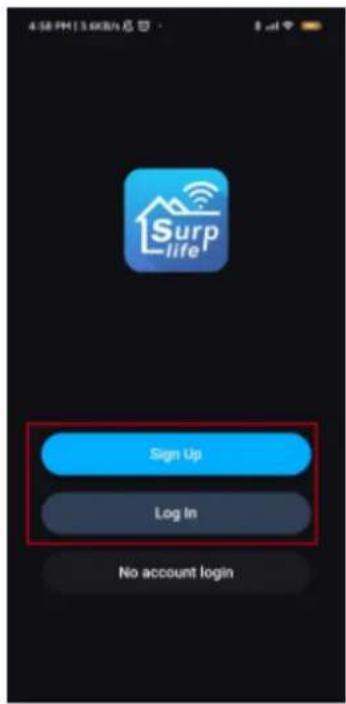
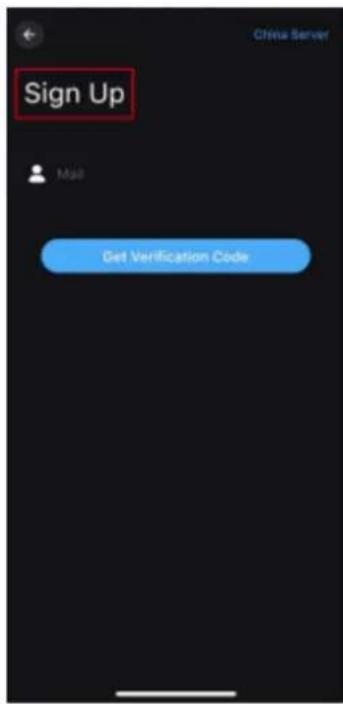
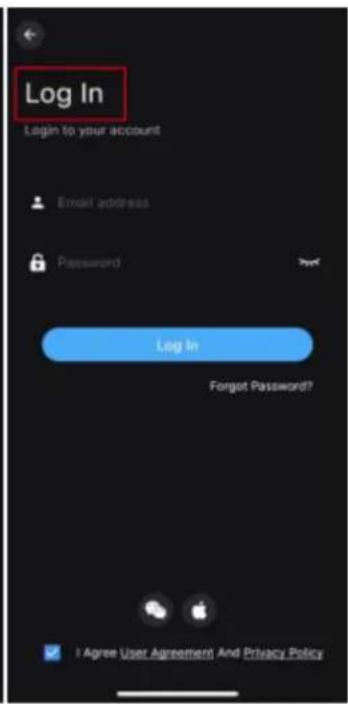
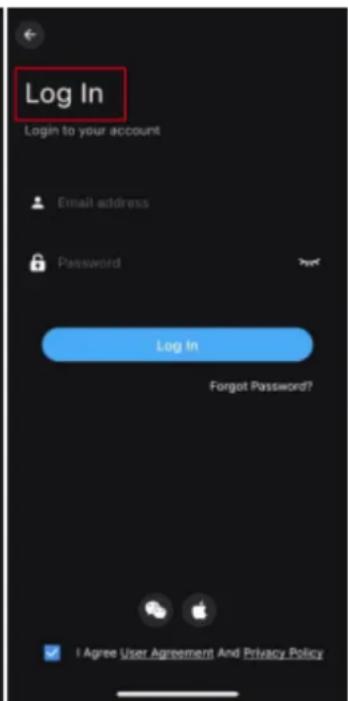
  1. Register/log in to your Surplife account.
  2. You can log in as a guest.

4:58 PM | 3.6KBm 总计 Surp life Sign Up Log In No account login

Sign Up Mail Get Verification Code

Log In Login to your account Email address Password Log In Forgot Password? I Agree User Agreement And Privacy Policy

  1. Plug the device into the power outlet and enable your phone's Bluetooth function.

  2. Open the »Surplife« app and click on "Add device" or the "+" to add a device.
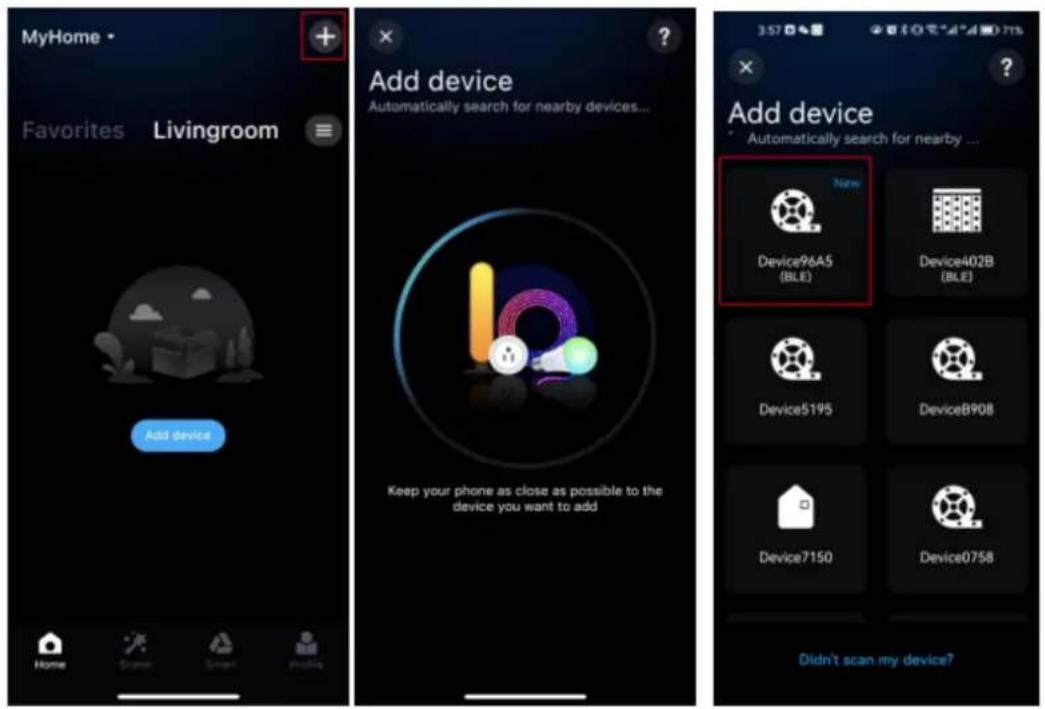
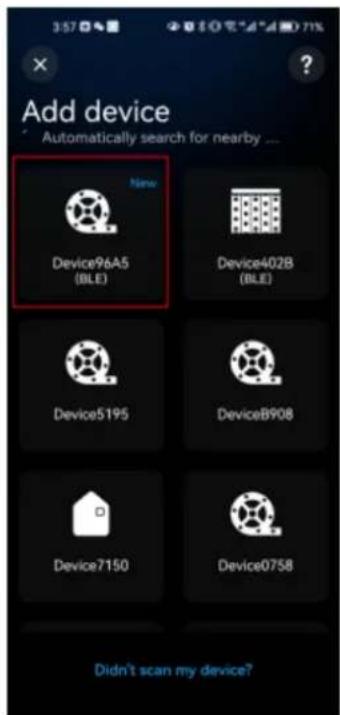
MyHome Favorites Livingroom Add device Keep your phone as close as possible to the device you want to add Add device Automatically search for nearby devices... Device96A5 (BLE) Device402B (BLE) Device5195 DeviceB908 Device7150 Device0758 Didn't scan my device?

  1. Give the device a new name and select a room for it.
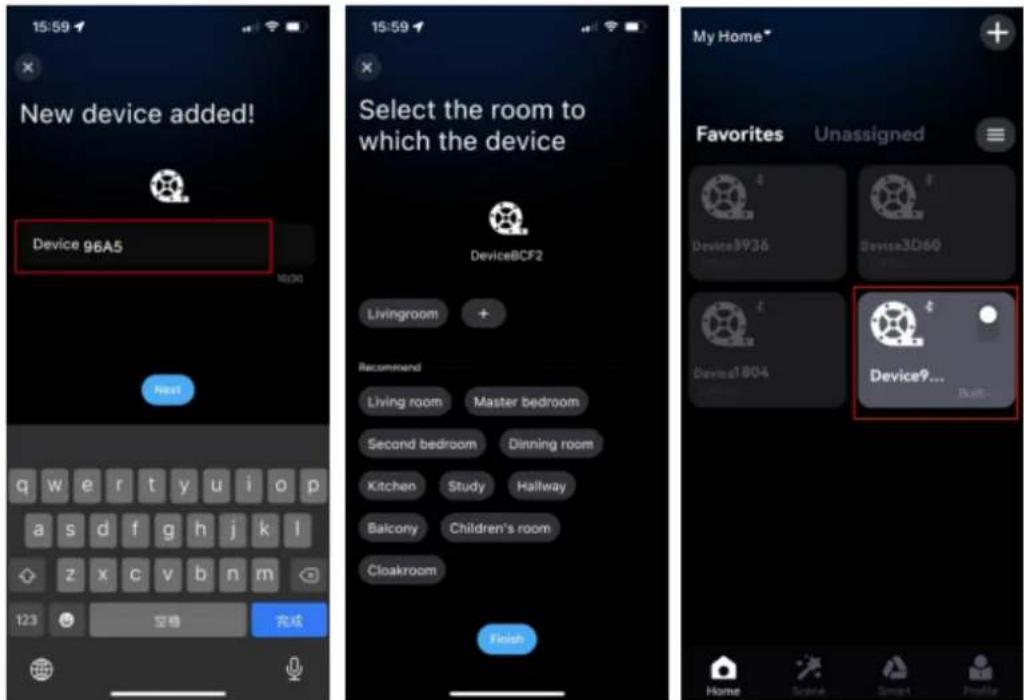
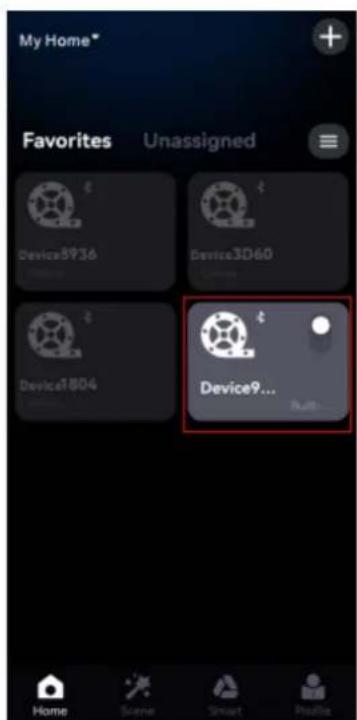
New device added! Device 96A5 123 空格 完成 15:59 Select the room to which the device DeviceBCF2 Livingroom + Recommend Living room Master bedroom Second bedroom Dinning room Kitchen Study Hallway Balcony Children's room Cloakroom Finish My Home* Favorites Unassigned Device9936 Device3D60 Device1804 Device9... Built- Home Score Smart Profile

3. Detailed introduction of app features:

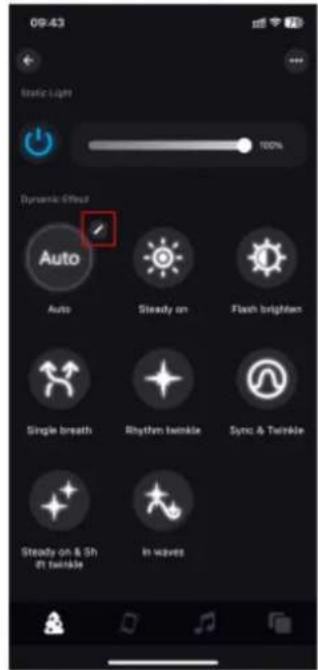
1. Lighting effect

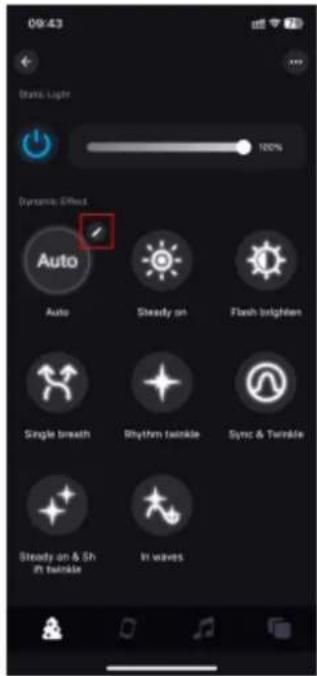
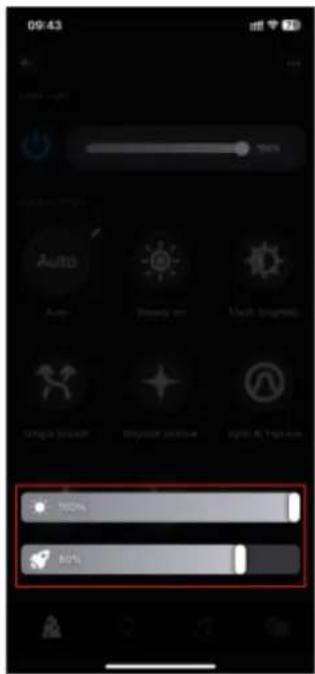
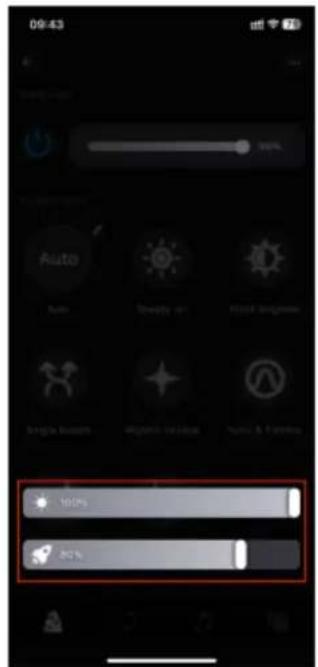
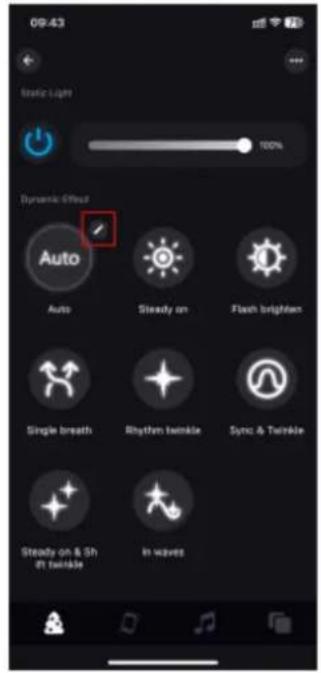
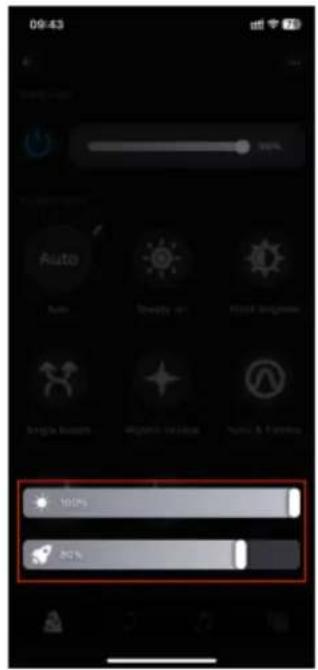
The brightness of the static light can be freely adjusted, and both the brightness and speed can be adjusted simultaneously by selecting different dynamic light effects.
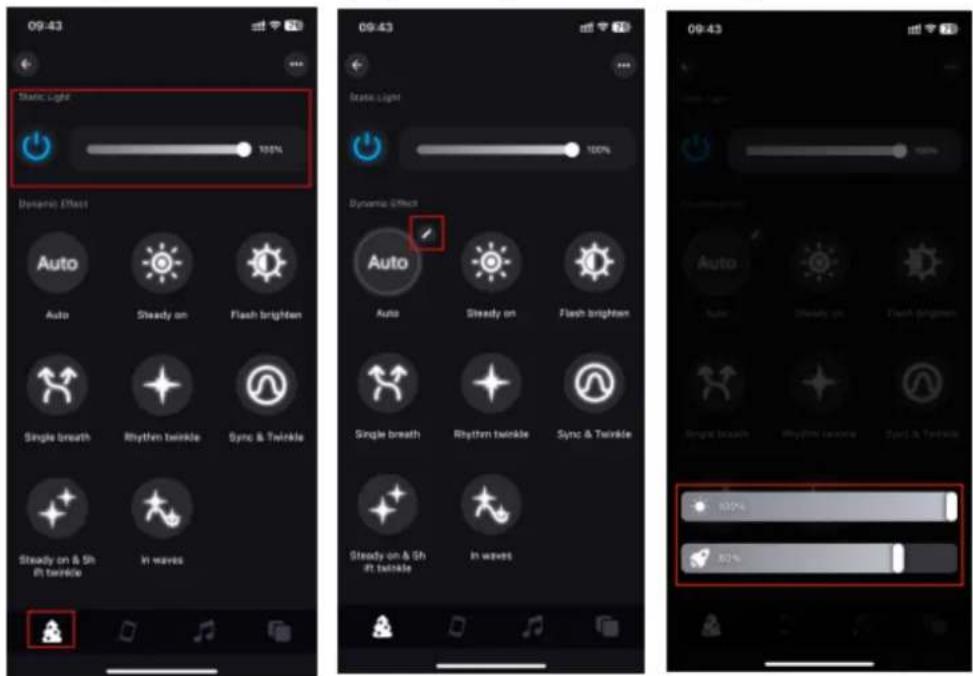
09:43 Static Light 100% Dynamic Effect Auto Steady on Flash brighten Single breath Rhythm twinkle Sync & Twinkle Steady on & Shift twinkle In waves 09:43 Static Light 100% Dynamic Effect Auto Steady on Flash brighten Single breath Rhythm twinkle Sync & Twinkle Steady on & Shift twinkle In waves 09:43 Steady on Flash brighten Single breath Rhythm twinkle Sync & Twinkle Steady on & Shift twinkle In waves

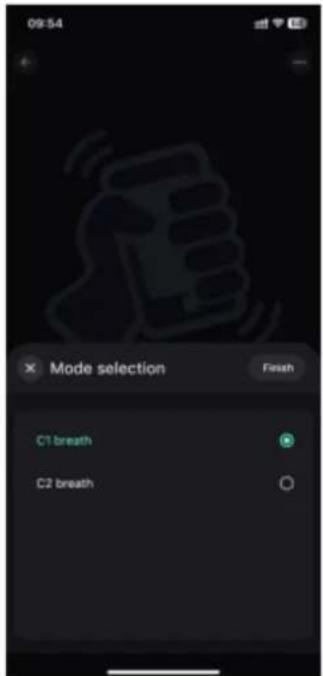
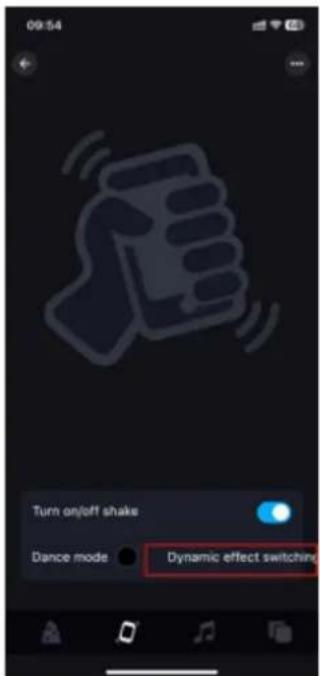
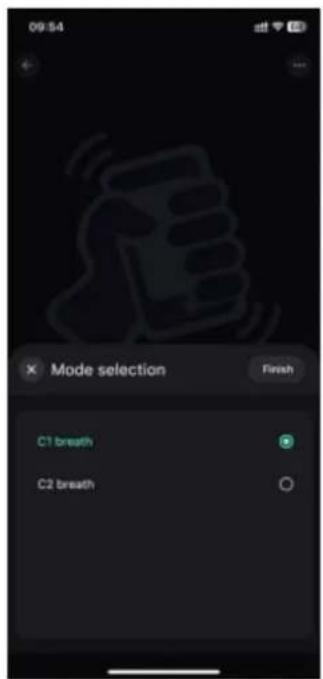
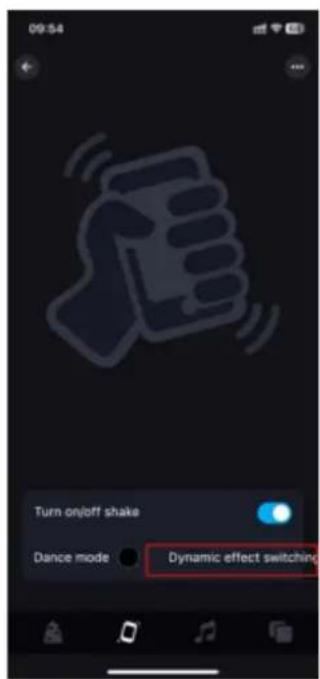
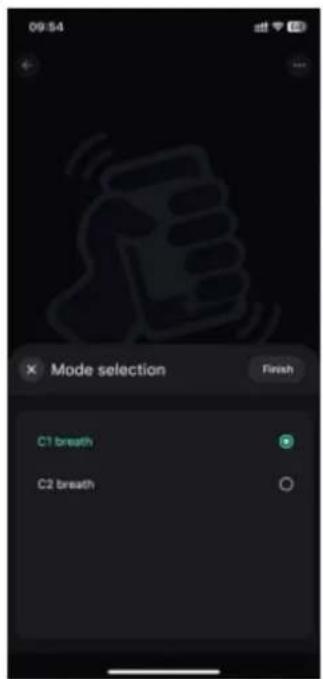
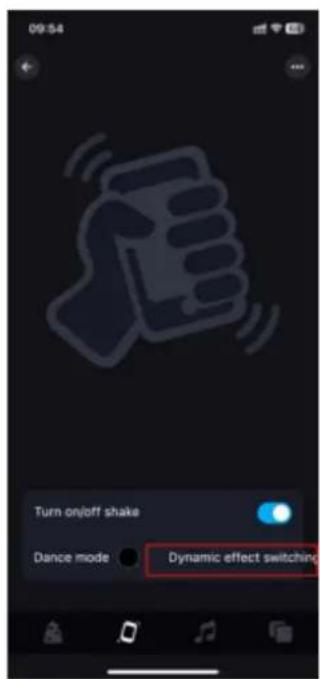
  1. Enable the shake function. You can choose dance mode or dynamic effect switch mode. When you shake the phone, the light will display a different effect.
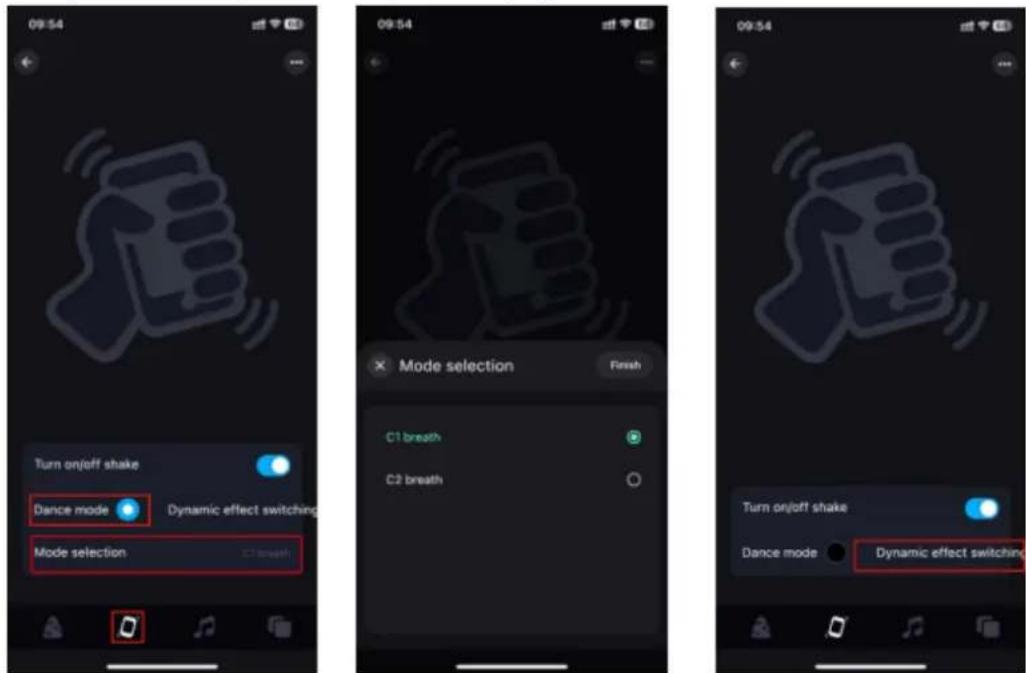
09:54 Turn onjoff shake Dance mode Dynamic effect switching Mode selection C1 breath Mode selection Finish C1 breath C2 breath Turn onjoff shake Dance mode Dynamic effect switching

3. Music

a. Music mode: The lighting changes in sync with the music, and you can choose different music modes.

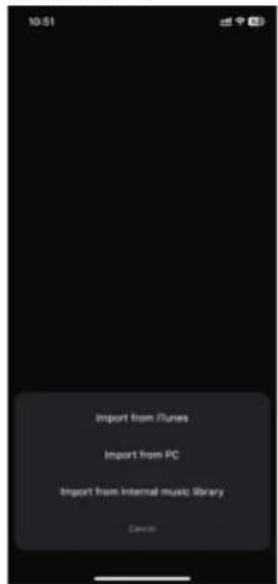
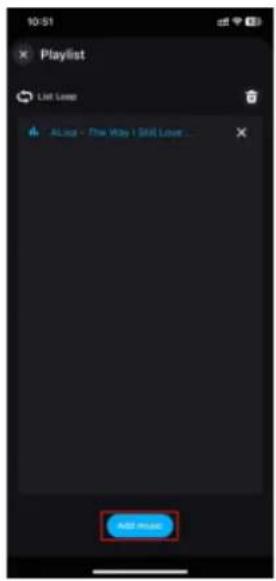
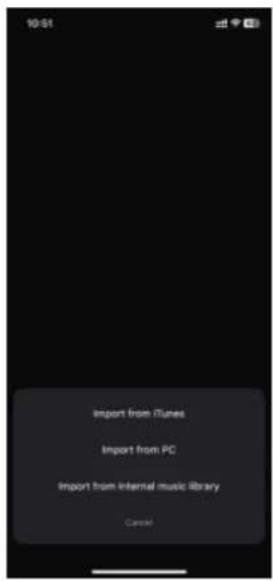
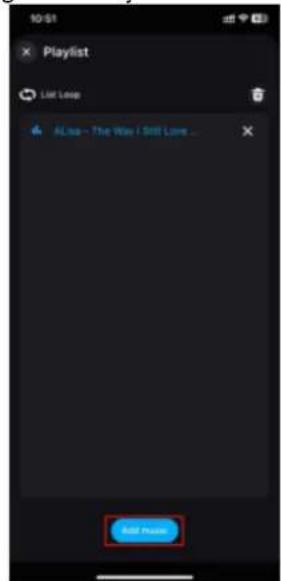
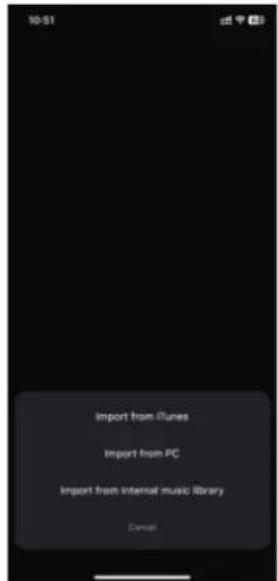
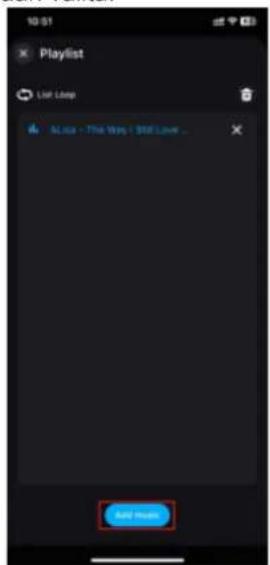
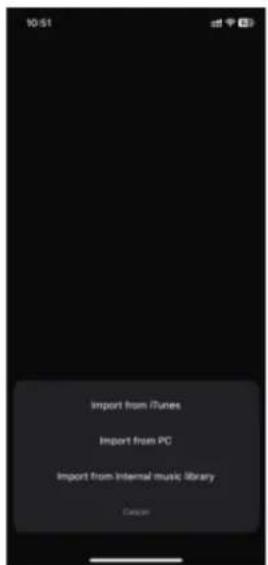
b. Click on "Add music" to import a music file or import from the built-in music library. Note: iOS requires downloading music files to iTunes or importing music from a PC according to the instructions, or selecting music from the built-in mode. Android requires downloading music files to the phone in order to use them.

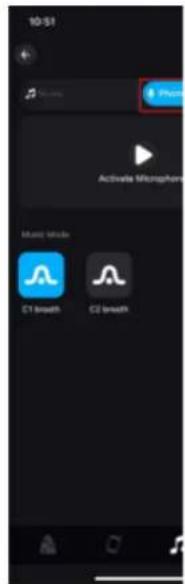
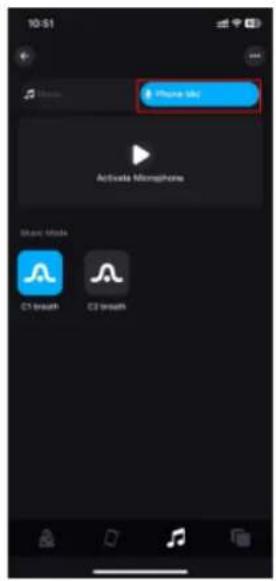
c. Microphone

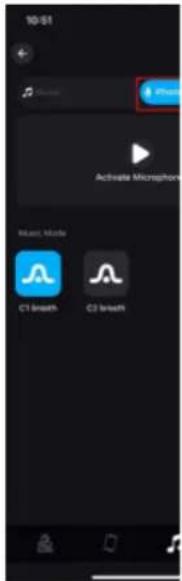
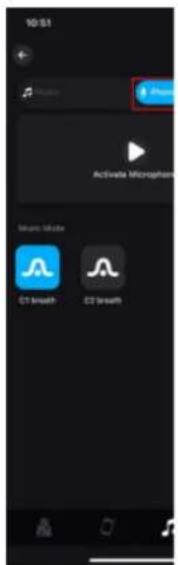
The lights are converted into various rhythmic light effects according to the signal received by the microphone, and the music mode can be selected.
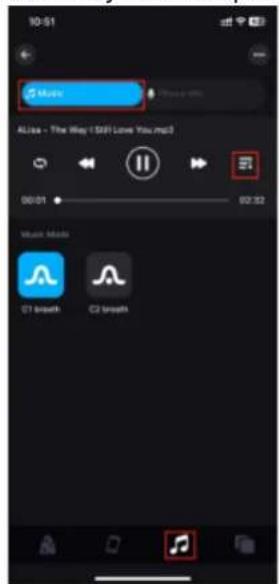
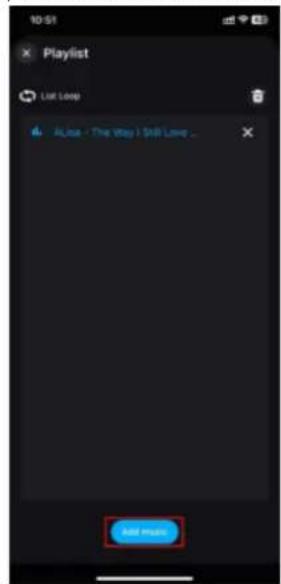
10:51 Music Alisa - The Way I SIFI Love You.mp3 00:01 02:32 Music Mode C1 breath C2 breath

10:51 Playlist List Loop All User - The Way! Still Love ... Add music

10:51 Import from iTunes Import from PC Import from Internal music library Cancel

10-51 Photo Activate Microphones Music Mode C1 Smooth C2 Smooth

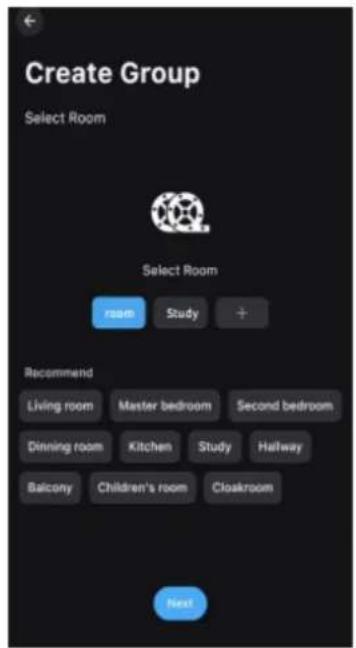
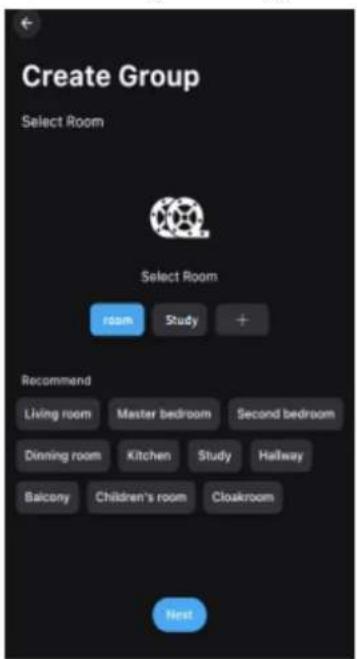
4. Group control

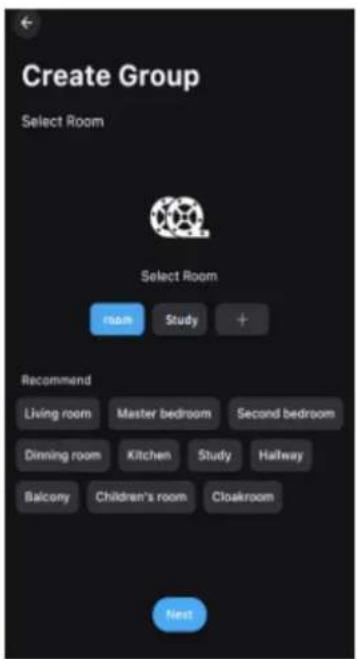
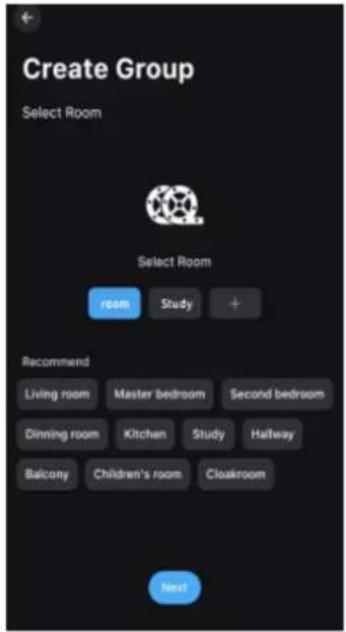
Multiple controllers can be categorized into the same group, and the devices in the group can be controlled with a single click for dimming, switching, and other functions.
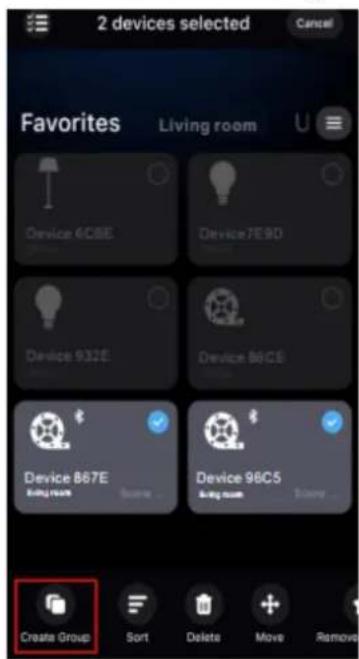
2 devices selected Cancel Favorites Living room Device 6CSE Device7E9D Device 932E Device 86CE Device 867E Device 98C5 Create Group Sort Delete Move Remove

Create Group Select Room Select Room room Study + Recommend Living room Master bedroom Second bedroom Dinning room Kitchen Study Hallway Balcony Children's room Cloakroom Next

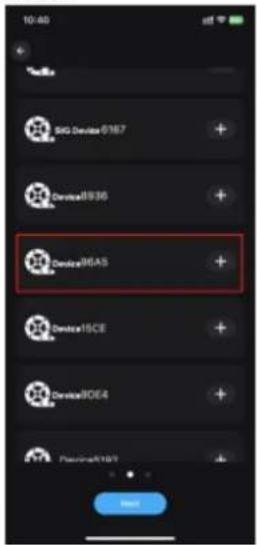
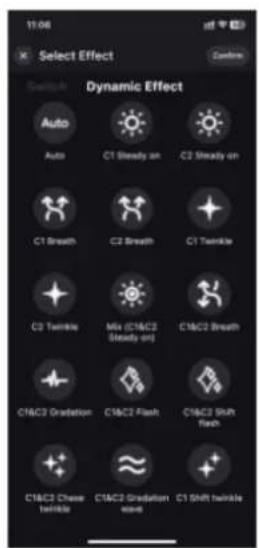
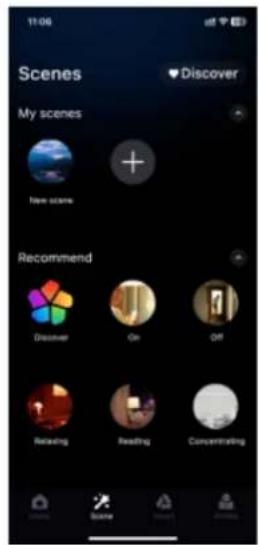
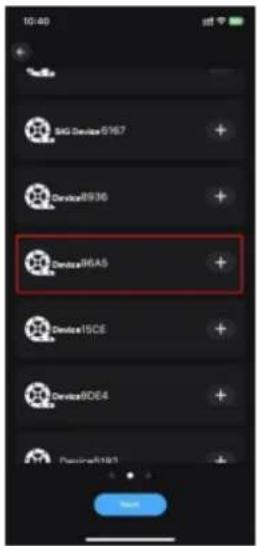
5. Scene-function

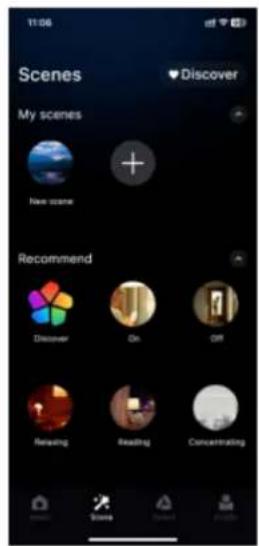
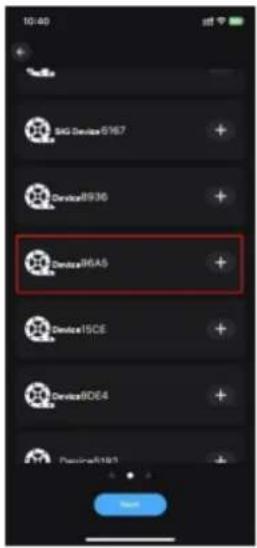
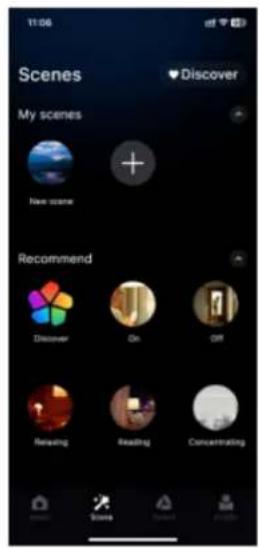
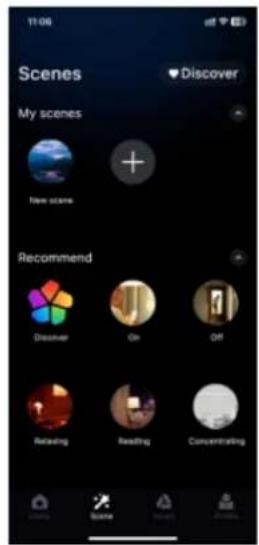
The scene interface allows you to create different scene lighting colors or dynamic effects according to individual needs.
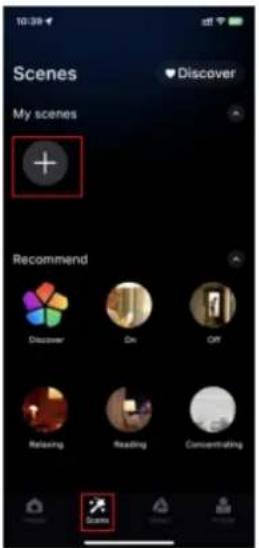
Scenes My scenes + Discover Recommend Discover On Off Relaxing Reading Concentrating Scenes

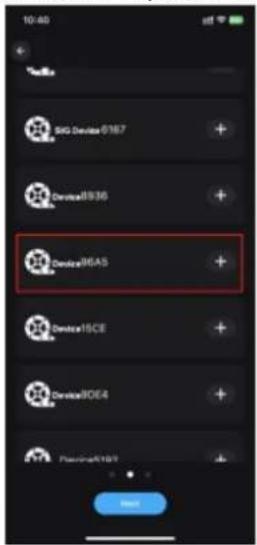
10:40 SAG Devices 8767 Device8930 Device96A5 Device15CE Device80E4 Passion#R101 Next

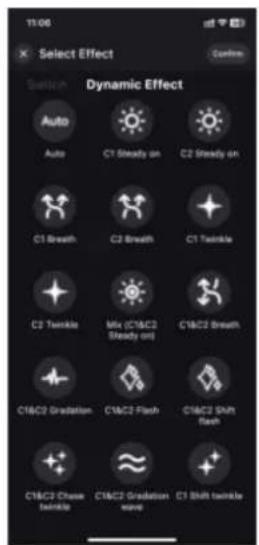
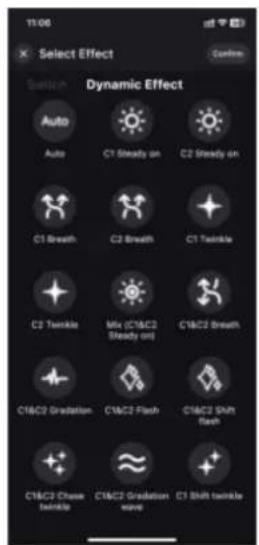
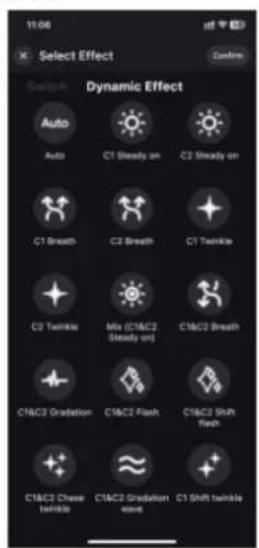
11:06 Select Effect Connect Switch Dynamic Effect Auto C1 Steady on C2 Steady on C1 Breath C2 Breath C1 Twinkle C2 Twinkle Mix (C1&C2 Steady on) C1&C2 Breath C1&C3 Gradation C1&C3 Flash C1&C3 SHR flash C1&C3 Chase Wrinkle C1&C3 Gradation wave C1 Shift twinkle

11:06 Scenes My scenes Discover New scene Recommend Discover On Off Reusing Reading Concentrating

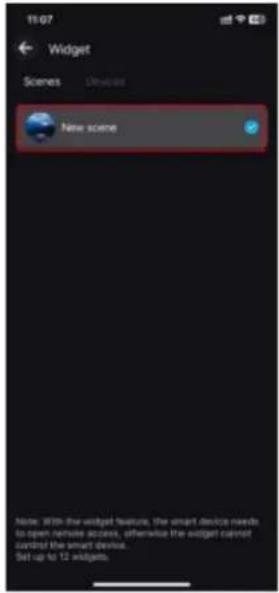
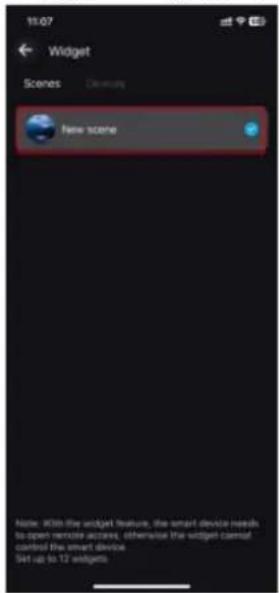
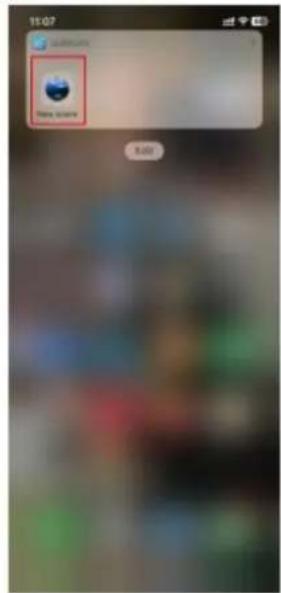
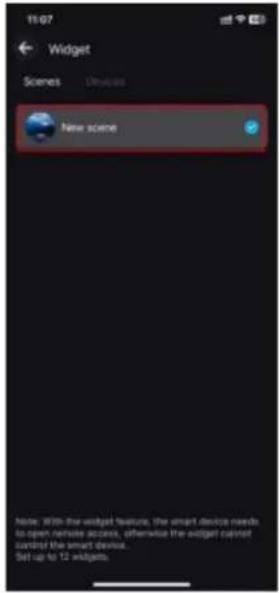
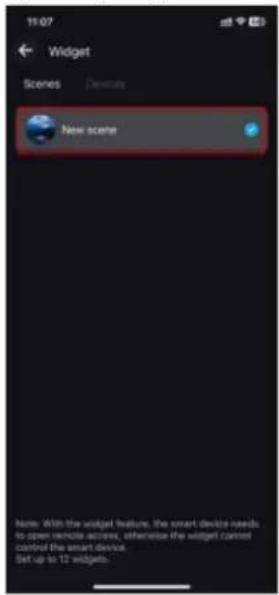
  1. Steps to add a widget (Set the scene function in advance)

Go to the "Profile" page > Click on "Widget" > Add scene to widget.
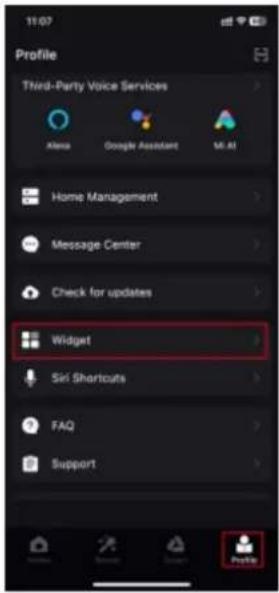
Profile Third-Party Voice Services Alexa Google Assistant MI AI Home Management Message Center Check for updates Widget Siri Shortcuts FAQ Support Profile

11/07 Widget Scenes New scene Note: With the widget feature, the smart device needs to open remote access, otherwise the widget cannot curb the smart device. Set up to 12 widgets.

11:07 Total users Edit

1. Download APP'en

Add device Automatically search for nearby ... New Device96A5 (BLE) Device402B (BLE) Device5195 DeviceB908 Device7150 Device0758 Didn't scan my device?

My Home* Favorites Unassigned Device8936 Device3D60 Device1804 Device9... Built Home Scene Smart Profile

09:43 Static Light 100% Dynamic Effect Auto Steady on Flash brighten Single breath Rhythm twinkle Sync & Twinkle Steady on & Shift twinkle In waves

09:43 Auto Auto Binary ion Multi-charge Single pixel Single shadow Light & Light 100% 80%

09:54 Mode selection Finish C1 breath C2 breath

09:54 Turn on/off shake Dance mode Dynamic effect switching

3. Musik

10:51 × Playlist List Lover All log - How Way | Still Lover... Add Import

10:51 Import from iTunes Import from PC Import from Internal music library Cancel

10:51 Phone UI Activate Monaphone Music Block C1 sound C3 sound

4. Gruppekontrol

Create Group Select Room Select Room room Study + Recommend Living room Master bedroom Second bedroom Dinning room Kitchen Study Hallway Balcony Children's room Cloakroom Next

5. Scene-funktion

10:40 SAG Devices 0767 Device5830 Device 96AS Device 15CE Device 9064 Device 9189 Add

11:06 Select Effect Switch Dynamic Effect Auto Auto C1 Steady on C2 Steady on C1 Breath C2 Breath C1 Twinkle C2 Twinkle Mix (C1&C2 Steady on) C1&C2 Breath C1&C2 Gradation C1&C2 Flash C1&C2 SHR flash C1&C2 Chase Wrinkle C1&C2 Gradation crew C1 SHR Wrinkle

11:06 Scenes My scenes Discover New scene Recommend Discover On Off Relaving Reading Concentrating

13:07 Widget Scenes New scene Note: With the widget feature, the smart device needs to open remote access, otherwise the widget cannot control the smart device. Set up to 12 widgets

Mobile Store Mobile Store

1. Download APP

09:43 Static Light 100% Dynamic Effect Auto Auto Steady on Flash brightness Single breath Rhythm twinkle Sync & Twinkle Steady on & Sh dt twinkle In waves

09:43 Auto Auto Binary Binary Binary Binary Binary Binary Binary Binary Binary Binary Binary Binary Binary Binary Binary Binary Binary Binary Binary Binary Binary Binary Binary Binary Binary Binary Binary Binary Binary Binary Binary Binary Binary Binary Binary Binary Binary Binary Binary Binary Binary Binary Binary Binary Binary Binary Binary Binary Binary Binary 20% 20%

09:54 Mode selection Finish C1 breath C2 breath

09:54 Turn onjoff shake Dance mode Dynamic effect switching

3. Musik

10:51 Playlist List Loop ALisa - The Way I Still Love ... Not more

10:51 Import from iTunes Import from PC Import from Internal music library Cancel

10:51 Music Mode C1 breath C3 breath

4. Gruppkontroll

Create Group Select Room Select Room Room Study + Recommend Living room Master bedroom Second bedroom Dining room Kitchen Study Halfway Balcony Children's room Cloakroom Next

5. Scenfunktion

10:40 BG Device 8167 Device8936 Delta96A5 Device15CE Device8DE4 Passion#R103 Next

11:06 Select Effect Connect Switch Dynamic Effect Auto C1 Steady on C2 Steady on C1 Breath C2 Breath C1 Twinkle C2 Twinkle Mix (C1&C2 Steady on) C1&C2 Breath C1&C3 Gradation C1&C3 Flash C1&C3 SHR flash C1&C3 Chase Wrinkle C1&C3 Gradation wave C1 Shift twinkle

11:06 Scenes My scenes Discover New scene Recommend Discover On Off Relaving Reading Concentrating

11/07 Widget Scenes New scene Note: With the widget feature, the smart device needs to open remote access, otherwise the widget cannot curb the smart device. Set up to 12 widgets.

11:07 Total users Edit

1. Lataa sovellus

Log In Login to your account Email address Password Log In Forgot Password? I Agree User Agreement And Privacy Policy

09:43 Static Light 100% Dynamic Effect Auto Steady on Flash brighten Single breath Rhythm twinkle Sync & Twinkle Steady on & Sh dt twinkle In waves

09:43 Auto New New! New! New! New! New! New! New! 100% 80%

09:54 Mode selection Finish C1 breath C2 breath

09:54 Turn onjoff shake Dance mode Dynamic effect switching

3. Musiikki

1Q:51 × Playlist List Loop Add Music - The Way / Still Love ... Add music

10:51 Import from iTunes Import from PC Import from Internal music library Custom

10:51 Activator Microphone Multi Mode CT breath CT breath

4. Ryhmäohjaus

Create Group Select Room Select Room room Study + Recommend Living room Master bedroom Second bedroom Dining room Kitchen Study Hallway Balcony Children's room Cloakroom Next

10:40 SAG Devices 0767 Device1830 Device 96A5 Device19CE Device30E4 Device4189 Add

11:06 Select Effect Switch Dynamic Effect Auto Auto C1 Steady on C2 Steady on C1 Breath C2 Breath C1 Twinkle C2 Twinkle Mix (C1&C2 Steady on) C1&C2 Breath C1&C2 Gradation C1&C2 Flash C1&C2 SHR flash C1&C2 Chase Wrinkle C1&C2 Gradation zone C1 SHR Wrinkle

11:06 Scenes My scenes Discover New scene Recommend Discover On Off Relaving Reading Concentrating

19:07 Widget Scenes Domuts New scene Note: With the widget feature, the smart device needs to open remote access, otherwise the widget cannot cancel the smart device. Set up to 12 widgets.

19:07 Mobile Button Index

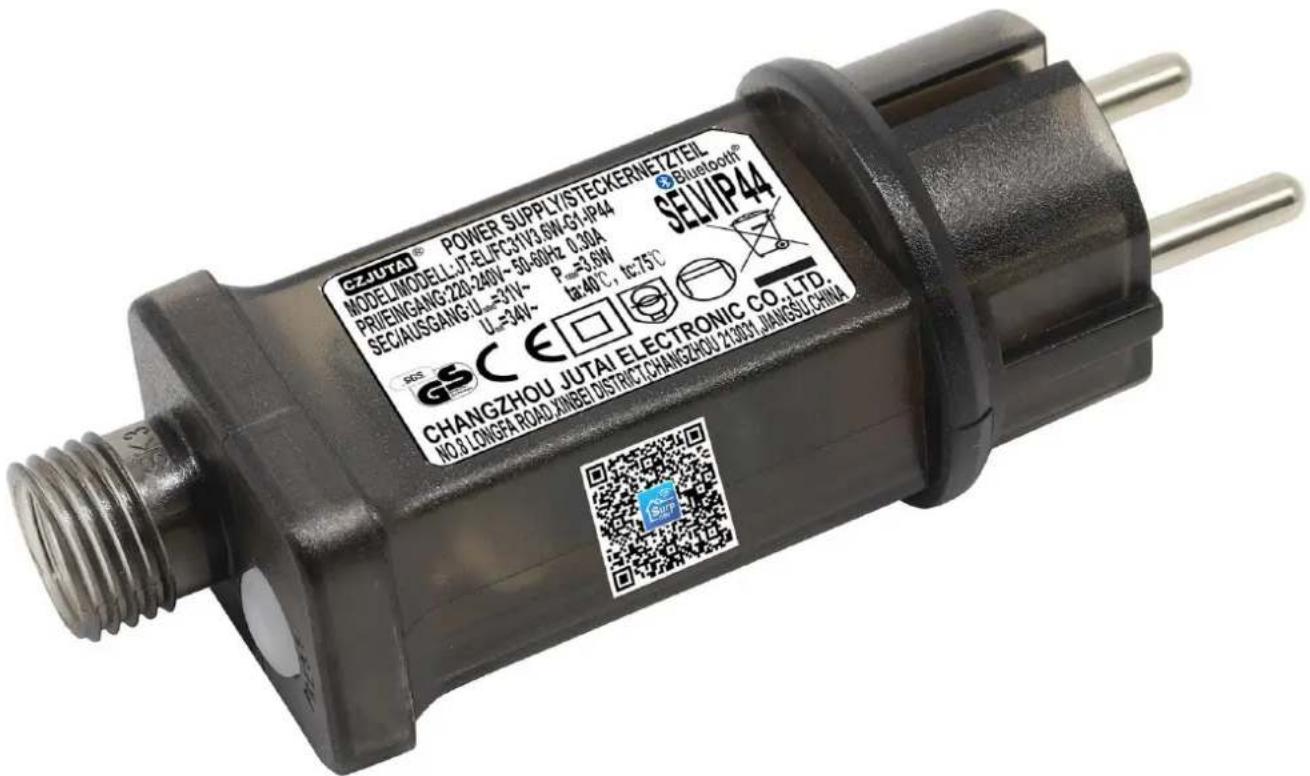
CZJUTAI® POWER SUPPLY/STECKERNETZTEIL MODEL:MODELL:JT-ELFC301V3 6N-G1/P44 PRIENGANG:220-240V~50-60Hz 0.30A SEC/AUSGANG:L=31V~ U=34V~ R=3.6W te:40°C, te:75°C SELVIP44® CHANGZHOU JUTAI ELECTRONIC CO. LTD. NO.8 LONGFA ROAD MINBE DISTRICT CHANGZHOU 21304 JIANGSU CHINA

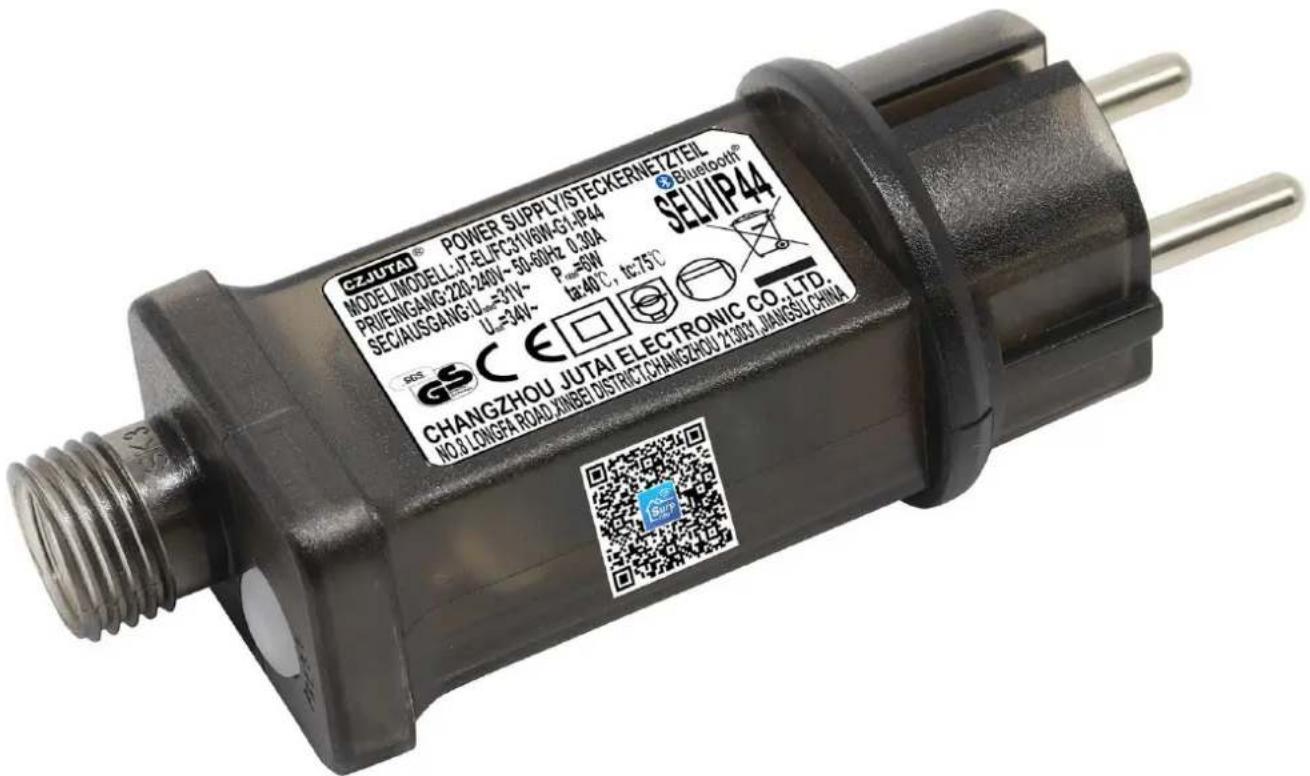
CZJUTAI® POWER SUPPLY/STECKERNETZTEIL MODELMODELL:JT-ELFC301V6N-G1:JP44 PRIENGANG:220-240V~50-60Hz 0.30A SEC/AUSGANG:L=31V~ U=34V~ R=6W t=40°C, t=75°C SELVIP44 CHANGZHOU JUTAI ELECTRONIC CO.LTD. NO.8 LONGFA ROAD MINBE DISTRICT CHANGZHOU 21304 JIANGSU CHINA

MANUAL

Nordic Winter 780-082 - MANUAL - 1

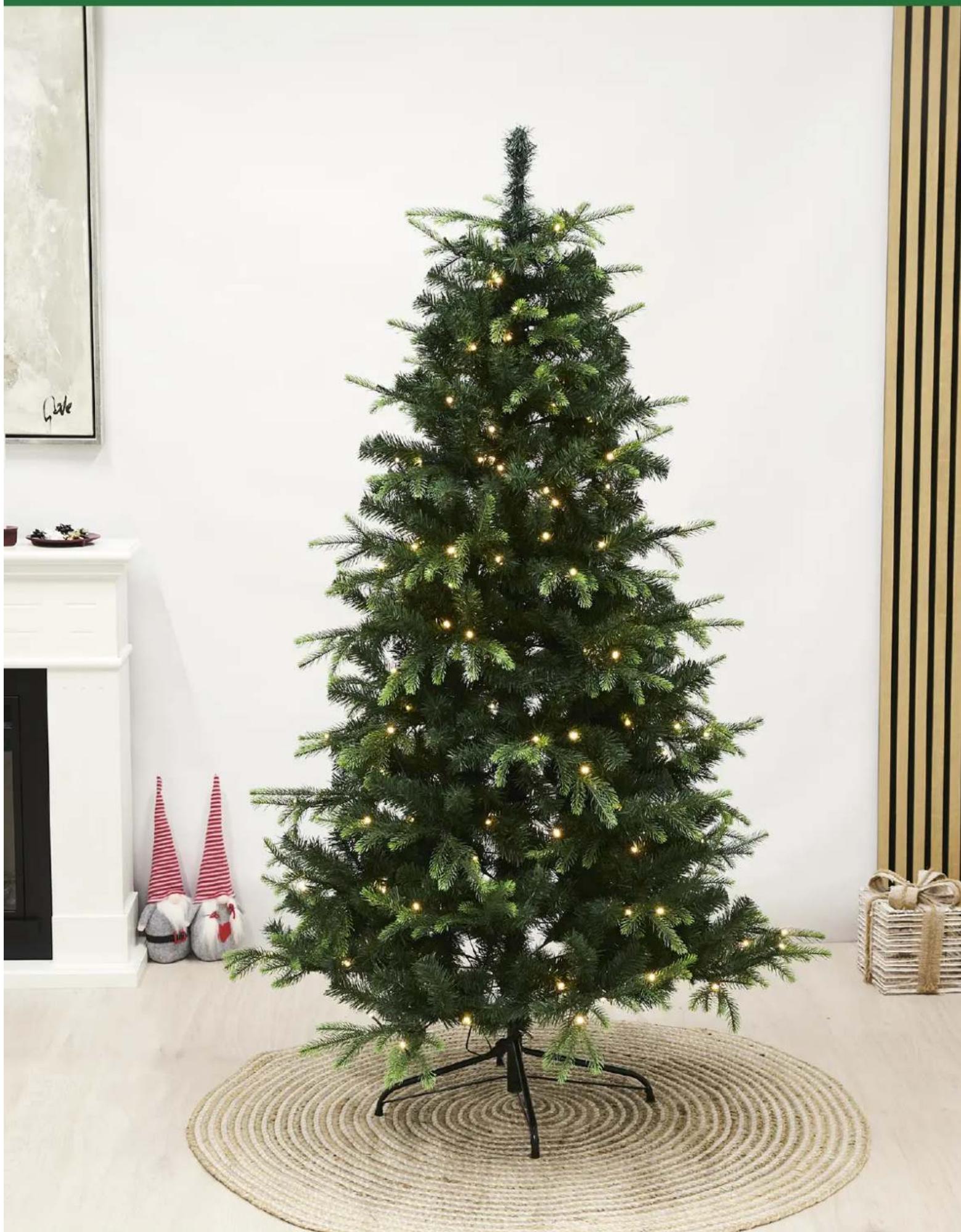
natural_image A decorated Christmas tree with glowing lights placed on a woven mat, surrounded by decorative items including a red striped hat and gift boxes (no text or symbols visible).
Manual assistant
Powered by Anthropic
Waiting for your message
Product information

Brand : Nordic Winter

Model : 780-082

Category : Uncategorized