
MIM-E03DN - Heat pump SAMSUNG - Free user manual and instructions
Find the device manual for free MIM-E03DN SAMSUNG in PDF.


| Product Type | Wired Remote Controller |
| Compatible Systems | Samsung DVM and air conditioning systems |
| Display | LCD screen with backlight |
| Dimensions (W x H x D) | 120 mm x 80 mm x 20 mm |
| Weight | 0.15 kg |
| Power Supply | 24 V AC/DC from indoor unit |
| Communication Interface | RS-485 |
| Maximum Cable Length | 100 m |
| Number of Connectable Controllers | Up to 1 per indoor unit (group control possible) |
| Supported Modes | Cool, Heat, Fan, Dry, Auto |
| Temperature Setting Range | 16°C – 30°C |
| Fan Speed Control | Low, Medium, High, Auto |
| Timer Functions | On/Off timer, weekly schedule |
| Wire Connection Terminals | Screw terminals for power and communication |
| Mounting | Wall-mounted with included bracket |
| Material | Plastic (ABS) |
| Color | White |
| Operating Temperature | 0°C – 50°C |
| Storage Temperature | -20°C – 60°C |
| Certifications | CE, FCC |
Frequently Asked Questions - MIM-E03DN SAMSUNG
User questions about MIM-E03DN SAMSUNG
0 question about this device. Answer the ones you know or ask your own.
Ask a new question about this device
Download the instructions for your Heat pump in PDF format for free! Find your manual MIM-E03DN - SAMSUNG and take your electronic device back in hand. On this page are published all the documents necessary for the use of your device. MIM-E03DN by SAMSUNG.
USER MANUAL MIM-E03DN SAMSUNG
Air to Water Heat Pump User Manual
Wired Remote Controller / Control Kit
Thank you for purchasing this product. Before operating this unit, please read this manual carefully and retain it for future reference.
Safety Information 4
Safety Information 4
At a Glance 6
Remote Controller Overview 6
Buttons Overview • Home Screen Overview • Zone Screen Overview •
DHW Screen Overview • Settings Screen Overview
Remote Controller Operation 9
Operating Basic Mode • Domestic Hot Water (DHW) Mode •
Adjusting Desired Temperature • Setting the Set Temperature
Power Smart Features 12
Power Smart Features 12
Operation Status • Quiet Mode • Outing Mode
Energy-Saving Operation 13
Energy-Saving Operation 13
Setting schedule • Energy • TDM (Time-Division Multi) Variables (TDM product Only)
Setting Options 16
Setting Options 16
How to set the Options • Current Time Setting (Example)
Installation/Service mode 19
Installation/Service mode 19
Additional functions of the Wired Remote Controller • Installation/Service mode •
How to upload or download field settings (example)
Set the FSV value by referring to the FSV label provided with the manual of the product, and then attach it on the control box's cover.
Field Setting Mode 27
Field setting mode 27
Field Setting Value (FSV) 10** •
Remote Controller Setting Range: Code 10** • Field Setting Value (FSV) 20** •
Water Law & Room Thermostat/ Wired remote controller: Code 20** •
Field Setting Value (FSV) 30** • DHW Heating: Code 30** • Field Setting Value (FSV) 40** •
Additional heating option: 40** • Field Setting Value (FSV) 50**/60** • Others: Code 50**/60** •
PV Control (Photovoltaics control) • Smart Grid Control
Appendix
49
Maintaining the Unit 49
Maintenance activities • Emergency heating / Emergency hot water supply
Troubleshooting tips 51
Communication • Water pump & Flow Sensor
Error codes 54

This marking on the product, accessories or literature indicates that the product and its electronic accessories (e.g. charger, headset, USB cable) should not be disposed of with other household waste.
(For India only)
For more information on safe disposal and recycling, visit our website www.samsung.com/in/support or contact our Helpline numbers - 1800 40 SAMSUNG (1800 40 7267864), 1800 5 SAMSUNG (1800 5 7267864).
For correct disposal of this product, please visit http://www.samsung.com/weee.pdf
For information on Samsung's environmental commitments and product regulatory obligations, e.g. REACH, visit our sustainability page available via www.samsung.com

This content is intended to protect the user's safety and prevent property damage. Please read it carefully for correct use of the product.

WARNING
Hazards or unsafe practices that may result in severe personal injury or death.

CAUTION
Hazards or unsafe practices that may result in minor personal injury or property damage.

Follow directions. Do NOT attempt.


Make sure the machine is grounded to prevent electric shock.

Unplug the appliance. Do NOT disassemble.

FOR INSTALLATION

WARNING

The installation of this appliance must be performed by a qualified technician or service company.
- Failing to do so may result in electric shock, fire, explosion, problems with the product, or injury.
You must connect the product with rated power upon installation.
- Failing to do so may result in problems with the product, electric shock, or fire.

Do not install this appliance near a heater or inflammable material. Do not install this appliance in a humid, oily, or dusty location, in a location exposed to direct sunlight and water (rain drops). Do not install this appliance in a location where gas may leak.
- Failing to do so may result in electric shock or fire.

CAUTION

Install the product on a hard and even place that can support its weight.
- If the place cannot support its weight, the product may fall down and it may cause product damage.
FOR POWER SUPPLY

WARNING

Do not bend or pull the power cord excessively. Do not twist or tie up the power cord.
- Failing to do so may result in electric shock or fire.
FOR OPERATION

WARNING
If the appliance generates a strange noise, a burning smell, or smoke, unplug the product immediately and contact your nearest service centre.
- Failing to do so may result in electric shock or fire.
To reinstall the product, please contact your nearest service centre.
- Failing to do so may result in problems with the product, water leakage, electric shock, or fire.
- A delivery service for the product is not provided. If you reinstall the product in another location, additional construction expenses and an installation fee will be charged.
If the malfunction diagnosis indicator appears or malfunctions, then stop operation immediately.
- If you detect any burning smells from the product or it malfunctions, then immediately turn off the product and power, and then contact the service centre. Continuing to use the device in this state can cause electrical shock, fire, or damage to the product.

Do not attempt to repair, disassemble, or modify the product yourself.
- Failing to do so may result in electric shock, fire, product malfunction, or injury.

CAUTION

Do not allow water to enter the product.
- Failing to do so may result in fire or explosion.

Do not operate the product with wet hands.
- Failing to do so may result in electric shock.
Do not spray volatile material such as insecticide onto the surface of the product.
• As well as being harmful to humans, it may also result in electric shock, fire, or product malfunction.
Do not give a strong impact to the product and do not disassemble the product.
Do not use this product for other purposes.
Do not press the buttons with any sharp objects.
- Failing to do so may result in electric shock or part damage.
FOR CLEANING

WARNING

Do not clean the product by spraying water directly onto it. Do not use benzene, thinner, alcohol or acetone to clean the product.
- Failing to do so may result in discoloration, deformation, damage, electric shock, or fire.
Buttons Overview
![graph TD A["Zone1\nSet 30.0°\nHeat"] --> B["Zone2\nSet 24.0°\nHeat"] C["DHW\nSet 45.0°\nEconomic"] --> D["OK"] E["01"] --> F["02"] F --> G["03"] G --> H["04"] H --> I["05"] I --> J["06"] J --> K["07"]](/content/2026/05/1013682/images/0bf15ea5f9205e1ac9850382ac37e3d67621f3d5bd55c8912f2406bdd9e285eb.jpg)
01 Operation status display
- Displays the operation/function settings and statuses.
02 Operation On/Off button (LED display)
- Turns the Air to Water Heat Pump power On/Off.
03 Up/Down button
- Moves between items vertically or changes the set temperature.
04 Left/Right button
- Moves between items horizontally or changes the item value.
05 OK button
- Saves your new settings.
06 Save & Return button
- Saves your new settings and returns to the previous step.
07 Option button
- Selects the detailed setting function.

NOTE
- The operation mode display on the remote controller changes depending on the selected language.
- Some functions may not be available, depending on the product specifications.
- You can see the operation status on the LED display.
- ON: Operating, Blinking: An error occurred, OFF: Turns off
Home Screen Overview

01 Outdoor temperature display
• Displays outdoor temperature.
02 Date and time display
• Displays current date and time.
03 Zone 1 display
• Displays set temperature and operation modes for Zone 1.
04 Zone 2 display
• Displays set temperature and operation modes for Zone 2.
05 DHW display
• Displays set temperature and operation modes for DHW.

NOTE
- The Home screen may vary depending on whether Zone control is selected at the initial installation and whether DHW is supported.
Zone Screen Overview

01 Set temperature display
• Displays the set temperature.
02 Current temperature display
• Displays current temperature for Water Outlet.
03 Current temperature display
• Displays current temperature for Indoor.
04 Operation mode display
• Displays any of Auto, Cool, and Heat.
05 Temperature sensor display
• Displays any of Water Law, Water Outlet, and Indoor.
06 Schedule indicator
- When you are setting a schedule.
- When you are setting the operation time limit.
07 Check indicator
08 Lock indicator
09 Central Control indicator

NOTE
- Unavailable functions are marked inactive and they cannot be set.
- The locations of icons may differ depending on the function.
- When you do not press any button for 7 seconds, the function of the position is automatically selected.
DHW Screen Overview

01 Set temperature display
• Displays the set temperature.
02 Current temperature display
• Displays current temperature for Water Outlet.
03 Operation mode display
• Displays any of Economic, Standard, Power, and Forced.
04 Schedule indicator
- When you are setting a schedule.
- When you are setting the operation time limit.
05 Check indicator
06 Lock indicator 07 Central Control indicator

NOTE
- Unavailable functions are marked inactive and they cannot be set.
- The locations of icons may differ depending on the function.
- When you do not press any button for 7 seconds, the function of the position is automatically selected.
Settings Screen Overview
Press the ⚙ button to enter the Setting screen and then select the desired function or option.

01 Operation status display • Displays the operation status. 02 Quiet display • Displays the Quiet function. 03 Outing display • Displays the Outing function. 04 Schedule display - Displays any of Daily schedule, Weekly schedule, Yearly schedule, Holiday. 05 Energy display • Displays any of Energy Usage and Energy Setting. 06 Priority A2A display • Displays any of Priority A2A and Priority DHW. 07 Option display - Displays the Option.

NOTE
- Unavailable functions are marked inactive and they cannot be set.
- In the menu with the > in the Option menu, you can select a menu with the > button.
- When you do not press any button for 180 seconds with the option active, the settings are not saved and the Home screen appears.
Remote Controller Operation
Operate the product by using the remote controller.
Operating basic mode
Press the OK button to enter the Setting screen from the Home screen with the Zone 1 or Zone 2 activated. On each screen, press the OK and then press the ∧ or ∨ button to select any of Auto, Cool, and Heat modes.
Auto mode
Hydro unit will automatically adjust the temperature of discharge water with the Auto mode for indoor heating.

NOTE
- When Water Law is active, the target supply water temperature will be determined automatically depending on the outdoor temperature: For the Heat mode, colder outdoor temperatures will result in warmer water.
Cool mode
You can adjust cooling temperature as you like with the Cool mode to cool indoor place.
- When selecting the Heat mode during the Cool mode, the Cool mode will be canceled.
Heat mode
Floor heating is available with the Heat mode by providing hot water in the spring, autumn and winter.
- You can check the Defrost Operation on the operation status menu under Option.
- When selecting the Cool mode during the Heat mode, the Heat mode will be canceled.

NOTE
- When setting standard cooling & heating temperature as indoor temperature, the Auto mode cannot be selected.
Domestic Hot Water (DHW) mode
Press the OK button to enter the Setting screen from the Home screen with the DHW activated. On each screen, press the OK and then press the ∧ or ∨ button to select and use any of Economic, Standard, Power, and Forced modes.

NOTE
- When the DHW mode is not supported, "Not Supported" appears.
- To operate hot water mode, you need to set the hot water function 'Yes' in the field specification setting mode (#3011) of wired remote controller and connect the temperature sensor of hot water tank.
- When the Cool/Heat mode and the DHW mode are selected at the same time, the Cool/Heat mode and the DHW mode will operate alternately.
- (power) for the DHW mode cannot be used when the Booster heater is not in use.
- If you want to enjoy a leisurely bath or need a lot of warm water urgently, select the Forced mode. When this mode is enabled, it is assured that the full capacity of the heat pump is only delivered for domestic water heating.

CAUTION
- By default field setting value option, this function will not be turned off automatically.
- If you want a Forced mode for a certain amount of duration time, change the field setting value of remote controller.
Adjusting desired temperature
On each screen, press the ∧ or ∪ button to adjust the temperature.

NOTE
- You can adjust the desired temperature by 0.1, 0.5, 1°C . (Default 0.5°C )
Setting the set temperature
On each screen, press the button to select a desired menu and then press the the OK button. You can adjust the set temperature by pressing the button.

NOTE
- When the Reference temperature to control is Water Outlet, you can set the temperature only for Water Outlet.
- When the Reference temperature to control is Indoor, you set the temperatures for Indoor and Water Outlet.
- In the case of the model that can support both, you can set only the temperature for Indoor, but the temperature for Water Outlet is also affected together.
- Depending on the Reference temperature set for cooling and heating, the controllable temperatures are restricted for each mode.
| Auto Cool & Heat | ||
| Water Outlet Water Law Water Outlet | ||
| Indoor Temp - Indoor Temp | ||
Power Smart Features
There is a variety of useful functionality provided by the product.
Operation status
Use this to display the operation status:
COMP operation, Back up heater, Booster heater, Solar, Back up boiler, Water pump, Water tank, Defrost operation, Freezing control, Water Tank Sterilization Operation, Indoor Thermostat Installation, Air to air operation, Solar PV, Smart grid, Eco Level, Demand Response.
Quiet mode
Noise from operation can be reduced with the Quiet mode.

NOTE
- When setting the Quiet mode through a contact from the outdoor unit or setting the Quiet Mode Automatic Time in the service mode using the wired remote controller, the mode cannot be controlled by user entry.
Outing mode
Heating can operate at low temperature while you are out with the Outing mode.

NOTE
- To cancel this mode, press any button on the remote controller.
- When the Outing mode is On, the Home screen appears before entering the Setting.
- When you press any key, the Outing mode is canceled. However, pressing the keys for switching between the Home and Main screen does not cancel this mode.
- HOME: Directional button, OK button
- Main Screen: Back button
Energy-Saving Operation
The product provides functions that allow you to reduce electricity consumption.
Setting schedule
Press the ⚙ button, press the ∧, ∨ or ⟨,⟩ button to select Schedule, and then press the OK button. When you select Add a schedule, you can configure settings for Daily schedule, Weekly schedule, Yearly Schedule, and Holiday.
| Type Description | |
| Daily schedule | Can set the Quiet mode or hot water status in the preset time.Can set up to 8 schedules. |
| Weekly schedule | Can set the operation for the desired units in the scheduled day and time.The scheduling is possible on the weekly basis. You can set the values for day, time, operation On/Off, scheduled units, operation state (operation mode, desired temperature). |
| Yearly Schedule | Can create a group for the month to schedule and assign scheduling to the group on the weekly basis.Yearly scheduling is possible and the scheduling can be assigned to up to 8 groups. |
| Holiday | Can set not to run the weekly and yearly schedules on holidays. |

NOTE
• Weekly and Yearly Schedule can cover settings up to 49.
Energy
Press the ⚙ button, press the ∧, ∨ or ⟨,⟩ button to select Energy, and then press the OK button. You can see and set any of Energy Usage and Energy Setting.
| Classification Type Description | ||
| Energy Usage - | Displays the Instantaneous Power, Weekly Energy Usage, Monthly Energy Usage, Yearly Energy Usage, Energy Usage over Last Year, and Operation Time in graph format. ⚪ NOTEFor accuracy of operation time, use the DMS time.The weekly display follows the ISO 8601 standards. | |
| Energy Setting | Target Energy Consumption | Sets the target energy consumption. |
| Target Operation Time | Sets the target operation time. | |
| Alarm Popup | Sets whether or not to generate an alarm when the target energy consumption is reached. | |
| Usage Data Initialization | Initialises the entire energy function. |
TDM (Time-Division Multi) Variables (TDM product Only)
Press the ⚙ button, press the ∧, ∨ or ⟨,⟩ button to select Priority A2A, and then press the OK button. Setting FSV #5033 to '0' becomes 'Priority A2A', and setting to '1' becomes 'Priority DHW'.
- Under the installation of both A2A (Air-To-Air type air conditioner) and A2W (Air-To-Water type hydro unit) at the same time, our outdoor machine can supply its full capacity to the operating indoor machines (including A2A or A2W). If there are simultaneous operating demands from many A2A machines with A2W, the priority of controlling the outdoor machine (ex: compressor frequency) will be given to A2A, because of their fast response for user's comfort. Only the remaining capacity of outdoor machine will be given to A2W during A2A's normal operation. In this case, it might take very long time for A2W heating, so the outdoor machine will alternate the controlling priorities between A2A and A2W with time basis.
- Priority maximum operation time (at FSV #5033=0): FSV #5031 (Default 30 min., Range 10 ~ 90 min.). After elapsing A2A maximum time, the outdoor machine will operate only for A2W to speed up the A2W's heating/cooling performance, even though there are A2A's continuous operation demands.
- Non priority minimum operation time (at FSV #5033=0): FSV #5032 (Default 5 min., Range 3 ~ 60 min.). In this minimum time, the outdoor machine will operate only for A2W, even though there are no more A2W's continuous operation demands.
| FSV setting | A2A Cooling + A2W Cooling | A2A Cooling + A2W Heating | A2A Heating + A2W Cooling | A2A Heating + A2W Heating |
| A2A Priority(#5033=0) | A2A CoolingA2W CoolingSame cooling ModeTDS Control | A2A CoolingA2W Cycle Off(The heater justoperates withoutheating.)Cooling Operation | A2A HeatingA2W x (Not operation)Heating Operation | A2A HeatingA2W HeatingSame heating ModeTDS Control |
| DHW Priority(#5033=1) | Same with A2APriority setting | A2W HeatingA2A Cooling(Heating + Cooling)TDS Control | Same with A2APriority setting | Same with A2APriority setting |
※ A2A : Air to Air, A2W : Air to Water
- When DHW Priority is enabled, hot water (heating) operation is given priority only if the A2A & A2W simultaneous operation is on. Other operations are the same as when A2A Priority is enabled.

CAUTION
- While A2W is in operation, A2A does not operate. This is a normal operation.
- While A2A or A2W is not in simultaneous operation, you can use any mode without operation mode restriction.
How to set the Options
1 Press the button. 2 Press the ↘ or button to select Option, and then press the button. 3 See the following pages to select the desired menu.
| Step1 Step 2 Step 3 Step | 4 Step 5 Description Default | |||||
| Button Lock ON/OFF OFF | ||||||
| Error List - | ||||||
| Indoor Unit Information | - | - | ||||
| User Mode | Language | Differs depending on the language | First value for the language pack | |||
| Daylight Saving Time | Daylight Saving Time | ON/OFF OFF | ||||
| Unit | Day/Week | Week | ||||
| Month | January to December | Mar | ||||
| Week | 1st to 4th, F (final week) | F (final week) | ||||
| Day | 1 to 31 | 22 | ||||
| Lock | All Lock | ON/OFF OFF | ||||
| Lock of partial function | Operation Lock | ON/OFF OFF | ||||
| Operation Mode Lock | All Mode Lock | ON/OFF OFF | ||||
| Auto Mode Lock | ON/OFF OFF | |||||
| Cool Mode Lock | ON/OFF OFF | |||||
| Heat Mode Lock | ON/OFF OFF | |||||
| Temperature Lock | ON/OFF OFF | |||||
| Schedule Lock | ON/OFF OFF | |||||
| Step 1 Step 2 Step 3 Step | 4 Step 5 Description Default | ||||
| User Mode | Wired remote controller | LED ON/OFF ON | |||
| Button Mute ON/OFF OFF | |||||
| Current Time | Date | Date Format | YYYY/MM/DD, DD/MM/YYYY, MM/DD/YYYY | ||
| Year/Month/ Day | 2000 to 2099/1 to 12/1 to 31 | ||||
| Time | Time Format | 12-Hour/24-hour 12-Hour | |||
| Hour/ Minute/ AM/PM | 0 to 12/0 to 60/AM.PM | ||||
| Reset Remote Controller | - | ||||
| Display Setting | Brightness 10 to 100% 100% | ||||
| Screen Saver | Timer | 10 to 60 seconds | |||
| Brightness | 0, 10, 30, 50, 70% | ||||
| Smart Reset | -- | ||||
| Reset All User modes | - | ||||
| Service Time Check | Service Call Number | Service call number entered for Service mode | |||
| Last Inspection | Final control date entered for Service mode | ||||

NOTE
- When two wired remote controllers are connected, the brightness can be set within 10 to 50%.
- If the screen is on standby for an hour, in order to protect the screen it converts to screen protection mode for a minute before returning to the normal screen.
If the buttons are pressed after the screen protection is displayed it converts to the standby screen right away.
Current Time Setting (Example)
1 Press the button. 2 Press the ∧ ∨ or ( ) button to select Option, and then press the OK button. 3 Press the ∧ ∨ or ( ) button to select User mode, and then press the OK button. 4 Press the ∧ ∨ or ( ) button to select Wired remote controller, and then press the OK button. 5 Press the ∧ ∨ or ( ) button to select Current time, and then press the OK button. 6 Press the ∧ ∨ or ( ) button to select Time, and then press the OK button. 7 Press the ∧ ∨ or ( ) button to select Time format, Hour, Minute, and AM/PM, and then press the OK button.
Additional functions of the Wired Remote Controller
1. If you want to use the various additional functions for your Wired Remote Controller, press the ∧ and ∨ buttons at the same time for more than 3 seconds.
- The password entry screen appears.
2. Enter the password, 0202, and then press the OK button.
- The settings screen for installation/service mode appears.
3. See the list of additional functions for the Wired Remote Controller on the next page, and then select the desired menu.
- Once you have entered the setting screen, the current setting appears.
• Refer to the chart for data setting.
- Using the ∧/∨ buttons, change the settings and press the > button to move to the next setting.
- Press the OK button to save the new setting.
- Press the ⇔ button to move to the Home screen.

NOTE
- While setting the data, you can press the ⬆ button to move to the Home screen after checking the saving status at a pop-up screen.
Installation/Service mode

NOTE
- Unavailable functions are marked inactive and cannot be set.
- If communication initialization is needed after the setting, the system will reset automatically and communication will be initialized.
| Step 1 Step 2 | Step 3 Description | Default | ||
| Service Timer | Service Call Number | 16-digit phone numberInput: Blank, -, 0-9 | - | |
| Last Inspection | Year, Month, Day | - | ||
| Installation Data | Year, Month, Day | - | ||
| Quiet Mode Automatic Time | Enable/Disable Disable | |||
| Entry time to Exit time | PM 10:00 ~ AM 06:00 | |||
| Indoor Zone Option | Cool/Heat Selection | Cool & Heat/Heat only | Cool & Heat | |
| Main/Sub Wired Remote | Main/Sub Main | |||
| Zone Selection Zone 1/Zone 2 | Zone 1 | |||
| Standard Temperature | Water Outlet/Indoor | Water Outlet | ||
| Temperature Unit | Celsius(°C):1°C/0.5°C/0.1°C | 0.5°C | ||
| Temperature Sensor Selection | Wired Remote Controller/External Temperature Sensor | Wired Remote Controller | ||
| Room Temperature Calibration | Reference Temperature | -9 to 40°C | - | |
| Calibration Value | -9.9 to 9.9°C | 0°C | ||
| Indoor Zone Option | Indoor Zone Status Information | Central : ON/OFF - | ||
| Normal Power : ON/OFF - | ||||
| Mode : Heat/Cool/Auto - | ||||
| DHW Power : ON/OFF - | ||||
| DHW Mode : | Economic/Standard/Power/Forced | - | ||
| Water Pump : ON/OFF - | ||||
| BUH : ON/OFF - | ||||
| BSH : ON/OFF - | ||||
| Flow sensor : lpm - | ||||
| Inverter Pump : | 0% ~ 100% | - | ||
| EEV Step : | 0~2000Step | - | ||
| Thermostat 1 : | ON/OFF - | |||
| Thermostat 2 : | ON/OFF - | |||
| DHW Thermostat : | ON/OFF - | |||
| Water pressure : | 0 ~ 00.0 bar | - | ||
| Connection Information | Number of Connection | 0 to 16 | - | |
| View Master Indoor Unit | Address - | |||
| Master Indoor Zone Information | Serial No. : | - | - | |
| Indoor Unit Eva In Temp.(Teva_in) : | Temperature | - | ||
| Indoor Unit Eva Out Temp.(Teva_out) : | Temperature | - | ||
| Indoor Unit PHE IN(Tw1) : | Temperature | - | ||
| Indoor Unit PHE OUT(Tw2) : | Temperature | - | ||
| DHW Tank Temp. (Tt) : | Temperature | - | ||
| DHW Mode : | Economic/Standard/Power/Forced | - | ||
Installation/Service mode
| Step 1 Step 2 | Step 3 Description | Default | ||
| Device Information | Micom Code : Micom code - | |||
| Program Version : Modified date - | ||||
| Touch Code : Touch IC code - | ||||
| Program Version : Modified date - | ||||
| Graphic Image : Graphic image code - | ||||
| Program Version : Modified date - | ||||
| Reset All Service Modes | Erase All Service mode data | - | - | |
| Initialize a remote controller | - | - | ||
| Power Master Reset 1)* | - | - | ||
| ODU K3 Reset - | ||||
| Field Setting Value | 10** -- | |||
| 20** -- | ||||
| 30** -- | ||||
| 40** -- | ||||
| 50** -- | ||||
| Simple Setting | -- | |||
| FSV Upload/Download | - | - | ||
| Self-Test Mode | Self-Test Mode Display | Water Inlet Temp. : | Temperature - | |
| Water Outlet Temp. : | Temperature - | |||
| Backup Heater Outlet Temp. : | Temperature - | |||
| Mixing Valve Outlet Temp. : | Temperature - | |||
| Tank Temp. : Temperature - | ||||
| Indoor Ambient Temp. : | Temperature - | |||
| Indoor Ambient Temp.(Zone 2) : | Temperature - | |||
| Water Outlet Temp. (Zone 1) : | Temperature - | |||
| Water Outlet Temp. (Zone 2) : | Temperature - | |||
| Thermostat #1(Zone 1) : | Heat/Cool - | |||
| Thermostat #2(Zone 2) : | Heat/Cool - | |||
| Solar Panel ON/OFF - | ||||
| Water Pump ON/OFF OFF | ||||
| Booster Heater ON/OFF OFF | ||||
| DHW Valve(3Way Valve) | ON/OFF OFF | |||
| Zone 1 Valve ON/OFF OFF | ||||
| Backup Heater 1 + Water Pump | ON/OFF OFF | |||
| Backup Heater 2 + Water Pump | ON/OFF OFF | |||
| Backup Boiler ON/OFF OFF | ||||
| Zone 2 Valve ON/OFF OFF | ||||
| Mixing Valve ON/OFF OFF | ||||
| Indoor Unit Option | Address | Main address 00 | to 4F - | |
| RMC address 00 | to FE - | |||
| Product Option 2)^* | Refer to the installation manual of the connected indoor unit. | - | ||
| Installation Option 1 2)^* | - | |||
| Installation Option 2 2)^* | - | |||
| MCU Port | MCU address 00 | to 15 - | ||
| MCU Port A to F - | ||||
1)* Power Master Reset is a setting needed to supply optimized power to wired remote controller when multiple indoor units are connected to wired remote controller in a group. 2)* The total option codes are 24 digits. You can set six digits at a time and it is distinguished by page number. Press the OK button to move to the next page.

NOTE
- Address is displayed in hexadecimal. Please refer to the following table.
| Hexadecimal Decimal Hexadecimal Decimal Decimal | |||||
| 00 0 10 16 20 32 | |||||
| 01 1 11 17 21 | 33 | ||||
| 02 | 2 12 | 18 22 | 34 | ||
| 03 | 3 13 19 | 23 35 | |||
| 04 | 4 | 14 | 20 | 24 | 36 |
| 05 | 5 | 15 | 21 | 25 | 37 |
| 06 | 6 | 16 | 22 | 26 | 38 |
| 07 | 7 | 17 | 23 | 27 | 39 |
| 08 | 8 | 18 | 24 | 28 | 40 |
| 09 | 9 19 25 29 | 41 | |||
| 0A | 10 | 1A | 26 | 2A | 42 |
| 0B | 11 | 1B | 27 2B 43 | ||
| 0C 12 | 1C | 28 2C 44 | |||
| 0D | 13 | 1D | 29 | 2D | 45 |
| 0E 14 | 1E | 30 2E | 46 | ||
| 0F | 15 | 1F | 31 | 2F | 47 |
| Hexadecimal Decimal Hexadecimal Decimal | |||
| 30 | 48 | 40 | 64 |
| 31 | 49 | 41 | 65 |
| 32 50 | 42 | 66 | |
| 33 | 51 43 | 67 | |
| 34 52 44 | 68 | ||
| 35 53 45 | 69 | ||
| 36 54 46 | 70 | ||
| 37 | 55 | 47 | 71 |
| 38 56 48 | 72 | ||
| 39 | 57 | 49 | 73 |
| 3A 58 | 4A | 74 | |
| 3B | 59 4B | 75 | |
| 3C | 60 | 4C | 76 |
| 3D 61 4D | 77 | ||
| 3E 62 4E | 78 | ||
| 3F 63 4F | 79 | ||
How to upload or download field settings (example)
1 Insert an SD card into the Sub PBA SD Card slot on the Hydro unit. 2 Select Field Setting Value in the Service mode. 3 Press the or button to select FSV Upload/Download.

NOTE
- Upload: Uploads the FSV data of the Hydro unit to the SD card.
- Download: Downloads the FSV data of the SD card to the Hydro unit.
- The upper-level controllers excluding Wi-Fi kit (2.0) and MWR-WW10** wired remote controller cannot use the 2-zone control and energy monitoring.
- When connecting between the MWR-WW10** wired remote controller and an upper-level controller, the settings for FSV (4061) must be changed not to use the 2-zone control.
Field setting mode

CAUTION
- Set the FSV value of the product other than the specified models by referring to the FSV label provided with the manual of the product, and then attach it on the control box's cover. The FSV values in the table are applied to the specified models.

NOTE
- Be sure to reset the power when changing the FSV (#3041 to 3046) of disinfection operation and the FSV (#5011 to 5019) of setting the outing mode.
Field Setting Value (FSV) 10**
Code 10** : Upper and lower temperature limits of each operation mode of wired remote controller Heating(Water Out, Room), Cooling(Water Out, Room), DHW(Tank)
- The values in the following table are just examples for your understanding.
| Main Menu & Code | Menu | Function | Sub Code | MODEL CODE: AE200(260)RNW***/ AE200(260)CNW*** | MODEL CODE: MIM-E03DN/ AE***CXYB*G | |||||||
| Setting Standard Setting Standard | ||||||||||||
| Item | Step | Unit | Default | Min. | Max. | Default | Min. | Max. | ||||
| Remote Controller Setting Range Code 10** | Cooling | Water Out Temperature for Cooling | Max | 1 °C | 1011 | 25 18 | 25 25 18 | 25 | ||||
| Min | 1 | °C | 1012 | 16 | 5 | 18 | 16 | 5 | 18 | |||
| Room Temperature for Cooling | Max | 1 | °C | 1021 | 30 | 28 | 30 | 30 | 28 | 30 | ||
| Min | 1 | °C | 1022 | 18 | 18 | 28 | 18 | 18 | 28 | |||
| Heating | Water Out Temperature for Heating | Max | 1 °C | 1031 | 65/70/751* | 37 | 65/70/751* | 65/70/751* | 37 | 65/70/751* | ||
| Min | 1 | °C | 1032 | 25 | 15 | 37 | 25 | 15 | 37 | |||
| Room Temperature for Heating | Max | 1 | °C | 1041 | 30 | 18 | 30 | 30 | 18 | 30 | ||
| Min | 1 | °C | 1042 | 16 | 16 | 18 | 16 | 16 | 18 | |||
| DHW | DHW tank Temperature | Max | 1 °C | 1051 | 55/63/701* | 50 | 70 | 55/63/701* | 50 | 70 | ||
| Min | 1 | °C | 1052 | 40 | 30 | 40 | 40 | 30 | 40 | |||
| Hysteresis for Thermo ON | Water Out Hysteresis for Heat | 0.5 | °C | 1061 | 0 | 0 | 7 | 0 | 0 | 7 | ||
| Water Out Hysteresis for Cool | 0.5 | °C | 1062 | 1 | 1 | 7 | 1 | 1 | 7 | |||
| Room Hysteresis for Heat | 0.5 | °C | 1063 | 0 | 0 | 7 | 0 | 0 | 7 | |||
| Room Hysteresis for Cool | 0.5 | °C | 1064 | 1 | 1 | 7 | 1 | 1 | 7 | |||

NOTE
- The FSV #3011 in the wired remote controller should be set to 1 or 2 to use the DHW mode.
• 1)*The value is determined according to the type of outdoor unit.
Remote Controller Setting Range: Code 10**
Space Cooling
- Target water outlet temperature : Upper limit(#1011, Default 25°C, Range : 18 ~ 25°C), Lower limit(#1012, Default 16°C, Range : 5 ~ 18°C)
- With this default FSV settings, user can change the target water outlet temperature within the range of 16 ~ 25°C for cooling.
- Target room temperature : Upper limit(#1021, Default 30°C), Lower limit(#1022, Default 18°C)
- With this default FSV settings, user can change the target room temperature within the range of 18 ~ 30°C for cooling.
Space Heating
- Target water outlet temperature: Upper limit (#1031, Default 65/70/75°C, Range: 37 ~ 65/70/75°C), Lower limit (#1032, Default 25°C, Range: 15 ~ 37°C)
- With these default FSV settings, the user can change the target water outlet temperature within the range of 25 ~ 65/70/75°C for heating.
- Target room temperature: Upper limit (#1041, Default 30°C), Lower limit (#1042, Default: 16°C)
- With these default FSV settings, the user can change the target room temperature within the range of 16 ~ 30°C for heating.
DHW Heating
- Target DHW tank temperature: Upper limit (#1051, Default 55/63/70°C, Range: 50 ~ 70°C), Lower limit (#1052, Default 40°C, Range: 30 ~ 40°C)
- With these default FSV settings, the user can change the target tank temperature within the range of 40 ~ 55/63/70°C for DHW heating.
Hysteresis
If the value of the FSV is large, it takes longer to thermo on.
• Water outlet temperature control by hysteresis (heating) Ex) When target water outlet temperature is 55°C, thermo off temperature is 57°C and thermo on temperature is 55°C - FSV#1061 (Default 0°C, Range 0~7°C) • Water outlet temperature control by hysteresis (cooling) Ex) When target water outlet temperature is 7°C, thermo off temperature is 7°C and thermo on temperature is 7°C + FSV#1062 (Default 1°C, Range 1~7°C) • Room temperature control by hysteresis (heating) Ex) When target room temperature is 30°C, thermo off temperature is 32°C and thermo on temperature is 30°C - FSV#1063 (Default 0°C, Range 0~7°C) • Room temperature control by hysteresis (cooling) Ex) When target room temperature is 18°C, thermo off temperature is 18°C and thermo on temperature is 18°C + FSV#1064 (Default 1°C, Range 1~7°C)
Field Setting Value (FSV) 20**
Code 20** : Water law design and external room thermostat Heating (2 WL's for floor & FCU), Cooling (2 WL's for floor & FCU), WL & Thermostat types
- The values in the following table are just examples for your understanding.
| Main Menu & Code | Menu | Function | Sub Code | MODEL CODE: AE200(260)RNW***/ AE200(260)CNW*** | MODEL CODE: MIM-E03DN/ AE***CXYB*G | |||||||
| Setting Standard Setting Standard | ||||||||||||
| Item Step Unit Default Min. Max. | Default Min. Max. | |||||||||||
| Water Law Code 20** | Heating | Outdoor Temperature for Heating Water Law | Max (Point 1) | 1 | °C | 2011 | -10 | -20 | 5 | -10 | -20 | 5 |
| Min (Point 2) | 1 | °C | 2012 | 15 | 10 | 20 | 15 | 10 | 20 | |||
| Water out Temperature for WL1 Heating (UFHs) | Max (Point 1) | 1 | °C | 2021 | 40 | 17 | 65/70/751* | 40 | 17 | 65/70/75 * | ||
| Min (Point 2) | 1 °C | 2022 25 | 17 | 65/70/751* | 25 | 17 | 65/70/75 * | |||||
| Water out Temperature for WL2 Heating (FCUs) | Max (Point 1) | 1 °C | 2031 50 | 17 | 65/70/751* | 50 | 17 | 65/70/75 * | ||||
| Min (Point 2) | 1 | °C | 2032 | 35 | 17 | 65/70/751* | 35 | 17 | 65/70/75 * | |||
| Heating Water Law Selection | WL Type | - | - | 2041 | 1(WL1) | 1 | 2 | 1(WL1) | 1 | 2 | ||
| Cooling | Outdoor Temperature for Cooling Water Law | Max (Point 1) | 1 | °C | 2051 | 30 | 25 | 35 | 30 | 25 | 35 | |
| Min (Point 2) | 1 | °C | 2052 | 40 | 35 | 45 | 40 | 35 | 45 | |||
| Water out Temperature for WL1 Cooling (UFHs) | Max (Point 1) | 1 | °C | 2061 | 25 | 5 | 25 | 25 | 5 | 25 | ||
| Min (Point 2) | 1 | °C | 2062 | 18 | 5 | 25 | 18 | 5 | 25 | |||
| Water out Temperature for WL2 Cooling (FCUs) | Max (Point 1) | 1 | °C | 2071 | 18 | 5 | 25 | 18 | 5 | 25 | ||
| Min (Point 2) | 1 | °C | 2072 | 5 | 5 | 25 | 5 | 5 | 25 | |||
| Cooling Water Law Selection | WL Type | - | - | 2081 | 1(WL1) | 1 | 2 | 1(WL1) | 1 | 2 | ||
| External Control | External Room Thermister | #1 (UFHs) | 1 | - | 2091 | 0(No) | 0 | 4 | 0(No) | 0 | 4 | |
| #2 (FCUs) | 1 | - | 2092 | 0(No) | 0 | 4 | 0(No) | 0 | 4 | |||
| Remote Controller | Remote Controller Room Temp. Control | 1 | - | 2093 | 4 | 1 | 4 | 4 | 1 | 4 | ||

NOTE
• 1)* The value is determined according to the type of outdoor unit.
Water Law & Room Thermostat/ Wired remote controller: Code 20**

Water Law for Heating
- Outdoor air temperature range: Lower limit 1 (#2011, Default -10°C, Range: -20 ~ 5°C), Upper limit 2 (#2012, Default 15°C, Range: 10 ~ 20°C) - With these default settings, the water outlet temperature by heating water law can be changed within the outdoor temperature range of -10 ~ 15°C.
- Water outlet temperature range for floor/FCU applications respectively: Upper limit 1 (#2021/2031, Default 40/50°C, Range: 17 ~ 65/70/75°C), Lower limit 2 (#2022/2032, Default 25/35°C, Range: 17 ~ 65/70/75°C)
- With these default settings, the water outlet temperature by heating water law can be changed within the range of 25/35 ~ 40/50°C.
- In case that 2 zone control is not used (FSV# 4061 = 0) and the external room thermostat is not used (FSV#2091 = 0, #2092 = 0). Type of water law according to heating devices (floor/FCU): #2041 (Default 1 (WL1 for floor), 2 (WL2 for FCU or radiator))
Water Law for Cooling
- Outdoor air temperature range: Lower limit 1 (#2051, Default 30°C, Range: 25 ~ 35°C), Upper limit 2 (#2052, Default 40°C, Range: 35 ~ 45°C). With these default settings, the water outlet temperature by cooling water law can be changed within the outdoor temperature range of 30 ~ 40°C.
- Water outlet temperature range for floor/FCU applications respectively: Upper limit 1 (#2061/2071, Default 25/18°C), Lower limit 2 (#2062/2072, Default 18/5°C) - With these default settings, the water outlet temperature by cooling water law can be changed within the range of 5/18 ~ 18/25°C.
- In case that 2 zone control is not used (FSV# 4061 = 0) and the external room thermostat is not used (FSV# 2091 = 0, #2092 = 0). Type of water law according to cooling devices (floor/FCU): #2081 (Default 1 (WL1 for floor), 2 (WL2 for FCU or radiator))
- Do not set WL1 below 16 degrees to prevent floor condensation when using underfloor cooling.
External Room Thermostat (Field Option)
- Terminal #1 (#2091, Default 0 for no usage), #2 (#2092, Default 0 for no usage)
- To use wired remote controller for heating/cooling operation, both of the above settings should be set to 0 simultaneously. If not, thermostat controls system.
- To use the External Room Thermostat option, set the 2-zone control option (FSV #4061) to "0" to disable it.
- If set to #2091/#2092 1, the compressor can be turned on or off only by the thermostat.
- If set to #2091/#2092 2~4, the compressor can be turned on or off by the thermostat or according to the WL discharged water temperature. (#2092 2: WL Thermo off → Water pump off, #2092 3: WL Thermo off → Water pump on, #2092 4: WL Thermo off → Water pump 7 min off → 3 min on → ...).


- During thermostat operation, the user can shift the target water temperature up or down within the range of -5 to +5 °C.
- When the Room thermostat is used, the floor valve should be connected to 2-way valve #1, and the FCU valve should be separately connected to 2-way valve #2 of the Hydro Unit PBA.
- When only floor cooling/heating is installed and if the Water Law or outlet water temperature is too low, the 2-way valve may close and E911 error may occur.
- When the floor and FCU units are installed together and operating in cooling mode, the floor valve may close and E911 may occur to prevent floor condensation when the outlet water temperature is below 16 °C. Therefore, the FCU should secure a minimum value for the flow rate.
- Thermostat #2, which controls the FCU, has priority for operation modes and discharge water temperature.
- Samsung is not responsible for accidents such as floor condensation that can occur by not connecting the valve to the zone #1 port of the Hydro Unit PBA.
Remote controller room temperature control
• Control by room temperature sensor (Service mode) - If set to #2093 1, the compressor can be turned on or off only by the room temp sensor. - If set to #2093 2~4, the compressor can be turned on or off by the room temp sensor or according to the WL discharged water temperature. (#2093 2: WL Thermo off → Water pump off, #2093 3: WL Thermo off → Water pump on, #2093 4: WL Thermo off → Water pump 7 min off → 3 min on → ...).
Field Setting Value (FSV) 30**
Code 30**: User's options for Domestic Hot Water (DHW) tank heating
• The values in the following table are just examples for your understanding.
| Main Menu & Code | Menu | Function | Sub Code | MODEL CODE: AE200(260)RNW***/ AE200(260)CNW*** | MODEL CODE: MIM-E03DN/ AE***CXYB*G | |||||||
| Setting Standard Setting Standard | ||||||||||||
| Item Step Unit Default | Min. Max. | Default | t Min. Max. | |||||||||
| Domestic Hot Water Tank Code 30** | DHW | DHW mode activate | DHW mode | - | - | 3011 | 1 | 0 | 2 | 0 | 0 | 2 |
| Heat Pump | Max. Temp. 1 | °C | 3021 | 55/63/70 °* | 45 | 55/63/70 °* | 55/63/70 °* | 45 | 55/63/70 °* | |||
| Stop | 1 | °C | 3022 | 0 | 0 | 10 | 2 | 0 | 10 | |||
| Start | 1 | °C | 3023 | 5 | 5 | 30 | 5 | 5 | 30 | |||
| Min. Operating Time | 1 | min | 3024 | 5 | 1 | 20 | 5 | 1 | 20 | |||
| Max. Operating Time | 5 | min | 3025 | 30 | 5 | 95 | 30 | 5 | 95 | |||
| Operation Interval | 0.5 | hour | 3026 | 3 | 0.5 | 10 | 3 | 0.5 | 10 | |||
| Booster Heater | On/Off | - | - | 3031 | 1 (On) | 0 (Off) | 1 | 0 (Off) | 0 (Off) | 1 | ||
| Delay Time | 5 | min | 3032 | 20 | 20 | 95 | 20 | 20 | 95 | |||
| Overshoot | 1 | °C | 3033 | 0 | 0 | 4 | 0 | 0 | 4 | |||
| Disinfection | On/Off | - | - | 3041 | 1 (On) | 0 (Off) | 1 | 1 (On) | 0 (Off) | 1 | ||
| Interval | 1 | day | 3042 | Fri (5) | Sun (0) | All (7) Fri (5) | Sun (0) | All (7) | ||||
| Start Time | 1 o'clock 3043 | 23 (AE***RNW***) | 0 | 23 | 14 | 0 | 23 | |||||
| 14 (AE***CNW***) | ||||||||||||
| Target Temp. | 5 | °C | 3044 | 70 | 40 | 70 | 70 | 40 | 70 | |||
| Duration | 5 | min | 3045 | 10 | 5 | 60 | 10 | 5 | 60 | |||
| Max time | 1 | hour | 3046 | 8 | 1 | 24 | 8 | 1 | 24 | |||
| Forced DHW Operation | Timer OFF Function | - | - | 3051 | 0 (No) | 0 | 1 (Yes) | 0 (No) | 0 | 1 (Yes) | ||
| Time Duration | 1 | (x10)min | 3052 | 6 | 3 | 30 | 6 | 3 | 30 | |||
| Solar Panel/ DHW Thermostat | H/P Combination | 1 | - | 3061 | 0 (No) | 0 | 2 | 0 (No) | 0 | 2 | ||
| 3-way Valve | Defalut Direction | - | - | 3071 | 0 (Room) | 0 | 1 (Tank) | 0 (Room) | 0 | 1 (Tank) | ||
| Domestic Hot Water Tank Code 30** | Addition Function | Energy metering | Backup Heater 1step capacity | 1 | kW | 3081 | 2 | 1 | 6 | 2 | 1 | 6 |
| Backup Heater 2step capacity | 1 | kW | 3082 | 2 | 0 | 6 | 2 | 0 | 6 | |||
| Booster Heater capacity | 1 | kW | 3083 | 3 | 1 | 6 | 3 | 1 | 6 | |||

NOTE
• 1)* The value is determined according to the type of outdoor unit.
The FSV #3011 in the wired remote controller should be set to 1 or 2 to use the DHW function.
If FSV #3011 is set to 1, the DHW operation starts based on the thermo-on temperature. If FSV #3011 is set to 2, the DHW operation starts based on the thermo-off temperature.
(For example, when the current temperature becomes 45°C under the conditions that the thermo-on temperature is 43°C and the thermo-off temperature is 48°C, the DHW turns off if FSV #3011 is set to 1 and DHW turns on if FSV #3011 is set to 2.)
Heat Pump Variables for Controlling DHW Tank
- Maximum DHW tank temperature with heat pump operation: FSV #3021, Default 55/63/70°C, Range: 45 ~ 55/63/70°C.
- Temperature difference determining the heat pump OFF temperature: FSV #3022, Range: 0 ~ 10°C.
- Temperature difference determining the heat pump ON temperature: FSV #3023, Default 5°C, Range: 5 ~ 30°C.
[DHW Tank water temperature thermo on/off control]

Tu: User set temp. T(C): Temp. (Celsius)
- DHW heating mode timer: Mode timer manages the operation terms when there are simultaneous requests of space heating/cooling and DHW.
- FSV #3024 (minimum Space heating operating time, Default 5 min., Range 1 ~ 20 min.), #3025 (maximum DHW time, Default 30 min., Range 5 ~ 95 min.), #3026 (maximum space heating operation time, Default 3 hour, Range 0.5 ~ 10 hour)
- Maximum operation time is applied only when both DHW and Space heating request operation. DHW or Space heating operates continuously until reaching the target temperature without time limitation in the single operation.
[Time variation control of DHW and space heating mode]
[Time variation control of Heat pump and booster heater of DHW]

NOTE
- The FSV #4022 for booster heater priority should be set to "0 (both)" or "2" (booster) to use booster heater.
- If not (backup heater priority), the booster heater can be operated in case of no backup heater demand.
Booster Heater Variables for Controlling DHW Tank
- The FSV #3031 should be set to "1(On)" (Default) to use booster heater as an additional heat source for DHW tank.
- Booster heater startup delay timer: In case of DHW request, this timer will delay the operation of booster heater compared to heat pump.
- FSV #3032 (Default 20 min., Range 20 \~ 95 min.), In "Power/Forced" DHW mode, the delay timer will be neglected, and the booster starts immediately.
- In "Economic" DHW mode, the DHW heating will be conducted only with heat pump.
- 3032 should be smaller than the maximum H/P time (#3025). If the delay time is set too high, it might take very long time for DHW heating.
- Temperature difference determining the booster heater OFF temperature (T_BH OFF = Tu + #3033): FSV #3033, Default 0°C, Range: 0 \~ 4°C.
- Temperature difference determining the booster heater ON temperature (T_BH ON = T_BH OFF - 2)
Case 1) When set temperature is 70° C
BSH is ON at less than 68 degrees, OFF at more than 70°C.
Case 2) When setting temperature is 50°C (FSV 3022 = 0 condition)
Heat pump and BHS are ON at less than 45 degrees, OFF at more than 50°C
(Thermo off / on operation temperature is used together)
[Thermo on/off control of Heat pump and Booster Heater]
Case 1: When set temperature(Tu) > ThpMAX(FSV #3021) 1)*
Case 2: When set temperature(Tu) ≤ ThpMAX(FSV #3021) 1)*
![SAMSUNG MIM-E03DN - [Thermo on/off control of Heat pump and Booster Heater] - 3](/content/2026/05/1013682/images/25ead6e879b1291dedd6371b5041cea82e6f9ab8848f3d3db9be9f91f8b2b4f7.jpg)
NOTE
• 1)* The value is determined according to the type of outdoor unit.
- "Power/Forced/Standard" DHW mode operation without booster heater installed, DHW mode operates as a heat pump only.
Disinfection Function
1) "Booster heater" Disinfection
- The FSV #3041 should be set to "1 (On)" (Default) to use disinfection function.
- Scheduling : Day (#3042, Default "Friday"), starting time [#3043, Default "23:00" (AE***RNW***)], target tank temp. (#3044, Default "70°C"), duration (#3045, Default 10 min.)
[Time variation control of Heat pump and booster heater of DHW]
2) "R290 Heat Pump" Disinfection
- The FSV #3041 should be set to "1 (On)" (Default) to use the disinfection function.
- When FSV#3031 is set to "0 (Off)", the disinfection function is performed only by the heat pump to reach the target tank temperature.
- Scheduling: Day (#3042, Default "Friday"), starting time (#3043, Default "14:00"), target tank temp. 60°C, duration 60 min.
[Time variation control of heat pump of DHW]
3) "R290 Heat Pump + Booster Heater" Disinfection
- The FSV #3041 should be set to "1 (On)" (Default) to use the disinfection function.
- When FSV#3031 is set to "1 (On)", the disinfection function is performed by the heat pump to reach a target tank temperature of 60°C. After that, the booster heater is activated and the disinfection function continues until it reaches the target tank temperature (#3044, default 70°C), for a duration specified by (#3045, default 10 min).
- Scheduling: Day (#3042, Default "Friday"), starting time (#3043, Default "14:00"), target tank temp. (Default "70°C"), duration (Default 10 min.)
[Time variation control of heat pump of DHW]

NOTE
- The disinfection function is available only when a booster heater is connected. (However, AE***CXY*** is also capable of Heat Pump Disinfection.)
- R290 Mono Outdoor Unit (AE***CXYD*G) and Hydro Unit (AE***CNW**), Control Kit (MIM-E03DN) combination or R290 Mono Outdoor Unit (AE***CXYB*G) standalone model can be operated in disinfection mode without a booster heater.
- Hydro Unit (AE***RNW***) can only be operated for disinfection with a Booster Heater.
- During disinfection operation of heat pumps, regardless of settings, PV/smart grid/solar interlocking/boiler interlocking control do not work.
- Check tank capacity, booster heater capacity, and booster heater for issues if disinfection operation does not work normally over the maximum operation time (E919 error).
Forced DHW by User's Input
- Forced mode can be activated by changing setting the FSV #3011 to 1/2 (USE).
- Forced mode shall be working depending on Timer setting (#3051, #3052).
Additional Solar panel/DHW thermostat Installation for DHW with Heat Pump (Field Option)
- Solar panel and heat pump are able to operate simultaneously by setting value. (FSV #3061, "1")
- When using DHW thermostat, set the FSV #3061, "2".
- There is one minute delay of 2-way / 3-Way valve closing whereas no delay of valve opening.
- Individual zone control is only available with external thermostat. • FSV 3071 determines a 3-way direction.
Energy metering
- To accurately indicate energy consumption, the capacity of the backup heater and booster heater must be set using FSV #3081 / 3082 / 3083.

NOTE
- Energy metering measurements are made by the product and can differ from actual energy consumption.
Field Setting Value (FSV) 40**
Code 40** : User's options for heating devices including internal backup heater and external boiler
- The values in the following table are just examples for your understanding.
| Main Menu & Code | Menu | Function | Sub Code | MODEL CODE: AE200(260)RNW***/ AE200(260)CNW*** | MODEL CODE: MIM-E03DN/ AE***CXYB*G | |||||||
| Setting Standard Setting Standard | ||||||||||||
| Item Step Unit Default Min. Max. Default Min. Max. | ||||||||||||
| Heating Code 40** | Heating | Heat Pump | Heating / DHW priority | - - | 4011 0 (DHW) | 0 | 1 (Heating) | 0 (DHW) | 0 | 1 (Heating) | ||
| Low Outdoor Temp. for Heating Priority | 1 | °C | 4012 | 0 | -15 | 20 | 0 | -15 | 20 | |||
| Heating Off Temp. | 1 | °C | 4013 | 35/451 * | 14 | 35/451 * | 35/451 * | 14 | 35/451 * | |||
| Backup Heater | On/Off | - | - | 4021 | 0 (No) | 0 | 2 | 0 (No) | 0 | 2 | ||
| BUH/BSH Priority 1 | - 4022 | 2 (BSH) | 0 (Both) | 2 (BSH) | 0 (Both) | 0 2 | (BSH) | |||||
| Cold weather compensation | - | - | 4023 | 1 (Yes) | 0 (No) | 1 | 1 (Yes) | 0 (No) | 1 | |||
| Threshold Temp. | 1 | °C | 4024 | 0 | -25 | 35 | 0 | -25 | 35 | |||
| Defrost Backup Temp. | 5 | °C | 4025 | 15 | 10 | 55 | 15 | 10 | 55 | |||
| Backup Boiler | Back-up Boiler On/Off | - | - | 4031 | 0 (No) | 0 | 1 (Yes) | 0 (No) | 0 | 1 (Yes) | ||
| Boiler Priority | - | - | 4032 | 0 (No) | 0 | 1 (Yes) | 0 (No) | 0 | 1 (Yes) | |||
| Threshold Condition | 1 | °C | 4033 | -15 | -20 | 5 | -15 | -20 | 5 | |||
| Mixing valve | Application | 1 | - | 4041 | 0 (No) | 0 | 2 | 0 (No) | 0 | 2 | ||
| Target ΔT (Heating) | 1 | °C | 4042 | 10 | 5 | 15 | 10 | 5 | 15 | |||
| Target ΔT (Cooling) | 1 | °C | 4043 | 10 | 5 | 15 | 10 | 5 | 15 | |||
| Control factor | 1 | - | 4044 | 2 | 1 | 5 | 2 | 1 | 5 | |||
| Control interval | 1 | min | 4045 | 2 | 1 | 30 | 2 | 1 | 30 | |||
| Running Time | 3 | (x10) min | 4046 | 9 | 6 | 24 | 9 | 6 | 24 | |||
| Inverter Pump | Application | - | - | 4051 | 1 | 0 | 2 | 1 | 0 | 2 | ||
| Target ΔT | 1 | °C | 4052 | 5 | 2 | 8 | 5 | 2 | 8 | |||
| Control factor | 1 | - | 4053 | 2 | 1 | 3 | 2 | 1 | 3 | |||
| PWM minimum output | 1 | (10)% | 4054 | 0 (25%) | 0 (25%) | 3 (55%) | 0 (25%) | 0 (25%) | 3 (55%) | |||
| Addition Function | Zone controll | 1 | - | 4061 | 0 (No) | 0 | 1 (Yes) | N/A | N/A | N/A | ||

NOTE
• 1)* The value is determined according to the type of outdoor unit.
Additional heating option : 40**
Heat Pump Variables for Space Heating
- FSV #4011 for DHW priority is set to "O(DHW)" (Default) as a default. Space heating gets a priority by setting FSV #4011 "1", but this is only valid when the outdoor temperature is lower than the specified temperature defined by FSV #4012.
- When priority is on DHW, DHW mode (FSV #3025, default 30 mins) and space heating (FSV#3026, default 180 mins) alternately operate, and when priority is on space heating, they operate as space heating mode.
- Space heating off temperature(FSV #4013, Default "35/45°C", Range 14 ~ 35/45°C): At high outdoor temperature above this value, the space heating will be turned off, to avoid overheating.
Backup Heater Variables for Space Heating
- The FSV #4021 should be set to 1(Yes) to use 2-stage electric backup heater in hydro unit as an additional heat source. (If FSV # 4021 is 2, a 1-stage electric backup heater is used) • To configure the backup heater's operating conditions by setting FSV #4023 and FSV #4024.
- When FSV #4023 is set to 0, the backup heater operates regardless of the outdoor temperature.
- When FSV #4023 is set to 1(Default), the backup heater operates when the outdoor temperature is below FSV #4024 (Default "0") to save energy; its operation is restricted at FSV #4024 or higher.
- The FSV #4022 for backup heater priority should be set to "0 (both)" (Default) or "1" (backup) to use backup heater. If not (booster heater priority), the backup heater can be operated in case of no booster heater demand.
- The threshold temperature for backup heater operation during defrost mode to prevent cold draft because of chilled water can be controlled by adjusting FSV #4025. Under FSV #4025 of water outlet temperature, backup heater Will be turned on.

NOTE
- To use both backup heater and booster heater together at the same time as set FSV#4022="0", please check the capacity of the power circuit breaker of your house before use.
External Backup Boiler for Space Heating (Field Option)
- The FSV #4031 should be set to "1 (Yes)" to use a backup boiler as an additional heat source. (default: "0 (No installation)")
- Priority of backup boiler and heat pump is defined by FSV #4032 (default: "0 (OFF)")
- To compensate the lowered heat pump heating performance under very cold weather conditions, the backup boiler operates instead of heat pump under the threshold temperature (FSV #4033, Default "-15°C", Range -20 \~ 5°C).
Mixing valve Installation (Field Option)
- The FSV #4041 should be set to "1 or 2" to use mixing valve.
※ 4041 = 1 : Controlled based on the temperature difference (4042, 4043)
※ 4041 =2 : Controlled based on the temperature difference of the WL value
ex) Heating <#4041=1> <#4041=2>


- FSV #4042 / #4043 is for adjusting temperature difference between Tw3 (Tw2) and Tw4.
- FSV #4044 determines the amount of the opening/closing degree of the valve per operation, and the larger the set number, the greater the opening/closing degree per operation. It operates every FSV #4045 set interval.
- When using mixing valve, FSV #4046 should be matched with mixing valve running time characteristic.
Inverter Pump Installation (Field Option)
- FSV #4051=1 (Default) : Inverter pump use + Output 100%, FSV #4051=2 : Inverter pump use + Output 70%, FSV #4051=0 : Inverter pump Not use.
- FSV #4052 is for adjusting the temperature difference between Tw2 and Tw1.
- FSV #4053 determines the amount of change in PWM output during pump operation; the larger the set value, the greater the change in PWM output per operation.
- Pump PWM minimum output is limited to 25% to 55% according to FSV #4054. (Setting "0": 25%, "1": 35%, "2": 45%, "3": 55%)

NOTE
- Tw1 (Inlet Water Temp), Tw2 (Discharge Water Temp), Tw3 (Backup Heater Outlet Water Temp), Tw4 (Mixing Valve Temp.)
Zone Control (Field Option)
- For zone control using a wired remote control (install option), FSV #4061 should be set to "1 (Yes)".

NOTE
- The MIM-E03DN (MONO Control Kit) model does not support this zone control function.
Field Setting Value (FSV) 50**/60**
Code 50**/60**: User's options for extra functions
- The values in the following table are just examples for your understanding.
| Main Menu & Code | Menu | Function | Sub Code | MODEL CODE : AE200 (260)RNW***/ AE200(260)CNW*** | MODEL CODE : MIM-E03DN/ AE***CXYB*G | |||||||
| Setting Standard Setting | ||||||||||||
| Item Step Unit Default Min. Max. | Default | Min. Max. | ||||||||||
| Others Code 50**/60** | Outing Mode | Water Out Temperature for Cooling | 1 | °C | 5011 | 25 | 5 | 25 | 25 | 5 | 25 | |
| Room Temperature for Cooling | 1 | °C | 5012 | 30 | 18 | 30 | 30 | 18 | 30 | |||
| Water Out Temperature for Heating | 1 | °C | 5013 | 15 | 15 | 55 | 15 | 15 | 55 | |||
| Room Temperature for Heating | 1 | °C | 5014 | 16 | 16 | 30 | 16 | 16 | 30 | |||
| Cooling WL1 Temp. | 1 | °C | 5015 | 25 | 5 | 25 | 25 | 5 | 25 | |||
| Cooling WL2 Temp. | 1 | °C | 5016 | 25 | 5 | 25 | 25 | 5 | 25 | |||
| Heating WL1 Temp. | 1 | °C | 5017 | 15 | 15 | 55 | 15 | 15 | 55 | |||
| Heating WL2 Temp. | 1 | °C | 5018 | 15 | 15 | 55 | 15 | 15 | 55 | |||
| DHW tank Temp. | 1 | °C | 5019 | 30 | 30 | 70 | 30 | 30 | 70 | |||
| DHW Saving | DHW Saving Temp | 1 | °C | 5021 | 5 | 0 | 40 | 5 | 0 | 40 | ||
| DHW Saving Mode | 1 | - | 5022 | 0 | 0 | 1 | 0 | 0 | 1 | |||
| DHW Saving Thermo on Temp. | 1 | °C | 5023 | 25 | 0 | 40 | 25 | 0 | 40 | |||
| Power Peak Control | Application | - | - | 5041 | 0 (No) | 0 | 1 (Yes) | 0 (No) | 0 | 1 (Yes) | ||
| Select forced off parts | 1 | - | 5042 | 0 (All) | 0 | 3 | 0 (All) | 0 | 3 | |||
| Using input voltage | - | - | 5043 | 1 (High) | 0 (Low) | 1 | 1 (High) | 0 (Low) | 1 | |||
| Frequency Ratio Control | - | - | 5051 | 0 (No) | 0 | 1 (Yes) | 0 (No) | 0 | 1 (Yes) | |||
| Others Code 50**/60** | Additional Function | PV Control | Application 1 - 50 | 81 0 (No) | 0 | 1 (Yes) | 0 (No) | 0 | 1 (Yes) | |||
| Setting Temp Shift Value (Cooling) | 1 | °C | 5082 | 2 | 1 | 20 | 2 | 1 | 20 | |||
| Setting Temp Shift Value (Heating) | 1 | °C | 5083 | 2 | 1 | 50 | 2 | 1 | 50 | |||
| Smart Grid Control | Application | 1 | - | 5091 | 0 (No) | 0 | 1 (Yes) | N/A | N/A | N/A | ||
| Setting Temp Shift Value (Heating) | 1 | °C | 5092 | 2 | 1 | 50 | N/A | N/A | N/A | |||
| Setting Temp Shift Value (DHW) | 1 | °C | 5093 | 5 | 1 | 40 | N/A | N/A | N/A | |||
| DHW Mode (Target Tank Temp.) | 1 | - | 5094 | 0 | 0 | 1 | N/A | N/A | N/A | |||
| Outdoor Unit | Heating Outdoor Unit Control | Minimum Thermo ON operating time limit | 1 | min | 6022 | 5 | 5 | 30 | 5 | 5 | 30 | |
| Optional Thermo On/Off | 1 | - | 6031 | 1 (Yes) | 0 (No) | 1 (Yes) | 1 (Yes) | 0 (No) | 1 (Yes) | |||
| Thermostat Control | Type | "0": 2 way valve "1": Water pump | 1 | - | 6041 | 0 | 0 | 1 | 0 | 0 | 1 | |
Others: Code 50**/60**
Outing Mode
- Under holiday mode, all target temperatures – space heating and cooling, water law, DHW, and room temperature – are set to the values defined in the above table.

NOTE
- With the lowered target temperatures (FSV #5011 \~ #5019), the system operates normally.
- DHW heating only by the heat pump to save energy (Operated in Eco mode of wired remote control) Target DHW temperature is lower than the temperature set by user. The temperature difference is defined by FSV #5021. (default: 5°C) If user sets the temperature 45°C, the system sets the target temperature 40°C with the default setting.
- If user want additional energy saving, use a "Saving mode" (#5022, default: 0, OFF)
- The user can set the "Thermo On" temperature during "Saving mode" using FSV #5023
Peak Power Control
- If users make contracts with local electric power company for limiting the amount of power consumption when a surge in power usage, users can set FSV of "Forced off".
- According to FSV (#5041), Default is Non-usage. And According to FSV (#5042), If input is "0 (default)", Back up heater (BUH) is unavailable while external contact is high. If input is "1", Only Compressor(Heat Pump) is available. If input is "2", Only Booster Heater (BSH) is available. If input is "3", nothing is available.
| [D-00] Compressor Back up heater Booster heater | ||
| 0 (Default) Permitted Forced off Permitted | ||
| 1 Permitted Forced off Forced off | ||
| 2 Forced off Forced off Permitted | ||
| 3 Forced off Forced off Forced off |
- Applying the control when power voltage of input contact is high is default. According to FSV (#5043), it is available to adopt this logic in low condition exceptionally.
- When Peak power control is applied, the system is subject to "Forced OFF" according to the set value. Therefore, appropriate measures such as antifreeze are necessary to prevent freezing at low temperatures.
FR Control(Frequency ratio control) - Display "DR" on wired remote control
- This is to limit the maximum frequency of the outdoor unit compressor. (if #5051 = 1 "use")
- Method 1: External DC signal Control uses a DC voltage of 0 10V ( 0v = 50% , 10v = 150% )
- Method 2: Demand ratio (DR) control through Modbus communication.
Outdoor Unit Control
• Minimum Thermo ON operating time limit (FSV#6022): Minimum operating time after outdoor unit starts. - Heating Optional Thermo On/Off Function (FSV#6031): Function to induce an increase in efficiency during operation by stopping the outdoor unit when the outdoor unit is continuously operated at a low operating frequency during heating operation.
Thermostat Control Type (FSV #6041)
- When external room thermostat setting (FSV #2091, #2092) is set to use, it is applied as follows.
| FSV #6041 Type | Output when all thermostat contact is OFF | |
| 0 2way valve Control | Open | |
| 1 | Secondary Pump Control | OFF |
- When external room thermostat setting (FSV #2091, #2092), 2Zone Control (FSV #4061) are set to unuse, it is applied as follows.
| FSV #6041 | DWH mode | Not DWH mode |
| 0 | Close | Open |
| 1 | Close | Open for Thermo ON, Close for Thermo Off |
PV Control (Photovoltaics control)
This is for energy saving by using the solar energy.
The FSV #5081 should be set to "1(Yes)" for PV control. (However, Peak power control can not be used at the same time.)
| FSV 0 1 | ||
| #5081 Disable (Default) Activation | ||

NOTE
- Except for how water mode, This function is activated only for the outing mode. • Cooling mode (FSV #5082 = 2°C, Default)
- Room sensor setting: Current setting value - FSV #5082 (Min = FSV #1022)
- Water outlet setting: Current setting value - FSV #5082 (Min = FSV #1012)
- Water law setting: Current setting value - FSV #5082 (Min = FSV #2061, #2062, #2071, #2072)
- Heating mode (FSV #5083 = 2°C, Default)
– Room sensor setting: Current setting value + FSV #5083 (Max = FSV #1041) - Water outlet setting: Current setting value + FSV #5083 (Max = FSV #1031) - Water law setting: Current setting value + FSV #5083 (Max = FSV #2021, #2022, #2031, #2032)
- Hot water mode
- Thermo on operation regardless of outing mode: Setting temperature = Max temperature of hot water mode (FSV #1051)
Smart Grid Control

NOTE
- MIM-E03DN (MONO Control Kit) model does not support this Smart grid function.
The FSV #5091 should be set to "1(Yes)" for Smart Grid control.
| FSV 0 1 | ||
| #5091 Disable (Default) Activation | ||
Operation mode for Smart Grid
| Operation Mode Terminal | 1 Terminal 2 | |
| Mode 1 Short Open | ||
| Mode 2 Open Open | ||
| Mode 3 Open Short | ||
| Mode 4 Short Short |
- Mode 1: Forced thermo off operation of all system
- Mode 2: Normal operation It is equally applied both heating and hot water mode.
- Mode 3: Normal operation (FSV #5092 = 2°C, FSV #5093 = 5°C, Default) The heating and hot water setting temperature are set by the FSV setting value.
- Heating mode (Room sensor setting) : Current setting value + FSV #5092
- Heating mode (Water outlet setting): Current setting value + FSV #5092
- Heating mode (Water law setting) : Current setting value + FSV #5092
- Hot water mode : Current setting value + FSV #5093
- Mode 4: When operating, the set temperature is reflected as follows.
Hot water mode
- 5094=0: Target set temperature is 55/63/70°C. FSV #3021 (Maximum DHW tank temperature with heat pump operation)
- 5094=1: Target set temperature is 70°C. [If FSV #3031 is 0 (no use of booster heater) or DHW mode is economic mode, the booster heater is not activated.]
Heating mode
- Heating mode (Room sensor setting): Current set value + FSV #5092 + 3°C (Max = FSV #1041)
- Heating mode (Water outlet setting): Current set value + FSV #5092 + 5°C (Max = FSV #1031)
- Heating mode (Water law setting): Current set value + FSV #5092 + 5°C (Max = FSV #2021, #2022, #2031, #2032)
Maintenance activities
- To ensure optimal availability of the unit, a number of checks and inspections on the unit and the field wiring must be carried out at regular intervals, preferably yearly. This maintenance should be performed by a local technician. Besides keeping the remote controller clean with a soft damp cloth, no maintenance is required by the operator.

WARNING
- During longer periods of standstill, e.g., during summer with a heating-only application, it is very important NOT TO SWITCH OFF THE POWER SUPPLY to the unit.
- Switching off the power supply stops the automatic repetitive movement of the motor, which prevents it from getting jammed.
Emergency heating / Emergency hot water supply
- Heating function is performed only by the backup heater if the outdoor unit malfunctions (available only when a backup heater is connected).
- Enabling the function: Turn off the Control kit Dip S/W #1, and then turn the power off and on.
- Disabling the function: Turn on the Control kit Dip S/W #1, and then turn the power off and on.
- Default operation: Automatic heating is performed at a set temperature of 45°C.
- Hot water is supplied only by the booster heater if the outdoor unit malfunctions.
- Enabling the function: Turn off the Control kit Dip S/W #2, and then turn the power off and on.
- Disabling the function: Turn on the Control kit Dip S/W #2, and then turn the power off and on.
- Default operation: Automatic hot water supply is performed at a set temperature of 50°C. • Emergency hot water supply is available only when a booster heater is connected.

Troubleshooting tips
If the unit has some problem to work properly, error codes will be displayed on the wired remote controller. The following table describes the explanation of the error codes.
| Display Explanation | |
| 120 | Short- or open-circuit error of the room temperature sensor of the Zone 2 indoor unit (detected only when the room thermostat is used) |
| 121 | Short- or open-circuit error of the room temperature sensor of the Zone 1 indoor unit (detected only when the room thermostat is used) |
| 653 | Wired remote controller thermistor SHORT or OPEN |
| 899 | Zone1 Water Outlet Themistor SHORT or OPEN |
| 900 | Zone2 Water Outlet Themistor SHORT or OPEN |
| 901 | Water Inlet thermistor SHORT or OPEN |
| 902 | PHE Outlet thermistor SHORT or OPEN |
| 903 | Water Outlet thermistor SHORT or OPEN |
| 904 | Water TANK thermistor SHORT or OPEN |
| 916 | Mixing Valve thermistor SHORT or OPEN |
![graph TD A["Manometer"] --> B["T_w3"] B --> C["E902"] C --> D["T_w2"] D --> E["T_eva out"] E --> F["T_eva in T_w1"] F --> G["E901"] G --> H["PWM Pump"] H --> I["Expansion Vessel(8L)"] I --> J["Flow sensor"] J --> K["Booster heater (3kW)"] K --> L["3-Way V/V 3"] L --> M["Pressure Relief v/v"] M --> N…](/content/2026/05/1013682/images/548b0341de79fa5a964c82ffe2c97c2cfcaf4620f26fb97cc7ee1d5d484032b7.jpg)
Troubleshooting tips
Communication
| Display Explanation | |
| 601 | Communication error between remote controller and the Hydro unit |
| 604 | Tracking error between remote controller and the Hydro unit |
| 654 | Memory(EEPROM) Read/Write Error(Wired remote controller data error) |
E601, E604![graph TD A["Room Layout"] --> B["Control Panel"] style A fill:#f9f,stroke:#333 style B fill:#ccf,stroke:#333](/content/2026/05/1013682/images/6cd35407aba461ca0d013aae63d0ebc387f8021e1eb11b0aef96962946cee0a5.jpg)
E654
- MEMORY(EEPROM) Read/Write Error (Wired controller data error)

Water pump & Flow Sensor
| Display Explanation | |
| 911 | Low flow rate error• in case of low flow rate in 30 sec during water pump signals is ON(Starting)• in case of low flow rate in 15 sec during water pump signals is ON(After starting) |
| 912 | Normal flow rate error• in case of normal flow rate in 10min during water pump signal is OFF |
E911
• Water pump ON (Low flow rate): NOT enough water flow

E912
• Water pump OFF (Normal flow rate)

| Display Explanation Error Source | ||
| 101 Hydro Unit / Outdoor Unit communication connection error Hydro Unit | ||
| 120 | Short- or open-circuit error of the room temperature sensor of the Zone 2 indoor unit (detected only when the room thermostat is used) | Hydro Unit |
| 121 | Short- or open-circuit error of the room temperature sensor of the Zone 1 indoor unit (detected only when the room thermostat is used) | Hydro Unit |
| 122 EVA | Inlet temp sensor SHORT or OPEN Hydro Unit | |
| 123 EVA | Outlet temp sensor SHORT or OPEN Hydro Unit | |
| 162 EEPROM Error Hydro Unit | ||
| 198 Error of Terminal Block's Thermal Fuse(Open) Hydro Unit | ||
| 201 Hydro Unit / Outdoor Unit communication error(Matching error) | Hydro Unit/Ourdoor Unit | |
| 202 Hydro Unit / Outdoor Unit communication error(3 min) | Hydro Unit/Ourdoor Unit | |
| 203 Communication error between INVERTER and MAIN MICOM (4 min) Outdoor Unit | ||
| 221 Outdoor Unit air temperature sensor error Outdoor Unit | ||
| 231 Condenser temperature sensor error Outdoor Unit | ||
| 251 Discharge temperature sensor error Outdoor Unit | ||
| 320 OLP sensor error | Outdoor Unit | |
| 403 | Plate heat exchanger freeze detection (During cooling operation) | Outdoor Unit |
| 404 | Protection of Outdoor Unit when it is overload (during Safety Start, Normal operation state) | Outdoor Unit |
| 407 Comp down due to high pressure sensor | Outdoor Unit | |
| 416 | Discharge of a compressor is overheated | Outdoor Unit |
| 419 OUTDOOR UNIT EEV operation error | Outdoor Unit | |
| 425 | Power source line missing error (only for 3-phase model) | Outdoor Unit |
| 436 | Plate heat exchanger freeze detection (During heating operation) | Outdoor unit |
| 440 | Heating operation blocked (outdoor temperature over 35 °C) | Outdoor Unit |
| 441 | Cooling operation blocked (outdoor temperature under 9 °C) | Outdoor Unit |
| 458 OUTDOOR UNIT fan1 error | Outdoor Unit | |
| 461 [Inverter] Compressor startup error | Outdoor Unit | |
| 462 [Inverter] Total current error/PFC over current error | Outdoor Unit | |
| 463 OLP is overheated Outdoor Unit | ||
| 464 [Inverter] IPM over current error Outdoor Unit | ||
| 465 Compressor overload error Outdoor Unit | ||
| 466 DC LINK over/low voltage error Outdoor Unit | ||
| 467 [Inverter] Compressor rotation error Outdoor Unit | ||
| 468 [Inverter] Current sensor error Outdoor Unit | ||
| 469 [Inverter] DC LINK voltage sensor error Outdoor Unit | ||
| 470 Outdoor unit EEPROM Read/Write Error Outdoor Unit | ||
| 471 Outdoor unit EEPROM Read/Write Error(OTP error) Outdoor Unit | ||
| 474 | IPM(IGBT Module) or PFCM temperature sensor Error | Outdoor Unit |
| 475 | Outdoor Unit Fan2 error | Outdoor Unit |
| 484 PFC Overload Error | Outdoor Unit | |
| 485 Input current sensor error | Outdoor Unit | |
| 500 | IPM is overheated | Outdoor Unit |
| 507 | Comp down due to high pressure switch | Outdoor unit |
| 536 PHE refrigerant leak error | Outdoor unit | |
| 554 Gas leak error | Outdoor Unit | |
| 590 Inverter EEPROM Checksum error | Outdoor Unit | |
| 601 | Communication error between the Hydro Unit and wired remote controller | Hydro Unit |
| 604 | Communication tracking error between the Hydro Unit and wired remote controller | Hydro Unit |
| 653 Wired remote controller temp sensor SHORT or OPEN | Hydro Unit, Wired Remote Controller | |
| 654 | Memory(EEPROM) Read/Write Error(Wired remote Controller data error) | Hydro Unit, Wired Remote Controller |
| 897 Water Tank in sensor error (open/short) | Hydro unit | |
| 899 | Short- or open-circuit error of the Zone 1 water-out temperature sensor | Hydro Unit |
| 900 | Short- or open-circuit error of the Zone 2 water-out temperature sensor | Hydro Unit |
| 901 | Water inlet (PHE) temperature sensor error(open/short) | Hydro Unit |
| 902 Water outlet (PHE) temperature sensor error(open/short) Hydro Unit | ||
| 903 Water outlet (backup heater) temperature sensor error Hydro Unit | ||
| 904 DHW tank temperature sensor error Hydro Unit | ||
| 906 Refrigerant gas inlet (PHE) temperature sensor (open/short) Outdoor Unit | ||
| 907 | Error due to pipe rupture protection Hydro Unit | |
| 908 | Error due to freeze prevention (Re-operation is possible) Hydro Unit | |
| 909 | Error due to freeze prevention (Re-operation is impossible) Hydro Unit | |
| 910 | Water temperature sensor on water outlet pipe is detached Hydro Unit | |
| 911 | Flow Switch Off Error, When Water pump is running Hydro Unit | |
| 912 | Normal flow rate error• in case of normal flow rate in 10min during water pump signal is OFF | Hydro Unit |
| 913 | Six times detection for Flow Switch Error (Re-operation is possible) | Hydro Unit |
| 914 | Error due to incorrect thermostat connection | Hydro Unit |
| 915 | Error on DC fan (Non-operating) | Hydro Unit |
| 916 | Mixing valve sensor error | Hydro Unit |
| 917 | Water Tank Sensor configuration error | Hydro Unit |
| 919 | Error that the set temperature for disinfection operation is not reached, or, after reaching, the temperature fails to continue for the requested time | Hydro Unit |
| 973 | Water pressure error(open/short) | Outdoor Unit |
This product is India RoHS compliant


This appliance is filled with R-32.
DB68-09088A-06

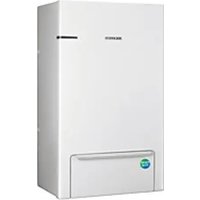


- AIR TO WATER HEAT PUMP USER MANUAL
- WIRED REMOTE CONTROLLER / CONTROL KIT
- SAFETY INFORMATION
- AT A GLANCE
- REMOTE CONTROLLER OVERVIEW
- REMOTE CONTROLLER OPERATION
- POWER SMART FEATURES
- ENERGY-SAVING OPERATION
- SETTING OPTIONS
- INSTALLATION/SERVICE MODE
- FIELD SETTING MODE
- APPENDIX
- WARNING
- CAUTION
- FOR INSTALLATION
- FOR POWER SUPPLY
- FOR OPERATION
- FOR CLEANING
- BUTTONS OVERVIEW
- NOTE
- HOME SCREEN OVERVIEW
- ZONE SCREEN OVERVIEW
- DHW SCREEN OVERVIEW
- SETTINGS SCREEN OVERVIEW
- OPERATING BASIC MODE
- AUTO MODE
- COOL MODE
- HEAT MODE
- DOMESTIC HOT WATER (DHW) MODE
- ADJUSTING DESIRED TEMPERATURE
- SETTING THE SET TEMPERATURE
- OPERATION STATUS
- QUIET MODE
- OUTING MODE
- SETTING SCHEDULE
- ENERGY
- TDM (TIME-DIVISION MULTI) VARIABLES (TDM PRODUCT ONLY)
- HOW TO SET THE OPTIONS
- CURRENT TIME SETTING (EXAMPLE)
- ADDITIONAL FUNCTIONS OF THE WIRED REMOTE CONTROLLER
- HOW TO UPLOAD OR DOWNLOAD FIELD SETTINGS (EXAMPLE)
- FIELD SETTING VALUE (FSV)
- REMOTE CONTROLLER SETTING RANGE: CODE
- SPACE COOLING
- SPACE HEATING
- DHW HEATING
- HYSTERESIS
- WATER LAW & ROOM THERMOSTAT/ WIRED REMOTE CONTROLLER: CODE
- WATER LAW FOR HEATING
- WATER LAW FOR COOLING
- EXTERNAL ROOM THERMOSTAT (FIELD OPTION)
- REMOTE CONTROLLER ROOM TEMPERATURE CONTROL
- HEAT PUMP VARIABLES FOR CONTROLLING DHW TANK
- BOOSTER HEATER VARIABLES FOR CONTROLLING DHW TANK
- [THERMO ON/OFF CONTROL OF HEAT PUMP AND BOOSTER HEATER]
- DISINFECTION FUNCTION
- FORCED DHW BY USER'S INPUT
- ADDITIONAL SOLAR PANEL/DHW THERMOSTAT INSTALLATION FOR DHW WITH HEAT PUMP (FIELD OPTION)
- ENERGY METERING
- ADDITIONAL HEATING OPTION
- HEAT PUMP VARIABLES FOR SPACE HEATING
- BACKUP HEATER VARIABLES FOR SPACE HEATING
- EXTERNAL BACKUP BOILER FOR SPACE HEATING (FIELD OPTION)
- MIXING VALVE INSTALLATION (FIELD OPTION)
- INVERTER PUMP INSTALLATION (FIELD OPTION)
- ZONE CONTROL (FIELD OPTION)
- OTHERS: CODE
- PEAK POWER CONTROL
- FR CONTROL(FREQUENCY RATIO CONTROL) - DISPLAY "DR" ON WIRED REMOTE CONTROL
- OUTDOOR UNIT CONTROL
- THERMOSTAT CONTROL TYPE (FSV #6041)
- PV CONTROL (PHOTOVOLTAICS CONTROL)
- SMART GRID CONTROL
- OPERATION MODE FOR SMART GRID
- HOT WATER MODE
- HEATING MODE
- MAINTENANCE ACTIVITIES
- EMERGENCY HEATING / EMERGENCY HOT WATER SUPPLY
- TROUBLESHOOTING TIPS
- E
- WATER PUMP & FLOW SENSOR
Brand : SAMSUNG
Model : MIM-E03DN
Category : Heat pump