
VIF 11177 DOD NoFrost - Freezer VESTFROST - Free user manual and instructions
Find the device manual for free VIF 11177 DOD NoFrost VESTFROST in PDF.


| Brand | Vestfrost |
| Model | VIF 11177 DOD NoFrost |
| Product Type | Freezer |
| Freezer Type | Upright |
| Defrosting Type | NoFrost (auto defrost) |
| Energy Efficiency Class | A+ |
| Height | 185 cm |
| Width | 60 cm |
| Depth | 65 cm |
| Weight | 70 kg |
| Net Capacity | 250 L |
| Climate Class | SN-T |
| Noise Level | 42 dB |
| Power Supply | 220-240 V, 50 Hz |
| Annual Energy Consumption | 280 kWh |
| Freezer Temperature Range | -18°C to -24°C |
| Freezing Capacity | 12 kg/24h |
| Storage Time During Power Failure | 18 hours |
| Adjustable Shelves | Yes |
| Door Reversibility | Yes |
| Control Panel | Electronic with LED display |
| Interior Light | LED |
| Wheels | Yes |
| Refrigerant | R600a |
Frequently Asked Questions - VIF 11177 DOD NoFrost VESTFROST
User questions about VIF 11177 DOD NoFrost VESTFROST
0 question about this device. Answer the ones you know or ask your own.
Ask a new question about this device
Download the instructions for your Freezer in PDF format for free! Find your manual VIF 11177 DOD NoFrost - VESTFROST and take your electronic device back in hand. On this page are published all the documents necessary for the use of your device. VIF 11177 DOD NoFrost by VESTFROST.
USER MANUAL VIF 11177 DOD NoFrost VESTFROST
natural_image
Simple line drawing of a door with a vertical slot on the left side (no text or symbols)VIF 11177 DOD NoFrost
DA 2
Indhold
F∅R IBRUGTAGNING 4
Generelle advarsler 4
Sikkerhedsadvarsler 8
APPARATETS DELE OG RUM....11
Mål 13
BRUGSOPLYSNINGER....14
natural_image
Symbol of a trash bin crossed with no text or labels, representing waste sorting or disposal (no text present)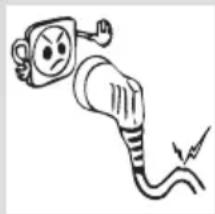
natural_image
Simple line drawing of an electric plug with a warning symbol (no text or labels)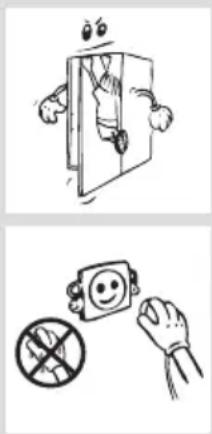
natural_image
Two black-and-white illustrations: top shows a cartoon character hanging from a door, bottom shows a smiling face with a crossed-out prohibition sign (no text or symbols)natural_image
Illustration of three hands holding wires with a lightning bolt symbol (no text or labels)natural_image
Cartoon illustration of a distressed container holding a box labeled 'KG', with arms and legs crossed (no text or symbols beyond the label)
natural_image
Simple line drawing of a hand reaching toward a smiling emoji-shaped object (no text or symbols)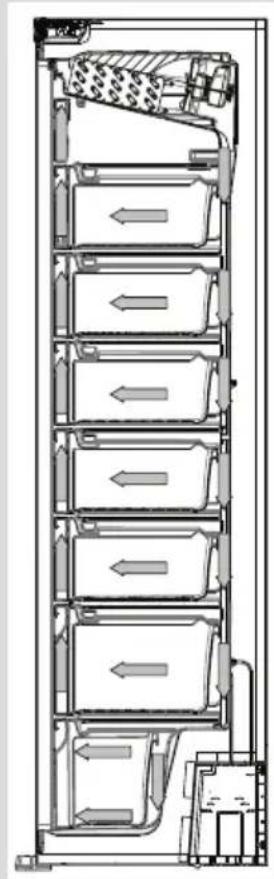
natural_image
Technical line drawing of a multi-level industrial or storage unit with directional arrows indicating flow or movement (no text or symbols present)natural_image
Line drawing of a hand pouring liquid into a container on a grid-patterned tray (no text or symbols)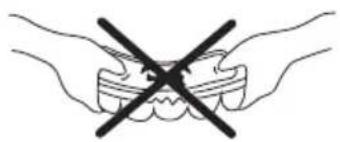
natural_image
Illustration of two hands holding teeth with a black X symbol indicating no change or prohibition (no text or labels)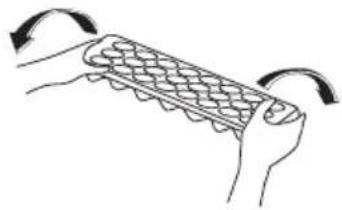
natural_image
Illustration of hands holding a grid-patterned object with curved arrows indicating rotation (no text or symbols)Icematic (Kun i nogle modeller)
natural_image
Diagram showing airflow around two circular chambers with red arrows indicating direction (no text or symbols)Bemærk:
natural_image
Diagram of a device with two circular ports and directional arrows indicating flow or movement (no text or symbols)natural_image
Cartoon illustration of a smiling refrigerator with a thumbs-up gesture and a bowl of food (no text or symbols)natural_image
Simple line drawing of a hand holding a smiling emoji on a phone (no text or symbols)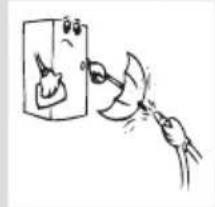
natural_image
Simple line drawing of a hand using a tool to clean or store items, with no text or symbols present.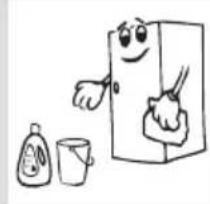
natural_image
Cartoon illustration of a smiling refrigerator with two smaller objects nearby (no text or symbols)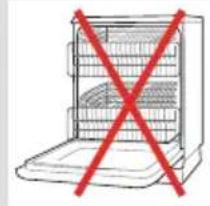
natural_image
Simple line drawing of a refrigerator with a red X symbol crossed out (no text or labels)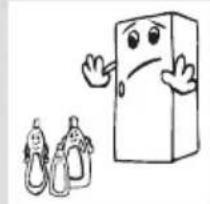
natural_image
Cartoon illustration of a smiling rectangular character and two baby bottles (no text or symbols)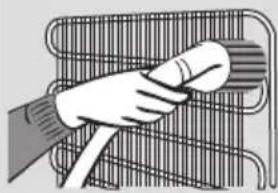
natural_image
Illustration of a hand holding a cylindrical object over a wire rack (no text or symbols)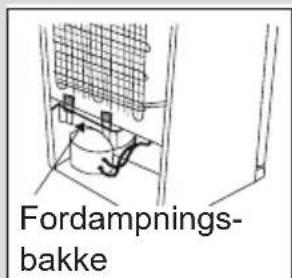
RENG∅RING OG VEDLIGEHOLDELSE
natural_image
Simple line drawing of two children holding a large rectangular object (no text or symbols)BEFORE USING THE APPLIANCE....30
Safety warnings 36
Installing and operating your freezer 37
Before using your freezer 38
Information on NoFrost technology 39
THE PARTS OF THE APPLIANCE AND THE
COMPARTMENTS 40
Dimensions....42
USAGE INFORMATION......43
Display and Control Panel 43
Operating Your Freezer 43
Super Freeze Mode 43
Economy Mode....44
Screen Saver Mode 44
Door Open Alarm Function 45
Temperature Settings.... 45
Freezer Temperature Settings 45
Warnings about temperature adjustments....45
Accessories 47
Making ice cubes 47
ARRANGING FOOD IN THE APPLIANCE......48
CLEANING AND MAINTENANCE ....50
Defrosting 50
Replacing the LED strip....51
SHIPMENT AND REPOSITIONING 52
BEFORE CALLING YOUR AFTER SALES SERVICE...53
Tips for saving energy 55
TECHNICAL DATA....56
INFORMATION FOR TEST INSTITUTES....56
CUSTOMER CARE AND SERVICE....56
1 SAFETY INSTRUCTIONS
1.1 General Safety Warnings
Read this user manual carefully.
WARNING: Keep ventilation openings, in the appliance enclosure or in the built-in structure, clear of obstruction.
WARNING: Do not use mechanical devices or other means to accelerate the defrosting process, other than those recommended by the manufacturer.
WARNING: Do not use electrical appliances inside the food storage compartments of the appliance, unless they are of the type recommended by the manufacturer.
⚠ WARNING: Do not damage the refrigerant circuit.
WARNING: When positioning the appliance, ensure the supply cord is not trapped or damaged.
WARNING: Do not locate multiple portable socket-outlets or portable power supplies at the rear of the appliance.
⚠ WARNING: In order to avoid any hazards resulting from the instability of
the appliance, it must be fixed in accordance with the instructions.
⚠️ If your appliance uses R600a as a refrigerant (this information will be provided on the label of the cooler) you should take care during transportation and installation to prevent the cooler elements from being damaged. R600a is an environmentally friendly and natural gas, but it is explosive. In the event of a leak due to damage of the cooler elements, move your freezer away from open flames or heat sources and ventilate the room where the appliance is located for a few minutes.
- While carrying and positioning the freezer, do not damage the cooler gas circuit.
- Do not store explosive substances such as aerosol cans with a flammable propellant in this appliance.
- This appliance is intended to be used in household and domestic applications such as:
-staff kitchen areas in shops, offices and other working environments.
-farm houses and by clients in hotels, motels and other residential type environments.
-bed and breakfast type environments;
-catering and similar non-retail applications.
- If the socket does not match the freezer plug, it must be replaced by the manufacturer, a service agent or similarly qualified persons in order to avoid a hazard.
- A specially grounded plug has been connected to the power cable of your freezer. This plug should be used with a specially grounded socket of 10 amperes. If there is no such socket in your house, please have one installed by an authorised electrician.
- This appliance can be used by children aged from 8 years and above and persons with reduced physical, sensory or mental capabilities or lack of experience and knowledge if they have been given supervision or instruction concerning use of the appliance in a safe way and understand the hazards
involved. Children shall not play with the appliance. Cleaning and user maintenance shall not be made by children without supervision.
- Children aged from 3 to 8 years are allowed to load and unload refrigerating appliances. Children are not expected to perform cleaning or user maintenance of the appliance, very young children (0-3 years old) are not expected to use appliances, young children (3-8 years old) are not expected to use appliances safely unless continuous supervision is given, older children (8-14 years old) and vulnerable people can use appliances safely after they have been given appropriate supervision or instruction concerning use of the appliance. Very vulnerable people are not expected to use appliances safely unless continuous supervision is given.
- If the supply cord is damaged, it must be replaced by the manufacturer, an authorised service agent or similar qualified persons, in order to avoid a hazard.
- This appliance is not intended for use at altitudes exceeding 2000 m.
To avoid contamination of food, please respect the following instructions:
- Opening the door for long periods can cause a significant increase of the temperature in the compartments of the appliance.
- Clean regularly surfaces that can come in contact with food and accessible drainage systems
- Two-star frozen-food compartments are suitable for storing pre-frozen food, storing or making ice cream and making ice cubes.
- One-, two- and three-star compartments are not suitable for the freezing of fresh food.
- If the freezer appliance is left empty for long periods, switch off, defrost, clean, dry, and leave the door open to prevent mould developing within the appliance.
natural_image
Symbol of a trash bin crossed with no text or labels, representing waste sorting or disposal (no text present)Old and out-of-order freezers
- If your old freezer has a lock, break or remove the lock before discarding it, because children may get trapped inside it and may cause an accident.
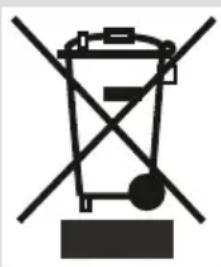
- Old fridges and freezers may contain isolation material and refrigerant with CFC or HFC. Therefore, take care not to harm environment when you are discarding your old fridges or freezers.
Please ask your municipal authority about the disposal of the WEEE reuse, recycle and recovery purposes.
Notes:
- Please read the instruction manual carefully before installing and using your appliance. We are not responsible for the damage occurred due to misuse.
- Follow all instructions on your appliance and instruction manual, and keep this manual in a safe place to resolve the problems that may occur in the future.
- This appliance is produced to be used in homes and it can only be used in domestic environments and for the specified purposes. It is not suitable for commercial or common use. Such use will cause the guarantee of the appliance to be cancelled and our company will not be responsible for losses incurred.
- This appliance is produced to be used in houses and it is only suitable for cooling / storing food. It is not suitable for commercial or common use and/or for storing substances except for food. Our company is not responsible for losses to be incurred in the contrary case.
natural_image
Cartoon illustration of an electric plug with a warning symbol (no text or labels)Safety warnings
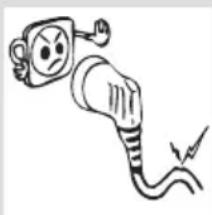
- Do not connect your Freezer to the mains electricity supply using an extension lead.
- Do not plug in damaged, torn or old plugs.
- Do not pull, bend or damage the cord.
natural_image
Cartoon illustration of a person climbing a door with arms and legs, no text or symbols present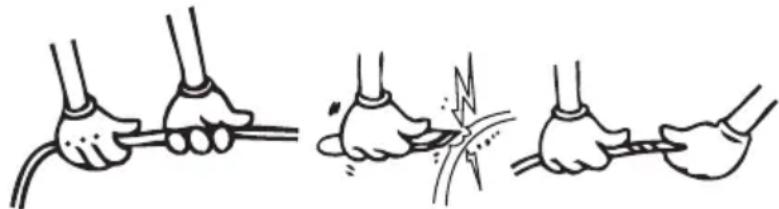
natural_image
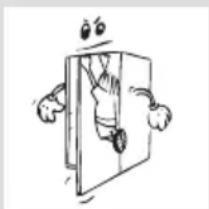
Illustration of three hands holding ropes and connecting wires, showing different cable termination states (no text or symbols present)- This appliance is designed for use by adults, do not allow children to play with the appliance or let them hang off the door.
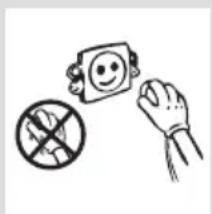
- Never touch the power cord/plug with wet hands as this could cause a short circuit or electric shock.
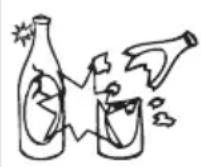
- Do not place glass bottles or beverage cans in the ice-making compartment as they can burst as the contents freeze.
- Do not place explosive or flammable material in your freezer. Place drinks with high alcohol content vertically in the freezer compartment and make sure that their tops are tightly closed.
- When removing ice from the ice-making compartment, do not touch it. Ice may cause frost burns and/or cuts.
- Do not touch frozen goods with wet hands! Do not eat ice-cream and ice cubes immediately after you have taken them out of the freezer!
- Do not touch frozen goods with wet hands. Do not eat ice-cream or ice cubes immediately after you have taken them out of the ice-making compartment.
- Do not cover the body or top of freezer with lace. This affects the performance of your freezer.
- Secure any accessories in the freezer during transportation to prevent damage to the accessories.
- Do not use plug adapter
Installing and operating your freezer
Before starting to use your freezer, you should pay attention to the following points:
- The operating voltage for your freezer is 220-240 V at 50Hz.
- The plug must be accessible after installation.
- Your freezer may have a smell when it is operated for the first time. This is normal and the smell will fade away when your freezer starts to cool.
- Before connecting your freezer, ensure that the information on the data plate (voltage and connected load) matches that of the mains electricity supply. If in doubt, consult a qualified electrician.
- Insert the plug into a socket with an efficient ground connection. If the socket has no ground contact or the plug does not match, we recommend that you consult a qualified electrician for assistance.
- The appliance must be connected with a properly installed fused socket. Power supply (AC) and voltage at the operating point must match with the details on the name plate of the appliance (name plate is located on the inside left of the appliance).
- We do not accept responsibility for any damages that occur due to ungrounded usage.
natural_image
Illustration of a hand holding a smiling face next to a block with a crossed-out prohibition symbol (no text or numbers present)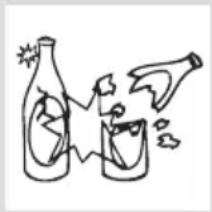
natural_image
Simple line drawing of two bottles and a container with a droplet, no text or symbols present
natural_image
Cartoon illustration of a distressed container with arms and legs, holding a box labeled 'KG' (no text or symbols beyond the label)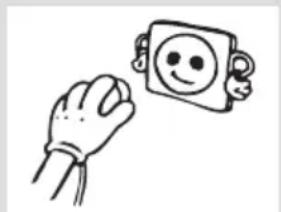
natural_image
Simple line drawing of a hand holding a smiling face next to a smiling square character (no text or symbols)- Place your freezer where it will not be exposed to direct sunlight.
- Your freezer should never be used outdoors or exposed to rain.
- Your appliance should be at least 50 cm away from stoves, gas ovens and heater cores, and at least 5 cm away from electrical ovens.
- When your freezer is placed next to a deep freezer, there should be at least 2 cm between them to prevent humidity forming on the outer surface.
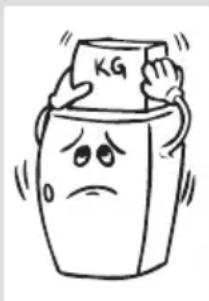
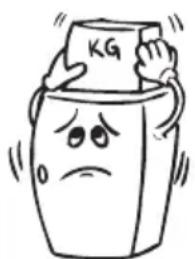
- Do not place heavy items on the appliance.
- Clean the appliance thoroughly, especially the interior, before use (see Cleaning and Maintenance).
- The installation procedure into the kitchen unit is given in the Installation Manual. This product is intended to be used in proper kitchen units only.
- Before using your freezer, wipe all parts with a solution of warm water and a teaspoon of sodium bicarbonate, then rinse with clean water and dry. Place all parts in the freezer after cleaning.
Before using your freezer
- When using your freezer for the first time, or after transportation, keep it in an upright position for at least 3 hours before plugging into the mains. This allows efficient operation and prevents damage to the compressor.
- Your freezer may have a smell when it is operated for the first time. This is normal and the smell will fade away when your freezer starts to cool.
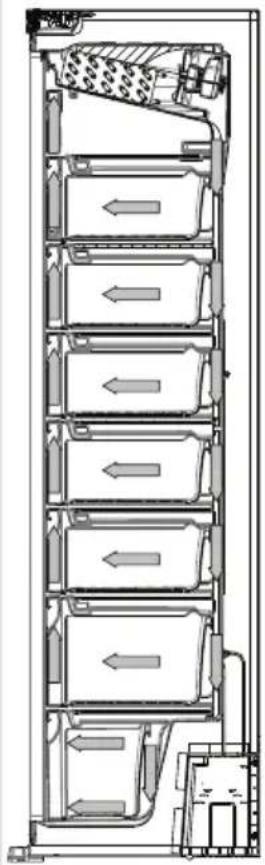
Information on NoFrost technology
NoFrost freezers differ from other static freezers in their operating principle.
In normal freezers, the humidity entering the freezer due to opening the door and the humidity inherent in the food causes freezing in the freezer compartment. To defrost the frost and ice in the freezer compartment, you are periodically required to turn off the freezer, place the food that needs to be kept frozen in a separately cooled container and remove the ice gathered in the freezer compartment.
The situation is completely different in NoFrost freezers. Dry and cold air is blown into the freezer compartments homogeneously and evenly from several points via a blower fan. Cold air dispersed homogeneously and evenly between the shelves cools all of your food equally and uniformly, thus preventing humidity and freezing.
Therefore your NoFrost freezer allows you ease of use, in addition to its huge capacity and stylish appearance.
natural_image
Cross-sectional diagram of a multi-level industrial or storage unit with internal compartments and piping (no text or labels)THE PARTS OF THE APPLIANCE AND THE COMPARTMENTS
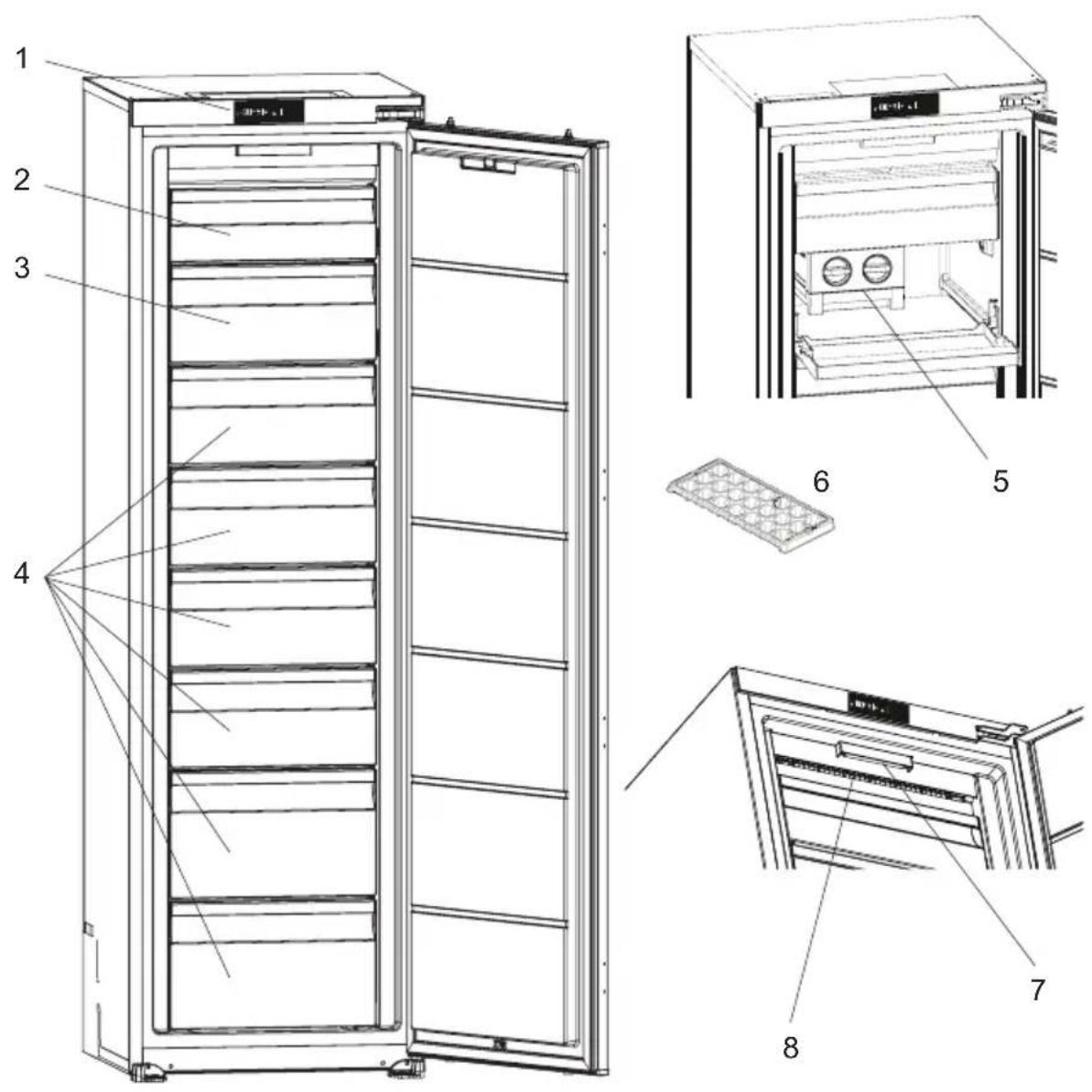
This presentation is only for information about the parts of the appliance. Parts may vary according to the appliance model.
- Control panel
- Freezer upper room cover
- Freezer compartment drawers / freezer room cover *
- Freezer compartment drawers
- Ice matic *
- Ice cube tray*
- Freezer LED strip *
- NoFrost air circulation system
General notes:
Freezer Compartment (Freezer): Most Efficient use of energy is ensured in the configuration with the drawers and bins are on stock position.
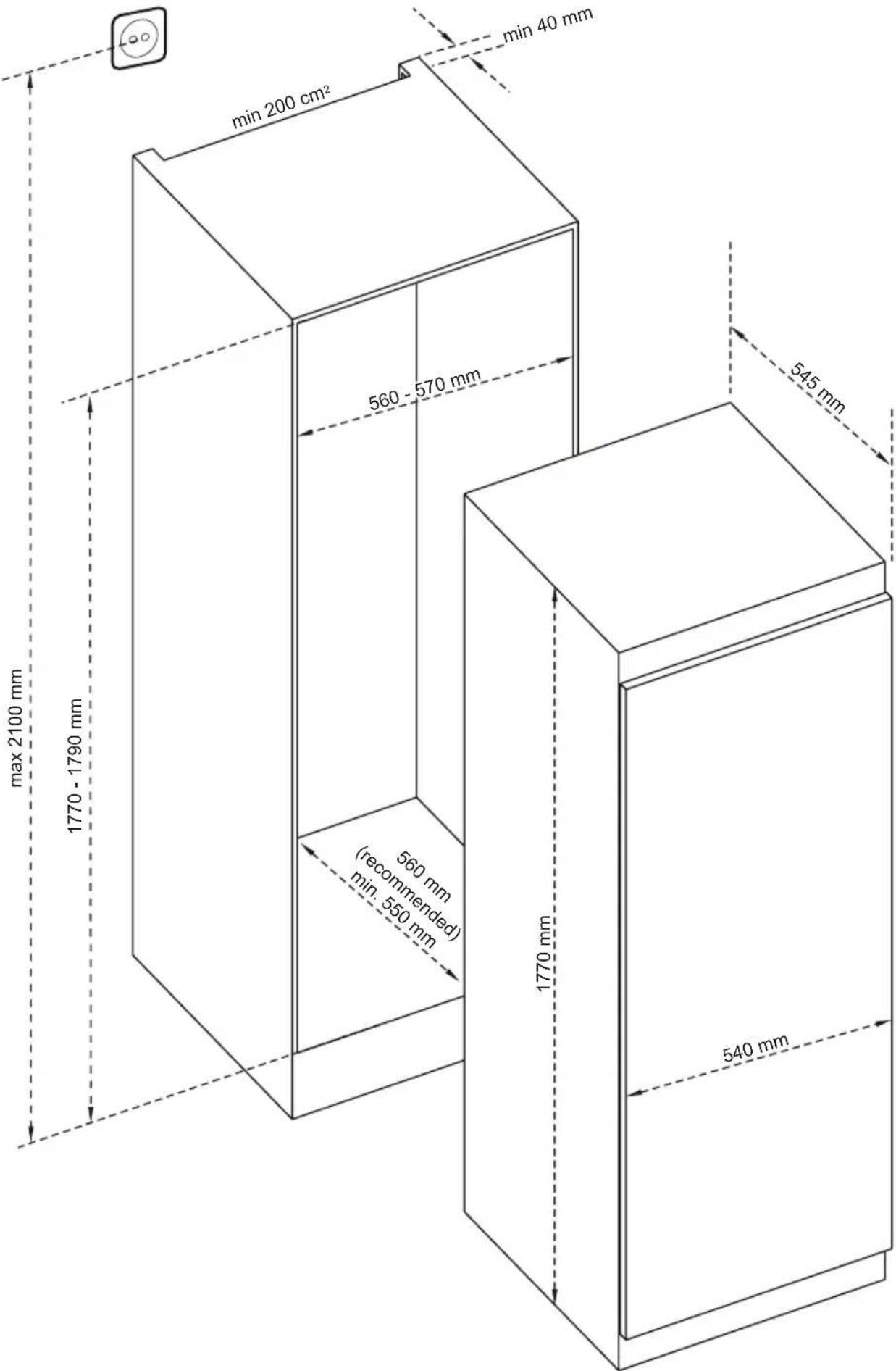
* 1770 - 1778 for metal top cover
Display and Control Panel
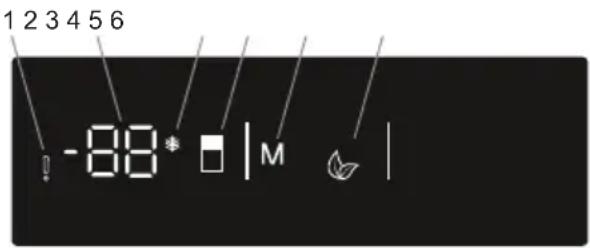
Using the Control Panel
- Alarm indicator
- Freezer set value screen.
- Super Freeze mode indicator
- It enables the setting value of freezer to be modified and super freeze mode to be activated if desired. Freezer may be set to -16, -18, -20, -22, -24°C super freeze.
- It enable the economy mode to be activated if desired.
- Eco mode indicator
If your product has lighting

When the product is plugged in for the first time, the interior lights may turn on 1 minute late due to opening tests.
Operating Your Freezer
Super Freeze Mode
How Would It Be Used?
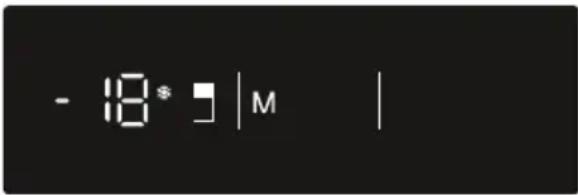
Press freezer set button (#4 on control panel diagram) until Super freeze symbol (#3) will be seen on the screen. Buzzer will sound beep beep. Mode will be set.
During This Mode:
• Economy mode can not be selected.
- Super freeze mode can be cancelled by the same operation of selecting.

Note: This option shall be turned on 24 hours before placing the fresh food to the freezer. After 54h, it returns to the normal set value.
Economy Mode

How Would It Be Used?
- Push "MODE" button (#5 on control panel diagram) until eco symbol appears.
- If no button is pressed for 1 second. Mode will be set. Eco symbol (#6) will blink 3 times. When mode is set, buzzer will sound beep beep.
- Freezer temperature segments (#2) will show "E".
• Economy symbol and E will light till mode finishes.
During This Mode:
- Freezer may be adjusted. When economy mode will be cancelled, the selected setting values will proceed.
- Super freeze mode can be selected. Economy mode is automatically cancelled and the selected mode is activated.
- To cancel, you will just need to press on mode button.
Screen Saver Mode
Purpose
This mode saves energy by switching off all control panel lighting when the panel is left inactive.
How to Use
- Screen saver mode will be activated automatically after 30 seconds.
- If you press any key while the lighting of the control panel is off, the current machine settings will reappear on the display to let you make any change you wish.
- If you do not cancel the screen saving mode or press any key for 30 seconds, control panel will remain off.
To deactivate the screen saving mode,
- To cancel the screen saving mode, first of all, you need to press any key to activate the keys and then press and hold the Mode button "M (#5) for 3 seconds.
- To reactivate screen saving mode, press and hold the mode button "M (#5) for 3 seconds.
- To cancel the screen saving mode, first of all, you need to press any key to activate the keys and then press and hold the Mode button "M (#5) for 3 seconds. - To reactivate screen saving mode, press and hold the mode button "M (#5) for 3 seconds.
Door Open Alarm Function
If freezer door is opened more than 2 minutes, appliance sounds ‘beep beep’.
Temperature Settings
Freezer Temperature Settings
- The initial temperature value for the freezer setting indicator is -18^ .
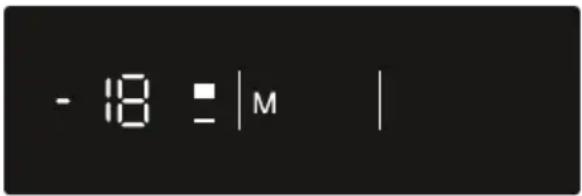
- Press the set freezer button once (#4 on control panel diagram).
- When you first push this button, the last set value will blink on the screen.
- Whenever you press this button, a lower temperature will be set (-16°C, -18°C, -20°C, -22°C, -24°C, super freeze).
- When you push the set freezer button until the super freeze symbol (#3) appears, and if you do not push any other button within 1 second, super freeze will flash.
- If you continue to press it, it will restart from -16^ .
- The temperature value selected before super freeze mode or economy mode is activated and will remain the same when the mode is over or cancelled. The appliance continues to operate with this temperature value.
Recommended Temperature Values for Freezer
| When to adjust | Inner Temperature (°C) |
| For minimum freezing capacity -16, -17 | |
| In normal usage -18, -19, -20, -21 | |
| For maximum freezing capacity. -22, -23, -24 | |
Warnings about temperature adjustments
- Do not pass to another adjustment before completing an adjustment
- Temperature adjustments should be made according to the frequency of door openings, the quantity of food kept inside the freezer and ambient temperature of the place of your freezer.
- Your freezer should be operated up to 24 hours according to the ambient temperature without interruption after being plugged in to be completely cooled.
- Do not open doors of your freezer frequently and do not place much food inside it in this period.
- A 5 minute delaying function is applied to prevent damage to the compressor
USAGE INFORMATION
of your freezer, when you take the plug off and then plug it on again to operate it or when an energy breakdown occurs. Your freezer will start to operate normally after 5 minutes.
- Your freezer is designed to operate in the ambient temperature intervals stated in the standards, according to the climate class stated in the information label. We do not recommend operating your freezer out of stated temperatures value limits in terms of cooling effectiveness.
- This appliance is designed for use at an ambient temperature within the 10^ - 43^ range.
Climate class and meaning:
T (tropical): This freezer is intended to be used at ambient temperatures ranging from 16 °C to 43 °C.
ST (subtropical): This freezer is intended to be used at ambient temperatures ranging from 16 °C to 38 °C.
N (temperate): This freezer is intended to be used at ambient temperatures ranging from 16 °C to 32 °C.
SN (extended temperate): This freezer is intended to be used at ambient temperatures ranging from 10 °C to 32 °C.
Accessories
Making ice cubes
Ice cube tray (In some models)
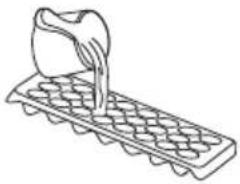
- Fill the ice tray with water and place in the freezer compartment.
• After the water has completely turned into ice, you can twist the tray as shown below to remove the ice cubes.
natural_image
Line drawing of a container pouring liquid into a grid-patterned tray (no text or symbols)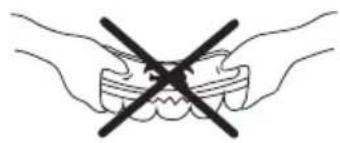
natural_image
Illustration of two hands crossed out of a tooth with a black X symbol (no text or labels)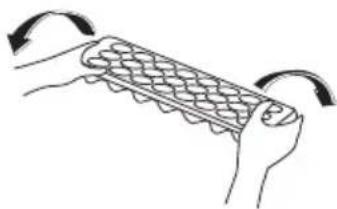
natural_image
Illustration of hands holding a grid-like object with curved arrows indicating rotation (no text or symbols)Icematic (In some models)
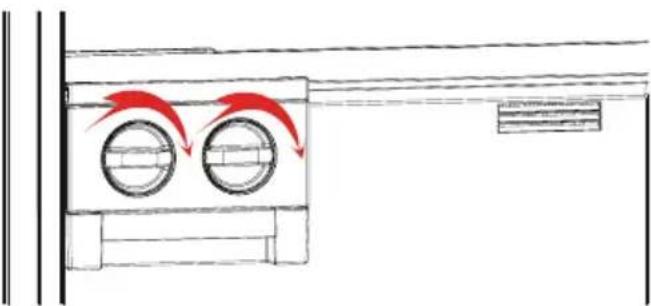
• Take out the ice making tray
• Fill the water to the line.
- Place the ice making tray in its original position
- When ice cubes are formed, twist the lever to drop ice cubes into the icebox.
natural_image
Diagram showing airflow around two circular chambers with red arrows indicating direction (no text or symbols)Note:
- Do not fill the icebox with water to make ice. This may damage it.
- The movement of the ice maker may be difficult while the freezer is running. In such a case it should be cleaned by removing the glass shelves.
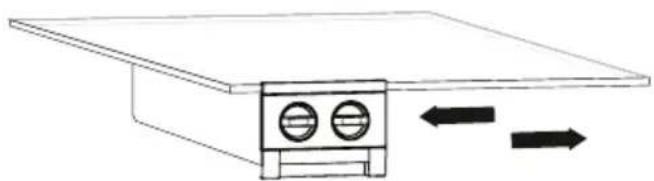
Removing the Ice maker
- Remove the freezer glass shelves
- Remove the icemaker by pulling left or right on the shelf.
natural_image
Simple line drawing of a device with two circular ports and directional arrows indicating flow or movement (no text or symbols)You can remove the icemaker to increase the available volume in the freezer compartment.
Visual and text descriptions on the accessories section may vary according to the model of your appliance.
- Use your freezer to keep frozen food for a long time and to produce ice.
- Do not place food you want to freeze next to frozen food.
- You should freeze your food (meat, minced meat, fish etc) in portions that allow consuming in a time.
- Do not put fresh and warm food with frozen food side by side as it can thaw the frozen food.
- While freezing fresh food (i.e. meat, fish and mincemeat) divide them in parts in order to use in one time.
- For storing the frozen food; the instructions shown on frozen food packages should always be followed carefully and if no information is provided, food should not be stored for more than 3 months from the purchased date.
- Maximum load; if you want to load large quantities and use the maximum net capacity, you can remove the drawers (Except the bottom one). You can store bulky items directly on the shelves.
- When buying frozen food ensure that these have been frozen at suitable temperatures and that the packing is intact.
- Frozen food should be transported in appropriate containers to maintain the quality of the food and should be returned to the freezing surfaces of the unit in the shortest possible time.
- If a package of frozen food shows the sign of humidity and abnormal swelling it is probable that it has been previously stored at an unsuitable temperature and that the contents have deteriorated.
- The storage life of frozen food depends on the room temperature, thermostat setting, how often the door is opened, the type of food and the length of time required to transport the product from the shop to your home. Always follow the instructions printed on the package and never exceed the maximum storage life indicated.
If you would freeze about 3 kg food in your freezer:
- You can place your food without touching other frozen food and activate “Fast Freezing” mode. You can put your food next to other frozen food after they are frozen (after minimum 24 hours).
- Do not re-freeze the frozen goods after being melted. This may cause health issues like food poisoning.
- Do not place hot food to the freezer before cooling them. This may cause the spoiling of food frozen before in the freezer.
- When you are buying frozen food, make sure that they frozen in proper conditions and the package is undamaged.
ARRANGING FOOD IN THE APPLIANCE
- Follow the instructions for storing conditions on the package of the frozen food while storing them. If there is no explanation, food must be consumed in a short time.
- If the package of frozen food is humid and smells bad, it may be stored under inappropriate conditions and spoiled. Do not buy this kind of food!
- Storing time for frozen food may differ according to the ambient temperature, frequency of door openings, thermostat adjustments, type of food and the time between the buying of the food and placing of the food in the freezer. Always follow instructions on the package and do not exceed storing period.
natural_image
Simple line drawing of a hand holding a smiling emoji on a square (no text or symbols)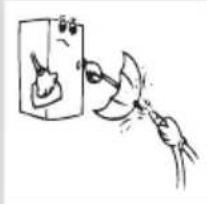
natural_image
Simple line drawing of a hand holding a tool near a device (no text or symbols)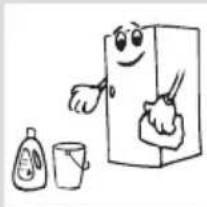
natural_image
Cartoon illustration of a smiling refrigerator with cleaning tools nearby (no text or symbols)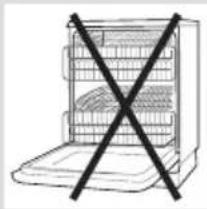
natural_image
Simple line drawing of a device with a black X symbol crossed out, no text or symbols present.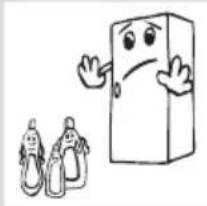
natural_image
Cartoon illustration of a smiling rectangular character with arms and legs, accompanied by two small figurines (no text or symbols)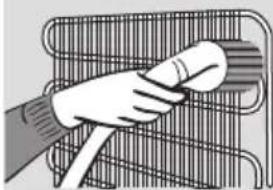
natural_image
Illustration of a hand holding a cable or wire rack (no text or symbols visible)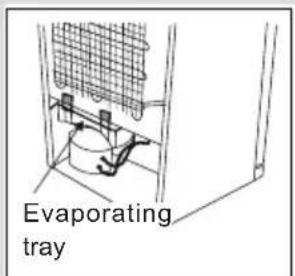
- Disconnect the unit from the power supply before cleaning.
- Do not clean the appliance by pouring water on it.
- Make sure that no water enters the lamp housing and other electrical components.
- The freezer should be cleaned periodically using a solution of bicarbonate of soda and lukewarm water.
- Clean the accessories separately with soap and water Do not clean them in the dishwasher.
natural_image
Cartoon illustration of a smiling refrigerator with sunglasses and a mortar, giving thumbs up (no text or symbols)- Do not use abrasive products, detergents or soaps. After washing, rinse with clean water and dry carefully. When you have finished cleaning, reconnect the plug to the mains supply with dry hands.
- Clean the condenser with a broom at least twice a year. This will help you to save on energy costs and increase productivity.
THE POWER SUPPLY MUST BE DISCONNECTED.
Defrosting
Your freezer defrosts automatically. Water produced by defrosting flows to evaporating container passing through water collecting groove, and vaporizes here by itself.
Replacing the LED strip
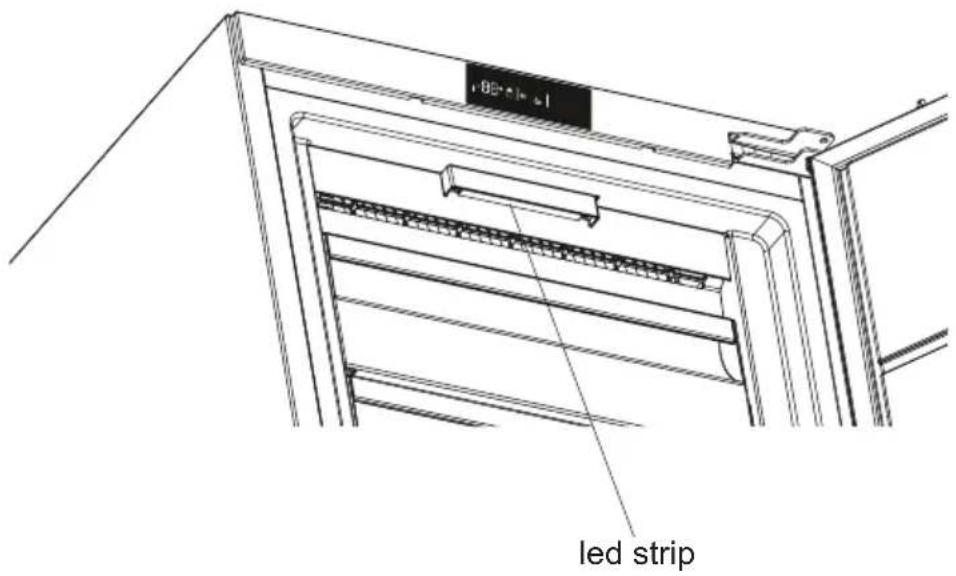
1 LED strip in the freezer is used to illuminate your appliance. Please call the service man when it needs to be replaced.
Note: Numbers and location of led strips may be different according to the model.
!!! Some versions may be without illumination.
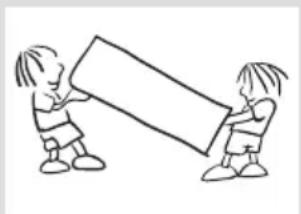
natural_image
Simple line drawing of two children holding a large rectangular object (no text or symbols)Transportation and changing of installation position
- The original packages and foamed polystyrene (PS) can be retained if required.
- During transportation, the appliance should be secured with a wide string or a strong rope. The instructions written on the corrugated box must be followed while transporting.
- Before transporting or changing the installation position, all the moving objects (ie, drawer, Ice trays, ...) should be taken out or fixed with bands in order to prevent them from getting damaged.
Carry your freezer in the upright position.
BEFORE CALLING YOUR AFTER SALES SERVICE
If your freezer is not working properly, it may be a minor problem, therefore check the following, before calling an electrician to save time and money.
| ERROR TYPE MEANING WHY WHAT TO DO | |||
| E01 Sensor warning | Call Service for assistance as soon as possible. | ||
| E02 Sensor warning | Call Service for assistance as soon as possible. | ||
| E03 Sensor warning | Call Service for assistance as soon as possible. | ||
| E06 Sensor warning | Call Service for assistance as soon as possible. | ||
| E07 Sensor warning | Call Service for assistance as soon as possible. | ||
| E08 Low Voltage Warning | Power supply to the device has dropped to below 170W. | - This is not a device failure, this error helps to prevent damages to the compressor.- The voltage needs to be increased back to required levelsIf this warning continues an authorised technician needs to be contacted. | |
| E09 | Freezer compartment is not cold enough | Likely to occur after long term power failure. | 1. Set the freezer temperature to a colder value or set Super Freeze. This should remove the error code once the required temperature has been reached. Keep doors closed to improve time taken to reach the correct temperature.2. Remove any products which have thawed/defrosted during this error. They can be used within a short period of time.3. Do not add any fresh produce to the freezer compartment until the correct temperature has been reached and the error is no longer.If this warning continues an authorised technician needs to be contacted. |
What to do if your appliance does not operate;
Check that;
- There is no power,
- The general switch in your home is disconnected,
BEFORE CALLING YOUR AFTER SALES SERVICE
- The socket is not sufficient. To check this, plug in another appliance that you know which is working into the same socket.
What to do if your appliance performs poorly;
Check that;
- You have not overloaded the appliance,
• The freezer temperature set to -16.
• The doors are closed perfectly, - There is no dust on the condenser,
- There is enough place at the rear and side walls.
If your freezer is operating too loudly;
Normal Noises
Cracking (Ice cracking) Noise:
• During automatic defrosting.
- When the appliance is cooled or warmed (due to expansion of appliance material).
Short cracking: Heard when the thermostat switches the compressor on/off.
Compressor noise: Normal motor noise. This noise means that the compressor operates normally Compressor may cause more noise for a short time when it is activated.
Bubbling noise and splash: This noise is caused by the flow of the refrigerant in the tubes of the system.
Water flow noise: Normal flow noise of water flowing to the evaporation container during defrosting. This noise can be heard during defrosting.
Air Blow Noise: Normal fan noise. This noise can be heard in NoFrost freezer during normal operation of the system due to the circulation of air.
If the edges of freezer cabinet that the door joint contact are warm;
Especially in summer (hot weather), the surfaces that the joint contact may get warmer during the operation of the compressor, this is normal.
Icing on the inside of the cabinet
Check if:
The doors are fully closed. Integrated cabinets may not be closed completely, if they are not correctly closed every time, and icing can form. The appliance is not able to defrost automatically in that case. Note that refrigerators / freezers without NoFrost are not self-defrosting.
If humidity builds up inside the freezer;
- Are all food packed properly? Are the containers dried before placing them in the freezer?
BEFORE CALLING YOUR AFTER SALES SERVICE
- Is the freezers door opened frequently? Humidity of the room gets in the freezer when the doors are opened. Humidity build up will be faster when you open the doors more frequently, especially if the humidity of the room is high.
If the door is not opened and closed properly;
- Do the food packages prevent closing of the door?
- Are the drawers placed properly?
- Are door joints broken or torn?
• Is your freezer on a level surface?
Recommendations
- To stop the appliance completely, unplug from main socket (for cleaning and when the door is left open)
Tips for saving energy
- Install the appliance in a cool, well ventilated room, but not in direct sunlight and not near a heat source (radiator, cooker.. etc). Otherwise use an insulating plate.
- Allow warm food and drinks to cool down outside the appliance.
- Cover drinks or other liquids when placing them in the appliance Otherwise humidity increases in the appliance. Therefore, the working time gets longer. Also covering drinks and other liquids helps to preserve smell and taste.
- Try to avoid keeping the doors open for long periods or opening the doors too frequently as warm air will enter the cabinet and cause the compressor to switch on unnecessarily often.
- Keep the covers of the different temperature compartments (crisper, chiller ...etc) closed
- Door gasket must be clean and pliable. Replace gaskets if worn.
TECHNICAL DATA
The technical information is situated in the rating plate on the internal side of the appliance and on the energy label.
The QR code on the energy label supplied with the appliance provides a web link to the information related to the performance of the appliance in the EU EPREL database.
Keep the energy label for reference together with the user manual and all other documents provided with this appliance.
It is also possible to find the same information in EPREL using the link https://eprel.ec.europa.eu and the model name and product number that you find on the rating plate of the appliance.
See the link www.theenergylabel.eu for detailed information about the energy label.
INFORMATION FOR TEST INSTITUTES
Appliance for any EcoDesign verification shall be compliant with EN 62552.
Ventilation requirements, recess dimensions and minimum rear clearances shall be as stated in this User Manual at. Please contact the manufacturer for any other further information, including loading plans.
CUSTOMER CARE AND SERVICE
Always use original spare parts.
When contacting our Authorised Service Centre, ensure that you have the following data available: Model, Serial Number and Service Index.
The information can be found on the rating plate. Subject to change without notice.
The original spare parts for some specific components are available for a minimum of 7 or 10 years, based on the type of component, from the placing on the market of the last unit of the model.
Visit our website:
www.eico.eu
Innehåll
INNAN DU ANVÄNDER DIN FRYS 58
DELARNA I FRYS OCH FACKEN 66
Dimensioner....68
ANVÄNDARINFORMATION 69
Icematic (I vissa modeller)....73
PLACERING AV LIVSMEDEL.... 74
RENGÖRING OCH UNDERHÅLL 79
Avfrostning....79
Byta ut LED-remsan 80
TRANSPORT OCH FLYTTNING....81
INNAN DU KALLAR SERVICE....82
- bed and breakfast bostäder;
natural_image
Illustration of three hands holding wires, showing different techniques of connecting or disconnection (no text or symbols present)natural_image
Symbol of a trash bin crossed with diagonal lines, no text or labels present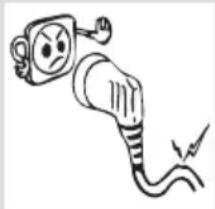
natural_image
Cartoon illustration of an electric plug with a sad face and plug, emitting exhaust smoke (no text or symbols)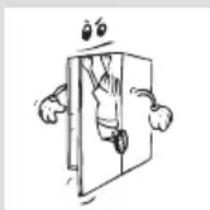
natural_image
Cartoon illustration of a person peeking out of a door with arms and legs (no text or symbols)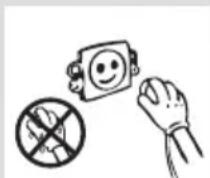
INNAN DU ANVÄNDER DIN FRYS

natural_image
Cartoon illustration of a distressed container with arms and legs, holding a box labeled 'KG' (no text or symbols beyond the label)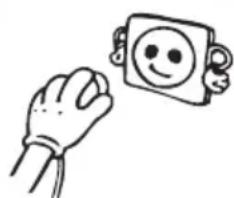
natural_image
Simple line drawing of a hand holding a smiling emoji-shaped object (no text or symbols)natural_image
Technical line drawing of a multi-level storage or ventilation system with directional arrows indicating flow or movement (no text or symbols present)natural_image
Line drawing of a hand pouring liquid into a tray with a grid-patterned base (no text or symbols)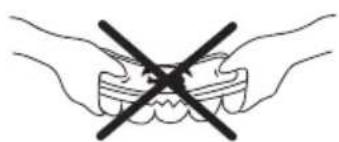
natural_image
Illustration of two hands crossed out of a tooth with a black X symbol (no text or labels)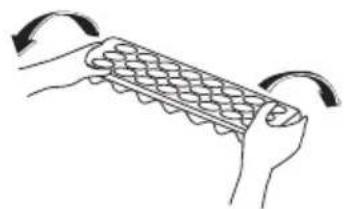
natural_image
Illustration of two hands holding a grid-like object with curved arrows indicating rotation (no text or symbols)Icematic (I vissa modeller)
natural_image
Simple line drawing of a room with two circular windows and red arrows indicating airflow or ventilation (no text or symbols)Obs:
natural_image
Simple line drawing of a device with two circular ports and directional arrows indicating flow or movement (no text or symbols)natural_image
Cartoon illustration of a smiling refrigerator with hands giving thumbs up and a mortar (no text or symbols)natural_image
Simple line drawing of a hand holding a smiling square emoji (no text or symbols)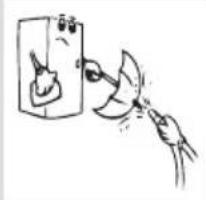
natural_image
Simple line drawing of a hand cleaning a wall-mounted device (no text or symbols)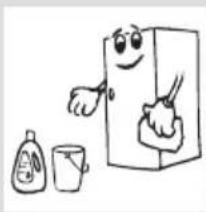
natural_image
Cartoon illustration of a smiling refrigerator with cleaning tools nearby (no text or symbols)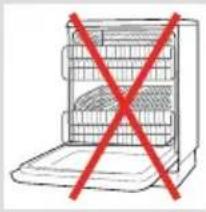
natural_image
Simple line drawing of a kitchen appliance with a red X mark indicating prohibition (no text or symbols)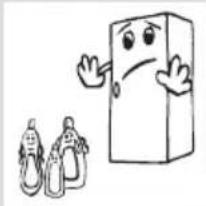
natural_image
Cartoon illustration of a smiling rectangular character with arms and legs, accompanied by two small figurines (no text or symbols)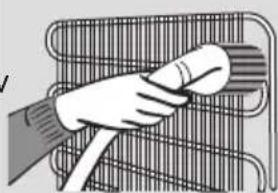
natural_image
Illustration of a hand holding a tool over a wire rack (no text or symbols)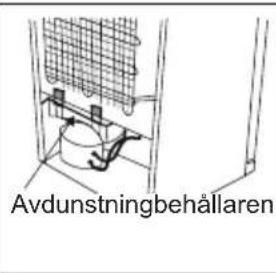
natural_image
Technical line drawing of a multi-level storage or rack system with no visible text or symbolsLED-remsa
TRANSPORT OCH FLYTTNING
natural_image
Simple line drawing of two children holding a large rectangular object (no text or symbols)TEKNISET TIEDOT....113
TIETOJA TESTAUSLAITOKSILLE....113
ASIAKASPALVELU JA HUOLTO 113
Yleisiä varoituksia
natural_image
Symbol of a trash bin crossed with no text or numbers, representing waste sorting or disposal (no text present)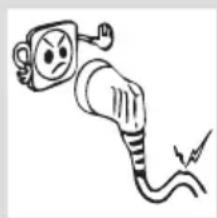
natural_image
Simple line drawing of an electric plug with a sad face and plug, showing electrical connections (no text or symbols)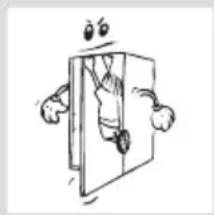
natural_image
Cartoon illustration of a person peeking out of a door (no text or symbols)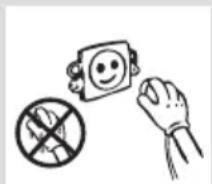
Turvallisuusohjeita
natural_image
Illustration showing three different techniques for connecting wires, with no text or symbols present.natural_image
Cartoon illustration of a distressed container with a bag labeled 'KG' and a sad face (no text or symbols beyond the label)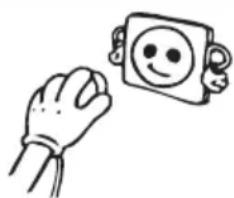
natural_image
Simple line drawing of a hand holding a smiling emoji-shaped object (no text or symbols)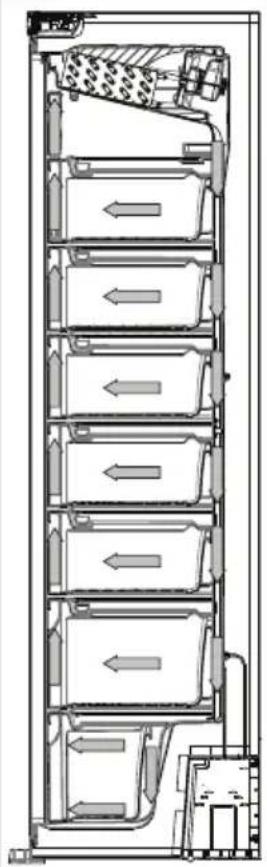
natural_image
Technical cross-section diagram of a multi-level storage or ventilation system with directional arrows indicating flow (no text or labels)natural_image
Line drawing of a hand pouring liquid into a container on a grid-patterned tray (no text or symbols)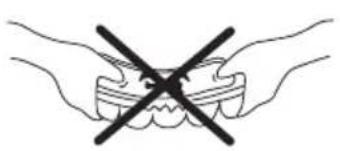
natural_image
Simple line drawing of two hands holding a tooth with a black X symbol (no text or labels)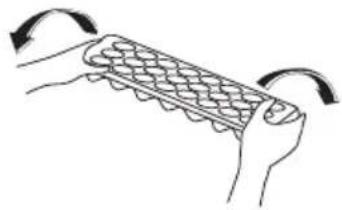
natural_image
Illustration of two hands holding a grid-patterned object with curved arrows indicating rotation (no text or symbols)natural_image
Diagram showing airflow around two circular chambers with red arrows indicating direction (no text or symbols)Huomautus:
natural_image
Diagram of a device with two circular ports and directional arrows indicating flow or movement (no text or symbols)natural_image
Cartoon illustration of a smiling refrigerator with arms and legs, giving thumbs up (no text or symbols)natural_image
Simple line drawing of a hand holding a smiling face icon next to a rounded square (no text or symbols)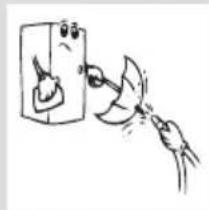
natural_image
Simple line drawing of a hand washing a bottle from a container (no text or symbols)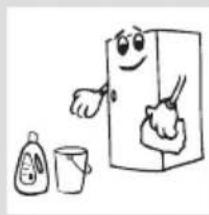
natural_image
Cartoon illustration of a smiling refrigerator with a spoon, accompanied by a small bottle and a cup (no text or symbols)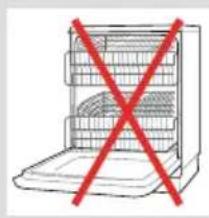
natural_image
Simple line drawing of a refrigerator with a red X mark on the door (no text or symbols)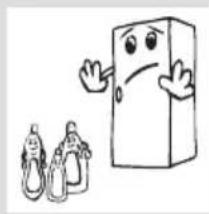
natural_image
Cartoon illustration of a smiling rectangular character with arms raised, accompanied by two small figures in suits (no text or symbols)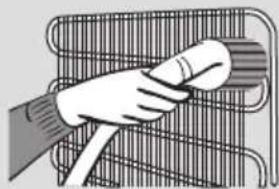
natural_image
Illustration of a hand holding a tool inside a wire rack (no text or symbols)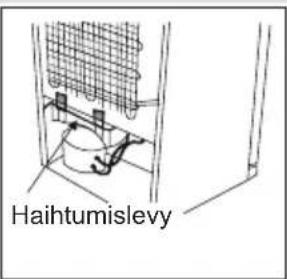
natural_image
Simple line drawing of two children holding a large rectangular object (no text or symbols)natural_image
Symbol of a trash bin crossed with no text or labels, representing waste sorting or disposal (no text present)natural_image
Cartoon illustration of a charging plug with an angry face and lightning bolt (no text or symbols)Sikkerhetsadvarsler
natural_image
Cartoon illustration of a person hanging from a door with arms outstretched (no text or symbols)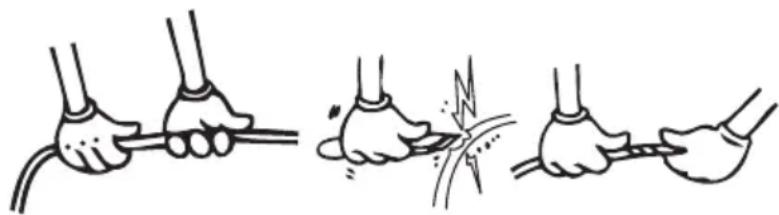
natural_image
Illustration showing three different techniques for connecting wires, with no text or symbols present.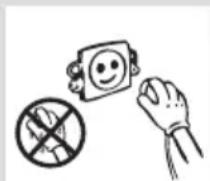
natural_image
Cartoon illustration of a distressed container with arms and legs, holding a box labeled 'KG' (no text or symbols beyond the label)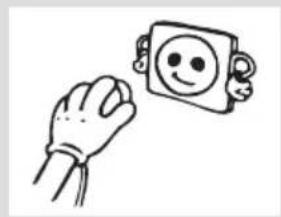
natural_image
Simple line drawing of a hand holding a smiling emoji icon next to a square character (no text or symbols)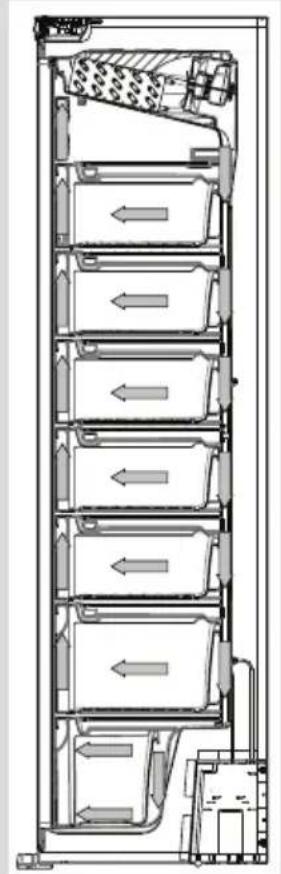
natural_image
Technical line drawing of a multi-level storage or ventilation system with directional arrows indicating flow (no text or symbols present)Hold inne innstillingsknappen for fryseren (nr. 4 på kontrollpaneldiagrammet) til superfryssymbolet (nr. 3) vises på skjermen. Det avgis et dobbelt lydsignal. Modusen stilles inn.
natural_image
Line drawing of a hand pouring liquid into a container on a grid-patterned tray (no text or symbols)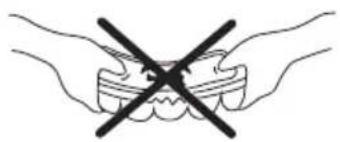
natural_image
Illustration of two hands holding teeth with a black X symbol indicating no force or pressure (no text or labels)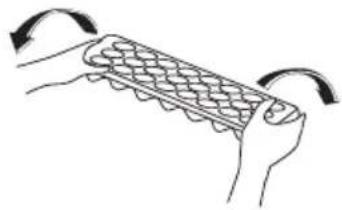
natural_image
Illustration of hands holding a grid-patterned object with curved arrows indicating rotation (no text or symbols)Icematic (I noen modeller)
natural_image
Diagram showing airflow around circular components with red arrows indicating direction (no text or symbols)Merk:
natural_image
Simple line drawing of a device with two circular ports and directional arrows indicating flow or movement (no text or symbols)natural_image
Cartoon illustration of a smiling refrigerator with thumbs up and a mortar (no text or symbols)natural_image
Simple line drawing of a hand holding a smiling emoji on a rounded rectangular object (no text or symbols)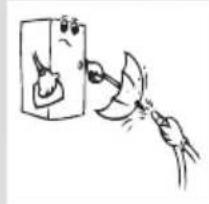
natural_image
Simple line drawing of a hand holding a device with a magnifying glass (no text or symbols)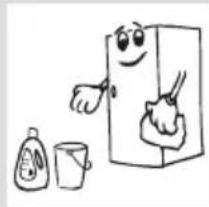
natural_image
Cartoon illustration of a smiling refrigerator with a spoon, accompanied by a small cup and a bottle (no text or symbols)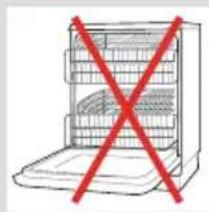
natural_image
Simple line drawing of a refrigerator with a red X symbol crossed out (no text or symbols present)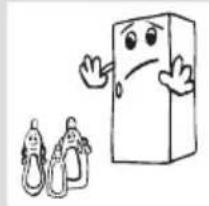
natural_image
Cartoon illustration of a smiling rectangular character waving, accompanied by two baby illustrations (no text or symbols)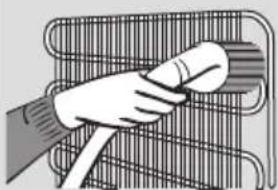
natural_image
Illustration of a hand holding a cylindrical object over a wire rack (no text or symbols)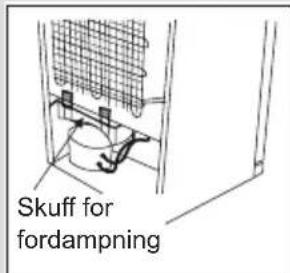
Skifte ut LED-strimmelen
natural_image
Simple line drawing of two children holding a large rectangular object (no text or symbols)Fryseren er utstyrt med et innebygd feildeteksjonssystem som gir deg veiledning hvis fryseren ikke fungerer som forventet.
- Indhold
- F∅R IBRUGTAGNING 4
- APPARATETS DELE OG RUM....11
- BRUGSOPLYSNINGER....14
- Icematic (Kun i nogle modeller)
- Bemærk:
- RENG∅RING OG VEDLIGEHOLDELSE
- BEFORE USING THE APPLIANCE....30
- THE PARTS OF THE APPLIANCE AND THE
- COMPARTMENTS 40
- USAGE INFORMATION......43
- ARRANGING FOOD IN THE APPLIANCE......48
- CLEANING AND MAINTENANCE ....50
- SHIPMENT AND REPOSITIONING 52
- BEFORE CALLING YOUR AFTER SALES SERVICE...53
- TECHNICAL DATA....56
- INFORMATION FOR TEST INSTITUTES....56
- CUSTOMER CARE AND SERVICE....56
- SAFETY INSTRUCTIONS
- General Safety Warnings
- To avoid contamination of food, please respect the following instructions:
- Old and out-of-order freezers
- Notes:
- Safety warnings
- Installing and operating your freezer
- Before using your freezer
- Information on NoFrost technology
- THE PARTS OF THE APPLIANCE AND THE COMPARTMENTS
- General notes:
- Display and Control Panel
- Using the Control Panel
- If your product has lighting
- Operating Your Freezer
- Super Freeze Mode
- How Would It Be Used?
- During This Mode:
- Economy Mode
- Screen Saver Mode
- Purpose
- How to Use
- To deactivate the screen saving mode,
- Door Open Alarm Function
- Temperature Settings
- Freezer Temperature Settings
- Recommended Temperature Values for Freezer
- Warnings about temperature adjustments
- USAGE INFORMATION
- Climate class and meaning:
- Accessories
- Making ice cubes
- Ice cube tray (In some models)
- Icematic (In some models)
- Note:
- Removing the Ice maker
- If you would freeze about 3 kg food in your freezer:
- ARRANGING FOOD IN THE APPLIANCE
- THE POWER SUPPLY MUST BE DISCONNECTED.
- Defrosting
- Replacing the LED strip
- Transportation and changing of installation position
- BEFORE CALLING YOUR AFTER SALES SERVICE
- Check that;
- What to do if your appliance performs poorly;
- If your freezer is operating too loudly;
- Normal Noises
- Cracking (Ice cracking) Noise:
- If the edges of freezer cabinet that the door joint contact are warm;
- Icing on the inside of the cabinet
- If humidity builds up inside the freezer;
- If the door is not opened and closed properly;
- Recommendations
- Tips for saving energy
- TECHNICAL DATA
- INFORMATION FOR TEST INSTITUTES
- CUSTOMER CARE AND SERVICE
- Innehåll
- INNAN DU ANVÄNDER DIN FRYS 58
- DELARNA I FRYS OCH FACKEN 66
- ANVÄNDARINFORMATION 69
- PLACERING AV LIVSMEDEL.... 74
- RENGÖRING OCH UNDERHÅLL 79
- TRANSPORT OCH FLYTTNING....81
- INNAN DU KALLAR SERVICE....82
- INNAN DU ANVÄNDER DIN FRYS
- Icematic (I vissa modeller)
- Obs:
- TRANSPORT OCH FLYTTNING
- TEKNISET TIEDOT....113
- TIETOJA TESTAUSLAITOKSILLE....113
- ASIAKASPALVELU JA HUOLTO 113
- Yleisiä varoituksia
- Turvallisuusohjeita
- Huomautus:
- Sikkerhetsadvarsler
- Icematic (I noen modeller)
- Merk:
- Skifte ut LED-strimmelen
Brand : VESTFROST
Model : VIF 11177 DOD NoFrost
Category : Freezer