
AR0652 - Lighting Cotech - Free user manual and instructions
Find the device manual for free AR0652 Cotech in PDF.


| Product Type | LED Desk Lamp |
| Brand | Cotech |
| Model | AR0652 |
| Light Source | LED (SMD) |
| Input Voltage | 100-240V AC, 50/60Hz |
| Power Consumption | 12W |
| Luminous Flux | 500 lm |
| Color Temperature | 3000K - 6500K (adjustable) |
| CRI | >80 |
| Dimensions (LxWxH) | 400 x 200 x 100 mm |
| Weight | 0.8 kg |
| Material | ABS plastic, aluminum |
| Adjustable Arm | Yes, 2-axis |
| Brightness Levels | 3 steps (dimming) |
| Built-in USB Charging Port | Yes, 5V/1A |
| Power Cord Length | 1.5 m |
| Installation Type | Desktop (clamp or stand) |
| Warranty | 2 years |
| Protection Class | IP20 (indoor use) |
| Energy Efficiency Class | A+ |
| Timer Function | 1 hour auto-off |
Frequently Asked Questions - AR0652 Cotech
User questions about AR0652 Cotech
0 question about this device. Answer the ones you know or ask your own.
Ask a new question about this device
Download the instructions for your Lighting in PDF format for free! Find your manual AR0652 - Cotech and take your electronic device back in hand. On this page are published all the documents necessary for the use of your device. AR0652 by Cotech.
USER MANUAL AR0652 Cotech
Robotic Light and Motion Sensor Wall Light
Read the entire instruction manual carefully and make sure that you fully understand it before you use the equipment. Keep the manual for future reference.
Viktig information:
natural_image
Line drawing of a mechanical device with a cylindrical component and a base, labeled 'Model' at the bottom (no other text or symbols)Art.no
36-7598
Model
AR0652
Ver. 20190306
Original instructions
Bruksanvisning i original
Originalbruksanvisning
Robotic Light and Motion Sensor Wall Light
Art.no 36-7598 Model AR0652
Please read the entire instruction manual before using the product and then save it for future reference. We reserve the right for any errors in text or images and any necessary changes made to technical data. In the event of technical problems or other queries, please contact our Customer Services (see address details on the back).
Safety
- This product is very bright. Never look directly into the light, doing so could cause eye damage.
- Never let children play with the product.
- The product must only be connected to a power supply of 230 V with a protective earth.
- The product must not be used in rooms where explosive gases or liquids are used or stored.
- Treat the product with care and do not subject it to shocks or impacts.
- Never immerse the product in water or other liquid.
- The product must not be covered.
- Never try to open the housing, repair or modify the product in any way.
- Never use the product if your hands are moist or wet.
- Never use the product if it, its mains lead or plug is damaged in any way.
- All repairs must be carried out by qualified service technicians using genuine spare parts.
Installation
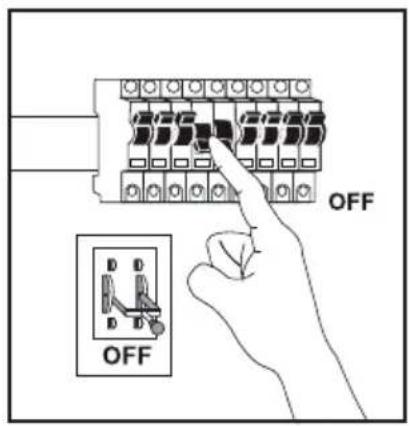
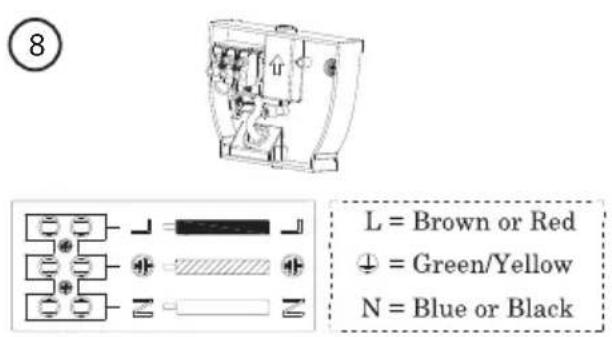
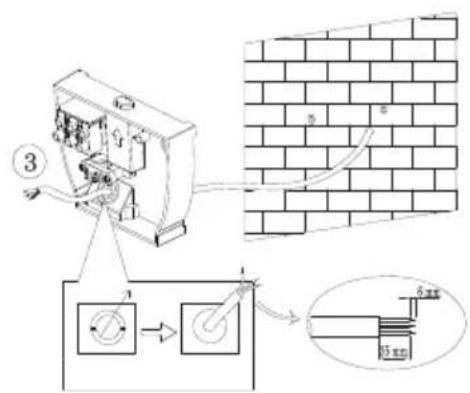
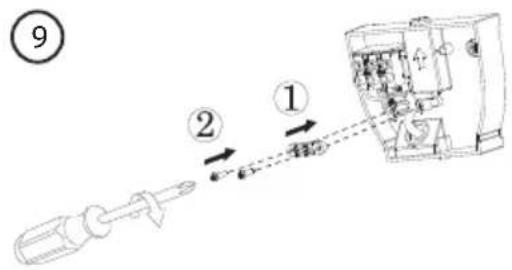
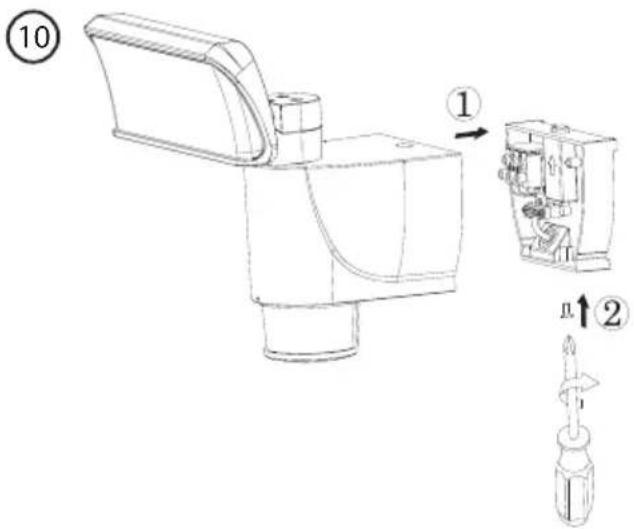
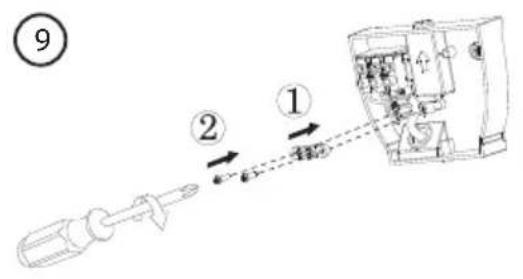
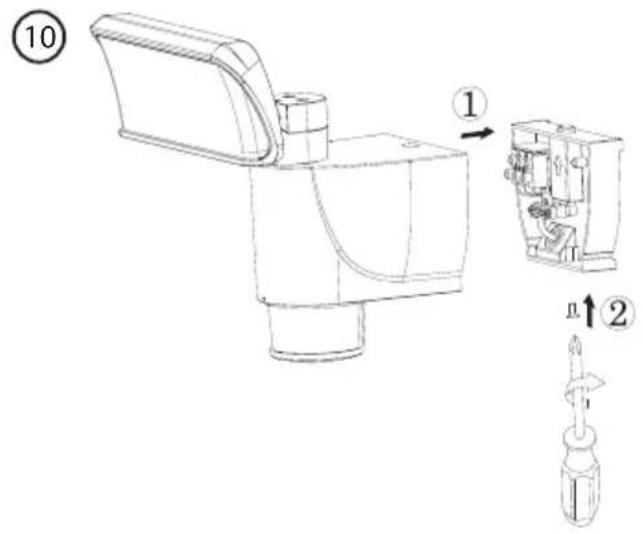
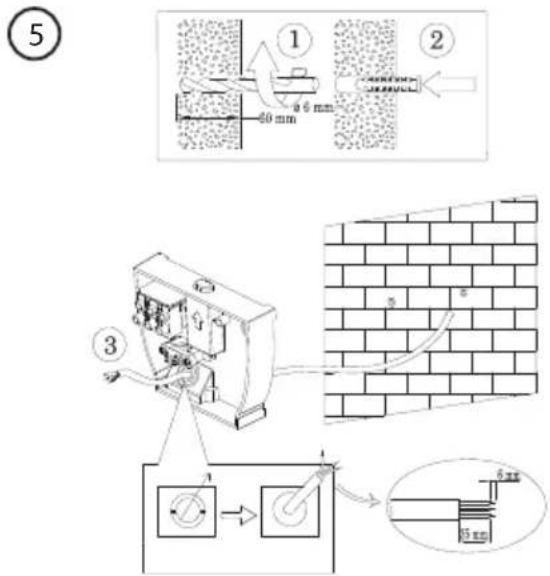
This floodlight is intended for permanent outdoor installation and should only be installed by a registered electrical installer.
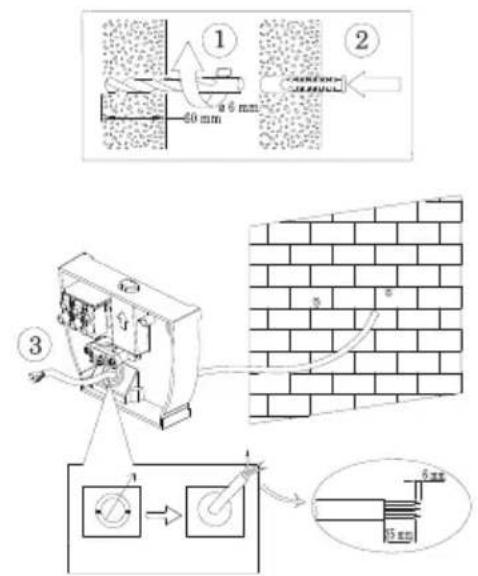
△ If the floodlight is installed on a wall with some kind of board-on-board or batten-on-board siding, it is important that the wall bracket be fastened to the outermost board or onto a flat panel on top of two battens. If the wall bracket is mounted between two battens or boards, as in the first picture, the ability of the floodlight to swivel may be reduced or even prevented entirely.

①
②

natural_image
Technical line drawing of a mechanical device with a cylindrical component and a base, showing a force or adjustment indicator (no text or symbols present)3

4

5
6

natural_image
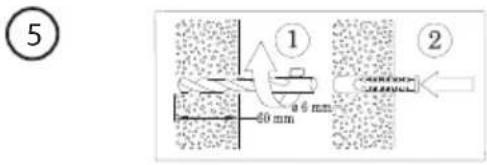
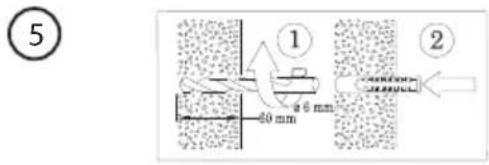
Technical line drawing of a mechanical device with exploded view and assembly lines (no text or symbols)△ Use fasteners suitable for the wall material and ensure that there are no electrical wires or water pipes in the wall where you intend to drill or screw.


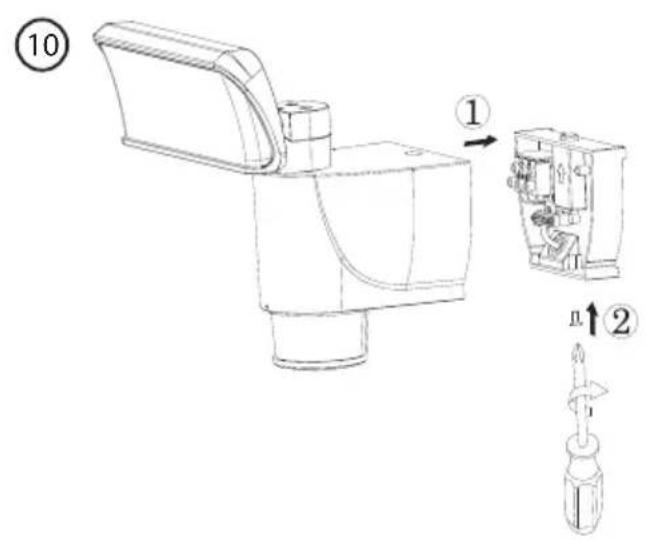


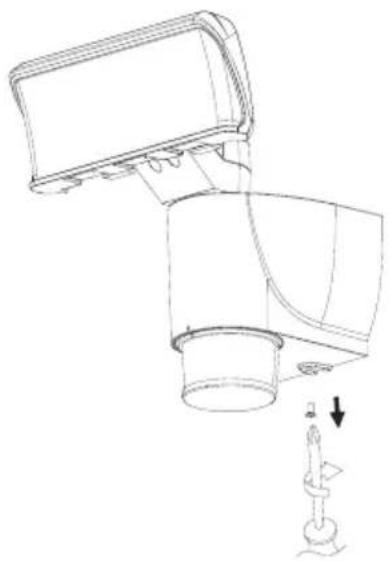
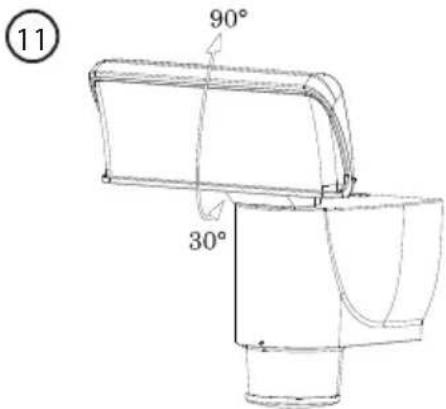
Adjust the angle of the light if necessary, taking care not to damage the floodlight. The floodlight will click as it is adjusted. This is completely normal.
Function selection

| 1 | |||
| 2 | |||
| 3 | |||
| 4 |
- Press one time (the indicator will blink once): The floodlight comes on with movement function when motion is detected in the dark.
- Press two times (the indicator will blink twice): The floodlight comes on with movement function when motion is detected both in the dark and in daylight.
- Press three times (the indicator will blink three times): The floodlight comes on without movement function when motion is detected in the dark.
- Press four times (the indicator will blink four times): The floodlight comes on without movement function when motion is detected both in the dark and in daylight.


Indicator
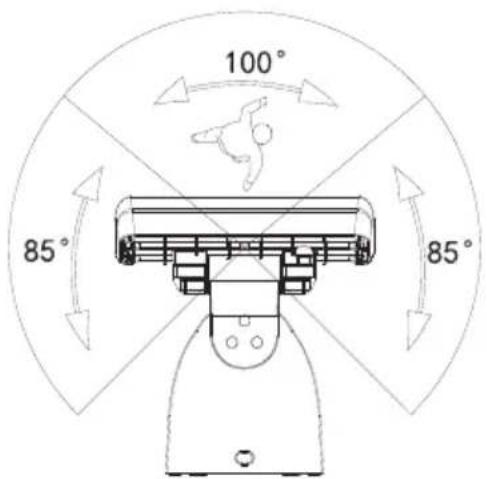
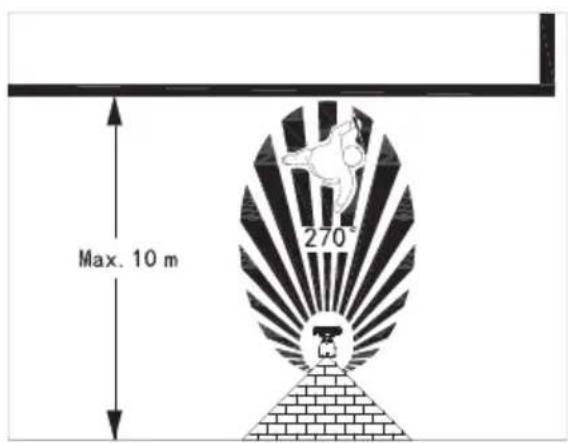
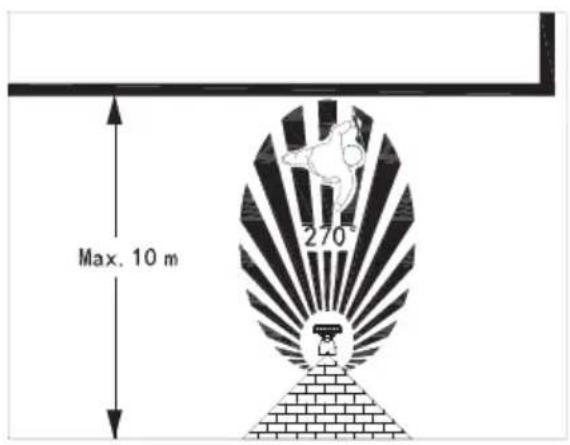
The PIR sensor has 3 detection zones, one straight forward and one on each side. When the movement function is activated and a subject moves past the floodlight, the light will come on and follow the subject.
Care and maintenance
Clean the product using a damp cloth. Use only mild cleaning agents, never solvents or corrosive chemicals.
Responsible disposal
This symbol indicates that this product should not be disposed of with general household waste. This applies throughout the entire EU. In order to prevent any harm to the environment or health hazards caused by incorrect waste disposal, the product must be handed in for recycling so that the material can be disposed of in a responsible manner. When recycling your product, take it to your local collection facility or contact the place of purchase. They will ensure that the product is disposed of in an environmentally sound manner.

natural_image
Symbol of a recycling bin with no text or labelsSpecifications
Rated voltage 220-240 V AC, 50/60 Hz
Bulb
LED 18 W (non-replaceable)
Luminous flux 1100 lm
Colour temperature 4000 K (warm white)
Colour rendition index (Ra) >80
Lighting time following activation 3 minutes
IP rating IP44
Size


natural_image
Technical line drawing of a mechanical device with a lever and base mount (no text or symbols)





natural_image
Symbol of a trash bin crossed out by two crossed lines, with no text or labels present.Specifikationer
Nätanslutning 220–240 V AC, 50/60 Hz
Ljuskälla
LED 18 W (ej utbytbar)
Ljusflöde 1100 lm
Färgtemperatur 4000 K (varmvit)

②
natural_image
Technical line drawing of a mechanical device with a cylindrical component and a base, showing a force or adjustment indicator (no text or symbols present)





Juster vinkelen ved behov.


natural_image
Symbol of a trash bin crossed with no visible text or labelsSpesifikasjoner
Nettspenning 220–240 V AC, 50/60 Hz
Lyskilde
natural_image
Technical line drawing of a mechanical component with no visible text or symbols
natural_image
Line drawing of a mechanical device with a handle and cylindrical body (no text or symbols)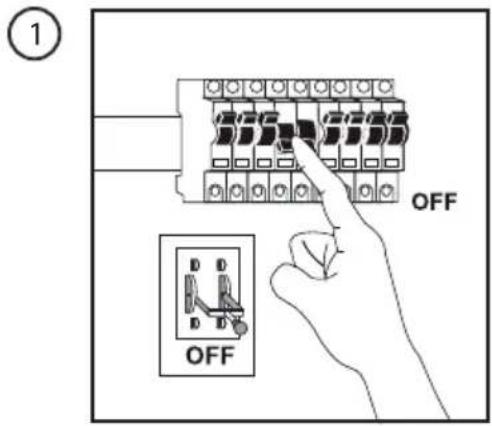

natural_image
Technical line drawing of a mechanical device with a lever and base mount (no text or symbols)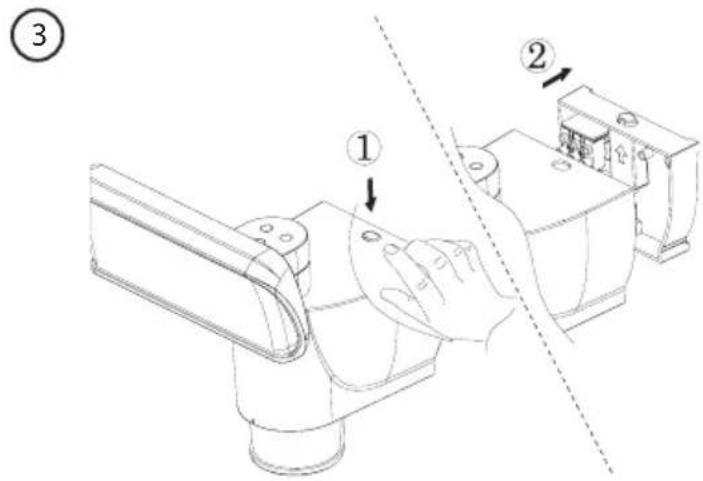





Merkkivalo
natural_image
Symbol of a trash bin crossed with no visible text or labelsTekniset tiedot
natural_image
Technical line drawing of a mechanical component or bracket (no text or symbols)
natural_image
Line drawing of a mechanical device with a curved top and cylindrical base (no text or symbols)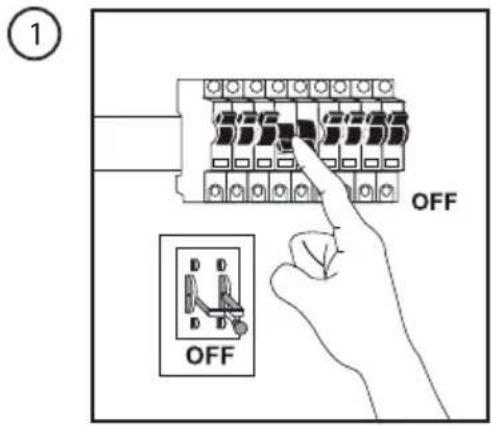
②

natural_image
Technical line drawing of a mechanical device with a cylindrical component and a base, showing a force or adjustment indicator (no text or symbols present)




Kontroll-
leuchte
natural_image
Symbol of a trash bin crossed with no text or labels, representing waste sorting or disposal (no text present)Technische Daten
10 – 13 Market Place
Kingston upon Thames
Surrey
KT1 1JZ
DEUTSCHLAND
Kundenservice Hotline: 040 2999 78111
E-Mail: kundenservice@clasohlson.de
Homepage
www.clasohlson.de
Postanschrift


Brand : Cotech
Model : AR0652
Category : Lighting