
Optigrill+ Snacking tray GO7148S0 - Grill OBH NORDICA - Free user manual and instructions
Find the device manual for free Optigrill+ Snacking tray GO7148S0 OBH NORDICA in PDF.


| Brand | OBH Nordica |
| Model | Optigrill+ Snacking tray GO7148S0 |
| Product Type | Electric Grill with Snacking Tray |
| Dimensions (approx.) | 40 x 30 x 15 cm |
| Weight (approx.) | 2.5 kg |
| Power Consumption | 2000 W |
| Voltage | 220-240 V |
| Frequency | 50/60 Hz |
| Cooking Surface | Non-stick coated grill plate and snacking tray |
| Functions | Grilling, snacking, variable temperature control, indicator lights |
| Temperature Control | Adjustable thermostat with multiple heat settings |
| Safety Features | Auto shut-off, cool-touch handles, non-slip feet |
| Cleaning | Removable dishwater-safe parts, wipe with damp cloth |
| Accessories Included | Snacking tray, drip tray |
| Spare Parts Availability | Replacement grill plates and trays available from manufacturer |
| Warranty | 2 years (check local regulations) |
Frequently Asked Questions - Optigrill+ Snacking tray GO7148S0 OBH NORDICA
User questions about Optigrill+ Snacking tray GO7148S0 OBH NORDICA
0 question about this device. Answer the ones you know or ask your own.
Ask a new question about this device
Download the instructions for your Grill in PDF format for free! Find your manual Optigrill+ Snacking tray GO7148S0 - OBH NORDICA and take your electronic device back in hand. On this page are published all the documents necessary for the use of your device. Optigrill+ Snacking tray GO7148S0 by OBH NORDICA.
USER MANUAL Optigrill+ Snacking tray GO7148S0 OBH NORDICA
DESIGNING GOOD LIFE
OptiGrill™+

SNACKING TRAY

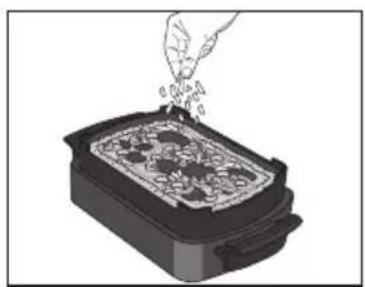
- Lägg i ingredienserna i Snacking & Baking-tillbehöret.









BEGRENSET GARANTI for OBH Nordica
Garantien






Recommendation for the use of Snacking & Baking accessory
- Before first use, remove all packaging materials, stickers and accessories from the inside and the outside of the plates.
- Read the instructions carefully, common to different models and keep them within reach.
- Refer to the appliance instructions for the use of this Snacking & Baking accessory and associated recommendations.
- Check that the both sides of the upper grill plate and the both sides of the Snacking & Baking accessory are well cleaned before use.
- To prevent damage to the cooking plates and Snacking & Baking accessory, only use them on the appliance for which they were designed (e.g., do not place in an oven, on the gas ring or electric hot-plate, etc.).
- Ensure that the plates and Snacking & Baking accessory are stable, well positioned and correctly clipped to the appliance. Only use the cooking plates and Snacking & Baking accessory provided with the appliance or bought from an Approved Service Centre.
- To avoid damaging the Snacking & Baking accessory, always use plastic or wooden utensils.
- Never cut food directly on the Snacking & Baking accessory.
- Do not place the hot Snacking & Baking accessory under water or on a fragile surface.
• To preserve the non-stick coating qualities, do not let it heat too long empty. - The Snacking & Baking accessory must never be handled hot, except by the handles.
- Never heat the appliance without the 2 grill cooking plates or with upper grill plate and Snacking & Baking accessory.
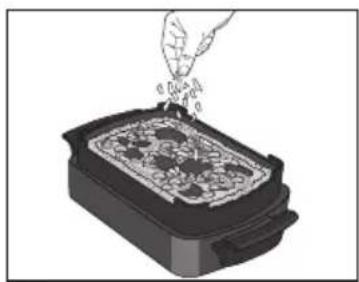
- When using for the first time, wash the plates and Snacking & Baking accessory, pour a little cooking oil on the Snacking & Baking accessory then wipe it with an absorbent kitchen towel.
- Do not place cooking utensils on the cooking surfaces of the appliance.
- We advise you to use a sponge, hot water and washing-up liquid to clean the cooking plates and Snacking & Baking, then rinse thoroughly to remove any residue. Dry thoroughly using a paper towel.
- Do not use metalling scouring pads, steel wool, or any abrasive cleaners to clean any part of your grill, only use nylon or nonmetallic cleaning pads. In the case of difficult cleaning, soak the cooking plates in hot water mixed with washing liquid.
- The Snacking & Baking accessory is not a baking dish, do not put heating in an oven or on any other heat source, other than in your appliance.
- Do not heat your Snacking & Baking accessory with oil or grease, risk of inflammation.
- Do not use your Snacking & Baking accessory to make browning.
- Do not make recipe with oil or grease. This appliance is not a deep fryer or a frying pan. It is therefore totally excluded to make french fries, donuts, or other cooking with oil or grease.


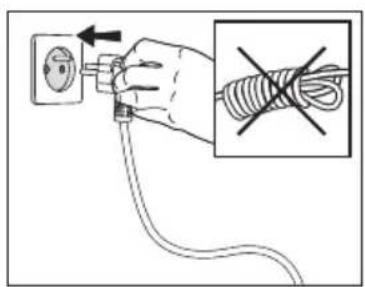
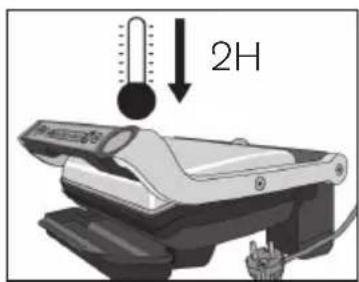
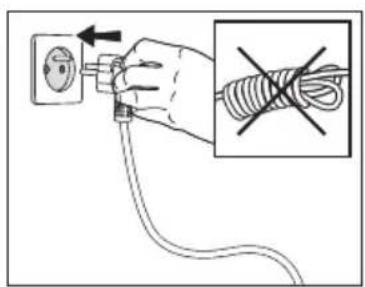
- If your OptiGrill is already running and you want to use your Snacking & Baking accessory, unplug grill from wall outlet and let it cool for at least 2 hours.


- Put the ingredients in the Snacking & Baking accessory.


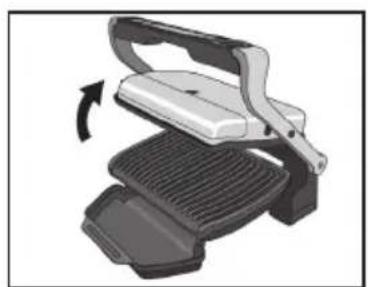
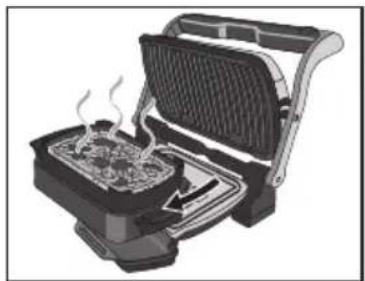
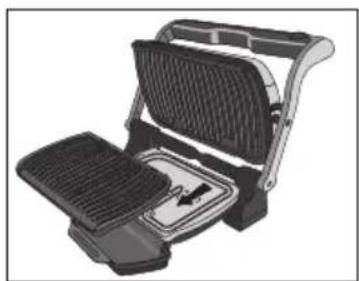
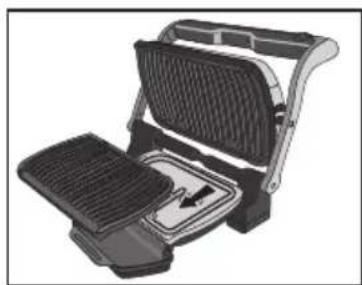
- Open the grill, remove lower grill plate and replace by your Snacking & Baking accessory.

CAUTION: Be careful that upper grill plate is correctly installed in the appliance.

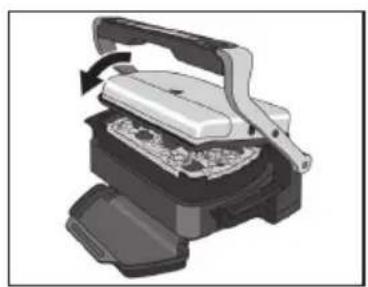
- Close the grill and plug it.

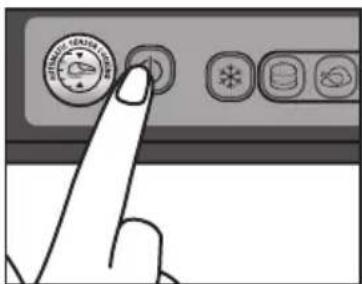
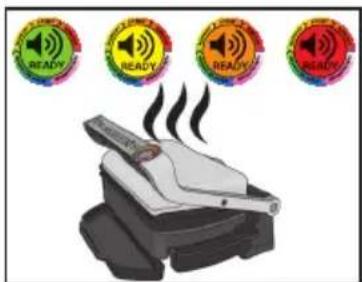
- Press the On/Off button, the 🔒 and buttons blink, the color light indicator is green 🔒.

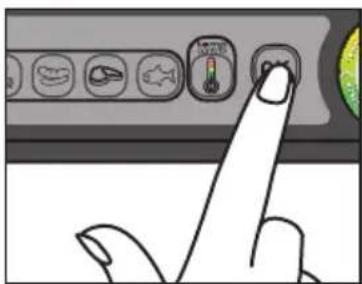


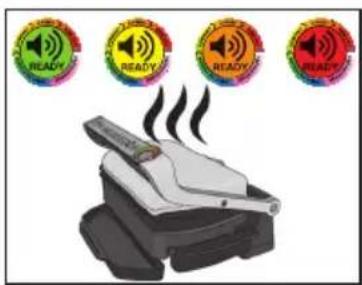
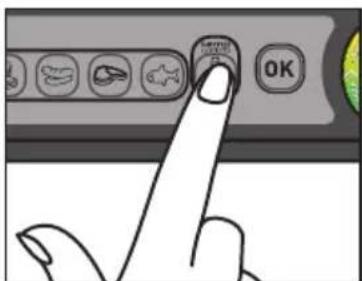
- Press the button until desired temperature is reached with the help of the color light indicator.
- Fixed green color light indicator: 85°C to 110°C

• Fixed yellow color light indicator: 150°C to 165°C

- Fixed orange color light indicator: 190°C to 205°C

- Fixed red color light indicator: 240°C to 255°C
-
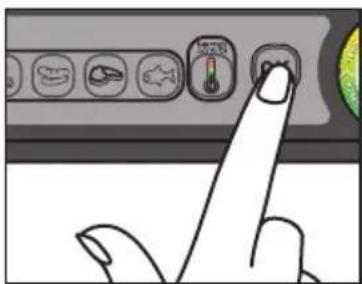
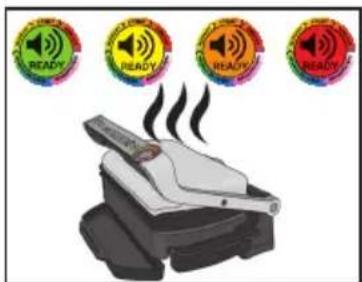
Begin cooking by pressing the button. The and OK buttons become fixed, the color light indicator blinks until temperature desired is reached.
-
When the desired temperature is reached the grill "beeps" and the color light indicator becomes fixed. Then the cooking process takes place.
-
You can adjust the temperature during the cooking progress. Press the button in order to reach the desired temperature (follow at the same time the color light indicator).
-
End the cooking by pressing the ON/OFF button. All buttons switch off, the grill stops heating/cooking.


- Open the grill and remove the Snacking & Baking accessory from the grill thanks to its handles.
CAUTION: hot surfaces, the use of gloves are recommended.


- The Snacking & Baking accessory can go in the dishwasher.
OBH Nordica LIMITED GUARANTEE
The Guarantee
OBH Nordica guarantees this product against any manufacturing defect in materials or workmanship during 2 years within Sweden, Norway, Denmark and Finland, starting from the initial date of purchase or delivery date.
This manufacturer's commercial guarantee covers all costs related to restoring the proven defective product so that it conforms to its original specifications, through the repair or replacement of any defective part and the necessary labour. At OBH Nordicas choice, a replacement product may be provided instead of repairing a defective product. OBH Nordicas sole obligation and your exclusive resolution under this guarantee are limited to such repair or replacement.
Conditions & Exclusions
OBH Nordica shall not be obliged to repair or replace any product which is not accompanied by a valid proof of purchase. The defective product may be returned to the store of purchase.
This guarantee applies only for products purchased and used for domestic purposes and will not cover any damage which occurs as a result of misuse, negligence, failure to follow OBH Nordica instructions, or a modification or unauthorised repair of the product, faulty packaging by the owner or mishandling by any carrier. It also does not cover normal wear and tear, maintenance or replacement of consumable parts, or the following:
- using the wrong type of water or consumable
- mechanical damages, overloading
- damages or poor results specifically due to wrong voltage or frequency as stamped on the product ID or specification
- ingress of water, dust or insects into the product
- scaling (any de-scaling must be carried out according to the instructions for use)
- damage as a result of lightning or power surges
- damage to any glass or porcelain ware in the product
- accidents including fire, flood, etc
- professional or commercial use
Consumer Statutory Rights
OBH Nordica's commercial guarantee does not affect the Statutory Rights a consumer may have or those rights that cannot be excluded or limited, nor rights against the retailer from which the consumer purchased the product. This guarantee gives a consumer specific legal rights, and the consumer may also have other legal rights which vary from Country to Country. The consumer may assert any such rights at his sole discretion.
TEFAL - OBH Nordica Group AB
Löfströms Allé 5


Brand : OBH NORDICA
Model : Optigrill+ Snacking tray GO7148S0
Category : Grill