TRP 52 - Thermostat Junkers - Free user manual and instructions
Find the device manual for free TRP 52 Junkers in PDF.


Pick your language and provide your email: we'll send you a specifically translated version.
| Product Type | Room Thermostat |
| Brand | Junkers |
| Model | TRP 52 |
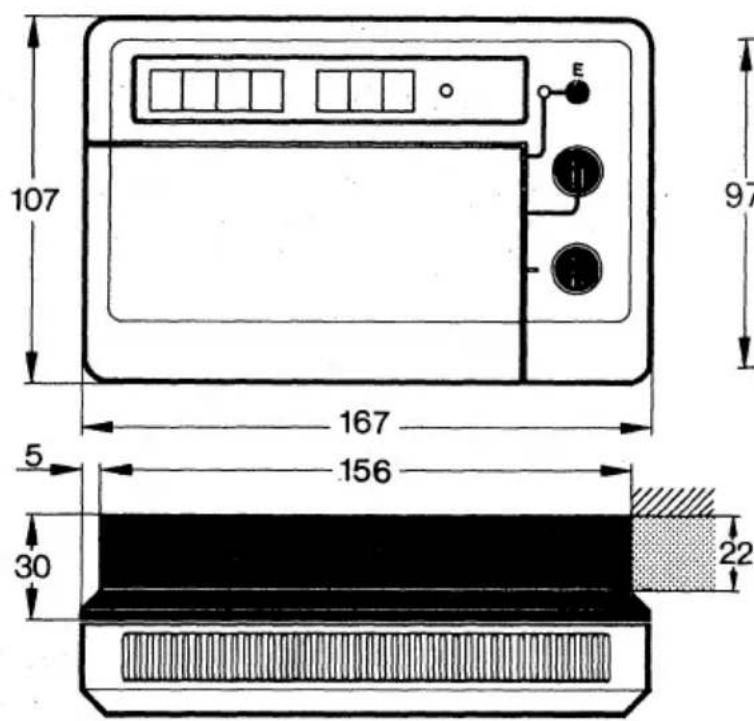
| Dimensions (H x W x D) | 80 x 80 x 30 mm |
| Weight | 150 g |
| Power Supply | 2 x AA batteries (1.5V) |
| Display Type | LCD Digital |
| Temperature Setting Range | 5°C to 30°C |
| Temperature Accuracy | ±0.5°C |
| Hysteresis | 0.2°C |
| Protection Class | IP20 |
| Mounting | Wall mounting |
| Functions | Frost protection, on/off control, temperature hold |
| Battery Low Indicator | Yes, on display |
| Operating Temperature | 0°C to 40°C |
| Storage Temperature | -10°C to 60°C |
| Compatible Systems | Gas, oil, electric heating |
| Maintenance | Wipe with a dry cloth; avoid liquids |
| Spare Parts Availability | Contact Junkers service |
| Certification | CE, RoHS |
Frequently Asked Questions - TRP 52 Junkers
How do I install the Junkers TRP 52 thermostat?
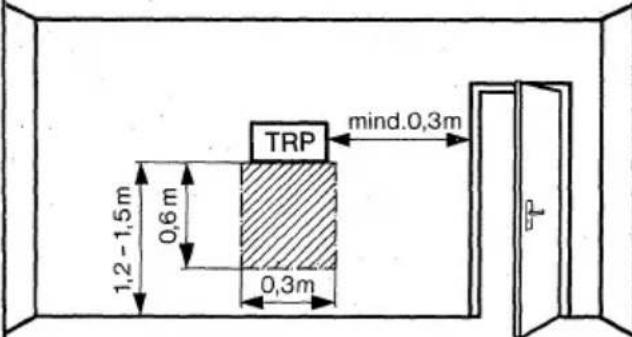
Mount the thermostat on an interior wall at about 1.5m height. Follow the wiring diagram in the manual. Typically, connect the two wires to the terminals marked COM and NO (or NC) for heating control.
What type of batteries does the TRP 52 use and how do I replace them?
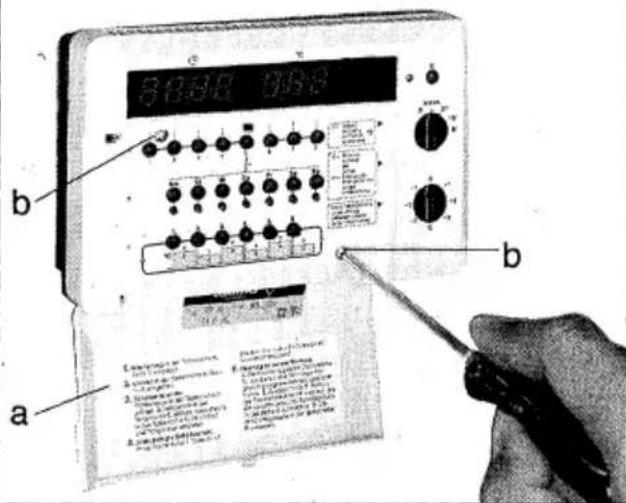
The thermostat uses two AA 1.5V batteries. To replace, remove the front cover by gently pulling it off, insert the batteries with correct polarity, and replace the cover.
How do I set the desired temperature?
Use the up and down buttons on the thermostat to adjust the set temperature. The current set temperature will flash on the display. Press the confirm button (if available) or wait a few seconds to save.
How do I activate frost protection?
Press the frost protection button (usually marked with a snowflake icon) to enable. The thermostat will maintain a minimum temperature of 5°C to prevent freezing.
The display is blank. What should I do?
Check if the batteries are inserted correctly and have sufficient charge. Replace with new batteries. If the screen remains blank, reset the thermostat by pressing the reset button with a paperclip.
Can I use the TRP 52 with a heat pump?
Yes, the TRP 52 is compatible with most heating systems including heat pumps, as it provides a simple on/off signal. Ensure the system voltage matches the thermostat rating.
How do I reset the thermostat to factory settings?
Press and hold the reset button (located near the battery compartment) for 5 seconds using a paperclip. All settings will return to default.
What does the battery low symbol mean?
The battery low symbol indicates that the batteries need replacement soon. Replace them as soon as possible to ensure proper thermostat operation.
Is the TRP 52 compatible with smart home systems?
No, the TRP 52 is a manual thermostat without smart connectivity. It is designed for simple temperature control and cannot be integrated with smart home hubs.
How do I clean the thermostat?
Use a soft, dry cloth to gently wipe the surface. Do not use water, solvents, or abrasive cleaners. Avoid spraying liquids directly onto the device.
User questions about TRP 52 Junkers
0 question about this device. Answer the ones you know or ask your own.
Ask a new question about this device
No questions yet. Be the first to ask one.
Download the instructions for your Thermostat in PDF format for free! Find your manual TRP 52 - Junkers and take your electronic device back in hand. On this page are published all the documents necessary for the use of your device. TRP 52 by Junkers.
USER MANUAL TRP 52 Junkers
natural_image
Simple line drawing of a hand holding a wrench (no text or symbols)
natural_image
Simple geometric diagram showing a triangle with a shaded base and scattered dots (no text or symbols)1

2
4

3
5

natural_image
Illustration of various household appliances including a refrigerator, cabinet, lamp, and washing machine (no visible text or symbols)Gas-Kesseltherme.
Table of contents
Click a title to access it
Manual assistant
Powered by Anthropic
Waiting for your message
Product information
Brand : Junkers
Model : TRP 52
Category : Thermostat