PowerTab MID705 - Tablet Manta - Free user manual and instructions
Find the device manual for free PowerTab MID705 Manta in PDF.


| Product Type | Tablet |
| Brand | Manta |
| Model | PowerTab MID705 |
| Display Size | 7 inches |
| Display Resolution | 1024 x 600 pixels |
| Processor | Quad-core 1.2 GHz |
| RAM | 1 GB |
| Internal Storage | 8 GB |
| Expandable Storage | microSD up to 32 GB |
| Operating System | Android 4.2 Jelly Bean |
| Battery Capacity | 3000 mAh |
| Dimensions | 192 x 122 x 10.5 mm |
| Weight | 280 g |
| Camera (Rear) | 2 MP |
| Camera (Front) | 0.3 MP |
| Connectivity | Wi-Fi 802.11 b/g/n, Bluetooth 4.0 |
| Ports | Micro-USB, 3.5 mm headphone jack |
| Power Input | 5V DC via USB charger |
| Cleaning Instructions | Wipe with a soft, dry cloth |
| Repairability | Battery and screen replaceable by professional |
Frequently Asked Questions - PowerTab MID705 Manta
User questions about PowerTab MID705 Manta
0 question about this device. Answer the ones you know or ask your own.
Ask a new question about this device
Download the instructions for your Tablet in PDF format for free! Find your manual PowerTab MID705 - Manta and take your electronic device back in hand. On this page are published all the documents necessary for the use of your device. PowerTab MID705 by Manta.
USER MANUAL PowerTab MID705 Manta
natural_image
Abstract black-and-white circular logo with interlocking curved shapes (no text or symbols)MANTA
Tablet PowerTab
MID705
Instrukcja obsługi
User's Manual
Bedienungsanleitung
Használati útmutató
Návod k obsluze
Vartotojo instrukcija
INSTRUKCJA OBSŁUGI
Krok 2:

INSTRUKCJA OBSŁUGI

INSTRUKCJA OBSŁUGI
Dźwięk
INSTRUKCJA OBSŁUGI
Pamięć
INSTRUKCJA OBSŁUGI
INSTRUKCJA OBSŁUGI
This handbook contains important security measures and the correct use of the product information, in order to avoid accidents. Pls make sure to reading the manual carefully before use the device.
Please don't be in high temperature, moisture or very dust place – Please don't be in high temperature, Especially in summer don't put – the device in the car when Windows closed.
-Avoid fall or Violent collision of the device, don't make the TFT display screen were violent tremor. This could cause TFT display screen abnormal or damage.
Please choose the appropriate volume, Use headphones shoulds not – be too big volume, If feel tinnitus, Lower the volume or stop using it please charge In the following condition,
A. The battery power ICONS shows have no power
B. The system automatically shut off, startup after power off soon
C. Operation buttons no response
When the device in the format or ongoing upload and download file, – please don't suddenly disconnect, This could cause application error.
-For those who because of damage to the product, repair, or other causes of erased the memory, The company shall not be liable for any responsibility, please follow the user manual for the standardized operation to use the device.
-Don't disassemble the product, don't use alcohol. Thinner or benzene to scrubbing products
- Don't use the device one of the place of prohibit to use electronic equipment in regional (such as the plane)
- Please don't using the Tablet PC when you in driving or walking down the street, USB just only be used for data transmission
USER'S MANUAL
The company reserves the right to improve product, products specification and design have any change. The information is subject to changes without prior notice. (This tablet is no waterproof function)
Remark! All pictures in this manual is just for your reference. products specification and design have any change, The information is subject to changes without prior notice.
Appearance and button

USER'S MANUAL
Touch panel
7" Capacitive touch panel: In The Operation, to click dragging on the touch panel
POWER
Startup: Long Press and hold the power button, the system will enter the main interface
Shutdown: In the main menu interface, Press the power button about 5 second to shutdown, The system can hint "power off" option, Clike" ok". you can safely shut down.
Lock screen: Short press Power button to lock screen or unlock screen.
Remark!
- When power is empty, system will shut down automatically.
- Illegal turn off the device, restart will scan and restore the disk, it may take longer time to enter into system
Volume +, Volume-
The buttons on top Volume +, Volume-achieve changes in the volume.
Earphone jack
3.5 mm standard earphone jack
TF card – Slot for MicroSD card
Micro USB – you can use it to connect the computer for data transmission, charging and external connection USB flash drive
Remark!
Unless unable to shutdown, otherwise don't use the reset, suggest you to shutdown by normal, if no will easy to damage the machine system.
First use
Battery management and charge
Before first use, please set the device's battery is fully charged
Just need to connect the adaptor or USB interface, then you can charge
The first two times charging please keep about 6 hours, after that you just need 4 hours to charge.
Remark:
This tablet using Built-in type polymer battery, Charge must be to choose standard adaptor (Input: AC110\~240V 50/60Hz Max: 180MA. Output: DC5.0\~5.5V/1.5A), this device without supply DC charging, USB interface can charge, Choose USB interface to charger
During the charging, the battery icon will scroll
When finished charging, battery icon will become green and stop rolling
In order to prolong the service life of the machine, suggest use out battery power before charge it
Remark:
- If you long time don't to use this Tablet, in order to avoid power consumption caused damage, pls charge/ play the battery once a month.
- After low battery shut down, connect DC adaptor, device will remind low battery, charging, need to wait some time until the battery is enough power to enter into main menu.
- Device charging should be in standby status for reach normal charging time.
Because with device and screen consumption, it may cause longer charging time.
USER'S MANUAL
Connection with PC
USB connection
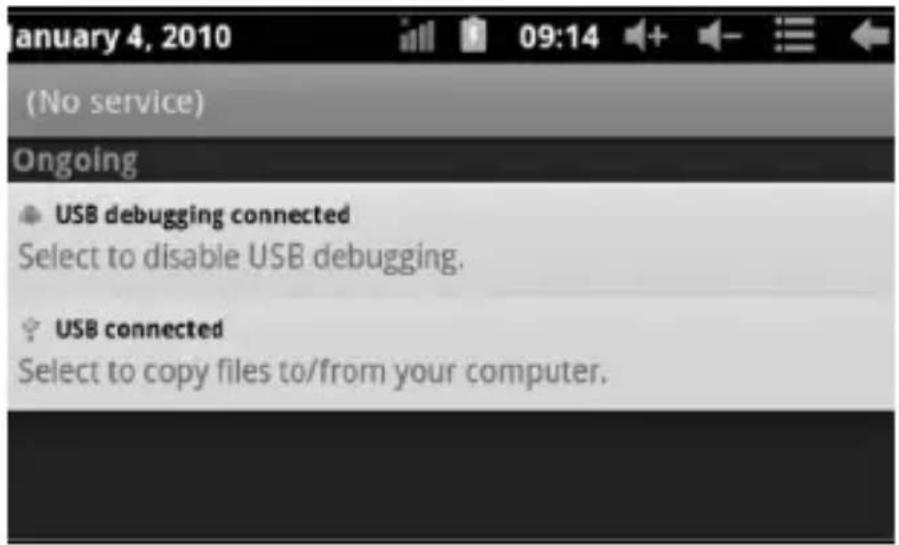
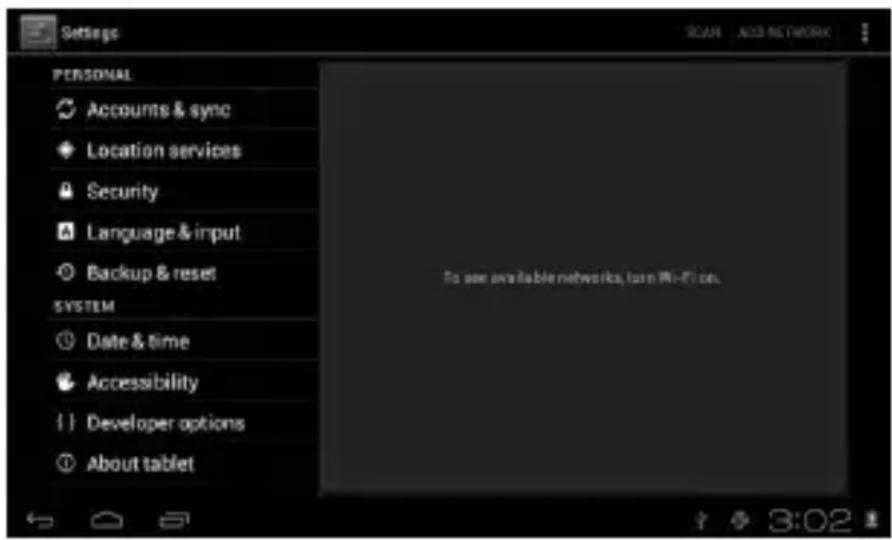
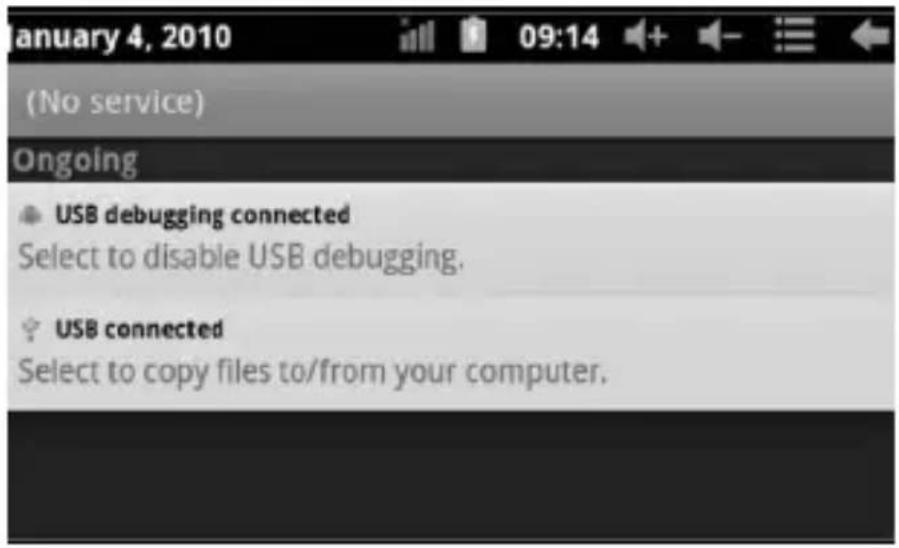
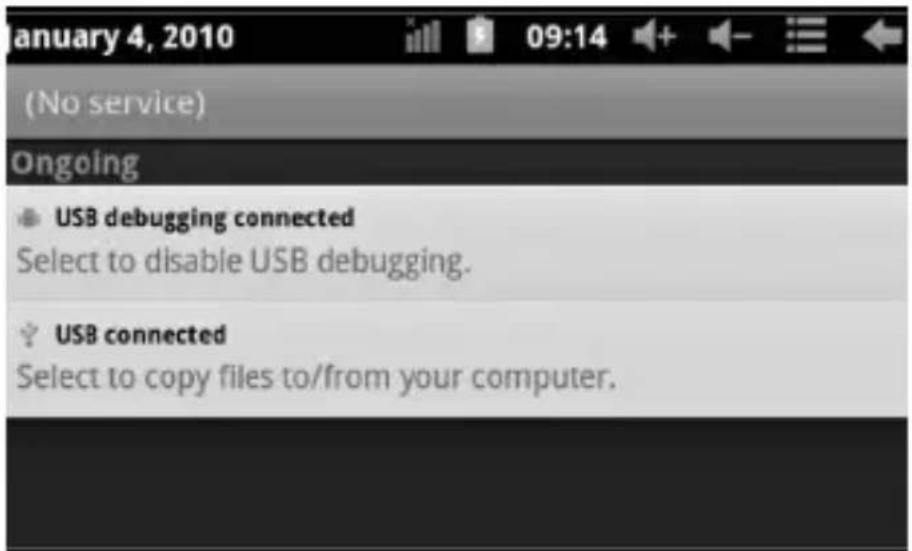
Using USB to connect the MID and PC, the default connection mode is a synchronous mode. You can see this USB icon and then drag the status bar to drop, appeared the following interface:
Step 1:

Step 2:

USER'S MANUAL
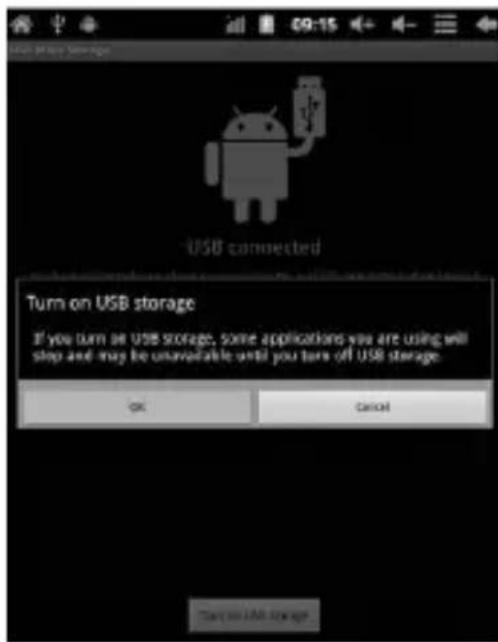
Step 3: According to the above photo, please choose USB connected. Then you can see the following interface:

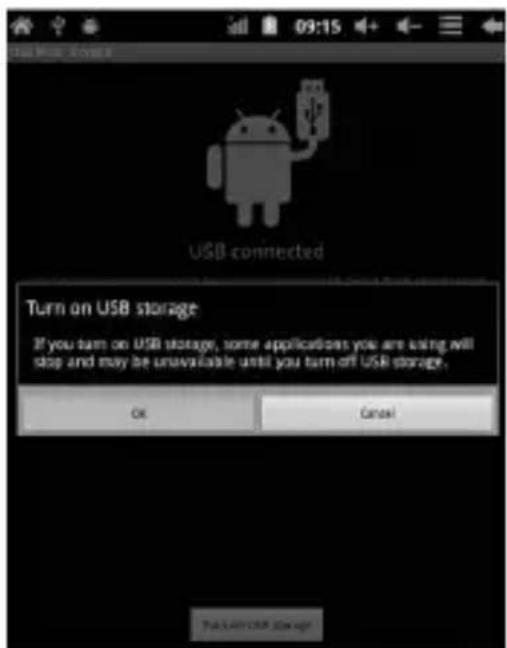
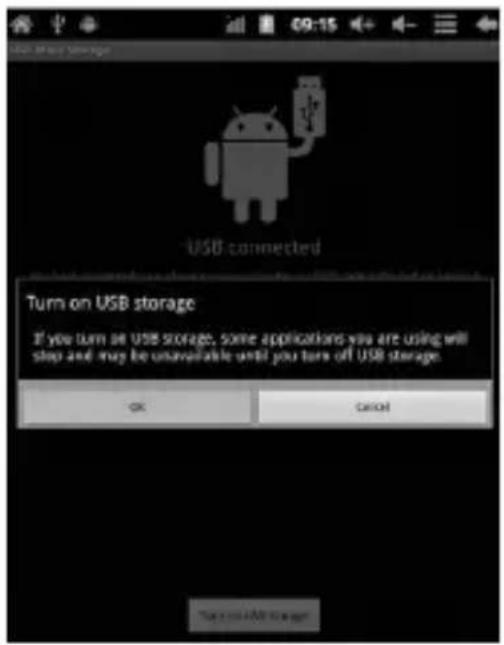
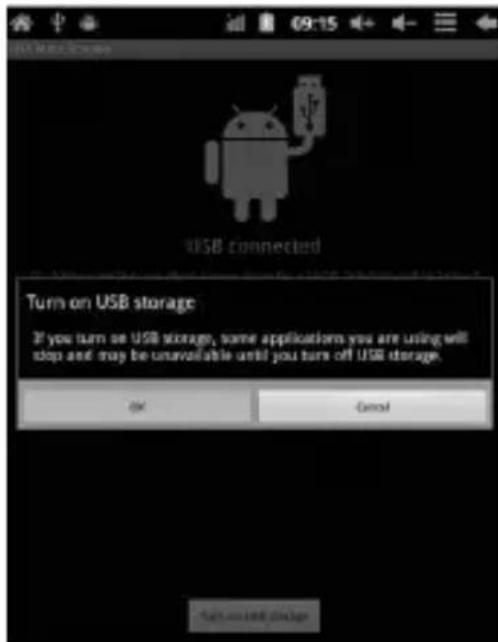
Step 4: Please press "turn on USB storage". Then you will find the following photos:
Please choose "OK". Then USB is connected. "USB is connected": means external memory (SD) loading is completed, and you can see the corresponding letter in the PC terminal.
Use USB cable to connect device to PC, device will pop up the USB connection window, click Turn on USB storage to connect to PC
USER'S MANUAL
Equipment operation interface
Main interface describe
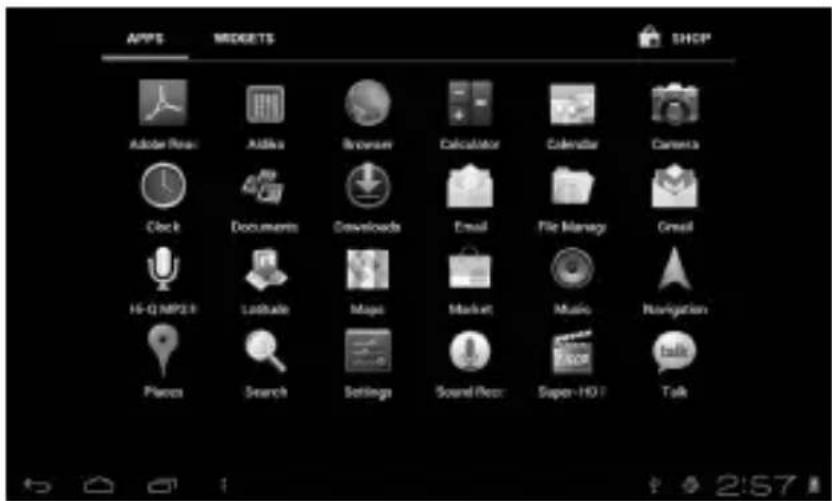
After startup will enter the main interface

In the main interface, you can:
USER'S MANUAL
Management main interface software ICONS: long press the icons 3 second, after the icons will bigger, then you can drag anywhere in the interface.
Delete icons: long press the icons 3 second, drag the icons to the Recycle Bin icon, once it become red, Loosen your hand, after that you can delete icon
Status bar describe
The status bar below of the screen

From left: BACK, HOME, recent applications. From Right: battery status, time, other icons.
Use touch panel
Device equipped with a 7"touch screen. Following the main touch screen area is described, and describes some of the tips for how to use the touch screen.
No matter which interface you are on the screen, can go back to main screen through pressing the soft key to the bottom right corner of the main screen.
Attention!
In different applications, by tapping the back soft key on the bottom right corner on the touch screen, you can return to its interface on the upfloor
In different applications, by tapping the menu key on the upper right corner of touch screen, the screen will appear the operation setting interface as follows,
Remark:
In the main interface, you can touch the icon to open the APPs
USER'S MANUAL
In different browser(file, music, video, pictures), You shift and drag the scroll bar, so that the file list can up or down to roll.
Equipment basic set

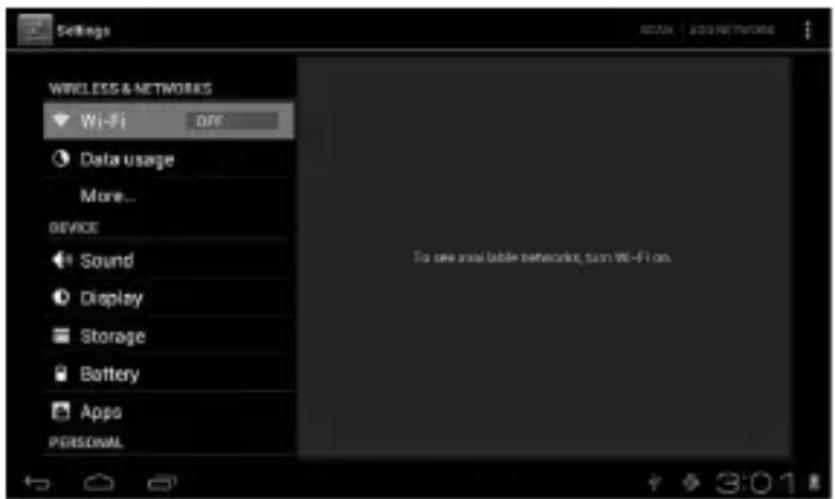
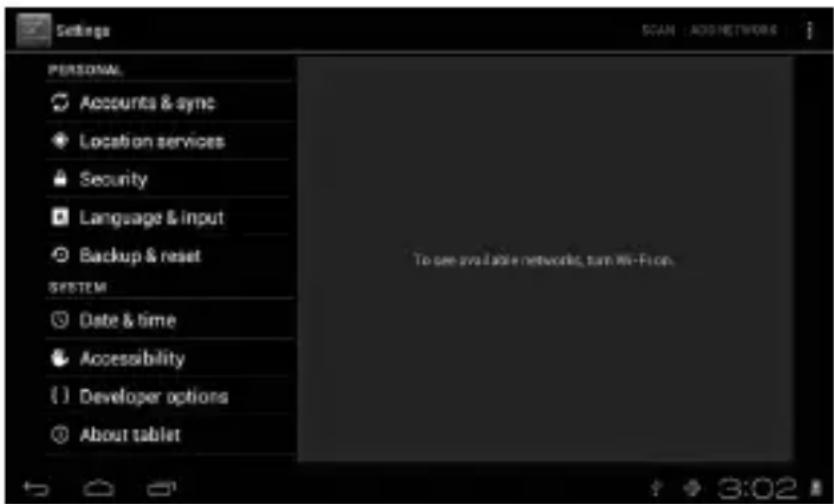
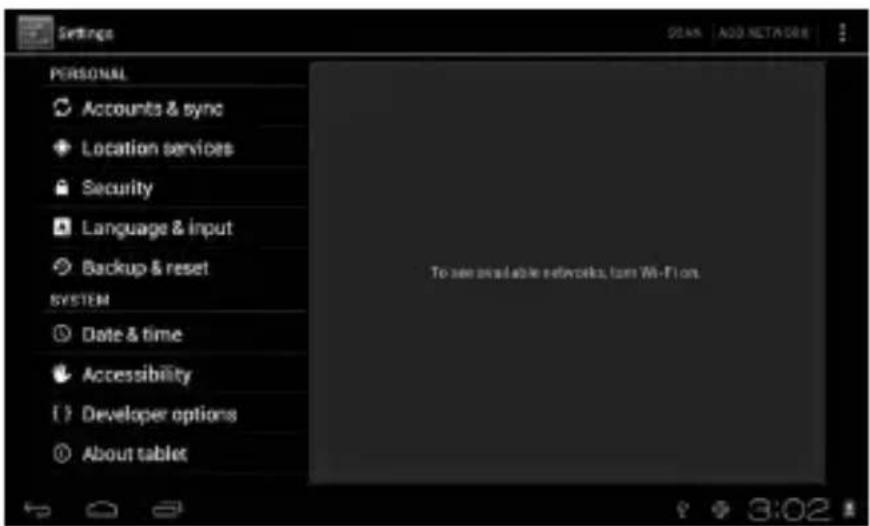
Setting: Click setting icons, Setting setting interface
USER'S MANUAL
Application
Manage applications

Unknown sources: Click "Unknown Sources", then click "OK"
Manage application: manager and uninstall Application
Remark:
when you Firmware Upgrade, pls close the USB connect
How to uninstall?

- enter "Stepping">"Application">"Manage application" And then there will be installed the program list
- Click you want to uninstall icons, will enter the following interface
- Click Uninstall, then you can delete the application
USER'S MANUAL
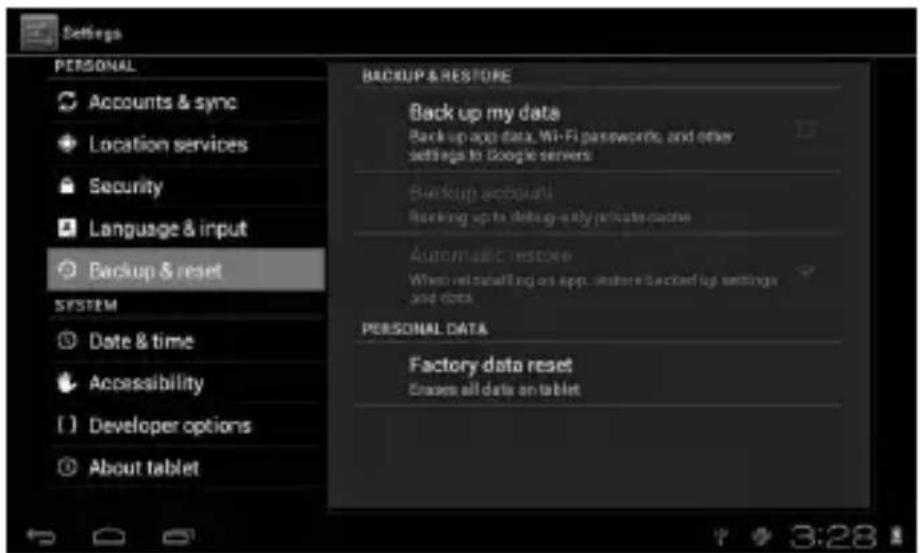
Backup & reset
Factory data reset
Storage
Remove TF card, view of the available storage space

USER'S MANUAL
Remark:
Please touch option" delete SD card", so that can safety to remove SD card
Language & input
Setting: (Language), text input and automatic error correction options;

Select Language: 54 kind of national languages are available
Remark: Android system can support 54 kind of language, now menu interface just support 14 language,
Android keyboard: Android keyboard setting
Sound on Key-press
Show suggestions: Display suggested words while typing
Auto-complete: Specebar and punctuation automatically insert highlighted word
USER'S MANUAL
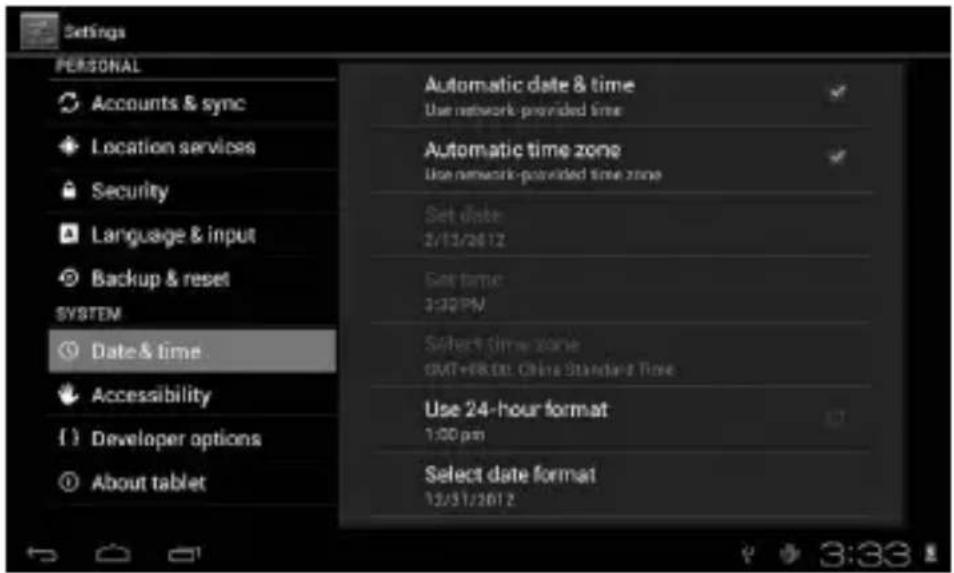
Date & time
Set date, set time, Select time zone and select date format
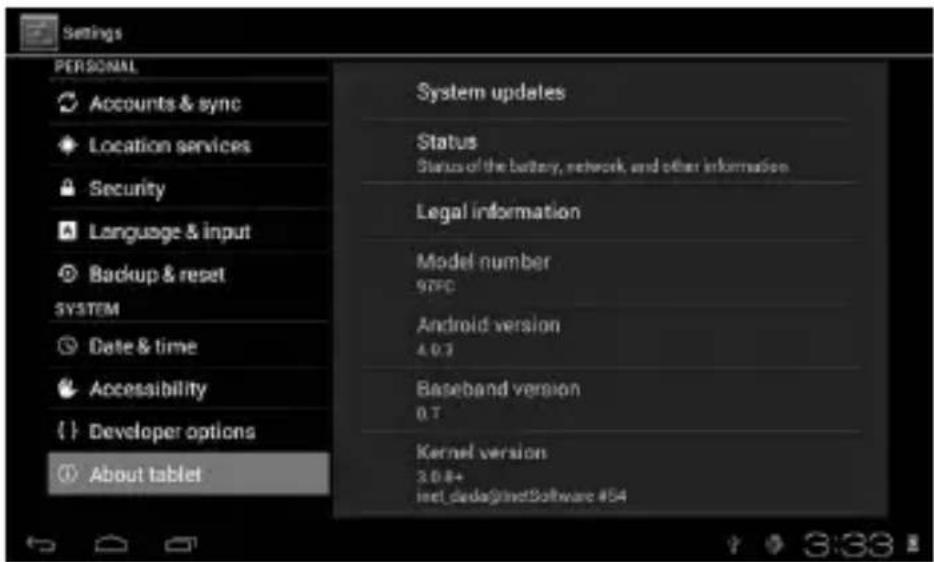
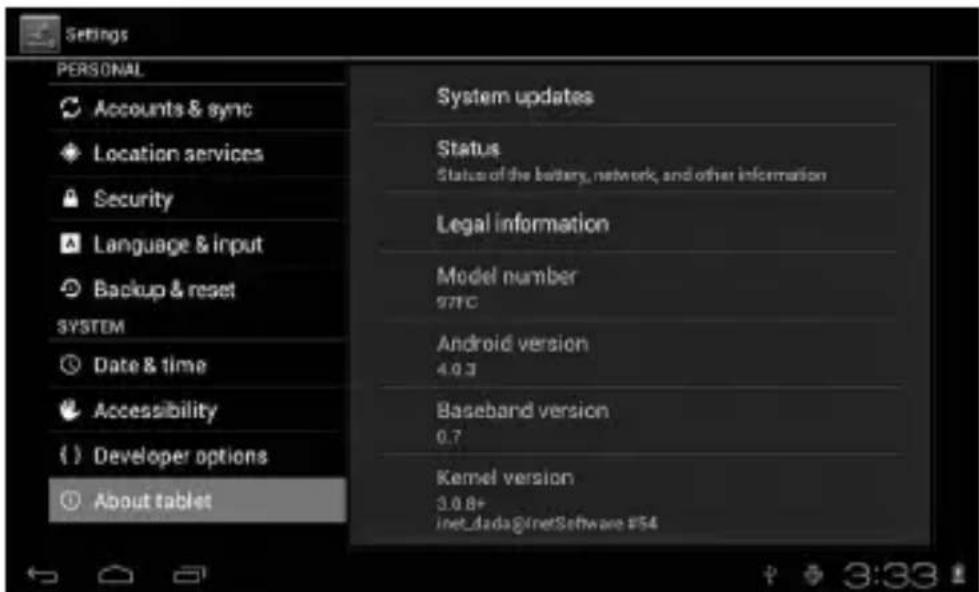
About tablet
USER'S MANUAL
Problem solution
Device can't to open
1) Check the battery power
2) Connect adaptor first, then check again
3) After charging then can't to open, pls contact with the supplier
After startup the screen or the opening picture has been appeared, the device appear shutdown
1) Power is not enough, please charge
Headset can't hear the voice
1) Pls check the volume whether set to 0
2) Check the music file whether damaged. Try playing other music, if the file have damaged may lead to serious noise or hop sounds.
Can copy file or paly music and so on
1) Pls check between computer and device is correct connection
2) Check the memory storage space is already full
3) Check the USB cable is good or not
4) USB connection is disconnected
Bedienungsanleitung
Hinweis
BEDIENUNGSANLEITUNG
Schritt 2:


BEDIENUNGSANLEITUNG
BEDIENUNGSANLEITUNG
Lautlosmodus
BEDIENUNGSANLEITUNG
Speichern
BEDIENUNGSANLEITUNG
BEDIENUNGSANLEITUNG
Info zum Gerät
Fehlerbeseitigung
HASZNÁLATI ÚTMUTATÓ
2. lépés:


HASZNÁLATI ÚTMUTATÓ
HASZNÁLATI ÚTMUTATÓ
HASZNÁLATI ÚTMUTATÓ
Csendes üzemmód
HASZNÁLATI ÚTMUTATÓ
Adatmentés
HASZNÁLATI ÚTMUTATÓ
HASZNÁLATI ÚTMUTATÓ
Hibaelhárítás
NÁVOD K OBSLUZE
Krok 2:

NÁVOD K OBSLUZE
NÁVOD K OBSLUZE
Tichý režim
NÁVOD K OBSLUZE
Ukládání
NÁVOD K OBSLUZE
NÁVOD K OBSLUZE
Řešení problémů
Tablet nelze zapnout
VARTOTOJO INSTRUKCIJA
2 žingsnis:
VARTOTOJO INSTRUKCIJA
VARTOTOJO INSTRUKCIJA
Tylaus darbo režimas
Nežinomi šaltiniai: spustelėkite „Unknown Sources“, tuomet „OK“.
VARTOTOJO INSTRUKCIJA
Irašymas
Dèmesio:
VARTOTOJO INSTRUKCIJA
VARTOTOJO INSTRUKCIJA
Problemu sprendimas

Примечание:
Решение проблем
NÁVOD NA OBSLUHU
Krok 2:

NÁVOD NA OBSLUHU
NÁVOD NA OBSLUHU

NÁVOD NA OBSLUHU
Tichý režim
NÁVOD NA OBSLUHU
Ukladanie
NÁVOD NA OBSLUHU
NÁVOD NA OBSLUHU
Riešenie problémov
Крок 2:

Тихий режим
Запис
- MANTA
- Tablet PowerTab
- MID705
- INSTRUKCJA OBSŁUGI
- Dźwięk
- Pamięć
- USER'S MANUAL
- Touch panel
- POWER
- Remark!
- Volume +, Volume-
- Earphone jack
- First use
- Battery management and charge
- Remark:
- Connection with PC
- USB connection
- Equipment operation interface
- Main interface describe
- Status bar describe
- Use touch panel
- Attention!
- Equipment basic set
- Application
- Backup & reset
- Storage
- Language & input
- Date & time
- About tablet
- Problem solution
- Device can't to open
- Headset can't hear the voice
- Can copy file or paly music and so on
- Bedienungsanleitung
- Hinweis
- Schritt 2:
- Lautlosmodus
- Speichern
- Info zum Gerät
- Fehlerbeseitigung
- HASZNÁLATI ÚTMUTATÓ
- lépés:
- Csendes üzemmód
- Adatmentés
- Hibaelhárítás
- NÁVOD K OBSLUZE
- Tichý režim
- Ukládání
- Řešení problémů
- Tablet nelze zapnout
- VARTOTOJO INSTRUKCIJA
- žingsnis:
- Tylaus darbo režimas
- Irašymas
- Dèmesio:
- Problemu sprendimas
- Примечание:
- Решение проблем
- NÁVOD NA OBSLUHU
- Ukladanie
- Riešenie problémov
- Тихий режим
- Запис
Brand : Manta
Model : PowerTab MID705
Category : Tablet