
HB-IMCU - Computerzubehör Sabrent - Kostenlose Bedienungsanleitung
Finden Sie kostenlos die Bedienungsanleitung des Geräts HB-IMCU Sabrent als PDF.


| Produkttyp | USB-Hub |
| Marke | Sabrent |
| Modell | HB-IMCU |
| Anzahl der Anschlüsse | 4 (USB 3.0) |
| USB-Standard | USB 3.0 (kompatibel mit USB 2.0/1.1) |
| Kompatible Geräte | iMac Slim Unibody (21.5") und (27") |
| Abmessungen (ca.) | 10,0 x 2,0 x 1,0 cm |
| Gewicht (ca.) | 50 g |
| Farbe | Silber/Grau |
| Stromversorgung | USB-betrieben (optionales externes Netzteil für stromhungrige Geräte) |
| Besonderheiten | Stopplasche zur Ausrichtung an der Lüftungsschlitzen des iMac |
| Lieferumfang | Hub, Bedienungsanleitung (Netzteil nicht enthalten) |
| Pflege und Reinigung | Mit einem trockenen, fusselfreien Tuch abwischen; keine Flüssigkeiten verwenden |
| Sicherheitshinweise | Nicht in Flüssigkeiten tauchen; vor Feuchtigkeit schützen |
| Ersatzteile und Reparatur | Keine vom Hersteller bereitgestellten Ersatzteile; bei Defekt Gerät ersetzen |
| Hersteller | Sabrent |
Häufig gestellte Fragen - HB-IMCU Sabrent
Benutzerfragen zu HB-IMCU Sabrent
0 Frage zu diesem Gerät. Beantworten Sie die, die Sie kennen, oder stellen Sie Ihre eigene.
Eine neue Frage zu diesem Gerät stellen
Laden Sie die Anleitung für Ihr Computerzubehör kostenlos im PDF-Format! Finden Sie Ihr Handbuch HB-IMCU - Sabrent und nehmen Sie Ihr elektronisches Gerät wieder in die Hand. Auf dieser Seite sind alle Dokumente veröffentlicht, die für die Verwendung Ihres Geräts notwendig sind. HB-IMCU von der Marke Sabrent.
BEDIENUNGSANLEITUNG HB-IMCU Sabrent
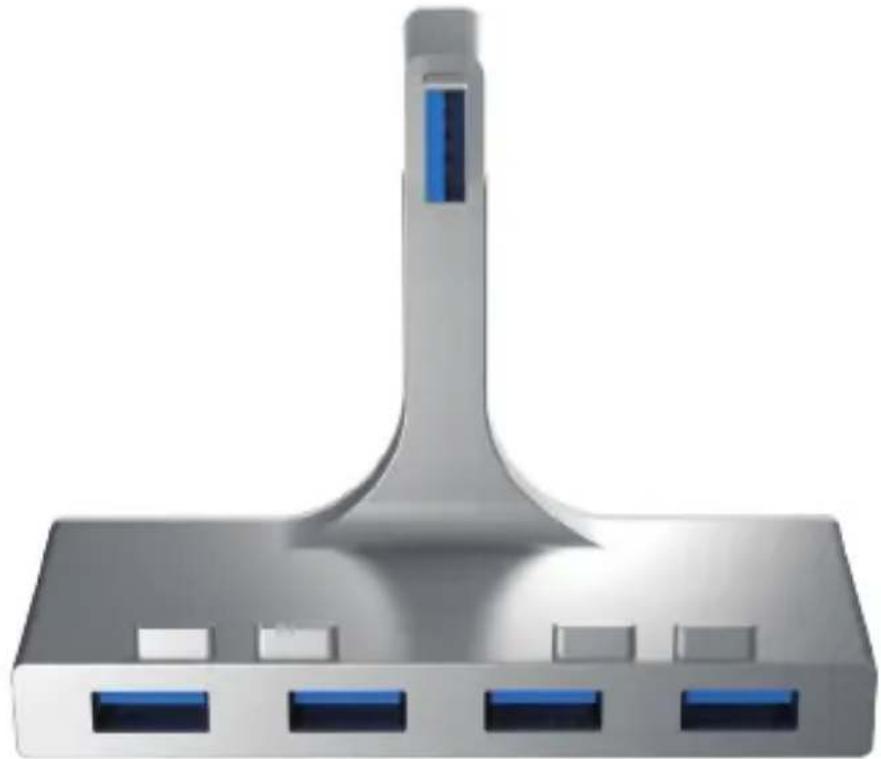
Sabrent 4-Port USB 3.0 Hub For iMac Slim Unibody
natural_image
3D rendering of a gray server or network device with three ports and a central tower (no text or symbols visible)HB-IMCU
Before you get started
On iMac 21.5" you can insert the Sabrent hub into any of the 4 USB Ports on the Display. For iMac 27" you can connect the Sabrent hub to either the first or fourth USB Ports on the Display.

How to install
1.
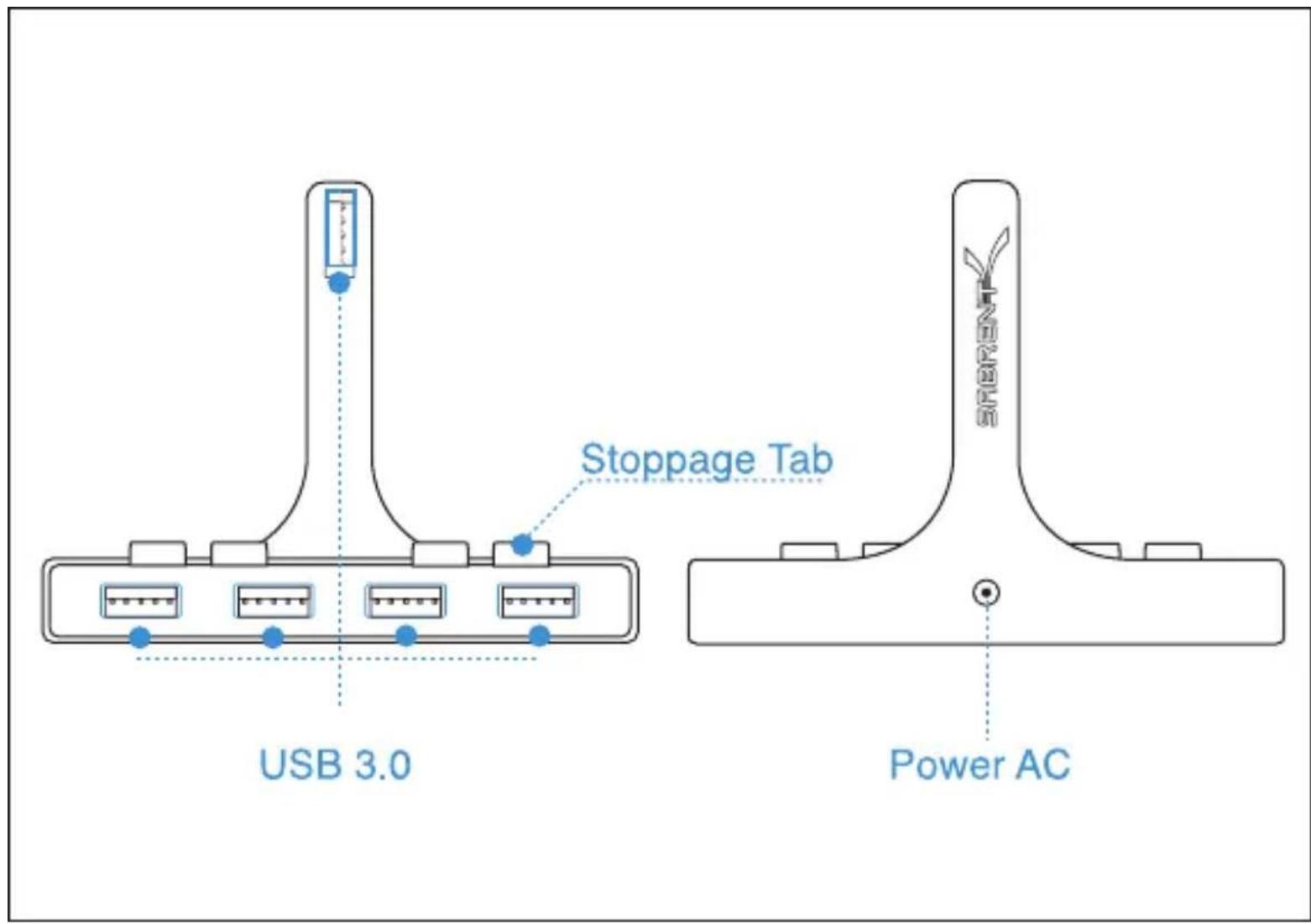
Holding HB-IMCU against your IMAC slim unibody, make sure the stoppage tab is positioned against the vent of imac, the usb slot on top of hub should align with the usb port of imac.

natural_image
Pure geometric line drawing of a triangular structure with a small rectangular object inside (no text or symbols)- Push the hub into the usb slot of your imac

natural_image
Pure geometric line drawing of a triangular structure with a small rectangular cutout (no text or symbols)
natural_image
Pure diagram of a device layout with battery and USB icons, no text or symbols present3.
Connect your usb device to the hub
Note: for some usb devices to work, you may need to plug the power ac cable into back of the Hub. (This product doesn't comes with ac power cable)





Marke : Sabrent
Modell : HB-IMCU
Kategorie : Computerzubehör