
MasterAir MA610P - CPU-Kühler CM Storm - Kostenlose Bedienungsanleitung
Finden Sie kostenlos die Bedienungsanleitung des Geräts MasterAir MA610P CM Storm als PDF.


| Gerätetyp | CPU-Kühler |
| Marke | CM Storm (Cooler Master) |
| Modell | MasterAir MA610P |
| Abmessungen (mit Lüfter) | 132 x 112 x 159 mm (B x T x H) |
| Gewicht | ca. 750 g |
| Material | Aluminiumkühlkörper, Kupfer-Heatpipes, Kunststoffrahmen |
| Anzahl der Heatpipes | 6 |
| Lüfteranzahl | 2 (vorinstalliert) |
| Lüftergröße | 120 mm |
| Lüftergeschwindigkeit | 600 – 1800 U/min (PWM) |
| Luftstrom | max. 65 CFM (pro Lüfter) |
| Geräuschpegel | 8 – 27 dBA |
| Kompatible Sockel (Intel) | LGA 2066/2011-v3/2011/1366/115x/775 |
| Kompatible Sockel (AMD) | AM4/AM3+/AM3/AM2+/AM2/FM2+/FM2/FM1 |
| Stromanschluss | 4-Pin PWM |
| RGB-Beleuchtung | keine |
| Besondere Merkmale | Direktkontakt-Heatpipes, verbesserte Luftführung, einfache Montage |
| Lieferumfang | Kühler, 2 Lüfter, Montagematerial für Intel & AMD, Wärmeleitpaste |
| Hersteller | Cooler Master Technology Inc. |
| Garantie | 2 Jahre (typisch) |
Häufig gestellte Fragen - MasterAir MA610P CM Storm
Benutzerfragen zu MasterAir MA610P CM Storm
0 Frage zu diesem Gerät. Beantworten Sie die, die Sie kennen, oder stellen Sie Ihre eigene.
Eine neue Frage zu diesem Gerät stellen
Laden Sie die Anleitung für Ihr CPU-Kühler kostenlos im PDF-Format! Finden Sie Ihr Handbuch MasterAir MA610P - CM Storm und nehmen Sie Ihr elektronisches Gerät wieder in die Hand. Auf dieser Seite sind alle Dokumente veröffentlicht, die für die Verwendung Ihres Geräts notwendig sind. MasterAir MA610P von der Marke CM Storm.
BEDIENUNGSANLEITUNG MasterAir MA610P CM Storm

MASTERAIR MA610P
01.Package Content

02. Intel & AMD
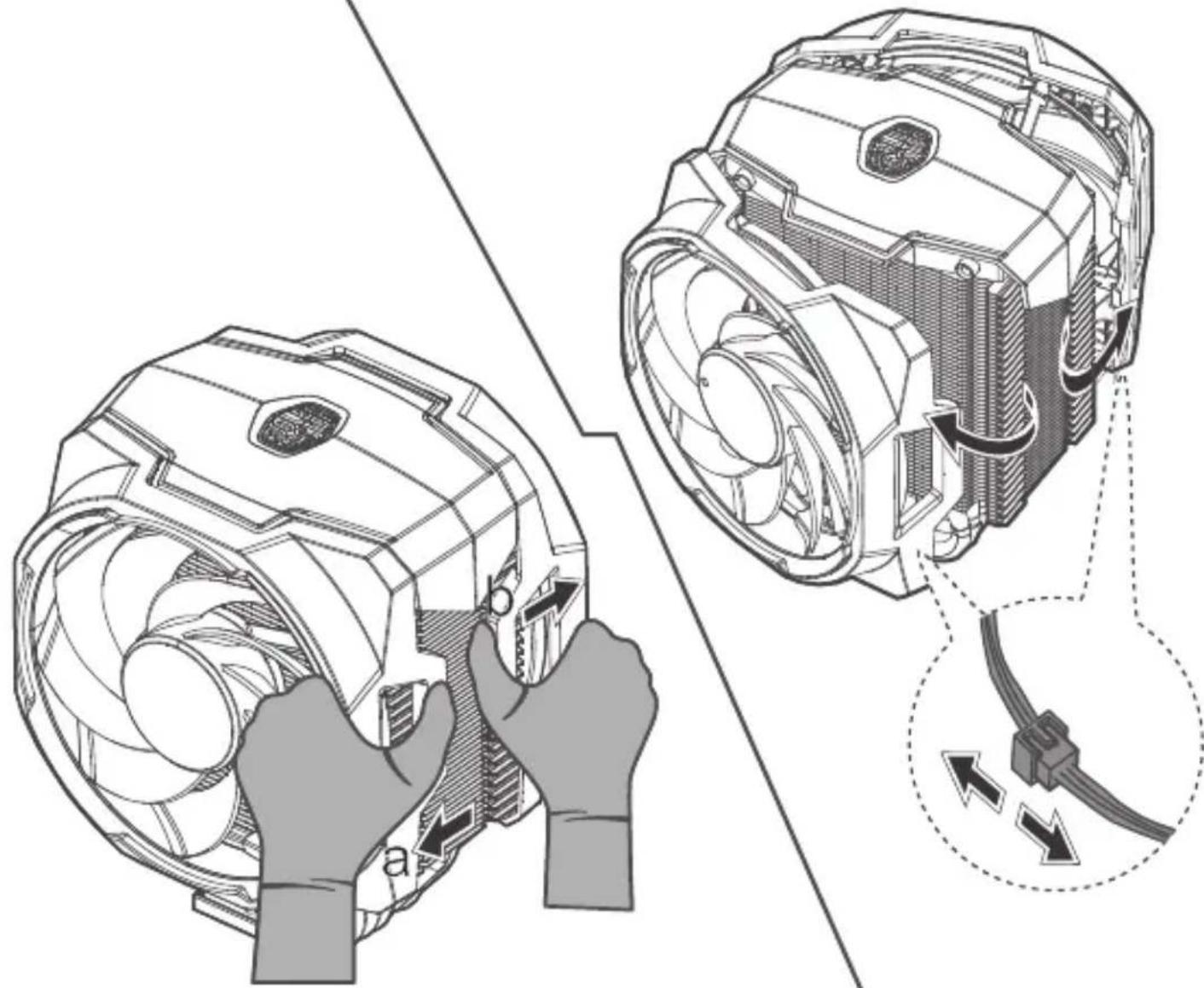
03. Intel & AMD
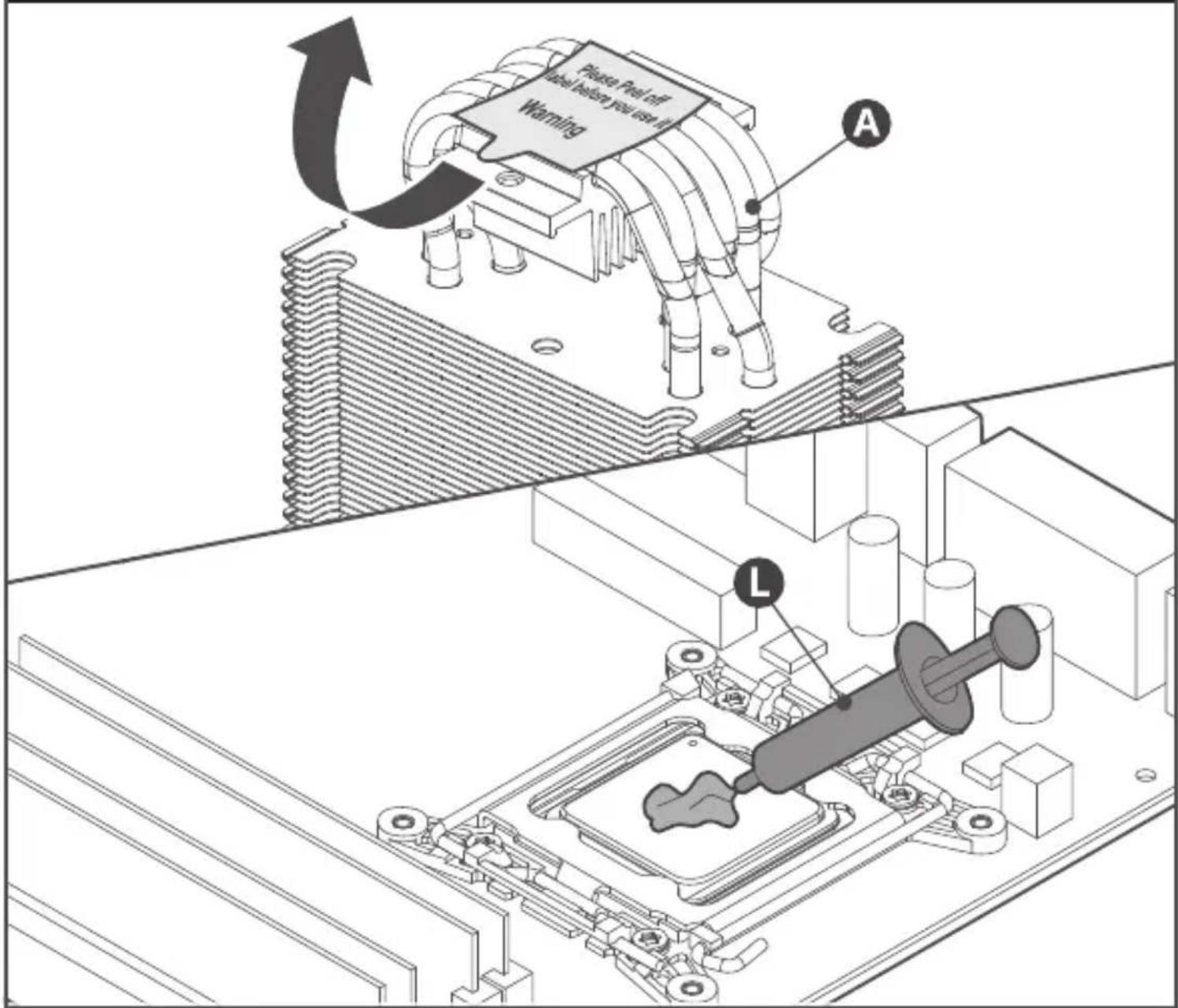
04. AMD AM4/AM3+/AM3/AM2+/AM2/FM2+/FM2/FM1


05. AMD AM4/AM3+/AM3/AM2+/AM2/FM2+/FM2/FM1

06. AM4/AM3+/AM3/AM2+/AM2/FM2+/FM2/FM1

07. Intel - LGA 2066/2011-v3/2011/1366/115x/775

LGA 775
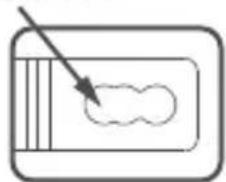
natural_image
Simple line drawing of a rectangular object with an arrow pointing to a cloud-like shape inside (no text or symbols)LGA 115x

natural_image
Simple line drawing of a rectangular device with an arrow pointing to a cloud-like shape inside (no text or symbols)LGA 2066/2011/2011-v3/1366
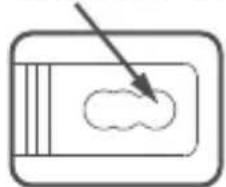
natural_image
Simple line drawing of a device with an arrow pointing to a cloud shape inside (no text or symbols)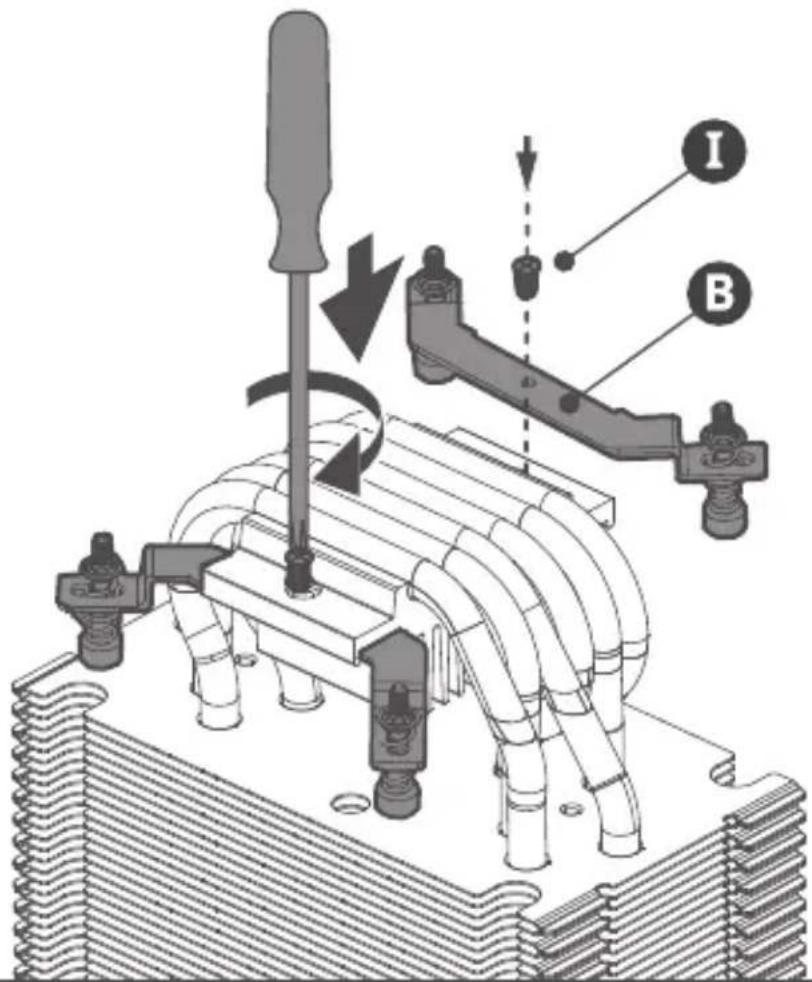
08. Intel - LGA 1366/115x/775

09. Intel - LGA 1366/115x/775
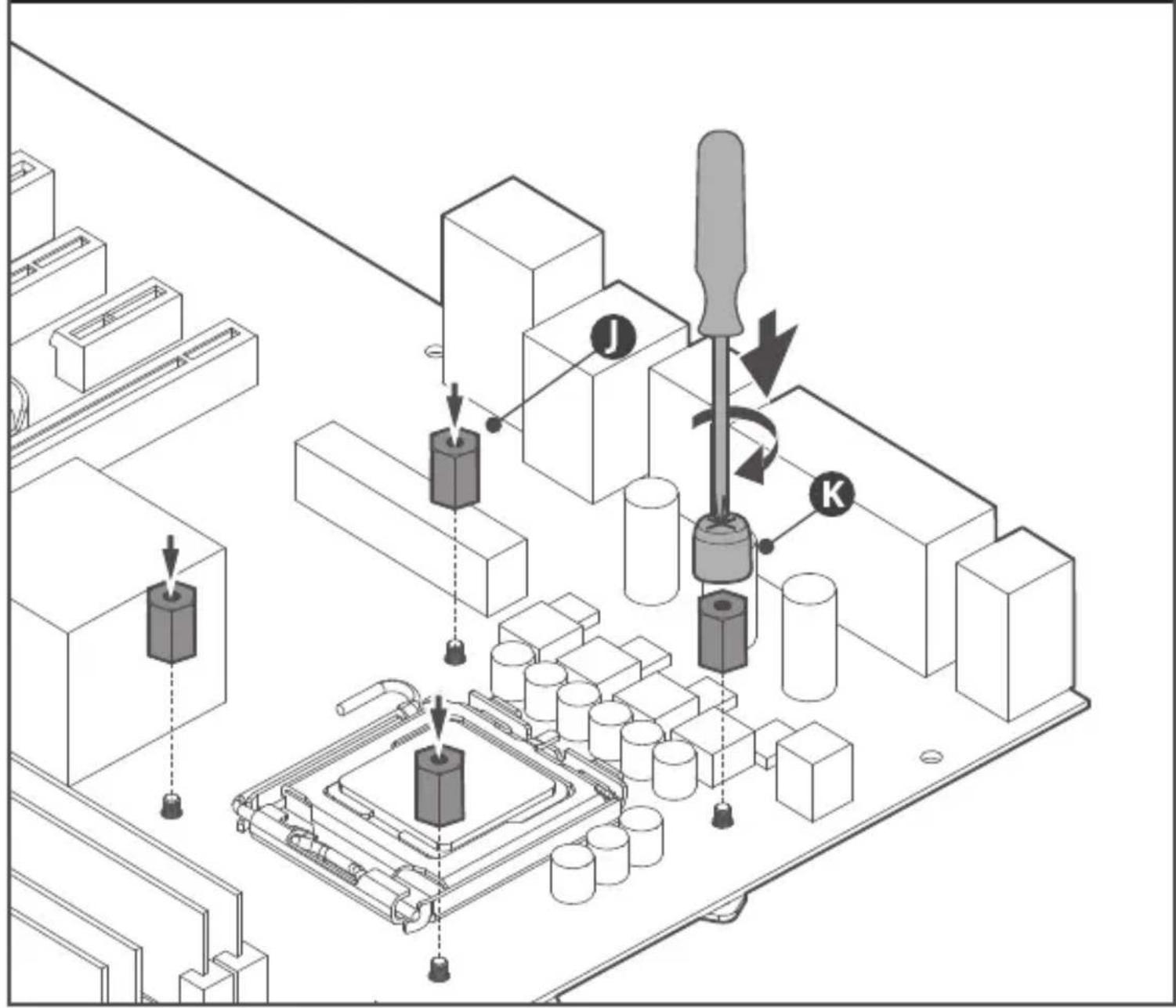
10. Intel - LGA 1366/115x/775

- Intel - LGA 2066/2011-v3/2011

12. Intel & AMD

natural_image
Technical illustration of an electric fan assembly with cooling fins and wiring (no text or symbols)13. Intel & AMD

natural_image
Technical line drawing of a mechanical fan assembly with cooling fins and internal components (no text or symbols)14. Intel & AMD

flowchart
graph TD
    A["Device"] --> B["QR Code"]
    B --> C["+"]
    C --> D["Power Connector"]
    D --> E["Output Box"]
    style A fill:#f9f,stroke:#333
    style B fill:#ccf,stroke:#333
    style C fill:#cfc,stroke:#333
    style D fill:#fcc,stroke:#333
    style E fill:#cff,stroke:#333
15. Intel & AMD
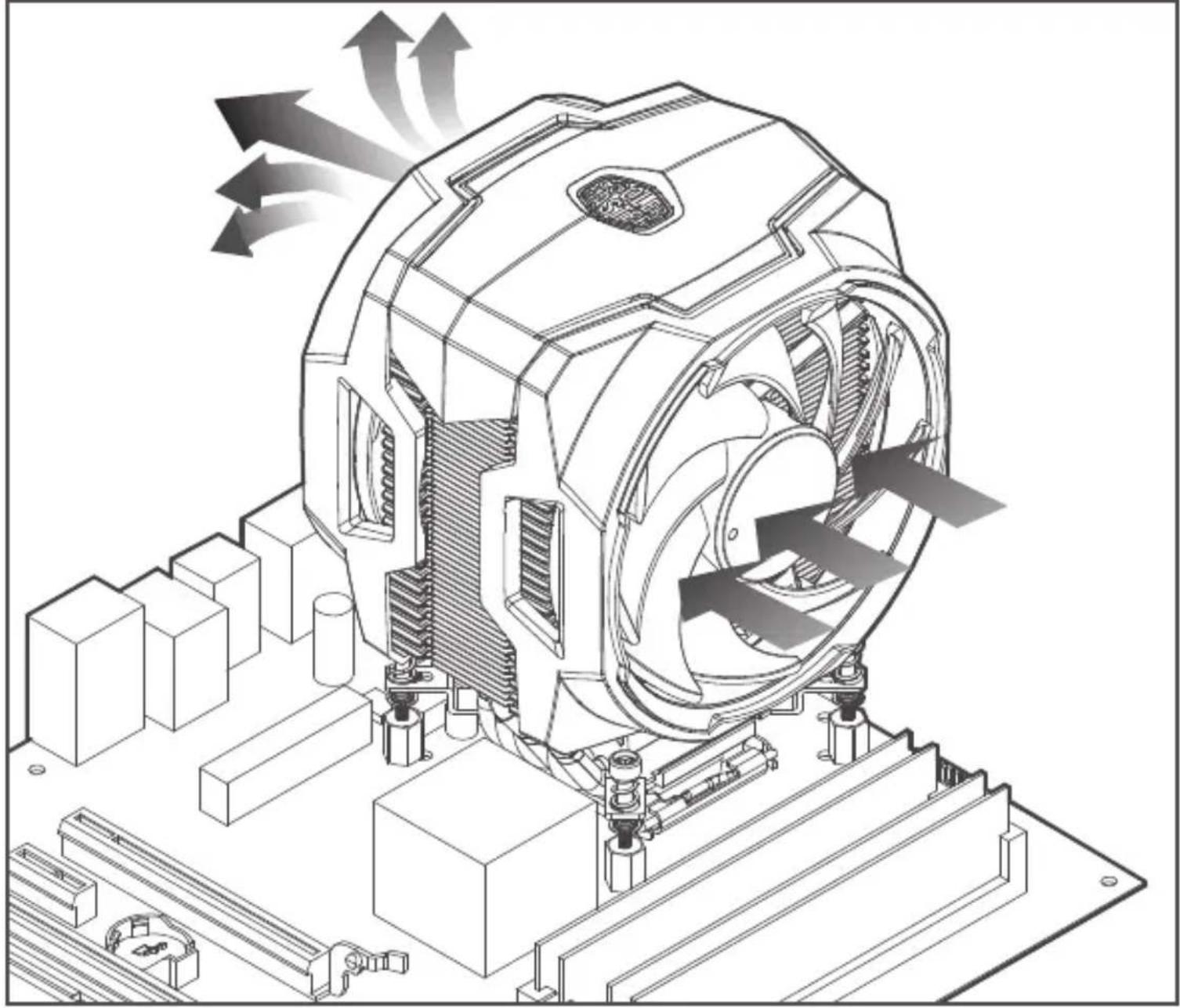
natural_image
Technical line drawing of a mechanical device with fan blades and internal components, showing airflow direction (no text or symbols)Please visit our website at www.coolermaster.com
Asia Pacific - Cooler Master Technology Inc. 8F., No. 788-1, Zhongzheng Rd., Zhonghe Dist., New Taipei City 23586, Taiwan (R.O.C.) Tel: +886-2-2225-3517
Europe - Cooler Master Europe B.V. Lodewijkstraat 1b, 5652AC Eindhoven, The Netherlands Tel: +31-(0)40-702-0900
China - Cooler Master China Room 2062, Floor 6, No. 421, Weiquing Rd., Jinshan District, Shanghai City, China Tel: +86-21-51872177
North America - Cooler Master Technology NA 4820 Schaefer Ave. Chino CA. 91710, USA Tel: +1-888-624-5099
For the most updated information, please visit our official website: www.coolermaster.com Cooler Master Support: https://account.coolermaster.com/

512000590-GP Ver 1.0:2017/08
©2017 Cooler Master Technology Inc. All Rights Reserved. All trademarks are registered to their respective owners.

Make It Yours.


- MASTERAIR MA610P
- 01.Package Content
- Intel & AMD
- Intel & AMD
- AMD AM4/AM3+/AM3/AM2+/AM2/FM2+/FM2/FM1
- AMD AM4/AM3+/AM3/AM2+/AM2/FM2+/FM2/FM1
- AM4/AM3+/AM3/AM2+/AM2/FM2+/FM2/FM1
- Intel - LGA 2066/2011-v3/2011/1366/115x/775
- Intel - LGA 1366/115x/775
- Intel - LGA 1366/115x/775
- Intel - LGA 1366/115x/775
- Intel & AMD
- Intel & AMD
- Intel & AMD
- Intel & AMD
Marke : CM Storm
Modell : MasterAir MA610P
Kategorie : CPU-Kühler