
16DB - Megafon GBC - Kostenlose Bedienungsanleitung
Finden Sie kostenlos die Bedienungsanleitung des Geräts 16DB GBC als PDF.


| Produkttyp | Megafon |
| Marke | GBC |
| Modell | 16DB |
| Leistung | 16 W |
| Reichweite | ca. 500 m |
| Stromversorgung | 6x C-Batterien (nicht im Lieferumfang) |
| Material | Kunststoff |
| Farbe | Schwarz/Orange |
| Abmessungen (BxHxT) | ca. 330 x 220 x 220 mm |
| Gewicht | ca. 1,2 kg |
| Lautstärke (max.) | ca. 120 dB |
| Funktionen | Sprachansage, Sirenenton, Ein-/Ausschalter, Tragegriff |
| Mikrofontyp | Eingebautes Mikrofon |
| Bedienung | Drucktaste zum Sprechen, Sirenenschalter |
| Reinigung | Mit einem feuchten Tuch abwischen, kein Wasser im Inneren |
| Sicherheitshinweise | Nicht in der Nähe von Ohren verwenden, nicht in Wasser tauchen |
| Ersatzteile | Batteriefachabdeckung, Mikrofonabdeckung (auf Anfrage) |
Häufig gestellte Fragen - 16DB GBC
Benutzerfragen zu 16DB GBC
0 Frage zu diesem Gerät. Beantworten Sie die, die Sie kennen, oder stellen Sie Ihre eigene.
Eine neue Frage zu diesem Gerät stellen
Laden Sie die Anleitung für Ihr Megafon kostenlos im PDF-Format! Finden Sie Ihr Handbuch 16DB - GBC und nehmen Sie Ihr elektronisches Gerät wieder in die Hand. Auf dieser Seite sind alle Dokumente veröffentlicht, die für die Verwendung Ihres Geräts notwendig sind. 16DB von der Marke GBC.
BEDIENUNGSANLEITUNG 16DB GBC
GBC
MANUAL BINDER OPERATING INSTRUCTIONS
MODEL NO 16 DB

natural_image
Mechanical device with a textured surface and a vertical rod, no visible text or symbolsIntroduction
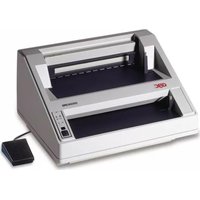
Your General Binding Corporation 16-inch Manual Binder has been designed for simple operation and for heavy duty production. It will provide fast, efficient, and troublefree binding service with a minimum of effort on the part of the operator.
The manual Binder will accept all GBC plastic bindings, so that you can perform custom in-plant or office binding for a variety of applications.
Before using your Manual Binder, carefully read the instructions in this manual. Take advantage of techniques and methods that have been carefully developed to simplify your binding job and to improve your skill as an operator.
Operating Controls (Figure 1)
Hand Lever:
Controls position of spreading hooks for loading and binding material. In open position (toward operator) spreading hooks are opened for loading materials. In closed position (away from operator) hooks are closed to complete binding.
Binder Control Stop Knob:
Locks index pin on hand lever into preset position on index plate. When pulled outward, releases index pin so that desired setting can be indexed.

Figure 1
Presetting of Spreading Hook Travel (Figure 3)
The binder control stop knob is used to control the travel of the spreading hooks. In this manner, the binding speed is increased and the proper amount of spread is preset to accommodate the binding being used. When properly preset, the spreading hook travel is approximately 1/16-inch greater than the thickness of the book being bound.
When pulled outward, the binder control stop knob releases the index arm so that the index pin can be positioned. When released, the binder control stop knob locks the index pin into the desired position on the index plate. To preset the spreading hook travel, proceed as follows:
- Pull outward on the binder control stop knob and rotate the index pin to position 14 on the index plate (bottom position).
- Place a GBC binding element on the binding head. The tips of the plastic rings should be on top and held between the vertical holding fingers. The tips of the plastic rings should be pointing away from the operator.
- Slowly pull the hand lever forward (toward operator) until the binding element has been opened to the correct width. Hold the hand lever in this position.
- Pull outward on the binder control stop knob and rotate the index pin in a counter-clockwise direction (away from operator) as far as it will go.

Figure 2
- Release the binder control stop knob so that the index pin drops into the hole nearest the hand lever on the index plate.
- Return the hand lever to the upright position.
- Remove the binding element from the binding head. The spreading hook travel is now properly preset.
Binding Considerations
- To increase production speed, always preset the travel of the spreading hooks to accommodate the size of the binding elements.
- When using GBC "wide-back" binding elements, the front cover of the book must always be placed downward on the opened plastic rings.
- When using GBC "narrow-back" binding elements, the backbone strip of the binding element must always be placed between the last page of the book and the inside of the back cover.
- When binding books that are 3/8" thick or thicker, it is recommended that the punched sheets be placed on the opened plastic rings in two or more sections.
- Never keep the GBC binding elements in the "open" position on the Manual Binder longer than necessary. This can cause unnecessary stress on the plastic material and will delay the complete closing of the binding.

Figure 3
Spreading Hooks
Binder Operation, Wide-Back Binding Elements (Figure 4)
- Preset the spreading hook travel (see procedure).
- Place a binding element on the binding head. Make sure that the tips of the plastic rings are on top and pointing away from you (see illustration).
- Pull forward on the hand lever to open the binding element.
- Pick up the punched book to be bound and hold it firmly in your right hand with the front cover facing toward you. With your fingers on the back cover of the book and your thumb on the front cover, place the punched book vertically into the open plastic rings of the binding element.
- Align the holes of the punched book with the tips of the plastic rings on the binding element. Swing the book down so that the plastic rings will enter the punched holes of the book.
- With your left hand, return the hand lever to the upright position. The plastic rings of the binding element will return to the closed position and penetrate completely through the punched holes of the book.
- Lift up bound book and remove it from your Manual Binder.
Binder Operation, Narrow-Back Binding Elements
- Preset the spreading hook travel (see procedure).
- When using a two-piece cover proceed as follows:
a. Place the back cover, face up, on the table.
b. Place the front cover, face down, on top of the back cover.
c. Place the remainder of the punched book, face down, on top of the front cover. The last page of the book is now on top. - Pick up the material and place the punched book vertically into the open plastic rings of the binding element.
- Swing the book down so that the plastic rings will enter the punched holes of the book.
- Return the hand lever to the upright position. The plastic rings of the binding element will return to the closed position and penetrate completely through the punched holes of the book.
- Lift up the bound book and remove it from your Manual Binder.
- Turn the back cover to the proper position, in back of the last page of the bound book. This properly positions the backbone strip between the last page and the inside of the back cover.
Specifications
Production Rate: 150 to 250 booklets per hour.
Binding Width: 2" to 16"
Binding Diameter: 3/16" to 2"
Machine Size: 20 1/4" Wide, 12 3/4" Deep, 5 3/8" High (less handle).
Weight: 17 lbs. Shipping Weight: 20 lbs.
Finish: Beige
Maintenance Agreement
To insure the quality performance and long life built into your precision GBC business machines, be sure to take advantage of this outstanding coverage that includes free inspections....all at one low price.
Without our Comprehensive Maintenance Agreement a service charge for time, travel, and parts must be made for each call. The GBC Comprehensive Maintenance Agreement on this machine decreases your valuable investment at the same time. Contact your local GBC Branch Office for full details or write to.....
Technical Service Department


- GBC
- MANUAL BINDER OPERATING INSTRUCTIONS
- Introduction
- Operating Controls (Figure 1)
- Hand Lever:
- Binder Control Stop Knob:
- Presetting of Spreading Hook Travel (Figure 3)
- Binding Considerations
- Binder Operation, Wide-Back Binding Elements (Figure 4)
- Binder Operation, Narrow-Back Binding Elements
- Specifications
- Maintenance Agreement
Marke : GBC
Modell : 16DB
Kategorie : Megafon