ST-ABHFS - Support voiture Satechi - Kostenlose Bedienungsanleitung
Finden Sie kostenlos die Bedienungsanleitung des Geräts ST-ABHFS Satechi als PDF.


Benutzerfragen zu ST-ABHFS Satechi
0 Frage zu diesem Gerät. Beantworten Sie die, die Sie kennen, oder stellen Sie Ihre eigene.
Eine neue Frage zu diesem Gerät stellen
Laden Sie die Anleitung für Ihr Support voiture kostenlos im PDF-Format! Finden Sie Ihr Handbuch ST-ABHFS - Satechi und nehmen Sie Ihr elektronisches Gerät wieder in die Hand. Auf dieser Seite sind alle Dokumente veröffentlicht, die für die Verwendung Ihres Geräts notwendig sind. ST-ABHFS von der Marke Satechi.
BEDIENUNGSANLEITUNG ST-ABHFS Satechi
INSTRUCTIONAL GUIDE
TYPE-C STAND & HUB FOR MAC MINI
1 Place the stand on a flat surface and align the Mac Mini on top, with USB ports facing outward.
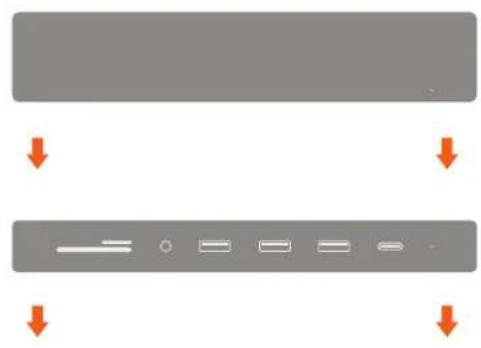
natural_image
Two gray rectangular blocks with orange arrows pointing downward, no text or symbols present2 Connect the stand's built-in USB-C cable to one of the Thunderbolt 3 ports on the back of the Mac Mini. LED light should indicate a proper connection
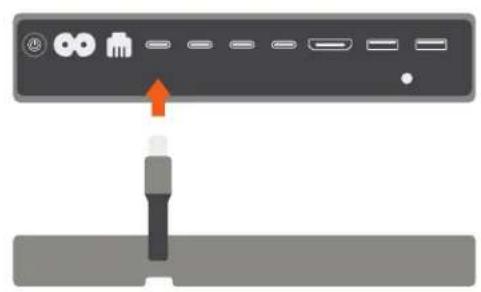
natural_image
Diagram showing a device panel with ports and an orange arrow pointing to a connector (no text or symbols present)3 Use the USB-C port for data transfer – up to 5 Gbps. Does not support video/charging
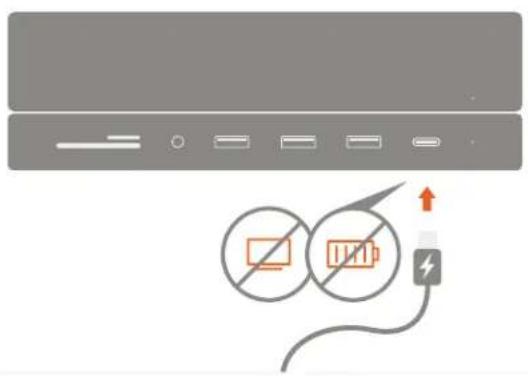
text_image
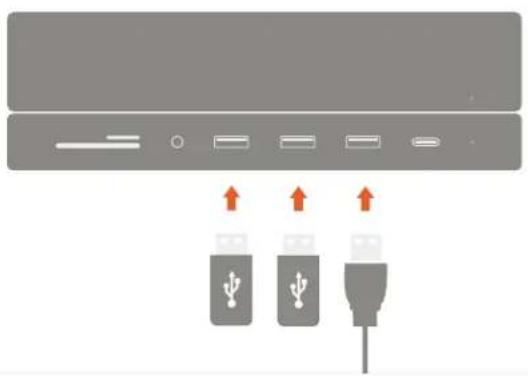
Diagram showing battery connection with a lightning bolt and two circular icons indicating battery status4 Use the three USB 3.0 ports for data transfer. Up to 5 Gbps
natural_image
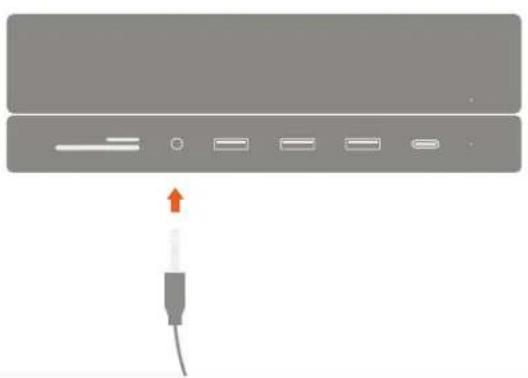
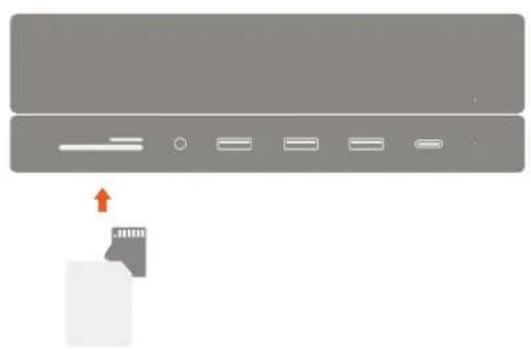
Diagram showing three USB connectors with upward arrows indicating ports (no text or symbols present)5 Insert micro/SD cards into card reader slots. Supports up to 104 MBps Can read both cards simultaneously
natural_image
Diagram showing a device with an arrow pointing to a card slot, no text or symbols present6 Connect 3.5mm headphones or microphone to the audio jack port.