Type-C Pro Hub Ethernet & 4K HDMI - Support voiture Satechi - Kostenlose Bedienungsanleitung
Finden Sie kostenlos die Bedienungsanleitung des Geräts Type-C Pro Hub Ethernet & 4K HDMI Satechi als PDF.


Benutzerfragen zu Type-C Pro Hub Ethernet & 4K HDMI Satechi
0 Frage zu diesem Gerät. Beantworten Sie die, die Sie kennen, oder stellen Sie Ihre eigene.
Eine neue Frage zu diesem Gerät stellen
Laden Sie die Anleitung für Ihr Support voiture kostenlos im PDF-Format! Finden Sie Ihr Handbuch Type-C Pro Hub Ethernet & 4K HDMI - Satechi und nehmen Sie Ihr elektronisches Gerät wieder in die Hand. Auf dieser Seite sind alle Dokumente veröffentlicht, die für die Verwendung Ihres Geräts notwendig sind. Type-C Pro Hub Ethernet & 4K HDMI von der Marke Satechi.
BEDIENUNGSANLEITUNG Type-C Pro Hub Ethernet & 4K HDMI Satechi
INSTRUCTIONAL GUIDE
ALUMINUM PRO HUB WITH ETHERNET
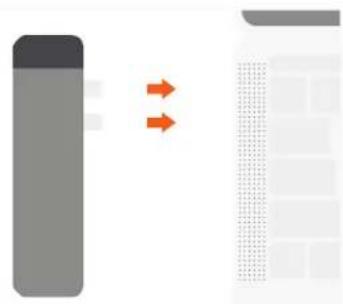
1 Plug the hub into the 2 Type-C ports on your 2016/2017 MacBook Pro. Only 2016/2017 MacBook Pro 13" and 15" models are supported.
natural_image
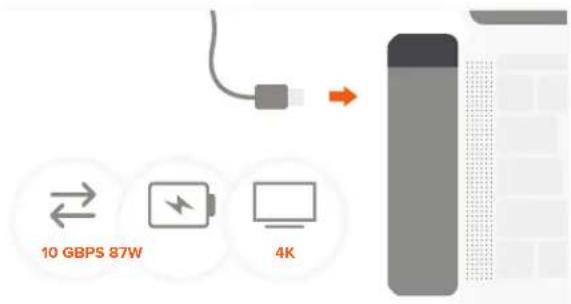
Abstract diagram with two orange arrows pointing toward a grid-patterned rectangle (no text or symbols)2 Use USB-C port for high speed data transfer (up to 10 Gbps), PD charging (up to 87W), video output (up to 4K 60Hz). Not recommended for use with laptop case
text_image
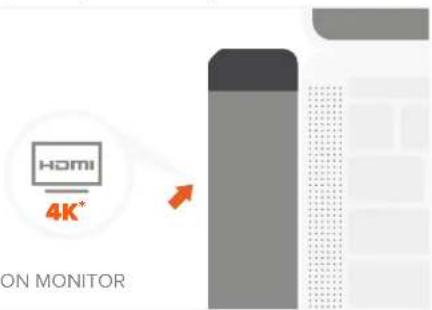
10 GBPS 87W 4K3 Connect external monitor to HDMI port on the Hub. Use HDMI-HDMI cable version 1.4 or higher. Available quality 1080p @ 60Hz, up to 4K @ 30Hz
text_image
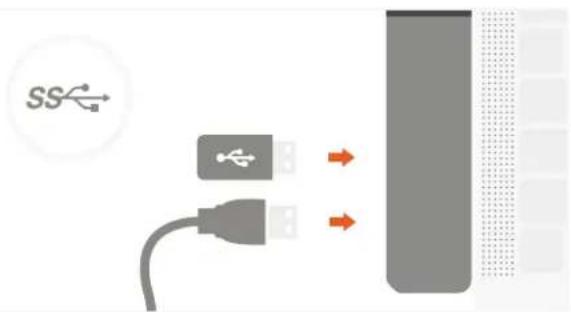
HOME 4K* ON MONITOR4 Connect USB peripherals to USB 3.0 ports on the Hub. USB 3.0 data speed – up to 5 Gb/s Not compatible with Apple SuperDrive
text_image
SS5 Insert microSD card into card reader port. MicroSD data speed – up to 104 Mb/s

natural_image
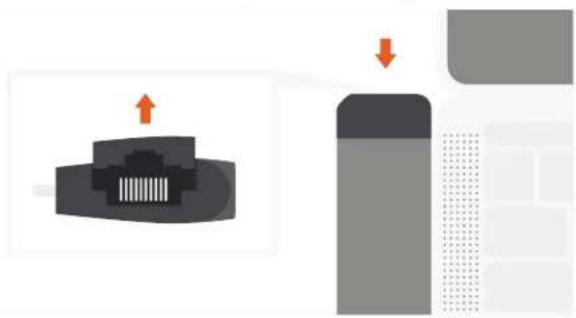
Abstract graphic with a gray rectangle, dotted grid, and orange upward arrow pointing to a document icon (no text or symbols)6 To insert Ethernet cable lift the cover on top side of the Hub. Do not force the cover open all the way
natural_image
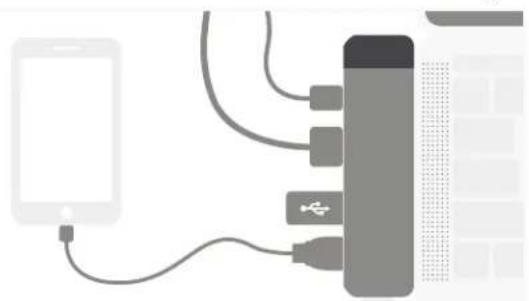
Diagram showing a device with an upward arrow and a downward arrow, next to a battery cell (no text or symbols)7 All ports can be used simultaneously. Connect one hard drive at a time. Does not charge iPad
natural_image
Illustration of a smartphone connected to a battery with cable, showing connections without any text or symbols.NOTE: OPERATING TEMPERATURE IS 86-122°F