
RBC123 - Server APC - Kostenlose Bedienungsanleitung
Finden Sie kostenlos die Bedienungsanleitung des Geräts RBC123 APC als PDF.


| Produkttyp | Ersatzbatterie für USV |
| Marke | APC by Schneider Electric |
| Modell | RBC123 |
| Kompatible USV-Modelle | Back-UPS (APCRBC123/123J/124/124J/132/133/133J/144/165/166) und Smart-UPS (APCRBC123/124/132/133/133J) |
| Batterietyp | Wartungsfreie Blei-Säure-Batterie |
| Nennspannung | 12 V |
| Installation | Werkzeugloser Austausch gemäß Bedienungsanleitung |
| Sicherheitshinweise | Vor dem Austausch USV vom Stromnetz trennen und ausschalten |
| Entsorgung | Altbatterien gemäß örtlichen Vorschriften entsorgen |
| Garantie | Siehe APC-Website (www.apc.com) |
| Hersteller | APC by Schneider Electric |
| Anwendungsbereich | Unterbrechungsfreie Stromversorgung (USV) |
| Batterietechnologie | Blei-Säure, wartungsfrei |
| Kompatibilität | Auch für Modelle RBC124, RBC132, RBC133, RBC133J |
| Lieferumfang | Batteriepaket und Bedienungsanleitung |
Häufig gestellte Fragen - RBC123 APC
Benutzerfragen zu RBC123 APC
0 Frage zu diesem Gerät. Beantworten Sie die, die Sie kennen, oder stellen Sie Ihre eigene.
Eine neue Frage zu diesem Gerät stellen
Laden Sie die Anleitung für Ihr Server kostenlos im PDF-Format! Finden Sie Ihr Handbuch RBC123 - APC und nehmen Sie Ihr elektronisches Gerät wieder in die Hand. Auf dieser Seite sind alle Dokumente veröffentlicht, die für die Verwendung Ihres Geräts notwendig sind. RBC123 von der Marke APC.
BEDIENUNGSANLEITUNG RBC123 APC
Installation Guide Smart-UPS™ / Back-UPS™ APCRBC123/123J/124/124J/132/133/133J/144/1655166
Back-UPS APCRBC123/APCRBC123J/APCRBC124/APCRBC124J/APCRBC144/APCRBC165/APCRBC166
1
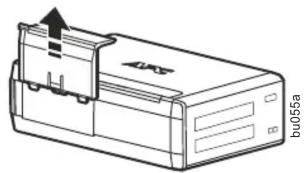
natural_image
Line drawing of a device casing with an arrow indicating direction, labeled 'bu055a' (no other text or symbols)2
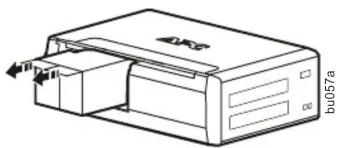
natural_image
Line drawing of a printer with a paper feeding into a box (no text or symbols)3
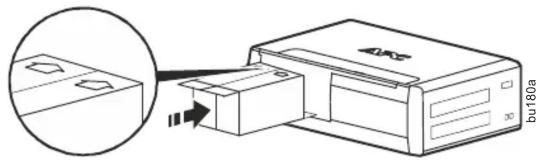
natural_image
Diagram showing a printer emitting a packet into a box, with an inset magnified view of the printer's internal components (no text or symbols present)4
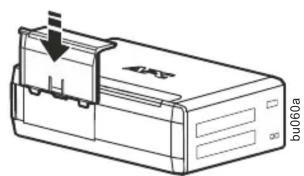
natural_image
Technical line drawing of a device casing with a downward arrow and label 'bu060a' (no readable text or symbols beyond labels)Smart-UPS APCRBC123/APCRBC124
1
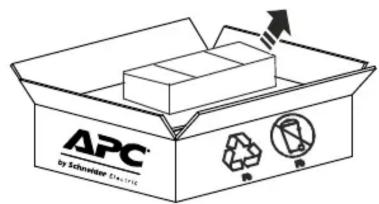
2
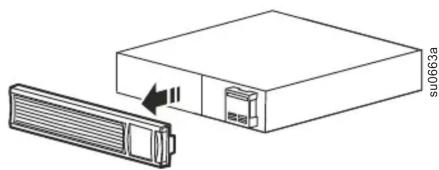
natural_image
Diagram of a device with a rectangular box and a heat exchanger, showing no text or symbols.3
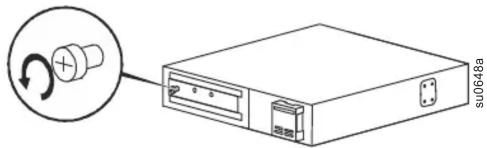
4
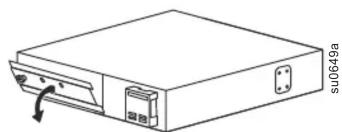
natural_image
Line drawing of a rectangular electronic device with a scroll wheel and ports, no text or symbols present5
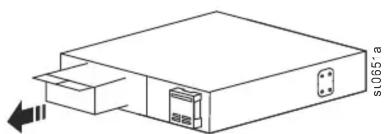
natural_image
Line drawing of a rectangular electronic device with a small internal component and an arrow indicating left motion (no text or symbols)6
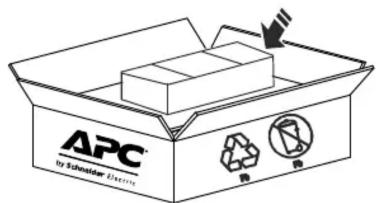
7
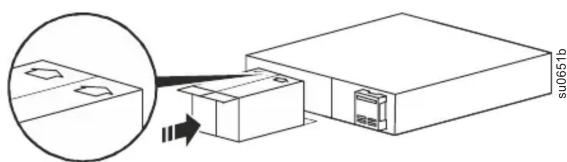
8
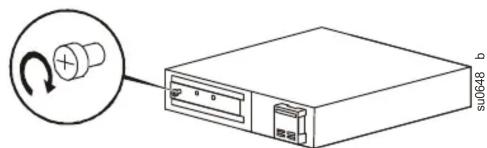
9
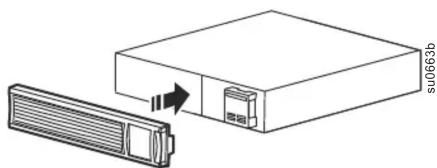
natural_image
Diagram showing a device with a rectangular box and a rectangular slot, connected by an arrow indicating direction (no text or symbols present)Smart-UPS APCRBC132/APCRBC133/APCRBC133J
1
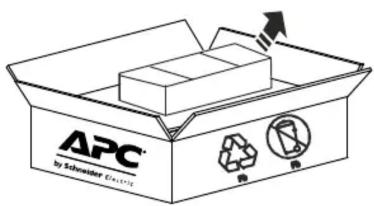
2
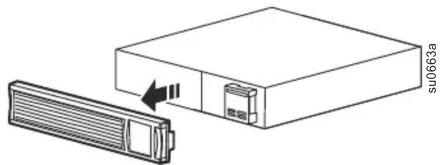
natural_image
Diagram of a device with a rectangular box and a heat exchanger, showing no text or symbols.3
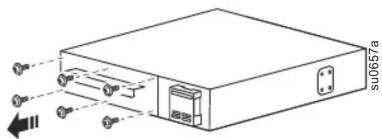
4
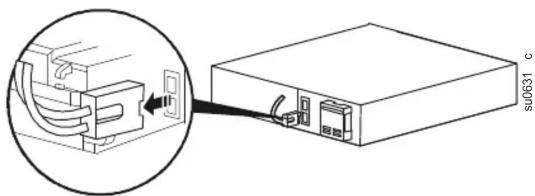
natural_image
Diagram showing a device with cable connections and a labeled component (no text or symbols present)5
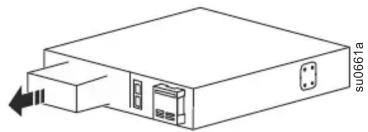
natural_image
Diagram of a rectangular electronic device with a slot and an arrow pointing to its side (no text or symbols present)6
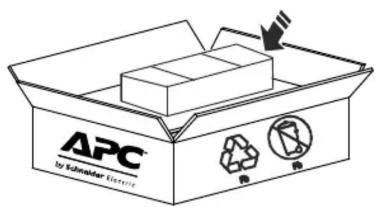
7
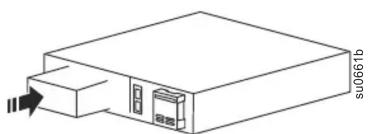
natural_image
Line drawing of a device with a labeled component (no text or symbols present)8
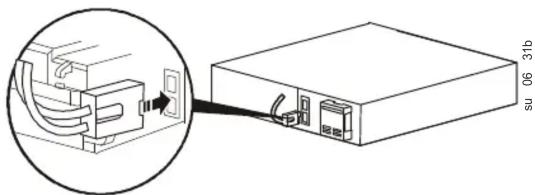
natural_image
Diagram showing a device with cable connections and a labeled connector (no text or symbols present)9
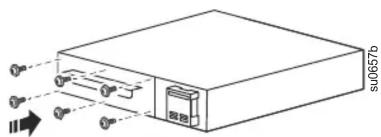
10
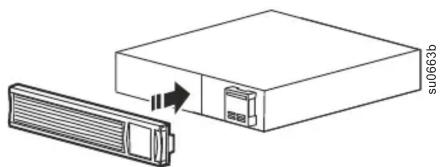
natural_image
Diagram showing a device with a rectangular box and a separate rectangular component, no text or symbols present.Customer support and warranty information is available at the APC Web site, www.apc.com.
© 2019 APC by Schneider Electric. APC, the APC logo, Back-UPS, and Smart-UPS are owned by Schneider Electric Industries S.A.S., or their affiliated companies. All other trademarks are property of their respective owners.



Marke : APC
Modell : RBC123
Kategorie : Server