
EC-NVME-BLK - Festplatte Sabrent - Kostenlose Bedienungsanleitung
Finden Sie kostenlos die Bedienungsanleitung des Geräts EC-NVME-BLK Sabrent als PDF.


| Produkttyp | Externes Gehäuse für M.2 NVMe SSDs |
| Marke | Sabrent |
| Modell | EC-NVME-BLK |
| Schnittstelle | USB Typ-C (USB 3.1 Gen2) |
| Kompatible SSDs | M.2 PCIe NVMe (M-Key) |
| Unterstützte Größen | 2230, 2242, 2260, 2280 |
| Systemanforderungen | Windows 7 oder höher, macOS 10.5 oder höher |
| Material | Aluminiumlegierung |
| Abmessungen (ca.) | 110 x 40 x 15 mm |
| Gewicht (ca.) | 50 g |
| Farbe | Grau |
| Übertragungsgeschwindigkeit | Bis zu 10 Gbit/s (abhängig von SSD und USB-Anschluss) |
| Plug-and-Play | Ja, keine Treiber erforderlich |
| Stromversorgung | Über USB (busgespeist) |
| Lieferumfang | Gehäuse, USB-Kabel, Montageschrauben |
| Reinigung | Mit einem weichen, trockenen Tuch abwischen |
| Besonderheiten | 45°-Einführung der SSD, einfache Montage |
| Garantie | Herstellergarantie (Details siehe Hersteller) |
Häufig gestellte Fragen - EC-NVME-BLK Sabrent
Benutzerfragen zu EC-NVME-BLK Sabrent
0 Frage zu diesem Gerät. Beantworten Sie die, die Sie kennen, oder stellen Sie Ihre eigene.
Eine neue Frage zu diesem Gerät stellen
Laden Sie die Anleitung für Ihr Festplatte kostenlos im PDF-Format! Finden Sie Ihr Handbuch EC-NVME-BLK - Sabrent und nehmen Sie Ihr elektronisches Gerät wieder in die Hand. Auf dieser Seite sind alle Dokumente veröffentlicht, die für die Verwendung Ihres Geräts notwendig sind. EC-NVME-BLK von der Marke Sabrent.
BEDIENUNGSANLEITUNG EC-NVME-BLK Sabrent
SABRENT Connecting Differently™
USB TYPE-C ENCLOSURE FOR NVME PCIE M KEY M.2 SSD

natural_image
3D rendering of a gray rectangular electronic device labeled 'SABRENT' with a small port and leaf (no additional text or symbols)EC-NVME / QUICK INSTALLATION GUIDE
FEATURES
• USB Type-C Enclosure for NVMe PCIe M Key M.2 SSD
- Compatible with Sizes: 2230 / 2242 / 2260 / 2280
- Compatibility Tested with: Samsung 950 PRO / 960 EVO / PM951 / PM961 / SM951 / SM961 970 EVO / 970 PRO, and others
SYSTEM REQUIREMENTS
- Windows 7 or higher
• Mac OS 10.5 or higher
1
Remove screws
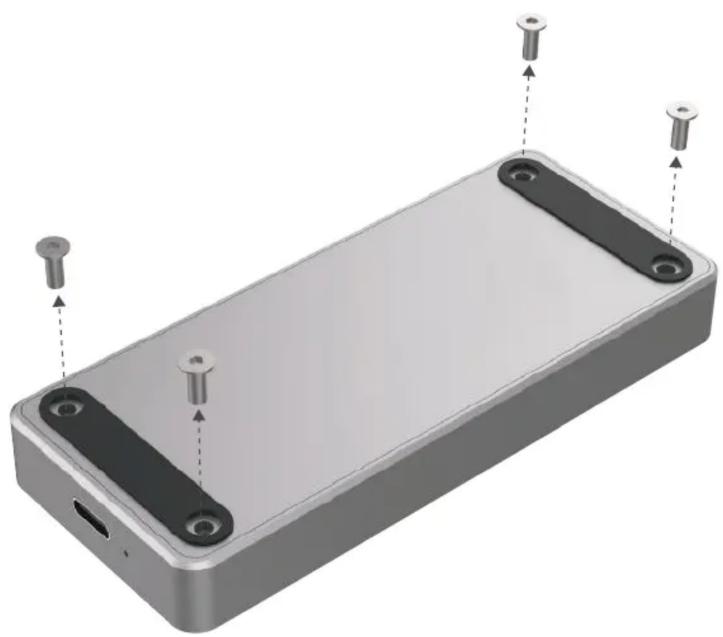
natural_image
3D rendering of a rectangular electronic device with mounting holes and three metallic pins (no text or symbols visible)2
Remove bottom plate

natural_image
3D rendering of an open electronic device casing with internal components and mounting holes (no text or symbols visible)
natural_image
Pure geometric pattern of vertical bars with no text or symbolsWARNING: Only compatible with M Key M.2 PCIe NVMe SSD It is NOT compatible with B Key SSD (SATA-based) or the M Key M.2 SSD (PCIe AHCI-based)
3
At a 45-degree angle, slide in your SDD until it is properly seated
4
Screw in retainer screw to hold you SSD in place

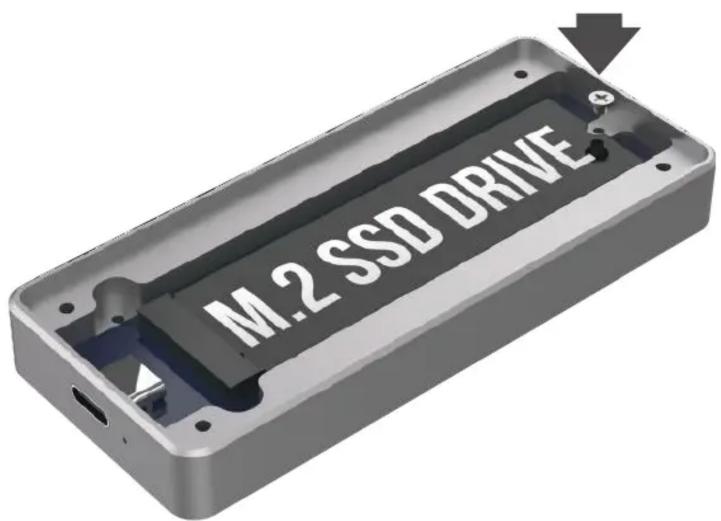
5
Reattach bottom plate and fasten the screws in place
6
Connect USB cable to both the device and the computer
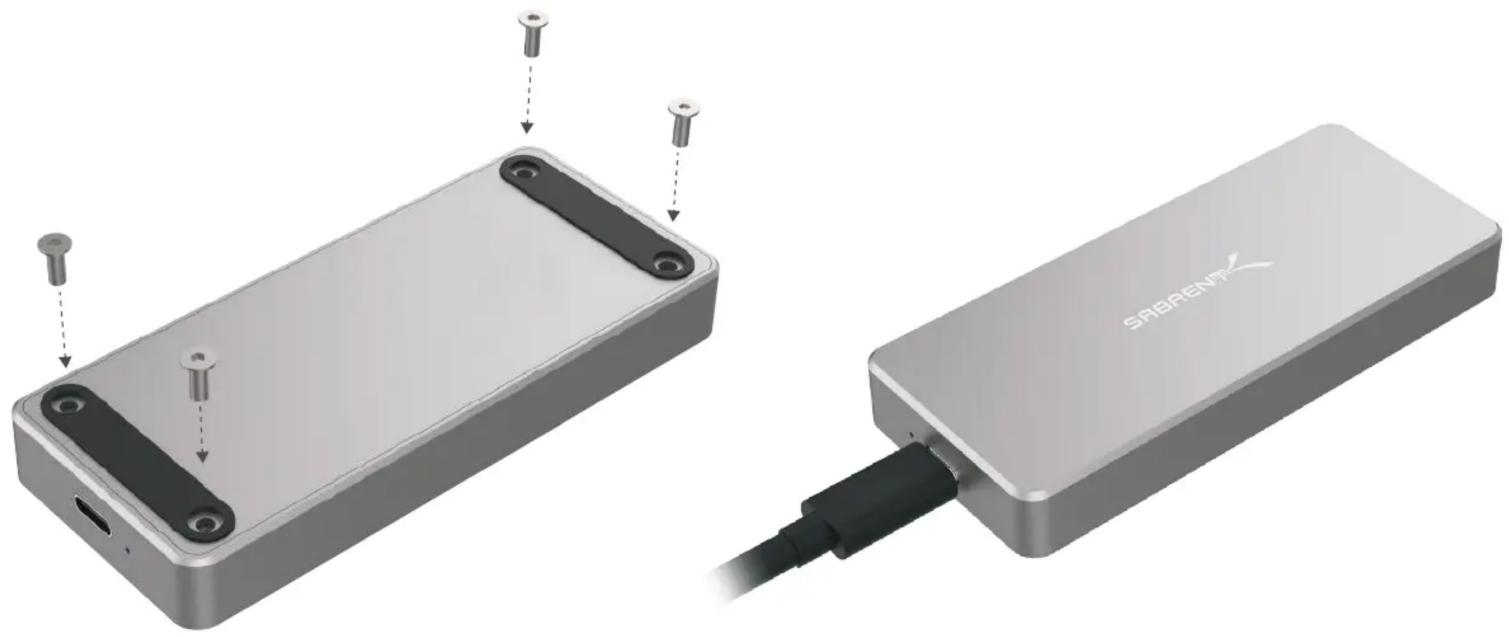
natural_image
Two views of a device showing a battery pack and connected to a USB cable (no text or symbols visible)FOR HELP, COMMENTS, QUESTIONS OR CONCERNS PLEASE CONTACT OUR TECH SUPPORT TEAM VIA OUR WEBSITE
WWW.SABRENT.COM




Marke : Sabrent
Modell : EC-NVME-BLK
Kategorie : Festplatte