
HB-B7C3 - USB-Hub Sabrent - Kostenlose Bedienungsanleitung
Finden Sie kostenlos die Bedienungsanleitung des Geräts HB-B7C3 Sabrent als PDF.


| Produkttyp | USB-Hub mit 7 USB 3.0-Ports und 3 Smart-Charging-Ports |
| Marke | Sabrent |
| Modell | HB-B7C3 |
| Anzahl USB 3.0-Ports | 7 |
| Anzahl Smart-Charging-Ports | 3 (bis zu 2,4 A pro Port) |
| Datenübertragungsrate | Bis zu 5 Gbit/s (USB 3.0) |
| Abwärtskompatibilität | USB 2.0 und USB 1.1 |
| Gesamtleistung | 60 W |
| Stromversorgung | 12 V / 5 A Netzteil (im Lieferumfang) |
| Betriebssysteme | Windows, Mac OS, Linux |
| Installation | Plug & Play, kein Treiber erforderlich |
| LED-Anzeigen | Blaue LED für Hub-Strom und pro Port |
| Port-Netzschalter | Ja, pro Port einzeln schaltbar |
| Abmessungen (ca.) | 20 x 7 x 3 cm |
| Gewicht (ca.) | 300 g |
| Kabellänge USB-Kabel | Ca. 1 m |
| Reinigung | Mit einem trockenen, fusselfreien Tuch abwischen |
| Sicherheitshinweis | Nur mit mitgeliefertem Netzteil verwenden, vor Feuchtigkeit schützen |
| Reparierbarkeit | Keine vom Benutzer austauschbaren Teile; bei Defekt Fachpersonal kontaktieren |
Häufig gestellte Fragen - HB-B7C3 Sabrent
Benutzerfragen zu HB-B7C3 Sabrent
0 Frage zu diesem Gerät. Beantworten Sie die, die Sie kennen, oder stellen Sie Ihre eigene.
Eine neue Frage zu diesem Gerät stellen
Laden Sie die Anleitung für Ihr USB-Hub kostenlos im PDF-Format! Finden Sie Ihr Handbuch HB-B7C3 - Sabrent und nehmen Sie Ihr elektronisches Gerät wieder in die Hand. Auf dieser Seite sind alle Dokumente veröffentlicht, die für die Verwendung Ihres Geräts notwendig sind. HB-B7C3 von der Marke Sabrent.
BEDIENUNGSANLEITUNG HB-B7C3 Sabrent
SABRENT Connecting Differently™
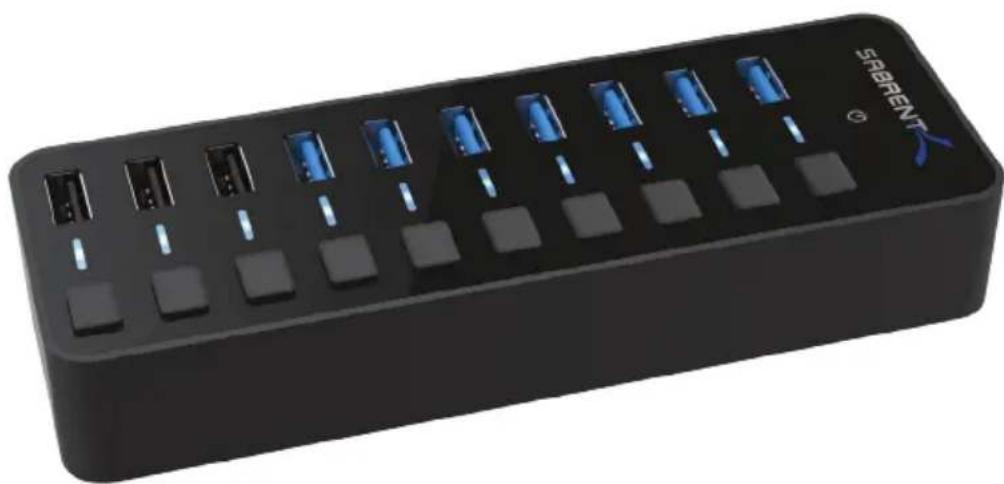
USB 3.0 7-PORT HUB+3 SMART CHARGING PORTS WITH POWER SWITCHES
natural_image
Black rectangular electronic device with multiple ports and blue indicator lights (no visible text or symbols)HB-B7C3 USER GUIDE
SABRENT
HB-B7C3 USER GUIDE
You can now attach your collection of USB devices to one SuperSpeed hub with the Sabrent USB 3.0 7-PORT HUB + 3 Smart Charging Ports WITH Power Switches. Easily expand an available USB 3.0 port on your computer to 7 USB 3.0 ports and 3 Smart Charging Ports with a sleek design. Plug and Play installation makes for an easy setup.
FEATURES
- Plug & Play, no driver installation required
• Windows, Mac OS & Linux Supported - Fashionable mirrored surface with a compact design
- Blue LED to indicate power status for each port
• 7 USB 3.0 ports allows data transfer speeds up to 5Gbps - Backward compatible with USB 2.0 and 1.1
- 3 Smart charging ports that auto optimize current speeds up to 2.4 amps per port
- 60W power output lets you charge phones, tablets or other devices simultaneously
• Supplies each port up to 900mA MAX
PACKAGE CONTENTS
• USB 3.0 7-PORT HUB + 3 Smart charging ports
• 12V 5A Power adapter
- USB 3.0 Cable
OVERVIEW
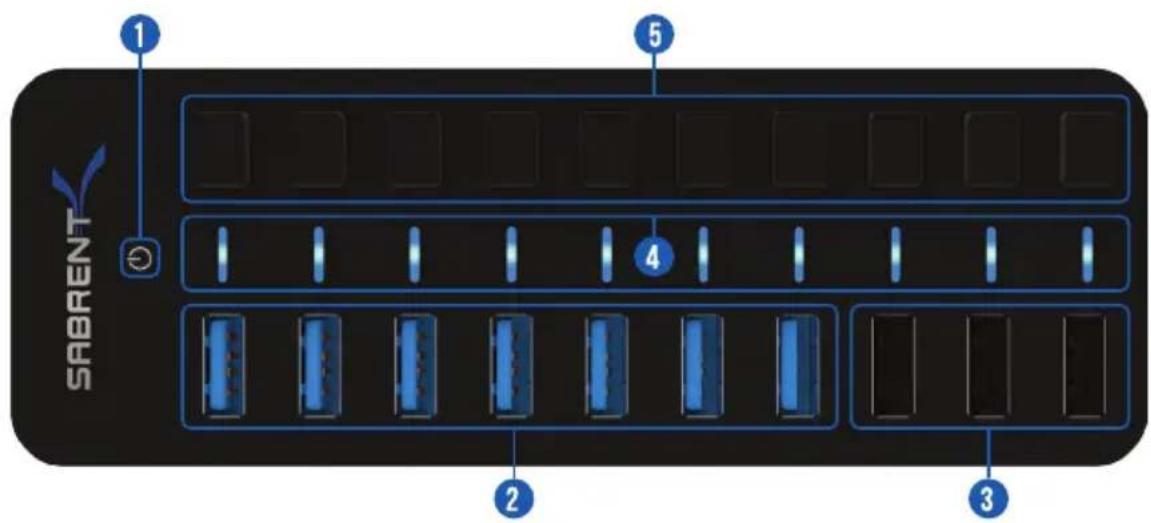
1 - Hub Power Indicator
2 - USB 3.0 Ports
3 - Charging Ports
4 - Port Power Indicator
5 - Port Power Switches
SABRENT
HB-B7C3 USER GUIDE
OVERVIEW
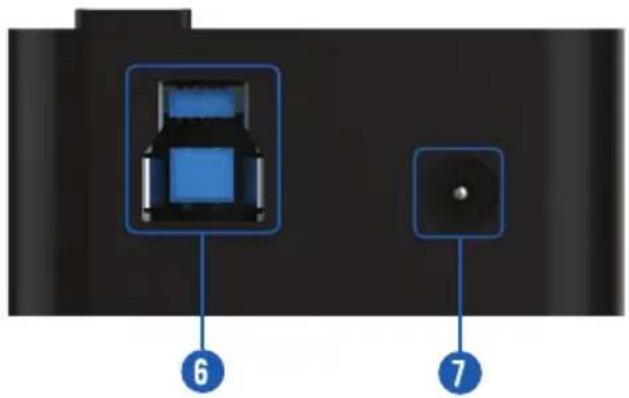
6 - USB 3.0 Port (to Computer)
7 - Power Port (to Power Adapter)
3
INSTRUCTIONS
CONNECT THE POWER ADAPTER TO THE HUB
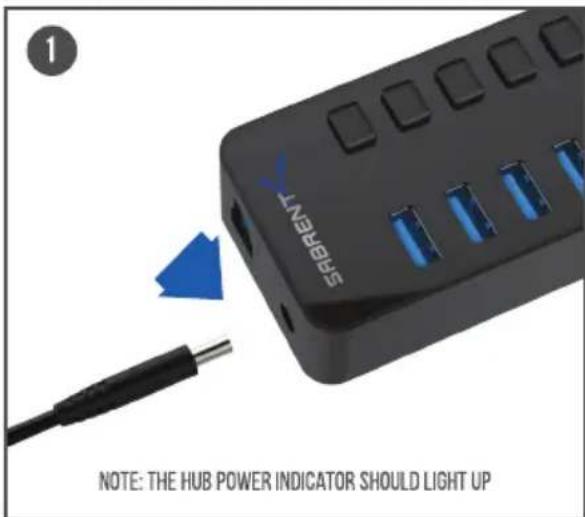
THEN TO A POWER OUTLET
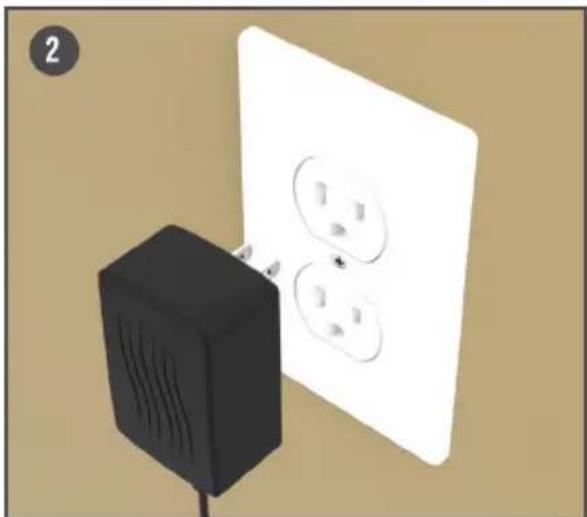
natural_image
Illustration of a black electrical plug connected to a white wall with three outlets (no text or symbols)INSTRUCTIONS
CONNECT THE USB CABLE TO THE HUB
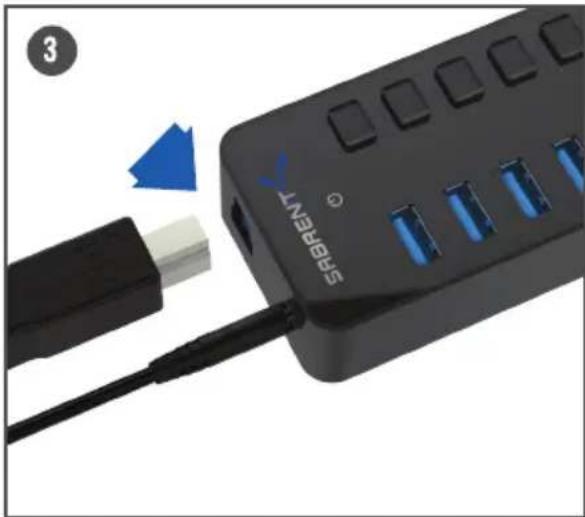
natural_image
Close-up of a black SABRENT device with blue LED ports and a blue arrow pointing to its cable (no text or symbols on the device itself)THEN TO YOUR COMPUTER
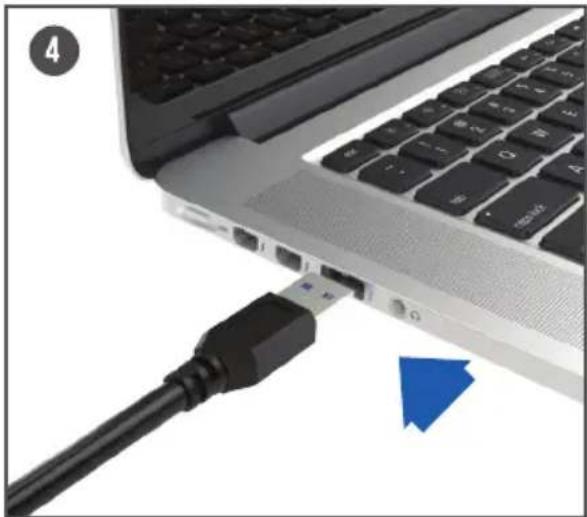
natural_image
Close-up of a laptop keyboard with a black USB cable inserted, showing port and connection points (no text or symbols visible)INSTRUCTIONS
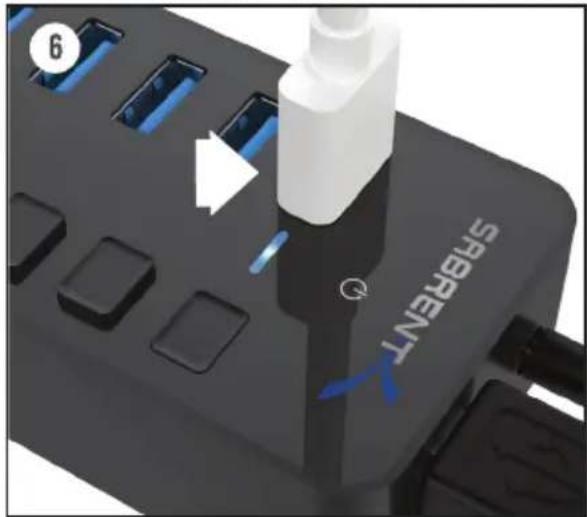
ACTIVATE A PORT BY PRESSING ANY OF THE PORT POWER SWITCHES
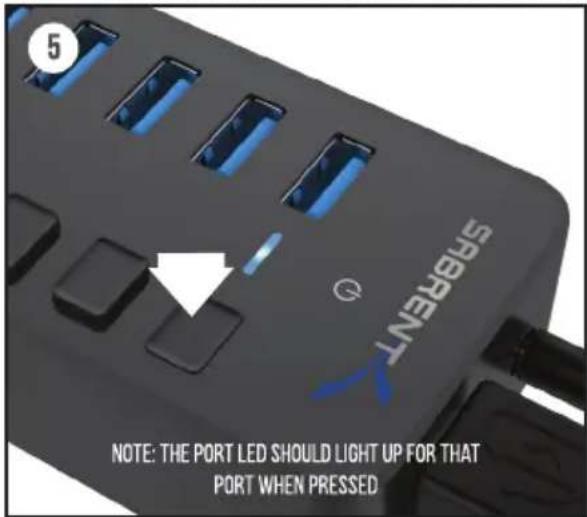
CONNECT YOUR USB DEVICES TO ANY OF THE 3.0 USB PORTS
INSTRUCTIONS
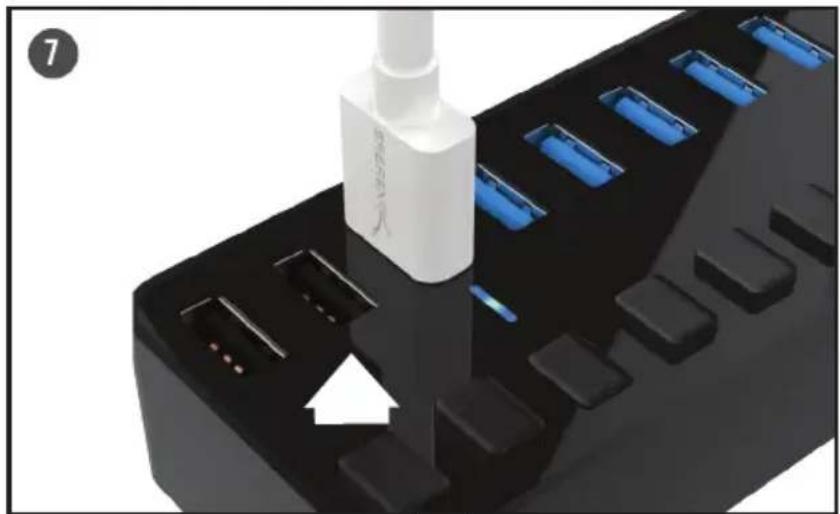
CONNECT YOUR USB CHARGEABLE DEVICES TO THE CHARGING PORTS
natural_image
Close-up of a black industrial power strip with blue LED lights and a white arrow pointing to a component (no text or symbols visible)
HB-B7C3 USER GUIDE
TROUBLESHOOTING/SUPPORT
POWER LED DOES NOT COME ON?
- Make sure that you have a tight connection between the power adapter and Hub.
- Try it on a different power outlet.
COMPUTER DOES NOT RECOGNIZE THE HUB?
• Make sure that you have a tight connection between the Hub and 3.0 cable.
- Try the USB cable on a different USB port on your computer.
Please contact our Technical Support Team for additional troubleshooting
WWW.SABRENT.COM
SABRENT

WWW.SABRENT.COM



- SABRENT Connecting Differently™
- USB 3.0 7-PORT HUB+3 SMART CHARGING PORTS WITH POWER SWITCHES
- SABRENT
- FEATURES
- PACKAGE CONTENTS
- OVERVIEW
- INSTRUCTIONS
- TROUBLESHOOTING/SUPPORT
- POWER LED DOES NOT COME ON?
- COMPUTER DOES NOT RECOGNIZE THE HUB?
- Please contact our Technical Support Team for additional troubleshooting
Marke : Sabrent
Modell : HB-B7C3
Kategorie : USB-Hub