
DS-4BNE - USB-Dockingstation Sabrent - Kostenlose Bedienungsanleitung
Finden Sie kostenlos die Bedienungsanleitung des Geräts DS-4BNE Sabrent als PDF.


| Produkttyp | 4-Bay USB Type-C Dockingstation für NVMe-Gehäuse |
| Marke | Sabrent |
| Modell | DS-4BNE |
| Stromversorgung | Netzteil 100-240V AC zu 12V 3A DC (im Lieferumfang) |
| Anschluss | USB Type-C |
| Anzahl der Einschübe | 4 |
| Kompatible Geräte | Bis zu 4 x USB Type-C M.2 PCIe SSD-Gehäuse |
| Maximale Übertragungsgeschwindigkeit | Bis zu 1000 MB/s (gesamt) |
| Kühlung | Integrierter Lüfter (ein-/ausschaltbar) |
| LED-Anzeigen | 4 x blaue Status-LEDs für jeden Einschub, 1 x blaue LED für Lüfter, 1 x blaue LED für Strom |
| Gehäuse | Magnetischer Deckel, einstellbare Halterungen für kleinere Gehäuse |
| Lieferumfang | Dockingstation, Netzteil, US-Adapter, EU-/SA-Adapter, UK-Adapter, USB-C zu USB-C Kabel, Bedienungsanleitung |
| Abmessungen (ca.) | 200 mm x 100 mm x 150 mm (geschätzt) |
| Gewicht (ca.) | 1,2 kg (geschätzt) |
| Reinigung | Mit einem trockenen Tuch abwischen, Feuchtigkeit vermeiden |
| Sicherheitshinweise | Nur mit mitgeliefertem Netzteil verwenden, Gerät nicht öffnen, vor Feuchtigkeit schützen |
| Garantie | Siehe Herstellerwebsite |
Häufig gestellte Fragen - DS-4BNE Sabrent
Benutzerfragen zu DS-4BNE Sabrent
0 Frage zu diesem Gerät. Beantworten Sie die, die Sie kennen, oder stellen Sie Ihre eigene.
Eine neue Frage zu diesem Gerät stellen
Laden Sie die Anleitung für Ihr USB-Dockingstation kostenlos im PDF-Format! Finden Sie Ihr Handbuch DS-4BNE - Sabrent und nehmen Sie Ihr elektronisches Gerät wieder in die Hand. Auf dieser Seite sind alle Dokumente veröffentlicht, die für die Verwendung Ihres Geräts notwendig sind. DS-4BNE von der Marke Sabrent.
BEDIENUNGSANLEITUNG DS-4BNE Sabrent
4-BAY USB TYPE-C DOCKING STATION FOR NVMe ENCLOSURES

natural_image
Black cylindrical smart air purifier with spiral airflow and control buttons (no visible text or symbols)WITH BUILT-IN COOLING FAN
USER MANUAL
FEATURES
- Add up to four of your preferred USB Type-C external devices and disks to a self-powered and centralized docking station.
• Supports up to 4 x USB Type-C M.2 PCIe SSD enclosures with a total transfer speed of up to 1000 MB/s. - Get a stable and reliable USB connection on systems that lack sufficient power over USB ports.
- Independent cooling fan can be switched on and off as desired.
• Individual LED power indicators.

natural_image
Line drawing of a cylindrical device with a fan-shaped top and label (no text or symbols on the device itself)
natural_image
Line drawing of a cable with a plug and power adapter, no text or symbols present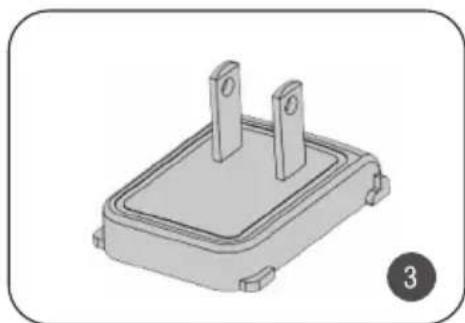
natural_image
3D rendering of a rectangular electronic component with two vertical slots, labeled with number 3 (no text or symbols on the part itself)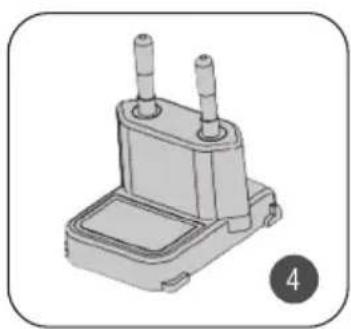
natural_image
3D rendering of a mechanical component with two protruding pins (no text or symbols visible)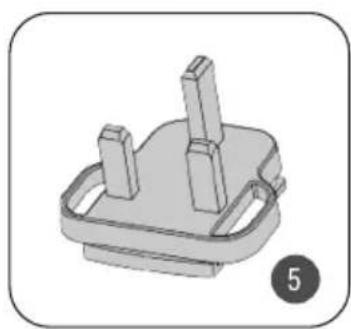
natural_image
3D rendered mechanical component with two protruding rods and a base plate (no text or symbols)
natural_image
Line drawing of a flexible network cable with two connectors, labeled with number 6 (no text or symbols on the cable itself)
natural_image
Simple line drawing of a document with a numbered circle (7) beside it, no text or symbols present.PACKAGE CONTENTS
- 4-Bay USB Type-C docking station.
- 100-240V AC to 12V 3AMP DC power supply.
- US plug adapter.
- Type-C plug adapter for Europe and South America.
- UK plug adapter.
- USB Type-C to Type-C cable.
- This user guide.
PARTS OF THE DOCKING STATION
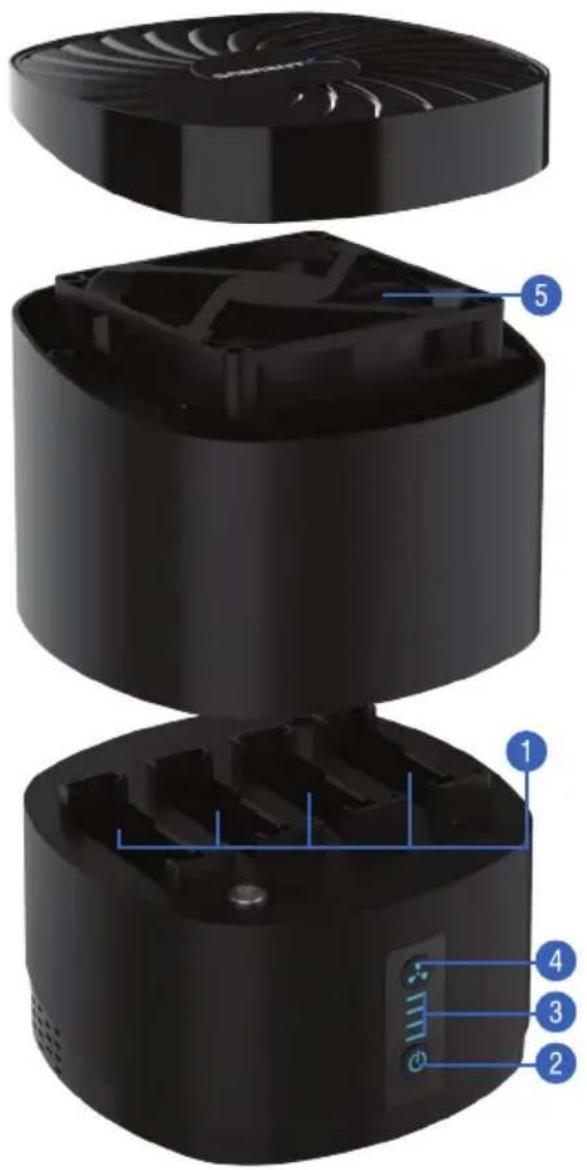
1 USB Enclosure Slots
2 Power Switch
3 HDD Slots LEDs
4 Built-In Fan Switch
5 Built-In Fan
6 USB Cable Interface
7 Power Cable Interface

natural_image
Black cylindrical device with labeled ports and a blue indicator light, no visible text or symbols on the body.INSTALLING YOUR ENCLOSURES IN THE DOCKING STATION
1

natural_image
Black cylindrical electronic device with circular ventilation grille and control buttons (no visible text or symbols)▶
natural_image
Black cylindrical electronic device with ventilation grille and control panel (no visible text or symbols)▶
natural_image
Black cylindrical electronic component with four leads (no visible text or symbols)STEP 1
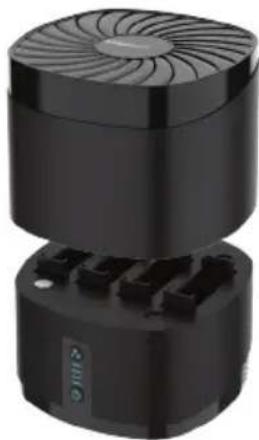
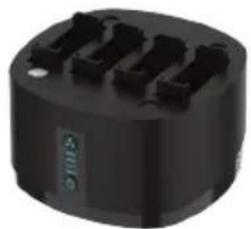
Open the docking station by lifting the magnetic lid straight up.
2

natural_image
Diagram showing a device with four slots and a connected rectangular block, no text or symbols present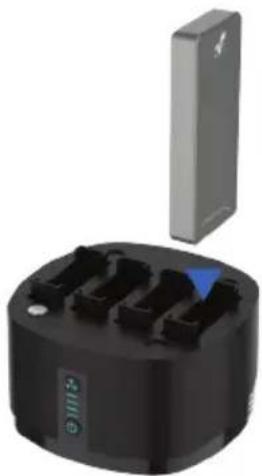
natural_image
Black cylindrical device with multiple ports and a gray top, no visible text or symbolsSTEP 2
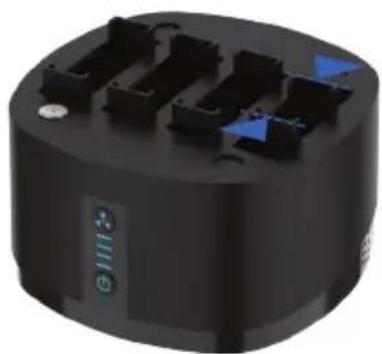
Carefully insert each USB enclosure until it is properly connected to the protruding USB port at the bottom of each bay. The direction is unimportant as the USB Type-C connector is fully reversible.
3
natural_image
Black cylindrical electronic component with multiple ports and a blue indicator light (no text or symbols visible)
natural_image
Black industrial electrical connector with a blue indicator light and control buttons (no text or symbols visible)STEP 3
For smaller enclosures, adjust the bay's brackets to the desired size and then insert the enclosure.
4

natural_image
Close-up of a black electronic device with four gray modules and three blue triangular indicators on top (no text or symbols visible)
natural_image
Black cylindrical device with a blue triangular top and control panel (no visible text or symbols)STEP 4 Place back the magnetic lid to close the docking station. Turn on the docking station with the power switch and push the fan's button to turn on the unit's built-in cooling fan.
LED STATUS INDICATORS
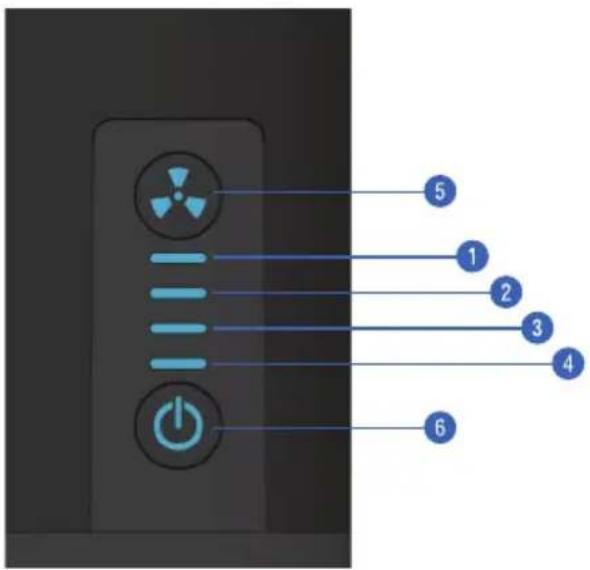
| # | COLOR | FUNCTION | DESCRIPTION |
| 1 | BLUE | POWER LED | INDICATES ENCLOSURE #1 IS CONNECTED |
| 2 | BLUE | POWER LED | INDICATES ENCLOSURE #2 IS CONNECTED |
| 3 | BLUE | POWER LED | INDICATES ENCLOSURE #3 IS CONNECTED |
| 4 | BLUE | POWER LED | INDICATES ENCLOSURE #4 IS CONNECTED |
| 5 | BLUE | FAN POWER BUTTON | SOLID BLUE TO INDICATE THE COOLING FAN IS ON |
| 6 | BLUE | MAIN POWER BUTTON | SOLID BLUE TO INDICATE THE UNIT IS ON |

FOR HELP, COMMENTS, QUESTIONS OR CONCERNS PLEASE CONTACT OUR TECH SUPPORT TEAM VIA OUR WEBSITE WWW.SABRENT.COM



Marke : Sabrent
Modell : DS-4BNE
Kategorie : USB-Dockingstation