
WWE WrestleMania X8 (GameCube) - Videospiel NINTENDO - Kostenlose Bedienungsanleitung
Finden Sie kostenlos die Bedienungsanleitung des Geräts WWE WrestleMania X8 (GameCube) NINTENDO als PDF.


| Produkttyp | Videospiel (Nintendo GameCube) |
| Genre | Wrestling |
| Spieleranzahl | 1–4 Spieler (gleichzeitig) |
| Speichermedium | GameCube-Disc |
| Speicher erforderlich | Ja (Memory Card) |
| Abmessungen (Verpackung) | ca. 14 × 12 × 1,5 cm |
| Gewicht (Verpackung) | ca. 100 g |
| Stromversorgung | Wird von der Konsole versorgt |
| Altersfreigabe | USK: Freigegeben ab 12 Jahren (ESRB Teen) |
| Spielmodi | Exhibition, Path of a Champion, Battle for the Belts, Create a Superstar |
| Match-Arten | Normal, Hardcore, Cage, Hell in a Cell, Ladder, Table, TLC, Ironman |
| Royal Rumble | Bis zu 30 Teilnehmer |
| Superstar-Erstellung | Ja (Aussehen, Moves, Fähigkeiten, Profil, Logik) |
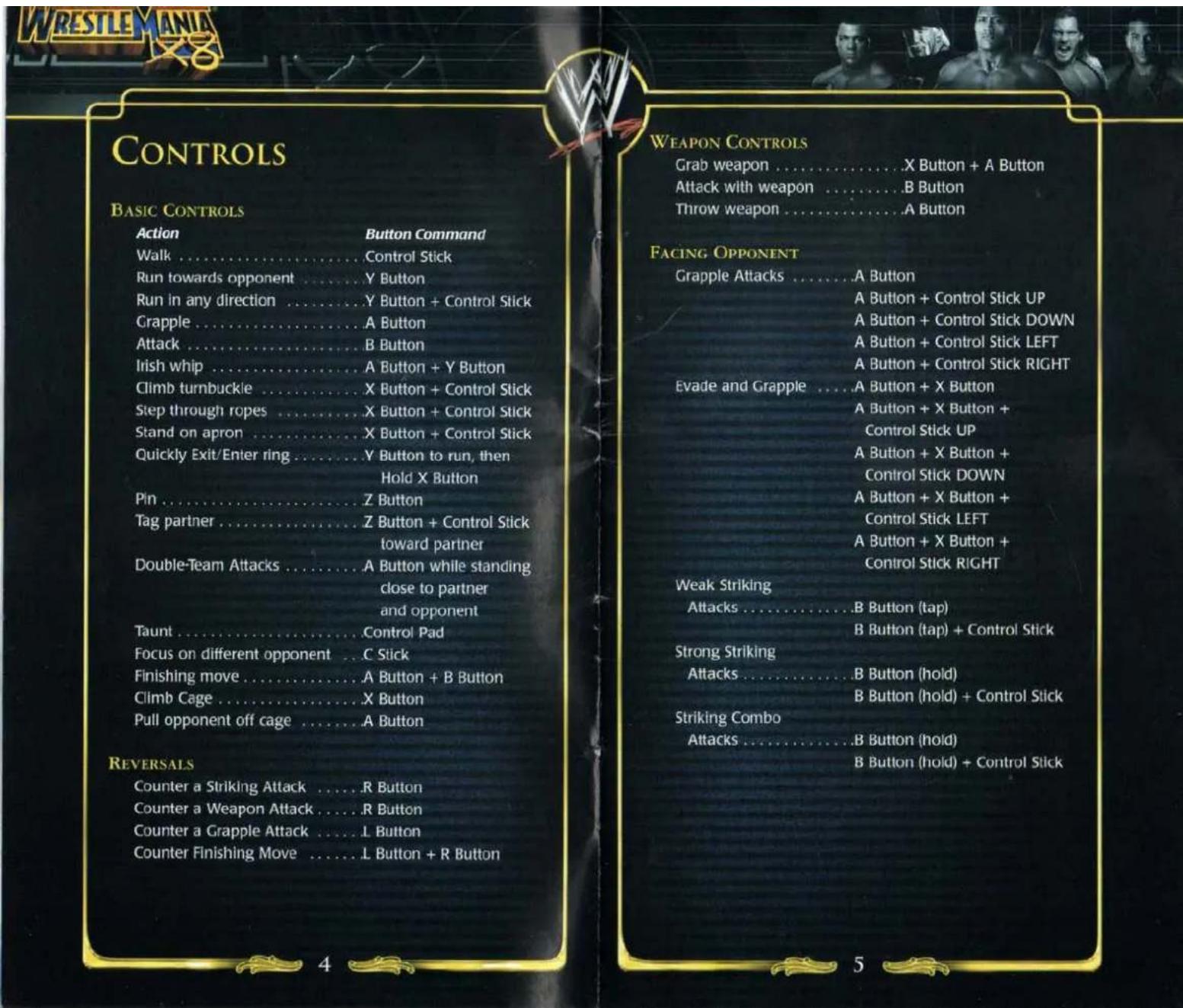
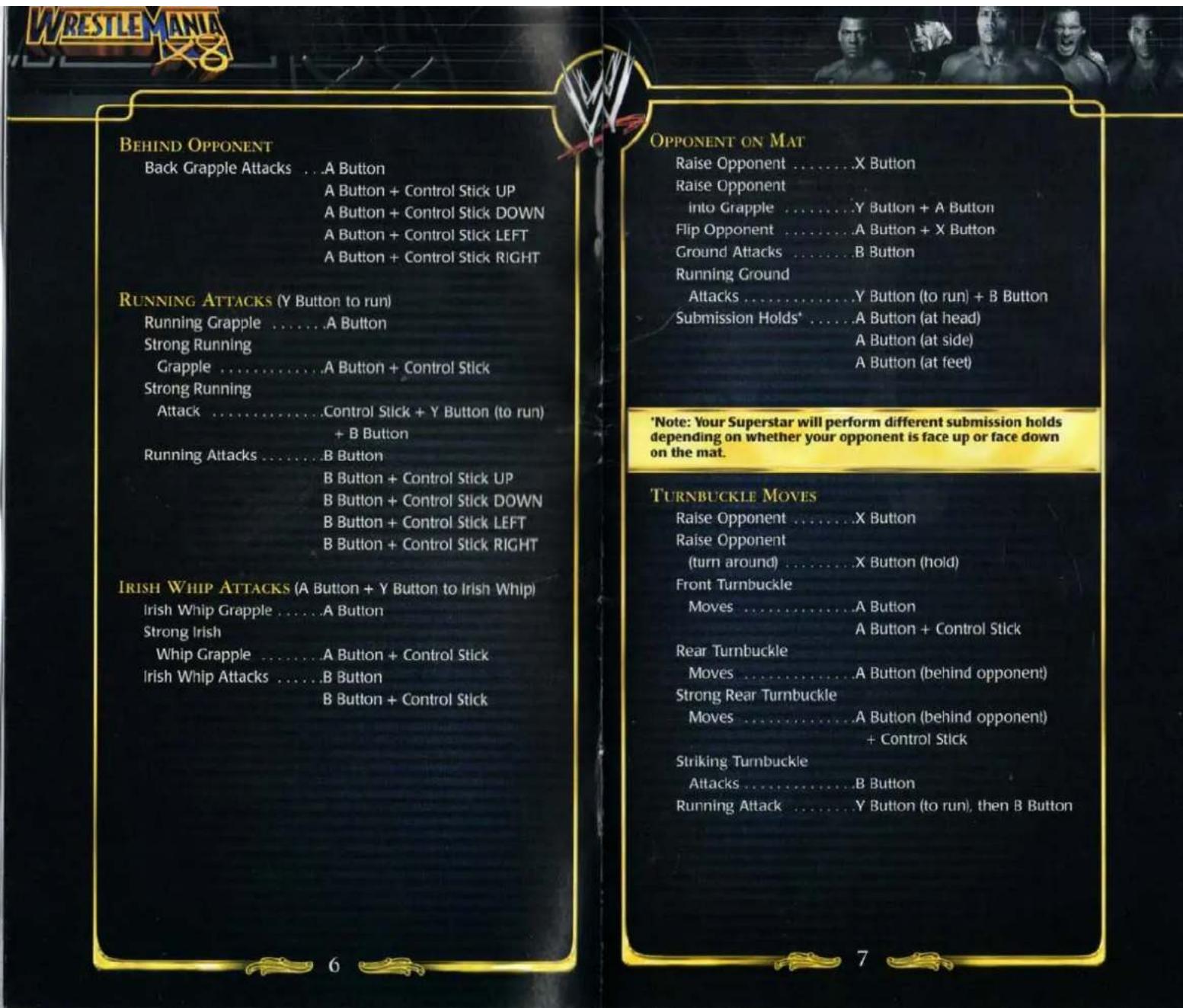
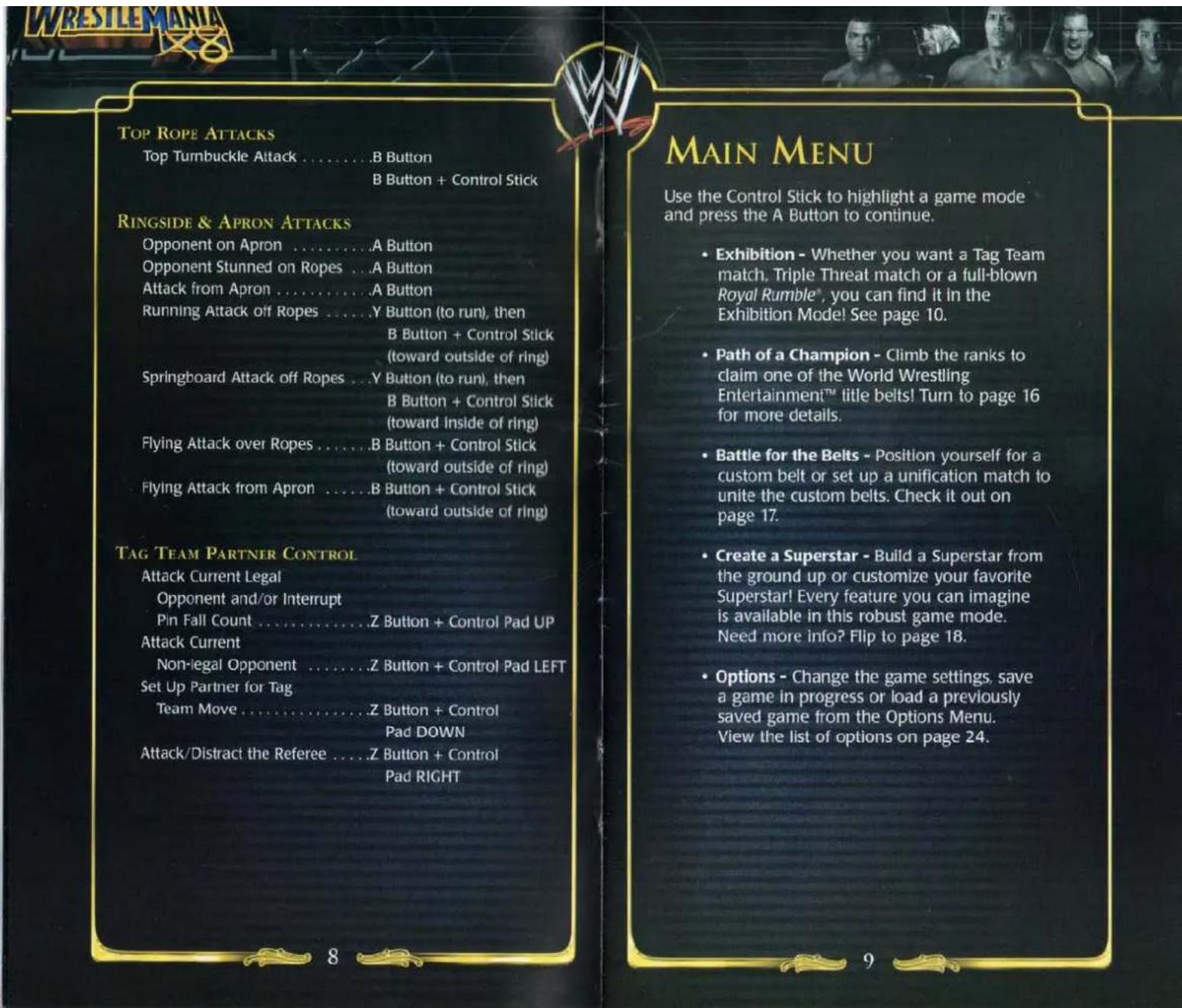
| Steuerung | GameCube-Controller, inkl. Tastenkombinationen für Aktionen, Reversals, Angriffe |
| Sicherheitshinweise | Warnung vor epileptischen Anfällen, Muskelermüdung, Kinetose, elektrischem Schlag |
| Wartung & Reinigung | Disc und Konsole sauber halten, keine Flüssigkeiten |
| Garantie | 90 Tage eingeschränkte Garantie auf Datenträger |
| Reparatur | Nur durch autorisiertes Personal; Lasergerät Klasse 1 |
| Sprachen | Englisch (Anleitung mehrsprachig verfügbar) |
Häufig gestellte Fragen - WWE WrestleMania X8 (GameCube) NINTENDO
Benutzerfragen zu WWE WrestleMania X8 (GameCube) NINTENDO
0 Frage zu diesem Gerät. Beantworten Sie die, die Sie kennen, oder stellen Sie Ihre eigene.
Eine neue Frage zu diesem Gerät stellen
Laden Sie die Anleitung für Ihr Videospiel kostenlos im PDF-Format! Finden Sie Ihr Handbuch WWE WrestleMania X8 (GameCube) - NINTENDO und nehmen Sie Ihr elektronisches Gerät wieder in die Hand. Auf dieser Seite sind alle Dokumente veröffentlicht, die für die Verwendung Ihres Geräts notwendig sind. WWE WrestleMania X8 (GameCube) von der Marke NINTENDO.
BEDIENUNGSANLEITUNG WWE WrestleMania X8 (GameCube) NINTENDO

THQ Inc., 27001 Agoura Rd, Suite 270, Calabasas Hills, CA 91301
© 2002 THQ Inc. Ricky Caminhault used under exclusive license by THO Inc. THQ, the THO logo and the MX Superfly logo are trademarks and/or registered trademarks of THO Inc. All other trademarks and logos are property of their respective owners. All Rights Reserved.
The names of all World Wrestling Entertainment televised and live programming talent names, images, likenesses, slogans and wrestling moves and all World Wrestling Entertainment logos are trademarks which are the exclusive property of World Wrestling Entertainment, Inc. © 2002 World Wrestling Entertainment, Inc. All Rights Reserved.
Instruction Booklet © 2002 THQ/JAKKS Pacific LLC. Used under exclusive license by THQ/JAKKS Pacific, LLC. Developed by Yuke's Co., Ltd. Yuke's Co. and its logo are trademarks of Yuke's Co., Ltd. JAKKS Pacific and the JAKKS Pacific logo are trademarks of JAKKS Pacific, Inc. THQ and the THQ logo are registered trademarks of THQ Inc. All Rights Reserved.
PRINTED IN USA

Mild Lyrics
EmuMovies
THQ
WWW.THO.COM

WARNING: PLEASE CAREFULLY READ THE PRECAUTIONS BOOKLET INCLUDED WITH THIS PRODUCT BEFORE USING YOUR NINTENDO® HARDWARE SYSTEM, GAME DISC OR ACCESSORY. THIS BOOKLET CONTAINS IMPORTANT SAFETY INFORMATION.
IMPORTANT SAFETY INFORMATION: READ THE FOLLOWING WARNINGS BEFORE YOU OR YOUR CHILD PLAY VIDEO GAMES
WARNING - Seizures
- Some people (about 1 in 4000) may have seizures or blackouts triggered by light flashes, such as while watching TV or playing video games, even if they have never had a seizure before.
- Anyone who has had a seizure, loss of awareness, or other symptom linked to an epileptic condition should consult a doctor before playing a video game.
- Parents should watch when their children play video games. Stop playing and consult a doctor if you or your child have any of the following symptoms:
Convulsions Altered vision
Eye or muscle twitching Involuntary movements
Loss of awareness Disorientation
To reduce the likelihood of a seizure when playing video games:
- Sit or stand as far from the screen as possible.
- Play video games on the smallest available television screen.
- Do not play if you are tired or need sleep.
- Play in a well-lit room.
- Take a 10 to 15 minute break every hour.
WARNING - Repetitive Motion Injuries
Playing video games can make your muscles, joints or skin hurt after a few hours. Follow these instructions to avoid problems such as Tendonitis, Carpal Tunnel Syndrome or skin irritation:
• Take a 10 to 15 minute break every hour, even if you don't think you need it.
- If your hands, wrists or arms become tired or sore while playing, stop and rest them for several hours before playing again.
- If you continue to have sore hands, wrists or arms during or after play, stop playing and see a doctor.
WARNING - Electric Shock
To avoid electric shock when you use this system:
- Use only the AC adapter that comes with your system.
- Do not use the AC adapter if it has damaged, split or broken cords or wires.
- Make sure that the AC adapter cord is fully inserted into the wall outlet or extension cord.
- Always carefully disconnect all plugs by pulling on the plug and not on the cord.
- Make sure the Nintendo GameCube power switch is turned OFF before removing the AC adapter cord from an outlet.
CAUTION - Motion Sickness
Playing video games can cause motion sickness. If you or your child feel dizzy or nauseous when playing video games with this system, stop playing and rest. Do not drive or engage in other demanding activity until you feel better.
CAUTION - Laser Device
The Nintendo GameCube is a Class 1 laser product. Do not attempt to disassemble the Nintendo GameCube. Refer servicing to qualified personnel only. Caution - Use of controls or adjustments or procedures other than those specified herein may result in hazardous radiation exposure.
CONTROLLER NEUTRAL POSITION RESET
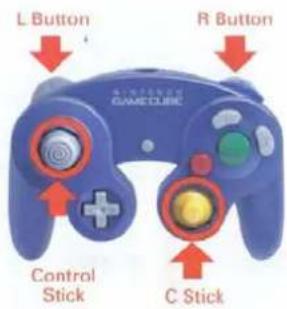
If the L or R Buttons are pressed or the Control Stick or C Stick are moved out of neutral position when the power is turned ON, those positions will be set as the neutral position, causing incorrect game control during game play.
To reset the controller, release all buttons and sticks to allow them to return to the correct neutral position, then hold down the X, Y and START/PAUSE Buttons simultaneously for 3 seconds.
This official seal is your assurance that Nintendo has reviewed this product and that it has met our standards for excellence in workmanship, reliability and entertainment value. Always look for this seal when buying games and accessories to ensure complete compatibility with your Nintendo product.
All Nintendo products are licensed by sale for use only with other authorized products bearing the Official Nintendo Seal of Quality. ®

THIS GAME SUPPORTS SIMULTANEOUS GAME PLAY WITH ONE, TWO, THREE OR FOUR PLAYERS AND CONTROLLERS.
THIS GAME REQUIRES A MEMORY CARD FOR SAVING GAME PROGRESS, SETTINGS OR STATISTICS.

THIS PRODUCT HAS BEEN RATED BY THE ENTERTAINMENT SOFTWARE RATING BOARD. FOR INFORMATION ABOUT THE ESRB RATING, OR TO COMMENT ABOUT THE APPROPRIATENESS OF THE RATING, PLEASE CONTACT THE ESRB AT 1-800-771-3772, OR VISIT WWW.ESRB.ORG.
TEEN
Mild Lyrics Suggestive Themes Violence
LICENSED BY
Nintendo
NINTENDO, NINTENDO GAMECUBE AND THE OFFICIAL SEAL ARE TRADEMARKS OF NINTENDO. © 2001 NINTENDO. ALL RIGHTS RESERVED. © 2002 WORLD WRESTLING ENTERTAINMENT, INC.
CONTENTS
Controls 4
Main Menu 9
Exhibition 10
Select a Match-up 10
Select a Match Type ....11
Set the Rules 12
Select a Superstar 14
The Game Screen 14
The Pause Menu 15
Path of a Champion 16
Battle for the Belts 17
Create a Superstar 18
Options 24
Save & Load Game .25
Credits 26
Limited Warranty 28
EXHIBITION
The quickest way to jump into the game. Set up any kind of match you want to play, choose a Superstar and head for the ring!
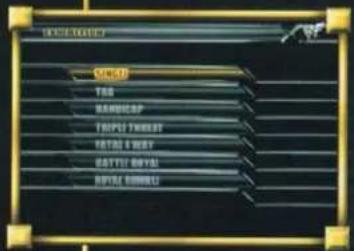
SELECT A MATCH-UP
First select a Match-up. Choose from a simple one-on-one Single Match-up to a complete thirty-man Royal Rumble*.
SINGLE
Two Superstars go head-to-head in a Single Match.
TAG
Grab a tag team partner and square off against two other Superstars in a Tag Match.
HANDICAP
2-on-1 is the name of the game in a Handicap Match. If you can't handle the heat, try picking a partner to beat down a single opponent.
TRIPLE THREAT™
Compete in a 1-on-1-on-1 Triple Threat™ Match! You only have to defeat one opponent to win, but watch your back!
FATAL 4 WAY™
Four Superstars compete against each other in a Fatal 4-Way™. Just like in a Triple Threat Match, you only have to defeat one opponent to win.
BATTLE ROYAL
In a Battle Royal, four Superstars enter the squared circle to find out who is the best. Defeat all three opponents to be victorious.
ROYAL RUMBLE®
One of the greatest spectacles ever created, the Royal Rumble® consists of up to 30 Superstars competing for bragging rights as the best in World Wrestling Entertainment™! To defeat your opponent, you must send them over the top ropes and out of the ring!
Note: After choosing a Battle Royal or Royal Rumble*, you will automatically advance to the Rules Menu and will not be able to select a Match Type.
SELECT A MATCH TYPE
Now choose a Match Type. The Match Type will set the stage (and the rules) for your Exhibition Match.
NORMAL MATCH
Just as the name implies, compete in the squared circle in a Normal Match.
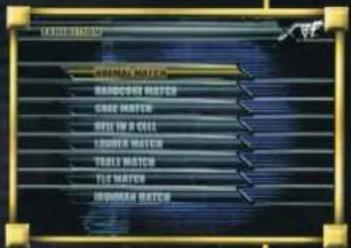
HARDCORE MATCH
Grab a weapon and prepare to layeth the SmackDown!™ Anything goes in a Hardcore Match - are you tough enough to defeat your opponents?
CAGE MATCH
There's no escape from punishment in the Cage! The only way to win is to climb the ten-foot tall chain link fence out of the ring.
HELL IN A CELL™
With an added roof on the cage, climb on top and throw your opponent through the roof! How do you get out of the cage? Irish Whip your opponent through the cage wall!
Note: It might take a few attempts to break through the cage wall. Continue to throw your opponent at the same panel to weaken it!

LADDER MATCH
With a title belt suspended above the ring, knock your opponent senseless to give yourself enough time, then set up a ladder in the ring and climb your way to victory! Grab the belt to win a Ladder Match.
TABLE MATCH
The only way to defeat your opponent in a Table Match is to knock him out - through a table! After the table is set up, throw your opponent on the table and go for the K.O.
TLC MATCH™
This match is full of everything EXCEPT tender loving care! In a Tables, Ladders and Chairs Match, use the tables and chairs to pummel your opponent, then set up the ladder to grab the belt high above the ring.
IRONMAN MATCH™
Pin your opponent as many times as you can in the given time limit for points. The Superstar with the most points at the end of the match wins.
Note: The Ironman Match ™ is only available in a Singles competition.
SET THE RULES
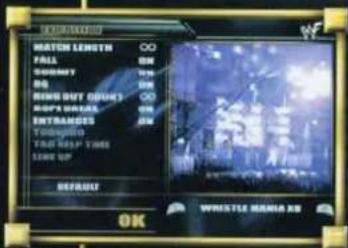
Now set the rules and choose an arena for the match.
- Arena - Use the L Button and R Button to select an arena.
- Match Length - Set a time limit between 5 minutes and 60 minutes, or choose the ∞ symbol for an unlimited amount of time in the ring.
- Fall - Set this to ON to be able to win by pinning your opponent, or OFF to disallow a victory by pin fall.
- Submit - When ON, you can win by making your opponent submit. When OFF, you will have to find another way to win.
- DQ - Choose ON to allow a victory by disqualification.
- Ring Out Count - Select a 10-second or 20-second count for out of the ring action, or choose the ∞ symbol for an unlimited time out of the ring.
- Rope Break - When ON, the referee will break up a submission hold or pin attempt when the opponent touches the ropes.
- Entrances - Toggle the entrances ON or OFF.
- Tornado - Only available for Tag Matches, the Tornado option allows each tag partner to enter the ring at any time. When ON, you do not need to set a Tag Help Time.
- Tag Help Time - During a regular Tag Match, each tag partner can help his teammate in the ring for a set amount of time. Choose between 5 seconds and 20 seconds.
- Line Up - Decide to have 4, 10, 20 or 30 opponents compete in a Royal Rumble ® .
- Default - Highlight DEFAULT and press the A Button to return all the rules back to their original settings.
- OK - Highlight OK and press the A Button to advance to the Superstar Select Screen!
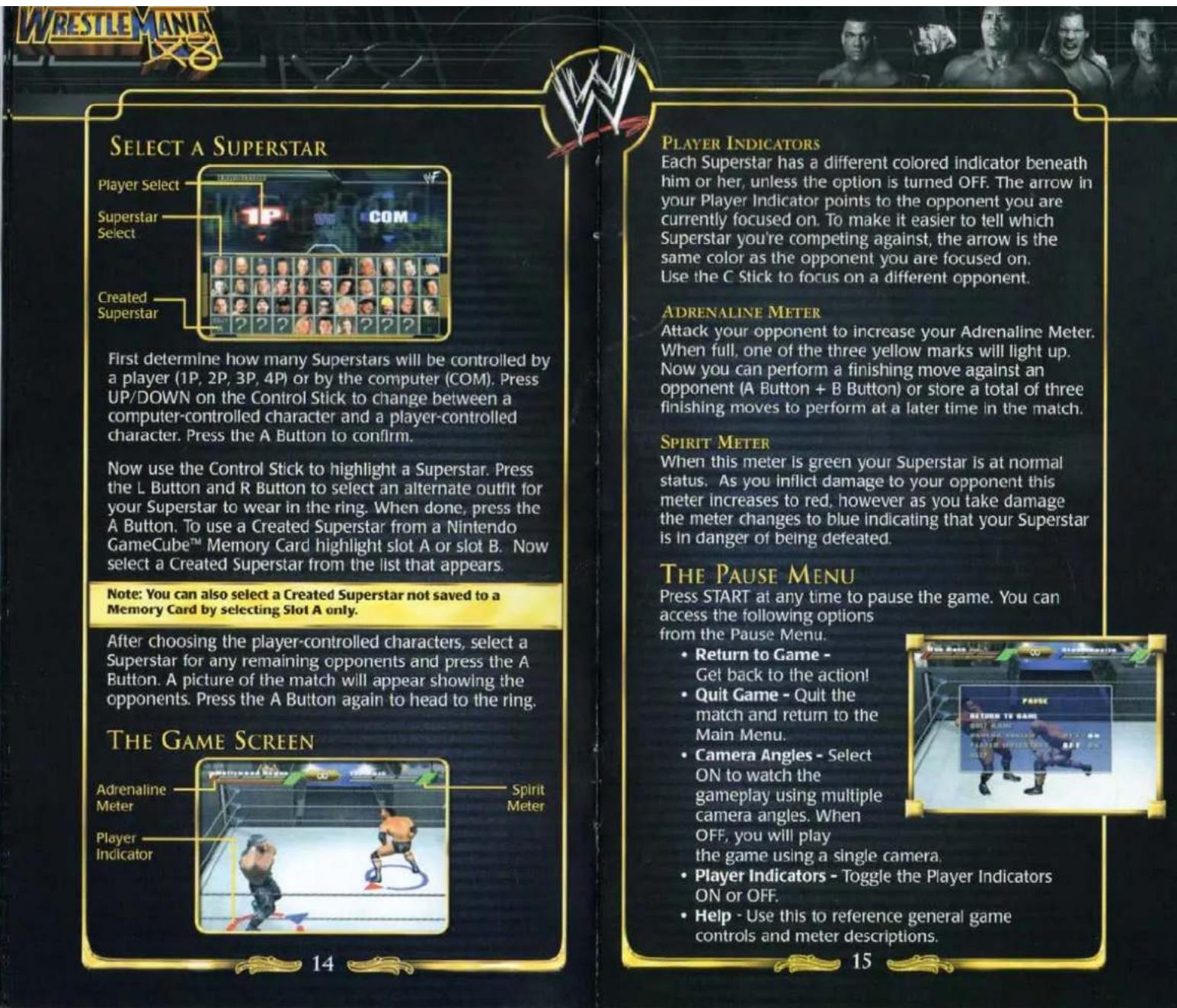
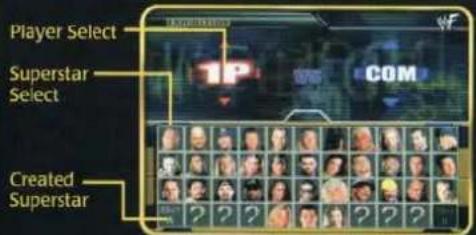
First determine how many Superstars will be controlled by a player (1P, 2P, 3P, 4P) or by the computer (COM). Press UP/DOWN on the Control Stick to change between a computer-controlled character and a player-controlled character. Press the A Button to confirm.
Now use the Control Stick to highlight a Superstar. Press the L Button and R Button to select an alternate outfit for your Superstar to wear in the ring. When done, press the A Button. To use a Created Superstar from a Nintendo GameCube™ Memory Card highlight slot A or slot B. Now select a Created Superstar from the list that appears.
Note: You can also select a Created Superstar not saved to a Memory Card by selecting Slot A only.
After choosing the player-controlled characters, select a Superstar for any remaining opponents and press the A Button. A picture of the match will appear showing the opponents. Press the A Button again to head to the ring.
PLAYER INDICATORS
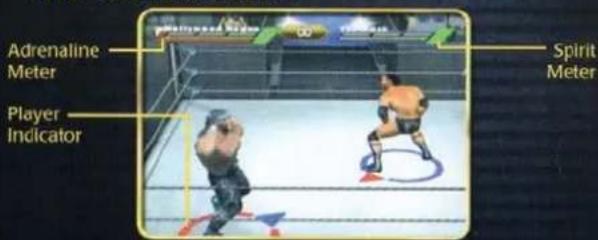
Each Superstar has a different colored indicator beneath him or her, unless the option is turned OFF. The arrow in your Player Indicator points to the opponent you are currently focused on. To make it easier to tell which Superstar you're competing against, the arrow is the same color as the opponent you are focused on. Use the C Stick to focus on a different opponent.
ADRENALINE METER
Attack your opponent to increase your Adrenaline Meter. When full, one of the three yellow marks will light up. Now you can perform a finishing move against an opponent (A Button + B Button) or store a total of three finishing moves to perform at a later time in the match.
SPIRIT METER
When this meter is green your Superstar is at normal status. As you inflict damage to your opponent this meter increases to red, however as you take damage the meter changes to blue indicating that your Superstar is in danger of being defeated.
THE PAUSE MENU
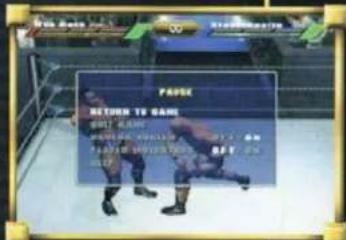
Press START at any time to pause the game. You can access the following options from the Pause Menu.
- Return to Game - Get back to the action!
- Quit Game - Quit the match and return to the Main Menu.
• Camera Angles - Select ON to watch the gameplay using multiple camera angles. When OFF, you will play the game using a single
- Player Indicators - Toggle the Player Indicators ON or OFF.
- Help - Use this to reference general game controls and meter descriptions.

PATH OF A CHAMPION
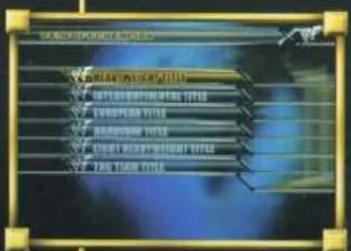
As the challenger, defeat all opponents to climb the ranks and win each title. Try to unlock hidden Superstars in the Path of a Champion mode.
- New Game - Choose one of the six championship belts and battle through the ranks to claim the Title! Even with another title attempt underway, you can try to win one of the other five belts.
- Heavyweight Title - This is the title the top Superstars are always scrambling for. Fame, money and bragging rights accompany the
- Heavyweight Title Holder!
- Intercontinental Title - With past champions like Chris Benoit™ and Chris Jericho™, you can be assured this will not be an easy title to grab!
• W. European Title · A no-name Superstar can turn his career around by winning the European belt! - Hardcore Title - One of the most painful titles to win, anything goes in a Hardcore Title Match!
• Light Heavyweight Title - Designed with the smaller athlete in mind, the Light Heavyweight Title will be difficult to attain! - Tag Team Title · Choose two Superstars and climb the ranks to become the best Tag Team in World Wrestling Entertainment™!
- Continue - Continue any of your previously saved Title attempts.
- Title Holder - Use the L and R Buttons to see the champions for each belt. You will need to defeat each Title Holder to win his championship belt.
BATTLE FOR THE BELTS
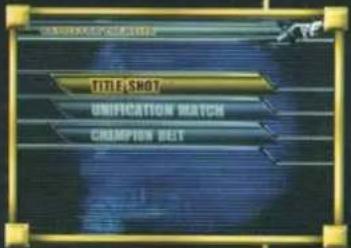
Put your favorite title up for grabs against a friend, or try to take his best title belt in the Battle for the Belts mode.
• Title Shot - Challenge for one of the custom belts and try to add it to your collection. With over 40 b in this mode, winning new defending existing titles n
- Unification Match - Put your custom belts on the line against your friend's custom belts to unify the titles.
Note: This mode is two-player only and each player must have a Memory Card with existing custom belts.
- Champion Belt - View the history for each custom belt you've been able to attain and defend.

CREATE A SUPERSTAR
Choose CREATE to build a Superstar from the ground up, then turn him into one of the greatest Superstars to enter the squared circle! You can also alter an existing Superstar's moves list using the CUSTOMIZE option.
CREATE
From the Create Menu, you can Create or Edit a new Superstar, Delete a previously created Superstar, or Copy a Superstar from one Memory Card to another.
- Create/Edit - Create a new Superstar or Edit an already created character. When you first begin, a list of "EMPTY" characters will be displayed on the right side of the screen. Choose an "EMPTY" character to begin creating your Superstar. After you've created a Superstar, his or her name will appear on this list, instead of "EMPTY".
- Delete - After selecting DELETE, you can highlight a created Superstar from the list on the right. Use the Control Stick UP or DOWN to highlight a character, then press the A Button to delete him or her from the list. Now select YES to confirm the delete. If you select NO, you will still be able to use the character.
- Copy - Copy a created Superstar from a Memory Card in Memory Card Slot A to Memory Card Slot B.
After choosing CREATE or EDIT, you will view a screen with a Superstar on the right. Use the following options to begin creating your Superstar.
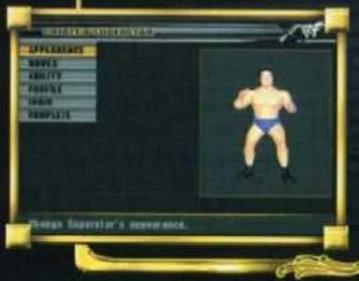
APPEARANCE
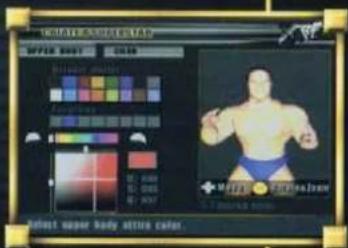
To begin, choose to base your Superstar from a MALE body type, a FEMALE body type or a SUPERSTAR body type. Now give him/her some attitude with a nice, new wardrobe. Use the Control Stick UP or
DOWN to highlight an option, then press the A Button. Now you can highlight an option from the smaller menu that appears.
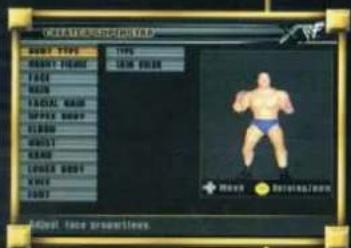
• Body Type - Choose a body type and skin color for your Superstar.
• Figure - Determine a Height and Weight, or make the changes to every part of your Superstar's body by selecting FORM. Choose a body part and press the A Button, then use the Control Pad LEFT or RIGHT to increase and decrease a body part's settings.
• Face - Choose a face type. You can also change the skin color and eye color from this menu.
- Hair - Select a style of hair and change its color.
• Facial Hair (Male only) - Select a style of facial hair.
- Upper Body - After you choose a type of shirt here, you can place logos and tattoos on your Superstar's also choose COLOR to comp the outfit.
- Default Palette - Choose from the 16 original colors in the Default Palette, or add your own colors to the Favorites Palette.
- Favorites - Highlight a color to begin with, then press the Y Button to change the color's hue and saturation. Move the grid around the square of color until you like a
specific color. Now press the A Button to view the Favorites Palette. Select an empty slot with the Control Pad and press the A Button to confirm. Now you can select that color for your Superstar's shirt.
WRESTLE MANIA 178
- Elbow - Choose elbow pads for the right and left elbows. Change the colors the same way described on page 19.
- Wrist - Choose wrist bands and alter the colors with this option.
- Hand - Select gloves for your Superstar using the Hand option.
- Lower Body - Choose pants or trunks here, then place logos where people will see them!
- Knee - Add knee pads.
- Foot - Give your Superstar a stylish pair of shoes to complete the outfit!
MOVES
Now that you have a Superstar that looks tough, it's time to give him an arsenal to protect himself. Without making any adjustments, your Superstar already has a basic set of moves at his disposal. However, take your time giving him the moves that will allow him to climb the ranks of World Wrestling Entertainment™ and will put him in a position to win a title or two.
The menu system works the same as it does for ATTIRE. Highlight a category with the Control Stick, then press the A Button to view the sub-categories. Now select a specific move and press the A Button. An entire list of moves will appear for that button command. Watch the dummy on the right perform each move before selecting one.
- Standing - These moves are performed against a standing opponent.
• Ground - Attack your opponent while he's on the ground! - Running - Perform a striking or grapple move while running.
- Flying - Select moves from off the turnbuckle. off the middle rope, or diving through the ropes.
- Irish Whip - Set your moves to perform after throwing your opponent to the ropes.
-
Turnbuckle - Set up your opponent in the turnbuckle to attack him with these moves.
-
Apron - These moves are performed when you or your opponent is standing on the Apron, outside of the ropes.
- Interruption - This attack is used in a Tag Match to interfere with the action.
- Double Team - Use 2-on-1 Double Team moves during a Tag Match.
- Special - Finish off your opponents with a wide range of Signature Moves.
• Taunt - Choose a few taunts to rub it in. - Entrance - Decide what your Superstar will do when walking towards the ring.
- Default - Reset all the moves to their original default settings.
ABILITY
Determine your Superstar's offensive and defensive strengths and weaknesses from the Ability Menu. Highlight one of the three main categories and press the A Button, then choose a sub-category and increase or decrease the number. You will begin with every statistic set at 5, for a total of 55 points. Before you can add to any statistic, you must first decrease the number from a different statistic.
- Basic - Determine your Superstar's Endurance, Strength, Agility, Jumping ability, and Recovery time.
- Attack - Decide if the up-and-coming Superstar will have powerful Striking attacks, Grappling attacks, or Jointlock submission holds.
• Defense - Finally, give a defensive rating in Resilience, Escape and Flexibility.
PROFILE
Even a new Superstar needs a themed name and TitanTron™ entrance!
- Name - Move the cursor around the keyboard with the Control Stick and press the A Button to select a letter, number or symbol. Press the B Button to delete a mistake. When done, highlight OK and press the A Button. To exit without saving changes, select EXIT.
- Alias - On your way to becoming a Superstar, give your Superstar a nickname.
- Music - Use the Control Stick UP/DOWN to highlight a song and press the Y Button to hear the tune. Press the A Button to confirm.
- Titantron® - Now select a TitanTron® video to play as your Superstar enters the ring. Press the Y Button to view it and press the A Button to confirm.
LOGIC
Determine the kind of moves your character will try to perform at the beginning of a match, and which moves he will attempt towards the end of a match.
• Orthodox - Standard wrestling at its finest.
- Striking - Use striking attacks early and often to weaken an opponent before going for the pin!
- Grapple - Deliver the most punishing grapple moves to hurt your opponent's morale.
- Submission - At the end of a match, use several strong submission holds to make your opponent give up.
- Flying - Jump off the top rope to knock your opponent senseless.
- Rough - Open up a can of whoop-ass with the Rough setting!
COMPLETE
When done creating your Superstar, select COMPLETE and press the A Button. You can exit to the Main Menu by pressing the B Button, or create another Superstar.
CUSTOMIZE
Select a Superstar by pressing UP or DOWN on the Control Stick, then press the A Button to confirm. Here you can change an existing Superstar's MOVES, as explained in the CREATE section on page 20. To return to the previous menu, highlight COMPLETE and press the A Button.

OPTIONS
Change the Game Settings, or save and load your game data, from the Options Menu.
GAME SETTINGS
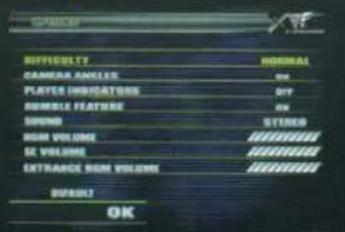
Use the Control Stick UP/DOWN to highlight an option, then press LEFT/RIGHT to toggle the setting.
-
Difficulty - Choose a difficulty level between EASY, NORMAL, HARD or PAINFUL.
• Rumble Feature - Toggle the Rumble Feature ON or OFF. -
Camera Angles - Select ON to view different camera angles during game play. Select OFF to play the game using a stationary camera angle.
- Player Indicators - Choose ON to view an indicator beneath each Superstar during a match, or select OFF.
- Sound - Choose STEREO if you have more than one speaker, or select MONAURAL to combine all the music and sound effects into one channel.
• BGM Volume - Use the Control Stick to increase or decrease the background music volume.
• SE Volume - Increase or decrease the sound effects volume. - Entrance BGM Volume - Increase or decrease the volume of each Superstar's entrance music.
- Default - Return all of the options to their original default settings.
- OK - Highlight OK and press the A Button to confirm the settings and return to the previous menu.
SAVE GAME
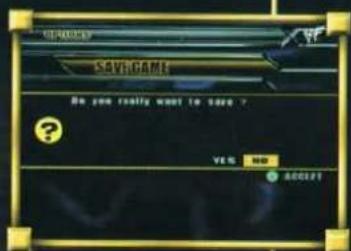
You can save your progress onto a Memory Card from the Main Menu. Enter the Options Menu and select SAVE GAME. Now select YES to confirm that you really want to save the game. If you already have a saved game for Ⓜ WrestleMania X8®, you will be asked if it's OK to
overwrite the previous game save. Select YES to complete the save. This will save everything from a created Superstar, to your game settings and current progress in the Path of a Champion and Battle for the Belts game modes.
To save from the Path of a Champion game mode, you must complete at least one match. After the match, you will be given the option to CONTINUE or to EXIT. Select EXIT to return to the Main Menu, then enter the Options Menu to save the game.
LOAD GAME
Your game settings, created Superstars, and game mode progress will automatically load at the time of start-up. Make sure you insert the Memory Card containing your saved ⚡ WrestleMania X8 data into Memory Card Slot A before turning your console ON. A message will appear on-screen to let you know the game data is being loaded fro
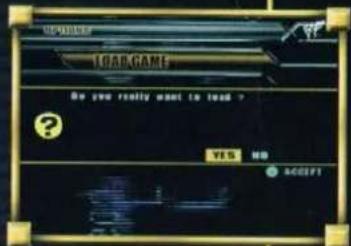
You can also load a game manually. Make sure the Memory Card is inserted into Memory Card Slot A, then enter the Options Menu. Select LOAD GAME and follow the on-screen instructions to load the saved game data.
WRESTLEMANIA 8
CREDITS
THQ INC. PRODUCT DEVELOPMENT
Vice President -
Product Development
Michael Rubinelli
Executive Producer
Jim Flaharty
Producer
Sanders Keel
Associate Producer
Tomomi Tuma
Assistant Producer
Cory Ledesma
Director of Business
Development
Yoji Takenaka
THQ INC. QUALITY
ASSURANCE
Lead Tester
Tim Grimaud
Senior Testers
Morgan Clark
Shaun Wharton
Testers
Amin Razi
Scott Frazier
Nickolas Gardner
Justin Drolet
Joel Ness
Daniel Noel
Jonathan McMullen
Philip Frantzis
Laurin Rollins
Scott Ritchie
Charlie Maranan
Q.A. Technician
Mario Waibel
Brian McElroy
O.A. Database Administrator
Jason Roberts
Q.A. Manager
Monica Vallejo
Director of
Quality Assurance
Jeremy S. Barnes
THQ INC. MARKETING
Vice President - Marketing
Peter Dille
Director Creative Services
Howard Liebeskind
Director Media Relations
Liz Pieri
Group Marketing Manager
Craig Rechenmacher
Product Manager
Christopher E. Sturr
Media Relations Manager
Reilly Brennan
Associate Media
Relations Manager
Kendall Boyd
Associate Creative
Services Manager
Kirk Somdal
Marketing Coordinator
Devin Knudsen
Media Relations Coordinator
David Newman
Web Design Manager
Gordon Madison
Web Programmer
Jack Suzuki
Web Designer
Ricardo Fischer
JAKKS PACIFIC INC.
Director Jakks Interactive
Nelo Lucich
Project Manager
Hayley Wichmann
WORLD WRESTLING
ENTERTAINMENT, INC.
Senior Vice President -
Consumer Products
Donna Goldsmith
Vice President -
Retail Marketing
John Sohigian
Licensing Director
Florence DiGiorgio
Licensing Manager
Mike Archer
Licensing Assistant
Jennifer Russell
SPECIAL THANKS
Doug LeBow
Steve Namm
Jeff Antebi
Earl Hebner
Dave Hebner
Origin Studios
Robert Riley
Christian Kenney
Paul Rivas
Stacey Mendoza
Chaille Stidham
Julian Brummitt
Mike Foley
Mark Carrano
Sean Corcoran
Jayson Bernstein
William Goertel
Steve Taylor
John Damko
Howard Finkel
Den Burke
Sean Sellman
George Germanakos
Dan Forden
Sean Dunn
Sean Heffron
Mario Waibel
Robert Sanchez
Music Supervision
Kabuki Digital
"Rollin' (Air Raid Vehicle)"
written by F. Durst, S. Rivers,
W. Borland, J. Otto, L. Dimant,
courtesy of Lethal Dose Music
(administered by Zomba Songs
Inc.) (BMI)/Zomba Enterprises
Inc./Big Bizkit Music
(administered by Zomba
Enterprises Inc.) (ASCAP)
'The Game' recorded by
Motorhead © 2000 World
Wrestling Entertainment, Inc.
Words and Music by James
Johnston. Copyright © 2000
Cherry River Music Co
(BMI)/Stephanie Music (BMI)
Worldwide rights for Stephanie
Music administered by Cherry
River Music Co. (BMI) All Rights
Reserved. Used By Permission.
"Here Comes The Money"
© 2001 World Wrestling
Entertainment, Inc. Words and
Music by James Johnston.
Copyright © 2001 Cherry River
Music Co. (BMI)/Stephanie
Music (BMI) Worldwide rights
for Stephanie Music
administered by Cherry River
Music Co. (BMI) All Rights
Reserved. Used By Permission.

WRESTLEMANIA ×8
LIMITED WARRANTY
Warranty and Service Information
In the unlikely event of a problem with your product ("Product"), you may only need simple instructions to correct the problem. Please contact the THQ Inc. ("THQ") Customer Service Department at (318) 880-0456 or on the web at http://www.thq.com before returning the Product to a retailer. Live Customer Service Representatives are available to help you Monday through Friday 9am to 5pm PST or you can use our automated systems by phone or on the web 24 hours a day, 7 days a week. Please do not send any Product to THQ without contacting us first. Your 5 digit Product Code is 38005. Please use this code to identify your Product when contacting us.
Limited Warranty
THQ warrants to the best of THQ's ability to the original consumer purchaser of the Product that the medium on which the Product is recorded shall be free from defects in materials and workmanship for a period of ninety (90) days from the original date of purchase. The Product is sold "as is," without express or implied warranty of any kind, and THQ is not responsible for any losses or damages of any kind resulting from use of this Product. If a defect occurs during this ninety (90) day warranty period, THQ will either repair or replace, at THQ's option, the Product free of charge. In the event that the Product is no longer available, THQ may, in its sole discretion, replace the Product with a Product of comparable value. The original purchaser is entitled to this warranty only if the date of purchase is registered at point of sale or the consumer can demonstrate, to THQ's satisfaction, that the product was purchased within the last ninety (90) days.
To receive warranty service:
Notify the THQ Customer Service Department of the problem requiring warranty service by calling (818) 880-0456 or on the web at http://www.thq.com. If the THQ service technician is unable to solve the problem by phone or on the web via e-mail, he will authorize you to return the Product, at your risk of damage, freight and insurance prepaid by you, together with your dated sales slip or similar proof-of-purchase within the ninety (90) day warranty period to:
THO Inc.
Customer Service Department
27001 Agoura Road, Suite 270
Calabasas Hills, CA 91301
THQ is not responsible for unauthorized returns of Product and reserves the right to send such unauthorized returns back to customers.
This warranty shall not be applicable and shall be void if: (a) the defect in the Product has arisen through abuse, unreasonable use, mistreatment or neglect; (b) the Product is used with products not sold or licensed by Nintendo or THQ (including but not limited to, non-licensed game enhancement and copier devices, adapters and power supplies); (c) the Product is used for commercial purposes (including rental); (d) the Product is modified or tampered with; (e) the Product's serial number has been altered, defaced or removed.
Repairs after Expiration of Warranty
After the ninety (90) day warranty period, defective Product may be replaced in the United States and Canada for US\$25.00. The original purchaser is entitled to the replacement of defective Product for a fee, only if proof of purchase is provided to THQ. Make checks payable to THQ Inc. and return the product along with the original proof of purchase to the address listed above.
Warranty Limitations
THIS WARRANTY IS IN LIEU OF ALL OTHER WARRANTIES AND REPRESENTATIONS. NO OTHER WARRANTIES OR REPRESENTATIONS OR CLAIMS OF ANY NATURE SHALL BE BINDING ON OR OBLIGATE THQ. ANY APPLICABLE IMPLIED WARRANTIES OR REPRESENTATIONS, INCLUDING WARRANTIES OF MERCHANTABILITY AND FITNESS FOR A PARTICULAR PURPOSE ARE HEREBY LIMITED TO NINETY (90) DAYS FROM THE DATE OF PURCHASE AND ARE SUBJECT TO THE CONDITIONS SET FORTH HEREIN. IN NO EVENT SHALL THQ BE LIABLE FOR CONSEQUENTIAL OR INCIDENTAL DAMAGES RESULTING FROM THE BREACH OF ANY EXPRESS OR IMPLIED WARRANTIES.
The provisions of this warranty are valid in the United States only. Some states do not allow limitations on how long an implied warranty lasts or exclusion of consequential or incidental damages, so the above limitations and exclusions may not apply to you. This warranty gives you specific legal rights, and you may also have other rights, which may vary, from state to state.
Warning
Copying of this Product or any of its contents or elements is illegal and is prohibited by United States and international copyright laws. Back-up or archival copies of this Product or any of its contents or elements are not authorized and are not necessary to protect your Product. United States and international copyright laws also protect this manual and other printed matter accompanying this Product. Violators will be prosecuted.
NOTES
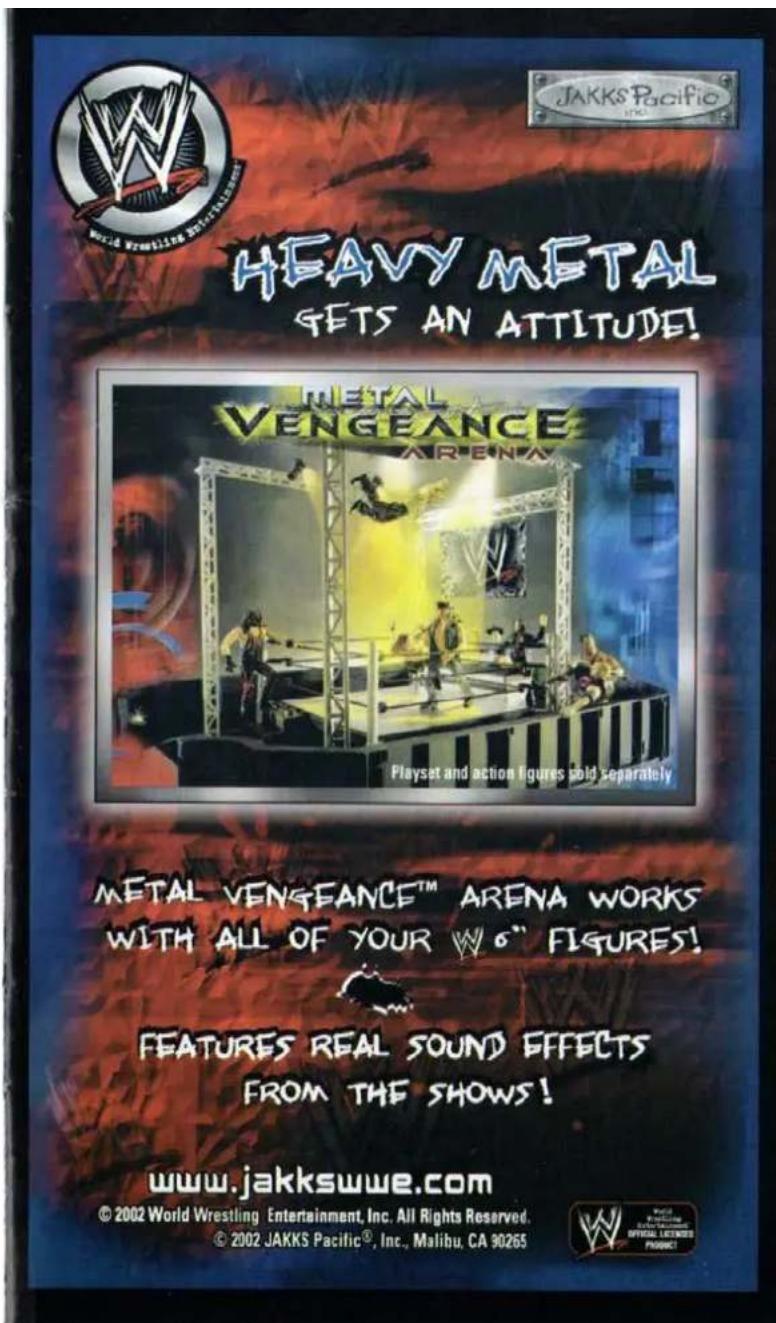

HEAVY METAL
GETS AN ATTITUDE!
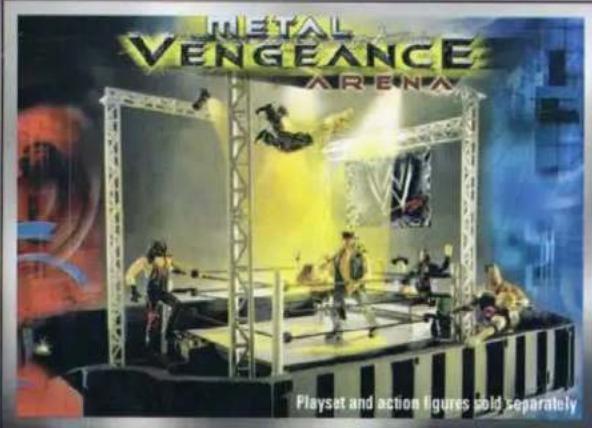
METAL VENGEANCE™ ARENA WORKS
WITH ALL OF YOUR W 6" FIGURES!

FEATURES REAL SOUND EFFECTS
FROM THE SHOWS!
www.jakkswwe.com
© 2002 World Wrestling Entertainment, Inc. All Rights Reserved.
© 2002 JAKKS Pacific®, Inc., Malibu, CA 90265

WORLD WRESTLING FEDERATION®
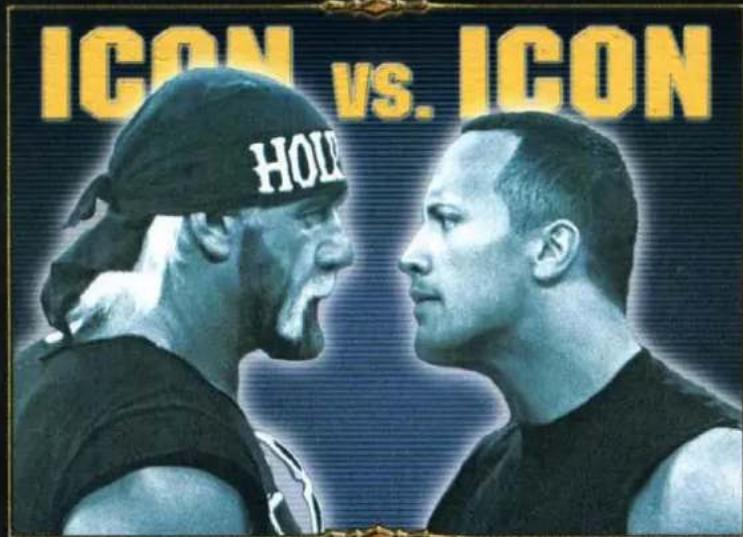
Buy a piece of history!
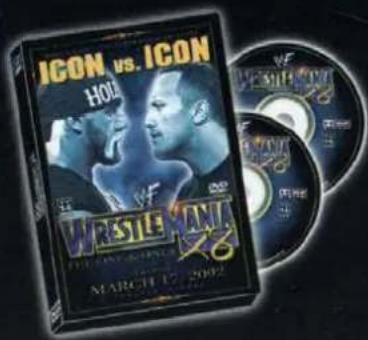
- Featuring Hollywood Hulk Hogan® vs. The Rock®I Plus, matches with Stone Cold™, Triple H™, nWo® and more.
- Two-DVD set with over 7 hours of footage, never-before-seen interviews with Kurt Angle™, Rob Van Dam™ Vince McMahon™ and Trish Stratus™.
• Performances by Drowning Pool and Saliva.*
• Event in 5:1 Surround Sound.
• Also available on VHS.
* Saliva appears courtesy of Island Records and Drowning Pool appears courtesy of Wind-up Entertainment. ©2002 World Wrestling Federation Entertainment, Inc. All Rights Reserved.
Bring home

on DVD!
DVD
VIDEO
TM

TM


- WARNING - SEIZURES
- WARNING - REPETITIVE MOTION INJURIES
- WARNING - ELECTRIC SHOCK
- CAUTION - MOTION SICKNESS
- CAUTION - LASER DEVICE
- CONTROLLER NEUTRAL POSITION RESET
- TEEN
- NINTENDO
- CONTENTS
- EXHIBITION
- SELECT A MATCH-UP
- SINGLE
- TAG
- HANDICAP
- TRIPLE THREAT™
- FATAL 4 WAY™
- BATTLE ROYAL
- ROYAL RUMBLE®
- SELECT A MATCH TYPE
- NORMAL MATCH
- HARDCORE MATCH
- CAGE MATCH
- HELL IN A CELL™
- LADDER MATCH
- TABLE MATCH
- TLC MATCH™
- IRONMAN MATCH™
- SET THE RULES
- PLAYER INDICATORS
- ADRENALINE METER
- SPIRIT METER
- THE PAUSE MENU
- PATH OF A CHAMPION
- BATTLE FOR THE BELTS
- CREATE A SUPERSTAR
- CREATE
- APPEARANCE
- WRESTLE MANIA 178
- MOVES
- ABILITY
- PROFILE
- LOGIC
- COMPLETE
- CUSTOMIZE
- OPTIONS
- GAME SETTINGS
- SAVE GAME
- LOAD GAME
- WRESTLEMANIA 8
- CREDITS
- THQ INC. PRODUCT DEVELOPMENT
- EXECUTIVE PRODUCER
- PRODUCER
- ASSOCIATE PRODUCER
- ASSISTANT PRODUCER
- DIRECTOR OF BUSINESS
- THQ INC. QUALITY
- ASSURANCE
- SENIOR TESTERS
- TESTERS
- Q.A. TECHNICIAN
- O.A. DATABASE ADMINISTRATOR
- Q.A. MANAGER
- DIRECTOR OF
- THQ INC. MARKETING
- DIRECTOR CREATIVE SERVICES
- DIRECTOR MEDIA RELATIONS
- GROUP MARKETING MANAGER
- PRODUCT MANAGER
- MEDIA RELATIONS MANAGER
- ASSOCIATE MEDIA
- ASSOCIATE CREATIVE
- MARKETING COORDINATOR
- MEDIA RELATIONS COORDINATOR
- WEB DESIGN MANAGER
- WEB PROGRAMMER
- WEB DESIGNER
- JAKKS PACIFIC INC
- PROJECT MANAGER
- WORLD WRESTLING
- VICE PRESIDENT
- LICENSING DIRECTOR
- LICENSING MANAGER
- LICENSING ASSISTANT
- SPECIAL THANKS
- WILLIAM GOERTEL
- MUSIC SUPERVISION
- THE GAME' RECORDED BY
- HERE COMES THE MONEY
- WRESTLEMANIA ×8
- LIMITED WARRANTY
- WARRANTY AND SERVICE INFORMATION
- TO RECEIVE WARRANTY SERVICE
- REPAIRS AFTER EXPIRATION OF WARRANTY
- WARRANTY LIMITATIONS
- WARNING
- NOTES
- HEAVY METAL
- GETS AN ATTITUDE
- BUY A PIECE OF HISTORY
- BRING HOME
- ON DVD
Marke : NINTENDO
Modell : WWE WrestleMania X8 (GameCube)
Kategorie : Videospiel