
DA200 - Computerzubehör DELL - Kostenlose Bedienungsanleitung
Finden Sie kostenlos die Bedienungsanleitung des Geräts DA200 DELL als PDF.


| Produkttyp | USB-C Multiport-Adapter |
| Marke | Dell |
| Modell | DA200 |
| Abmessungen (ca.) | 108 x 40 x 15 mm |
| Gewicht | 50 g |
| Stromversorgung | Bus-gespeist (über USB-C) |
| Videoausgänge | HDMI (4K@30Hz), VGA (1080p) |
| USB-Anschlüsse | 1x USB 3.0 Typ-A (5 Gbit/s) |
| Netzwerk | RJ45 Gigabit Ethernet |
| Audio | Kombi-Klinkenbuchse (3,5 mm) |
| Ladefunktion | USB-C Power Delivery (PD) Durchleitung |
| Kompatibilität | Windows, macOS, Chrome OS, Linux |
| Gehäusematerial | Kunststoff |
| Kabellänge (ca.) | 15 cm (fest integriert) |
| Reinigung | Mit weichem, trockenem Tuch abwischen |
| Sicherheitshinweise | Vor Feuchtigkeit und extremen Temperaturen schützen |
| Ersatzteile/Reparierbarkeit | Nicht reparierbar; bei Defekt komplett ersetzen |
| Garantie | 1 Jahr (Standard) |
| Lieferumfang | Adapter, Kurzanleitung |
Häufig gestellte Fragen - DA200 DELL
Benutzerfragen zu DA200 DELL
0 Frage zu diesem Gerät. Beantworten Sie die, die Sie kennen, oder stellen Sie Ihre eigene.
Eine neue Frage zu diesem Gerät stellen
Laden Sie die Anleitung für Ihr Computerzubehör kostenlos im PDF-Format! Finden Sie Ihr Handbuch DA200 - DELL und nehmen Sie Ihr elektronisches Gerät wieder in die Hand. Auf dieser Seite sind alle Dokumente veröffentlicht, die für die Verwendung Ihres Geräts notwendig sind. DA200 von der Marke DELL.
BEDIENUNGSANLEITUNG DA200 DELL
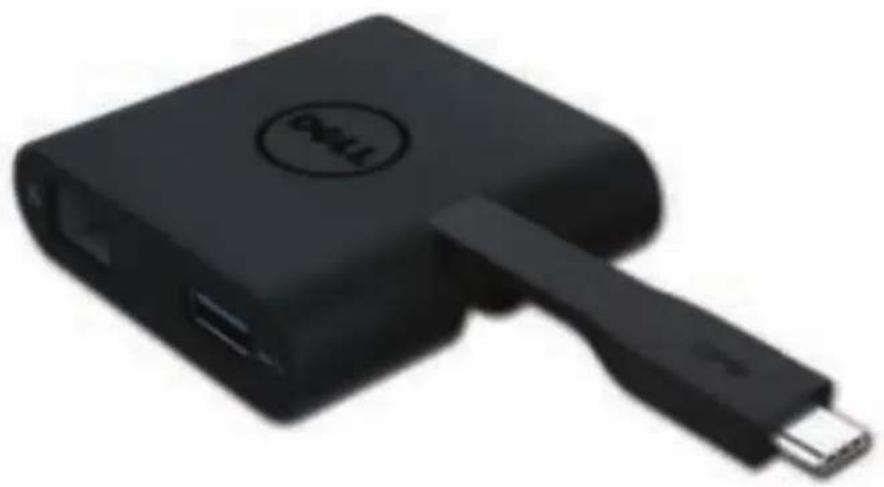
Dell™ Adapter - USB-C to HDMI/VGA/Ethernet/USB 3.0
User Guide
natural_image
Black electronic device with USB cable and a circular logo on top (no visible text or symbols)
NOTE: A NOTE indicates important information that helps you make better use of your computer.

CAUTION: A CAUTION indicates potential damage to hardware or loss of data if instructions are not followed.

WARNING: A WARNING indicates a potential for property damage, personal injury, or death.
© 2018 Dell Inc. All rights reserved.
Information in this document is subject to change without notice. Reproduction of these materials in any manner whatsoever without the written permission of Dell Inc. is strictly forbidden.
Trademarks used in this text: Dell and the Dell logo are trademarks of Dell Inc., Intel®, Centrino®, Core™, and Atom™ are either trademarks or registered trademarks of Intel Corporation in the U.S. and other countries; Microsoft®, Windows®, and Windows start button logo are either trademarks or registered trademarks of Microsoft Corporation in the United States and/or other countries; Bluetooth® is a registered trademark owned by Bluetooth SIG, Inc. and is used by Dell under license; Blu-ray Disc™ is a trademark owned by the Blu-ray Disc Association (BDA) and licensed for use on discs and players; Other trademarks and trade names may be used in this document to refer to either the entities claiming the marks and names or their products. Dell Inc. disclaims any proprietary interest in trademarks and trade names other than its own.
Contents
a. Dell Adapter - USB-C to HDMI/VGA/Ethernet/USB 3.0 - DA200
a
natural_image
Black rectangular object with a handle and circular opening, resembling a stylus or device (no visible text or symbols)Specifications
natural_image
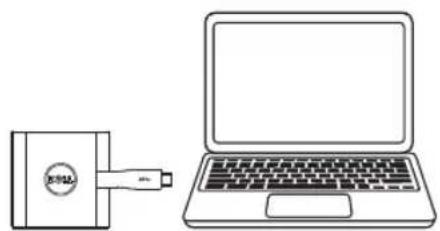
Line drawing of a laptop connected to a small electronic device (no text or symbols present)Upstream Input
- USB-C
flowchart
graph TD
    A["Switch"] --> B["Computer"]
    C["Switch"] --> D["Computer"]
    E["Switch"] --> F["Computer"]
    G["Switch"] --> H["Computer"]
    I["Switch"] --> J["Computer"]
    K["Switch"] --> L["Computer"]
    M["Switch"] --> N["Computer"]
    O["Switch"] --> P["Computer"]
    Q["Switch"] --> R["Computer"]
    S["Switch"] --> T["Computer"]
    U["Switch"] --> V["Computer"]
    W["Switch"] --> X["Computer"]
    Y["Switch"] --> Z["Computer"]
    AA["Switch"] --> AB["Computer"]
    AC["Switch"] --> AD["Computer"]
    AE["Switch"] --> AF["Computer"]
    AG["Switch"] --> AH["Computer"]
    AI["Switch"] --> AJ["Computer"]
    AK["Switch"] --> AL["Computer"]
    AM["Switch"] --> AN["Computer"]
    AO["Switch"] --> AP["Computer"]
    AQ["Switch"] --> AR["Computer"]
    AS["Switch"] --> AT["Computer"]
    AU["Switch"] --> AV["Computer"]
    AW["Switch"] --> AX["Computer"]
    AY["Diode"] --> AZ["Computer"]
    BA["Diode"] --> BB["Computer"]
    BC["Diode"] --> BD["Computer"]
    BE["Diode"] --> BF["Computer"]
    BG["Diode"] --> BH["Computer"]
    BI["Diode"] --> BJ["Computer"]
    BK["Diode"] --> BL["Computer"]
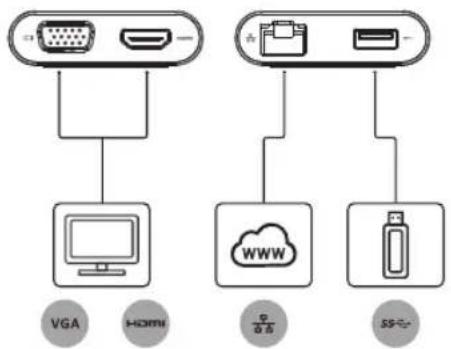
Downstream Outputs
• VGA
• HDMI
• Gigabit Ethernet
- USB 3.0
Maximum Resolution/Refresh Rate
• Single display : 1 x HDMI; 1920 x 1080 /60 Hz
• Single display : 1 x VGA; 1920 x 1080 /60 Hz
* Resolution support is also dependent on the resolutions declared by your display's EDID.
Product Overview
Front View
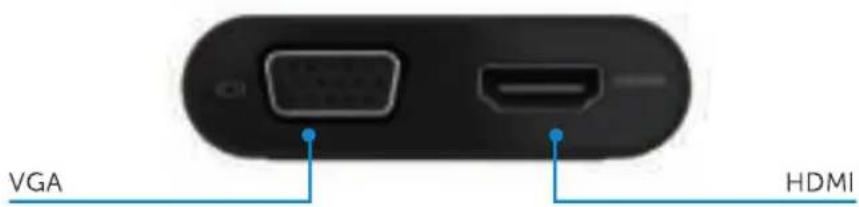
Back View
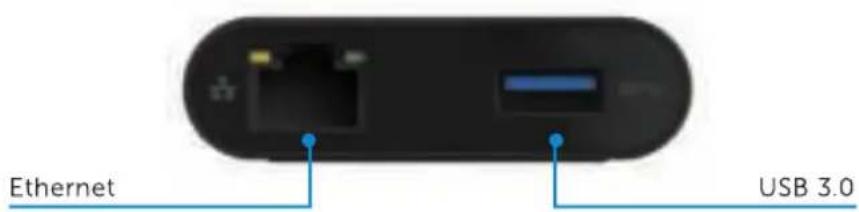
Top View
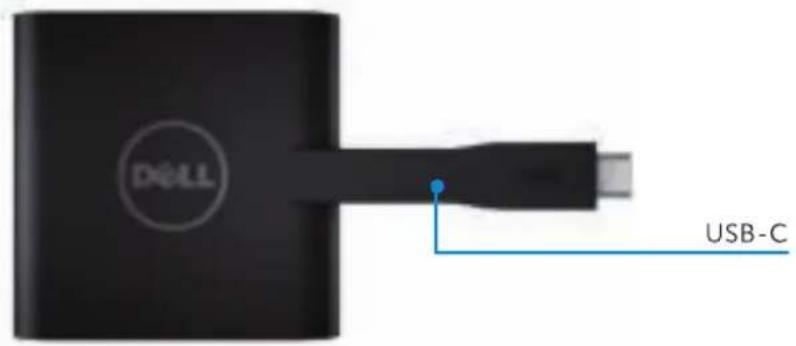
Recommended System Requirements
Hardware
• Dual Core Intel CPU 2 GHz or better
•USB-C port
Operating System
• Windows 7, 8, 8.1, 10 (32/64 bits)
Operating Temperature
Maximum operating temperature is 40°C
Troubleshooting for Dell USB-C Adapter (DA200)
| Troubleshooting | Suggested Solutions |
| Which devices does DA200 work with? | The DA200 Adapter is designed for Dell computers. |
| Can DA200 charge my computer? | No. DA200 does not support the Power Delivery specification, therefore it cannot provide power to charge a computer. |
| Where can I download drivers for DA200? | Drivers are not required for DA200. If your DA200 is not functioning properly, please contact Dell customer service. |
| There is no video on the monitor attached to the DA200. | Check the video connection cables.Unplug the device, wait 10 seconds, and then re-connect. |
| The video on the attached monitor is distorted or corrupted. | Check video connection cablesCheck the video resolution under Control Panel\All Control Panel Items\Display\Screen Resolution |
| The video on the attached monitor is not displaying in extended mode. | Change the settings by either:Configuring under Control Panel\All Control Panel Items\Display\Screen ResolutionSwitch by cycling the "Windows Key +P" |
| HDCP content is not able to display on the attached monitor. | HDCP content support is currently unavailable. |
| USB ports are not functioning on the adapter. | Unplug the device, wait 10 seconds and then reconnect.Update to the latest USB 3.0 host controller driver. |
| Laptop failed to boot with adapter connected. | Remove all USB devices connected to the adapter; some unqualified boot devices may cause lock up at boot screen. |
| There is a warning that says my computer does not support this device. | Some features of USB-C are not yet fully supported by Windows 7, therefore it sometimes does not understand negotiation messages sent by DA200. Please be assured that the warning has no impact on the functionality of DA200. |
Regulatory Information
Dell USB-C Adapter (DA200) complies with the FCC/CE rules and abides by worldwide regulatory compliance, engineering, and environmental affairs.
Contacting Dell:
- Visit www.dell.com/support
- Select your support category
- Select the appropriate service or support link based on your need.


Marke : DELL
Modell : DA200
Kategorie : Computerzubehör