
97-917 - Computerkabel Ergotron - Kostenlose Bedienungsanleitung
Finden Sie kostenlos die Bedienungsanleitung des Geräts 97-917 Ergotron als PDF.


| Produkttyp | Spiralkabel (Ersatzteil) |
| Modell | 97-917 |
| Marke | Ergotron |
| Kategorie | Computerkabel |
| Länge | ca. 2,4 m (aufgerollt) |
| Kabeltyp | Spiralkabel |
| Kompatibilität | Ergotron SLA- und LiFe-Stromversorgungssysteme |
| Anschluss | Spezifischer Stecker für Ergotron-Stromversorgung |
| Farbe | Schwarz |
| Material | PVC |
| Gewicht | ca. 100 g |
| Anwendung | Ersatz für das ursprüngliche Spiralkabel von Ergotron-Stromversorgungssystemen |
| Lieferumfang | Spiralkabel, Montageanleitung |
| Herstellergarantie | Siehe www.ergotron.com |
| Sicherheitshinweise | Vor Installation alle angeschlossenen Geräte ausschalten und das Stromversorgungssystem vom Netz trennen. |
| Wartung | Keine besondere Wartung erforderlich |
| Reinigung | Mit einem trockenen Tuch abwischen |
| Entsorgung | Gemäß den örtlichen Vorschriften für Elektroschrott |
| Reparaturfähigkeit | Nicht reparierbar, Austausch erforderlich |
| Ersatzteilnummer | SV42 (Coiled Cord) |
Häufig gestellte Fragen - 97-917 Ergotron
Benutzerfragen zu 97-917 Ergotron
0 Frage zu diesem Gerät. Beantworten Sie die, die Sie kennen, oder stellen Sie Ihre eigene.
Eine neue Frage zu diesem Gerät stellen
Laden Sie die Anleitung für Ihr Computerkabel kostenlos im PDF-Format! Finden Sie Ihr Handbuch 97-917 - Ergotron und nehmen Sie Ihr elektronisches Gerät wieder in die Hand. Auf dieser Seite sind alle Dokumente veröffentlicht, die für die Verwendung Ihres Geräts notwendig sind. 97-917 von der Marke Ergotron.
BEDIENUNGSANLEITUNG 97-917 Ergotron
SV42 Coiled Cord Replacement

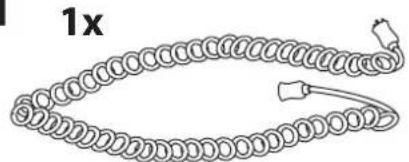
natural_image
Simple line drawing of a coiled spring or rope with a loop and connector (no text or symbols)
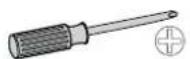
1 Turn off all mounted equipment.
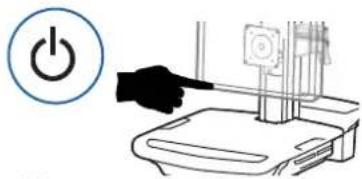
natural_image
Illustration of a hand pressing a button on a device (no text or symbols present)2 Disconnect Power System from power source.
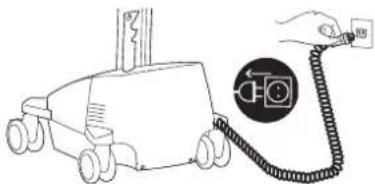
natural_image
Simple line drawing of a toy car connected to a cable with a magnified circular icon (no text or symbols)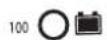
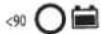
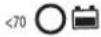
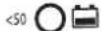
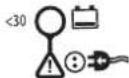

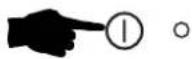
3 Turn power system off by holding down the AC Outlet Power button for 1 - 3 seconds. Power light will shut off.
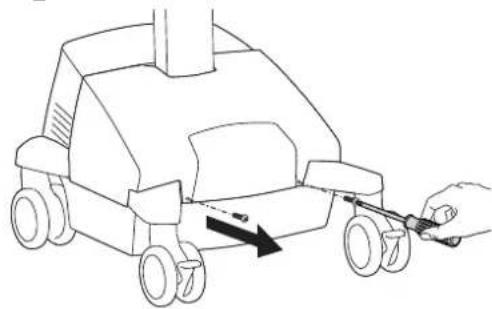
4 Remove front base cover.
natural_image
Line drawing of a toy car with wheels and a hand holding a tool, showing motion direction (no text or symbols)LiFe Power SystemsSLA Power Systems
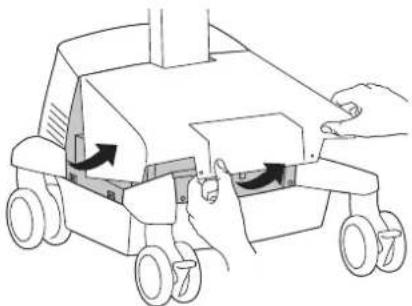
natural_image
Illustration of a robotic vehicle with hands operating the wheel rim (no text or symbols)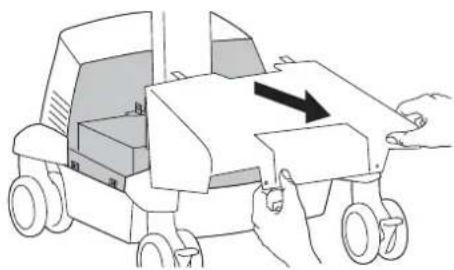
natural_image
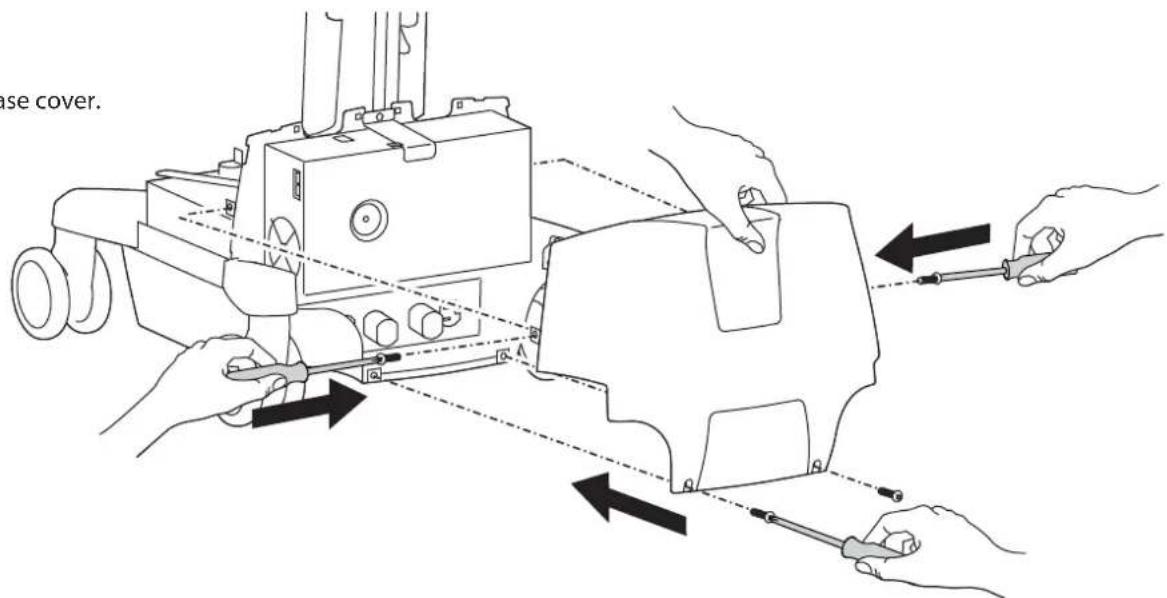
Line drawing of a toy car with hands operating it, showing internal components and a black arrow indicating motion (no text or symbols)5 Remove rear base cover.
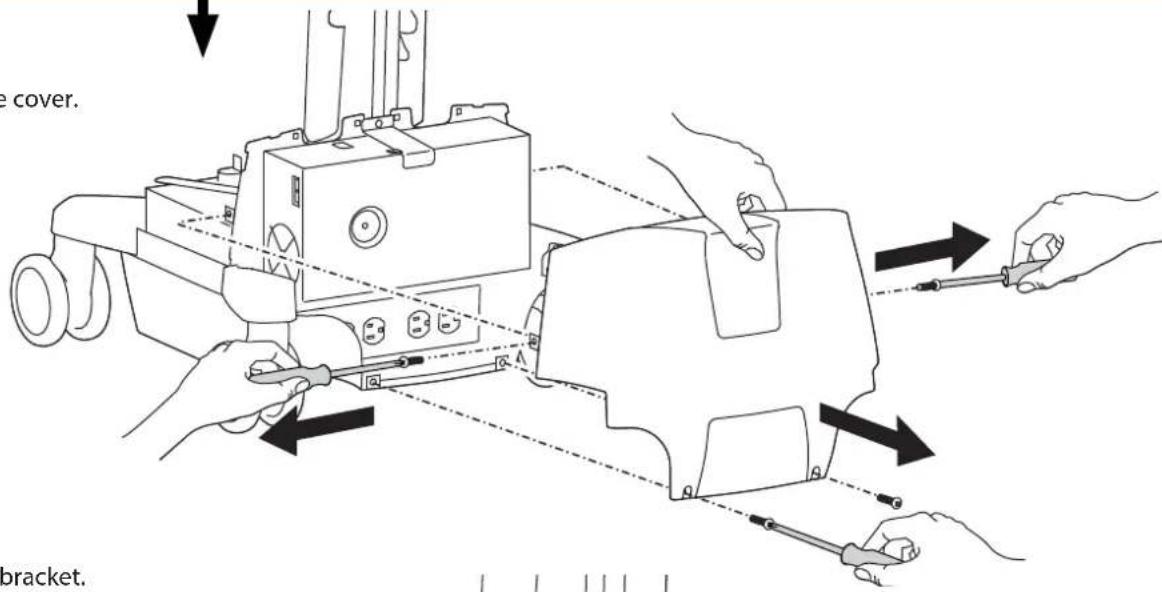
text_image
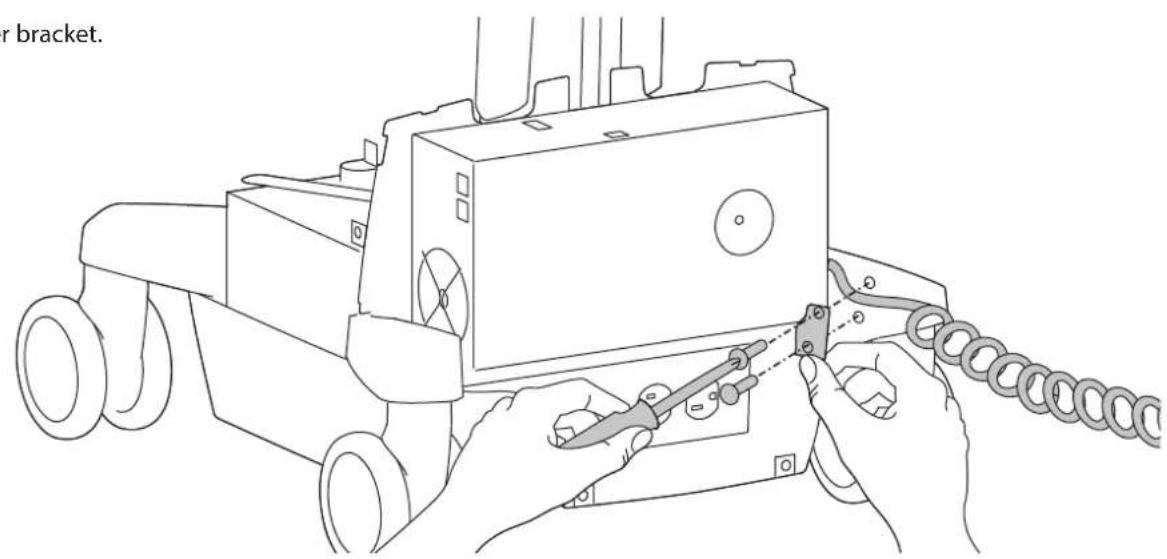
e cover. bracket.6 Remove retainer bracket.
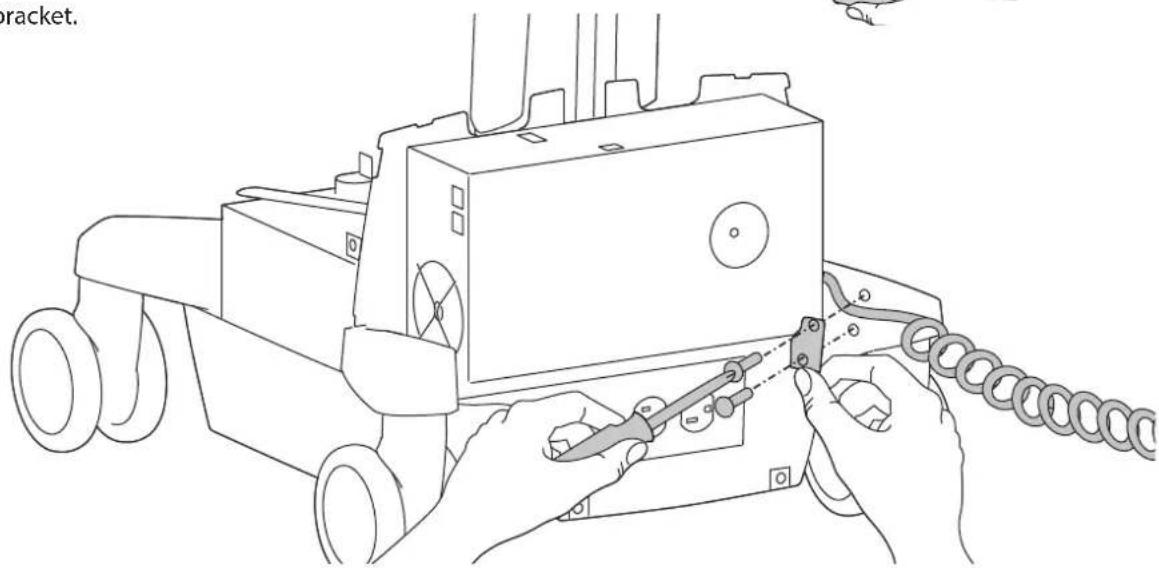
natural_image
Line drawing of hands operating a tracked robot with a chain attached (no text or symbols)7 Unplug coiled cord and plug in new cord.
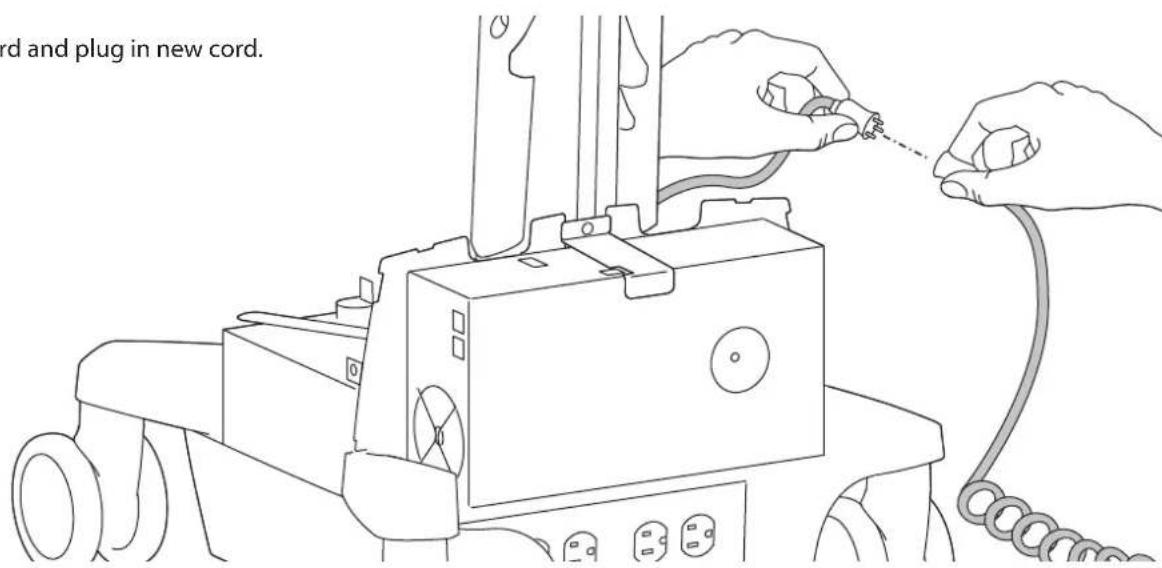
text_image
ord and plug in new cord.8 Reattach retainer bracket.
natural_image
Line drawing of hands operating a tracked agricultural machine with chains attached (no text or symbols)9 Replace rear base cover.
text_image
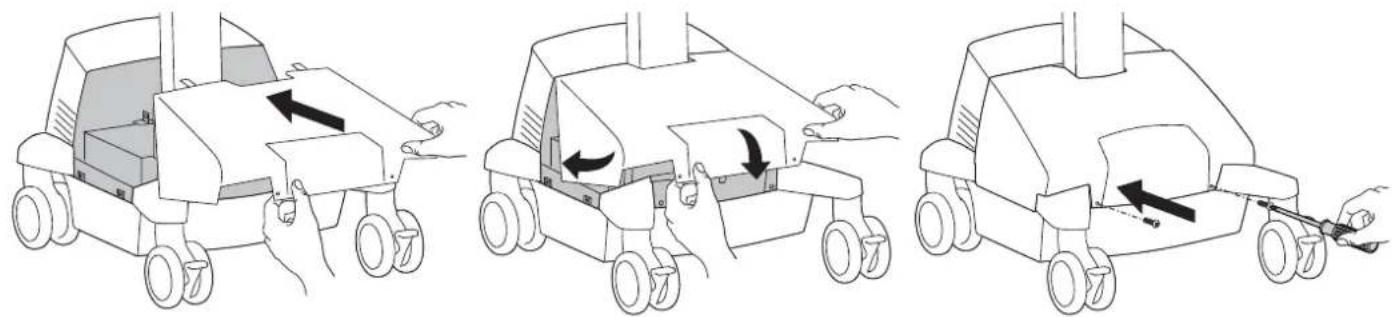
use cover.10 Replace front base cover.
natural_image
Three-step illustration of a toy car with wheels and handle, showing progressive assembly (no text or symbols)End of Instructions for SLA Power Systems
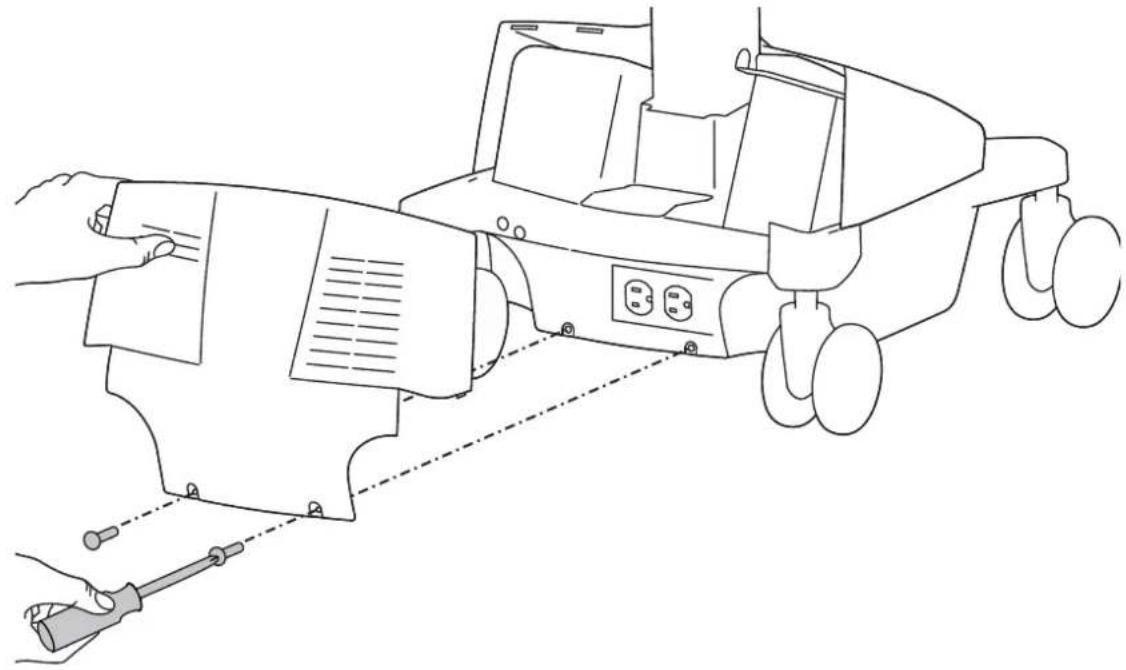
4 Remove rear base cover.
natural_image
Line drawing of a robotic device with hands operating it, showing wiring and control panel (no text or symbols)5 Remove retainer bracket.
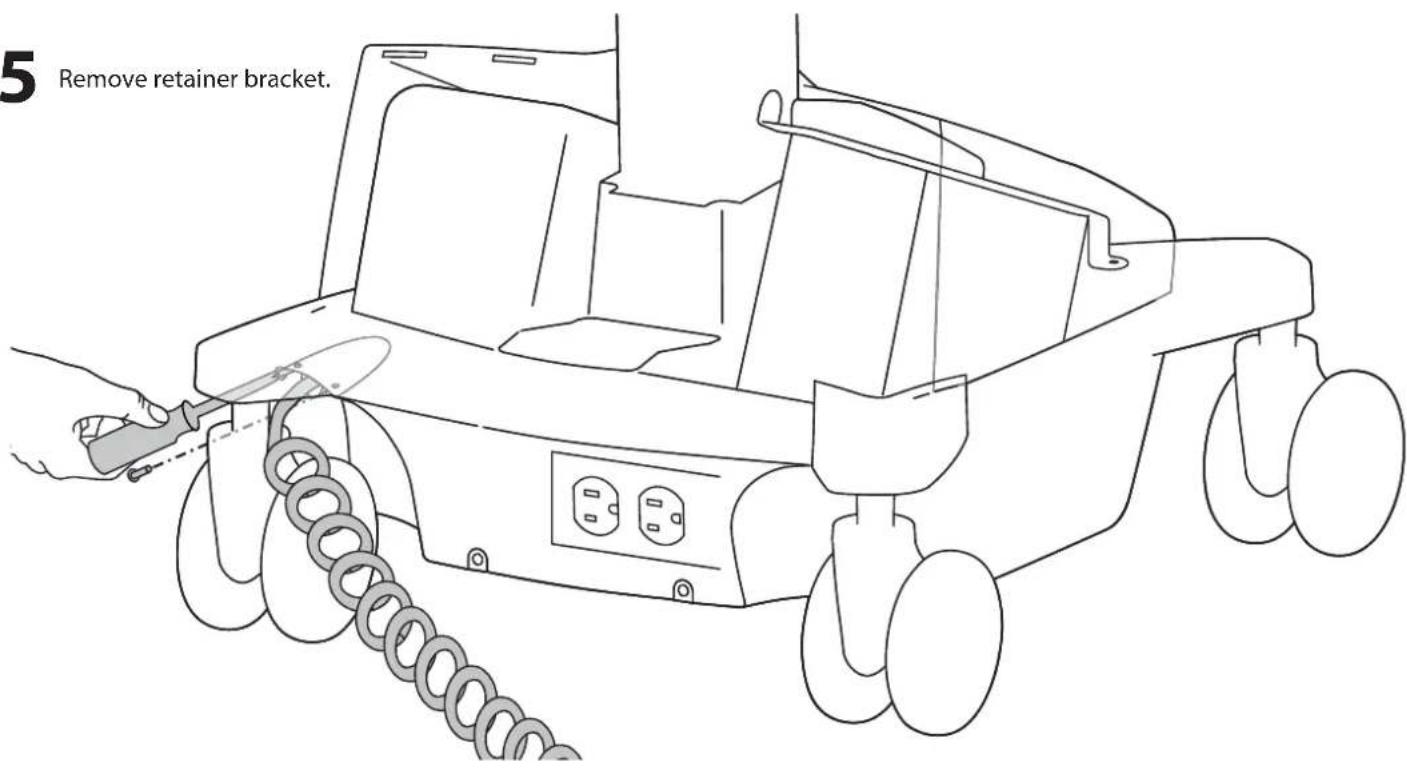
text_image
5 Remove retainer bracket.6 Unplug coiled cord and plug in new cord.
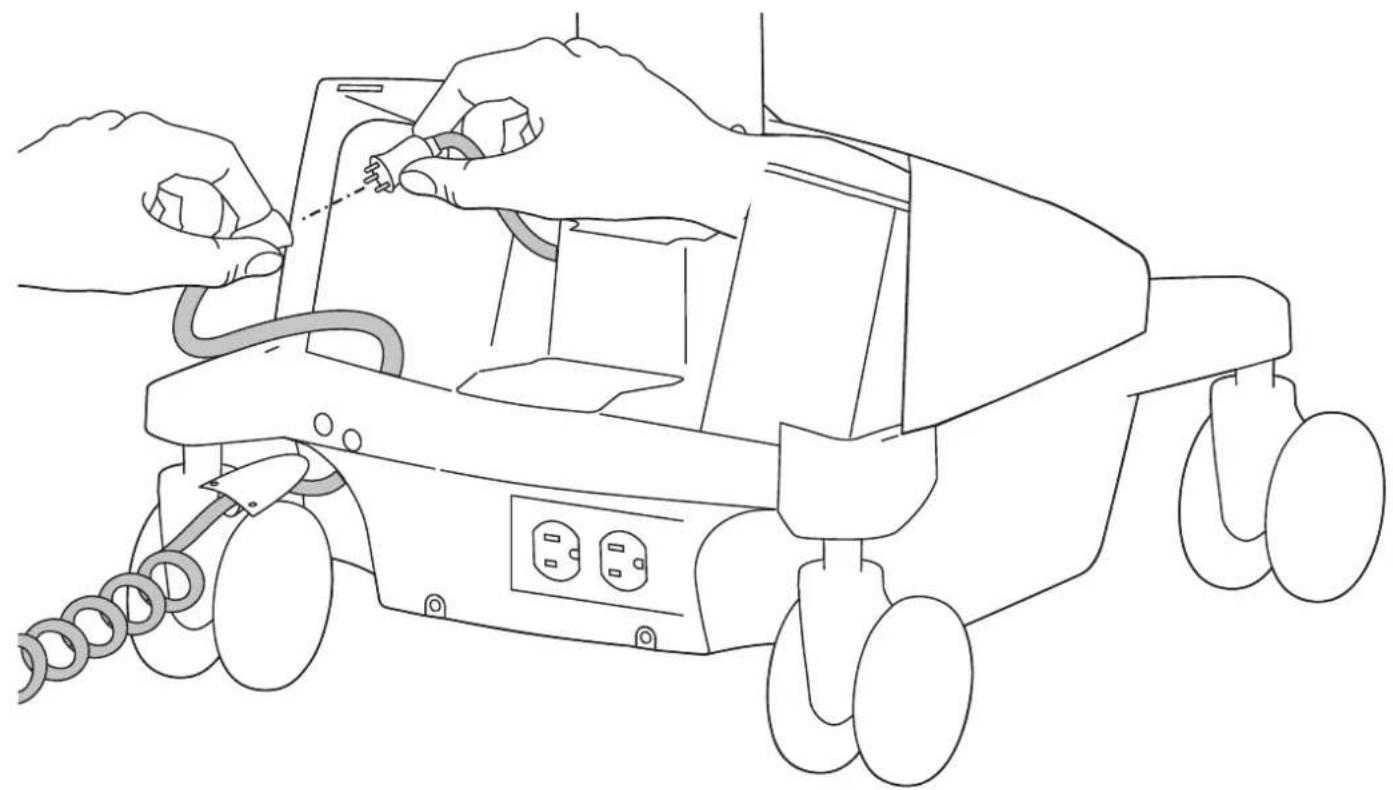
natural_image
Line drawing of hands operating a mobile phone with attached cables and power outlets (no text or symbols)7 Reattach retainer bracket.
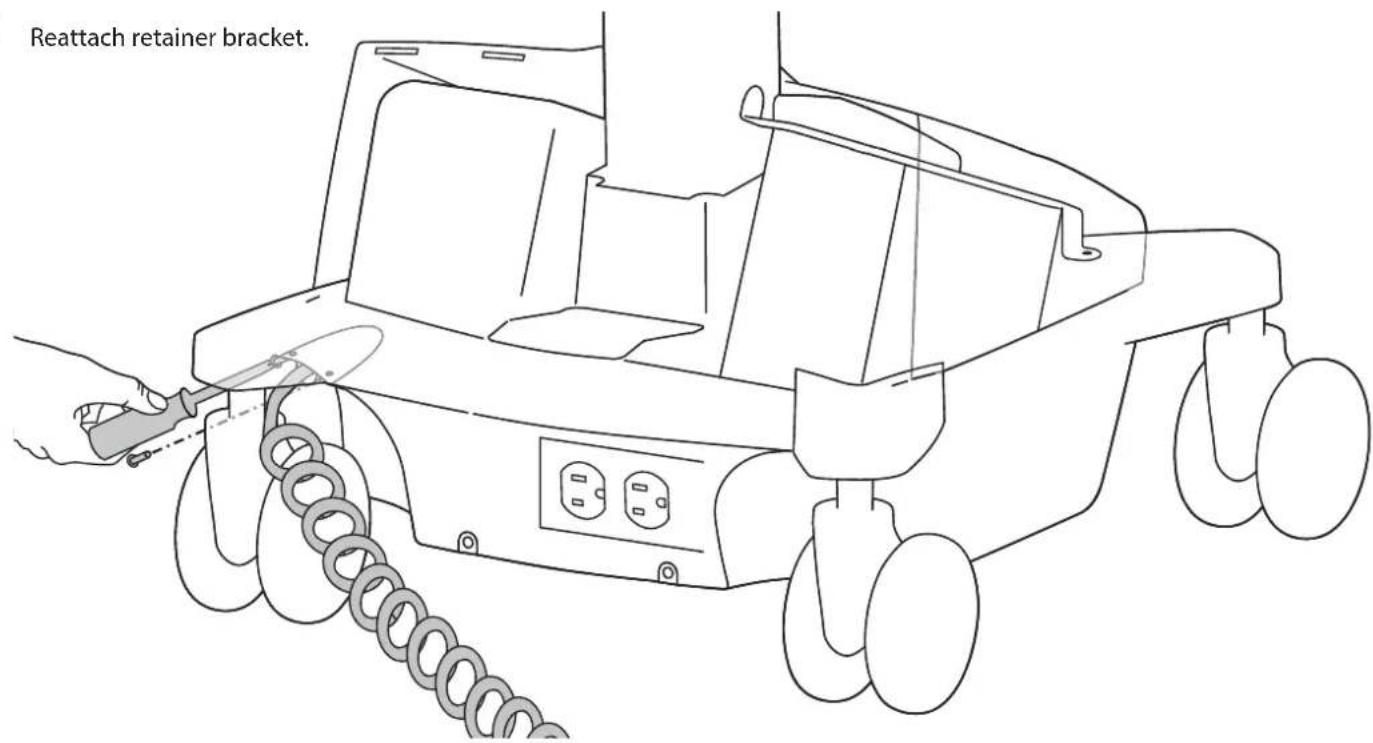
text_image
Reattach retainer bracket.
Replace rear base cover.
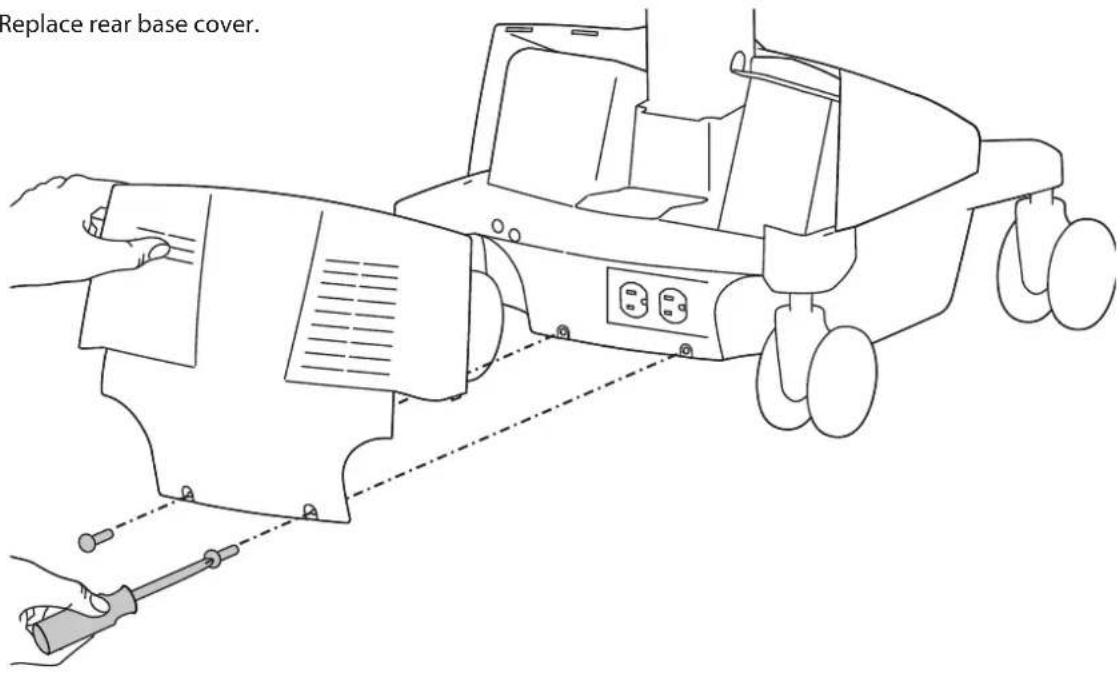
text_image
Replace rear base cover.End of Instructions for LiFe Power Systems
For service and warranty visit www.ergotron.com
For local customer care phone numbers visit: http://contact.ergotron.com
Americas Sales and
Corporate Headquarters
EMEA Sales
1181 Trapp Rd.
St. Paul, MN USA
(800) 888-8458
+1-651-681-7600
www.ergotron.com
sales@ergotron.com
Amersfoort, The Netherlands
+31 33 45 45 600
www.ergotron.com
info.eu@ergotron.com
APAC Sales
Tokyo, Japan
www.ergotron.com
apaccustomerservice@ergotron.com
Worldwide OEM Sales
www.ergotron.com
info.oem@ergotron.com

ERGOTRON
© 2014 Ergotron, Inc. All rights reserved.
While Ergotron, Inc. makes every effort to provide accurate and complete information on the installation and use of its products, it will not be held liable for any editorial errors or omissions (including those made in the process of translation from English to another language), or for incidental, special or consequential damages of any nature resulting from furnishing this instruction and performance of equipment in connection with this instruction. Ergotron, Inc. reserves the right to make changes in the product design and/or product documentation without notification to its users. For the most current product information, or to know if this document is available in languages other than those herein, please contact Ergotron. No part of this publication may be reproduced, stored in a retrieval system, or transmitted in any form or by any means, electronic, mechanical, photocopying, recording or otherwise without the prior written consent of Ergotron, Inc., 1181 Trapp Road, Eagan, Minnesota, 55121, USA Patents Pending and Patented U.S. & Foreign. Ergotron is a registered trademark of Ergotron, Inc.