Touch HX-P550 - Support voiture JAM - Kostenlose Bedienungsanleitung
Finden Sie kostenlos die Bedienungsanleitung des Geräts Touch HX-P550 JAM als PDF.


Benutzerfragen zu Touch HX-P550 JAM
0 Frage zu diesem Gerät. Beantworten Sie die, die Sie kennen, oder stellen Sie Ihre eigene.
Eine neue Frage zu diesem Gerät stellen
Laden Sie die Anleitung für Ihr Support voiture kostenlos im PDF-Format! Finden Sie Ihr Handbuch Touch HX-P550 - JAM und nehmen Sie Ihr elektronisches Gerät wieder in die Hand. Auf dieser Seite sind alle Dokumente veröffentlicht, die für die Verwendung Ihres Geräts notwendig sind. Touch HX-P550 von der Marke JAM.
BEDIENUNGSANLEITUNG Touch HX-P550 JAM
HEY, HAVE WE SEEN YOU HERE BEFORE?
Register your speaker at www.jamaudio.com. email an about where you bought it and how
you're using it like gold for the people who make those speakers. Do them a solid, will say?
Por manual de instrucciones e información de garantía en español visitenos en
www.jamaudio.com
there are lots of 000 jam speakers. Check them at out at www.jamaude.com
PACKAGE CONTENTS
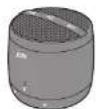
Speaker

User Manual
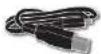
Charging Core
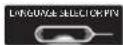
Language
Selector Pin
JUST CHARGE IT
Changing the speaker is so easy you've probably figured it out by son, but just in case, you've got two options: you can charge it using your computer or a wall color.
- The card that came with the speaker—the one will the USB on one end and the Micro USB on the other—is made to work with your computer.
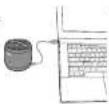
- If you want to use the wall outlet, you'll need to pick up a power cord with a Micro USB the next time you're at the store, or use any USB AC adapter, including the one for your cell.

How go get ready for an apto night while your speaker goes too. It needs about 3 hours to be fully charged for 5 hours of party time.
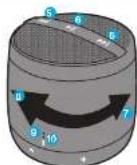
CONTROL YOUR DESTINY...OR AT LEAST YOUR SPEAKER
-
That a power out, then, means are sold for 5 seconds to power on
-
It speaks too. Clicks between languages here
-
Tru power cord goes now
-
Hook it up old-school
-
Skip back a track or jam on to the next song
-
Touch to play touch again to cause
-
Twist to the right to turn the music up
-
Just what to be left to turn the music down, will
Why do you feel to be a woman?
-
Does not how much jard is in the battery
-
17th ed. 15th y. 21st z. 21st
50 Pected
- Language Code: 100

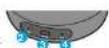

ALLOW US TO SHFD SOMFIGHT
| What It Looks Like | What It Means | |
| CHARGE | Fashing Ro | Low Battery |
| Solid REC (when plugged in) | Charging | |
| Off (when plugged in) | Ready to Party | |
| scnyg | Quick Hash Blue | Lighting Mode |
| Slow Flash BLUE | Connected | |
| TBD | Free-in Mode |
BLUE TOOTH® CONNECTION: IT'S A SETUP
Like any amazing couple, this one starts with a connection—one between your device and the speaker's Bluetooth.
Here's how it works
-
We know you're probably going to think, "clero" with this one, but we have to say it: Make sure the smartphones, tablet or computer you want to look up to the speaker has Bivastock. [There, We got that out of the way.]
-
Turn on the speaker press and hold for 5 search engine lock for pro-lille blinking light
-
To whatever your needs need you to me on its end. (We can't know what you're using. We're not spice.)
-
Look for Jam Touch in your devices Photograph list or click YES—whatever pops on your device—and BAMI you're connected.
-
Now hit PLAY on your speaker and crank it up—or down if you're lame.
You're probably only going to have to do this once, unless your desire goes through a major just-dropped-it-in-the-pool kind of insect. The devos and blastooth will find each other every time just as long as the speaker is set to Blatchish and your distance Blatchish is, you know—or.
If you're commenting to a computer, you may have some extra steps on this end. You'll have to get that information from the computer company.
Depending on your device you may be promoted to an or a pairing code. If prompted enter "0000" as the code.
Press are held the PLAY/FAJSE button for 5 seconds to activate pairing mode.
Note: If you turn on your turn Touch by, haven't so else the party yet, it will automatically power off after 2 minutes of unseared insitivity.
Note: Once you've pared, if you pause the party for '5 minutes or more the Jam Town will automatically shut off to preserve as lazy power.
HELLO? SPEAKERPHONE? YES!
When friends call asking a join, he party—and you know how will—answer the phone without a disconnect from your JAM Touch. Yes, that's right. Your speaker's a speakerphone too. How amazing is the?
Here's how it works:
-
Make sure your phone and speaker are connected from much Bluetooth.
-
Answering and ending a call works the same way: smoky click the PLAYPAUST but are your Touch.
-
"you'd rather not talk, how down the PLAY/WUSH button on your touch for three seconds to ignore the call."
THE COOLEST PART: The Touch knows when a call is coming in and pauses the music before ringing. When you hang out, the music starts where it call off and so does the party, if it's your making the call just start dialing from your phone and the other automatically does its home-tree ring, isn't it refreshing to know your speaker idaly gets you?
THE VOICE FROM WITHIN
When your JAM Touch isn't rocking out, it can tell you all sorts of things it's using when it's powering on. ready to pair, pelted ignoring a call, ending a call, charging, and powering off.
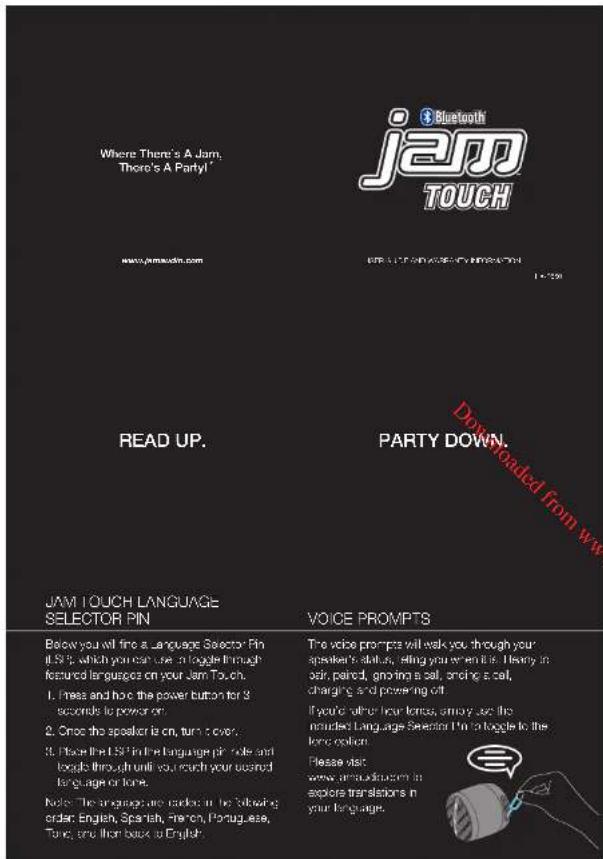
Just is the global gadget it is, your speaker toggles between several languages or no language all. Your speaker can play with you, in English Spanish, French, or Portuguese. But, making the change between language and bone stars simple as picking a masterpiece, safely on, or the picture into the email home on the bottom. Click through until the speaker starts speaking your language.
COMING CLEAN
A so'll dry loose. It all you need to clean of your speaker. Using water, fresh clearers or anything else only starts messing with the mechanics in case. So, yeah, don't do:
STUFF THE GOVERNMENT MAKES US SAY
FCC Disclaimer
Note: This device controls with part 15 of the FCG Rules. Operation is subject to the following two conditions: (1) This device may not cause harmful interference, and (2) this device must accept any interference received. Including interference that may cause undesirable operation.
Note: This equipment has been tested and round to comply with the limits for a Class B digital device, pursuant to part 15 of the FOC Rules. These limits are designed to provide reasonable protection against harmful interference in a residential installation.
This equipment generates, uses and can provide radio frequency energy arc, if not insulin, and need in accordance with the instructions, may cause hemol interference to radio communications. However, there is no guarantee that interference will not occur in a particular installation.
If this equipment does cause harmful interference to radio or television reception, which can be determined by turning the equipment off and on, the user is encouraged to try to correct the interference as one or more of the following venues:
• Figure of principle the receiving antenna.
- increase the guarantee between the equivalent and receiver.
- Osmed the equipment into an outlet on a different level to which the worker is connected.
- Consult the dealer or an experienced radio/V technician for help.
Note: Changes or modifications not expressly approved by HMDX code vote the user's authority to operate this equipment.
ONE YEAR LIMITED WARRANTY
For detailed warranty instructions and information visit:
http://www.jmsuob.com/customersupport/warranty-tyr
To obtain warranty service or your Jam product, contact a Consumer Relations Representative by step one's 1-868-802-0340 to email service@ymnudio.com for assistance. Please make sure it have the mode number of the product available. Representatives are available 5:00am - 7:00am EST Monday-Proxy.
STUFF OUR LAWYERS MAKE US SAY
IMPORTANT SAFEGUARDS:
When using an electrical product, basic precautions should always be followed, including the following:
READ ALL INSTRUCTIONS BEFORE USING
- WARNING: Dental nurse spears too close to cues. May cause damage to car trams, especially in young children.
- Use Pis practical only for its intended use as described in his manual. But not use attachments not recommended by -IMDX
- HNDX is not liable for any damage caused to Smartorance, iPod/MF2 player or any other device.
- Do not pace or store this product where it can fall or be dropped into a tub or sink.
- Do not pace or drop into water or any other liquid.
• Not for use by children. THIS SNO A IOY.
- Never operate this product bill has a damaged card, plug, cable or housing.
- Keep away from nested surfaces.
- Only set on dry surfaces. Do not place on surface wet from water or cleaning solvents.
A MESSAGE FROM THE ENVIRONMENT
WARNING:
This product has an internal, non-replausible lithium battery. Please dispose in accordance with your local, scale, province and country guidelines.
This product contains small parts that may pressel a rocking hazard for young children.
CALIFORN: AI servicing of his product must be performed by authorized-lam A. coli Seigia Fusagenol only.
Note: The most up-to-date version of the Jam Touch User Guide can always be found at www.jsmsudio.com.
Por manual de instrucciones o información de garantía en español visitenos en www.jamaudio.com
© 2014 HNDX. All High's Reserved. IB-HXP553
Follow JamAudio on Facebook, Twitter, Spotify & Soundcloud to feed your Jam with weekly playlists of hot new music.