MKE 200 - Mikrofon SENNHEISER - Gratis brugsanvisning og manual
Find enhedens vejledning gratis MKE 200 SENNHEISER i PDF-format.


Brugerspørgsmål om MKE 200 SENNHEISER
0 spørgsmål om dette apparat. Besvar dem du kender, eller stil dit eget.
Stil et nyt spørgsmål om dette apparat
Download vejledningen til din Mikrofon i PDF-format gratis! Find din vejledning MKE 200 - SENNHEISER og tag din elektroniske enhed tilbage i hånden. På denne side er alle dokumenter nødvendige for brugen af din enhed offentliggjort. MKE 200 af mærket SENNHEISER.
BRUGSANVISNING MKE 200 SENNHEISER

ew 300-500 G4
Quick Guide
Kurzanleitung
Guide rapide
Guida rapida
Guía de inicio rápido
Cuia répido
Rokpento handleiding
Beknopte handling Krótko instrukcie scholuri
Krotka instn Snabbguide
Kort vejledning
Pikaohje
Γρήγορος οδηγός
Kısa Kılavuz
Краткая инструкция
快速指南
快递指南 从请使用
快速使用指南
ヴィックガイド
북 가이드
SENNHEISER

Sennheiser Documentation App



or online at
www.sennheiser.com/download
ew 300-500 G4_
Sennheiser electronic GmbH & Co. KG
Am Labor 1, 30900 Wedemark, Germany
www.sennheiser.com
Publ. 01/18, 575861/A01
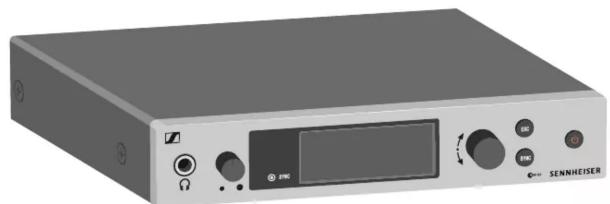
EM 300-500
natural_image
Exterior view of a black electronic device labeled 'SENNHEISER' with control buttons and display screen (no readable text beyond branding)SKM 300 | SKM 500
natural_image
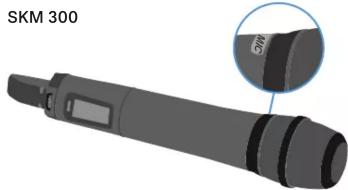
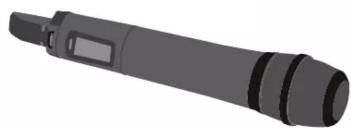
3D rendered image of a SKM 300 device with a close-up inset showing the internal components (no text or symbols on the device itself)SKM 500
natural_image
Illustration of a gray cylindrical device with multiple ports and a handle (no text or symbols)SK 300
SK 500
natural_image
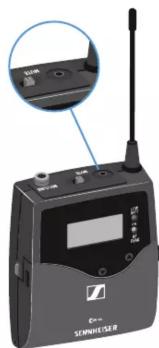
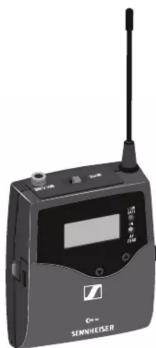
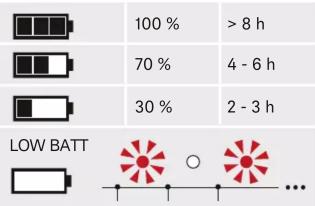
Exterior view of a black SNNHEUSER audio recording device with antenna and screen (no visible text or symbols on body)Battery
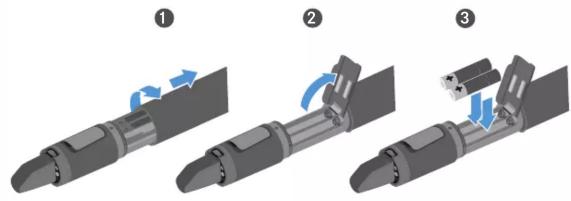
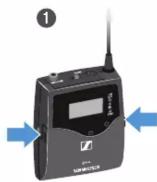
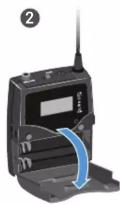
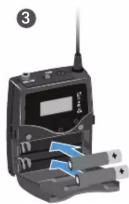
Low Battery
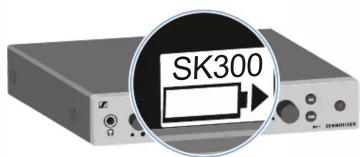
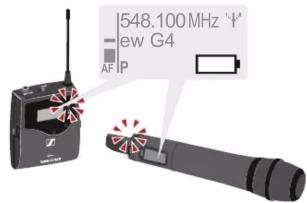
Setup
1
4
2
3
On
Off

long
EM/SK/SKM
off
Menu
Standard display
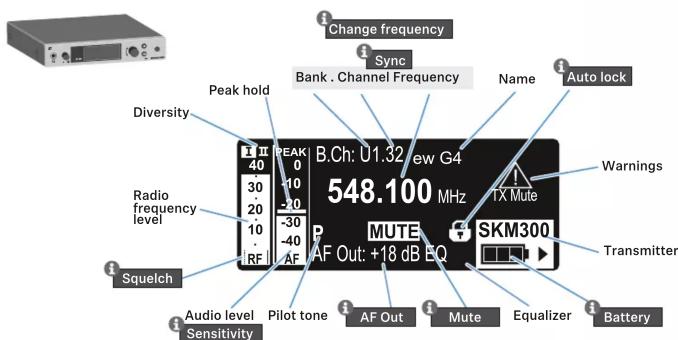
A
B
C
Warnings LED


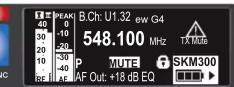
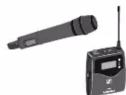
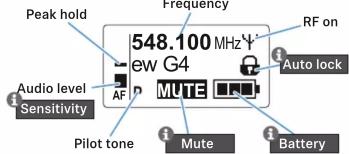

Instruction Manual
A

B

C
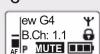

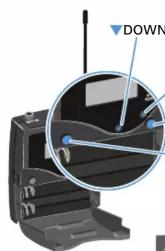
natural_image
Diagram of a device with a magnified inset showing internal components (no text or symbols)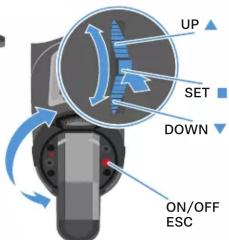
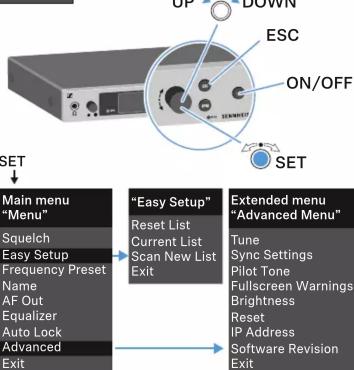
SET
Main menu
"Menu"
Sensitivity
Frequency Preset
Name
Auto Lock
Advanced
Exit
Extended menu
"Advanced Menu"
m = 311
Tune
Mute Mode (SK/SKM 300)
MIC LED (SK/SKM 300)
RF Power
Pilot Tone
LCD C
Reset
Software Revision
Software Revision
Auto lock
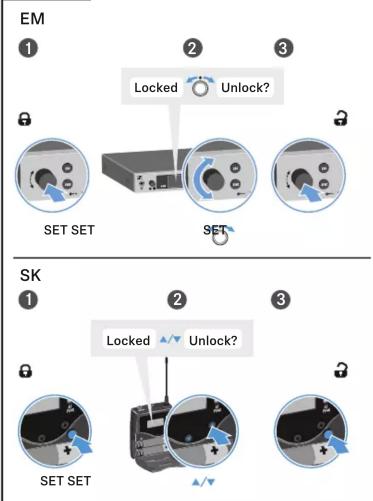
flowchart
graph TD
    A["EM"] --> B["SET SET"]
    B --> C{Locked?}
    C --> D["Unlock?"]
    D --> E["SET SET"]
    E --> F["SET"]
    F --> G["SET"]
    G --> H["SET"]
    H --> I["SET"]
    I --> J["SET"]
    J --> K["SET"]
    K --> L["SET"]
    L --> M["SET"]
    M --> N["SET"]
    N --> O["SET"]
    O --> P["SET"]
    P --> Q["SET"]
    Q --> R["SET"]
    R --> S["SET"]
    S --> T["SET"]
    T --> U["SET"]
    U --> V["SET"]
    V --> W["SET"]
    W --> X["SET"]
    X --> Y["SET"]
    Y --> Z["SET"]
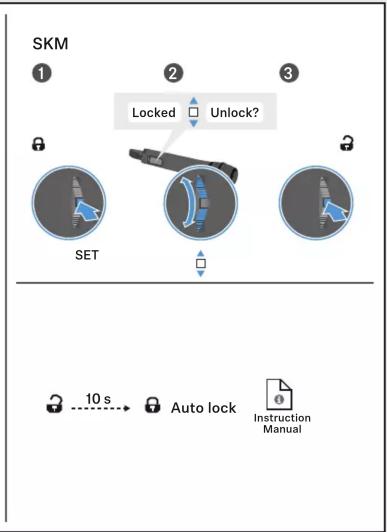
flowchart
graph TD
    A["SET"] --> B["Locked"]
    B --> C["Unlock?"]
    C --> D["Auto lock"]
    D --> E["Instruction Manual"]
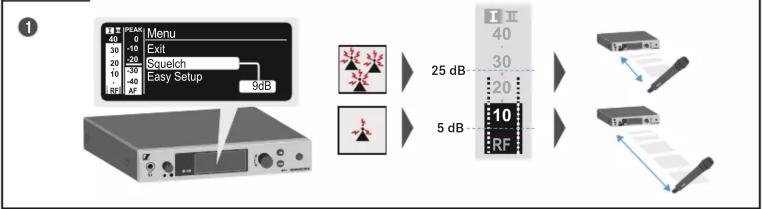
New frequency
Squelch
Change frequency
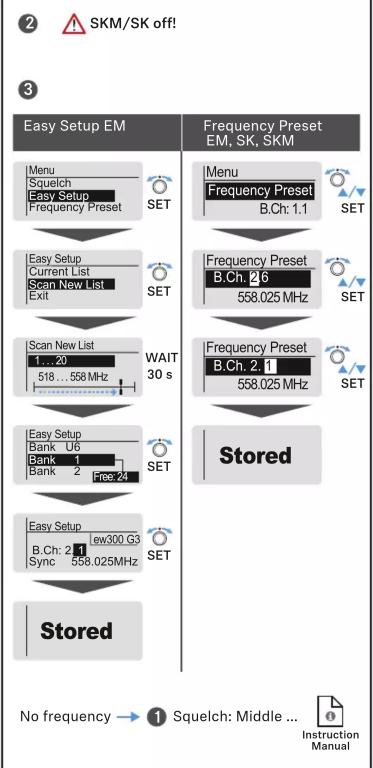
flowchart
graph TD
    A["Easy Setup EM"] --> B["Menu\nSquelch\nEasy Setup\nFrequency Preset"]
    B --> C["Easy Setup\nCurrent List\nScan New List\nExit"]
    C --> D["Scan New List\n1...20\n518...558 MHz"]
    D --> E["Easy Setup\nBank U6\nBank 1\nBank 2 Free:24"]
    E --> F["Easy Setup\nB.Ch: 2.1\nSync 558.025MHz"]
    F --> G["Stored"]
    H["Frequency Preset EM, SK, SKM"] --> I["Menu\nFrequency Preset\nB.Ch: 1.1"]
    I --> J["Frequency Preset\nB.Ch: 2.6\n558.025 MHz"]
    J --> K["Frequency Preset\nB.Ch: 2.1\n558.025 MHz"]
    K --> L["Stored"]
    M["No frequency"] --> N["Squelch: Middle ..."]
    N --> O["Instruction Manual"]
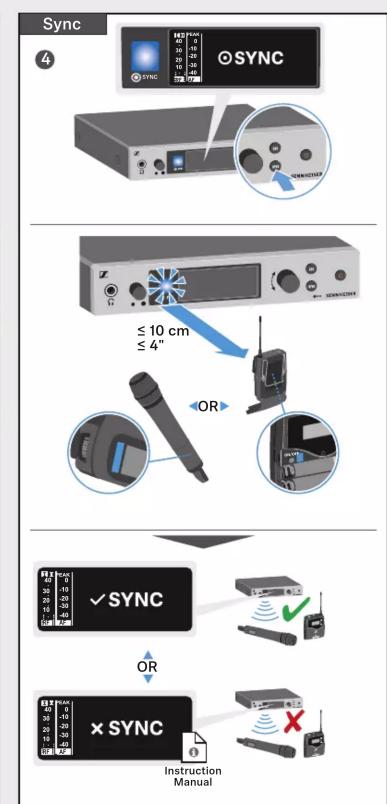
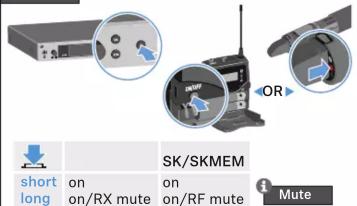
Mute
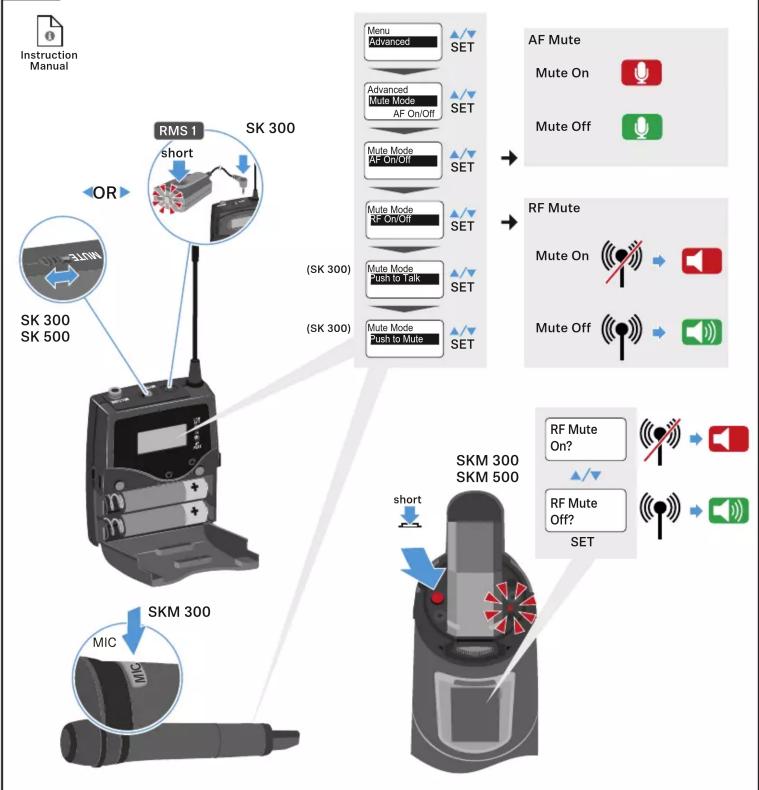
flowchart
graph TD
    A["Instruction Manual"] --> B["RMS 1"]
    B --> C["SK 300"]
    C --> D["OR"]
    D --> E["SK 300 SK 500"]
    E --> F["MIC"]
    F --> G["SKM 300"]
    G --> H["Short RMS 1"]
    H --> I["Menu Advanced SET"]
    I --> J["AF Mute"]
    J --> K["Mute On"]
    J --> L["Mute Off"]
    G --> M["Mute Mode AF On/Off SET"]
    M --> N["Mute Mode RF On/Off SET"]
    N --> O["Push to Talk"]
    O --> P["Mute Mode Push to Mute SET"]
    P --> Q["RF Mute"]
    Q --> R["Mute On"]
    Q --> S["Mute Off"]
    G --> T["Short SKM 300 SKM 500"]
    T --> U["Short RF Mute On?"]
    T --> V["Short RF Mute Off? SET"]
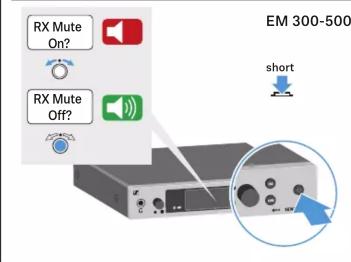
Network Control
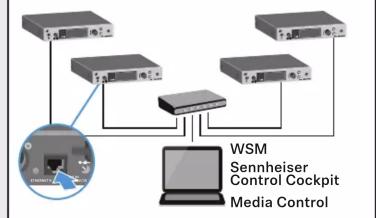
flowchart
graph TD
    A["User"] --> B["Device 1"]
    A --> C["Device 2"]
    A --> D["Device 3"]
    B --> E["Central System"]
    C --> E
    D --> E
    E --> F["Computer"]
    G["WSM"] --> H["Sennheiser Control Cockpit"]
    G --> I["Media Control"]
Multichannel - Easy Setup
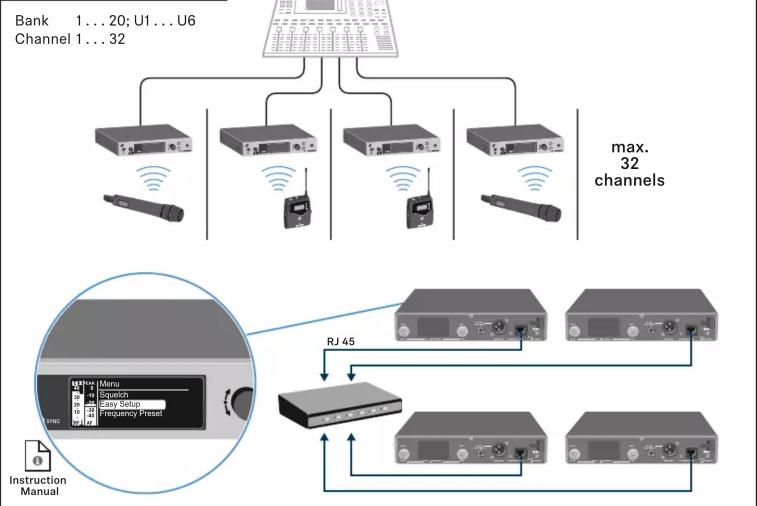
flowchart
graph TD
    A["Device"] --> B["1...20: Menu"]
    A --> C["U1...U6: Screw2"]
    A --> D["32: Channel 1...32"]
    A --> E["32: Channel 1...32"]
    A --> F["32: Channel 1...32"]
    A --> G["32: Channel 1...32"]
    A --> H["max. 32 channels"]
    I["Instruction Manual"] --> J["RJ 45"]
    J --> K["Device 1"]
    J --> L["Device 2"]
    J --> M["Device 3"]
    J --> N["Device 4"]
    J --> O["Device 5"]
    J --> P["Device 6"]
    J --> Q["Device 7"]
    J --> R["Device 8"]
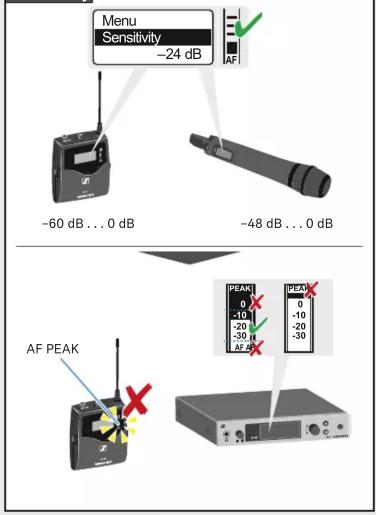
Sensitivity
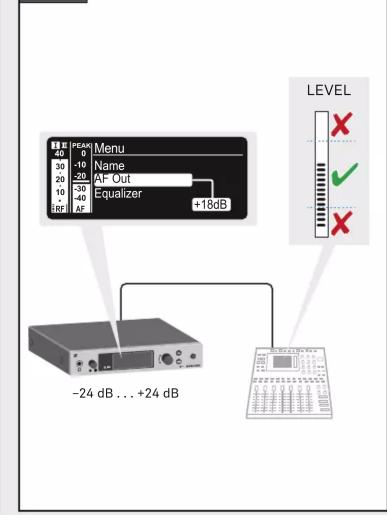
AF out
SKM
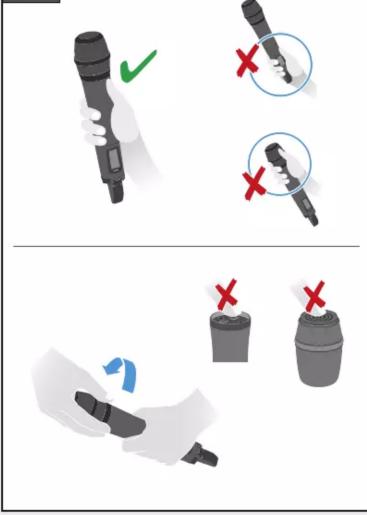
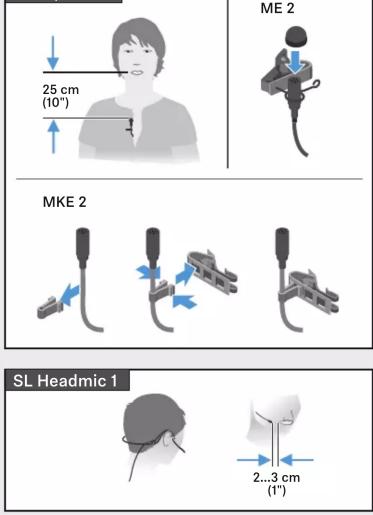
ME 2 | MKE 2