CB-MXP10 - Vægbeslag AMX - Gratis brugsanvisning og manual
Find enhedens vejledning gratis CB-MXP10 AMX i PDF-format.


Brugerspørgsmål om CB-MXP10 AMX
0 spørgsmål om dette apparat. Besvar dem du kender, eller stil dit eget.
Stil et nyt spørgsmål om dette apparat
Download vejledningen til din Vægbeslag i PDF-format gratis! Find din vejledning CB-MXP10 - AMX og tag din elektroniske enhed tilbage i hånden. På denne side er alle dokumenter nødvendige for brugen af din enhed offentliggjort. CB-MXP10 af mærket AMX.
BRUGSANVISNING CB-MXP10 AMX
Overview
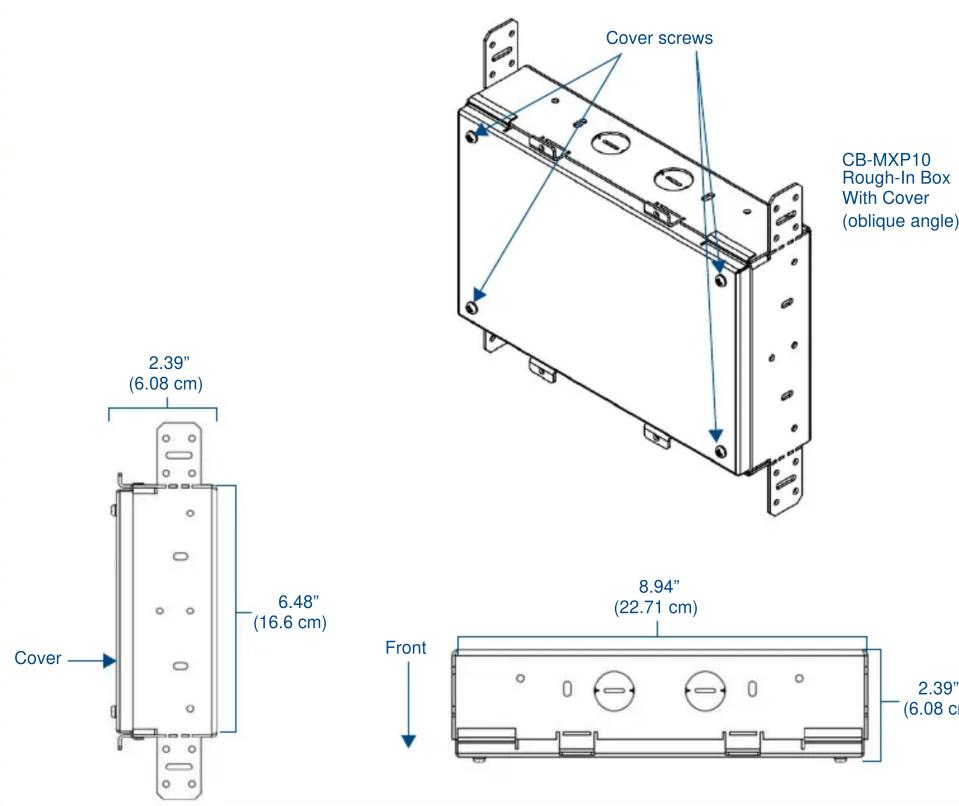
The CB-MXP10 Rough-In Box (FG039-17) is an optional accessory for the Modero X Series 10" Wall Mount Touch Panel. It allows the panel to be mounted directly to the studs/pre-wall.
The back of the Modero X Series 10" Wall Mount Touch Panel is contained within a plastic outer housing or back box, and the back box attaches to the Rough-In Box. The Rough-In Box kit includes a wall box, cover, and mounting screws.
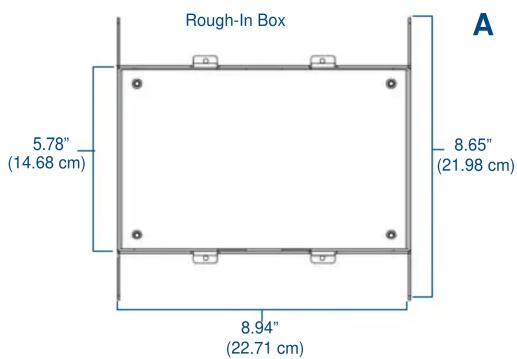
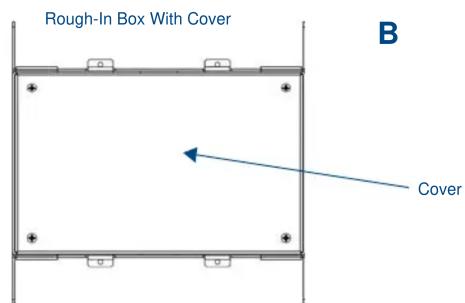
FIG. 1 CB-MXP10 Rough-In Box - with front cover
Specifications
| CB-MXP10 (FG039-17) Specifications | |
| Dimensions (HWD) | • Rough-In Box: 8 5/8" x 9 7/8" x 2 1/4" (22.0 cm x 22.7 cm x 5.7 cm)• Rough-In Box Cover Plate: TBD |
| Weight • With cover | TBD• Without cover: 1.80 lbs (0.82 kg) |
| Certifications • UL L | sted |
| Included Accessories: | • Cover Plate for Rough-in Box (FG039-20)• Back Box to Rough-In Box Mounting Screws (4) (80-5967-03)• Cover Plate to Rough-In Box Mounting Screws (4) (80-5967-03) |
WARNING: In order to guarantee a stable installation of the touch panel, the distance between the CB-MXP10 and the outer wall surface must be a minimum of .50 inches (1.27cm) and a maximum of .1.50 inches (3.81cm).
- Refer to the 95-5968-34 diagram for detailed installation dimensions.
Pre-Wall Installation of the CB-MXP10 Rough-In Box
- Remove the rough-in box cover (B in FIG. 1) before installation of the Rough-In Box (A). Note: the cover MUST be removed before drywall installation. The cover may be reinstalled after drywall installation using 4-40 screws (not included).
- Fasten the CB-MXP10 rough-in box to the stud through the holes on the Stud Mounting tabs, using either nails or screws (not provided).
- Additional framing or blocking may be desired for a more robust mounting.
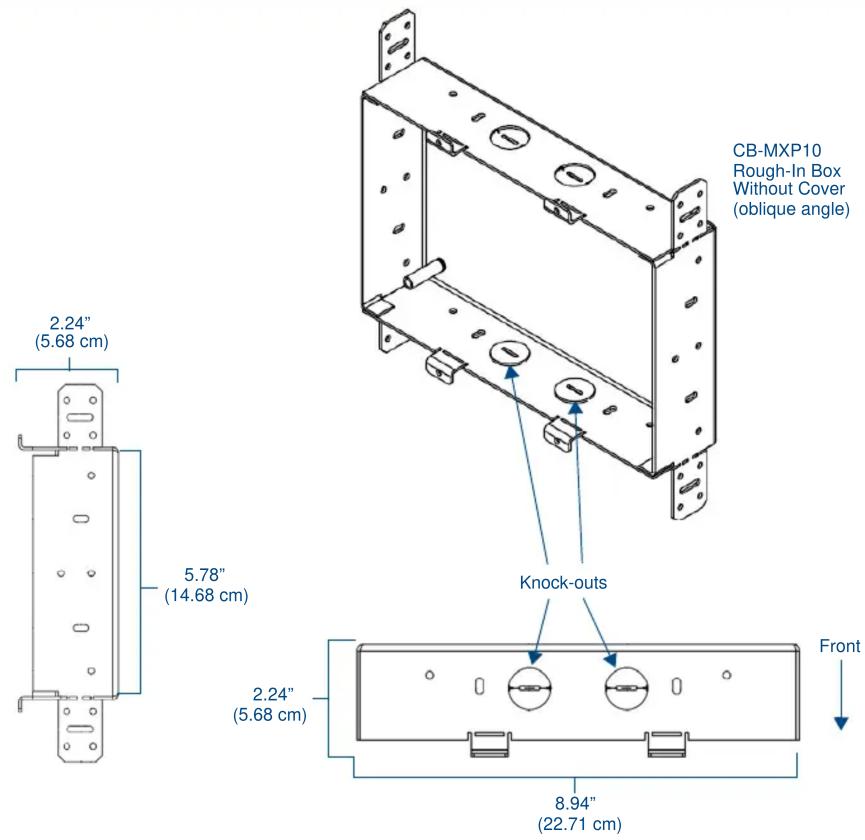
- Remove the appropriate wiring knockouts from the rough-in box to accommodate the cables being threaded through to the 19" or 20" Wall Mount Touch Panel.
- Thread the incoming Ethernet and USB wiring through the knockouts. Using the left wiring knockouts for USB connector cables and the right wiring knockouts for the LAN/PoE In cable is very highly recommended with this installation. Leave enough slack in the wiring to accommodate installation of the docking station.
- Install the drywall/sheetrock before inserting the back box for the CB-MXP10.
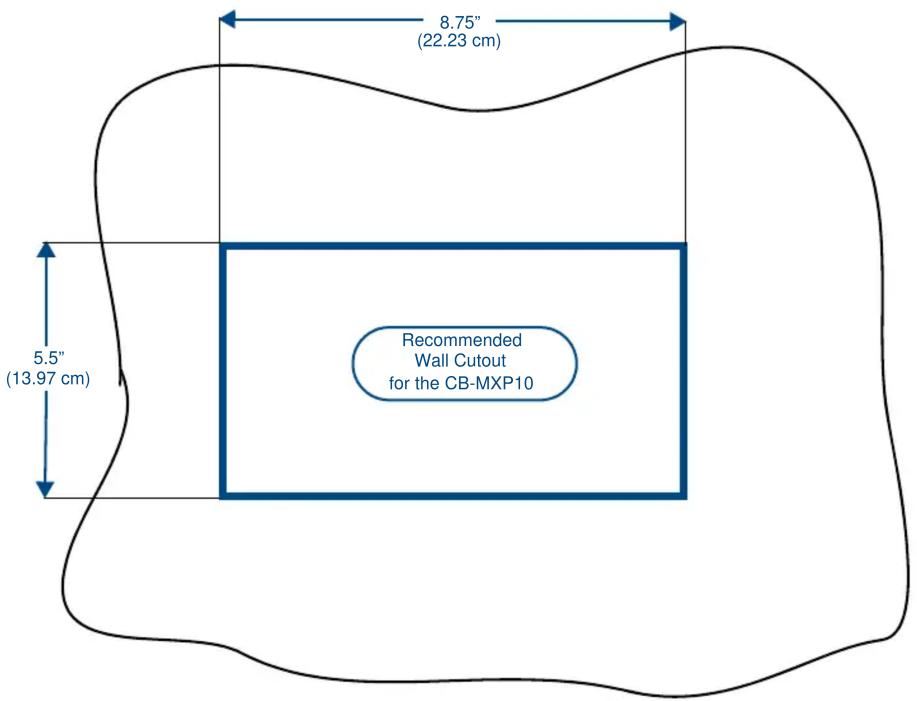
- Cut out the opening for the Wall Mount Touch Panel back box where the wall has been placed over the Rough-In Box. Cutting out the surface slightly smaller than what is outlined in the installation drawings, so that you can make any necessary cutout adjustments, is very highly recommended.
NOTE: The front cover of the CB-MXP10 (B in FIG. 1) should be installed after the appropriate wiring is pulled to the Rough-In Box. The cover should then be removed prior to the installation of the touch panel back box and discarded.
For full warranty information, refer to the AMX Instruction Manual(s) associated with your Product(s).
4/12
©2012 AMX. All rights reserved. AMX and the AMX logo are registered trademarks of AMX.
AMX reserves the right to alter specifications without notice at any time.
3000 RESEARCH DRIVE, RICHARDSON, TX 75082 • 800.222.0193 • fax 469.624.7153 • technical support 800.932.6993 • www.amx.com