AX-NIS32BT - Ukategoriseret AXESS - Gratis brugsanvisning og manual
Find enhedens vejledning gratis AX-NIS32BT AXESS i PDF-format.


Brugerspørgsmål om AX-NIS32BT AXESS
0 spørgsmål om dette apparat. Besvar dem du kender, eller stil dit eget.
Stil et nyt spørgsmål om dette apparat
Download vejledningen til din Ukategoriseret i PDF-format gratis! Find din vejledning AX-NIS32BT - AXESS og tag din elektroniske enhed tilbage i hånden. På denne side er alle dokumenter nødvendige for brugen af din enhed offentliggjort. AX-NIS32BT af mærket AXESS.
BRUGSANVISNING AX-NIS32BT AXESS
NISSAN BLUETOOTH BYPASS
The following Nissan Vehicles come equipped with a Bluetooth module that must be bypassed when installing an ASWC-1 (sold separately) in order to retain the Bluetooth buttons on the steering wheel.
APPLICATIONS
| 350Z 2007-2009 | Cube 2009-2014 | Leaf | 2012-2015 | Rogue | 2008-2013 | Versa Note | 2014-2015 |
| 370Z (without nav) 2010-2014 | Frontier 2008-2011 | Maxima | 2006-2014 | Sentra | 2007-2015 | Xterra | 2007-2015 |
| 370Z 2015-2016 | Frontier (with amp) 2013-2015 | NV200 | 2013-2017 | Titan 2008-2014 | |||
| Altima 2007-2012 | Juke 2011-2014 | NV2500 | 2012-2013 | Versa 2007-2016 |
BLUETOOTH MODULE LOCATIONS
| 350Z 2007-2009 | Top of Trunk | Frontier 2008-2011 | Under front seat | Maxima 2006-2014 | Under rear deck in trunk | Titan 2008-2014 | Under front passenger seat |
| 370Z 2010-2014 (w/o nav) | Top of Trunk | Frontier 2013-2015 (w/ amp) | Under front seat | NV200 2013-2017 | Behind glovebox | ||
| 370Z 2015-2016 | Top of Trunk | Juke 2011-2014 | Behind glovebox | NV2500 2012-2013 | Behind glovebox | Versa 2007-2016 | Right side of trunk |
| Altima 2007-2012 | Rear deck | Leaf 2012-2015 | Trunk right hand side of luggage compartment | Rogue 2008-2013 | Trunk left side luggage compartment | Versa Note 2014-2015 | Right side of trunk |
| Cube 2009-2014 | Under front passenger seat | Sentra 2007-2015 | Behind glovebox | Xterra 2007-2015 | Under front passenger seat |
Installation Instructions on the back

AX-NIS32BT INSTALLATION INSTRUCTIONS

INSTALLING
- Install and program the ASWC-1, then test all buttons for proper function.
Note: Bluetooth buttons will not work until Step 2 is done.
For ASWC-1 vehicle instructions, please refer to the AXXESS website: https://axxessinterfaces.com/
-
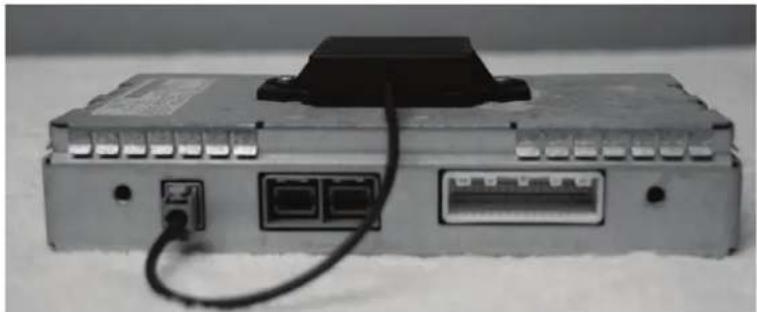
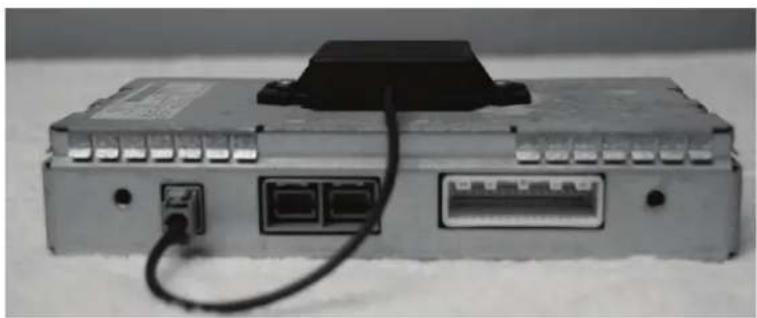
Locate the Bluetooth module, disconnect the 32-pin harness, and then connect the AX-NIS32BT to the harness removed.
-
Test that the Bluetooth buttons now function.
Note: Ensure that the phone is paired to the aftermarket radio.
natural_image
Exterior view of a gray electronic device with ports and cables, no visible text or symbolsNISSAN BLUETOOTH BYPASS
Los siguientes vehículos Nissan vienen equipados con un módulo Bluetooth que se debe omitir al instalar un ASWC-1 (que se vende por separado) para conservar los botones Bluetooth en el volante.
APLICACIONES
| 350Z 2007-2009 | Cube 2009-2014 | Leaf | 2012-2015 | Rogue | 2008-2013 | Versa Note | 2014-2015 | ||
| 370Z (sin nav) | 2010-2014 | Frontier 2008-2011 | Maxima | 2006-2014 | Sentra | 2007-2015 | Xterra | 2007-2015 | |
| 370Z 2015-2016 | Frontier (con amp) | 2013-2015 | NV200 | 2013-2017 | Titan 2008-2014 | ||||
| Altima 2007-2012 | Juke 2011-2014 | NV2500 | 2012-2013 | Versa 2007-2016 |
UBICACIONES DEL MÓDULO BLUETOOTH
| 350Z 2007-2009 | Parte superior del tronco | Frontier 2008-2011 | Debajo del asiento delantero | Maxima 2006-2014 | Debajo de la cubierta trasera en el maletero | Titan 2008-2014 | Debajo del asiento del copiloto |
| 370Z 2010-2014 (sin nav) | Parte superior del tronco | Frontier 2013-2015 (con amp) | Debajo del asiento delantero | NV200 2013-2017 | Detrás de la guantera | Versa 2007-2016 | Lado derecho del maletero |
| 370Z 2015-2016 | Parte superior del tronco | Juke 2011-2014 | Detrás de la guantera | NV2500 2012-2013 | Detrás de la guantera | Versa Note 2014-2015 | Lado derecho del maletero |
| Altima 2007-2012 | Cubierta trasera | Rogue 2008-2013 | Maletero lateral izquierdo | ||||
| Cube 2009-2014 | Debajo del asiento del copiloto | Leaf 2012-2015 | Lado derecho del tronco del maletero | Sentra 2007-2015 | Detrás de la guantera | Xterra 2007-2015 | Debajo del asiento del copiloto |
| Instrucciones de instalación en la parte posterior | |||||||
INSTALACIÓN
- Instale y programe el ASWC-1, luego pruebe todas los botones para una función adecuada.
Nota: Los botones Bluetooth no funcionarán hasta que se complete el Paso 2.
Para obtener instrucciones sobre el vehículo ASWC-1, consulte el sitio web de AXXESS: https://axxessinterfaces.com/
- Ubique el módulo Bluetooth, desconecte el arnés de 32-pins, y luego conecte el AX-NIS32BT al arnés eliminado.
- Pruebe que los botones Bluetooth ahora funcionan.
Nota: Asegúrese de que el teléfono esté sincronizado con la radio no original.