Vario RB 282 203 - Frigider GAGGENAU - Manual de utilizare gratuit
Găsiți gratuit manualul dispozitivului Vario RB 282 203 GAGGENAU în format PDF.


Alegeți limba și furnizați adresa dvs. de email: vă vom trimite o versiune tradusă special.
Întrebările utilizatorilor despre Vario RB 282 203 GAGGENAU
0 întrebare despre acest aparat. Răspundeți la cele pe care le cunoașteți sau puneți-vă propria.
Pune o întrebare nouă despre acest aparat
Nicio întrebare deocamdată. Fiți primul care pune una.
Descărcați instrucțiunile pentru Frigider în format PDF gratuit! Găsiți manualul dvs. Vario RB 282 203 - GAGGENAU și luați din nou în mână dispozitivul dvs. electronic. Pe această pagină sunt publicate toate documentele necesare pentru utilizarea dispozitivului dvs. Vario RB 282 203 mărcii GAGGENAU.
MANUAL DE UTILIZARE Vario RB 282 203 GAGGENAU

text_image
TORX 20 Ø 2 mm Ø 3 mm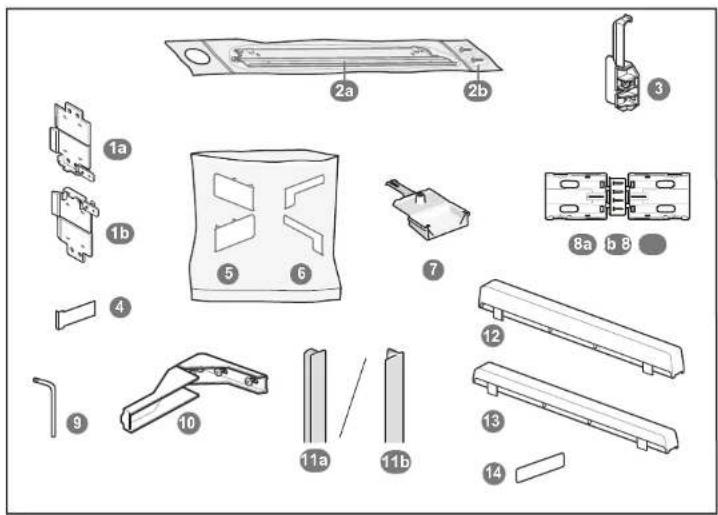
text_image
Exploded view diagram of a mechanical assembly with numbered parts for identification
text_image
Diagram illustrating a safety warning with a person using a device and a warning sign, alongside a diagram of an open refrigerator.
natural_image
Diagram of a refrigerator interior showing exterior and front panels with blue arrows indicating movement (no text or symbols)
text_image
200 cm²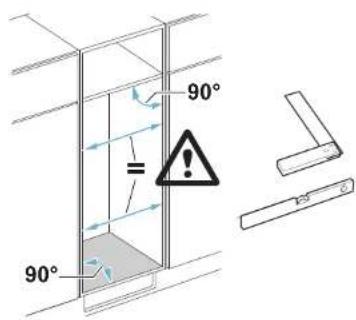
text_image
90° = 90°8001029860(9704)

flowchart
graph LR
    A["Image with heat transfer arrows and a thought bubble"] --> B["Reaction: hand holding a tool with explosion and warning symbol"]
    B --> C["Recovery to refrigerator with heat transfer arrows"]
text_image
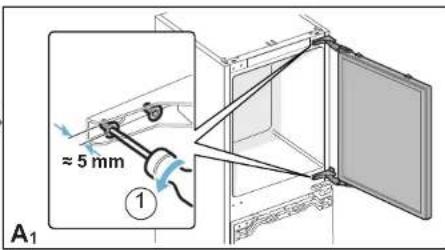
≈ 5 mm A₁
natural_image
Diagram of a refrigerator interior with two doors open, showing structural changes (no text or symbols)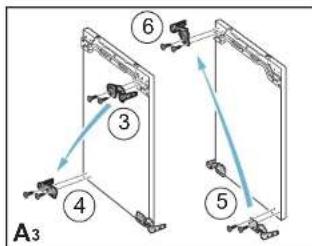
text_image
A3 ③ ④ ⑤ ⑥
text_image
A₄ 7 ≈ 5 mm 8 9
text_image
A5 ⑩ ⑪
text_image
A6 ≈ 5 mm ⑫ 12
text_image
A7 ⑬ ⑬
flowchart
graph TD
    A["Component 15"] --> B["Component 14"]
    B --> C["Component 17"]
    C --> D["Component 16"]
    D --> E["Component 15"]
    style A fill:#f9f,stroke:#333
    style B fill:#ccf,stroke:#333
    style C fill:#cfc,stroke:#333
    style D fill:#fcc,stroke:#333
    style E fill:#ffc,stroke:#333

text_image
A9 18 19 ≈ 5 mm 20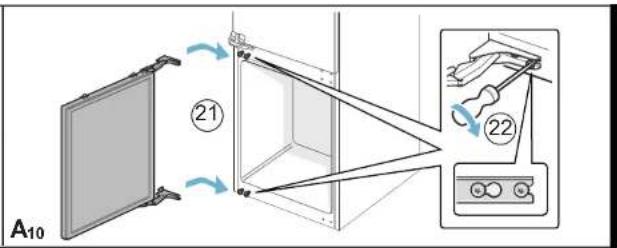
text_image
A10 ②1 ②2
flowchart
graph TD
    A["Storage Room B"] --> B["1a Refrigerator"]
    B --> C["1b Refrigerator"]
    C --> D["?"]
    D --> E["16 mm Refrigerator B1a"]
    E --> F["19 mm Refrigerator B1b"]
    F --> G["2 Refrigerator ①"]
    G --> H["2 Refrigerator ②"]
    H --> I["1 refrigerator"]
    I --> J["1 refrigerator ③"]
    J --> K["1 refrigerator ④"]
    K --> L["1 refrigerator ⑤"]

text_image
B3 ⑤ 2a ⑥ click ⑦
text_image
B4 4 mm ⑧ ⑨ ⑩
flowchart
graph LR
    A["Component 4"] --> B["B5"]
    B --> C["Component 11"]
    C --> D["Product B6"]
    D --> E["Component 12"]
    E --> F["Component 13"]
    F --> G["Component 14"]
    G --> H["Final Product B6"]

flowchart
graph TD
    A["16"] --> B["B7"]
    B --> C["17"]
    C --> D["7"]
    D --> E["B8"]
    E --> F["18"]
    F --> G["B9"]
    style A fill:#f9f,stroke:#333
    style B fill:#ccf,stroke:#333
    style C fill:#cfc,stroke:#333
    style D fill:#fcc,stroke:#333
    style E fill:#cff,stroke:#333
    style F fill:#ffc,stroke:#333
    style G fill:#fcc,stroke:#333

text_image
41 mm B10 20 21 22 23 24 25 26 click B11
text_image
27 2b B12 28
natural_image
Diagram of a cabinet or shelving unit with two panels, no visible text or symbols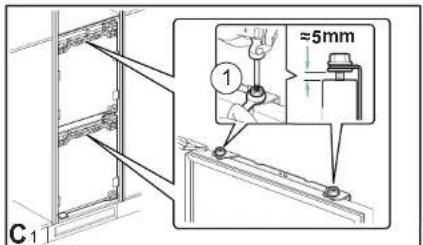
text_image
C1 ① ≈5mm
natural_image
Diagram of a server rack with a blue arrow pointing to a panel (no text or symbols present)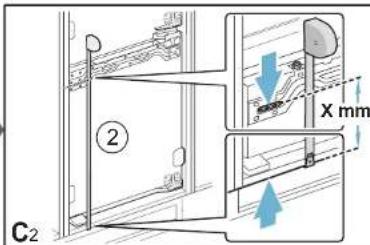
text_image
② C2 X mm
text_image
C₃ X mm
text_image
C4 ④
flowchart
graph TD
    A["Crack"] --> B["Step 5: Crack"]
    B --> C["Step 6: Click"]
    C --> D["Step 7: Click"]
    D --> E["Step 8a: Crack"]
    style A fill:#f9f,stroke:#333
    style B fill:#ccf,stroke:#333
    style C fill:#cfc,stroke:#333
    style D fill:#fcc,stroke:#333
    style E fill:#ffc,stroke:#333

text_image
C6 8 7
text_image
2 mm 12 mm C7 9
text_image
C8 10 8b 11
text_image
12 12 C9 click click
text_image
⑬ C10
text_image
C11
text_image
Technical diagram showing mechanical assembly steps with labeled components and directional arrows indicating motion or movement.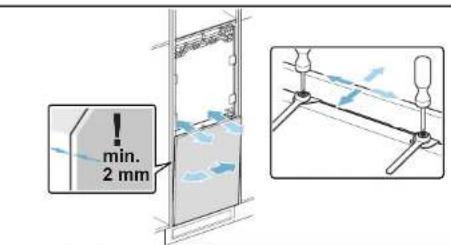
text_image
min. 2 mm
text_image
C12 14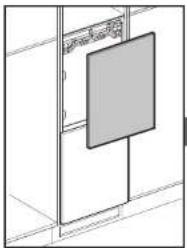
natural_image
Pure architectural line drawing of a cabinet or wardrobe unit with no text, numbers, or symbols
text_image
15 C13 X mm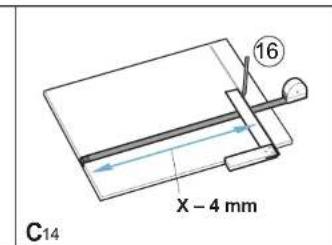
text_image
C14 X - 4 mm 16
text_image
C15 17
flowchart
graph TD
    A["Crack"] --> B["8a"]
    B --> C["18"]
    C --> D["19"]
    D --> E["click"]
    style A fill:#f9f,stroke:#333
    style B fill:#ccf,stroke:#333
    style C fill:#cfc,stroke:#333
    style D fill:#fcc,stroke:#333
    style E fill:#ffc,stroke:#333

text_image
C17 = 20 21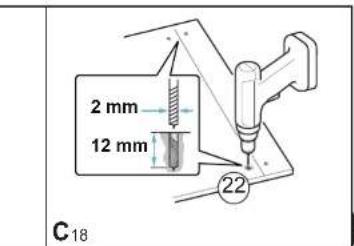
text_image
2 mm 12 mm C18
text_image
C19 23 8b 24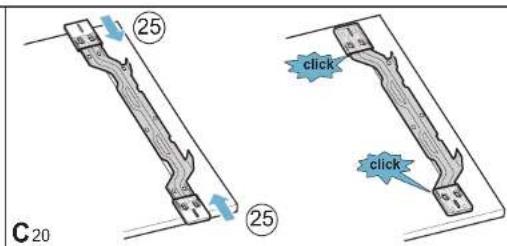
text_image
C 20 25 25 click click
text_image
C21 26
text_image
C22
text_image
Technical diagram showing mechanical assembly with directional arrows and component placement, likely illustrating a rail or mounting mechanism.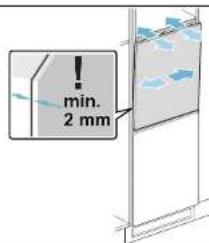
text_image
min. 2 mm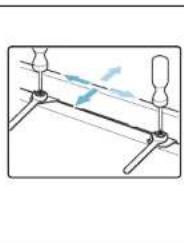
natural_image
Pure mechanical diagram showing a lever system with pivot points and motion lines (no text or symbols)
text_image
C23 27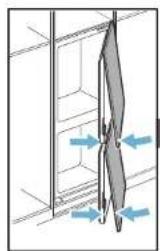
natural_image
Diagram showing a mechanical or structural component with directional arrows indicating movement or force (no text or symbols present)
text_image
Diagram illustrating a mechanical or electrical component with labeled parts and an unknown symbol, likely from an electronics or safety instruction.
text_image
C-24
text_image
③0 ②9 C25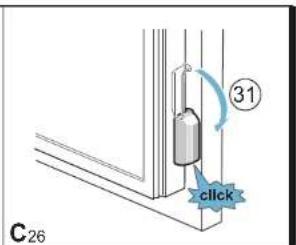
text_image
③1 click C26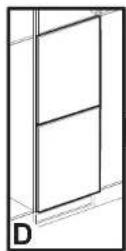

text_image
10 ① 3 mm D1
text_image
D₂ ②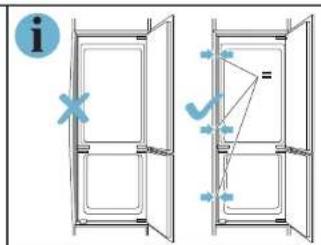
text_image
Diagram showing two door frame arrangements with directional arrows and a question mark, likely illustrating a basic electrical or mechanical system concept.
text_image
D₃
text_image
D₄
text_image
11a 11b 12 13 14 E
text_image
E₁ ① ② 11a 11b
text_image
E2 ③ ④ 11a 11b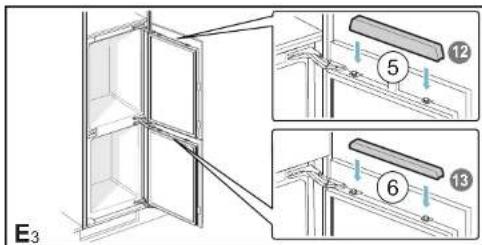
text_image
E₃ ⑤ ⑥ ⑬
text_image
7 14 E₄
natural_image
Three-panel diagram showing mechanical components with directional arrows, no text or symbols present
text_image
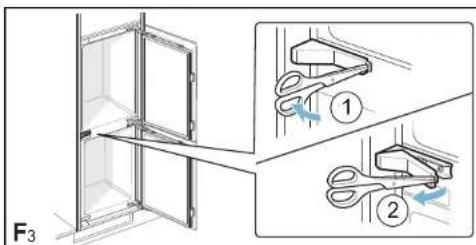
F₁ ① ②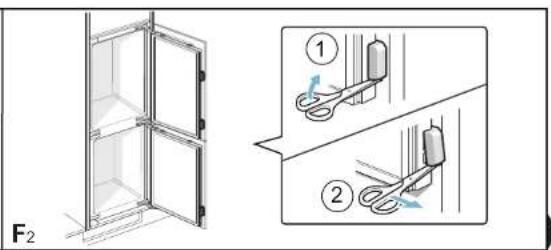
text_image
F₂ ① ②