
Vario RC 282 203 - Frigider GAGGENAU - Manual de utilizare gratuit
Găsiți gratuit manualul dispozitivului Vario RC 282 203 GAGGENAU în format PDF.


Întrebările utilizatorilor despre Vario RC 282 203 GAGGENAU
0 întrebare despre acest aparat. Răspundeți la cele pe care le cunoașteți sau puneți-vă propria.
Pune o întrebare nouă despre acest aparat
Descărcați instrucțiunile pentru Frigider în format PDF gratuit! Găsiți manualul dvs. Vario RC 282 203 - GAGGENAU și luați din nou în mână dispozitivul dvs. electronic. Pe această pagină sunt publicate toate documentele necesare pentru utilizarea dispozitivului dvs. Vario RC 282 203 mărcii GAGGENAU.
MANUAL DE UTILIZARE Vario RC 282 203 GAGGENAU

![graph TD A["Person dropping trash bin"] --> B["Warning symbol: 1"] B --> C["Open door with knife"]](/content/2026/06/1176385/images/a52ec3f022625d9bebc8e4a131d38248307a92b1d9bc974e5709ccced45ac9dc.jpg)


![graph TD A["Component 4"] --> B["Component 3"] B --> C["Component 6"] C --> D["Component 5"] D --> E["Component 4"] style A fill:#f9f,stroke:#333 style B fill:#ccf,stroke:#333 style C fill:#cfc,stroke:#333 style D fill:#fcc,stroke:#333 style E fill:#ffc,stroke:#333](/content/2026/06/1176385/images/49aa7c126485465a754039f8a93a4ea8b74662b1a508f48a5bc8b7d0bb369b2c.jpg)
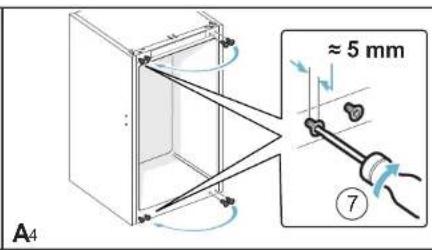
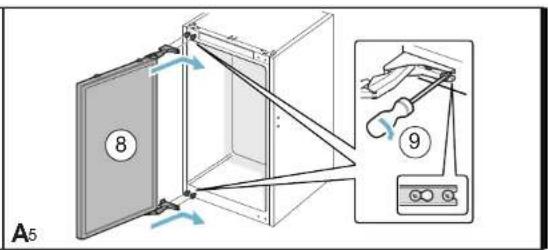


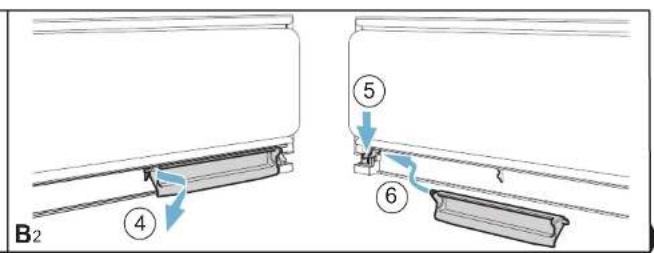


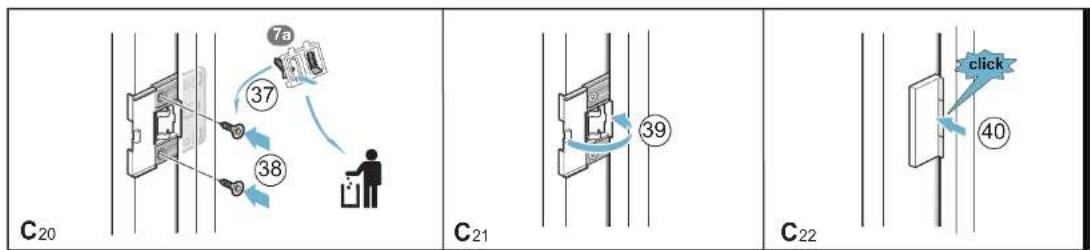
![graph TD A["Initial 16mm Window Component"] --> B["Assembly Section"] B --> C{Check Section} C -->|Yes| D["C17"] C -->|No| E["C18"] C -->|Yes| F["C19"] D --> G["Assembly Section"] E --> G F --> G G --> H["Final Assembly Section"]](/content/2026/06/1176385/images/1c2ff96ea1027919e9299e06d326543ea220d2fd906885883439c220da2388c2.jpg)
![graph TD A["D"] --> B["D1"] B --> C["?"] C --> D["D2"] D --> E["D3"] style A fill:#f9f,stroke:#333 style B fill:#ccf,stroke:#333 style C fill:#cfc,stroke:#333 style D fill:#fcc,stroke:#333 style E fill:#cff,stroke:#333 note1["① ≈ 5 mm"] --> B note2["X mm"] --> D note3["X mm"] --> E note4["X - 4 mm"]…](/content/2026/06/1176385/images/f6daee2753e02f80ff2309a2fd0b505998fa84fb59fde1a74a3b598331c69595.jpg)

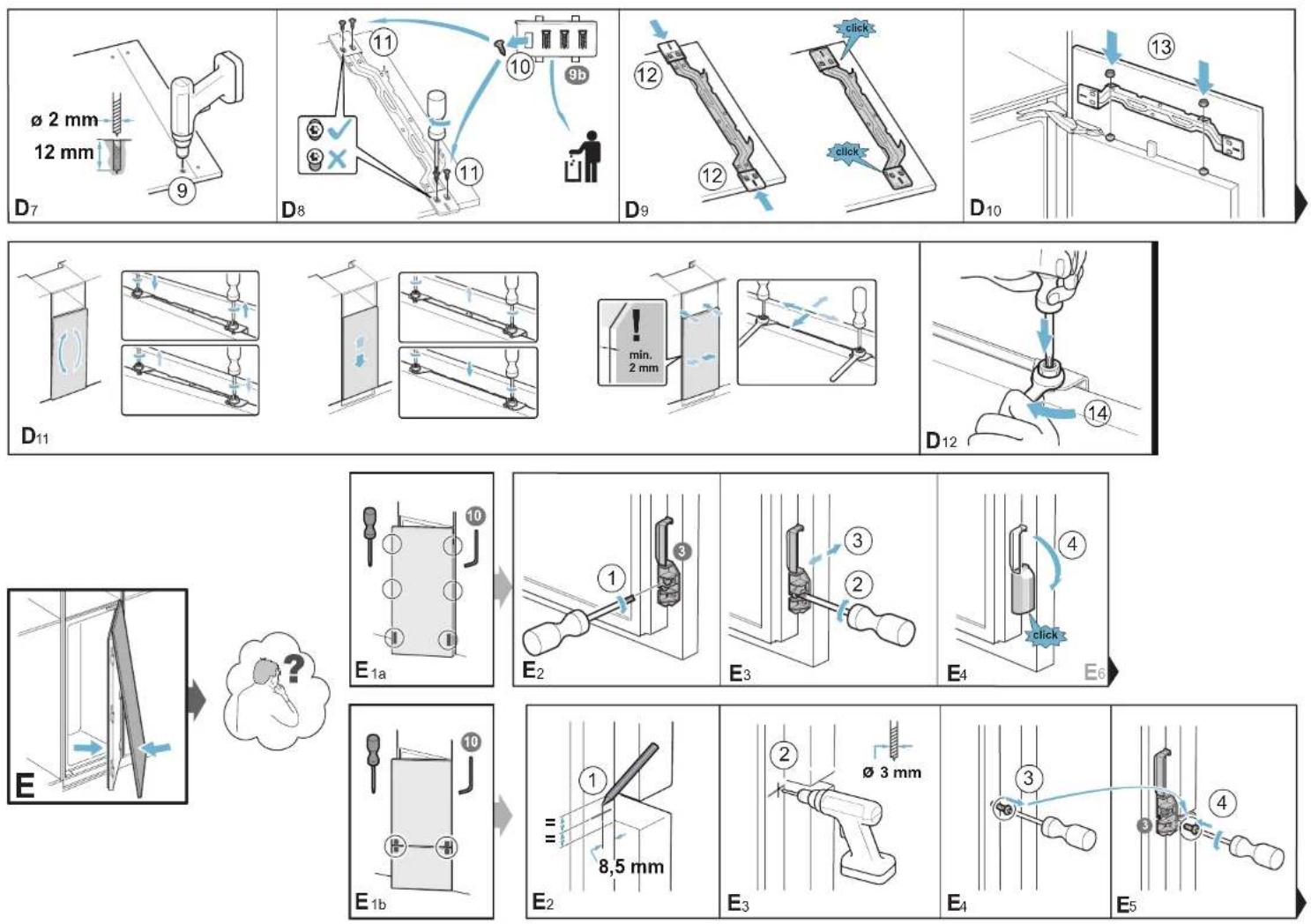
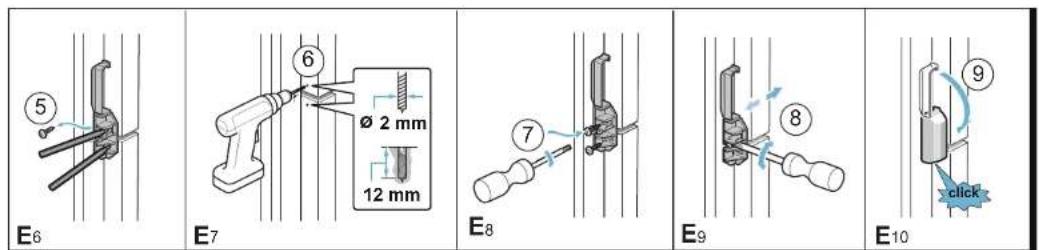
![graph TD A["Step 1: Inspection of wall joints"] --> B["Step 2: Disassembly with checkmark"] B --> C["Step 3: Disassembly with hand near floor"] C --> D["Final detail: Panel F3 shows 12 and 2 parts"]](/content/2026/06/1176385/images/f4bd489f6e0229449a13cbbe473607270dbdffc588a2b030356c9d5bb03c31a0.jpg)
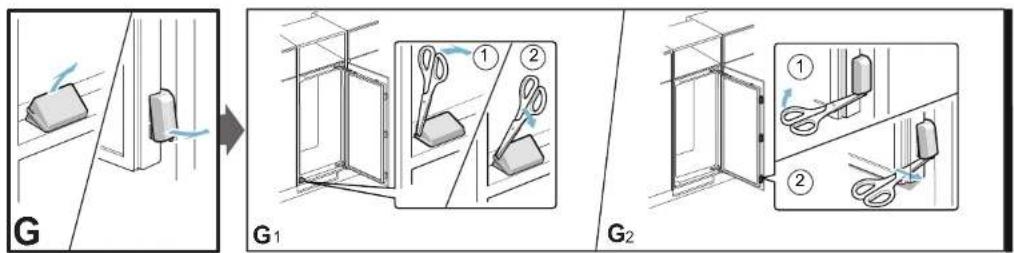



Marcă : GAGGENAU
Model : Vario RC 282 203
Categorie : Frigider