
Fine Arts 65 GOB 9990 - Telewizor GRUNDIG - Bezpłatna instrukcja obsługi
Znajdź bezpłatnie instrukcję urządzenia Fine Arts 65 GOB 9990 GRUNDIG w formacie PDF.


| Typ produktu | Telewizor LED 4K Ultra HD |
| Przekątna ekranu | 65 cali (165 cm) |
| Rozdzielczość | 3840 x 2160 pikseli |
| Technologia ekranu | LED (Direct LED) |
| Wymiary (z podstawą) | 145,0 x 90,5 x 30,0 cm |
| Wymiary (bez podstawy) | 145,0 x 84,5 x 7,5 cm |
| Waga (z podstawą) | 22,5 kg |
| Waga (bez podstawy) | 21,0 kg |
| Zasilanie | 220-240 V, 50/60 Hz |
| Pobór mocy (typowy) | 120 W |
| Smart TV | Tak, system Grundig Smart |
| System operacyjny | Android TV 11 |
| Łączność | Wi-Fi, Bluetooth, LAN |
| Liczba portów HDMI | 3x HDMI 2.0 |
| Liczba portów USB | 2x USB 2.0 |
| Tuner | DVB-T2/C/S2 |
| Funkcje HDR | HDR10, HLG |
| Kontrast dynamiczny | Mega Contrast |
| Wbudowane głośniki | 2 x 10 W |
| Moczenie i czyszczenie | Przecierać miękką, suchą szmatką; nie używać agresywnych środków czyszczących |
| Bezpieczeństwo | Nie blokować otworów wentylacyjnych; używać wyłącznie w suchym pomieszczeniu |
| Części zamienne i naprawy | Kontakt z autoryzowanym serwisem Grundig |
| Informacje ogólne | Gwarancja 2 lata; klasa energetyczna A+ |
Często zadawane pytania - Fine Arts 65 GOB 9990 GRUNDIG
Pytania użytkowników dotyczące Fine Arts 65 GOB 9990 GRUNDIG
0 pytanie dotyczące tego urządzenia. Odpowiedz na te, które znasz, lub zadaj własne.
Zadaj nowe pytanie dotyczące tego urządzenia
Pobierz instrukcję dla swojego Telewizor w formacie PDF za darmo! Znajdź swoją instrukcję Fine Arts 65 GOB 9990 - GRUNDIG i weź swoje urządzenie elektroniczne z powrotem w ręce. Na tej stronie opublikowane są wszystkie dokumenty niezbędne do korzystania z urządzenia. Fine Arts 65 GOB 9990 marki GRUNDIG.
INSTRUKCJA OBSŁUGI Fine Arts 65 GOB 9990 GRUNDIG
TV
INSTRUKCJE DLA UŻYTKOWNIKA
65 GOB 9990 FINE ARTS OLED
PL
5 KONFIGURACJA I BEZPIECZEŃSTWO
7 INFORMACJE OGÓLNE
7 Specjalne funkcje telewizora
8 Odbieranie stacji cyfrowych
8 System GRUNDIG SCR
8 Ważne uwagi dotyczące ochrony środowiska
8 Uwagi dotyczące nieruchomych obrazów
9 ZAWARTOŚĆ OPAKOWANIA
9 Akcesoria standardowe
9 Akcesoria opcjonalne
10 PODŁĄCZENIE/PRZYGOTOWANIE
10 Podłączanie anteny i przewodu zasilającego
11 Ustawianie lub wieszanie
13 PRZEGLĄD
13 Połączenia w telewizorze
16 Pilot zdalnego sterowania - wszystkie funkcje
17 KONFIGURACJA POCZĄTKOWA
17 Ustawienia połączenia z siecią domową
17 Strojenie kanałów
18 Konfiguracja początkowa - przegląd
19 Ustawianie konfiguracji początkowej
23 Zmiana edytora kanałów dla kanałów cyfrowych
27 USTAWIENIA OBRAZU / DŹWIĘKU
27 Ustawienia obrazu
28 Przywracanie ustawień domyślnych
28 Zakończenie ustawień
29 Ustawienia dźwięku
30 Przywracanie ustawień domyślnych
30 Zakończenie ustawień
31 OBSŁUGA TELEWIZORA - FUNKCJE PODSTAWOWE
31 Włączanie i wyłączanie
31 Wybór kanałów
31 Wybór stacji z list
31 Wybór kanałów AV
31 Regulacja głośności
31 Wyciszenie
31 Wyświetlanie informacji
32 Język ścieżki dźwiękowej
32 Napisy
32 Funkcja ZAP
33 OBSŁUGA TELEWIZORA – FUNKCJE DODATKOWE
33 Licznik snu
33 Funkcja zoom
33 Zmiana formatu obrazu
34 Ustawienia audio
34 Ustawienia obrazu
35 PERSONALIZACJA MENU GŁÓWNEGO
35 Dodawanie pozycji do menu głównego
35 Edytowanie pozycji w menu głównym.
37 Przywracanie domyślnych ustawień menu głównego
38 AMAZON ALEXA
39 ELEKTRONICZNY PRZEWODNIK TELEWIZYJNY
40 TRYB HBBTV
40 Co to jest HbbTV?
41 Korzystanie z HbbTV
41 Dodatkowe funkcje dla indeksów wideo
41 Wyłączanie i włączanie HbbTV
41 Wyłączanie i włączanie teletekstu cyfrowego
42 TRYB TELETEKSTU
42 Tryb TOP lub FLOF
42 Tryb normalny
42 Dodatkowe funkcje
43 NAGRYWANIE USB
43 Informacje o nagrywaniu i odtwarzaniu programów telewizyjnych
43 Możliwe ograniczenia przy korzystaniu z zewnętrznego nośnika danych
44 Podłączanie zewnętrznych nośników danych
45 Ustawienia nagrywania USB
46 Przesunięcie czasowe - "wstrzymywanie" programów
47 Nagrywanie programów telewizyjnych
47 Nagrywanie programu jednym dotknięciem
47 Nagrywanie programu z listy kanałów
48 Ustawianie programu do nagrywania
49 Edycja timera
49 Usuwanie timera
50 Odtwarzanie
50 Usuwanie programów z menu nagranych plików
51 OBSŁUGA USB
51 Formaty plików do obsługi USB
52 Podłączanie zewnętrznych nośników danych
52 Wyjmowanie zewnętrznych nośników danych
53 Przeglądarka plików
53 Ustawienia w menu konfiguracji USB
54 Podstawowe funkcje odtwarzania
55 Dodatkowe funkcje odtwarzania
57 Odtwarzanie plików wideo, muzycznych i obrazów za pomocą połączenia z siecią domową
57 Wybieranie serwera multimediów cyfrowych
58 Odtwarzanie
58 Inne opcje odtwarzania
59 GRUNDIG VISION OS
59 Zgody na Warunki i Postanowienia oraz Poufność
59 Pierwsze uruchomienie i obsługa
59 Wyświetlanie Warunków i Postanowień oraz treści Poufności zaakceptowanych przez użytkownika i usuwanie akceptacji
60 Aplikacje internetowe Grundig Vision OS
60 Klawiatura i mysz USB
60 Grundig Vision OS
62 Nawigacja na ekranie głównym portalu aplikacji
62 Ekran główny portalu aplikacji
63 Menu przeglądarki internetowej
63 Aplikacje przeglądarki internetowej
64 USTAWIENIA JĘZYKA
64 Zmiana języka menu
64 Zmiana języka audio
64 Zmiana języka napisów
64 Zmiana języka klawiatury
65 FUNKCJE DOSTĘPNE
65 Tryb napisów
65 Audiodeskrypcja (napisy audio)
66 USTAWIENIA ZAAWANSOWANE
66 Automatyczne uśpienie
66 Wyświetlanie logo sklepu
66 Jasność diody zasilania
67 Tryb oszczędzania energii
67 Włączanie/wyłączanie informacji o pogodzie
67 Włączanie/wyłączanie informacji pomocy
68 FUNKCJE ZEGARA
68 Wyłącznik czasowy
68 Timer włączania (Auto On)
69 Timer wyłączania (Auto Off)
70 USTAWIENIA RODZICIELSKIE
70 Kontrola rodzicielska
70 Blokowanie menu
71 Blokowanie przełącznika wielofunkcyjnego
71 Zmiana kodu PIN
71 Blokowanie kanału telewizyjnego
72 Oglądanie zablokowanego kanału telewizyjnego
72 Resetowanie kodu PIN
73 USTAWIENIA DATY I CZASU
73 Automatyczne strojenie
73 Strojenie ręczne
74 OPROGRAMOWANIE URZĄDZENIA
74 Informacje o produkcie
74 Aktualizacja oprogramowania (OAD)
74 Aktualizacja oprogramowania (Internet)
74 Aktualizacja oprogramowania (USB)
75 AKCESORIA
75 Aktywowanie/dezaktywowanie kursora
76 FUNKCJE RESETOWANIA
76 Przywracanie telewizora do stanu pierwotnego
76 Usuwanie historii kanałów
76 Przywracanie ustawień
77 KORZYSTANIE Z URZĄDZEŃ ZEWNĘTRZNYCH
77 DIGI LINK
77 Funkcje Digi Link telewizora
78 Sterowanie urządzeniami
79 High definition - HD ready
79 Opcje połączeń
80 Podłączanie urządzenia zewnętrznego
80 Korzystanie z nagrywarki DVD, odtwarzacza DVD, magnetowidu lub dekodera
80 Słuchawki
81 System hi-fi
82 Odtwarzanie sygnału audio przez system hi-fi
83 Bezprzewodowe udostępnianie ekranu (Liveshare)
83 Co to jest LIVESHARE?
83 Udostępnianie ekranu za pomocą połączenia Liveshare
84 OBSŁUGA Z WSPÓLNYM
INTERFEJSEM
84 Co to jest wspólny interfejs?
84 Wkładanie modułu CA
84 Kontrola dostępu dla modułu CA i kart inteligentnych
85 KONFIGURACJA SIECI
85 Połączenie sieciowe
Sieć przewodowa
Ustawienia sieci przewodowej
Sieć bezprzewodowa
Ustawienia sieci bezprzewodowej
Zmiana nazwy telewizora
Podłączanie telewizora do sieci "ukrytej"
USTAWIANIE DALSZYCH KANAŁÓW
Automatyczne wyszukiwanie wszystkich kanałów cyfrowych z satelity
Ręczne wyszukiwanie kanałów cyfrowych z satelity na transponderze
Ustawienia anteny i automatyczne wyszukiwanie kanałów cyfrowych z satelity
Ustawienia anteny, system SCR i automatyczne wyszukiwanie kanałów cyfrowych z satelity
Ustawienia anteny dla DiSEqC 1.0 i automatyczne wyszukiwanie kanałów cyfrowych z satelity
Automatyczne wyszukiwanie kanałów cyfrowych od dostawcy telewizji kablowej
Ręczne wyszukiwanie kanałów cyfrowych od dostawcy telewizji kablowej
Automatyczne wyszukiwanie kanałów cyfrowej telewizji naziemnej
102 Wyszukiwanie ręczne cyfrowych kanałów telewizyjnych
102 Automatyczna aktualizacja usług
103 Dostrajanie analogowych kanałów telewizyjnych
104 Zmiana zapisanych kanałów analogowych
106 Wyświetlanie informacji o sygnale
108 Informacje serwisowe dla dealerów
108 Uwagi dotyczące odbioru WLAN
109 Interfejsy sieciowe
109 Utylizacja opakowania
109 Uwaga dotycząca środowiska
109 Wyjaśnienie symboli, które mogą znajdować się na tylnej stronie telewizora
110 Rozwiązywanie problemów
112 SŁOWNICZEK
116 INDEKS
O Twoim telewizorze
■ Dzięki telewizorowi możesz odbierać i oglądać cyfrowe programy telewizyjne w standardach DVB-S, DVB-T i DVB-C, a także telewizję analogową. ■ Wiele funkcji telewizora wymaga połączenia z Internetem. Telewizor jest wyposażony w moduł WLAN i port LAN. Telewizor może nagrywać programy. Do tej funkcji potrzebne jest urządzenie pamięci USB, takie jak zewnętrzny dysk twardy (nie wchodzi w skład wyposażenia). Nagrane programy można odtwarzać tylko na tym samym telewizorze. Po naprawie telewizora możliwe jest, że nagrane programy nie będą już mogły być odtwarzane.
Przeznaczenie
■ Telewizor jest przeznaczony do użytku w suchych pomieszczeniach. ■ Używaj telewizora z dostarczoną podstawą lub odpowiednim uchwytem VESA. Telewizor jest przeznaczony przede wszystkim do odtwarzania programów telewizyjnych, treści strumieniowych oraz materiałów audio/wideo z urządzeń zewnętrznych. Jakiekolwiek inne użycie jest surowo zabronione.
Nie jest przeznaczony jako wyświetlacz informacyjny ani do dominującego użytku jako monitor komputerowy. Jeśli nieruchomy obraz lub obraz niepełnoekranowy jest wyświetlany przez dłuższy czas, na ekranie mogą pozostać widoczne ślady przez pewien czas.
Nie jest to wada, która może stanowić podstawę do roszczeń gwarancyjnych.
Bezpieczeństwo
OSTRZEŻENIE
Ryzyko porażenia prądem
- Nie otwieraj telewizora. Może to stwarzać zagrożenie dla bezpieczeństwa, a także spowodować utratę gwarancji, jeśli telewizor zostanie otwarty. ■ Telewizor może być zasilany wyłącznie kablem zasilającym lub zasilaczem AC/DC dostarczonym z produktem. ■ Nie używaj telewizora z uszkodzonym przewodem zasilającym/zasilaczem AC/DC (jeśli jest w zestawie). Jeśli wtyczka telewizora ma styk ochronny, podłączaj ją tylko do gniazdka ze stykiem ochronnym.
- Podłącz telewizor do gniazdka sieciowego dopiero po podłączeniu urządzeń zewnętrznych i anteny. ■ Chroń telewizor przed wilgocią. Nie stawiaj na telewizorze naczyń wypełnionych wodą (np. wazonów).
Zagrożenie pożarem

Aby zapobiec rozprzestrzenianiu się ognia, trzymaj świece lub inne otwarte płomienie z dala od tego produktu przez cały czas.
■ Nie zakrywaj otworów wentylacyjnych telewizora. ■ Zawsze odłączaj wtyczkę zasilania i anteny podczas burzy. - Trzymaj świece lub inne otwarte płomienie z dala od telewizora. - Nie wystawiaj baterii na działanie ekstremalnego ciepła, takiego jak światło słoneczne, ogień itp. ■ Używaj wyłącznie baterii tego samego typu (marka, rozmiar, właściwości). Nie używaj zużytych i nowych baterii razem.
OSTRZEŻENIE
Urazy spowodowane upadkiem telewizora
Nigdy nie stawiaj telewizora na niestabilnej powierzchni. Telewizor może spaść, powodując poważne obrażenia, a w pojedynczych przypadkach nawet śmierć.
Przestrzegaj następujących środków ostrożności:
- ■ Korzystaj wyłącznie z szafek lub stojaków zalecanych przez producenta. ■ Korzystaj wyłącznie z mebli, które mogą bezpiecznie utrzymać telewizor. ■ Upewnij się, że telewizor nie wystaje poza wymiary mebla, na którym stoi.
- Nie stawiaj telewizora na wysokich meblach (takich jak szafki kuchenne, regały na książki) bez solidnego przymocowania mebla i telewizora.
- Nie stawiaj telewizora na tkaninach lub innych materiałach znajdujących się między telewizorem a meblem. ■ Poinformuj dzieci o zagrożeniu związanym ze wspinaniem się na meble, gdy telewizor jest w zasięgu.
UWAGA
Skrócona żywotność z powodu wysokiej temperatury pracy
■ Nie stawiaj telewizora w pobliżu urządzeń grzewczych ani w bezpośrednim świetle słonecznym. ■ Aby zapewnić odpowiednią wentylację, zachowaj odstęp co najmniej 10 cm wokół telewizora.
Odbarwienie mebli spowodowane gumowymi nóżkami
■ Niektóre powierzchnie mebli mogą się odbarwić w kontakcie z gumą. Aby chronić meble, możesz umieścić pod podstawą szklaną lub plastikową płytę. Nie używaj tekstylnych podkładek ani mat, takich jak serwetki.
Zakłócenia elektromagnetyczne
■ Urządzenia podłączone do produktu (tuner satelitarny, odtwarzacz DVD itp.) lub urządzenia emitujące sygnały (router itp.) znajdujące się w pobliżu produktu mogą powodować zakłócenia obrazu i szumy w dźwięku. ■ Kable połączeniowe używane z produktem muszą być krótsze niż 3 m. Jeśli produkt nie może wykonywać swojej funkcji z powodu wyładowania elektrostatycznego, użytkownik może być zmuszony do wyłączenia i ponownego włączenia produktu. ■ Z produktem należy używać ekranowanego, certyfikowanego HDMI i ferrytowego kabla.
Informacje o środowisku
Nie wyrzucaj baterii do odpadów domowych. Zużyte baterie należy zwracać do sklepów lub publicznych punktów zbiórki. W ten sposób pomagasz chronić środowisko. ■ Pamiętaj, aby materiały opakowaniowe produktu utylizować oddzielnie, zgodnie z wytycznymi lokalnych władz, aby mogły być poddane recyklingowi w sposób przyjazny dla środowiska. Jeśli nie używasz telewizora przez jakiś czas, przełącz go w tryb czuwania. W trybie czuwania telewizor zużywa bardzo mało energii (≤ 0,5 W). Jeśli nie używasz telewizora przez dłuższy czas, wyłącz go wyłącznikiem zasilania lub odłącz przewód zasilający od gniazdka. Jeśli wyłączysz urządzenie lub odłączysz je od zasilania, timer włączania i zaprogramowane nagrania nie będą działać. ■ Wybierz miejsce dla telewizora tak, aby bezpośrednie światło słoneczne nie padało na ekran. Pozwala to na wybranie niższego podświetlenia, co oszczędza energię. Nie wyrzucaj produktu wraz ze zwykłymi odpadami domowymi po zakończeniu jego okresu użytkowania. Oddaj go do punktu recyklingu sprzętu elektrycznego i elektronicznego.
Specjalne funkcje telewizora
- Twój telewizor umożliwia odbiór i oglądanie stacji cyfrowych (poprzez DVB-S, DVB-T i DVB-C), w tym stacji w wysokiej rozdzielczości (HD). Obecnie odbiór tych cyfrowych stacji telewizyjnych w wysokiej rozdzielczości jest możliwy tylko w niektórych krajach Europy. Chociaż ten telewizor spełnia obecne standardy DVB-S, DVB-T i DVB-C według stanu na sierpień 2012 r., jego zgodność z przyszłymi transmisjami cyfrowymi DVB-S, DVB-T i DVB-C nie jest gwarantowana. Ten telewizor może odbierać i przetwarzać wszystkie analogowe i wszystkie niekodowane stacje cyfrowe. Ten telewizor ma zintegrowany odbiornik cyfrowy i analogowy. Jednostka odbiornika cyfrowego konwertuje sygnały ze stacji cyfrowych, zapewniając doskonałą jakość dźwięku i obrazu. ■ Przewodnik telewizyjny (tylko dla stacji cyfrowych) informuje o wszelkich zmianach w programie z krótkim wyprzedzeniem i zapewnia przegląd programów wszystkich stacji na najbliższe kilka dni. ■ Do gniazd USB można podłączyć różne nośniki danych, na przykład zewnętrzny dysk twardy, pamięć USB lub aparat cyfrowy. Za pomocą przeglądarki plików można następnie wybrać i odtwarzać wybrane formaty plików (na przykład dane MP4, MP3 lub JPEG). ■ Dzięki funkcji Time Shift można łatwo i szybko zatrzymać i wznowić program za pomocą pilota. Program jest nagrywany na zewnętrzny nośnik danych.
■ Można nagrywać dowolny wybrany cyfrowy kanał telewizyjny, jeśli nadawca nie nałożył ograniczeń. Kanał telewizyjny jest przetwarzany przez telewizor i zapisywany na zewnętrznym nośniku USB. Można przywołać i odtwarzać zapisane programy z archiwum. Podczas nagrywania można wybrać i oglądać inne nagranie z archiwum. Szczegółowe informacje na temat zapisywania i odtwarzania programów telewizyjnych znajdują się na stronie 43.
■ Funkcja Grundig Vision OS zapewnia telewizorowi aplikacje internetowe, gdy telewizor jest podłączony do Internetu. ■ Obsługa bezprzewodowej klawiatury i myszy USB w przeglądarce internetowej telewizora ułatwia użytkownikowi przeglądanie stron internetowych. ■ Funkcja DLNA umożliwia korzystanie z przewodowej lub bezprzewodowej (za pomocą bezprzewodowego urządzenia sieciowego USB) sieci lokalnej w celu uzyskania dostępu do treści nagranych za pomocą urządzeń zgodnych z DLNA, których używamy w codziennym życiu, takich jak komputer, telefon komórkowy lub NAS (Network Attached Storage), działających jako DMS (Digital Media Server). Podczas oglądania telewizji można odtwarzać dowolne treści w dowolnym momencie za pomocą aplikacji DMC na urządzeniu mobilnym lub komputerze, bez uruchamiania aplikacji DLNA. Aby korzystać z sieci domowej, wymagane jest urządzenie zgodne z DLNA, takie jak komputer, telefon komórkowy, NAS lub urządzenie podobne do NAS (Network Attached Storage), które działa jako DMS (Digital Media Server).
Odbieranie stacji cyfrowych
■ Aby odbierać cyfrowe stacje satelitarne (DVB-S), potrzebna jest antena satelitarna. ■ Aby odbierać cyfrowe stacje (DVB-T), potrzebna jest cyfrowa antena dachowa lub wewnętrzna (pasywna lub aktywna antena wewnętrzna z własnym zasilaniem). ■ Przewód antenowy sieci telewizji kablowej nadającej w DVB-C musi być podłączony do telewizora, aby odbierać transmisje DVB-C. ■ W przeciwieństwie do transmisji analogowej, nie każda stacja ma własną częstotliwość nadawania. Zamiast tego kilka stacji jest zgrupowanych w tzw. pakiety na poziomie regionalnym lub krajowym. ■ Aktualne informacje o transmisji można znaleźć w telegazecie różnych nadawców, w programie telewizyjnym lub w Internecie. ■ Różne cyfrowe stacje telewizyjne prywatnych nadawców są szyfrowane (DVB-S, DVB-T i DVB-C). Oglądanie tych stacji oraz funkcje nagrywania i odtwarzania są możliwe tylko z odpowiednim modułem CI i kartą SmartCard. Zapytaj swojego specjalistycznego dealera.
System GRUNDIG SCR
Twój telewizor obsługuje system SCR (Single Channel Router). Dzięki systemowi satelitarnemu SCR kilku użytkowników może jednocześnie indywidualnie odbierać wszystkie sygnały z satelity.
Ważne uwagi dotyczące ochrony środowiska
Poniższe elementy pomogą Ci zmniejszyć zużycie zasobów naturalnych oraz zaoszczędzić pieniądze poprzez obniżenie rachunków za prąd.
Jeśli nie będziesz używać telewizora przez kilka dni, należy odłączyć go od sieci ze względów środowiskowych i bezpieczeństwa. Telewizor nie będzie zużywał energii w tym stanie. Jeśli telewizor ma wyłącznik główny, wystarczy wyłączyć go za pomocą wyłącznika głównego. Telewizor zmniejszy zużycie energii do prawie zera watów. ■ Telewizor zużywa mniej energii w trybie czuwania. Jednak niektóre telewizory mogą mieć funkcje, takie jak timer, które wymagają pozostawienia telewizora w trybie czuwania, aby działały poprawnie. ■ Telewizor zużywa mniej energii, gdy jasność jest zmniejszona.
Uwagi dotyczące nieruchomych obrazów
Długotrwałe oglądanie tego samego obrazu na ekranie może spowodować, że nieruchomy obraz pozostanie słabo widoczny w tle. Słabe obrazy w tle wynikają z technologii LCD/LED i nie wymagają żadnych działań w ramach gwarancji. Aby uniknąć takich przypadków i/lub zminimalizować ich wpływ, możesz zastosować się do poniższych wskazówek.
■ Nie pozwól, aby ten sam kanał telewizyjny pozostawał na ekranie przez bardzo długi czas. Loga kanałów mogą powodować tę sytuację. - Nie pozwól, aby obrazy, które nie są pełnoekranowe, stale pozostawały na ekranie; jeśli nie są nadawane w formacie pełnoekranowym przez nadawcę, możesz zmienić formaty obrazu, aby przekształcić je na pełny ekran. ■ Wyższe wartości jasności i/lub kontrastu spowodują szybsze pojawienie się tego efektu; dlatego zaleca się oglądanie telewizora przy najniższych poziomach jasności i kontrastu.

Standardowe akcesoria
1 Telewizor 2 Podstawa 3 Pilot 4 Baterie do pilota 5 Śruby i instrukcja montażu podstawy 6 Krótka instrukcja
Akcesoria opcjonalne
Pilot Easy-Use
Baterie do pilota Easy-Use
Ściereczka do czyszczenia
Podłączanie anteny i przewodu zasilającego

1 Aby odbierać cyfrowe kanały satelitarne (DVB-S), podłącz kabel anteny satelitarnej do gniazda antenowego SATELLITE w telewizorze;
2a Aby odbierać naziemne kanały cyfrowe (DVB-T), podłącz kabel anteny dachowej lub wewnętrznej (pasywnej lub aktywnej z własnym zasilaniem) do gniazda antenowego ANT IN w telewizorze;
lub
2b Aby odbierać cyfrowe kanały kablowe (DVB-C), podłącz kabel anteny dachowej do gniazda antenowego ANT IN w telewizorze;
lub
2c Aby odbierać analogowe kanały telewizyjne, podłącz kabel anteny dachowej do gniazda antenowego ANT IN w telewizorze.
Uwaga:
■ Podczas podłączania anteny wewnętrznej może być konieczne wypróbowanie różnych pozycji, aż do uzyskania najlepszego odbioru.
3 Podłącz przewód zasilający do gniazdka ściennego.
Uwaga:
■ Podłączaj urządzenie do gniazdka sieciowego dopiero po podłączeniu urządzeń zewnętrznych i anteny.
- Nie używaj adaptera ani przedłużacza, które nie spełniają obowiązujących norm bezpieczeństwa. Nie wprowadzaj zmian w przewodzie zasilającym.
Ustawianie lub wieszanie
■ Wybierz miejsce tak, aby na ekran nie padało bezpośrednie światło słoneczne.
Ustawianie ze stojakiem
■ Aby zamontować stojak, należy zapoznać się z instrukcją instalacji dołączoną do opakowania.
■ Umieść telewizor na twardej, równej powierzchni.
Przygotowanie do montażu na uchwycie VESA
Będziesz potrzebować:
■ pary nożyczek,
■ śrubokręta krzyżakowego.
Postępuj zgodnie z instrukcją instalacji uchwytu VESA. Umieść telewizor w folii na gładkiej powierzchni ekranem do dołu.
1 Przetnij folię z tyłu za pomocą nożyczek.
2 Podłącz wymagane kable do złączy w telewizorze. Patrz sekcja "Podłączanie / Przygotowanie" w tej instrukcji.
3 Zwiąż kable, aby nie zwisały na podłogę.
4 Przykręć uchwyt VESA do telewizora i zamontuj go zgodnie z jego instrukcją instalacji.

Wkładanie baterii do pilota
1 Otwórz komorę baterii. 2 Włóż baterie zgodnie z oznaczeniami na dnie komory baterii (2 × alkaliczne/LR03/AAA). 3 Zamknij komorę baterii.

Uwaga dotycząca ochrony środowiska
Ten symbol na baterii lub na opakowaniu oznacza, że bateria dostarczona z tym produktem
nie może być traktowana jako odpad domowy. Na niektórych bateriach ten symbol może być używany w połączeniu z symbolem chemicznym. Symbole chemiczne dla rtęci (Hg) lub ołowiu (Pb) są dodawane, jeśli bateria zawiera więcej niż 0,0005% rtęci lub 0,004% ołowiu.
Baterie, w tym te, które nie zawierają metali ciężkich, nie mogą być wyrzucane razem z odpadami domowymi. Prosimy o utylizację zużytych baterii w sposób przyjazny dla środowiska.
Zapoznaj się z przepisami prawnymi obowiązującymi w Twojej okolicy.
Gniazda w telewizorze
| SERVICE | Service only. |
| LAN | Network cable connection socket. |
| Optic Out | Audio output sockets (opti-cal) for PCM/Dolby Digital signals.It is for digital multichannel audio/video amplifier or AV receiver connections. |
| USB 2 (HDD) | USB Harddisk socket for external data medium and PVR function. |
| HDMI3 (ARC) | HDMI socket, audio/video signal input (HDMI). |
| HDMI2 | HDMI socket, audio/video signal input (HDMI). |
| SATELLITE | Satellite antenna socket. |
| ANT-IN | Antenna socket. |
| Ω | Headphone connection (3.5 mm jack);external audio output (with headphone-RCA con-verter). |
| USB1 | USB socket for external data medium. |
| HDMI1 | HDMI socket, audio/video signal input (HDMI). |
| CI | Common interface slot. |
Elementy sterujące
Przełączanie telewizora w tryb czuwania
1 ⏻ Włącza telewizor i przełącza go z powrotem w tryb czuwania.
Regulacja głośności
1 - Zmniejsza głośność. 2 + Zwiększa głośność.
Zmiana kanału
1 P- Wybiera kanały krok po kroku. 2 P+ Wybiera kanały krok po kroku.
Inteligentny pilot zdalnego sterowania


Przesuwa kursor w górę i w dół w menu.
Przesuwa kursor w lewo/prawo w menu.
Otwiera listę kanałów; aktywuje różne funkcje.
Pilot zdalnego sterowania - wszystkie funkcje
• (czerwony) Wybiera stronę w trybie teletekstu/HBB TV •• (zielony) tryb; ••• (żółty) wybiera/aktywuje różne funkcje •••• (niebieski) w menu.
Przełącza na podwójny rozmiar znaków w trybie teletekstu; wybiera poprzedni utwór/poprzedni obraz w odtwarzaczu multimedialnym.
Aktualizuje stronę w trybie teletekstu; wybiera następny utwór/następny obraz w odtwarzaczu multimedialnym.
Wstrzymanie strony w trybie teletekstu; uruchamia wsteczne wyszukiwanie obrazu w odtwarzaczu multimedialnym.
Pokazuje odpowiedzi w trybie teletekstu; uruchamia do przodu wyszukiwanie obrazu w odtwarzaczu multimedialnym.
Rozpoczyna nagrywanie (w trybie telewizji cyfrowej nagrywanie tylko przez zewnętrzne nośniki danych).
Rozpoczyna odtwarzanie z zewnętrznego nośnika danych; rozpoczyna odtwarzanie w menu DLNA.
Przesunięcie czasowe podczas sygnału na żywo (w trybie telewizji cyfrowej tylko przez zewnętrzne nośniki danych); wstrzymuje plik odtwarzany z zewnętrznego nośnika danych; wstrzymuje plik odtwarzany z menu DLNA.
Wybiera funkcję podziału ekranu w trybie teletekstu; kończy odtwarzanie w przeglądarce plików; kończy nagrywanie lub odtwarzanie w trybie PVR; zatrzymuje plik odtwarzany z menu DLNA.
Uwaga:
- Twój telewizor obsługuje funkcję pilota zdalnego sterowania dla telefonów Apple iPhone, Windows Mobile i Android. W zależności od funkcji telewizora, możesz sterować telewizorem za pomocą telefonu po pobraniu bezpłatnej aplikacji »GRUNDIG TV Remote« z Apple App Store lub Google Play (Android Market).
Telewizor wyposażony jest w „asystenta instalacji”, który krok po kroku przeprowadzi Cię przez podstawowe ustawienia.
Korzystając z dialogu ekranowego, przewodnik użytkownika umożliwia proste i jasne przedstawienie pozornie skomplikowanych ustawień i wprowadzania danych dla każdego.
Na ekranie pojawiają się strony i elementy dialogowe, które identyfikują kolejne i prawdopodobne kroki operacyjne.
Aby to wesprzeć, zobaczysz również wymagane symbole przycisków pilota.
Ustawienia podstawowe w szczegółach:
- wybór języka
- wybór kraju;
- wybór trybu użytkownika;
- wybór lokalizacji;
- wybór akcesoriów;
- ustawienia sieciowe (jeśli pożądane);
- ustawienia stacji (DVB-S, DVB-T, DVB-C i kanały analogowe).
Szczegółowe ustawienia znajdują się na stronach 19 i 22.
Ustawienia połączenia z siecią domową
W zależności od połączenia z siecią domową, podłączasz telewizor do sieci domowej:
- przez połączenie LAN lub
- bezprzewodowo przez WLAN
Istnieją dwie opcje połączenia LAN:
Połączenie automatyczne
wszystkie dane dotyczące ustawień połączenia (»Adres IP«, »Maska podsieci«, »Brama« i »DNS«) są pobierane automatycznie z modemu.
Połączenie ręczne
wszystkie dane dotyczące ustawień połączenia (»Adres IP«, »Maska podsieci«, »Brama« i »DNS«) muszą być skonfigurowane ręcznie.
W przypadku korzystania z WLAN dostępne są różne opcje:
Połączenie automatyczne
wszystkie dane dotyczące ustawień połączenia (»Adres IP«, »Maska podsieci«, »Brama« i »DNS«) są pobierane automatycznie z modemu.
W zależności od routera można skorzystać z następujących opcji:
- Opcja "WPS-PBC" (Push Button Configuration);
- Połączenie za pomocą kodu PIN WPS;
- Połączenie przez podanie hasła do sieci.
Połączenie ręczne
wszystkie dane dotyczące ustawień połączenia (»Adres IP«, »Maska podsieci«, »Brama« i »DNS«) muszą być skonfigurowane ręcznie.
Strojenie kanałów
W zależności od rodzaju podłączonej anteny możesz zdecydować, których kanałów telewizor ma szukać.
DVB-S - Dostraja kanały cyfrowe z satelity, od strony 21.
Masz dwie opcje tego wyszukiwania:
- instalacja podstawowa, która ustawia standardowy wybór, np. satelitę Astra 19,2° East; wystarczy uruchomić wyszukiwanie;
- instalacja profesjonalna, która pozwala na dokonanie wszystkich wymaganych ustawień i parametrów systemu odbiorczego.
DVB-C - Do ustawiania cyfrowych kanałów kablowych patrz strona 21.
DVB-T – Do ustawiania cyfrowych kanałów naziemnych patrz strona 22.
Wyszukiwanie analogowych kanałów telewizyjnych, patrz sekcja "Ustawianie dalszych kanałów" na stronie 102.
Uwaga:
- Patrz sekcja "Ustawianie dalszych kanałów"" od strony 94, aby uzyskać więcej informacji na temat ustawień kanałów telewizji cyfrowej.
Konfiguracja wstępna - przegląd![graph TD A["Select language (page 19, step 3)"] --> B["Select country (page 19, step 5)"] B --> C["Select mode (page 19, step 6)"] C --> D["Select location and accessories (page 19, step 7 - 10)"] D --> E["Network setup (page 20, step 12)"] E --> F["Wired (page 20, step 12)"] E --> G["Wireless (page…](/content/2026/06/1173344/images/196efaa329e22ebb6718e2a2da63e55c8db761156f8459c78305a926cf10babc.jpg)
Przeprowadź konfigurację wstępną
1 Włącz telewizor z trybu czuwania przyciskiem »◀«, »1...0«, »P+« lub »P-«.
- Menu językowe pojawia się przy pierwszym włączeniu urządzenia.

Pomoc:
Jeśli menu »Język menu« nie pojawi się na ekranie, dokonaj ustawienia zgodnie z instrukcjami dotyczącymi przywracania ustawień fabrycznych telewizora na stronie 76.
2 Wybierz język menu za pomocą »«, »«, »∨« lub »∧« i naciśnij »●«, aby potwierdzić. - Pojawi się menu »Witamy«.
3 Zostanie przeprowadzona instalacja krok po kroku, aby można było korzystać z telewizora. Naciśnij »●«, aby rozpocząć instalację.
4 Wybierz kraj, w którym telewizor jest używany, za pomocą »«, »»«, »∨« lub »∧« i naciśnij »●«, aby potwierdzić. - Pojawi się menu »Tryb użytkownika«, opcja »Tryb domowy« jest wybrana.
5 Potwierdź opcję »Tryb domowy« za pomocą »;
lub
wybierz opcję »Rozszerzony« za pomocą »V« lub »A« i naciśnij »●«, aby potwierdzić.
- »Tryb domowy« zawiera wstępnie skonfigurowane ustawienia telewizora, które zapewniają oszczędność energii zgodnie z EUP.
- »Rozszerzony« – jeśli będziesz używać telewizora do prezentacji demonstracyjnej, w tym trybie stosowane są zwiększone ustawienia obrazu i głośności. Tryb rozszerzony zużywa więcej energii.
6 Wybierz wymaganą opcję »Podstawa« lub »Montaż na ścianie« za pomocą »V« lub »A«.
Uwaga:
■ Informacja o sposobie umieszczenia telewizora jest ważna dla automatycznych ustawień audio.
7 Potwierdź ustawienie za pomocą »●«.
- Zostanie wyświetlone menu »Podsumowanie«.
8 Wybierz następny krok operacyjny za pomocą »••••« (niebieski).
Zostanie wyświetlone menu »Akcesoria«.
9 Jeśli akcesorium jest używane z telewizorem i zostało już podłączone, wykonaj wymagane ustawienia w tym menu. Wybierz akcesorium za pomocą »∨« lub »∧« i wybierz ustawienie za pomocą »« lub »»«.
10 Wybierz następny krok operacyjny za pomocą »••••« (niebieski).
Uwaga:
■ Jeśli chcesz podłączyć telewizor do sieci domowej,
- kontynuuj od punktu 12 w celu automatycznego połączenia LAN, lub
- kontynuuj od punktu 17 w celu automatycznego połączenia WLAN.
Uwaga:
Jeśli podłączenie do sieci domowej nie jest konieczne, pomiń ustawienie za pomocą »……« (niebieski). Kontynuuj ustawienia od punktu 25, 29 lub 34.
Podłączanie do sieci domowej za pomocą kabla LAN
11 Potwierdź »Zmień typ połączenia« za pomocą » ●«.
12 Wybierz opcję »Przewodowe« za pomocą »V« lub »A« i naciśnij »●«, aby potwierdzić.
Uwaga:
■ Ustawienia ręcznego połączenia LAN znajdują się na stronie 87.
13 Naciśnij »•« (czerwony), aby wybrać opcję »Połącz« w celu nawiązania połączenia modemowego.
- Zostanie wyświetlony komunikat »Łączenie ... Proszę czekać«, a jeśli połączenie zostanie nawiązane, wyświetlone zostaną komunikaty »Połączenie z bramą: Sukces«.
14 Naciśnij »••• (zielony)«, aby sprawdzić wykonane ustawienia oraz czy nawiązano połączenie z siecią lokalną i internetem.
- Zostanie wyświetlony komunikat »Testowanie ... Proszę czekać«, a jeśli połączenie zostanie nawiązane, wyświetlone zostaną komunikaty »Połączenie z bramą: Sukces«, »Połączenie z internetem: Sukces«.
15 Aby przejść do menu »Źródło«, naciśnij »••••• (niebieski)«.
Uwaga:
■ Kontynuuj wyszukiwanie kanałów telewizyjnych za pomocą:
- punkt 25 dla odbioru DVB-S;
- punkt 29 dla odbioru DVB-C;
- punkt 34 dla odbioru DVB-T.
Automatyczne łączenie przez wprowadzenie hasła sieciowego
16 Potwierdź »Zmień typ połączenia« przyciskiem »
17 Wybierz opcję »Bezprzewodowe« za pomocą »V« lub »A« i naciśnij »●«, aby potwierdzić.
18 Potwierdź komunikat »Czy chcesz włączyć Wi-Fi?«, wybierz »Tak« za pomocą »« lub »« i naciśnij »●«, aby potwierdzić.
19 Wybierz linię »Wybierz punkt dostępu« za pomocą »V« lub »A« i naciśnij »●«, aby potwierdzić.
- Pojawi się menu »Wybierz punkt dostępu«, a dostępne sieci bezprzewodowe zostaną przeskanowane i wyświetlone w menu.
20 Wybierz sieć, z którą chcesz się połączyć, za pomocą »V« lub »A« i naciśnij »●«, aby potwierdzić.
- Wyświetlony zostanie ekran hasła połączenia bezprzewodowego.
21 Wybierz wymagany znak za pomocą »∨«, »∧«, »« lub »» i przejdź do następnego znaku, naciskając »●«.
- Używając »Shift« → »●«, możesz przełączać się między wielkimi literami / cyframi a małymi literami / znakami specjalnymi.
- Wybierz »Del«, aby usunąć wprowadzony znak, i naciśnij »●«, aby potwierdzić.
22 Potwierdź hasło, naciskając »••« (zielony).
- Zostanie wyświetlony komunikat »Łączenie ... Proszę czekać«, a po nawiązaniu połączenia pojawią się komunikaty »Połączenie z bramą: Sukces«.
23 Naciśnij »••• (zielony), aby sprawdzić wykonane ustawienia oraz czy nawiązano połączenie z siecią lokalną i internetem.
- Zostanie wyświetlony komunikat »Testowanie ... Proszę czekać«, a po nawiązaniu połączenia pojawią się komunikaty »Połączenie z bramą: Sukces«, »Połączenie z internetem: Sukces«.
24 Aby przejść do menu »Konfiguracja źródła«, naciśnij »•••••« (niebieski).
Uwaga:
■ Kontynuuj wyszukiwanie kanałów telewizyjnych za pomocą:
- punktu 25 dla odbioru DVB-S;
- punktu 29 dla odbioru DVB-C;
- punktu 34 dla odbioru DVB-T.
Wyszukiwanie kanałów telewizyjnych z sygnałem satelitarnym (DVB-S)
25 Wybierz opcję »Satelita (DVB-S/S2)« za pomocą »V« lub »A« i naciśnij »●«, aby potwierdzić.
- Satelita Astra 19,2° na wschodzie jest ustawiony fabrycznie.
26 Potwierdź przycisk »Kontynuuj« za pomocą »......« (niebieski).
Uwagi:
■ Wybierz typ kanału.
Naciśnij »∨« lub »∧«, aby wybrać, czy chcesz wyszukiwać tylko kanały cyfrowe (Cyfrowe), tylko kanały radiowe (Radio), czy oba (Cyfrowe + Radio), i naciśnij »●«, aby zaznaczyć lub odznaczyć pozycje »Cyfrowe« i/lub »Radio«.
■ Wybierz tryb skanowania.
Aby wybrać, czy chcesz wyszukiwać tylko bezpłatne cyfrowe kanały telewizyjne (Bezpłatne), tylko kodowane cyfrowe kanały telewizyjne (Kodowane), czy oba (Bezpłatne + Kodowane), naciśnij »V« lub »A« i naciśnij »●«, aby zaznaczyć lub odznaczyć pozycje »Bezpłatne« i/lub »Kodowane«.
27 Naciśnij »•« (czerwony), aby rozpocząć wyszukiwanie.
- Pojawi się menu »Wyszukiwanie cyfrowe« i rozpocznie się skanowanie kanałów telewizyjnych.
- Skanowanie jest zakończone, gdy pojawi się komunikat »Wyszukiwanie zakończone!«.
28 Wybierz »Edytor kanałów« za pomocą »●«.
Strojenie kanałów telewizji kablowej (DVB-C)
29 Wybierz opcję »Kabel (DVB-C)« za pomocą »V« lub »A« i naciśnij »●«, aby potwierdzić.
30 Wybierz linię »Typ skanowania« za pomocą »V« lub »A«.
Wybierz opcję »Szybkie« lub »Pełne« za pomocą »« lub »»«.
- Funkcja skanowania »Szybkie« ustawia kanały zgodnie z informacjami operatora kablowego zawartymi w sygnale nadawczym.
- Funkcja skanowania »Pełne« skanuje cały wybrany zakres częstotliwości. Przy tej opcji wyszukiwanie może potrwać długo. Ten typ wyszukiwania jest zalecany. Niektórzy operatorzy kablowi nie obsługują skanowania »Szybkie«.
Uwaga:
■ Możesz przyspieszyć wyszukiwanie. W tym celu potrzebne są informacje o częstotliwości i identyfikatorze sieci. Możesz uzyskać te dane od swojego operatora kablowego lub znaleźć je na forach internetowych.
31 Potwierdź przycisk »Kontynuuj« za pomocą »•••••« (niebieski).
Uwaga:
■ Wykonaj wybór typu kanałów. Naciśnij »V« lub »A«, aby wybrać, czy chcesz szukać tylko kanałów cyfrowych (Cyfrowe), tylko analogowych (Analogowe) czy obu (Cyfrowe + Analogowe), a następnie naciśnij »●«, aby zaznaczyć lub odznaczyć pozycje »Cyfrowe« i »Analogowe«.
32 Naciśnij »•« (czerwony), aby rozpocząć wyszukiwanie.
- Pojawi się menu »Wyszukiwanie cyfrowe lub analogowe« i rozpocznie się wyszukiwanie kanałów telewizyjnych.
- Skanowanie jest zakończone, gdy pojawi się komunikat »Wyszukiwanie zakończone!«.
33 Wybierz »Edytor kanałów« za pomocą »●«.
Strojenie naziemnych kanałów telewizji cyfrowej (DVB-T)
34 Wybierz opcję »Antena (DVB-T/T2)« za pomocą »V« lub »A« i naciśnij »●«, aby potwierdzić.
Uwaga:
■ Wykonaj wybór typu kanałów. Naciśnij »V« lub »A«, aby wybrać, czy chcesz wyszukiwać tylko kanały cyfrowe (Digital), tylko analogowe (Analog), czy oba (Digital + Analog), a następnie naciśnij »●«, aby zaznaczyć lub odznaczyć pozycje »Digital« i »Analog«.
35 Naciśnij »•« (czerwony), aby rozpocząć wyszukiwanie.
- Pojawi się menu »Wyszukiwanie cyfrowe lub analogowe« i rozpocznie się wyszukiwanie kanałów TV. - Skanowanie jest zakończone, gdy pojawi się komunikat »Wyszukiwanie zakończone!«.
36 Wybierz »Edytor kanałów« za pomocą »●«.
Zmiana edytora kanałów dla kanałów cyfrowych
Kanały znalezione na końcu wyszukiwania są zapisywane w »Edytorze kanałów«.
Możesz usuwać niepotrzebne kanały z tabeli programów, zmieniać ich kolejność oraz blokować poszczególne kanały (kontrola rodzicielska).
Możesz również dodawać kanały do listy ulubionych; ponadto możesz zmieniać kolejność kanałów na liście ulubionych.
W edytorze kanałów naciśnij »P+«, aby przełączyć listę kanałów na następną stronę, a »P-«, aby wrócić do poprzedniej strony.
Aby wyszukiwać w menu edytora kanałów po nazwach kanałów, naciśnij »•• (czerwony).
Aby użyć filtrów i narzędzi w menu edytora kanałów, naciśnij »••••« (żółty).
Otwieranie tabeli programów
1 Otwórz menu za pomocą »HOME«. 2 Wybierz menu » « za pomocą » V «, » ∧ «, »« lub »»« i naciśnij »●«, aby potwierdzić. 3 Wybierz opcję »Źródło« za pomocą »» lub »« i naciśnij »V«, aby potwierdzić. 4 Wybierz wiersz »Edytor kanałów« za pomocą »V« i naciśnij »●«, aby potwierdzić. - Wyświetlane jest menu »Edytor kanałów«.
Ważne:
■ Tabela programów oraz listy ulubionych są przechowywane oddzielnie dla wszystkich źródeł (satelita, kabel i antena). ■ Tabela programów bieżącego źródła zostanie wyświetlona po wybraniu tabeli programów.
Uwagi:
Moduł CI i karta inteligentna są wymagane do oglądania kanału, jeśli obok nazwy kanału w Tabeli Programów znajduje się znak »CA«. Ponieważ nagrane kanały danych nie są wyświetlane na liście kanałów, liczba kanałów wyświetlanych na liście kanałów może być mniejsza niż 6000.

Wyszukiwanie kanałów według nazwy w Edytorze kanałów
Podczas porządkowania kanałów w Edytorze kanałów można wyszukiwać i wybierać nazwę kanału według pierwszych trzech znaków.
1 W menu »Edytor kanałów« wybierz tryb wyszukiwania, naciskając »•• (czerwony). 2 Wybierz pierwszy znak nazwy kanału, który chcesz wyszukać, za pomocą »∨«, »∧«, »« lub »» i naciśnij »●«, aby potwierdzić. Powtórz wprowadzanie dla kolejnych znaków. - Znalezione kanały zostaną wyświetlone po prawej stronie ekranu. 3 Za pomocą »»« przełącz się na sekcję wyników, wybierz kanał, którego szukasz, za pomocą »∨« lub »∧« i podświetl go, naciskając »●«.
Uwaga:
■ Aby zmienić miejsce, usunąć lub dodać kanały do list ulubionych, czytaj dalej odpowiednią sekcję.
4 Aby wrócić do poprzedniego menu, naciśnij »BACK«. 5 Aby wyjść z menu »Edytor kanałów«, naciśnij »EXIT«.
Usuwanie kanałów w Edytorze kanałów
W menu »Edytor kanałów« wybierz kanał(y), które chcesz usunąć, za pomocą »√«, »^«, »« lub »« i podświetl kanał, naciskając »●«. - Kanał jest oznaczony »√«.
2 Naciśnij »•••« (żółty). - Wyświetlone zostanie menu »Narzędzia«.
3 Wybierz linię »Usuń« za pomocą »V« lub »A« i naciśnij »●«, aby potwierdzić.
4 Aby potwierdzić proces usuwania, wybierz opcję »OK« za pomocą »« lub »»«; lub
aby anulować proces usuwania, wybierz opcję »Nie« za pomocą »« lub »« i naciśnij »●«, aby potwierdzić.
5 Aby wyjść z menu »Edytor kanałów«, naciśnij »EXIT«.
Przenoszenie kanałów w organizatorze kanałów na inne pozycje
W menu »Edytor kanałów« zaznacz kanał(y), które chcesz przenieść, za pomocą »∨«, »∧«, »« lub »»«, i podświetl kanał telewizyjny, naciskając »●«. - Kanał jest oznaczony symbolem »∨«.
2 Naciśnij »••« (zielony).
Uwagi:
W przypadku zmiany kolejności kanałów numery kanałów nadawane przez nadawcę zostaną zmienione. Jeśli do przeniesienia zaznaczono więcej niż jeden kanał, kanały zostaną przeniesione jeden po drugim zgodnie z kolejnością zaznaczenia.
3 Wybierz nowe miejsce kanału za pomocą »V«, »A«, »« lub »« i naciśnij »●«, aby potwierdzić. 4 Aby wyjść z menu »Edytor kanałów«, naciśnij »EXIT«.
Wyświetlanie kanałów w Edytorze kanałów według typu anteny
Jeśli masz więcej niż jeden typ anteny, możesz wyświetlić kanały w Edytorze kanałów według typu anteny.
1 Aby wyświetlić kanały w menu »Edytor kanałów« według typu anteny, naciśnij »••••« (żółty). 2 Wybierz wiersz »Typ anteny« za pomocą »V« lub »∧« i naciśnij »●«, aby potwierdzić. 3 Wybierz »Naziemna«, »Kablowa« lub »Satelitarna« za pomocą »V« lub »A« i naciśnij »●«. - Telewizor przełączy się na wybrany system antenowy i wyświetli kanały. 4 Aby wyjść z menu »Edytor kanałów«, naciśnij »EXIT«.
Sortowanie kanałów w Edytorze kanałów
Możesz sortować kanały w Edytorze kanałów według różnych kryteriów, takich jak TV, radio lub kodowane / niekodowane.
1 Aby posortować kanały według różnych kryteriów w menu »Edytor kanałów«, naciśnij »•••« (żółty). 2 Wybierz kryterium sortowania za pomocą »V« lub »A« i naciśnij »●«, aby potwierdzić. - Kanały zostaną wyświetlone w menu »Edytor kanałów« według wybranego kryterium. 3 Aby wyjść z menu »Edytor kanałów«, naciśnij »EXIT«.
Tworzenie listy ulubionych
Możesz wybrać swoje ulubione kanały i zapisać je na maksymalnie czterech listach (FAV1 do FAV4).
Uwaga:
■ Listy ulubionych należy tworzyć osobno dla każdego źródła (satelita, kabel, antena). ■ Po utworzeniu listy ulubionych naciśnij »FAV«, aby wybrać listę ulubionych.
W menu »Edytor kanałów« wybierz kanały, które chcesz dodać do listy ulubionych, za pomocą »∨«, »∧«, »« lub »«, i zaznacz kanał telewizyjny, naciskając »●«. - Kanał jest oznaczony »√«.
2 Naciśnij »•••« (żółty). - Wyświetlone zostanie menu »Narzędzia«.
3 Wybierz pozycję »Dodaj do ulubionych« za pomocą »V« lub »∧« i potwierdź przyciskiem »●«. - Wyświetlone zostanie menu »Dodaj do ulubionych«.
4 Wybierz listę ulubionych, do której chcesz dodać wybrane kanały, za pomocą »V« lub »A« i zapisz przyciskiem »●«.
- Kanały są oznaczone w Edytorze kanałów symbolami »①«, »②«, »③« lub »④«.
- Możesz dodać ten sam kanał do więcej niż jednej listy ulubionych.
- Każda lista ulubionych może zawierać maksymalnie 250 kanałów.
Uwagi:
■ Możesz usuwać kanały z listy ulubionych. Naciśnij »•••« (żółty), wybierz listę ulubionych, na której znajduje się kanał, za pomocą »V« lub »A« i potwierdź przyciskiem »●«. Wybierz kanały, które chcesz usunąć, za pomocą »V«, »A«, »« lub »«, i zaznacz kanał, naciskając »●«. Naciśnij »•••« (żółty) i wybierz pozycję »Usuń z ulubionych« za pomocą »V«, »^« i potwierdź przyciskiem »●«. ■ Gdy kanał zapisany na liście ulubionych zostanie usunięty, kolejność kanałów na liście ulubionych jest aktualizowana.
5 Aby wyjść z menu »Edytor kanałów«, naciśnij »EXIT«.
Sortowanie kanałów na liście ulubionych
Możesz zmienić sortowanie kanałów na liście ulubionych.
1 Aby wybrać listę ulubionych w »Edytorze kanałów«, naciśnij »•••• (żółty). 2 Wybierz listę ulubionych, którą chcesz sortować, za pomocą »V« lub »A« i potwierdź przyciskiem »●«. 3 Wybierz kanały, które chcesz przenieść, za pomocą »√«, »∧«, »« lub »»«, i zaznacz kanał telewizyjny, naciskając »●«. - Kanał jest oznaczony »√«.
4 Naciśnij »••« (zielony).
Uwaga:
Jeśli do przenoszenia wybrano więcej niż jeden kanał, kanały będą przenoszone jeden po drugim zgodnie z kolejnością wyboru kanałów.
5 Wybierz nowe miejsce kanału za pomocą »V«, »∧«, »« lub »« i naciśnij »●«, aby potwierdzić.
6 Aby wyjść z menu »Edytor kanałów«, naciśnij »EXIT«.
Wprowadź własne nazwy dla list ulubionych (maks. 6 znaków)
Możesz zmienić nazwy wszystkich list ulubionych.
1 Aby wywołać menu list ulubionych, gdy na ekranie nie jest otwarte żadne menu, naciśnij »FAV«.
2 Wybierz listę ulubionych, którą chcesz zmienić, za pomocą »V« lub »A« i naciśnij przycisk »••••« (niebieski).
- Zostanie wyświetlona klawiatura wirtualna.
3 Aby usunąć bieżącą nazwę krok po kroku, naciśnij »*« (czerwony).
4 Wybierz wymagany znak/liczbę za pomocą »V«, »A«, »« lub »» i przejdź do następnego znaku za pomocą »●«.
Powtórz ten sam proces dla wszystkich znaków/liczb.
Uwaga:
■ Używając »Shift« → »●«, możesz przełączać się między wielkimi literami / cyframi a małymi literami / znakami specjalnymi.
5 Aby zapisać nową nazwę, naciśnij »••« (zielony).
6 Naciśnij »EXIT«, aby zakończyć ustawianie.
Zmiana nazw kanałów AV
Możesz zmienić nazwy kanałów AV zgodnie z podłączonym urządzeniem. Na przykład dla komputera podłączonego do źródła HDMI1 telewizora kablem HDMI, możesz nazwać źródło jako PC.
1 Otwórz menu »Źródło wejścia« za pomocą »→«.
2 Wybierz źródło AV, które chcesz zmienić, za pomocą »« lub »« i naciśnij »•••••« (niebieski). - Wyświetlone zostanie menu zmiany nazwy.
3 Naciśnij »●« i usuń "starą" nazwę krok po kroku za pomocą »•« (czerwony).
4 Wybierz wymagany znak/liczbę za pomocą »∨«, »∧«, »« lub »» i przejdź do następnego znaku za pomocą »●«. Powtórz ten sam proces dla wszystkich znaków/liczb.
Uwaga:
■ Używając »Shift« → »●«, możesz przełączać się między wielkimi literami / liczbami a małymi literami / znakami specjalnymi.
5 Aby zapisać nową nazwę, naciśnij »••• (zielony).
6 Wybierz ikonę odpowiednią dla typu urządzenia za pomocą »« lub »« i naciśnij »●«, aby potwierdzić.
7 Aby zapisać ustawienie, naciśnij »•••••« (niebieski). - Nazwa źródła i ikona zostaną zmienione.
8 Naciśnij »EXIT«, aby zakończyć ustawianie.
Ustawienia obrazu
1 Otwórz menu przyciskiem »HOME«. 2 Wybierz pozycję menu » « przyciskami » V«, »∧«, »« lub »« i potwierdź przyciskiem »●«. 3 Wybierz pozycję menu »Picture« przyciskami »« lub »« i potwierdź przyciskiem »V«. - Menu »Ustawienia obrazu« jest aktywne.

4 Wybierz żądaną linię »Format obrazu«, »Tryb obrazu« lub »Podświetlenie« przyciskami »V« lub »A« i potwierdź przyciskiem »●«.
Wybierz opcję przyciskami »« lub »«.
Naciśnij »BACK«, aby wrócić do menu »Picture«.
Uwaga:
■ Inne ustawienia są dostępne w pozycji »Advanced«.
5 Wybierz linię »Advanced« przyciskami »V« lub »A« i potwierdź przyciskiem »●«. 6 Wybierz żądaną linię/funkcję przyciskami »V« lub »A« i potwierdź przyciskiem »●«.
Wybierz wartość/opcję przyciskami »« lub »« i potwierdź przyciskiem »●«.
Naciśnij »BACK«, aby wrócić do menu »Picture«.
7 Naciśnij »EXIT«, aby zakończyć ustawianie.
Zaawansowane ustawienia obrazu
»Zaawansowane ustawienia obrazu« to w zasadzie cyfrowe ulepszenia obrazu, które jednak powinny być używane tylko wtedy, gdy jakość obrazu i transmisji jest doskonała. Mogą one poprawić wyświetlanie w przypadku słabego materiału, ale mogą negatywnie wpłynąć na wyświetlanie, gdy transmisja i jakość obrazu są doskonałe.
■ »Podświetlenie« – Ręczne ustawienie podświetlenia (aktywne tylko wtedy, gdy dynamiczne podświetlenie jest wyłączone). To ustawienie ma również bezpośredni wpływ na zużycie energii. »Żywe kolory« – Zwiększa kontrast kolorów i regulację kontrastu. To ustawienie jest zwykle zbyt mocne do normalnych obrazów i powinno być używane tylko w razie potrzeby (niskie lub wyłączone), w przeciwnym razie niuanse na obrazie mogą zostać stłumione. »Gamma« – To ustawienie określa, jaka wartość jasności powinna być wyświetlana dla danej cyfrowej wartości transmisji. Większość nagrań jest transmitowana z wartością gamma 2.2 (wszystkie komputery PC z systemem Windows i nowsze komputery Mac z systemem operacyjnym MAC działają z tą wartością, starsze systemy MAC i transmisje bez profilu kolorów działają głównie z wartością gamma 1.8). »Dynamiczny kontrast« – Funkcja dynamicznie i optymalnie dostosowuje kontrast do odpowiedniej treści obrazu, analizując obrazy, a następnie zmieniając go w zależności od zmiany kontrastu. Zwiększa to kontrast, ale może również zmniejszyć widoczne poziomy jasności na obrazie. »Tryb filmowy« automatycznie wykrywa i przetwarza filmy fabularne dla wszystkich źródeł kanałów. Oznacza to, że zawsze otrzymasz optymalny obraz.
Ta funkcja działa w trybach 480i, 576i i 1080i podczas odtwarzania telewizyjnego i dla innych źródeł kanałów.
Jeśli »Tryb filmowy« jest włączony dla programów bez sygnału filmu fabularnego, mogą wystąpić drobne problemy, takie jak zamrożenie obrazu, wadliwe napisy lub drobne linie na obrazie.
USTAWIENIA OBRAZU / DŹWIĘKU
■ »Perfect Clear« – poprawia ogólny obraz dzięki delikatnemu niebieskiemu odcieniowi (dając wrażenie większej ostrości) i poprawia poziom czerni, ustawiając ją całkowicie na czarno od określonego odcienia czerni. Zmniejsza to widoczne szare wartości w ciemnych obszarach obrazu. - »Redukcja szumów« – zmniejsza widoczne szumy poprzez wyświetlanie obrazu nieco mniej ostro i tworząc lekkie rozmycie. Dlatego należy go używać minimalnie przy dobrym materiale obrazowym. ■ »Redukcja bloków« – Ta funkcja może być wybrana tylko w przypadku cyfrowych źródeł odbioru i ustawień AV. Zmniejsza zakłócenia spowodowane artefaktami (blokami pikseli) z programów cyfrowych z powodu kompresji MPEG (takich jak z odbiorników DVB-T i niższych przepływności lub odtwarzaczy DVD).
Przywróć ustawienia domyślne
1 W menu »Obraz« wybierz linię »Przywróć domyślne ustawienia wyświetlania« za pomocą »V« lub »A« i naciśnij »●«, aby potwierdzić. 2 Wybierz przycisk »Tak« za pomocą »« lub »» aby potwierdzić zapytanie bezpieczeństwa; lub wybierz przycisk »Nie« za pomocą »« lub »» aby anulować funkcję. 3 Naciśnij »EXIT«, aby zakończyć ustawianie.
Zakończenie ustawień
1 Naciśnij »EXIT«, aby zakończyć ustawianie.
Ustawienia dźwięku
1 Otwórz menu za pomocą »HOME«. 2 Wybierz pozycję menu » « za pomocą » V «, » ∧ «, »« lub »» i naciśnij »●«, aby potwierdzić. 3 Wybierz pozycję menu »Dźwięk« za pomocą »« lub »« i naciśnij »V«, aby potwierdzić. - Menu »Dźwięk« jest aktywne.

Uwaga:
■ Dodatkowe operacje są wyjaśnione w poniższych sekcjach.
Tryb dźwięku
1 Wybierz linię »Tryb dźwięku« za pomocą »V« lub »A«. 2 Naciśnij »« lub »«, aby wybrać żądaną opcję.
Magic Fidelity
Magic Fidelity to opatentowana technologia audio, która jest zintegrowana z telewizorem i wymaga tylko wbudowanych głośników, aby wygenerować efekt dźwięku przestrzennego.
1 Wybierz linię »Tryb dźwięku« za pomocą »V« lub »A«. 2 Wybierz opcję »Film«, »Naturalny«, »Mowa« lub »Muzyka« za pomocą »« lub »»«.
Tryb nocny
Tryb nocny zapobiega wahaniom głośności i zwiększaniu się głośności.
1 Wybierz pozycję »Zaawansowane« z menu Dźwięk za pomocą przycisków »V« lub »A« i potwierdź przyciskiem »●«. 2 Wybierz pozycję »Tryb nocny« za pomocą przycisków »V« lub »A«. 3 Włącz (»Wł.«) lub wyłącz tryb nocny, naciskając przyciski »« lub »«.
Uwagi:
■ Inne ustawienia są dostępne w pozycji »Zaawansowane«. Wybierz pozycję »Zaawansowane« za pomocą przycisków »V« lub »A« i potwierdź przyciskiem »●«.
Wybór lokalizacji
Sposób ustawienia telewizora jest ważny dla automatycznych ustawień audio.
1 Wybierz pozycję »Zaawansowane« z menu Dźwięk za pomocą przycisków »V« lub »A« i potwierdź przyciskiem »●«. 2 Wybierz pozycję »Lokalizacja TV« za pomocą przycisków »V« lub »A«. 3 Wybierz wymaganą opcję »Podstawa« lub »Montaż na ścianie« za pomocą przycisków »« lub »»«.
Dźwięk stereo/podwójny
Jeśli urządzenie odbiera programy z dwoma kanałami dźwięku, np. film z oryginalnym dźwiękiem na kanale B (wyświetlany jako »Dual II«) i wersję z dubbingiem na kanale A (wyświetlaną jako »Dual I«), można wybrać żądany kanał dźwięku.
1 Wybierz pozycję »Zaawansowane« z menu Dźwięk za pomocą przycisków »V« lub »A« i potwierdź przyciskiem »●«. 2 Wybierz pozycję »Typ dźwięku« za pomocą przycisków »V« lub »^« i dostosuj ustawienie za pomocą przycisków »« lub »«.
Balans
Sposób ustawienia telewizora jest ważny dla automatycznych ustawień audio.
1 Wybierz pozycję »Zaawansowane« z menu Dźwięk za pomocą przycisków »V« lub »A« i potwierdź przyciskiem »●«. 2 Wybierz pozycję »Balans« za pomocą przycisków »V« lub »A« i potwierdź przyciskiem »●«. 3 Wybierz wartość za pomocą przycisków »« lub »« i potwierdź przyciskiem »●«. 4 Aby zapisać ustawienie, naciśnij »BACK«.
Korektor
Equalizer oferuje ustawienie dźwięku, które możesz stworzyć.
Equalizer jest aktywny w menu, gdy »Tryb dźwięku« jest ustawiony na »Użytkownik«.
1 Wybierz linię »Zaawansowane« z menu Dźwięk za pomocą »V« lub »A« i naciśnij »●«, aby potwierdzić. 2 Wybierz linię »Equalizer« za pomocą »V« lub »A« i naciśnij »●«, aby potwierdzić. - Otworzy się menu »Equalizer«. 3 Jest aktywny w paśmie częstotliwości »120Hz«. Ustaw preferowaną wartość za pomocą »« lub »»«.
4 Wybierz kolejne pasmo częstotliwości za pomocą »V« lub »A«, aby powtórzyć procedurę regulacji.
5 Aby zapisać ustawienie, naciśnij »BACK«.
Automatyczna głośność
Kanały telewizyjne nadają z różną głośnością. Funkcja automatycznego ograniczania głośności (AVL) sprawia, że głośność jest utrzymywana na tym samym poziomie podczas przełączania kanałów.
1 Wybierz linię »Zaawansowane« z menu Dźwięk za pomocą »V« lub »A« i naciśnij »●«, aby potwierdzić. 2 Wybierz linię »AVL« za pomocą »V« lub »A«, a następnie wybierz »On« za pomocą »« lub »«.
Uwaga:
■ Pozycja AVL jest aktywna w menu, gdy »Tryb dźwięku« jest ustawiony na »Użytkownik« lub »Tryb standardowy«.
Przywróć ustawienia domyślne
W menu »Dźwięk« wybierz linię »Przywróć domyślne ustawienia dźwięku« za pomocą »V« lub »A« i naciśnij »●«, aby potwierdzić. 2 Wybierz przycisk »Tak« za pomocą »« lub »»«, aby potwierdzić zapytanie bezpieczeństwa; lub wybierz przycisk »Nie« za pomocą »« lub »»«, aby anulować funkcję. 3 Naciśnij »EXIT«, aby zakończyć ustawianie.
Zakończenie ustawień
1 Naciśnij »EXIT«, aby zakończyć ustawianie.
OBSŁUGA TELEWIZORA - PODSTAWOWE FUNKCJE
Włączanie i wyłączanie
1 Naciśnij »∅«, »1...0« lub »P+« albo »P-«, aby włączyć telewizor z trybu czuwania.
2 Naciśnij »◀«, aby przełączyć telewizor w tryb czuwania.
Wybieranie kanałów
1 Użyj »1...0«, aby wybrać kanały bezpośrednio.
2 Wybieraj kanały krok po kroku za pomocą »P+« lub »P-«.
3 Otwórz listę kanałów, naciskając »●«, wybierz listę kanałów, naciskając »◀« lub »▶«, i potwierdź przyciskiem »●«, a następnie zamknij listę kanałów przyciskiem »EXIT«.
Uwagi:
■ Przełącz na kanały radiowe, wywołując listę kanałów przyciskiem »●«, naciśnij »••••« (niebieski), użyj »V« lub »^«, aby wybrać opcję »Radio«. Wybierz kanały radiowe za pomocą »« lub »»« i potwierdź przyciskiem »●«.
■ Przełącz z powrotem na listy kanałów telewizyjnych, wywołując ponownie listy kanałów przyciskiem »●«, naciśnij »···« (niebieski), używając »V« lub »A«, aby wybrać opcję »Cyfrowe«, i potwierdź przyciskiem »●«.
■ Aby oszczędzać energię, możesz wyłączyć ekran w „Trybie radiowym” (patrz „USTAWIENIA ZAAWANSOWANE” na stronie 70).
Wybieranie stacji z list
Możesz wybierać stacje z różnych list (np. WSZYSTKIE, ULUBIONE1 - ULUBIONE4).
1 Naciśnij »FAV«, aby wywołać menu listy ulubionych. - Wyświetlane jest menu »Ulubione«. 2 Wybierz listę ulubionych za pomocą »V« lub »A« i otwórz ją przyciskiem »●«. 3 Wybierz kanał za pomocą »« lub »« i naciśnij »●«, aby potwierdzić. 4 Naciśnij »EXIT«, aby wyjść z listy kanałów.
Wybieranie kanałów AV
1 Otwórz menu „Źródło sygnału” za pomocą przycisku „→”. 2 Wybierz żądaną pozycję kanału AV za pomocą przycisków „◄” lub „►” i potwierdź przyciskiem „●”. 3 Użyj przycisków „1...0”, aby wrócić do kanału telewizyjnego.
Uwaga:
■ Opisy ustawień AV można zmienić. Patrz sekcja „Ustawienia” na stronie 26.
Regulacja głośności
1 Wyreguluj głośność za pomocą przycisków „- .+”.
Wyciszanie
1 Użyj przycisku „ ”, aby wyłączyć dźwięk (wyciszenie) i włączyć go ponownie.
Wyświetlanie informacji
Informacje o każdym programie telewizyjnym są wyświetlane automatycznie przy każdej zmianie kanału.
1 Aby wyświetlić informacje, naciśnij kilkakrotnie przycisk „?”. - Informacje znikną automatycznie po krótkim czasie.
Język ścieżki dźwiękowej
Można wybrać różne języki podczas oglądania kanałów cyfrowych. Zależy to od nadawanego programu.
1 Naciśnij przycisk „🔍”, aby otworzyć menu wyboru. 2 Wybierz język za pomocą przycisków „V” lub „A” i potwierdź przyciskiem „●”. 3 Naciśnij przycisk „EXIT”, aby zakończyć ustawienia.
Napisy
Można wybrać różne napisy podczas oglądania kanałów cyfrowych. Zależy to od nadawanego programu.
1 Naciśnij »—«, aby otworzyć menu wyboru. 2 Wybierz język za pomocą »V« lub »A« i naciśnij »●«, aby potwierdzić. 3 Naciśnij »EXIT«, aby zakończyć ustawienia.
Funkcja zapisu
Ta funkcja pozwala zapisać kanał telewizyjny, który aktualnie oglądasz, i przełączać się na inne kanały (zapping).
1 Wybierz kanał, który chcesz zapisać w pamięci zapisu, za pomocą »1...0« lub »P+«, »P-« (na przykład kanał 1, BBC 1) i zapisz go przyciskiem »BACK«. 2 Zmieniaj kanały za pomocą »1...0« lub »A« »V«. 3 Teraz możesz używać »BACK«, aby przełączać się między zapisanym kanałem (w przykładzie BBC1) a kanałem oglądanym wcześniej. 4 Naciśnij »EXIT«, aby zakończyć funkcję zapisu.
OBSŁUGA TELEWIZORA - FUNKCJE DODATKOWE
Następujące ustawienia można znaleźć w menu »Narzędzia«.
Wyłącznik czasowy
W menu »Wyłącznik czasowy« można ustawić czas, po którym telewizor się wyłączy. Po upływie tego czasu telewizor przechodzi w tryb czuwania.
1 Otwórz menu Narzędzia przyciskiem »TOOLS«.
2 Wybierz linię »Wyłącznik czasowy« za pomocą »V« lub »A«.
3 Wybierz czas wyłączenia za pomocą »« lub »«.
Uwaga:
- Ustaw funkcję na »Off« za pomocą »« lub »«, aby ją wyłączyć.
4 Naciśnij »EXIT«, aby zakończyć ustawienia.
Funkcja zoom
Dzięki tej funkcji możesz powiększyć obraz na telewizorze.
1 Otwórz menu Narzędzia za pomocą przycisku »TOOLS«.
2 Zaznacz pozycję »Zoom« za pomocą przycisków »V« lub »Λ«.
3 Wybierz ustawienie zoomu za pomocą przycisków »« lub »« i potwierdź przyciskiem »●«. - Obraz jest powiększany ze środkiem jako punktem centralnym.
4 Aby poruszać się po powiększonym obrazie, naciśnij »•« (czerwony) i przesuwaj ekran za pomocą przycisków »«, »»«, »∨« lub »∧«.
5 Aby wrócić do menu zoomu, naciśnij »BACK«.
6 Naciśnij »EXIT«, aby zakończyć ustawienia.
Zmiana formatu obrazu
1 Otwórz menu Narzędzia za pomocą przycisku »TOOLS«.
2 Zaznacz pozycję »Format obrazu« za pomocą przycisków »V« lub »A«.
3 Wybierz format obrazu za pomocą przycisków »« lub »« i potwierdź przyciskiem »●«.
4 Naciśnij »EXIT«, aby zakończyć ustawienia.
Uwagi:
■ Możesz wybrać jeden z następujących formatów obrazu.
Format »Auto«
Format obrazu jest automatycznie przełączany na »16:9« dla programów 16:9.
Format obrazu jest automatycznie przełączany na »4:3« dla programów 4:3.
Formaty »16:9« i »14:9«
Podczas programów w formacie 4:3 obraz jest rozciągany poziomo, jeśli wybrano »16:9« lub »14:9«.
Geometria obrazu jest rozciągana poziomo. Przy rzeczywistych źródłach sygnału 16:9 (z dekodera na gnieździe Euro-AV) obraz wypełnia ekran całkowicie i z poprawną geometrią.
Format »4:3«
Obraz jest wyświetlany w formacie 4:3.
Format »LetterBox«
Ustawienie letterbox jest szczególnie odpowiednie dla programów w formacie 16:9.
Czarne pasy, które zwykle znajdują się na górze i na dole ekranu, są eliminowane, a obrazy 4:3 wypełniają ekran.
Przesyłane obrazy są powiększane, ale są lekko przycięte u góry iu dołu. Geometria obrazu pozostaje niezmieniona.
OBSŁUGA TELEWIZORA - FUNKCJE DODATKOWE
Format »Subtitle«
Jeśli nie możesz przeczytać napisów, które pojawiają się na dole ekranu, wybierz »Subtitle«.
Format »Panorama«
To ustawienie jest odpowiednie dla filmów o dużym współczynniku szerokości do wysokości.
Podczas programów w formacie 4:3 obraz jest rozciągany poziomo, jeśli wybrana jest funkcja »Panorama«. Geometria obrazu jest rozciągana poziomo.
Format »Overscan«
Po wybraniu tego trybu obraz o wysokiej rozdzielczości z wejść HDMI i Component nie jest przycinany i jest wyświetlany w oryginalnym rozmiarze. Jest to aktywne tylko w trybie HDMI i dla rozdzielczości 720p lub wyższych.
Ustawienia audio
1 Otwórz menu Narzędzia za pomocą przycisku »TOOLS«. 2 Wybierz linię »Preset dźwięku« za pomocą »V« lub »A«. 3 Wybierz ustawienie audio, naciskając »« lub »»«. - Możesz zmienić ustawienie audio »Użytkownik«; patrz "Korektor" na stronie 30. 4 Naciśnij »EXIT«, aby zakończyć ustawienia.
Ustawienia obrazu
1 Otwórz menu Narzędzia za pomocą przycisku »TOOLS«. 2 Wybierz linię »Tryb obrazu« za pomocą »V« lub »A«. 3 Wybierz ustawienie obrazu, naciskając »« lub »«. 4 Naciśnij »EXIT«, aby zakończyć ustawienia.
PERSONALIZACJA MENU GŁÓWNEGO
Możesz dostosować menu główne do swoich osobistych preferencji, zapewniając, że ulubione źródła, kanały, ustawienia i aplikacje będą w żądanej kolejności w menu głównym.
1 Naciśnij »HOME«, aby otworzyć menu. - Zostanie wyświetlone »Menu główne«.
1 Ustawienia telewizora. 2 Wyszukiwanie. 3 Wszystkie elementy, które można personalizować. 4 Obszar personalizacji.

Dodawanie elementów do menu głównego
1 Naciśnij »HOME«, aby otworzyć menu. - Zostanie wyświetlone »Menu główne«. 2 Naciśnij »»«, aby wybrać »+« Dodaj nowy element i naciśnij »●«, aby potwierdzić. - Zostaną wyświetlone »Nowe elementy«. 3 Naciśnij »««, »»«, »∨« lub »∧«, aby wybrać nowy element, który chcesz dodać do menu głównego, i naciśnij »●«, aby potwierdzić. - Nowy element, który wybrałeś, zostanie wyświetlony w menu głównym. 4 Naciśnij « lub »«, aby wybrać pozycję, w której będzie nowy element, i naciśnij »●«, aby potwierdzić. 5 Naciśnij »EXIT«, aby zakończyć ustawienia.
Edycja elementów w menu głównym.
Przenoszenie elementu w inne miejsce w menu głównym.
1 Naciśnij »HOME«, aby otworzyć menu. - Zostanie wyświetlone »Menu główne«. 2 Naciśnij »« lub »«, aby wybrać element, który chcesz przenieść, i naciśnij »√«. 3 Naciśnij »« lub »«, aby wybrać »←«, i naciśnij »●«, aby potwierdzić. 4 Przenieś obiekt w nowe miejsce i naciśnij »●«, aby potwierdzić. 5 Naciśnij »EXIT«, aby zakończyć ustawienia.
Usuwanie elementu z menu głównego
1 Naciśnij »HOME«, aby otworzyć menu. - Zostanie wyświetlone »Menu główne«. 2 Naciśnij »« lub »«, aby wybrać element, który chcesz usunąć, i naciśnij »V«. 3 Naciśnij »« lub »«, aby wybrać »■«, i naciśnij »●«, aby potwierdzić. 4 Wybierz »Tak«, aby potwierdzić pytanie bezpieczeństwa; lub naciśnij »Nie«, aby anulować, i naciśnij »●«. 5 Naciśnij »EXIT«, aby zakończyć ustawienia.
Tworzenie grupy i grupowanie elementów
1 Naciśnij »HOME«, aby otworzyć menu. - Zostanie wyświetlone »Menu główne«. 2 Naciśnij »»«, aby wybrać »+« Dodaj nowy element, i naciśnij »●«, aby potwierdzić. - Zostaną wyświetlone »Nowe elementy«. 3 Naciśnij »««, »»«, »∨« lub »∧«, aby wybrać »Nowa grupa«, i naciśnij »●«, aby potwierdzić. 4 Wprowadź nazwę nowej grupy. 5 Naciśnij »««, »»«, »V« lub »∧«, aby wybrać znak/cyfrę, i naciśnij »●«, aby przejść do następnego znaku. Powtórz ten sam proces dla wszystkich znaków/cyfr.
Uwaga:
■ Używając »Shift« → »●«, możesz przełączać się między wielkimi literami/cyframi a małymi literami/znakami specjalnymi.
6 Aby zapisać nową nazwę, naciśnij »••« (zielony). 7 Naciśnij »« lub »«, aby wybrać pozycję, w której nowa grupa będzie w menu głównym, i naciśnij »●«, aby potwierdzić. 8 Aby dodać elementy do nowej grupy, naciśnij »!«, aby potwierdzić nową grupę.
9 Wybierz »+« Dodaj nowy element i naciśnij »!«, aby potwierdzić. - Zostaną wyświetlone »Nowe elementy«. 10 Naciśnij »««, »»«, »∨« lub »∧«, aby wybrać nowy element, który chcesz dodać, i naciśnij »●«, aby potwierdzić. - Nowy wybrany element zostanie wyświetlony w grupie. 11 Naciśnij »« lub »»«, aby wybrać pozycję, w której nowy element będzie, i naciśnij »●«, aby potwierdzić.
Uwaga:
■ Aby dodać więcej elementów do nowej grupy, powtórz kroki od 8 do 11.
12 Naciśnij »EXIT«, aby zakończyć ustawienia.
Zmiana nazwy grup
1 Naciśnij »HOME«, aby otworzyć menu. - Zostanie wyświetlone »Menu główne«. 2 Naciśnij »« lub »«, aby wybrać grupę, której nazwę chcesz zmienić, i naciśnij »√«. 3 Naciśnij »« lub »«, aby wybrać »/«, i naciśnij »●«, aby potwierdzić. 4 Naciśnij »•« (czerwony), aby usuwać istniejącą nazwę krok po kroku. 5 Aby wprowadzić nową nazwę, naciśnij »««, »»«, »∨« lub »∧«, aby wybrać znak/cyfrę, i naciśnij »●«, aby przejść do następnego znaku. Powtórz ten sam proces dla wszystkich znaków/cyfr.
Uwaga:
■ Używając »Shift« → »●«, możesz przełączać się między wielkimi literami/cyframi a małymi literami/znakami specjalnymi.
6 Aby zapisać nową nazwę, naciśnij »••• (zielony). 7 Naciśnij »EXIT«, aby zakończyć ustawienia.
Przywracanie ustawień domyślnych menu głównego
Możesz wykonać reset fabryczny dla personalizacji dokonanych w menu głównym.
1 Naciśnij »HOME«, aby otworzyć menu. 2 Naciśnij »∨«, »∧«, »« lub »» aby wybrać »©« i naciśnij »●«, aby potwierdzić. 3 Naciśnij »« lub »» aby wybrać »TV« i naciśnij »V«, aby potwierdzić. - Zostanie wyświetlone menu »TV«. 4 Naciśnij »V« lub »A«, aby wybrać »About« i naciśnij »●«, aby potwierdzić. 5 Naciśnij »V« lub »A«, aby wybrać »Restore Home Menu to Default Settings« i naciśnij »●«, aby potwierdzić. 6 Wybierz »Yes«, aby potwierdzić pytanie bezpieczeństwa; lub aby anulować, naciśnij »No« i naciśnij »●«. 7 Naciśnij »BACK«, aby wrócić do poprzedniego menu lub naciśnij »EXIT«, aby zakończyć ustawienie.
Możesz korzystać z wbudowanej funkcji Alexa w telewizorze za pomocą pilota. Możesz mówić do pilota i natychmiast otrzymywać odpowiedzi oraz treści wizualne na ekranie.
Uwaga:
Uwaga:
■ Inteligentny pilot musi być sparowany z telewizorem, aby można było korzystać z Amazon Alexa. Aby sparować inteligentny pilot, patrz rozdział „ACCESSORIES” na stronie 75.
1 Naciśnij 📋 amazon alexa, aby rozpocząć rozmowę z Alexą.
- Zostanie wyświetlony wskaźnik słuchania.
2 Powiedz coś do mikrofonu w pilocie. Telewizor z obsługą Alexy rozpozna Twoje żądanie i odpowie głosowo oraz wizualnie. Na przykład powiedz „Czy dziś w Berlinie będzie padać?” do mikrofonu. Alexa odpowie prognozą pogody, a na ekranie telewizora zostanie wyświetlony obraz.
Uwagi:
■ Alexa nie jest obsługiwana we wszystkich trybach telewizora. Np. obecnie nie można korzystać z Alexy w aplikacji YouTube.
■ Obsługa Alexy zależy od regionu geograficznego.
■ Niektórzy dostawcy usług mogą nie być obsługiwani w Twoim kraju.
■ Alexa może być używana tylko wtedy, gdy telewizor jest podłączony do internetu (z wyjątkiem wybranych scenariuszy, takich jak alarmy czasowe).
■ Responsywność Amazon Alexy zależy od poziomu i tonu głosu oraz ilości hałasu otoczenia.
■ Optymalny poziom głosu dla poleceń głosowych to 75 dB do 80 dB.

W trybie offline elektroniczny przewodnik po programach oferuje przegląd wszystkich programów, które będą emitowane w nadchodzącym tygodniu (tylko dla stacji cyfrowych).
1 Naciśnij przycisk »GUIDE«, aby uruchomić elektroniczny przewodnik po programach telewizyjnych.
- Wyświetlane są programy pierwszych 7 kanałów (w kolejności z edytora kanałów).
Uwagi:
■ Nie wszystkie kanały udostępniają szczegółowy przewodnik po programach. ■ Wielu nadawców dostarcza codzienny program, ale bez szczegółowych opisów. ■ Są nadawcy, którzy nie udostępniają żadnych informacji.
2 Wybierz kanał za pomocą przycisków »V« lub »A«.
- Informacje o aktualnym programie są wyświetlane w wybranym kanale telewizyjnym.
Uwaga:
■ Naciśnij »P+« lub »P-«, aby przełączać kanały co 7.
3 Przełącz na informacje o bieżącym programie za pomocą przycisku »●«.
Uwagi:
Wybrany program można nagrać (jeśli podłączony jest zewnętrzny nośnik danych). W tym celu należy wybrać przycisk »Nagraj« za pomocą »»« i potwierdzić przyciskiem »●«. Potwierdzić wyświetlacz przyciskiem »●«. Aby dodać wybrany program do timera przypomnień, należy wybrać przycisk »Ustaw przypomnienie« za pomocą »>« i potwierdzić przyciskiem »●«. Potwierdzić wyświetlacz przyciskiem »●«.
4 Powrót do przeglądu programów za pomocą »BACK«.
5 Naciśnij »»«, aby wybrać informacje o następnym programie, i »«, aby wrócić do informacji o bieżącym programie.
Uwaga:
■ Aby uzyskać dodatkowe opcje, zapoznaj się z instrukcją obsługi na ekranie.
6 Naciśnij »EXIT«, aby zamknąć przewodnik kanałów.
Co to jest HbbTV?
HbbTV zapewnia nowej generacji interaktywną transmisję teletekstu o nowoczesnej strukturze, treści oraz obrazie i filmach w wysokiej rozdzielczości (HD).
Aby odbierać transmisję HbbTV, telewizor musi być podłączony do Internetu.
Ta funkcja jest dostępna tylko w krajach, w których świadczona jest ta usługa.
Po przełączeniu na stację telewizyjną oferującą HbbTV pojawi się odpowiedni komunikat.

Korzystanie z HbbTV
Po przełączeniu na program telewizyjny obsługujący HbbTV pojawi się komunikat informacyjny, że transmisja HbbTV jest dostępna.
1 Naciśnij »•« (czerwony), aby otworzyć HbbTV.
Informacje dotyczące usług pojawią się na ekranie. Ponadto pojawią się kolorowe przyciski niezbędne do przeglądania menu.
Uwagi:
■ Zakres tematów i wybór poszczególnych tematów zależy od dostawcy programu. - Przyciski numeryczne od »1« do »0« służą do dodatkowych funkcji.
2 Naciśnij »••« (zielony), »•••« (żółty) lub »•••« (niebieski) albo »V«, »^«, »«« lub »»« i potwierdź przyciskiem »●«, aby wybrać żądane pole tematyczne. 3 Wybierz żądaną opcję za pomocą »∨«, »∧«, »« lub »» w wybranym polu tematycznym i potwierdź przyciskiem »●«. 4 Naciśnij »•« (czerwony), aby zamknąć HbbTV.
Uwaga:
Jeśli nawigacja w trybie HbbTV nie działa, możesz wyjść z funkcji, naciskając »EXIT«.
Dodatkowe funkcje dla indeksów wideo
1 Rozpocznij odtwarzanie przyciskiem »▶«. 2 Wstrzymaj odtwarzanie przyciskiem »«. 3 Wznów odtwarzanie przyciskiem »▶«. 4 Przewiń do tyłu przyciskiem »««, do przodu przyciskiem »»«. 5 Zatrzymaj odtwarzanie przyciskiem »■«.
Dezaktywacja i aktywacja HbbTV
Ta opcja pozwala wyłączyć funkcję HbbTV, dzięki czemu ostrzeżenia nie będą wyświetlane na kanałach z funkcją HbbTV.
1 Otwórz menu przyciskiem »HOME«. 2 Wybierz pozycję menu » « za pomocą » V «, » ∧ «, »« lub »» i potwierdź przyciskiem »●«. 3 Wybierz pozycję menu »Source« za pomocą »» lub »« i potwierdź przyciskiem »V«. - Menu »Source« jest aktywne. 4 Wybierz linię »Advanced« za pomocą »V« lub »A« i potwierdź przyciskiem »●«. 5 Wybierz linię »Hbb TV« za pomocą »V« lub »A«. 6 Wybierz opcję »Off« za pomocą »« lub »»«.
Uwaga:
■ Aby ponownie aktywować HbbTV, w kroku 6 wybierz opcję »On«.
7 Naciśnij »EXIT«, aby zakończyć ustawianie.
Dezaktywacja i aktywacja teletekstu cyfrowego
Jeśli dezaktywujesz cyfrowy teletekst, można wybierać tylko normalny teletekst, jednak pozostałe funkcje interaktywnej usługi HbbTV są nadal dostępne.
1 Otwórz menu przyciskiem »HOME«. 2 Wybierz pozycję menu » « przyciskami »V«, »^«, »« lub »» i potwierdź przyciskiem »●«. 3 Wybierz pozycję menu »Źródło« przyciskami »» lub »« i potwierdź przyciskiem »V«. - Menu »Źródło« jest aktywne. 4 Wybierz wiersz »Zaawansowane« przyciskami »V« lub »A« i potwierdź przyciskiem »●«. 5 Wybierz wiersz »Cyfrowy teletekst« przyciskami »V« lub »A«. 6 Wybierz opcję »Wył.« przyciskami »« lub »»«.
Uwaga:
■ Aby ponownie włączyć cyfrowy teletekst, wybierz »Wł.« w kroku 6.
7 Naciśnij »EXIT«, aby zakończyć ustawianie.
Tryb tekstu TOP lub FLOF
Uwaga:
Jeśli chcesz używać tylko tego „normalnego” teletekstu, wyłącz cyfrowy teletekst, patrz strona 41.
1 Naciśnij »TXT«, aby przejść do trybu teletekstu. 2 Możesz wybierać strony teletekstu bezpośrednio przyciskami »1...0« lub krok po kroku przyciskami »V« lub »A«. Aby wrócić do strony 100, naciśnij »?«.
Uwaga:
Na dole ekranu zobaczysz linię informacyjną składającą się z czerwonego, zielonego oraz, w zależności od kanału, żółtego i niebieskiego pola tekstowego. Twój pilot ma przyciski w odpowiednich kolorach.
3 Naciśnij »•« (czerwony), aby przewinąć o jedną stronę wstecz. 4 Naciśnij »••• (zielony), aby przewinąć o jedną stronę do przodu. 5 Naciśnij »•••« (żółty), aby wybrać sekcję. 6 Naciśnij »……« (niebieski), aby wybrać temat. 7 Naciśnij »TXT«, aby wyjść z trybu teletekstu.
Tryb normalnego tekstu
1 Naciśnij »TXT«, aby przejść do trybu teletekstu. 2 Możesz wybierać strony teletekstu bezpośrednio przyciskami »1...0«. Aby wrócić do strony 100, naciśnij »?«. 3 Naciśnij »P-«, aby przewinąć o jedną stronę wstecz. 4 Naciśnij »P+«, aby przewinąć o jedną stronę do przodu. 5 Naciśnij »TXT«, aby wyjść z trybu teletekstu.
Dodatkowe funkcje
Pomijanie czasu oczekiwania
Podczas wyszukiwania strony można przełączyć się na kanał telewizyjny.
1 Wprowadź numer strony teletekstu za pomocą »1...0«, a następnie naciśnij »▶|«.
- Gdy strona zostanie znaleziona, wyświetlany jest jej numer.
2 Naciśnij »▶|«, aby przełączyć się na stronę teletekstu.
Zwiększanie rozmiaru czcionki
1 Aby powiększyć rozmiar czcionki strony teletekstu, naciśnij kilkakrotnie »|◀«.
Zatrzymanie strony
Strona wielokrotna może zawierać kilka podstron, które są automatycznie przewijane przez stację nadawczą.
1 Zatrzymaj podstrony za pomocą »««. 2 Naciśnij »««, aby zakończyć funkcję.
Bezpośrednie wywoływanie podstrony
Jeśli wybrana strona teletekstu zawiera kolejne strony, wyświetlany jest numer bieżącej podstrony oraz całkowita liczba stron.
1 Wywołaj podstronę za pomocą »—«. 2 Naciśnij »•« (czerwony) lub »••« (zielony), aby wybrać podstronę. 3 Naciśnij »—«, aby zakończyć funkcję.
Ujawnianie odpowiedzi
Niektóre strony teletekstu zawierają "ukryte odpowiedzi" lub informacje, które można wywołać.
1 Wyświetl informację za pomocą »»«. 2 Ukryj informację za pomocą »▶▶«.
Podział ekranu (Split Screen)
Dzięki tej funkcji możesz oglądać kanał telewizyjny po lewej stronie, a stronę teletekstu po prawej.
1 Aby włączyć funkcję podziału ekranu, naciśnij » ■ «. - Kanał telewizyjny i strona teletekstu pojawiają się obok siebie na ekranie. 2 Aby wyłączyć funkcję, naciśnij » ■ «.
Informacje o nagrywaniu i odtwarzaniu programów telewizyjnych
■ Nagrywanie i odtwarzanie programów jest możliwe tylko w przypadku cyfrowych stacji telewizyjnych (DVB-S, DVB-T i DVB-C). ■ Cyfrowe stacje telewizyjne (DVB-S, DVB-T i DVB-C), które można nagrywać i odtwarzać, zależą również od nadawcy. ■ Nagrywanie i odtwarzanie programów, a także funkcja Time Shift, mogą być wykonywane tylko przy użyciu zewnętrznego nośnika danych (dysku twardego lub pamięci USB). ■ Nagrywanie jest możliwe na większości nośników danych dostępnych na rynku. Nie możemy jednak zagwarantować działania wszystkich nośników danych. Jeśli nagrasz program na zewnętrznym nośniku danych, możesz go oglądać tylko na swoim telewizorze.
Nie możesz oglądać tego programu na żadnym innym urządzeniu.
Jeśli oddasz telewizor do naprawy i konieczna będzie wymiana podzespołów, możesz nie być w stanie odtworzyć nagrań na naprawionym telewizorze. ■ Firma Grundig nie ponosi odpowiedzialności za utratę danych przechowywanych na jakimkolwiek zewnętrznym urządzeniu pamięci. Zaleca się odtwarzanie plików zapisanych w DTV za pomocą odtwarzacza PVR.
Możliwe ograniczenia podczas korzystania z zewnętrznego nośnika danych
W zależności od nadawcy, w przypadku niektórych stacji telewizyjnych mogą wystąpić różne ograniczenia niektórych funkcji.
Firma GRUNDIG nie ma wpływu na te ograniczenia.
- Nagrywanie programu na zewnętrznym nośniku danych może być zablokowane przez nadawcę. Jeśli wyświetlany jest komunikat »URI* chronione! Funkcja PVR zablokowana«, oznacza to, że nagrywanie lub przesuwanie w czasie jest ograniczone (możliwe jedno nagranie) lub wyłączone (nagrywanie niemożliwe) przez nadawcę. * URI = informacja o prawach użytkownika. Jeśli nagrasz i zapiszesz program w archiwum zewnętrznego nośnika danych, odtwarzanie może być ograniczone. Nadawca może zezwolić na obejrzenie tego programu raz lub kilka razy, ale może też udostępnić go tylko na określony czas. ■ Stacje, przed którymi chronione są dzieci, natychmiast wymagają podania numeru PIN przed rozpoczęciem nagrywania. Jeśli autoryzacja nie zostanie udzielona, nagrywanie może się nie rozpocząć.
Podłączanie zewnętrznych nośników danych
Uwagi:
Zaleca się przełączenie telewizora w tryb czuwania przed podłączeniem kamery Skype. ■ Przed odłączeniem zewnętrznego nośnika danych telewizor należy najpierw przełączyć w tryb czuwania, w przeciwnym razie pliki mogą zostać uszkodzone. ■ Telewizor ma dwa wejścia USB, a mianowicie USB 2 (HDD) i USB1.
Wejście USB1 (HDD) jest przeznaczone dla urządzeń USB wymagających dodatkowego zasilania (np. zewnętrzny dysk twardy).

1 Podłącz zewnętrzny dysk twardy do interfejsu USB 2 (HDD) telewizora;
lub
podłącz pamięć USB do gniazda USB1 telewizora.
Uwagi:
■ Gniazdo USB1 telewizora obsługuje prąd 500 mA zgodnie ze standardem USB. Urządzenia takie jak zewnętrzne dyski twarde itp., które zużywają więcej energii, można podłączać tylko do interfejsu USB 2 (HDD) telewizora. Jeśli używasz kabla zasilającego dla zewnętrznego dysku twardego podłączonego do interfejsu USB 2 (HDD), to kabel zasilający zewnętrznego dysku twardego musi być również odłączony, gdy telewizor jest wyłączony. ■ Nie wolno odłączać urządzenia USB od telewizora, gdy telewizor odczytuje plik z urządzenia USB.
Ustawienia nagrywania USB
Wybór menu
1 Otwórz menu za pomocą »My Media«.
2 Wybierz linię »PVR« za pomocą »V« lub »A« i naciśnij »●«, aby potwierdzić.
- Zawartość jest wyświetlana.
3 Otwórz menu Media Options, naciskając »TOOLS«.

4 Wybierz linię »Disk Management« za pomocą »V« lub »A« i naciśnij »●«, aby potwierdzić.
Uwaga:
■ Dodatkowe operacje są opisane w poniższych sekcjach.
Odłączanie zewnętrznych nośników danych
1 W menu »Zarządzanie dyskami« wybierz linię »Bezpieczne usuwanie dysku« za pomocą »V« lub »A« i naciśnij »●«, aby potwierdzić.
Uwaga:
■ Dysk można teraz bezpiecznie wyjąć z gniazda.
Wybieranie zewnętrznego nośnika danych
Jeśli do telewizora podłączonych jest więcej niż jeden zewnętrzny nośnik danych, wybierz jeden z nich.
W menu »Zarządzanie dyskami« wybierz linię »Dysk« za pomocą »V« lub »A« i naciśnij »●«, aby potwierdzić. 2 Wybierz zewnętrzny nośnik danych za pomocą »V« lub »A«. 3 Wróć za pomocą »BACK« lub naciśnij »EXIT«, aby zakończyć ustawianie.
Wybieranie partycji na nośniku zewnętrznym
Jeśli na zewnętrznym nośniku danych znajduje się więcej niż jedna partycja, wybierz jedną z nich.
1 W menu »Zarządzanie dyskami« wybierz linię »Partycja« za pomocą »V« lub »A« i naciśnij »●«, aby potwierdzić. 2 Wybierz żądaną partycję za pomocą »V« lub »A«. 3 Wróć za pomocą »BACK« lub naciśnij »EXIT«, aby zakończyć ustawianie.
Testowanie zewnętrznego nośnika danych
Możesz przetestować zewnętrzny nośnik danych, aby sprawdzić, czy nadaje się do wymaganych funkcji.
W menu »Zarządzanie dyskami« wybierz linię »Dysk« za pomocą »V« lub »A«. Jeśli jest więcej niż jeden zewnętrzny nośnik danych, wybierz żądany nośnik danych za pomocą »V« lub »A«. 2 Wybierz linię »Partycja« za pomocą »V« lub »A«. Jeśli jest więcej niż jedna partycja, wybierz żądaną partycję za pomocą »V« lub »A«. 3 Wybierz linię »Sprawdź dysk« za pomocą »∨« lub »∧« i naciśnij »●«, aby potwierdzić - Wyświetlane są informacje o dysku. 4 Wróć za pomocą »BACK« lub naciśnij »EXIT«, aby zakończyć ustawianie.
Formatowanie partycji
W menu »Zarządzanie dyskami« wybierz linię »Formatuj partycję« za pomocą »V« lub »A« i naciśnij »●«, aby potwierdzić.
2 Wybierz przycisk „Tak” za pomocą „” lub „”, aby potwierdzić zapytanie bezpieczeństwa;
lub
wybierz przycisk „Nie” za pomocą „” lub „”, aby anulować funkcję.
3 Wróć za pomocą „BACK”, naciśnij „EXIT”, aby zakończyć ustawianie.
Przełączanie na nagrywanie ciągłe
Gdy opcja nagrywania ciągłego jest ustawiona na włączoną, telewizor zaczyna nagrywać bieżący program do pamięci przesunięcia czasowego. Średni czas nagrywania dla tej pamięci wynosi 60 minut.
1 Otwórz menu za pomocą „HOME”.
2 Wybierz pozycję menu „” za pomocą „V”, „∧”, „” lub „” i naciśnij „◎”, aby potwierdzić.
3 Wybierz pozycję menu „TV” za pomocą „” lub „” i naciśnij „V”, aby potwierdzić.
4 Wybierz linię „Zaawansowane” za pomocą „V” lub „A” i naciśnij „●”, aby potwierdzić.
5 Wybierz linię „Stałe przesunięcie czasowe” za pomocą „V” lub „A”.
6 Naciśnij „” lub „”, aby przełączyć na pozycję „Wł.”.
7 Naciśnij „EXIT”, aby zakończyć ustawianie.
Przesunięcie czasowe – „wstrzymywanie” programów
Możesz wstrzymać dowolny oglądany program. To przydatna funkcja. Na przykład, jeśli dzwoni telefon podczas oglądania filmu, możesz wstrzymać film i wznowić go po rozmowie, nie tracąc niczego.
Wyświetlany jest ostatni zamrożony obraz, a przesunięcie czasowe jest zapisywane na zewnętrznym nośniku danych.
W trybie Time Shift można nagrać tylko tyle, ile wynosi wolne miejsce na zewnętrznym nośniku danych.
Można nagrywać bieżący program przez około 60 minut.
Uwaga:
■ Aby zapewnić nieprzerwane działanie funkcji "Permanent Timeshift", użyj zewnętrznego dysku twardego USB.
1 Naciśnij przycisk »ll« podczas emisji programu.
- Obraz telewizyjny zostanie zatrzymany, a czas opóźnienia zostanie wyświetlony.
2 Aby wznowić odtwarzanie, naciśnij przycisk »▶«.
- System kontynuuje nagrywanie programu, podczas gdy Ty go oglądasz.
Uwaga:
■ W trybie Time Shift można korzystać z następujących funkcji.
- Przewijanie do tyłu: naciśnij przycisk »« kilka razy, aby uzyskać żądaną prędkość;
- Przewijanie do przodu: naciśnij przycisk »»« kilka razy, aby uzyskać żądaną prędkość;
- Aby wstrzymać, naciśnij przycisk » || «.
3 Naciśnij przycisk » «, aby wyjść z trybu Time Shift.
- Pojawia się komunikat »Transmisja na żywo«.
- Sceny w "pamięci przesunięcia czasowego" są usuwane.
Nagrywanie programów telewizyjnych
Można nagrywać programy telewizyjne, jednocześnie oglądając inny program. Dane tych programów są zapisywane na zewnętrznym nośniku danych, a to archiwum jest zarządzane przez telewizor.
Do nagrania 1 minuty potrzebna jest pamięć od 44 MB do 110 MB.
Podczas nagrywania programu można oglądać inne nagrania w archiwum.
Nie jest możliwe przenoszenie programów telewizyjnych między DVB-T i DVB-C.
Nagrywanie programów jednym dotknięciem
1 Wybierz kanał za pomocą »1...0« lub »P+«, »P-« i naciśnij »●«, aby rozpocząć nagrywanie.
- Wyświetlane są informacje o nagrywaniu: symbol nagrywania, nazwa kanału, czas programu i czas nagrywania. - Te informacje wkrótce znikną.
2 Aby zakończyć nagrywanie, naciśnij » ■ «.
3 Wybierz przycisk »Tak« za pomocą »« lub »» aby potwierdzić zapytanie o bezpieczeństwo;
lub
wybierz przycisk »Nie« za pomocą »« lub »» aby kontynuować nagrywanie.
Uwagi:
■ Po zakończeniu nagrywania dane zostaną automatycznie zapisane na zewnętrznym nośniku danych.
Jeśli w trakcie nagrywania usuniesz zewnętrzny nośnik danych, nagrywanie zostanie automatycznie anulowane i żadne dane nie zostaną zapisane na zewnętrznym nośniku danych.
Nagrywanie programu z listy kanałów
1 Naciśnij »●«, aby otworzyć listę kanałów.
2 Wybierz kanał za pomocą »« lub »« i naciśnij »●«, aby potwierdzić.
3 Naciśnij »EXIT«, aby wyjść z listy kanałów.
4 Naciśnij » «, aby rozpocząć nagrywanie.
- Wyświetlane są informacje o nagrywaniu: symbol nagrywania, nazwa kanału, czas programu i czas nagrywania. - Te informacje znikną po krótkim czasie. Symbol nagrywania i czas nagrywania pojawią się w prawym dolnym rogu ekranu.
5 Aby zakończyć nagrywanie, naciśnij » «.
6 Wybierz przycisk »Tak« za pomocą »« lub »«, aby potwierdzić zapytanie bezpieczeństwa;
lub
wybierz przycisk »Nie« za pomocą »« lub »«, aby kontynuować nagrywanie.
Ustawienia programu do nagrywania
... z elektronicznym przewodnikiem po programach
Dane elektronicznego przewodnika po programach mogą być używane do nagrywania.
Łącznie można ustawić 25 przypomnień EPG i/lub nagrań.
1 Naciśnij »GUIDE«, aby otworzyć elektroniczny przewodnik po programach. 2 Wybierz żądany program telewizyjny za pomocą »V« lub »A«. - Wyświetlane są informacje o bieżącym programie telewizyjnym. 3 Naciśnij »« lub »«, aby wybrać program telewizyjny, który chcesz nagrać. 4 Aby dodać transmisje do timera, naciśnij »●«. - Wyświetlone zostaną informacje o programie telewizyjnym, który ma być nagrany. 5 Wybierz linię »Record« za pomocą »« i naciśnij »●«, aby potwierdzić. 6 Naciśnij »EXIT«, aby zakończyć menu.
Uwaga:
Jeśli dane dotyczące nagrania mają zostać zmienione, otwórz menu za pomocą »GUIDE«. Wybierz pozycję menu »Schedule List«, naciskając »•••« (zielony), zmień dane i zapisz je za pomocą »•••••« (niebieski).
Uwagi:
Przed rozpoczęciem nagrywania za pomocą timera wyświetlane jest ostrzeżenie z odliczaniem 10 sekund, aby umożliwić przełączenie na kanał. Po upływie 10 sekund kanał do nagrania pojawi się automatycznie. Jeśli nagrywanie za pomocą timera rozpocznie się podczas odtwarzania, odtwarzanie zostanie zatrzymane. Jeśli nie wybierzesz »Yes« w monicie ostrzegawczym, nagrywanie rozpocznie się automatycznie po zakończeniu odliczania.
■ Tylko dla klientów UPC Uwaga: Części poprzednich lub następnych plików mogą zostać włączone do nagrania podczas nagrywania programu z powodu możliwych błędów w przewodniku po programach. W takich przypadkach należy pamiętać, że najwyższy poziom ochrony rodzinnej będzie obowiązywać dla całego nagrania, jeśli jeden lub więcej z tych programów ma jakikolwiek poziom ochrony rodzinnej.
Ustaw czas wyprzedzenia/opóźnienia
Za pomocą tej funkcji można zmienić czas nagrywania ustawiony przez elektroniczny przewodnik telewizyjny.
Jeśli uważasz, że program zacznie się kilka minut wcześniej lub zakończy kilka minut później, możesz "dodać" do tego czasu do 60 minut.
1 Naciśnij »GUIDE«, aby otworzyć elektroniczny przewodnik po programach. 2 Naciśnij »••« (zielony). 3 Aktywuj menu »Padding Time« za pomocą »•••••« (niebieski). 4 Zmień czas rozpoczęcia za pomocą »« lub »«. 5 Użyj »V«, aby przejść do linii »End« i zmień czas zakończenia za pomocą »« lub »«. 6 Wybierz przycisk »Save« za pomocą »V« i naciśnij »●«, aby potwierdzić. 7 Naciśnij »EXIT«, aby zakończyć menu.
... wprowadzając informacje ręcznie
Można ustawić 25 programów telewizyjnych do nagrywania za pomocą timera lub przypomnień.
1 Naciśnij »GUIDE«, aby otworzyć elektroniczny przewodnik po programach.
2 Naciśnij »••« (zielony).
3 Naciśnij »•« (czerwony).
4 W wierszu »Typ« użyj »« lub »» aby wybrać »Nagrywarka«.
Uwaga:
Jeśli chcesz skorzystać z funkcji przypomnienia, wybierz »Przypomnienie« w wierszu »Typ«.
5 Wybierz »Kanał« za pomocą »V« lub »A«, a następnie użyj »« lub »»« aby wybrać kanał, który chcesz nagrać.
6 Wybierz »Tryb« za pomocą »V« lub »A«, a następnie użyj »« lub »» aby wybrać (»Raz«, »Codziennie« lub »Co tydzień«).
7 Wybierz »Data rozpoczęcia« za pomocą »V« lub »A« i użyj przycisków »1...0« aby wprowadzić datę rozpoczęcia. (dzień.miesiąc.rok).
8 Wybierz »Czas rozpoczęcia« za pomocą »V« lub »A« i użyj przycisków »1...0« aby wprowadzić czas rozpoczęcia. (godziny:minuty).
9 Wybierz »Data zakończenia« za pomocą »V« lub »A« i użyj przycisków »1...0« aby wprowadzić datę zakończenia. (dzień.miesiąc.rok).
10 Wybierz »Czas zakończenia« za pomocą »V« lub »A« i użyj przycisków »1...0« aby wprowadzić czas zakończenia. (godziny:minuty).
11 Naciśnij »……« (niebieski), aby zapisać ustawienia.
12 Naciśnij »EXIT«, aby wyjść z menu.
Uwagi:
Przed rozpoczęciem nagrywania timer wyświetla ostrzeżenie i odlicza 10 sekund, aby umożliwić przełączenie na kanał. Kanał do nagrania jest automatycznie otwierany po 10 sekundach.
Edycja timera
1 Naciśnij »GUIDE«, aby otworzyć elektroniczny przewodnik po programach. 2 Naciśnij »••« (zielony). 3 Wybierz tytuł programu, który ma zostać zmieniony, za pomocą »V« lub »A« i naciśnij »••« (zielony), aby edytować tytuł. 4 Za pomocą »V« lub »A« wybierz elementy, które chcesz edytować, i zmodyfikuj je za pomocą »1...0« oraz »« lub »«. 5 Aby zapisać modyfikację, naciśnij »……« (niebieski). - Timer został zmieniony. 6 Naciśnij »EXIT«, aby zakończyć ustawianie.
Usuwanie timera
1 Naciśnij »GUIDE«, aby otworzyć elektroniczny przewodnik po programach.
2 Naciśnij »••« (zielony).
3 Wybierz tytuł programu, który ma zostać usunięty, za pomocą »∨« lub »∧« i usuń timer za pomocą »•••« (żółty).
4 Wybierz przycisk »Tak« za pomocą »« lub »», aby potwierdzić zapytanie o bezpieczeństwo;
lub wybierz przycisk »Anuluj« za pomocą »« lub »», aby anulować proces usuwania.
5 Naciśnij »EXIT«, aby zakończyć ustawianie.
Odtwarzanie
Zarówno uruchomione ręcznie, jak i za pomocą funkcji timera, nagrane programy są przechowywane na zewnętrznym nośniku danych. Możesz wyświetlić archiwum na zewnętrznym nośniku danych z menu »Nagrania« - »Odtwarzacz multimediów«.
Wybieranie audycji z listy nagranych plików
1 Otwórz menu za pomocą »Moje multimedia«. 2 Wybierz opcję »PVR« za pomocą »V« lub »A« i naciśnij »●«, aby potwierdzić. - Wyświetlane są nagrane pliki. 3 Wybierz audycję, którą chcesz odtworzyć, za pomocą »V« lub »A« i rozpocznij odtwarzanie za pomocą »▶«. 4 Naciśnij »■«, aby zakończyć odtwarzanie. - Telewizor wraca do menu odtwarzacza multimediów.
Wyszukiwanie obrazu do przodu/do tyłu
1 Naciśnij »▶▶« wielokrotnie, aby wybrać prędkość odtwarzania (2x, 4x, 8x, 16x lub 32x); lub
naciśnij »« wielokrotnie, aby wybrać prędkość odtwarzania (2x, 4x, 8x, 16x lub 32x).
Odtwarzanie podczas nagrywania
Możesz oglądać bieżący program, który jest nagrywany, lub wcześniej nagrany program, podczas gdy nagrywanie trwa.
1 Wybierz kanał za pomocą »1...0« lub »P+«, »P-« i naciśnij »●«, aby rozpocząć nagrywanie. 2 Aby wyświetlić zawartość PVR, naciśnij »••• (czerwony)«. 3 Wybierz program, który chcesz oglądać, za pomocą »V« lub »A« i rozpocznij odtwarzanie za pomocą »▶«. 4 Naciśnij » «, aby zatrzymać odtwarzanie. 5 Naciśnij » ■ «, aby zatrzymać nagrywanie.
6 Wybierz przycisk »OK« za pomocą »« lub »» i potwierdź zapytanie o bezpieczeństwo;
lub
wybierz przycisk »Anuluj« za pomocą »« lub »»«, aby anulować proces usuwania.
Usuwanie programów z menu nagranych plików
Możesz usuwać nagrane programy z listy Nagrane pliki.
1 Otwórz menu za pomocą »Moje multimedia«. 2 Wybierz opcję »PVR« za pomocą »V« lub »A« i naciśnij »●«, aby potwierdzić. - Wyświetlane są nagrane pliki. 3 Wybierz transmisje do usunięcia za pomocą »« lub »«. 4 »Aby usunąć transmisję, naciśnij »•« (czerwony). 5 Wybierz przycisk »OK« za pomocą »« lub »» i potwierdź zapytanie o bezpieczeństwo; lub wybierz przycisk »Anuluj« za pomocą »« lub »»«, aby anulować proces usuwania.
Uwaga:
■ Pliki, które są nagrywane lub odtwarzane, nie mogą być usunięte z menu »Nagrane pliki«.
6 Naciśnij »EXIT«, aby zakończyć menu.
Formaty plików dla obsługi USB
Twój telewizor może być obsługiwany przez wejście USB z następującymi formatami plików:
Dane wideo
Specjalne kodeki do kompresji i dekompresji wideo zapewniają więcej miejsca w pamięci bez nadmiernego pogarszania jakości obrazu.
Telewizor odtwarza pliki wideo w formatach XVID, H.264/MPEG-4 AVC (L4.1, 4 obrazy referencyjne), MPEG-4, MPEG-2, MPEG-1, MJPEG i MOV.
Obsługiwane są również następujące rozszerzenia nazw plików: ".avi", ".mkv", ".mp4", ".ts", ".mov", ".mpg", ".dat", ".vob", ".divx". Oprócz danych wideo pliki te zawierają również dane audio skompresowane i "spakowane" przy użyciu MP3, AAC lub Dolby Digital.
Informacje o formacie (kodeku) są osadzone w zawartości pliku i mogą się różnić w zależności od rozszerzenia pliku. Pliki ".avi", ".mkv" lub ".divx" zawierające w środku kodek divx nie są odtwarzane.
Dane obrazu
Telewizor może wyświetlać dane obrazu w formatach JPEG, PNG i BMP.
JPEG oznacza Joint Picture Experts Group. Proces ten ma na celu kompresję plików obrazu.
Standardy PNG i BMP mają na celu kompresję danych obrazu bez strat.
Pliki obrazów można zapisywać na nośniku danych wraz z innymi typami plików.
Takie pliki można organizować w foldery i podfoldery.
Dane audio
Telewizor może odtwarzać dane audio zakodowane zgodnie ze standardami MP3, AAC.
MP3 oznacza MPEG-1 Volume Level 3 i opiera się na standardzie MPEG-1 opracowanym przez MPEG (Motion Picture Expert Group).
AAC oznacza Advanced Audio Coding i jest opracowany przez MPEG. AAC zapewnia wyższą jakość dźwięku przy tej samej szybkości transmisji danych (bitrate).
WMA (Windows Media Audio) to standard kompresji danych audio opracowany przez firmę Microsoft.
Te formaty umożliwiają zapisywanie plików audio na nośnikach pamięci z jakością dźwięku podobną do jakości płyty CD.
Rozszerzenia plików obsługiwane przez urządzenie: ".mp3", ".mp2", ".wma", ".m4a", ".aac", ".wav"
Pliki MP3 można organizować w folderach i podfolderach podobnie jak pliki na komputerze.
Informacje na temat patentów DTS można znaleźć na stronie http://patents.dts.com. Wyprodukowano na licencji DTS Licensing Limited.
DTS, DTS-HD, symbol oraz DTS lub DTS-HD i symbol razem są zastrzeżonymi znakami towarowymi firmy DTS, Inc. © DTS, Inc. Wszelkie prawa zastrzeżone.
Podłączanie zewnętrznych nośników danych
Zaleca się przełączenie telewizora w tryb czuwania za pomocą przycisku »←« przed podłączeniem zewnętrznego nośnika danych. Podłącz urządzenie, a następnie włącz telewizor ponownie.
Przed odłączeniem nośnika danych telewizor należy najpierw przełączyć w tryb czuwania, w przeciwnym razie pliki mogą zostać uszkodzone.
Uwagi:
■ Gniazdo USB1 z boku telewizora obsługuje prąd 500 mA zgodnie ze standardem USB. Urządzenia takie jak zewnętrzne dyski twarde itp., które pobierają więcej energii, można podłączać tylko do interfejsu USB 2 (HDD) telewizora. Jeśli używasz kabla zasilającego dla zewnętrznego dysku twardego podłączonego do interfejsu USB 2 (HDD), to kabel zasilający zewnętrznego dysku twardego musi być również odłączony, gdy telewizor jest wyłączony. ■ Nie wolno odłączać urządzenia USB od telewizora, gdy telewizor odczytuje plik z urządzenia USB. Dwukierunkowy transfer danych zgodnie z definicją dla urządzeń ITE (Information Technology Equipment) w normach EN 55022/EN 55024 nie jest możliwy. ■ Transfer USB nie jest sam w sobie trybem pracy. Jest to tylko dodatkowa funkcja.

1 Podłącz interfejs USB 2 (HDD) telewizora i odpowiednie wyjście danych na urządzeniu zewnętrznym (zewnętrzny dysk twardy, aparat cyfrowy, czytnik kart lub odtwarzacz MP3) za pomocą kabla USB;
lub
podłącz pamięć USB do gniazda USB1 z boku telewizora.
Usuwanie zewnętrznych nośników danych
Przed usunięciem zewnętrznego nośnika danych należy wylogować nośnik danych.
1 Otwórz menu przyciskiem »HOME«. 2 Wybierz pozycję menu »Media Center« przyciskami »V«, »A«, »« lub »» i potwierdź przyciskiem »●«. - Wyświetlone zostanie menu »Media Player«. 3 Wybierz nazwę nośnika danych przyciskami »V« lub »A« i potwierdź przyciskiem »●«. 4 Wybierz »Media Options« przyciskiem »TOOLS«. 5 Wybierz linię »Disk Management« przyciskami »V« lub »A« i potwierdź przyciskiem »●«. 6 Wybierz linię »Safely Remove Disk« przyciskami »V« lub »A« i potwierdź przyciskiem »●«. 7 Wyjmij nośnik danych z gniazda. 8 Naciśnij »EXIT«, aby zakończyć ustawianie.
Przeglądarka plików
Przeglądarka plików wyświetla dane wideo, audio i obrazu, które udostępnia zewnętrzny nośnik danych.
Jeśli nośnik danych zawiera różne formaty plików, można dezaktywować dane (plik wideo, plik audio, plik obrazu), które nie są potrzebne do odtwarzania, za pomocą funkcji filtra.
Menu główne przeglądarki plików
1 Podgląd. 2 Typ danych. 3 Nazwa nośnika danych. 4 Foldery na nośniku danych. 5 Nawigacja w menu.
Ustawienia w menu USB setup
Wybieranie menu
1 Otwórz menu przyciskiem »My Media«. 2 Wybierz nazwę nośnika danych przyciskami »V« lub »A« i potwierdź przyciskiem »●«. 3 Wybierz »Media Options« przyciskiem »TOOLS«.
Uwaga:
■ Dodatkowe operacje są wyjaśnione w poniższych sekcjach.
Wybieranie trybu wyświetlania
1 Wybierz linię »View Mode« przyciskami »V« lub »A«. 2 Naciśnij »« lub »» aby wybrać funkcję. 3 Naciśnij »EXIT«, aby zakończyć ustawianie.
Przełączanie na automatyczny podgląd
Jeśli automatyczny podgląd jest włączony, można zobaczyć wybrany plik w menu głównym przeglądarki plików.
1 Wybierz linię »Auto Preview« za pomocą »V« lub »A«. 2 Naciśnij »« lub »«, aby przełączyć funkcję »On«. 3 Naciśnij »EXIT«, aby zakończyć ustawianie.
Wybieranie czasu wyświetlania pokazu slajdów
1 Wybierz linię »Slide Show Interval« za pomocą »V« lub »A«. 2 Wybierz czas (3, 5, 10 sekund) za pomocą »« lub »«. 3 Naciśnij »EXIT«, aby zakończyć ustawianie.
Ustawienia napisów
Jeśli film ma napisy, możesz je włączać i wyłączać, zmieniać ich rozmiar lub kolor.
1 Użyj »V« lub »A«, aby wybrać »Subtitle Auto Selection«, »Subtitle Size« lub »Subtitle Color«. 2 Dostosuj za pomocą »« lub »«. 3 Naciśnij »EXIT«, aby zakończyć ustawianie.
Uwaga:
Te ustawienia można wykonać tylko dla zewnętrznych plików napisów. Nie można ich wykonać dla napisów wbudowanych w film.
Podstawowe funkcje odtwarzania
1 Otwórz menu za pomocą »HOME«. 2 Wybierz pozycję menu »Media Center« za pomocą »V«, »A«, »« lub »»« i potwierdź przyciskiem »●«. - Wyświetlane jest menu »Media Player«.
Uwaga:
■ Jeśli zawartość zewnętrznego nośnika danych nie jest wyświetlana, naciśnij »•••• (żółty), aby odświeżyć.
3 Wybierz nazwę nośnika danych za pomocą »V« lub »A« i potwierdź przyciskiem »●«. - Wyświetlane jest menu Media Player wybranego zewnętrznego nośnika danych.
4 Wybierz żądany typ (All, Movie, Music lub Photo) za pomocą »« lub »« i potwierdź przyciskiem »●«.
5 Wybierz folder za pomocą »V« lub »A« i naciśnij »●«, aby go otworzyć. - Pojawia się lista podkatalogów.
Uwaga:
■ Wróć do poprzedniego folderu za pomocą przycisku »BACK«.
6 Wybierz utwór lub obraz za pomocą »V« lub »A«, a następnie naciśnij »▶«, aby rozpocząć odtwarzanie.
Uwagi:
■ Podczas odtwarzania danych obrazu naciśnij »?«, aby wyświetlić informacje o rozdzielczości i rozmiarze. ■ Podczas odtwarzania danych MP3 lub WMA informacje o albumie, utworze i wykonawcy są wyświetlane po lewej stronie menu. ■ Podczas odtwarzania danych obrazu naciśnij »?«, aby włączyć panel sterowania.
7 Naciśnij »《«, aby wstrzymać odtwarzanie.
8 Aby wznowić odtwarzanie, naciśnij »▶«.
9 Naciśnij »■«, aby zakończyć odtwarzanie. - Pojawi się przeglądarka plików.
Uwagi:
Możliwe jest, że niektóre pliki obsługiwane w trybie USB nie działają z powodu pewnych problemów, które mogą wystąpić w zależności od sposobu ich tworzenia (kompresji), mimo że mają obsługiwane rozszerzenie pliku. Jeśli w odtwarzanych plikach wideo znajduje się więcej niż jedno źródło dźwięku (ścieżka audio), można przełączać się między źródłami dźwięku za pomocą przycisku » «, gdy plik jest odtwarzany w trybie pełnoekranowym. Filmy oglądane z pliku filmowego obsługują tylko napisy w formatach .srt, .sub, .ass, .ssa, .smi. Nazwy plików napisów i filmu muszą być takie same. W przeciwnym razie napisy nie będą wyświetlane.
Dodatkowe funkcje odtwarzania
W zależności od użytych formatów plików możliwe są następujące dodatkowe funkcje.
Wybieranie partycji w plikach HD
(obsługiwane tylko pliki wideo)
1 Podczas odtwarzania wybierz następny rozdział za pomocą »»«. 2 Podczas odtwarzania wybierz poprzedni rozdział za pomocą »«.
Wybieranie tytułów na plikach HD
(tylko obsługiwane pliki wideo)
1 Podczas odtwarzania wybierz następny tytuł przyciskiem »^«. 2 Podczas odtwarzania wybierz poprzedni tytuł przyciskiem »V«.
Odtwarzanie wybranych ścieżek
Odtwarzaj tylko zaznaczone ścieżki.
1 Wybierz żądaną ścieżkę przyciskiem »V« lub »A« i podświetl przyciskiem »•••« (żółty). 2 Wybierz żądaną ścieżkę przyciskiem »V« lub »A« i podświetl przyciskiem »•••« (żółty). 3 Rozpocznij odtwarzanie przyciskiem »▶«. 4 Naciśnij » «, aby zakończyć odtwarzanie.
Uwaga:
■ Aby usunąć podświetlenie, wybierz ścieżkę przyciskiem »V« lub »^« i usuń oznaczenie przyciskiem »•••« (żółty).
Wybieranie ścieżki lub obrazu krok po kroku (SKIP)
1 Podczas odtwarzania wybierz następną żądaną ścieżkę/obraz przyciskiem »▶|«. 2 Wybierz poprzednią ścieżkę/obraz przyciskiem »|«. - Odtwarzanie rozpocznie się od wybranej ścieżki lub obrazu.
Przejdź do żądanego czasu
(tylko pliki wideo)
1 Naciśnij »●« podczas odtwarzania. 2 Wprowadź czas, do którego chcesz przejść, przyciskami »1...0« i potwierdź przyciskiem »●«.
Szukanie do przodu
(tylko pliki wideo i audio)
Można wybrać różne prędkości (2x, 4x, 8x, 16x i 32x do przodu i do tyłu).
1 Podczas odtwarzania można wybrać prędkość odtwarzania, naciskając »«« lub »»«. 2 Aby wznowić odtwarzanie, naciśnij »▶«.
Obróć wyświetlanie obrazu
(tylko pliki obrazów)
Obrazy można obracać o 90°.
1 Podczas odtwarzania włącz panel sterowania za pomocą »●«. 2 Użyj « lub », aby wybrać » i naciśnij ». - Obraz obraca się o 90° zgodnie z ruchem wskazówek zegara.
Funkcje powtarzania
Opcje:
- »Jeden«, wybrany utwór jest powtarzany raz;
- »Sekwencja«, wybrane utwory są powtarzane kolejno;
- »Losowo«, wybrane utwory są powtarzane w losowej kolejności;
- »Brak«, powtarzanie wyłączone.
1 Naciśnij »▶«, aby rozpocząć odtwarzanie.
2 Podczas odtwarzania włącz panel sterowania za pomocą »●«.
3 Wybierz »G« za pomocą »« lub »»« i naciśnij »●« wielokrotnie. - Funkcja powtarzania zostanie zmieniona.
Odtwarzanie filmów, muzyki i plików obrazów za pomocą połączenia z siecią domową
Dzięki menu DLNA telewizora można łatwo uzyskać dostęp do plików wideo, muzyki i zdjęć na serwerze; a dzięki funkcji DMR można automatycznie uruchamiać i zatrzymywać odtwarzanie multimediów na urządzeniach z funkcją DMC.
Uwagi:
■ Możesz udostępniać swoje pliki wideo, muzyki i obrazów za pomocą urządzeń takich jak komputer, telefon komórkowy lub NAS (Network Attached Storage), które działają jako DMS (Digital Media Server) zgodny z DLNA. Jeśli urządzenie DMS i telewizor są jednocześnie podłączone do sieci bezprzewodowej, podczas odtwarzania wideo mogą wystąpić opóźnienia i zawieszanie się. ■ Telewizor może również współpracować z oprogramowaniem DMS, które można zainstalować na komputerze, ale nie ma gwarancji, że będzie działać w pełnej zgodności z oprogramowaniem bez certyfikatu DMS. ■ Wykonaj następujące kroki, aby skonfigurować przykładowy serwer DMS.
Otwórz Windows Media Player 11 na komputerze z systemem Windows. W zakładce »Biblioteka« wybierz »Udostępnianie multimediów«, zaznacz pole »Udostępnij moje multimedia« w wyświetlonym oknie, a następnie wybierz »!«. Nowe okno wyświetla numery IP podłączonych urządzeń. Aby telewizor mógł wykryć komputer, należy wybrać numer IP telewizora. Jeśli adres IP nie jest wyświetlony w oknie, z menu »Udostępnianie multimediów«, opcji »»«, można wybrać opcję »Zezwalaj automatycznie na nowe urządzenia i komputery« w menu podręcznym. Po zakończeniu tych czynności telewizor może wyświetlać tylko obsługiwane formaty plików w Bibliotece.
Aby uniknąć problemów z udostępnianiem multimediów, sprawdź ustawienia zapory sieciowej modemu i komputera.
Wybieranie serwera multimediów cyfrowych
1 Otwórz menu za pomocą »Moje multimedia«.
Uwaga:
■ Jeśli nie pojawi się żadne urządzenie DMS, sprawdź połączenie sieciowe. Patrz strona 85 lub 88.
2 Wybierz dowolne urządzenie DMS za pomocą »V« lub »A« i naciśnij »●«, aby potwierdzić. - Zostanie wyświetlona zawartość urządzenia DMS.

Uwagi:
■ Struktura plików i folderów urządzenia DMS w menu może się różnić w zależności od używanego oprogramowania serwera multimediów cyfrowych. ■ Napisy nie są obsługiwane w plikach wideo odtwarzanych przez urządzenie DMS. ■ Pliki wideo odtwarzane przez urządzenie DMS obsługują następujące formaty z certyfikatem DLNA: »MPEG_PS_NTSC«, »MPEG_PS_PAL«, »MPEG_TS_SD_EU« i »MPEG_TS_EU_ISO«. W filmach o wysokiej przepływności może wystąpić problem z opóźnieniami. - Foldery, które w aplikacji DLNA pojawiają się jako nieznane, nie mogą być odtwarzane przez telewizor. Zainstalowanie kodeka na komputerze może rozwiązać ten problem.
■ Pliki audio odtwarzane przez urządzenie DMS obsługują następujące formaty z certyfikatem DLNA: »AAC_ADTS_320«, »LPCM«, »MP3«, »WMABASE« i »WMAFULL«. ■ Pliki obrazów odtwarzane przez urządzenie DMS obsługują następujące formaty z certyfikatem DLNA: »JPEG_LRG«, »JPEG_MED« i »JPEG_SM«.
Odtwarzanie
1 Wybierz folder treści na urządzeniu DMS za pomocą »V« lub »A« i naciśnij »●«. - Wyświetlane są wszystkie tytuły. Aby potwierdzić, naciśnij »●«. 2 Wybierz żądany tytuł za pomocą »V« lub »A«. 3 Naciśnij »▶«, aby rozpocząć odtwarzanie.
Inne opcje odtwarzania
1 Naciśnij »《«, aby wstrzymać odtwarzanie. 2 Aby wznowić odtwarzanie, naciśnij »▶«. 3 Naciśnij »|« lub »|«, aż osiągniesz żądany plik. 4 Naciśnij »«, aby zatrzymać odtwarzanie. 5 Wróć do treści za pomocą »BACK«. 6 Aby wyjść z funkcji DLNA, naciśnij »EXIT«. 7 Wybierz przycisk »Tak« za pomocą »« lub »«, aby potwierdzić zapytanie bezpieczeństwa;
lub
wybierz przycisk »Nie« za pomocą »« lub »«, aby anulować proces usuwania.
Uwaga:
■ Możesz również wybrać następujące funkcje odtwarzania z menu:
- »○« wybiera funkcje powtarzania;
- »|◀« wybiera poprzedni tytuł;
- »« wyszukiwanie obrazu poprzednie;
- »▶« rozpoczyna odtwarzanie;
- »« wstrzymuje odtwarzanie;
- »■« zatrzymuje odtwarzanie;
- »▶▶« wyszukiwanie obrazu następne;
- »▶|« wybiera następny tytuł.
Warunki korzystania z usługi i poufność
Zgody na Warunki korzystania z usługi i poufność
Zgody na Warunki korzystania z usługi i poufność to zgody, które musisz zaakceptować, aby korzystać ze wszystkich funkcji Grundig Vision OS.
Jeśli Zgody na Warunki korzystania z usługi i poufność zostaną zaakceptowane, można korzystać ze wszystkich funkcji Grundig Vision OS, a niezbędne dane dotyczące korzystania z telewizora są zbierane.
Jeśli Zgody na Warunki korzystania z usługi i poufność nie zostaną zaakceptowane, Portal aplikacji, Aktualizacja oprogramowania przez Internet, Aplikacje i Przeglądarka internetowa Grundig Vision OS nie będą dostępne; nie będą zbierane żadne dane dotyczące korzystania z telewizora; funkcje DLNA i LiveShare mogą być używane.
Pierwsze uruchomienie i operacje
Po włączeniu telewizora, gdy telewizor połączy się z internetem po raz pierwszy, zostanie wyświetlona strona "Informacje". Na tej stronie zostaniesz poinformowany, że musisz przeczytać i zaakceptować treść Warunków korzystania z usługi i poufności, aby korzystać z funkcji Smart Inter@active. Tutaj musisz wybrać "Dalej".
Jeśli opuścisz tę stronę (przyciskiem Exit na pilocie lub wyłączając telewizor) bez wybrania "Dalej", strona "Informacje" zostanie wyświetlona ponownie przy następnym włączeniu telewizora i połączeniu z internetem. Powodem jest to, że Zgody na Warunki korzystania z usługi i poufność nie zostały przeczytane i zaakceptowane.
Jeśli wybierzesz Dalej, zostaniesz przekierowany na stronę, na której możesz przeczytać treść Warunków korzystania z usługi i poufności.
Użytkownik może zobaczyć treść Warunków korzystania z usługi i poufności. Dla obu treści są dwie opcje: "Akceptuję" i "Odrzucam". Nie można zaakceptować lub odrzucić osobno.
■ Jeśli wybierzesz "Akceptuję", możesz kontynuować korzystanie z telewizora.
■ Jeśli wybierzesz "Odrzucam":
Strona "Informacje" zostanie wyświetlona ponownie przy następnym włączeniu telewizora i połączeniu z internetem, a te same kroki będą miały zastosowanie.
Jeśli treść Warunków korzystania z usługi i poufności została zaktualizowana, strona "Informacje" zostanie wyświetlona przy pierwszym włączeniu telewizora i połączeniu z internetem po tej aktualizacji. Na tej stronie zostaniesz poinformowany, że treść Warunków korzystania z usługi i poufności została zaktualizowana. Dodatkowo oczekuje się, że przeczytasz i zaakceptujesz treść nowych Warunków korzystania z usługi i poufności. Tutaj musisz wybrać Dalej, a kolejne kroki będą takie, jak wspomniano powyżej.
Wyświetlanie treści Warunków korzystania z usługi i poufności zaakceptowanej przez użytkownika i usuwanie akceptacji
Możesz ponownie przeczytać treść Warunków i Zasad oraz Polityki Poufności, które już zaakceptowałeś, a nawet usunąć swoją akceptację. Aby to zrobić:
- Przejdź do strony Ustawienia Portalu Aplikacji lub do Ustawień menu telewizora, aby uzyskać dostęp do zaakceptowanych przez Ciebie Warunków i Zasad oraz Polityki Poufności.
■ Tutaj wyświetlane są najnowsze zaakceptowane wersje Warunków i Zasad oraz Polityki Poufności.
- Możesz przeczytać najnowszą wersję treści Warunków i Zasad oraz Polityki Poufności, które zaakceptowałeś, i zobaczyć opcję "Usuń akceptację". Jeśli wybierzesz "Usuń akceptację":
■ "Strona informacyjna" zostanie wyświetlona ponownie przy następnym włączeniu telewizora i podłączeniu do internetu, a te same kroki będą miały zastosowanie.
Aplikacje internetowe Grundig Vision OS
Interaktywne aplikacje Grundig Vision OS zapewniają telewizorowi usługi i strony internetowe.
Te aplikacje są zaprojektowane zgodnie z telewizorem.
Dzięki funkcji Grundig Vision OS możesz uruchamiać wiele lokalnych i globalnych aplikacji internetowych. Aplikacje te obejmują różne typy, takie jak aplikacje wideo, obrazu, muzyki, gier, sieci społecznościowych, wiadomości i sportu, prognozy pogody.
Uwagi:
■ Dostępność interaktywnych aplikacji Grundig Vision OS może się różnić w zależności od kraju. ■ Grundig Vision OS nie może pobierać ani zapisywać plików na stałe, nie może przesyłać plików na stronę internetową ani instalować dodatków, z wyjątkiem stron logowania niektórych aplikacji. ■ Firma Grundig nie ponosi odpowiedzialności za treść i jakość treści dostarczanych przez dostawców treści. ■ Lokalne i globalne aplikacje internetowe dostarczane za pośrednictwem Grundig Vision OS są dostarczane z telewizorem w ramach specjalnych umów o ograniczonym czasie trwania zawartych z właścicielami aplikacji. Właściciele aplikacji mogą aktualizować, modyfikować, ograniczać lub całkowicie usuwać te aplikacje według własnej decyzji. Firma Grundig nie ponosi odpowiedzialności za takie zmiany. ■ Firma Grundig zastrzega sobie prawo do wprowadzania wszelkich zmian, takich jak modyfikacje, ograniczenia, rozszerzenia, transfery i usunięcia aplikacji internetowych dostarczanych za pośrednictwem Grundig Vision OS.
W procesie logowania do niektórych aplikacji może być wymagane połączenie ze stroną internetową danej aplikacji. Te strony internetowe mogą zawierać linki niezwiązane z procesem logowania. Po kliknięciu tych linków telewizor może uzyskać dostęp do otwartej sieci i wyświetlać treści nieobsługiwane przez telewizor. Ponieważ jesteś w otwartej sieci, telewizor nie może kontrolować tych nieobsługiwanych treści ani ponosić za nie odpowiedzialności.
Klawiatura i mysz USB
Możesz podłączyć klawiaturę lub mysz do gniazda USB1 lub gniazda USB 2 (HDD), aby używać ich w przeglądarce internetowej. Klawiatury i myszy wymagające specjalnego sterownika nie są obsługiwane.
Grundig Vision OS
1 Otwórz menu za pomocą przycisku »SMART«.
- Zostanie wyświetlone menu »Portal aplikacji«.
Uwagi:
Jeśli spróbujesz uruchomić aplikacje Grundig Vision OS bez podłączonego kabla lub adaptera bezprzewodowego, na ekranie zostanie wyświetlone odpowiednie ostrzeżenie. Jeśli kabel lub adapter bezprzewodowy jest podłączony, ale nie można uzyskać adresu IP lub nie ma połączenia z internetem, aplikacje Inter@ctive nie mogą zostać uruchomione. W takim przypadku sprawdź ustawienia połączenia sieciowego. Patrz strona 87 lub 90.
Wybieranie aplikacji internetowych
1 Wybierz »Sklep z aplikacjami« z menu lub naciśnij »SMART«.
- Zostanie wyświetlony Portal aplikacji.

2 Wybierz żądaną aplikację za pomocą przycisków »∨«, »∧«, »« i »» oraz naciśnij »●«, aby potwierdzić.
- Po chwili zostanie wyświetlone główne menu aplikacji.
Uwagi:
■ Gdy próbujesz uruchomić dowolną aplikację bez połączenia kablowego lub bezprzewodowego, na ekranie zostanie wyświetlone odpowiednie ostrzeżenie.
■ Aplikacje nie uruchomią się, jeśli nie masz dostępu do internetu lub nie można uzyskać adresu IP, nawet jeśli kabel jest podłączony do telewizora lub jesteś połączony z siecią bezprzewodową. W takim przypadku sprawdź ustawienia połączenia sieciowego. Patrz strona 87 lub 90.
Wyświetlanie wszystkich aplikacji
Aplikacje wyświetlane na stronie głównej Grundig Vision OS to tylko kilka z aplikacji, które mogą działać na telewizorze. Możesz wyświetlić i wybrać inne aplikacje w »Wszystkie aplikacje«.
1 Wybierz »Sklep z aplikacjami« z menu lub naciśnij »SMART«. - Zostanie wyświetlony Portal aplikacji.
2 Wybierz »Wszystkie aplikacje« za pomocą »V«, »A«, »« lub »» i naciśnij »●«, aby potwierdzić. - Zostanie wyświetlone menu »Wszystkie aplikacje«.
Dodawanie aplikacji do ulubionych
Możesz dodać często używane aplikacje do ulubionych i zebrać je w sekcji »Ulubione«.
1 Użyj »∨«, »∧«, »« lub »» , aby wybrać aplikację, którą chcesz dodać do ulubionych, i naciśnij »••« (zielony). - Wybrana aplikacja zostanie dodana do ulubionych.
Uwaga:
■ Aby usunąć aplikację z ulubionych, naciśnij »••• (zielony).
Ekran główny portalu aplikacji
1 Aplikacje. 2 Wszystkie aplikacje. 3 Ulubione 4 Pasek wyszukiwania. 5 Wyjście.

Nawigacja na ekranie głównym portalu aplikacji
1 Na stronie głównej portalu aplikacji wybierz żądaną aplikację za pomocą »V«, »^«, »« i »» i naciśnij »●«, aby potwierdzić.
- Menu główne aplikacji zostanie wyświetlone po krótkiej chwili.
2 Korzystanie z aplikacji w dużej mierze zależy od jej własnej struktury. Postępuj zgodnie z notatkami na ekranie.
Uwaga:
W menu Ustawienia możesz zmienić kraj portalu aplikacji i sprawić, aby aplikacje wybranego kraju pojawiały się na stronie »Wszystkie aplikacje«.
Menu przeglądarki internetowej
1 Menu controls. 2 Active tab. 3 Previous page. 4 Next page. 5 Refresh. 6 New tab. 7 Address bar. 8 Search in site. 9 Favorites. 10 Home page 11 Settings 12 History. 13 Search in Web. 14 Zoom. 15 Close Web browser. 16 Close tab.
Aplikacje przeglądarki internetowej
Przeglądarka internetowa umożliwia poruszanie się po Internecie.
1 Otwórz menu za pomocą przycisku »HOME«. 2 Wybierz pozycję menu »Web Browser« za pomocą »V«, »A«, »« lub »»« i potwierdź przyciskiem »●«.
- Wyświetlana jest przeglądarka internetowa.
3 Zaznacz pole adresu URL za pomocą »A« lub »V« i potwierdź przyciskiem »●«. - Wyświetlona zostanie klawiatura ekranowa. 4 Wpisz adres i potwierdź przyciskiem »!«.
Uwagi:
■ Inne funkcje są wyjaśnione na ekranie. ■ Można podłączyć klawiaturę lub mysz do gniazd USB1 lub USB 2 (HDD), aby używać ich w przeglądarce internetowej. Klawiatury wymagające specjalnego sterownika nie są obsługiwane.
1 Otwórz menu za pomocą przycisku »HOME«. 2 Wybierz pozycję menu » « za pomocą » V«, » ∧«, »« lub »« i potwierdź przyciskiem » ◎«. 3 Wybierz pozycję menu »TV« za pomocą »« lub »« i potwierdź przyciskiem »V«. - Menu »TV« jest aktywne.

Uwaga:
■ Dodatkowe operacje są wyjaśnione w poniższych sekcjach.
Zmiana języka menu
1 Zaznacz linię »Language & Keyboard« za pomocą »V« lub »A« i potwierdź przyciskiem »●«. 2 Zaznacz linię »Menu Language« za pomocą »V« lub »A« i potwierdź przyciskiem »●«. 3 Wybierz język menu za pomocą »V« lub »A« i potwierdź przyciskiem »●«. 4 Naciśnij »BACK«, aby wrócić o jeden poziom menu, lub naciśnij »EXIT«, aby zakończyć ustawianie.
Zmiana języka ścieżki dźwiękowej
(tylko dla cyfrowych kanałów telewizyjnych)
Można zdefiniować podstawowy i dodatkowy język audio.
1 Wybierz pozycję „Język i klawiatura” za pomocą „V” lub „A” i naciśnij „●”, aby potwierdzić. 2 Wybierz pozycję „Język audio” za pomocą „V” lub „A” i naciśnij „●”, aby potwierdzić. 3 Wybierz język audio za pomocą „V” lub „A” i naciśnij „•” (czerwony), aby ustawić go jako podstawowy język audio, lub „••” (zielony), aby ustawić go jako dodatkowy język audio. - Języki podstawowy i dodatkowy pojawiają się w górnej części menu. 4 Naciśnij „BACK”, aby wrócić o jeden poziom menu, lub naciśnij „EXIT”, aby zakończyć ustawianie.
Zmiana języka napisów
(tylko dla cyfrowych kanałów telewizyjnych)
Można wyłączyć napisy, wybrać język napisów i przypisać dodatkowy język napisów.
1 Wybierz pozycję „Język i klawiatura” za pomocą „V” lub „A” i naciśnij „●”, aby potwierdzić. 2 Wybierz pozycję „Język napisów” za pomocą „V” lub „A” i naciśnij „●”, aby potwierdzić. 3 Wybierz język napisów za pomocą „∨” lub „∧” i naciśnij „•” (czerwony), aby ustawić go jako podstawowy język napisów, lub „••” (zielony), aby ustawić go jako dodatkowy język napisów. - Języki podstawowy i dodatkowy pojawiają się w górnej części menu. 4 Naciśnij „BACK”, aby wrócić o jeden poziom menu, lub naciśnij „EXIT”, aby zakończyć ustawianie.
Zmiana języka klawiatury
Można wybrać język klawiatury podłączonej do telewizora.
1 Wybierz pozycję „Język i klawiatura” za pomocą „V” lub „A” i naciśnij „●”, aby potwierdzić. 2 Wybierz pozycję „Język klawiatury” za pomocą „V” lub „A” i naciśnij „●”, aby potwierdzić. 3 Wybierz język klawiatury za pomocą „V” lub „A” i naciśnij „●”, aby potwierdzić. 4 Naciśnij „BACK”, aby wrócić o jeden poziom menu, lub naciśnij „EXIT”, aby zakończyć ustawianie.
1 Otwórz menu za pomocą „HOME”. 2 Wybierz pozycję menu „ ” za pomocą „V”, „∧”, „” lub „” i naciśnij „◎”, aby potwierdzić. 3 Wybierz pozycję menu „TV” za pomocą „” lub „” i naciśnij „√”, aby potwierdzić. - Menu „TV” jest aktywne. 4 Wybierz pozycję „Ustawienia dostępności” za pomocą „V” lub „A” i naciśnij „●”, aby potwierdzić.

Uwaga:
■ Dodatkowe operacje są wyjaśnione w następnych sekcjach.
Tryb napisów
(tylko dla cyfrowych kanałów telewizyjnych)
Napisów dla osób niesłyszących i niedosłyszących można włączać i wyłączać.
1 W menu »Ustawienia dostępności« za pomocą przycisków »V« lub »A« wybierz pozycję »Tryb napisów«. 2 Ustaw preferowaną opcję »Wyłączone«, »Dla niedosłyszących« lub »Podstawowy« za pomocą przycisków »« lub »«. 3 Naciśnij »BACK«, aby wrócić o jeden poziom menu, lub naciśnij »EXIT«, aby zakończyć ustawianie.
Audiodeskrypcja (napisy dźwiękowe)
Audiodeskrypcja to dodatkowy kanał dźwiękowy dla osób niedowidzących. Opisuje czynności, otoczenie, zmiany scen, wygląd, gesty i mimikę aktorów.
Dźwięk ten jest transmitowany jednocześnie z normalnym dźwiękiem w cyfrowych stacjach telewizyjnych. Zależy to od nadawanego programu.
1 W menu »Ustawienia dostępności« za pomocą przycisków »V« lub »A« wybierz pozycję »Audiodeskrypcja«. 2 Wybierz opcję »Miks« lub »Słuchawki« za pomocą przycisków »« lub »«. 3 Za pomocą przycisków »V« lub »A« wybierz pozycję »Głośność audiodeskrypcji« i użyj przycisków »« lub »«, aby wyregulować głośność. 4 Naciśnij »BACK«, aby wrócić o jeden poziom menu, lub naciśnij »EXIT«, aby zakończyć ustawianie.
1 Otwórz menu przyciskiem »HOME«. 2 Za pomocą przycisków »V«, »∧«, »« lub »« wybierz pozycję menu » « i naciśnij »◎«, aby potwierdzić. 3 Za pomocą przycisków »« lub »« wybierz pozycję menu »TV« i naciśnij »√«, aby potwierdzić. - Menu »TV« jest aktywne. 4 Za pomocą przycisków »V« lub »A« wybierz pozycję »Zaawansowane« i naciśnij »●«, aby potwierdzić.

Uwaga:
■ Dodatkowe operacje są opisane w poniższych sekcjach.
Auto usypianie
Ta funkcja przełączy telewizor w tryb czuwania po 4 godzinach, w zależności od ustawień, chyba że telewizor otrzyma sygnał lub naciśnięty zostanie klawisz, lub zgodnie z przepisami europejskimi pilot pozostanie nietknięty przez 5 minut.
1 W menu »Zaawansowane« za pomocą przycisków »V« lub »A« wybierz pozycję »Auto usypianie«. 2 Wybierz czas wyłączenia za pomocą przycisków »« lub »«.
Uwaga:
- Ustaw funkcję na »Wyłączone« za pomocą przycisków »« lub »«, aby ją wyłączyć.
3 Naciśnij »BACK«, aby wrócić o jeden poziom menu, lub naciśnij »EXIT«, aby zakończyć ustawianie.
Widok zapisanego logo
Ta funkcja jest przeznaczona do prezentacji funkcji w sklepach. Po wybraniu opcji „Wł.” wyświetlane są logo funkcji.
1 Z menu „Zaawansowane” użyj przycisków „V” lub „A”, aby wybrać linię „Wyświetlanie logo sklepu”. 2 Wybierz „Tak” za pomocą przycisków „«” lub „»”.
Uwaga:
- Ustaw funkcję na „Nie” za pomocą przycisków „«” lub „»”, aby ją wyłączyć. 3 Naciśnij „WSTECZ”, aby wrócić o jeden poziom menu, lub naciśnij „EXIT”, aby zakończyć ustawianie.
Jasność diody LED zasilania
Można regulować jasność diody LED zasilania (czuwania) w trybie pracy telewizora.
1 Z menu „Zaawansowane” użyj przycisków „V” lub „A”, aby wybrać linię „Jasność diody LED zasilania”. 2 Użyj przycisków „«” lub „»”, aby ustawić jasność na „Wysoka”, „Średnia” lub „Niska”. 3 Naciśnij „WSTECZ”, aby wrócić o jeden poziom menu, lub naciśnij „EXIT”, aby zakończyć ustawianie.
Tryb oszczędzania energii
Zapewnia automatyczne wyłączanie ekranu w trybach anteny, kabla, satelity i radia oraz w trybie USB podczas odtwarzania plików audio.
1 Z menu „Zaawansowane” użyj przycisków „V” lub „A”, aby wybrać linię „Tryb oszczędzania energii”. 2 Naciśnij przyciski „«” lub „»”, aby ustawić czas wyłączania wyświetlacza na „10 sekund”, „30 sekund”, „60 sekund”. 3 Naciśnij „WSTECZ”, aby wrócić o jeden poziom menu, lub naciśnij „EXIT”, aby zakończyć ustawianie.
Uwaga:
Jeśli ekran zgaśnie podczas słuchania muzyki w trybie USB, naciśnij „HOME” i wybierz „Wył.” za pomocą przycisków „«” lub „»”, aby wyłączyć tę funkcję.
Włączanie/wyłączanie informacji o pogodzie
Jeśli ta funkcja jest aktywowana, wyświetlane jest logo pogody i lokalna temperatura.
1 Z menu „Zaawansowane” użyj przycisków „V” lub „A”, aby wybrać linię „Widget pogody”. 2 Naciśnij przyciski „«” lub „»”, aby przełączyć na pozycję „Wł.”. 3 Naciśnij „EXIT”, aby zakończyć ustawianie.
Włączanie/wyłączanie informacji pomocy
Informacja pomocy dotycząca danej funkcji zostanie wyświetlona, jeśli wybierzesz jedną z opcji w menu i odczekasz chwilę. To powiadomienie można włączyć lub wyłączyć.
1 Wybierz »Pomoc« w menu »Zaawansowane« za pomocą »V« lub »A«. 2 Naciśnij »« lub »»«, aby przełączyć na pozycję »Wł.«. 3 Naciśnij »EXIT«, aby zakończyć ustawianie.
1 Otwórz menu przyciskiem »HOME«. 2 Wybierz pozycję menu » « za pomocą »V«, »∧«, »« lub »« i potwierdź przyciskiem »◎«. 3 Wybierz pozycję menu »Timer« za pomocą »« lub »« i potwierdź przyciskiem »√«. - Menu »Timer« jest aktywne.

Uwaga:
■ Dodatkowe operacje są opisane w poniższych sekcjach.
Timer wyłączania
W menu »Timer wyłączania« można ustawić czas, po którym telewizor się wyłączy. Po upływie tego czasu telewizor przechodzi w tryb czuwania.
1 Wybierz linię »Timer wyłączania« za pomocą »V« lub »A«. 2 Wybierz czas wyłączenia za pomocą »« lub »«.
Uwaga:
■ Aby wyłączyć funkcję, użyj »« lub »«, aby ustawić czas wyłączenia na »Wył.«. 3 Naciśnij »BACK«, aby wrócić o jeden poziom menu, lub naciśnij »EXIT«, aby zakończyć ustawianie.
Timer włączania (Auto On)
W menu Timer włączania można ustawić czas włączenia telewizora.
Telewizor włącza się z ustawioną głośnością i wybranym kanałem po upływie ustawionego czasu w trybie czuwania.
1 Wybierz linię »Auto On« za pomocą »V« lub »A« i potwierdź przyciskiem »●«. 2 Wybierz linię »Tryb« za pomocą »V« lub »A« i użyj »« lub »»«, aby wybrać, kiedy telewizor ma się włączyć. 3 Wybierz linię »Źródło wejścia« za pomocą »∨« lub »∧« i użyj »«« lub »»«, aby wybrać źródło wejścia. 4 Wybierz linię »Typ usługi« za pomocą »V« lub »A« i użyj »« lub »»«, aby wybrać preferowaną opcję (ATV, DTV lub Radio). 5 Wybierz linię »Kanał« za pomocą »V« lub »A« i użyj »« lub »»«, aby wybrać preferowany kanał.
Uwaga:
Linia »Kanał« jest aktywna tylko wtedy, gdy ustawiono aktualnie używany sygnał wejściowy. Jeśli nie dokonano żadnego wyboru, używany będzie pierwszy kanał wybranego źródła sygnału.
6 Wybierz linię »Głośność« za pomocą »V« lub »A« i użyj »« lub »»«, aby ustawić głośność. 7 Wybierz linię »Ustaw godzinę« za pomocą »V« lub »A« i wprowadź czas za pomocą »1...0«. 8 Naciśnij »……« (niebieski), aby zapisać ustawienie. 9 Naciśnij »BACK«, aby wrócić o jeden poziom menu, lub naciśnij »EXIT«, aby zakończyć ustawianie.
Wyłącznik czasowy (Auto Off)
W menu »Auto Off« można ustawić czas wyłączenia telewizora. Telewizor przejdzie w tryb czuwania po upływie ustawionego czasu.
1 Wybierz linię »Auto Off« za pomocą »V« lub »A« i naciśnij »●«, aby potwierdzić. 2 Wybierz linię »Tryb« za pomocą »V« lub »A« i użyj »« lub »»«, aby wybrać, kiedy telewizor ma się wyłączyć. 3 Wybierz linię »Ustaw godzinę« za pomocą »V« lub »A« i wprowadź czas za pomocą »1...0«. 4 Naciśnij »……« (niebieski), aby zapisać ustawienie. 5 Naciśnij »BACK«, aby wrócić o jeden poziom menu, lub naciśnij »EXIT«, aby zakończyć ustawianie.
1 Otwórz menu przyciskiem »HOME«. 2 Wybierz pozycję menu » « za pomocą »V«, »∧«, »« lub »»« i naciśnij »●«, aby potwierdzić. 3 Wybierz pozycję menu »Rodzicielskie« za pomocą »»« lub »« i naciśnij »●«, aby potwierdzić. - Wyświetlone zostanie menu »Rodzicielskie«.

Uwaga:
■ Dodatkowe operacje są wyjaśnione w poniższych sekcjach.
Kontrola rodzicielska
Istnieją filmy, których treść lub sceny nie są odpowiednie dla dzieci.
Niektóre programy zawierają informacje identyfikujące takie treści lub sceny i otrzymały poziom dostępu od 4 do 18. Można wybrać jeden z poziomów dostępu i tym samym autoryzować odtwarzanie.
1 W menu »Rodzicielskie« użyj »V« lub »A«, aby wybrać linię »Kontrola rodzicielska« i naciśnij »« lub »»«, aby potwierdzić. 2 Wprowadź kod PIN »1234« za pomocą »1...0« w monicie o hasło. 3 Wybierz poziom dostępu za pomocą »« lub »«. 4 Naciśnij »BACK«, aby wrócić o jeden poziom menu, lub naciśnij »EXIT«, aby zakończyć ustawianie.
Uwaga:
- Gdy telewizor jest w trybie bufora przeglądu, ocena rodzicielska programu w transmisji na żywo jest stosowana do oglądanej treści (a nie rzeczywista ocena rodzicielska oglądanej treści). W rezultacie treść z oceną rodzicielską oglądana w trybie bufora przeglądu niekoniecznie będzie wyświetlana jako oznaczona oceną rodzicielską i odwrotnie. Oznacza to, że jeśli w transmisji na żywo rozpocznie się program z oceną rodzicielską, w buforze przeglądu pojawi się komunikat z prośbą o PIN, lub komunikat z prośbą o PIN zostanie odrzucony w buforze przeglądu, gdy tylko w transmisji na żywo rozpocznie się program bez oceny rodzicielskiej.
Blokowanie menu
Dzięki tej funkcji można zablokować menu „Automatyczne wyszukiwanie kanałów”, „Ręczne wyszukiwanie kanałów” i „Edytor kanałów”, tak aby dostęp do nich był możliwy tylko po podaniu kodu PIN.
1 W menu „Ustawienia rodzicielskie” za pomocą przycisków „V” lub „A” wybierz pozycję „Blokada menu” i potwierdź przyciskiem „«” lub „»”. 2 Wprowadź kod PIN „1234” za pomocą przycisków „1...0” w oknie hasła. 3 Aktywuj blokadę przyciskiem „«” lub „»” („Wł.”).
Uwaga:
■ Aby wyłączyć blokadę menu, użyj przycisków „«” lub „»”, aby wybrać ustawienie („Wył.”).
4 Naciśnij „BACK”, aby wrócić o jeden poziom menu, lub naciśnij „EXIT”, aby zakończyć ustawianie.
Blokowanie przełącznika wielofunkcyjnego
Gdy blokada klawiszy jest aktywna, przełącznik wielofunkcyjny w telewizorze nie działa.
1 W menu „Ustawienia rodzicielskie” za pomocą przycisków „V” lub „A” wybierz pozycję „Blokada klawiatury” i potwierdź przyciskiem „«” lub „»”. 2 Wprowadź kod PIN „1234” za pomocą przycisków „1...0” w oknie hasła. 3 Aktywuj (Wł.) lub dezaktywuj (Wył.) blokadę panelu przyciskiem „«” lub „»”. 4 Naciśnij „BACK”, aby wrócić o jeden poziom menu, lub naciśnij „EXIT”, aby zakończyć ustawianie.
Zmiana kodu PIN
Zamiast domyślnego kodu „1234” można wprowadzić osobisty kod.
Zapamiętaj swój osobisty kod.
1 W menu „Ustawienia rodzicielskie” za pomocą przycisków „V” lub „A” wybierz pozycję „Zmień PIN” i potwierdź przyciskiem „●”. 2 Wprowadź bieżący kod PIN „1234” za pomocą przycisków „1...0”. 3 Wprowadź nowy, czterocyfrowy osobisty kod PIN za pomocą przycisków „1...0”. 4 Ponownie wprowadź osobisty kod PIN za pomocą przycisków „1...0”. 5 Naciśnij „BACK”, aby wrócić o jeden poziom menu, lub naciśnij „EXIT”, aby zakończyć ustawianie.
Blokowanie kanału telewizyjnego
Można zablokować poszczególne kanały telewizyjne, które nie są odpowiednie dla dzieci, za pomocą osobistego kodu PIN.
1 Otwórz menu przyciskiem »HOME«. 2 Wybierz pozycję menu » « przyciskami » V «, » ∧ «, »« lub »» i potwierdź przyciskiem »●«. 3 Wybierz pozycję menu »Źródło« przyciskami »» lub »« i potwierdź przyciskiem »●«. 4 Wybierz wiersz »Edytor kanałów« przyciskami »V« lub »A« i potwierdź przyciskiem »●«. 5 Wybierz kanał do zablokowania przyciskami »√«, »∧«, »« lub »» i zaznacz przyciskiem »●«. -Kanał jest oznaczony symbolem »√«. 6 Aktywuj menu »Narzędzia« przyciskiem »•••« (żółty). 7 Wybierz wiersz »Blokada kanałów« przyciskami »V« lub »A« i potwierdź przyciskiem »●«. 8 Wprowadź kod PIN »1234« przyciskami »1...0« w monicie o hasło. 9 Potwierdź wpis przyciskiem »●«. -Kanał jest oznaczony symbolem »●«.
Uwaga:
■ Aby usunąć blokadę, ponownie wybierz kanał przyciskami »V«, »A«, »« lub »»«, aktywuj menu »Narzędzia« przyciskiem »•••« (żółty), wybierz wiersz »Odblokuj kanał« przyciskami »V« lub »A« i potwierdź przyciskiem »●«
10 Naciśnij »EXIT«, aby zakończyć ustawianie.
Oglądanie zablokowanego kanału telewizyjnego
Możesz oglądać kanał telewizyjny zablokowany kodem PIN, wybierając kanał telewizyjny i wprowadzając kod PIN.
1 Wybierz zablokowany kanał przyciskami »1...0« lub »P+«, »P-«.
2 Wprowadź kod PIN »1234« przyciskami »1...0« w monicie o hasło.
- Zablokowany kanał można oglądać.
Uwaga:
■ Kanał zostanie ponownie zablokowany po zmianie kanału.
Resetowanie kodu PIN
Użyj tej funkcji, jeśli zapomnisz kodu PIN.
1 W menu »Ochrona rodzicielska« wybierz przyciskami »V« lub »A« wiersz »Zmień PIN« i potwierdź przyciskiem »●«.
2 Wprowadź kod PIN »2 3 5 6« przyciskami »1...0«.
3 Wprowadź nowy czterocyfrowy osobisty kod PIN za pomocą przycisków »1...0«.
4 Wprowadź ponownie swój osobisty kod PIN za pomocą przycisków »1...0«.
5 Naciśnij »BACK«, aby wrócić o jeden poziom menu, lub naciśnij »EXIT«, aby zakończyć ustawianie.
1 Otwórz menu przyciskiem »HOME«. 2 Wybierz pozycję menu » « za pomocą »V«, »∧«, »« lub »» i naciśnij »●«, aby potwierdzić. 3 Wybierz pozycję menu »Timer« za pomocą »« lub »«« i naciśnij »●«, aby potwierdzić. - Wyświetlane jest menu »Timer«. 4 Wybierz linię »Advanced« za pomocą »V« lub »A« i naciśnij »●«, aby potwierdzić.

Uwaga:
■ Dodatkowe operacje są wyjaśnione w poniższych sekcjach.
Automatyczne strojenie
Telewizor automatycznie wykrywa lokalną różnicę względem czasu Greenwich (wybrany kanał dostarcza sygnał czasu).
1 W menu »Advanced« użyj »V« lub »A«, aby wybrać linię »Date & Time Set.« i naciśnij »●«, aby potwierdzić. 2 Wybierz linię »Mode« za pomocą »∨«, a następnie wybierz opcję »AUTO« za pomocą »«« lub »»«. - Data i czas są aktualizowane automatycznie; 3 Naciśnij »BACK«, aby wrócić o jeden poziom menu, lub naciśnij »EXIT«, aby zakończyć ustawianie.
Strojenie ręczne
Możesz samodzielnie ustawić lokalną różnicę czasu, jeśli czas nie jest wykrywany lub nie jest zgodny z czasem lokalnym.
1 W menu »Advanced« użyj »V« lub »A«, aby wybrać linię »Time Adjustment«. 2 Wybierz opcję »Manual« za pomocą »« lub »»«. - »Time Zone« i »Daylight Saving« są aktywne. 3 Wybierz linię »Time Zone« za pomocą »V« lub »A« i naciśnij »●«, aby potwierdzić. - Wyświetlane jest menu wyboru strefy czasowej. 4 Dostosuj strefę czasową za pomocą »V« lub »A« i naciśnij »●«, aby potwierdzić. 5 Wybierz linię »Daylight Saving« za pomocą »V« lub »^«, a następnie wybierz opcję »AUTO«, »Off« lub »On« za pomocą »« lub »»«. 6 Naciśnij »BACK«, aby wrócić o jeden poziom menu, lub naciśnij »EXIT«, aby zakończyć ustawianie.
Uwaga:
Jeśli opcja »AUTO« jest wybrana w linii »Time Adjustment«, telewizor automatycznie dostosowuje czas do sygnału czasu z danego nadawcy. Jednak różne kanały mogą również używać baz czasu innych niż w twoim kraju, np. nadawcy zagraniczni. W takich przypadkach przypomnienia i zaplanowane nagrania mogą zostać anulowane z powodu różnicy czasu.
1 Otwórz menu przyciskiem »HOME«. 2 Wybierz pozycję menu » « za pomocą »V«, »∧«, »« lub »» i naciśnij »●«, aby potwierdzić. 3 Wybierz pozycję menu »TV « za pomocą »« lub »« i naciśnij »●«, aby potwierdzić. 4 Wybierz linię »About« za pomocą »V« lub »A« i naciśnij »●«, aby potwierdzić.

Uwaga:
■ Dodatkowe operacje są wyjaśnione w poniższych sekcjach.
Informacje o produkcie
1 Z menu »Informacje« użyj przycisków »V« lub »A«, aby wybrać wiersz »Informacje o produkcie« i naciśnij »●«, aby potwierdzić. - Wyświetlone zostaną informacje o wersji oprogramowania produktu. 2 Naciśnij »BACK«, aby wrócić o jeden poziom menu, lub naciśnij »EXIT«, aby zakończyć ustawianie.
Aktualizacja oprogramowania (OAD)
(tylko dla cyfrowych kanałów telewizyjnych)
1 Z menu »Informacje« użyj przycisków »V« lub »A«, aby wybrać wiersz »Aktualizacje oprogramowania« i naciśnij »●«, aby potwierdzić. 2 Wybierz opcję »OAD« za pomocą »V« lub »A« i naciśnij »●«, aby potwierdzić.
- Trwa wyszukiwanie nowego oprogramowania.
Uwaga:
■ Jeśli nie jest dostępne nowe oprogramowanie, menu automatycznie się wyłącza.
3 Jeśli dostępne jest nowe oprogramowanie, naciśnij »••• (zielony), aby zainstalować oprogramowanie.
- Nowe oprogramowanie zostanie załadowane.
Ostrzeżenie:
- Telewizor uruchomi się ponownie po aktualizacji. Nie wyłączaj zasilania telewizora podczas aktualizacji.
Uwaga:
Aby włączyć automatyczne sprawdzanie aktualizacji oprogramowania, wybierz z menu »Źródło« ➔ »Zaawansowane« pozycję »OAD« za pomocą »√« lub »^«. Użyj »« lub »» aby wybrać »Wł.«.
Aktualizacja oprogramowania (Internet)
(tylko dla cyfrowych kanałów telewizyjnych)
1 Z menu »Informacje« użyj »V« lub »A«, aby wybrać pozycję »Aktualizacje oprogramowania« i naciśnij »●«, aby potwierdzić. 2 Wybierz opcję »Internet« za pomocą »V« lub »A« i naciśnij »●«, aby potwierdzić.
- Trwa wyszukiwanie nowego oprogramowania.
Uwaga:
■ Jeśli nie jest dostępne nowe oprogramowanie, menu automatycznie się wyłączy.
3 Jeśli dostępne jest nowe oprogramowanie, naciśnij »••• (zielony), aby zainstalować oprogramowanie.
- Nowe oprogramowanie zostanie załadowane.
Ostrzeżenie:
- Telewizor uruchomi się ponownie po aktualizacji. Nie wyłączaj zasilania telewizora podczas aktualizacji.
Aktualizacja oprogramowania (USB)
1 Podłącz pamięć USB do jednego z gniazd USB z boku telewizora. 2 Z menu »Informacje« użyj »V« lub »A«, aby wybrać pozycję »Aktualizacje oprogramowania« i naciśnij »●«, aby potwierdzić. 3 Wybierz opcję »USB« za pomocą »V« lub »A« i naciśnij »●«, aby potwierdzić.
- Oprogramowanie z pamięci USB zostanie zainstalowane.
Możesz podłączyć różne akcesoria do telewizora, aby korzystać z rozmów wideo, sterowania głośnością, sterowania ruchem lub klawiatury i myszy w przeglądarce internetowej. Wyświetl status podłączonego akcesorium z tego menu, aby wykonać różne regulacje.
1 Otwórz menu przyciskiem »HOME«. 2 Wybierz pozycję menu » « przyciskami » V «, » ∧ «, »« lub »» i potwierdź przyciskiem »●«. 3 Wybierz pozycję menu »TV « przyciskami »« lub »« i potwierdź przyciskiem »V«. 4 Wybierz wiersz »Akcesoria« przyciskami »V« lub »A« i potwierdź przyciskiem »●«. 5 Wybierz potrzebną pozycję przyciskami »∨« lub »∧« i potwierdź przyciskiem »●«. Wybierz potrzebną funkcję przyciskami »« lub »»«. 6 Naciśnij »BACK«, aby wrócić o jeden poziom menu, lub naciśnij »EXIT«, aby zakończyć ustawianie.
Uwagi:
■ Akcesoria są sprzedawane osobno. Nie są one dostarczane z telewizorem. Aby uzyskać więcej informacji na temat zakupu, skontaktuj się ze sprzedawcą, u którego zakupiłeś telewizor. ■ Wyświetlacze stanu i ustawień zależą od używanych akcesoriów.
Parowanie inteligentnego pilota
Dzięki inteligentnemu pilotowi możesz sterować telewizorem i korzystać z Amazon Alexa.
Funkcje kursora, Alexa i funkcje przesuwania inteligentnego pilota mogą być używane tylko po sparowaniu pilota z telewizorem.
Jeśli nie sparowałeś inteligentnego pilota podczas wstępnej konfiguracji, postępuj zgodnie z poniższymi instrukcjami.
1 Wybierz pozycję menu » « przyciskami » V «, » ∧ «, »« lub »» i potwierdź przyciskiem »●«. 2 Wybierz pozycję menu »TV « przyciskami »« lub »« i potwierdź przyciskiem »V«. 3 Wybierz wiersz »Akcesoria« przyciskami »V« lub »A« i potwierdź przyciskiem »●«.
4 Wybierz wiersz »Akcesoria« przyciskami »V« lub »A« i potwierdź przyciskiem »●«. 5 Naciśnij »HOME« i »SMART« na pilocie, aż usłyszysz sygnał dźwiękowy. 6 Wybierz »Rozpocznij wyszukiwanie« i naciśnij »●«. 7 »MAC ID« inteligentnego pilota zostanie wyświetlone w menu. 8 Naciśnij »●«, aby zakończyć proces parowania.
Aktywowanie/dezaktywowanie kursora
Możesz używać pilota jako myszy dzięki funkcji kursora.
1 Naciśnij »«.
- Kursor zostanie wyświetlony.
2 Możesz używać kursora do sterowania wszystkimi obsługiwanymi operacjami i aplikacjami na ekranie.
Uwagi:
■ Czułość kursora może się różnić w zależności od użytkownika. Ustawienia czułości kursora telewizora można zmienić w menu Ustawienia > Telewizor > Akcesoria > Czułość. Jeśli pilot pozostanie nieruchomy przez 3 minuty lub wejdziesz w menu takie jak Teletekst i EPG, kursor zostanie dezaktywowany. Naciśnij », aby go aktywować.
3 Naciśnij ponownie »□«, aby dezaktywować kursor. - Kursor zniknie.
1 Otwórz menu przyciskiem »HOME«. 2 Wybierz pozycję menu » « za pomocą »V«, »∧«, »« lub »» i naciśnij »●«, aby potwierdzić. 3 Wybierz pozycję menu »TV« za pomocą »» lub »« i naciśnij »●«, aby potwierdzić. 4 Wybierz wiersz »Informacje« za pomocą »V« lub »A« i naciśnij »●«, aby potwierdzić.

Uwaga:
■ Dodatkowe operacje są wyjaśnione w poniższych sekcjach.
Przywracanie ustawień fabrycznych telewizora
Ta funkcja umożliwia usunięcie list stacji i wszystkich ustawień niestandardowych.
1 W menu »Informacje« użyj »V« lub »A«, aby wybrać wiersz »Przywróć ustawienia fabryczne« i naciśnij »●«, aby potwierdzić.
- Zostanie wyświetlony ekran ostrzeżenia.
2 Wybierz przycisk »Tak« za pomocą »« lub »» , aby potwierdzić zapytanie bezpieczeństwa;
lub
wybierz przycisk »Nie« za pomocą »« lub »» , aby anulować proces usuwania.
- Po chwili zostanie wyświetlony »Przewodnik instalacji«.
3 Kontynuuj ustawienia zgodnie z opisem w rozdziale dotyczącym pierwszej instalacji i wyszukiwania kanałów na stronie 20.
Usuwanie historii kanałów
Ta funkcja umożliwia usunięcie historii kanałów zapisanej w menu głównym.
1 W menu »Informacje« użyj przycisków »V« lub »A«, aby wybrać pozycję »Resetuj historię kanałów« i naciśnij »●«, aby potwierdzić.
- Zostanie wyświetlony ekran ostrzeżenia.
2 Wybierz przycisk »Tak« za pomocą »« lub »» , aby potwierdzić zapytanie bezpieczeństwa;
lub
wybierz przycisk »Nie« za pomocą »« lub »» , aby anulować funkcję.
3 Naciśnij »BACK«, aby wrócić o jeden poziom menu, lub naciśnij »EXIT«, aby zakończyć ustawianie.
Przywracanie ustawień
Ta funkcja umożliwia utworzenie kopii zapasowej wszystkich ustawień, a następnie ich przywrócenie z tej kopii.
1 W menu »Informacje« użyj przycisków »V« lub »A«, aby wybrać »Przywracanie ustawień« i potwierdź przyciskiem »●«.
2 Potwierdź »Utwórz punkt przywracania« za pomocą » «.
3 Wybierz »Tak«, aby potwierdzić pytanie bezpieczeństwa; lub
wybierz »Nie« i naciśnij »●«, aby anulować.
4 Naciśnij »BACK«, aby wrócić do poprzedniego menu, lub naciśnij »EXIT«, aby zakończyć ustawianie.
DIGI LINK

Twój telewizor jest wyposażony w funkcję DIGI LINK. Funkcja ta wykorzystuje protokół CEC (Consumer Electronics Control). CEC umożliwia połączenie HDMI
na gniazdach HDMI między telewizorem a odtwarzaczem DVD, dekoderem lub nagrywarką oraz sterowanie takimi urządzeniami za pomocą pilota telewizora.
Funkcja ta musi być również obsługiwana przez urządzenie, które podłączysz.
Twój telewizor obsługuje następujące funkcje. Aby uzyskać szczegółowe informacje na temat tej funkcji, przeczytaj instrukcję obsługi urządzenia zewnętrznego.
Funkcje Digi Link telewizora
Włączanie urządzenia zewnętrznego z trybu czuwania
Po włączeniu urządzenia zewnętrznego (np. odtwarzacza DVD) z trybu czuwania, telewizor również włączy się z trybu czuwania i przełączy na źródło HDMI, do którego podłączone jest urządzenie zewnętrzne.
W zależności od funkcji urządzenia zewnętrznego (np. amplituner AV) może się uruchomić, a telewizor może pozostać w trybie czuwania.
Wybieranie źródła HDMI z telewizora
Po włączeniu urządzenia zewnętrznego (np. odtwarzacza DVD), telewizor przełączy się na źródło HDMI, do którego podłączone jest urządzenie zewnętrzne, a telewizor powinien być włączony.
Wybieranie języka menu
Po wybraniu języka menu w telewizorze, język menu urządzenia zewnętrznego również się zmieni (jeśli odtwarzacz DVD to obsługuje).
Wyłączanie urządzenia zewnętrznego z trybu czuwania
Po przełączeniu telewizora w tryb czuwania, urządzenie zewnętrzne (np. odtwarzacz DVD) również przejdzie w tryb czuwania, jeśli jest włączone.
Funkcja DIGI LINK jest zawsze aktywna w telewizorze.
Zapoznaj się z instrukcją obsługi swojego urządzenia zewnętrznego, aby dowiedzieć się, jak aktywować tę funkcję na tym urządzeniu.
Wyszukiwanie i wybieranie aktywnego urządzenia zewnętrznego
Do tego telewizora można podłączyć do 11 urządzeń obsługujących technologię DIGILINK.
1 Otwórz menu Narzędzia przyciskiem »TOOLS«. 2 Wybierz pozycję »Digilink« przyciskami »V« lub »A« i potwierdź przyciskiem »●«. - Zostaną wyszukane podłączone urządzenia, a znalezione zostaną wyświetlone w menu »Lista urządzeń«. 3 Rozpocznij wyszukiwanie urządzeń przyciskiem »•••••« (niebieski). - Znalezione urządzenia zostaną pokazane w menu. 4 Wybierz urządzenie, które chcesz sterować, przyciskami »V« lub »A« i zaznacz je przyciskiem »●«. - Jeśli wybrane urządzenie jest podłączone do innego źródła niż bieżące, nastąpi automatyczne przełączenie na źródło, do którego podłączone jest urządzenie.
Sterowanie urządzeniem
Możesz określić, w jaki sposób pilot telewizora będzie sterował urządzeniem zewnętrznym.
1 Naciśnij »→« i użyj przycisków »« lub »«, aby wybrać jedno z wejść od »HDMI1« do »HDMI3«, a następnie potwierdź przyciskiem »●«. 2 Otwórz menu przyciskiem »HOME«. 3 Wybierz pozycję menu » « przyciskami » V «, » ∧ «, »« lub »» i potwierdź przyciskiem » ◎«. 4 Wybierz pozycję menu »Źródło« przyciskami »» lub »« i potwierdź przyciskiem »●«.

5 Wybierz pozycję »Zachowanie pilota« przyciskami »V« lub »A«. 6 Wybierz typ sterowania (»Przekazywanie«, »Deck« lub »Zap«) przyciskami »«« lub »»«.
Uwagi:
»Przekazywanie« jest dostępne w menu jako opcja, którą można wybrać dla każdego typu urządzenia. Opcje »Sterowanie deckiem« i »Sterowanie tunerem« zmieniają się w zależności od podłączonego urządzenia zewnętrznego. ■ Aby określić funkcje przycisków pilota dla wybranego typu sterowania, zastosuj metodę prób i błędów. ■ Aby poznać funkcje urządzenia zgodnego z DIGILINK, zapoznaj się z jego instrukcją obsługi.
7 Naciśnij »EXIT«, aby zakończyć ustawianie.
Przełączanie urządzenia w tryb czuwania
Ta opcja przełącza podłączone urządzenie zewnętrzne w tryb czuwania.
1 Naciśnij »→« i użyj przycisków »« lub »«, aby wybrać jedno z wejść od »HDMI1« do »HDMI3«, a następnie potwierdź przyciskiem »●«. 2 Otwórz menu przyciskiem »HOME«. 3 Wybierz pozycję menu » « przyciskami » V «, » ∧ «, »« lub »» i potwierdź przyciskiem »●«. 4 Wybierz pozycję menu »Źródło« przyciskami »» lub »« i potwierdź przyciskiem »●«. 5 Wybierz pozycję »Przełącz urządzenie w tryb czuwania« przyciskami »V« lub »A« i potwierdź przyciskiem »●«.
- Podłączone urządzenie zewnętrzne zostanie wyłączone.
HDMI TM
HIGH-DEFINITION MULTIMEDIA INTERFACE HDMI, logo HDMI oraz High-Definition Multimedia Interface są znakami towarowymi lub zastrzeżonymi znakami towarowymi firmy HDMI Licensing LLC.
High definition - HD ready
Twój telewizor może odtwarzać sygnały telewizji wysokiej rozdzielczości (HDTV).
Możesz podłączyć źródła sygnału (tuner HDTV lub odtwarzacz DVD wysokiej rozdzielczości) do gniazda HDMI (cyfrowy sygnał HDTV).
Dzięki temu możesz oglądać cyfrowe programy HDTV, nawet jeśli są chronione przed kopiowaniem (HDCP - High Bandwidth Digital Content Protection).
Opcje podłączenia
■ To, do których gniazd telewizora podłączysz urządzenia zewnętrzne, zależy od gniazd, w które wyposażone jest urządzenie zewnętrzne, oraz od dostępnych sygnałów. Należy pamiętać, że w wielu urządzeniach zewnętrznych rozdzielczość sygnału wideo musi być dostosowana do gniazd wejściowych telewizora (sprawdź instrukcję obsługi urządzenia zewnętrznego). Wartości, które należy ustawić, znajdziesz w sekcji dotyczącej opcji podłączenia. - Nie podłączaj żadnego innego sprzętu, gdy urządzenie jest włączone. Przed podłączeniem wyłącz również inne urządzenie. ■ Podłączaj urządzenie do gniazda sieciowego dopiero po podłączeniu urządzenia zewnętrznego.

Podłączanie urządzenia zewnętrznego
Z cyfrowym sygnałem audio/wideo
■ Odpowiednie urządzenia: cyfrowy tuner satelitarny, konsola do gier, odtwarzacz BluRay, odtwarzacz/nagrywarka DVD, set-top box, notebook, PC. ■ Sygnał wideo: obraz cyfrowy; rozdzielczość: standardowa 576p; HDTV 720p, 1080i, 1080p. ■ Sygnał audio: dźwięk cyfrowy (stereo, kompresja wielokanałowa, nieskompresowany). ■ Pozycja kanału »HDMI1«, »HDMI2«, »HDMI3«.
1 Podłącz gniazdo HDMI1, HDMI2 lub HDMI3 (ARC) w telewizorze i odpowiednie gniazdo HDMI w urządzeniu zewnętrznym za pomocą standardowego kabla HDMI (cyfrowy sygnał wideo i audio).
Korzystanie z nagrywarki DVD, odtwarzacza DVD, magnetowidu lub set-top boxa
1 Włącz nagrywarkę wideo, odtwarzacz DVD lub set-top box i wybierz funkcję, której chcesz użyć. 2 Naciśnij »→« i użyj »« lub »» aby wybrać sygnał wejściowy (»HDMI1«, »HDMI2«, »HDMI3(ARC)«), a następnie naciśnij »●« aby potwierdzić.
Słuchawki
Podłączanie słuchawek
1 Wtyczkę jack słuchawek (wtyk żeński 3,5 mm) podłącz do gniazda słuchawkowego telewizora.
Ustawianie głośności słuchawek
1 Otwórz menu przyciskiem »HOME«. 2 Wybierz pozycję menu » « przyciskami » V «, » ∧ «, »« lub »» i potwierdź przyciskiem »●«. 3 Wybierz pozycję menu »Dźwięk« przyciskami »» lub »« i potwierdź przyciskiem »V«. 4 Wybierz wiersz »Zaawansowane« przyciskami »V« lub »A« i potwierdź przyciskiem »●«. 5 Wybierz wiersz »Głośność słuchawek« przyciskami »V« lub »A«. 6 Ustaw głośność przyciskami »« lub »«. 7 Naciśnij »EXIT«, aby zakończyć ustawianie.
Uwaga:
■ Długotrwałe słuchanie przy dużej głośności przez słuchawki może uszkodzić słuch.
System hi-fi
Podłączanie cyfrowego wzmacniacza wielokanałowego / amplitunera AV
1 Podłącz gniazdo HDMI3 (ARC) (kanał zwrotny audio HDMI 1.4) do odpowiedniego gniazda w cyfrowym wzmacniaczu wielokanałowym / amplitunerze AV zgodnym z HDMI ARC za pomocą standardowego kabla HDMI (cyfrowy sygnał audio); lub
2 Podłącz gniazdo Optic Out w telewizorze do odpowiedniego gniazda w amplitunerze AV za pomocą standardowego optycznego kabla cyfrowego (cyfrowy sygnał audio).
Ważne:
■ Nie używaj kabla HDMI dłuższego niż 5 m do połączenia HDMI ARC.
Włącz urządzenie z funkcją HDMI ARC i aktywuj HDMI ARC
1 Włącz wzmacniacz wielokanałowy lub amplituner AV. Jeśli do amplitunera AV podłączony jest odtwarzacz Blu-ray, odtwarzacz również musi być włączony.
2 Otwórz menu narzędzi przyciskiem »TOOLS«.
3 Wybierz linię »Digilink« za pomocą »V« lub »A« i naciśnij »●«, aby potwierdzić.
- Urządzenie audio podłączone do źródła HDMI3 (ARC) w menu »Lista urządzeń« powinno być wyświetlane na liście.
4 Rozpocznij wyszukiwanie urządzeń za pomocą »•••••« (niebieski).
- Urządzenie audio podłączone do źródła HDMI3 (ARC) powinno być wyświetlane na liście.
5 Wybierz urządzenie za pomocą »V« lub »A« i naciśnij »●«, aby potwierdzić.
Uwagi:
- Jeśli system audio ma również funkcję odtwarzania (np. kino domowe z funkcją odtwarzacza DVD), na liście HDMI CEC pojawią się dwa urządzenia. Pierwsze to odtwarzacz, a drugie to odtwarzanie audio. - Jeśli odtwarzacz Blu-ray jest podłączony do amplitunera AV, wyjmij płytę z odtwarzacza podczas rejestracji.
6 Otwórz menu za pomocą »HOME«.
7 Wybierz pozycję menu » « za pomocą » V «, » ∧ «, »« lub »« i naciśnij »●«, aby potwierdzić.
8 Wybierz pozycję menu »Dźwięk« za pomocą »» lub »« i naciśnij »V«, aby potwierdzić.
9 Wybierz linię »Zaawansowane« za pomocą »V« lub »A« i naciśnij »●«, aby potwierdzić.
10 Wybierz linię »ARC« za pomocą »V« lub »A«.
11 Naciśnij »« lub »» aby wybrać »Wł.«.
Uwagi:
■ Wewnętrzne głośniki telewizora wyłączają się automatycznie. ■ Głośność amplitunera AV można regulować za pomocą pilota telewizora. ■ Aby wyłączyć funkcję HDMI ARC, wybierz »Wył.« za pomocą »« lub »»«. ■ Funkcja ARC zostanie dezaktywowana po wyłączeniu telewizora, a wewnętrzne głośniki będą ponownie aktywne.
12 Naciśnij »EXIT«, aby zakończyć ustawianie.
Dolby, Dolby Audio i symbol podwójnego D są znakami towarowymi firmy Dolby Laboratories.
Odtwarzanie sygnału audio przez system HiFi
1 Podłącz gniazdo Ω w telewizorze i odpowiednie gniazdo w systemie hi-fi / amplitunerze AV za pomocą kabla przejściówki.
Uwaga:
■ Gdy ta funkcja jest aktywowana, system hi-fi / amplituner AV (podłączony do gniazda Ω ) przesyła sygnał audio.
2 Otwórz menu przyciskiem »HOME«.
3 Wybierz pozycję menu » « przyciskami »V«, »∧«, »« lub »» i naciśnij »●«, aby potwierdzić.
4 Wybierz pozycję menu »Dźwięk« przyciskami »» lub »« i naciśnij »●«, aby potwierdzić. - Wyświetlane jest menu »Dźwięk«.
5 Wybierz wiersz »Zaawansowane« przyciskami »V« lub »A« i naciśnij »●«, aby potwierdzić.
6 Wybierz wiersz »Wyjście audio« przyciskami »V« lub »A«.
7 Wybierz opcję »Stałe« lub »Regulowane« przyciskami »« lub »«.
Uwagi:
Jeśli wybierzesz »Regulowane«, głośność można zmienić w opcji menu »Poziom wyjścia audio«.
Jeśli chcesz uzyskać wyjście audio tylko z systemu hi-fi / amplitunera AV, wybierz opcję »Wyłączone« w wierszu »Głośnik TV« przyciskami »« lub »«.
8 Naciśnij »EXIT«, aby zakończyć ustawianie.
Bezprzewodowe udostępnianie ekranu (Liveshare)

Co to jest LIVESHARE?
■ Miracast to technologia bezprzewodowa, która umożliwia urządzeniom z systemem Android udostępnianie obrazów między sobą. Technologia ta jest obsługiwana przez telewizor pod nazwą Liveshare.
Udostępnianie ekranu za pomocą połączenia Liveshare
1 Otwórz menu za pomocą przycisku »HOME«. 2 Użyj przycisków »V«, »A«, »« lub »» aby wybrać opcję »Screen Share« i naciśnij »●«, aby potwierdzić. - Oprócz udostępniania obrazów telewizorowi za pomocą urządzeń, możesz również udostępniać swój ekran urządzeniom lub innemu telewizorowi Grundig Smart TV, w zależności od trybu i wersji oprogramowania telewizora. W takim przypadku wybierz »Receive Screen«, aby udostępnić ekran telewizorowi z innego urządzenia, lub wybierz »Share Screen«, aby udostępnić ekran z telewizora innemu urządzeniu.
3 Na laptopie lub urządzeniu mobilnym uruchom aplikację Miracast i wybierz swój telewizor.
- Wybierz »Receive Screen« i naciśnij »! «, aby potwierdzić. Na laptopie lub urządzeniu mobilnym uruchom aplikację Miracast i wybierz swój telewizor.
lub
- Wybierz »Share Screen« i naciśnij »! «, aby potwierdzić. Urządzenia obsługujące Miracast w sieci, które mogą odbierać ekran, zostaną wyszukane, a wyniki zostaną wyświetlone na liście. Wybierz żądane urządzenie, wybierz »Connect« i naciśnij »!«, aby potwierdzić.
4 Liveshare uruchomiony przez wybranie opcji »Receive Screen« można zakończyć, wybierając opcję Exit na telewizorze lub rozłączając urządzenie.
lub
Liveshare uruchomiony przez wybranie opcji »Share Screen« można zakończyć, wybierając opcję Disconnect w menu Liveshare lub zamykając aplikację Miracast na urządzeniu.
Uwaga
■ Aby sprawdzić, czy urządzenie obsługuje Miracast, odwiedź witrynę internetową producenta laptopa/urządzenia mobilnego.

Co to jest wspólny interfejs?
■ Wspólny interfejs (CI) to interfejs dla odbiorników DVB. ■ Zaszyfrowane kanały można oglądać tylko z modułem CA odpowiednim dla systemu szyfrowania i odpowiednią kartą inteligentną. ■ Telewizor jest wyposażony w gniazdo wspólnego interfejsu, do którego można wkładać moduły CA od różnych dostawców. - Można włożyć kartę inteligentną dostawcy do modułu CA, aby umożliwić oglądanie wybranych zaszyfrowanych kanałów.
Wkładanie modułu CA
Uwaga:
■ Wyłącz urządzenie przed włożeniem modułu CA do gniazda CI.
1 Włóż kartę inteligentną do modułu CA. 2 Włóż moduł CA z kartą inteligentną do gniazda CI w telewizorze.
Uwagi:
Aby sprawdzić, który moduł CA znajduje się w gnieździe wspólnego interfejsu, przejdź do podmenu »CA - Moduł«. ■ Po włożeniu modułu CA do gniazda CI w telewizorze po raz pierwszy odczekaj kilka chwil, aż telewizor zarejestruje moduł CA.
Kontrola dostępu dla modułu CA i kart inteligentnych
1 Otwórz menu przyciskiem »HOME«. 2 Wybierz pozycję menu » « za pomocą » V«, » ∧«, »« lub »» i potwierdź przyciskiem »●«. 3 Wybierz pozycję menu »Źródło« za pomocą »» lub »« i potwierdź przyciskiem »V«. 4 Wybierz wiersz »Zaawansowane« za pomocą »V« lub »A« i potwierdź przyciskiem »●«. 5 Wybierz wiersz »Moduł CA« za pomocą »V« lub »A« i potwierdź przyciskiem »●«.
Uwagi:
To menu zawiera instrukcje obsługi oraz - po wprowadzeniu kodu PIN - dostęp do kanałów dostawcy płatnej telewizji. ■ Pozostałe ustawienia są opisane w instrukcjach modułu CA i karty inteligentnej. ■ Moduł CA nie jest obsługiwany w niektórych krajach i regionach. Skonsultuj się z autoryzowanym sprzedawcą.
6 Naciśnij »EXIT«, aby zakończyć ustawianie.
Aby korzystać z funkcji Grundig Vision OS, należy podłączyć telewizor do domowej sieci z dostępem do internetu i zalogować się.
Możesz uruchamiać różne aplikacje w portalu Grundig My Apps Portal. Aplikacje te obejmują różne typy, takie jak aplikacje wideo, obrazkowe, muzyczne, gry, aplikacje społecznościowe, informacyjne i sportowe, a także prognozy pogody.
Twój telewizor obsługuje funkcję zdalnego sterowania dla iPhone'ów firmy Apple oraz telefonów z systemem Android.
W zależności od funkcji telefonu, możesz sterować telewizorem za pomocą telefonu po pobraniu bezpłatnej aplikacji „GRUNDIG TV Remote” z Apple App Store lub Google Play (Android Market).
Połączenie sieciowe
Możesz nawiązać połączenie przewodowe lub bezprzewodowe między telewizorem a siecią lokalną.
Jeśli chcesz skorzystać z połączenia przewodowego, zacznij od instrukcji tutaj:
Jeśli korzystasz z połączenia bezprzewodowego, postępuj zgodnie z instrukcjami w sekcji „Połączenie sieci bezprzewodowej” na stronie 88.
Uwaga:
Poniższa sekcja opisuje podłączanie do sieci domowej, jeśli nie zostało to wykonane podczas „konfiguracji wstępnej”.
Sieć przewodowa
Połączenie sieci przewodowej
1 Podłącz wyjście zewnętrznego modemu do gniazda LAN za pomocą kabla Cat 5.

Uwaga:
■ Kable połączeniowe nie są dostarczane.
Ustawienia sieci przewodowej
Istnieją dwa sposoby dokonania ustawień sieci przewodowej.
A Połączenie automatyczne, Wszystkie dane dotyczące ustawień połączenia (»Adres IP«, »Maska podsieci«, »Brama« i »DNS«) są pobierane automatycznie z modemu. B Połączenie ręczne, wszystkie dane dotyczące ustawień połączenia (»Adres IP«, »Maska podsieci«, »Brama« i »DNS«) muszą być skonfigurowane ręcznie.
Połączenie automatyczne
Większość sieci domowych to sieci dynamiczne. Jeśli masz sieć dynamiczną, musisz używać modemu DSL obsługującego DHCP. Modemy i routery obsługujące DHCP automatycznie pobierają wartości »Adres IP«, »Maska podsieci«, »Brama« i »DNS« wymagane do dostępu do Internetu, więc nie musisz wprowadzać tych wartości ręcznie.
1 Otwórz menu za pomocą przycisku »HOME«. 2 Wybierz pozycję menu » « za pomocą przycisków »V«, »^«, »« lub »» i naciśnij »●«, aby potwierdzić. 3 Wybierz pozycję menu »Network« za pomocą przycisków »» lub »« i naciśnij »V«, aby potwierdzić. - Menu »Network« jest aktywne.

4 Wybierz wiersz »Change Connection Type« za pomocą przycisków »V« lub »A« i naciśnij »●«, aby potwierdzić.
5 Wybierz opcję »Wired« za pomocą przycisków »V« lub »A« i naciśnij »●«, aby potwierdzić.
6 Wybierz wiersz »Network Configuration« za pomocą przycisków »V« lub »A« i użyj przycisków »« lub »» , aby wybrać »AUTO«. 7 Za pomocą przycisku »•« (czerwony) wybierz »Connect«, aby nawiązać połączenie z modemem. - Zostanie wyświetlony komunikat »Connecting ... Please wait«, a jeśli połączenie zostanie nawiązane, zostanie wyświetlony komunikat »Connection To Gateway: Success«. 8 Naciśnij »••« (zielony), aby sprawdzić wykonane ustawienia oraz czy połączenie z siecią lokalną i Internetem zostało nawiązane. - Zostanie wyświetlony komunikat »Testing ... Please wait«, a jeśli połączenie zostanie nawiązane, zostanie wyświetlony komunikat »Connection To Gateway: Success«, »Internet Connection: Success«. 9 Naciśnij »EXIT«, aby zakończyć ustawienia.
Uwaga:
■ Jeśli nie masz sieci dynamicznej, postępuj zgodnie z instrukcjami w sekcji połączenia ręcznego.
Połączenie ręczne
Niektóre sieci wymagają statycznego adresu IP. Jeśli Twoja sieć wymaga statycznego adresu IP, musisz ręcznie wprowadzić wartości »Adres IP«, »Maska podsieci«, »Brama« i »DNS«. Możesz uzyskać wartości (IPS) od swojego dostawcy usług internetowych.
1 Otwórz menu za pomocą przycisku »HOME«. 2 Wybierz pozycję menu » « za pomocą przycisków » V «, » ∧ «, »« lub »» i naciśnij »●«, aby potwierdzić. 3 Wybierz pozycję menu »Network« za pomocą przycisków »» lub »« i naciśnij »V«, aby potwierdzić. - Menu »Network« jest aktywne. 4 Wybierz wiersz »Change Connection Type« za pomocą przycisków »V« lub »A« i naciśnij »●«, aby potwierdzić. 5 Wybierz opcję »Wired« za pomocą przycisków »V« lub »A« i naciśnij »●«, aby potwierdzić. 6 Wybierz wiersz »Network Configuration« za pomocą przycisków »V« lub »A« i użyj przycisków »« lub »» , aby wybrać »Manual«. - Opcje »IP Address«, »DNS«, »Netmask« i »Gateway« są aktywne.

7 Wybierz wiersz »IP Address« za pomocą przycisku »V«. Wprowadź adres IP za pomocą przycisków »1...0«. 8 Wybierz wiersz »DNS« za pomocą przycisku »V«. Wprowadź adres IP za pomocą przycisków »1...0«. 9 Wybierz wiersz »Netmask« za pomocą przycisku »V«. Wprowadź adres maski podsieci za pomocą przycisków »1...0«. 10 Wybierz wiersz »Gateway« za pomocą przycisku »V«. Wprowadź adres bramy za pomocą przycisków »1...0«.
11 Za pomocą przycisku »•« (czerwony) wybierz opcję »Connect«, aby nawiązać połączenie modemowe. - Zostanie wyświetlony komunikat »Connecting... Please wait«, a jeśli połączenie się powiedzie, pojawi się komunikat »Connection to Gateway: Successful«. 12 Naciśnij przycisk »••• (zielony), aby sprawdzić wykonane ustawienia oraz czy nawiązano połączenie z siecią lokalną i internetem. - Zostanie wyświetlony komunikat »Testing ... Please wait«, a jeśli połączenie zostanie nawiązane, pojawią się komunikaty »Connection To Gateway: Success« i »Internet Connection: Successful«. 13 Naciśnij przycisk »EXIT«, aby zakończyć ustawienia.
Sieć bezprzewodowa
Połączenie z siecią bezprzewodową

1 Telewizor posiada wbudowany adapter WiFi do łączenia się z siecią bezprzewodową.
Uwagi:
■ Adapter sieci bezprzewodowej obsługuje protokoły komunikacyjne IEEE 802.11B/G i N. Zalecamy korzystanie z protokołu IEEE 802.11N, aby uzyskać najlepszą wydajność podczas odtwarzania wideo HD w sieci bezprzewodowej. Jeśli używasz modemu obsługującego IEEE 802.11B/G, wydajność odtwarzania wideo może być gorsza w porównaniu z modemem obsługującym IEEE 802.11N, ponieważ szybkość transmisji danych w protokole IEEE 802.11B/G jest niższa. ■ Należy pamiętać, że wydajność odtwarzania wideo w aplikacji DLNA w lokalnej sieci bezprzewodowej oraz w aplikacji Grundig Vision OS w sieci z dostępem do internetu zależy od liczby użytkowników w sieci, podobnie jak w przypadku każdej sieci bezprzewodowej. Zaleca się wyłączanie urządzeń, które nie są używane w sieci domowej, aby uniknąć niepotrzebnego ruchu sieciowego. ■ Umieszczenie modemu lub routera bezprzewodowego w podwyższonym miejscu zwiększy siłę odbioru połączenia bezprzewodowego. ■ Siła odbioru połączenia bezprzewodowego może się różnić w zależności od typu modemu i odległości między modemem a telewizorem.
Ustawienia sieci bezprzewodowej
Masz kilka sposobów na podłączenie telewizora do sieci domowej.
A Połączenie automatyczne, wszystkie dane dotyczące ustawień połączenia (»Adres IP«, »Maska podsieci«, »Brama« i »DNS«) są pobierane automatycznie z modemu. W zależności od routera możesz skorzystać z następujących opcji:
- Opcja »WPS-PBC« (Push Button Configuration);
- Połączenie z kodem PIN WPS;
- Połączenie przez wprowadzenie hasła sieciowego.
B Połączenie ręczne, wszystkie dane dotyczące ustawień połączenia (»Adres IP«, »Maska podsieci«, »Brama« i »DNS«) muszą być skonfigurowane ręcznie.
Wymagania techniczne
Większość sieci domowych to sieci dynamiczne. Jeśli masz sieć dynamiczną, musisz używać modemu DSL obsługującego DHCP. Modemy i routery obsługujące DHCP automatycznie pobierają wartości »Adres IP«, »Maska podsieci«, »Brama« i »DNS« wymagane do uzyskania dostępu do internetu, dzięki czemu nie musisz wprowadzać tych wartości ręcznie.
Bezprzewodowe połączenie sieciowe WPS przez naciśnięcie przycisku
1 Otwórz menu za pomocą przycisku »HOME«. 2 Wybierz pozycję menu » « za pomocą »V«, »∧«, »« lub »» i naciśnij »●«, aby potwierdzić. 3 Wybierz pozycję menu »Network« za pomocą »» lub »« i naciśnij »V«, aby potwierdzić. - Menu »Network« jest aktywne. 4 Wybierz linię »Change Connection Type« za pomocą »V« lub »A« i naciśnij »●«, aby potwierdzić. 5 Wybierz opcję »Wireless WPS« za pomocą »V« lub »A« i naciśnij »●«, aby potwierdzić. - Zostanie wyświetlone ostrzeżenie WiFi. 6 Potwierdź komunikat »Do you want to turn on Wi-Fi?« wybierz »Yes« za pomocą »« lub »»« i naciśnij »●«, aby potwierdzić. 7 Wybierz linię »WPS Type« za pomocą »∨« lub »∧« i wybierz opcję »Push Button« za pomocą »« lub »»«.

8 Za pomocą »•« (czerwony) wybierz »Connect«, aby nawiązać połączenie z modemem.
- Zostanie wyświetlony komunikat »Push the WPS button on your Access Point«.
9 Naciśnij przycisk WPS na routerze.
10 Aby kontynuować po naciśnięciu przycisku WPS na punkcie dostępowym, wybierz opcję »Continue« za pomocą »« lub »» «i naciśnij »●«, aby potwierdzić. - Zostanie wyświetlony komunikat "Connection to Gateway: Success". 11 Naciśnij »••• (zielony), aby upewnić się, że połączenie sieciowe jest nawiązane z bieżącymi ustawieniami. - Zostanie wyświetlony komunikat »Testing ... Please wait«, a jeśli połączenie zostanie nawiązane, zostaną wyświetlone komunikaty »Connection To Gateway: Success«, »Internet Connection: Success«. 12 Naciśnij »EXIT«, aby zakończyć ustawianie.
Bezprzewodowe połączenie sieciowe WPS z kodem PIN
1 Otwórz menu za pomocą przycisku »HOME«. 2 Wybierz pozycję menu » « za pomocą »V«, »∧«, »« lub »» i naciśnij »●«, aby potwierdzić. 3 Wybierz pozycję menu »Network« za pomocą »» lub »« i naciśnij »V«, aby potwierdzić. - Menu »Network« jest aktywne. 4 Wybierz linię »Change Connection Type« za pomocą »V« lub »A« i naciśnij »●«, aby potwierdzić. 5 Wybierz opcję »Wireless WPS« za pomocą »« lub »»« i naciśnij »●«, aby potwierdzić. - Zostanie wyświetlony ekran ostrzegawczy WiFi. 6 Potwierdź komunikat »Do you want to turn on Wi-Fi?« wybierz »Yes« za pomocą »« lub »»« i naciśnij »●«, aby potwierdzić. 7 Wybierz linię »WPS Type« za pomocą »∨« lub »∧« i wybierz opcję »PIN« za pomocą »« lub »»«.

8 Wybierz linię »Select Access Point« za pomocą »V« lub »A« i naciśnij »●«, aby potwierdzić.
- Obsługujące WPS sieci bezprzewodowe są skanowane i wyświetlane w menu »Select Access Point«.
9 Wybierz sieć, z którą chcesz się połączyć, za pomocą »V« lub »A« i naciśnij »●«, aby potwierdzić.
- 8-cyfrowy kod PIN jest wyświetlany w menu bezprzewodowego WPS.
Uwaga:
■ Zapoznaj się z instrukcją routera, aby dowiedzieć się, jak wprowadzić PIN przez PC.
10 Użyj komputera PC, aby wprowadzić PIN na routerze (np. AVM FRITZ!Box: pozycja menu Ustawienia WLAN... WPS) i zapisz.
Uwaga:
■ 8-cyfrowy kod PIN należy wpisać w interfejsie modemu w ciągu 2 minut; w przeciwnym razie połączenie telewizora z modemem zostanie przerwane.
11 Naciśnij »••• (zielony), aby potwierdzić rejestrację.
- Pojawi się komunikat "Połączenie z bramą: Sukces".
12 Naciśnij »••• (zielony), aby sprawdzić wykonane ustawienia oraz czy nawiązano połączenie z siecią lokalną i internetem.
- Zostanie wyświetlony komunikat »Testowanie... Proszę czekać«, a jeśli połączenie zostanie nawiązane, pojawią się komunikaty »Połączenie z bramą: Pomyślne«, »Połączenie z internetem: Pomyślne« oraz adres MAC.
13 Naciśnij »EXIT«, aby zakończyć ustawianie.
Łączenie automatyczne przez wprowadzenie hasła sieciowego
Użyj tej metody do nawiązania połączenia, jeśli Twój router nie obsługuje "WPS-PBC" lub wprowadzania kodu PIN WPS.
1 Otwórz menu przyciskiem »HOME«. 2 Wybierz pozycję menu » « przyciskami »V«, »∧«, »« lub »» i potwierdź przyciskiem »●«. 3 Wybierz pozycję menu »Sieć« przyciskami »» lub »« i potwierdź przyciskiem »V«. - Menu »Sieć« jest aktywne.

4 Wybierz wiersz »Zmień typ połączenia« przyciskami »V« lub »A« i potwierdź przyciskiem »●«. 5 Wybierz opcję »Bezprzewodowe« przyciskami »V« lub »A« i potwierdź przyciskiem »●«. - Zostanie wyświetlony komunikat ostrzegawczy Wi-Fi. 6 Potwierdź komunikat »Czy chcesz włączyć Wi-Fi?« wybierz »Tak« przyciskami »« lub »»« i potwierdź przyciskiem »●«. 7 Wybierz wiersz »Konfiguracja sieci« przyciskami »V« lub »A« i wybierz opcję »AUTO« przyciskami »« lub »». 8 Wybierz wiersz »Wybierz punkt dostępu« przyciskami »V« lub »A« i potwierdź przyciskiem »●«. - Menu »Wybierz punkt dostępu« jest wyświetlane po zeskanowaniu dostępnych sieci bezprzewodowych. 9 Wybierz sieć, z którą chcesz się połączyć, przyciskami »V« lub »A« i potwierdź przyciskiem »●«. - Zostanie wyświetlony ekran hasła połączenia bezprzewodowego.
Uwaga:
■ Aby urządzenie wykryło modem bezprzewodowy w sieci, nazwa sieci powinna obsługiwać znaki ASCII.
10 Wybierz wymagany znak przyciskami »V«, »∧«, »« lub »» i przejdź do następnego znaku przyciskiem »●«. - Używając »Shift« → »●«, możesz przełączać się między wielkimi literami / cyframi a małymi literami / znakami specjalnymi. - Wybierz »Del«, aby usunąć wprowadzony znak, i potwierdź przyciskiem »●«.
11 Potwierdź hasło przyciskiem »••• (zielony). - Zostanie wyświetlony komunikat »Łączenie... Proszę czekać«, a jeśli połączenie zostanie nawiązane, pojawi się komunikat »Połączenie z bramą: Sukces«.
12 Naciśnij »••« (zielony), aby sprawdzić wykonane ustawienia oraz czy połączenie z siecią lokalną i internetem zostało nawiązane. - Zostanie wyświetlony komunikat »Testowanie ... Proszę czekać«, a jeśli połączenie zostanie nawiązane, pojawią się komunikaty »Połączenie z bramą: Sukces«, »Połączenie z internetem: Sukces«.
13 Naciśnij »EXIT«, aby zakończyć ustawianie.
Uwaga:
■ Jeśli nie masz sieci dynamicznej, postępuj zgodnie z instrukcjami w sekcji połączenia ręcznego.
Połączenie ręczne
Niektóre sieci wymagają statycznego adresu IP. Jeśli Twoja sieć wymaga statycznego adresu IP, musisz ręcznie wprowadzić wartości »Adres IP«, »Maska podsieci«, »Brama« i »DNS«. Wartości »Adres IP«, »Maska podsieci«, »Brama« i »DNS« (IPS) możesz uzyskać od swojego dostawcy usług internetowych.
1 Otwórz menu za pomocą »HOME«. 2 Wybierz pozycję menu » « za pomocą » V «, » ∧ «, »« lub »» i naciśnij »●«, aby potwierdzić. 3 Wybierz pozycję menu »Sieć« za pomocą »« lub »« i naciśnij »V«, aby potwierdzić. - Menu »Sieć« jest aktywne. 4 Wybierz wiersz »Zmień typ połączenia« za pomocą »V« lub »A« i naciśnij »●«, aby potwierdzić. 5 Wybierz opcję »Bezprzewodowe« za pomocą »« lub »»« i naciśnij »●«, aby potwierdzić. - Zostanie wyświetlony ekran ostrzeżenia WiFi. 6 Potwierdź komunikat »Czy chcesz włączyć Wi-Fi?« wybierz »Tak« za pomocą »« lub »»« i naciśnij »●«, aby potwierdzić. 7 Wybierz wiersz »Konfiguracja sieci« za pomocą »V« lub »^« i wybierz opcję »Ręczna« za pomocą »« lub »»«. - Opcje »Adres IP«, »DNS«, »Maska podsieci« i »Brama« są aktywne.

8 Wybierz wiersz »Adres IP« za pomocą »V«. Wprowadź adres IP za pomocą »1...0«.
9 Wybierz wiersz »DNS« za pomocą »V«. Wprowadź adres DNS za pomocą »1...0«.
10 Wybierz wiersz »Maska podsieci« za pomocą »V«. Wprowadź adres maski podsieci za pomocą »1...0«.
11 Wybierz wiersz »Brama« za pomocą »V«. Wprowadź adres bramy za pomocą »1...0«.
12 Wybierz wiersz »Wybierz punkt dostępu« za pomocą »A« lub »V« i naciśnij »●«, aby potwierdzić. - Menu »Wybierz punkt dostępu« jest wyświetlane po zeskanowaniu dostępnych sieci bezprzewodowych.
13 Wybierz sieć, z którą chcesz się połączyć, za pomocą »V« lub »A« i potwierdź przyciskiem »●«. - Zostanie wyświetlony ekran hasła połączenia bezprzewodowego.
Uwaga:
■ Aby urządzenie mogło wykryć modem bezprzewodowy w sieci, nazwa sieci powinna obsługiwać znaki ASCII.
14 Wybierz żądany znak za pomocą »∨«, »∧«, »« lub »» i przejdź do następnego znaku za pomocą »●«. - Używając »Shift« → »●«, możesz przełączać się między wielkimi literami / cyframi a małymi literami / znakami specjalnymi. - Wybierz »Del«, aby usunąć wprowadzony znak, i naciśnij »●«, aby potwierdzić.
15 Potwierdź hasło za pomocą »••• (zielony). - Zostanie wyświetlony komunikat »Connecting ... Please wait«, a jeśli połączenie zostanie nawiązane, pojawi się komunikat »Connection To Gateway: Success«.
16 Naciśnij »••• (zielony), aby sprawdzić wykonane ustawienia oraz czy połączenie z siecią lokalną i internetem zostało nawiązane. - Zostanie wyświetlony komunikat »Testing ... Please wait«, a jeśli połączenie zostanie nawiązane, pojawią się komunikaty »Connection To Gateway: Success«, »Internet Connection: Success«.
17 Naciśnij »EXIT«, aby zakończyć ustawianie.
Zmiana nazwy telewizora
Aby umożliwić identyfikację telewizora w sieci, fabrycznie przypisana jest nazwa "Inter@ctive TV 4.0+". Możesz ją zmienić.
1 Otwórz menu za pomocą »HOME«.
2 Wybierz pozycję menu » « za pomocą » V «, » ∧ «, »« lub »« i naciśnij »●«, aby potwierdzić.
3 Wybierz pozycję menu »TV« za pomocą »V« lub »A« i naciśnij »V«, aby potwierdzić. - Menu »TV« jest aktywne.
4 Wybierz wiersz »About« za pomocą »V« lub »A« i naciśnij »●«, aby potwierdzić.
5 Wybierz wiersz »TV Name« za pomocą »V« lub »A« i naciśnij »●«, aby potwierdzić.
6 Usuń bieżącą nazwę krok po kroku za pomocą »•« (czerwony).
7 Wybierz żądany znak za pomocą »∨«, »∧«, »« lub »» i przejdź do następnego znaku za pomocą »●«. - Używając »Shift« → »●«, możesz przełączać się między wielkimi literami / cyframi a małymi literami / znakami specjalnymi. - Wybierz »Del«, aby usunąć wprowadzony znak, i naciśnij »●«, aby potwierdzić.
8 Potwierdź nową nazwę, naciskając »••« (zielony).
9 Naciśnij »EXIT«, aby zakończyć ustawianie.
Podłączanie telewizora do sieci „ukrytej”
Nawet jeśli SSID (identyfikator sieci) routera nie jest widoczne, możesz podłączyć telewizor do tej sieci.
1 Otwórz menu przyciskiem »HOME«.
2 Wybierz pozycję menu » « przyciskami »V«, »∧«, »« lub »» i potwierdź przyciskiem »●«.
3 Wybierz pozycję menu »Network« przyciskami »« lub »« i potwierdź przyciskiem »V«.
- Menu »Network« jest aktywne.
4 Wybierz wiersz »Select Access Point« przyciskami »∨« lub »∧« i potwierdź przyciskiem »●«.
- Pojawi się menu »Select Access Point«, a dostępne sieci bezprzewodowe zostaną przeskanowane i wyświetlone w menu.
5 Naciśnij »•« (czerwony).
- Pojawi się menu »Add Network«.
6 Wybierz wiersz »Access Point Name« przyciskami »V« lub »A« i potwierdź przyciskiem »●«.
- Zostanie wyświetlone menu do wprowadzania SSID.
Uwaga:
■ Aby urządzenie mogło wykryć modem bezprzewodowy w sieci, nazwa sieci powinna obsługiwać znaki ASCII.
7 Wybierz wymagany znak przyciskami »∨«, »∧«, »« lub »» i przejdź do następnego znaku przyciskiem »●«.
- Używając »Shift« → »●«, można przełączać się między wielkimi literami / cyframi a małymi literami / znakami specjalnymi.
- Wybierz »Del«, aby usunąć wprowadzony znak, i naciśnij »●«, aby potwierdzić.
8 Potwierdź SSID, naciskając »••• (zielony).
9 Wybierz linię »Security Type« za pomocą »∨« lub »∧« i wybierz wymaganą opcję (WPA2) za pomocą »« lub »«.
10 Potwierdź ustawienie, naciskając »•« (czerwony).
- Sieć jest teraz w menu »Select Access Point«.
11 Wybierz sieć za pomocą »V« lub »A« i naciśnij »●«, aby potwierdzić.
- Wyświetlany jest ekran hasła połączenia bezprzewodowego.
12 Wybierz wymagany znak za pomocą »∨«, »∧«, »« lub »« i przejdź do następnego znaku, naciskając »●«.
- Używając »Shift« → »●«, można przełączać się między wielkimi literami / cyframi a małymi literami / znakami specjalnymi.
- Wybierz »Del«, aby usunąć wprowadzony znak, i naciśnij »●«, aby potwierdzić.
13 Potwierdź hasło, naciskając »••« (zielony).
- Zostanie wyświetlony komunikat »Connecting ... Please wait«.
14 Naciśnij »••• (zielony), aby upewnić się, że połączenie sieciowe jest nawiązane z bieżącymi ustawieniami.
- Zostanie wyświetlony komunikat »Testing ... Please wait«, a jeśli połączenie zostanie nawiązane, wyświetlone zostaną komunikaty »Connection To Gateway: Success«, »Internet Connection: Success« oraz adres MAC.
15 Naciśnij »EXIT«, aby zakończyć ustawianie.
Automatyczne wyszukiwanie wszystkich kanałów cyfrowych z satelity
Nowe kanały satelitarne są dodawane, a dane satelitarne często się zmieniają. Dlatego zalecamy od czasu do czasu uruchomić funkcję automatycznego wyszukiwania.
Wszystkie transpondery są skanowane w poszukiwaniu nowych kanałów.
1 Otwórz menu przyciskiem »HOME«. 2 Wybierz pozycję menu » « za pomocą » V «, » ∧ «, »« lub »» i potwierdź przyciskiem »●«. 3 Wybierz pozycję menu »Źródło« za pomocą »» lub »« i potwierdź przyciskiem »V«. - Menu »Źródło« jest aktywne.

4 Wybierz linię »Automatyczne wyszukiwanie kanałów« za pomocą »V« lub »A« i potwierdź przyciskiem »●«. - Menu jest wyświetlane. 5 Wybierz opcję »Satelita (DVB-S/S2)« za pomocą »V« lub »A« i potwierdź przyciskiem »●«. 6 Potwierdź przycisk »Kontynuuj« za pomocą »......« (niebieski). 7 Wybierz typ kanału. Naciśnij »V« lub »A«, aby wybrać, czy chcesz wyszukiwać tylko kanały cyfrowe (Cyfrowe), tylko kanały radiowe (Radio), czy oba (Cyfrowe + Radio), i naciśnij »●«, aby zaznaczyć lub odznaczyć pozycje »Cyfrowe« i/lub »Radio«.
8 Wybierz tryb skanowania.
Aby wybrać, czy chcesz wyszukiwać tylko bezpłatne cyfrowe kanały telewizyjne (Bezpłatne), tylko kodowane cyfrowe kanały telewizyjne (Kodowane), czy oba (Bezpłatne + Kodowane), naciśnij »V« lub »A« i potwierdź przyciskiem 🔒«, aby zaznaczyć lub odznaczyć pozycje »Bezpłatne« i/lub »Kodowane«.
9 Naciśnij »•« (czerwony), aby rozpocząć wyszukiwanie.
Uwagi:
■ Podczas aktualizacji za pomocą tych samych satelitów na początku wyszukiwania wyświetlane jest zapytanie o bezpieczeństwo. Jeśli wcześniej zapisane kanały mają pozostać na liście kanałów, a nowo znalezione kanały mają zostać do niej dodane, naciśnij »•••« (zielony). Jeśli naciśniesz »•« (czerwony), zapisane kanały zostaną usunięte z bieżącej listy kanałów. - Pojawia się menu »Wyszukiwanie cyfrowe«, i rozpoczyna się skanowanie kanałów telewizyjnych. - Wyszukiwanie jest zakończone, gdy pojawi się komunikat »Wyszukiwanie zakończone!«.
Uwaga:
■ Wyszukiwanie można przerwać przyciskiem »EXIT«.
10 Przejdź do edytora kanałów za pomocą »•••« (żółty);
lub
Naciśnij »EXIT«, aby zakończyć ustawianie.
Ręczne wyszukiwanie kanałów cyfrowych z satelity na transponderze
Jeśli określony kanał nie zostanie znaleziony podczas automatycznego wyszukiwania, można go znaleźć ręcznie za pomocą funkcji wyszukiwania ręcznego. Należy poprawnie wprowadzić wszystkie parametry kanału. Aktualne informacje o transponderze można uzyskać z telegazety, czasopism o telewizji satelitarnej lub z internetu.
1 Otwórz menu przyciskiem »HOME«. 2 Wybierz pozycję menu » « przyciskami »V«, »^«, »« lub »» i potwierdź przyciskiem »●«. 3 Wybierz pozycję menu »Źródło« przyciskami »» lub »« i potwierdź przyciskiem »V«. - Menu »Źródło« jest aktywne. 4 Wybierz wiersz »Ręczne wyszukiwanie kanałów« przyciskami »V« lub »A« i potwierdź przyciskiem »●«. 5 Wybierz opcję »Satelita (DVB-S/S2)« przyciskami »V« lub »A« i potwierdź przyciskiem »●«. 6 Wybierz wymaganą opcję do ręcznej regulacji przyciskami »V« lub »A«:
Typ usługi
Naciśnij »« lub »«, aby wybrać, czy chcesz wyszukiwać tylko kanały telewizyjne (DTV), tylko kanały radiowe (Radio) czy oba (Radio+TV).
Typ skanowania
Naciśnij »« lub »«, aby wybrać, czy chcesz wyszukiwać tylko bezpłatne cyfrowe kanały telewizyjne (Bezpłatne), tylko zakodowane cyfrowe kanały telewizyjne (Zakodowane) czy oba (Bezpłatne + Zakodowane).
Transponder
Wprowadź częstotliwość transpondera przyciskami »1...0« w pięciu cyfrach.
Symbol Rate
Wprowadź symbol rate transpondera przyciskami »1...0« w pięciu cyfrach.
Polaryzacja
Ustaw polaryzację transpondera na »Pozioma« lub »Pionowa« przyciskami »« lub »»«.
Wyszukiwanie sieci
Wybierz wyszukiwanie sieci za pomocą »« lub »« jako »On« lub »Off«.
7 Naciśnij »•« (czerwony), aby rozpocząć wyszukiwanie.
- Pojawi się menu »Wyszukiwanie cyfrowe« i rozpocznie się skanowanie kanałów telewizyjnych.
- Wyświetlane są wszystkie kanały znalezione na transponderze. Nowe kanały zostaną dodane na dole tabeli kanałów.
Uwaga:
■ Wyszukiwanie można przerwać przyciskiem »EXIT«.
8 Naciśnij »EXIT«, aby zakończyć ustawianie.
Ustawienia anteny i automatyczne wyszukiwanie kanałów cyfrowych z satelity
Uwaga:
■ Poniższy opis ustawień LNB zakłada fachową wiedzę na temat systemów satelitarnych. Zapytaj swojego specjalistycznego dealera.
1 Otwórz menu przyciskiem »HOME«. 2 Wybierz pozycję menu » « za pomocą » V «, » ∧ «, »« lub »« i naciśnij »●«, aby potwierdzić. 3 Wybierz pozycję menu »Źródło« za pomocą »» lub »« i naciśnij »V«, aby potwierdzić. - Menu »Źródło« jest aktywne. 4 Wybierz linię »Automatyczne wyszukiwanie kanałów« za pomocą »∨« lub »∧« i naciśnij »●«, aby potwierdzić. 5 Wybierz opcję »Satelita (DVB-S/S2)« za pomocą »V« lub »A« i naciśnij »●«, aby potwierdzić. 6 Wybierz linię »Ustawienia anteny« za pomocą »V« lub »A« i naciśnij »●«, aby potwierdzić. - Wyświetlane jest menu »Ustawienia anteny«. 7 Wybierz i ustaw wymaganą opcję ustawień anteny za pomocą »V« lub »A«:
Satelita
Naciśnij »●«, następnie wybierz wymaganego satelitę za pomocą »V« lub »∧« i naciśnij »●«, aby potwierdzić.
Typ LNB
Naciśnij »●«, następnie wybierz wymagany typ LNB za pomocą »« lub »«, wprowadź wymagane dane i potwierdź przyciskiem »••« (zielony).
Zasilanie LNB
Ustaw zasilanie LNB na »Off«, »13/18V« lub »14/19V« w zależności od typu LNB, używając »« lub »«.
Wybór LNB
Wymagane tylko dla »DiSEqC 1.0«, patrz rozdział "Wyszukiwanie ustawień antenowych dla DiSEqC 1.0 i kanałów cyfrowych z satelity automatycznie".
8 Wyjdź z ustawień antenowych za pomocą »••••« (niebieski).
9 Wybierz typ kanału.
Naciśnij »V« lub »A«, aby wybrać, czy chcesz wyszukiwać tylko kanały cyfrowe (Digital), tylko kanały radiowe (Radio), czy oba (Digital + Radio), i naciśnij »●«, aby zaznaczyć lub odznaczyć pozycje »Digital« i/lub »Radio«.
10 Wybierz tryb skanowania.
Aby wybrać, czy chcesz wyszukiwać tylko bezpłatne kanały telewizyjne (Free), tylko kodowane kanały telewizyjne (Scrambled), czy oba (Free + Scrambled), naciśnij »V« lub »A« i naciśnij 🔒«, aby zaznaczyć lub odznaczyć pozycje »Free« i/lub »Scrambled«.
11 Naciśnij »•« (czerwony), aby rozpocząć wyszukiwanie.
Uwagi:
■ Podczas aktualizacji przez te same satelity na początku wyszukiwania wyświetlane jest zapytanie bezpieczeństwa. Jeśli wcześniej zapisane kanały mają pozostać na liście kanałów, a nowo znalezione kanały mają zostać do niej dodane, naciśnij »••« (zielony). Jeśli naciśnięto »•• (czerwony), zapisane kanały zostaną usunięte z bieżącej listy kanałów. - Pojawi się menu »Wyszukiwanie cyfrowe« i rozpocznie się skanowanie kanałów telewizyjnych. - Wyszukiwanie jest zakończone, gdy pojawi się komunikat »Wyszukiwanie zakończone!«.
Uwaga:
■ Wyszukiwanie można przerwać za pomocą »EXIT«.
12 Przejdź do edytora kanałów za pomocą »•••« (żółty);
lub
naciśnij »EXIT«, aby zakończyć ustawianie.
Ustawienia anteny, system SCR i automatyczne wyszukiwanie kanałów cyfrowych z satelity
Uwagi:
■ Telewizor obsługuje system SCR (Single Channel Router - EN 50494). ■ Poniższy opis ustawień LNB zakłada znaczną wiedzę na temat systemów satelitarnych. Skonsultuj się ze specjalistycznym sprzedawcą.
1 Otwórz menu za pomocą przycisku »HOME«.
2 Wybierz pozycję menu » « za pomocą » V «, » ∧ «, »« lub »» i naciśnij »●«, aby potwierdzić.
3 Wybierz pozycję menu »Źródło« za pomocą »» lub »« i naciśnij »V«, aby potwierdzić. - Menu »Źródło« jest aktywne.
4 Wybierz linię »Automatyczne wyszukiwanie kanałów« za pomocą »∨« lub »∧« i naciśnij »●«, aby potwierdzić.
5 Wybierz opcję »Satelita (DVB-S/S2)« za pomocą »V« lub »A« i naciśnij »●«, aby potwierdzić.
6 Wybierz linię »Ustawienia anteny« za pomocą »V« lub »A« i naciśnij »●«, aby potwierdzić. - Wyświetlane jest menu »Ustawienia anteny«.
7 Wybierz i ustaw wymaganą opcję ustawień anteny za pomocą »V« lub »A«:
Satelita
Naciśnij »●«, następnie wybierz wymaganego satelitę za pomocą »V« lub »∧« i naciśnij »●«, aby potwierdzić.
Typ LNB
Jeśli system antenowy jest wyposażony w multiswitch z systemem jednoprzewodowym, użyj opcji »Grundig SCR«. Naciśnij »●« i wybierz opcję »Grundig SCR« za pomocą »« lub »«. Wybierz linię »LNB-Frequency High« za pomocą »∨« i wprowadź częstotliwość za pomocą »1...0« w pięciu cyfrach.
Wybierz linię »LNB-Frequency Low« za pomocą »V« i wprowadź częstotliwość za pomocą »1...0« w pięciu cyfrach.
Potwierdź ustawienia przyciskiem »••« (zielony).
Wybór LNB
W zależności od liczby LNB, wybierz opcję za pomocą »« lub »«. »1/2«, jeśli używany jest tylko 1 LNB; jeśli używane są dwa LNB, wybierz wymagany LNB (»1/2« lub »2/2«).
Pasmo użytkownika
Wybierz numer gniazda antenowego za pomocą »« lub »«.
Częstotliwość UB (MHz)
Wprowadź wymaganą częstotliwość dla wybranego gniazda antenowego za pomocą »1...0«.
Uwagi:
■ Używaj sprzętu instalacyjnego obsługiwanego / zalecanego przez twój przełącznik SCR. ■ Inni użytkownicy / odbiorniki podłączone do systemu mogą być narażeni na zakłócenia, jeśli numer pasma użytkownika i częstotliwość zostaną zmienione podczas instalacji. ■ Numer pasma użytkownika i częstotliwość pasma użytkownika są określone na używanym przełączniku SCR; każdy użytkownik / odbiornik musi wybrać określone pasmo użytkownika i częstotliwość pasma użytkownika. ■ W systemie satelitarnym SCR jednoczesne automatyczne wyszukiwanie przez kilku użytkowników / odbiorników może powodować problemy.
8 Wyjdź z ustawień anteny za pomocą »•••••« (niebieski).
9 Wybierz typ kanału.
Naciśnij »V« lub »A«, aby wybrać, czy chcesz wyszukiwać tylko kanały cyfrowe (Digital), tylko kanały radiowe (Radio), czy oba (Digital + Radio), a następnie naciśnij »●«, aby zaznaczyć lub odznaczyć pozycje »Digital« i/lub »Radio«.
10 Wybierz tryb skanowania.
Aby wybrać, czy chcesz wyszukiwać tylko bezpłatne kanały telewizji cyfrowej (Free), tylko zakodowane kanały telewizji cyfrowej (Scrambled) czy oba (Free + Scrambled), naciśnij »V« lub »A« i naciśnij 🔒«, aby zaznaczyć lub odznaczyć pozycje »Free« i/lub »Scrambled«.
11 Naciśnij »•« (czerwony), aby rozpocząć wyszukiwanie.
Uwagi:
■ Podczas aktualizacji za pośrednictwem tych samych satelitów na początku wyszukiwania wyświetlane jest zapytanie o bezpieczeństwo. Jeśli wcześniej zapisane kanały mają pozostać na liście kanałów, a nowo znalezione kanały mają zostać do niej dodane, naciśnij »••• (zielony). Jeśli naciśnięto »•« (czerwony), zapisane kanały zostaną usunięte z bieżącej listy kanałów. - Pojawia się menu »Wyszukiwanie cyfrowe« i rozpoczyna się skanowanie kanałów TV. - Wyszukiwanie jest zakończone, gdy pojawi się komunikat »Wyszukiwanie zakończone!«.
Uwaga:
■ Wyszukiwanie można przerwać przyciskiem »EXIT«.
12 Przełącz się do edytora kanałów za pomocą »•••« (żółty);
lub
naciśnij »EXIT«, aby zakończyć ustawianie.
Ustawienia anteny dla DiSEqC 1.0 i automatyczne wyszukiwanie kanałów cyfrowych z satelity
Uwaga:
■ Poniższy opis ustawień LNB zakłada znaczną wiedzę na temat systemów satelitarnych. Zapytaj swojego specjalistycznego dealera.
1 Otwórz menu przyciskiem »HOME«. 2 Wybierz pozycję menu » « za pomocą »V«, »∧«, »« lub »» i naciśnij »●«, aby potwierdzić. 3 Wybierz pozycję menu »Źródło« za pomocą »» lub »« i naciśnij »V«, aby potwierdzić. - Menu »Źródło« jest aktywne. 4 Wybierz linię »Automatyczne wyszukiwanie kanałów« za pomocą »∨« lub »∧« i naciśnij »●«, aby potwierdzić. 5 Wybierz opcję »Satelita (DVB-S/S2)« za pomocą »V« lub »A« i naciśnij »●«, aby potwierdzić. 6 Wybierz linię »Ustawienia anteny« za pomocą »V« lub »A« i naciśnij »●«, aby potwierdzić. - Wyświetlane jest menu »Ustawienia anteny«. 7 Wybierz i ustaw wymaganą opcję dla ustawień anteny za pomocą »V« lub »A«:
Satelita
Naciśnij »●«, następnie wybierz wymaganego satelitę za pomocą »V« lub »A« i naciśnij »●«, aby potwierdzić.
Typ LNB
Naciśnij »●«, następnie wybierz żądany typ LNB za pomocą »« lub »«, wprowadź wymagane dane i potwierdź przyciskiem »••« (zielony).
Zasilanie LNB
Ustaw zasilanie LNB na »Off«, »13/18V« lub »14/19V« w zależności od typu LNB, używając »« lub »«.
Wybór LNB
Patrz tryb DiSEqC.
Tryb DiSEqC
W zależności od liczby aktualnego systemu satelitarnego wybierz opcję »Off« lub »DiSEqC 1.0« za pomocą »« lub »«.
- »Off«: Dla systemów satelitarnych z pojedynczą anteną. - Przełącznik »DiSEqC 1.0« umożliwia odbiór z maksymalnie czterech satelitów jednocześnie.
W pozycji »Wybór LNB« użyj »« lub »«, aby dokonać wyboru »1/4«, »2/4«, »3/4« lub »4/4« dla satelity odpowiadającego odpowiednim pozycjom DiSEqC.
8 Wyjdź z ustawień anteny za pomocą »••••« (niebieski).
9 Wybierz typ kanału.
Naciśnij »V« lub »A«, aby wybrać, czy chcesz szukać tylko kanałów cyfrowych (Digital), tylko kanałów radiowych (Radio), czy obu (Digital + Radio), a następnie naciśnij »●«, aby zaznaczyć lub odznaczyć pozycje »Digital« i/lub »Radio«.
10 Wybierz tryb skanowania.
Aby wybrać, czy chcesz szukać tylko bezpłatnych cyfrowych kanałów telewizyjnych (Free), tylko kodowanych cyfrowych kanałów telewizyjnych (Scrambled), czy obu (Free + Scrambled), naciśnij »V« lub »A«, a następnie naciśnij »●«, aby zaznaczyć lub odznaczyć pozycje »Free« i/lub »Scrambled«.
11 Naciśnij »•« (czerwony), aby rozpocząć wyszukiwanie.
Uwagi:
■ Podczas aktualizacji przez te same satelity na początku wyszukiwania wyświetlane jest zapytanie o bezpieczeństwo. Jeśli wcześniej zapisane kanały mają pozostać na liście kanałów, a nowo znalezione kanały mają zostać do niej dodane, naciśnij »••• (zielony). Jeśli naciśnięty zostanie »•« (czerwony), zapisane kanały zostaną usunięte z bieżącej listy kanałów. - Pojawi się menu »Wyszukiwanie cyfrowe« i rozpocznie się skanowanie kanałów telewizyjnych. - Wyszukiwanie zostanie zakończone, gdy pojawi się komunikat »Wyszukiwanie zakończone!«.
Uwaga:
■ Wyszukiwanie można przerwać przyciskiem »EXIT«.
12 Przełącz się do edytora kanałów za pomocą »•••« (żółty);
lub
naciśnij »EXIT«, aby zakończyć ustawianie.
Uwaga:
■ Powtórz procedurę od punktu 1 dla ustawień drugiego satelity lub innych. Te kanały zostaną dodane na dole tabeli kanałów.
Automatyczne wyszukiwanie kanałów cyfrowych od dostawcy telewizji kablowej
1 Otwórz menu przyciskiem »HOME«. 2 Wybierz pozycję menu » « za pomocą »V«, »∧«, »« lub »» i potwierdź przyciskiem »●«. 3 Wybierz pozycję menu »Źródło« za pomocą »» lub »« i potwierdź przyciskiem »V«. - Menu »Źródło« jest aktywne. 4 Wybierz linię »Automatyczne wyszukiwanie kanałów« za pomocą »∨« lub »∧« i potwierdź przyciskiem »●«. 5 Wybierz opcję »Kabel (DVB-C)« za pomocą »V« lub »A« i potwierdź przyciskiem »●«. - Wyświetlone zostanie menu »Automatyczne wyszukiwanie kanałów«.

6 Wybierz linię »Typ skanowania« za pomocą »A« lub »V« i wybierz opcję »Szybkie« lub »Pełne« skanowanie za pomocą »« lub »».
- Funkcja skanowania »Szybkie« ustawia kanały zgodnie z informacjami operatora kablowego w sygnale nadawczym. »Identyfikator sieci« wykonuje instalację odpowiednią dla Twojej sieci. Jeśli znasz identyfikator sieci, wprowadź go. Jeśli nie znasz identyfikatora sieci, wybierz »Auto« dla »Częstotliwości« i »Identyfikatora sieci«.
- Jeśli skanowanie nie może zostać wykonane za pomocą opcji »Szybkie«, wybierz »Pełne«. Wszystkie bieżące kanały są dostrajane i zapisywane podczas skanowania »Pełne«. Ten proces skanowania może zająć dużo czasu. Ta opcja jest zalecana, jeśli Twój operator kablowy nie obsługuje funkcji szybkiego skanowania.
Uwaga:
■ Można przyspieszyć wyszukiwanie. W tym celu wymagane są informacje o częstotliwości i identyfikatorze sieci. Można uzyskać te dane od operatora telewizji kablowej lub znaleźć je na forach internetowych.
7 Potwierdź opcję »Kontynuuj« przyciskiem »......« (niebieski).
Uwaga:
■ Wybierz, czy chcesz wyszukiwać cyfrowe czy analogowe kanały telewizyjne. W tym celu naciśnij »V« lub »A«, aby wybrać opcję »Cyfrowe« lub »Analogowe«, a następnie naciśnij »●«, aby usunąć lub zastosować "mały haczyk".
8 Naciśnij »•« (czerwony), aby rozpocząć wyszukiwanie.
Uwagi:
■ Podczas aktualizacji za pomocą tych samych satelitów na początku wyszukiwania wyświetlane jest zapytanie o bezpieczeństwo. Jeśli wcześniej zapisane kanały mają pozostać na liście kanałów, a nowo znalezione kanały mają zostać do niej dodane, naciśnij »••« (zielony). Jeśli naciśnięty zostanie »•• (czerwony), zapisane kanały zostaną usunięte z bieżącej listy kanałów.
- Pojawia się menu »Wyszukiwanie cyfrowe« i rozpoczyna się skanowanie kanałów telewizyjnych.
- Wyszukiwanie jest zakończone, gdy pojawi się komunikat »Wyszukiwanie zakończone!«.
Uwaga:
■ Wyszukiwanie można przerwać przyciskiem »EXIT«.
9 Przejdź do edytora kanałów za pomocą »•••« (żółty);
lub
naciśnij »EXIT«, aby zakończyć ustawianie.
Ręczne wyszukiwanie kanałów cyfrowych od dostawcy telewizji kablowej
1 Otwórz menu przyciskiem »HOME«. 2 Wybierz pozycję menu » « przyciskami »V«, »∧«, »« lub »« i potwierdź przyciskiem »●«. 3 Wybierz pozycję menu »Źródło« przyciskami »» lub »« i potwierdź przyciskiem »V«. - Menu »Źródło« jest aktywne. 4 Wybierz wiersz »Ręczne wyszukiwanie kanałów« przyciskami »V« lub »A« i potwierdź przyciskiem »●«. 5 Wybierz opcję »Kabel (DVB-C)« przyciskami »V« lub »A« i potwierdź przyciskiem »●«. 6 Wybierz, czy chcesz wyszukiwać cyfrowe czy analogowe kanały telewizyjne. W tym celu naciśnij »V« lub »A«, aby wybrać opcję »Cyfrowe« lub »Analogowe«, i potwierdź przyciskiem »●«. 7 Przyciskiem »V« wybierz »Częstotliwość (MHz)« i wprowadź częstotliwość (4-cyfrową) bezpośrednio przyciskami »1...0«; wyszukiwanie rozpocznie się. - Wyszukiwanie jest zakończone, gdy znalezione kanały pojawią się na liście. 8 Naciśnij »EXIT«, aby zakończyć ustawianie.
Automatyczne wyszukiwanie naziemnych kanałów telewizji cyfrowej
1 Otwórz menu przyciskiem »HOME«. 2 Wybierz pozycję menu » « przyciskami »V«, »^«, »« lub »» i potwierdź przyciskiem »●«. 3 Wybierz pozycję menu »Źródło« przyciskami »» lub »« i potwierdź przyciskiem »V«. - Menu »Źródło« jest aktywne. 4 Naciśnij »BACK«, aby wrócić o jeden poziom menu. 5 Wybierz wiersz »Automatyczne wyszukiwanie kanałów« przyciskami »A« lub »V« i potwierdź przyciskiem »●«. 6 Wybierz opcję »Antena (DVB-T/T2)« przyciskami »A« lub »V« i potwierdź przyciskiem »●«. 7 Wybierz, czy chcesz wyszukiwać cyfrowe czy analogowe kanały telewizyjne. W tym celu naciśnij »A« lub »V«, aby wybrać opcję »Cyfrowe« lub »Analogowe«, i potwierdź przyciskiem »●«. 8 Naciśnij »•« (czerwony), aby rozpocząć wyszukiwanie.
Uwagi:
■ Podczas aktualizacji przez te same satelity na początku wyszukiwania wyświetlane jest zapytanie o bezpieczeństwo. Jeśli wcześniej zapisane kanały mają pozostać na liście kanałów, a nowo znalezione kanały mają zostać do niej dodane, naciśnij »••• (zielony). Jeśli naciśniesz »•• (czerwony), zapisane kanały zostaną usunięte z bieżącej listy kanałów. - Pojawi się menu »Wyszukiwanie cyfrowe« i rozpocznie się skanowanie kanałów telewizyjnych. - Wyszukiwanie jest zakończone, gdy pojawi się komunikat »Wyszukiwanie zakończone!«.
Uwaga:
■ Wyszukiwanie można przerwać przyciskiem »EXIT«.
9 Przejdź do edytora kanałów przyciskiem »••••« (żółty);
lub
naciśnij »EXIT«, aby zakończyć ustawianie.
Ręczne wyszukiwanie naziemnych kanałów telewizji cyfrowej
1 Otwórz menu przyciskiem »HOME«. 2 Wybierz pozycję menu » « przyciskami »V«, »∧«, »« lub »» i potwierdź przyciskiem »●«. 3 Wybierz pozycję menu »Źródło« przyciskami »» lub »« i potwierdź przyciskiem »V«. - Menu »Źródło« jest aktywne.
4 Naciśnij »BACK«, aby wrócić o jeden poziom menu.
5 Wybierz wiersz »Ręczne wyszukiwanie kanałów« przyciskami »A« lub »V« i potwierdź przyciskiem »●«.
6 Wybierz opcję »Air« za pomocą »A« lub »V« i naciśnij »●«, aby potwierdzić - Wyświetlone zostanie menu »Manual Channel Search«.
7 Wybierz, czy chcesz wyszukiwać cyfrowe czy analogowe kanały telewizyjne. W tym celu naciśnij »A« lub »V«, aby wybrać opcję »Digital« lub »Analogue«, i potwierdź przyciskiem »●«.
8 Wprowadź częstotliwość (3 cyfry) bezpośrednio za pomocą »1...0«. - Rozpocznie się wyszukiwanie. - Wyszukiwanie kończy się, gdy znalezione kanały pojawią się na liście.
9 Naciśnij »EXIT«, aby zakończyć ustawianie.
Automatyczna aktualizacja usług
Jeśli ta funkcja jest aktywowana, możliwe zmiany operatorów sieci są aktualizowane automatycznie. Urządzenie musi znajdować się w trybie czuwania. Ta aktualizacja dotyczy wszystkich typów odbioru - naziemnego, kablowego i satelitarnego.
1 Otwórz menu przyciskiem »HOME«. 2 Wybierz pozycję menu » « za pomocą » V «, » ∧ «, »« lub »« i naciśnij »●«, aby potwierdzić. 3 Wybierz pozycję menu »Source« za pomocą »» lub »« i naciśnij »V«, aby potwierdzić. - Menu »Source« jest aktywne. 4 Wybierz linię »Advanced« za pomocą »V« lub »A« i naciśnij »●«, aby potwierdzić. 5 Wybierz linię »Automatic Service Update« za pomocą »V« lub »A« i wybierz automatyczną aktualizację za pomocą »« lub »» (»On«). 6 Naciśnij »EXIT«, aby zakończyć ustawianie.
Dostrajanie analogowych kanałów telewizyjnych
To ustawienie jest konieczne tylko wtedy, gdy nie można odbierać żadnych kanałów cyfrowych i nie przeprowadzono wyszukiwania analogowego podczas wstępnej konfiguracji.
Kanał telewizyjny można ustawić bezpośrednio lub za pomocą wyszukiwania.
Ustawianie wszystkich analogowych kanałów telewizyjnych
Analogowe stacje telewizyjne są wymienione na liście kanałów po cyfrowych stacjach telewizyjnych.
Uwaga:
- Podłącz kabel anteny dachowej (dla analogowych stacji telewizyjnych) do gniazda ANT IN w telewizorze.
1 Otwórz menu przyciskiem »HOME«.
2 Wybierz pozycję menu » « za pomocą » V «, » ∧ «, »« lub »« i potwierdź przyciskiem »●«.
3 Wybierz pozycję menu »Źródło« za pomocą »» lub »« i potwierdź przyciskiem »V«. - Menu »Źródło« jest aktywne.
4 Wybierz linię »Automatyczne wyszukiwanie kanałów« za pomocą »V« lub »A« i potwierdź przyciskiem »●«.
5 Wybierz opcję »Antena (DVB-T/T2)« lub »Kabel (DVB-C)« za pomocą »V« lub »A« i potwierdź źródło, z którego odbierasz transmisję analogową, przyciskiem »●«.
6 Wybierz opcję »Cyfrowe« za pomocą »V« lub »A« i naciśnij »●«, aby usunąć mały znacznik.
7 Naciśnij »•« (czerwony), aby rozpocząć wyszukiwanie.
Uwagi:
■ Po rozpoczęciu skanowania pojawi się zapytanie o bezpieczeństwo. Naciśnij »•••« (zielony), aby potwierdzić opcję »Tak«.
- Wszystkie listy kanałów i ulubionych dla kanałów analogowych zostaną usunięte i utworzone na nowo.
- Pojawi się menu »Wyszukiwanie analogowe« i rozpocznie się skanowanie kanałów telewizyjnych. W zależności od liczby odbieranych kanałów telewizyjnych może to zająć kilka minut.
- Wyszukiwanie jest zakończone, gdy pojawi się komunikat »Wyszukiwanie zakończone!«.
Uwaga:
■ Wyszukiwanie można przerwać przedwcześnie przyciskiem »EXIT«.
8 Naciśnij »•••• (żółty), aby przejść do edytora kanałów;
lub
Naciśnij »EXIT«, aby zakończyć ustawianie.
Dostrajanie analogowych kanałów telewizyjnych przez wprowadzanie numerów kanałów
1 Otwórz menu przyciskiem »HOME«.
2 Wybierz pozycję menu » « przyciskami »V«, »^«, »« lub »» i potwierdź przyciskiem »●«.
3 Wybierz pozycję menu »Źródło« przyciskami »» lub »« i potwierdź przyciskiem »V«. - Menu »Źródło« jest aktywne.
4 Wybierz wiersz »Ręczne wyszukiwanie kanałów« przyciskami »∨« lub »∧« i potwierdź przyciskiem »●«.
5 Wybierz opcję »Antena (DVB-T/T2)« lub »Kabel (DVB-C)« przyciskami »V« lub »A« i potwierdź źródło, z którego odbierasz transmisję analogową, przyciskiem »●«.
6 Wybierz opcję »Analogowy« przyciskami »V« lub »A« i potwierdź przyciskiem »●«. - Wyświetlane jest menu.
7 Wybierz wiersz »Nr programu« przyciskami »∨« lub »∧« i wybierz zaprogramowaną pozycję przyciskami »«, »»« lub »1...0«.
8 Wybierz wiersz »Pasmo« przyciskami »∨« lub »∧«. Aby wybrać opcję »S« (kanał specjalny) lub »C« (kanał), naciśnij »« lub »»«.
9 Wybierz wiersz »Kanał« przyciskami »∨« lub »∧«. Aby wprowadzić numer kanału krok po kroku, naciśnij »«« lub »»« lub wprowadź go bezpośrednio przyciskami »1...0« lub rozpocznij automatyczne skanowanie przyciskiem »••« (zielony) lub »•••« (żółty).
Uwaga:
■ »Aktualny system jest wyświetlany w pozycji »System«. Jeśli kolor i/lub dźwięk nie działają prawidłowo, wybierz »System« przyciskami »V« lub »A«. Wybierz wymagane ustawienie przyciskami »« lub »»«.
■Gdy wymagane jest dostrojenie, wybierz »Dostrajanie« przyciskami »V« lub »A« i dostrój przyciskami »« lub »«.
10 Aby zapisać ustawienie, naciśnij »……« (niebieski).
Uwaga:
■ Aby ustawić inne kanały telewizyjne, powtórz czynności od 7 do 10.
11 Naciśnij »EXIT«, aby zakończyć ustawianie.
Zmiana zapisanych kanałów analogowych
Jeśli kanały zostały zapisane podczas automatycznego wyszukiwania kanałów telewizyjnych, możesz je usunąć. Możesz również zmienić lub wprowadzić nazwę kanału oraz pominąć kanał.
Wybieranie list kanałów
1 Otwórz menu przyciskiem »HOME«.
2 Wybierz pozycję menu » « przyciskami »V«, »^«, »« lub »» i potwierdź przyciskiem »●«.
3 Wybierz pozycję menu »Source« przyciskami »» lub »« i potwierdź przyciskiem »V«. - Menu »Source« jest aktywne.
4 Wybierz wiersz »Channel Editor« przyciskami »∨« lub »∧« i potwierdź przyciskiem »●«. - Wyświetlane jest menu »Channel Editor«.
Uwaga:
■ Dodatkowe operacje są wyjaśnione w poniższych sekcjach.
Usuwanie kanałów
W menu »Channel Editor« wybierz kanał(y), które chcesz usunąć, przyciskami »√«, »^«, »« lub »»«, i zaznacz kanał telewizyjny, naciskając »●«. - Kanał jest oznaczony symbolem »√«.
Uwaga:
Jeśli chcesz usunąć kilka kanałów telewizyjnych, naciśnij »V«, »A«, »« lub »» aby je zaznaczyć i oznacz każdy z nich przyciskiem »●«.
2 Aktywuj menu »Narzędzia« przyciskiem »•••« (żółty).
3 Wybierz linię »Usuń« za pomocą »V« lub »A« i potwierdź przyciskiem »●«.
4 Aby potwierdzić proces usuwania, wybierz opcję »OK« za pomocą »« lub »» i potwierdź przyciskiem »●«;
lub
aby anulować proces usuwania, wybierz opcję »Nie« za pomocą »« lub »» i potwierdź przyciskiem »●«.
5 Naciśnij »EXIT«, aby zamknąć menu.
Wprowadzanie nazw kanałów analogowych (maksymalnie 8 znaków)
W menu »Edytor kanałów« wybierz kanał, który chcesz przemianować, za pomocą »√«, »∧«, »« lub »«, i podświetl go, naciskając »●«. - Kanał jest oznaczony symbolem »√«.
2 Aktywuj menu »Narzędzia« przyciskiem »•••« (żółty).
3 Wybierz linię »Zmień nazwę« za pomocą »V« lub »A« i potwierdź przyciskiem »●«.
4 Usuń aktualną nazwę kanału krok po kroku za pomocą »•• (czerwony).
5 Wybierz wymagany znak za pomocą »V«, »A«, »« lub »» i przejdź do następnego znaku, naciskając »●«.
- Używając »Shift« → »●«, możesz przełączać się między wielkimi literami / cyframi a małymi literami / znakami specjalnymi. - Wybierz »Del«, aby usunąć wprowadzony znak, i potwierdź przyciskiem »●«.
6 Potwierdź nazwę kanału przyciskiem »••• (zielony).
Uwaga:
■ Aby wprowadzić inne nazwy kanałów, powtórz kroki od 1 do 6.
Tworzenie listy ulubionych - kanały analogowe
Możesz wybrać swoje ulubione kanały i zapisać je na maksymalnie czterech listach (FAV1 do FAV4).
W menu »Edytor kanałów« wybierz kanały, które chcesz dodać do listy ulubionych, za pomocą »√«, »∧«, »« lub »»«, i zaznacz kanał telewizyjny, naciskając »●«. - Kanał jest oznaczony symbolem »√«.
2 Aktywuj menu »Narzędzia« za pomocą »•••« (żółty).
3 Wybierz linię »Dodaj do ulubionych« za pomocą »V« lub »A« i potwierdź przyciskiem »●«. - Wyświetlone zostanie menu »Dodaj do ulubionych«.
4 Wybierz listę ulubionych, do której chcesz dodać zaznaczone kanały, za pomocą »V« lub »A« i zapisz przyciskiem »●«. - Kanały są oznaczone w Edytorze kanałów cyframi »1«, »2«, »3« lub »4«. - Możesz dodać ten sam kanał do więcej niż jednej listy ulubionych. - Każda lista ulubionych może zawierać maksymalnie 250 kanałów.
Uwagi:
- Możesz usuwać kanały z listy ulubionych. Naciśnij »•••« (żółty), wybierz listę ulubionych, na której znajduje się kanał, za pomocą »V« lub »A« i potwierdź przyciskiem »●«. Wybierz kanały, które chcesz usunąć, za pomocą »V«, »A«, »<« lub »>«, i zaznacz kanał, naciskając »●«. Naciśnij »•••« (żółty) i wybierz linię »Usuń z ulubionych« za pomocą »V« lub »A« i potwierdź przyciskiem »●«. Wybrany kanał zostanie usunięty z listy ulubionych. - Gdy kanał zapisany na liście ulubionych zostanie usunięty, kolejność kanałów na liście ulubionych jest aktualizowana.
5 Naciśnij »EXIT«, aby zamknąć menu.
Wyświetlanie informacji o sygnale
(tylko dla cyfrowych kanałów telewizyjnych)
1 Otwórz menu przyciskiem »HOME«. 2 Wybierz pozycję menu » « za pomocą »V«, »^«, »« lub »» i potwierdź przyciskiem »●«. 3 Wybierz pozycję menu »Źródło« za pomocą »» lub »« i potwierdź przyciskiem »V«. - Menu »Źródło« jest aktywne. 4 Wybierz linię »Zaawansowane« za pomocą »V« lub »A« i potwierdź przyciskiem »●«. 5 Wybierz linię »Informacje o sygnale« za pomocą »V« lub »A« i potwierdź przyciskiem »●«. - Wyświetlone zostanie menu »Informacje o sygnale«.
Uwagi:
■ Informacje o sygnale zmieniają się w zależności od aktualnego źródła. ■ Informacje o sygnale są wyświetlane u góry menu. Im bardziej pasek »Częstotliwość« i »Siła sygnału« rozciąga się w prawo, tym silniejszy jest sygnał. ■ Poziom sygnału zależy nie tylko od systemu odbiorczego, ale także od aktualnie aktywnego kanału. Pamiętaj o tym podczas ustawiania anteny za pomocą wskaźnika poziomu sygnału.
6 Naciśnij »EXIT«, aby zamknąć menu.
USTAWIANIE DALSZYCH KANAŁÓW
Specyfikacja modułu bezprzewodowej sieci LAN (jeśli moduł WiFi jest dostępny)
Standard: IEEE802.11b/g/n
Zakres częstotliwości: Moc wyjściowa (maks.)
2400 MHz do 2483,5 MHz: <20dBm
Specyfikacja modułu bezprzewodowej sieci LAN (jeśli moduł WiFi jest dostępny)
Standard: IEEE802.11a/n/ac
Zakres częstotliwości: Moc wyjściowa (maks.)
5150 MHz do 5250 MHz: <23dBm
5250 MHz do 5350 MHz: <23dBm
5725 MHz do 5850 MHz: <23dBm
Specyfikacja modułu Bluetooth (jeśli moduł Bluetooth jest dostępny)
Zakres częstotliwości: Moc wyjściowa (maks.)
2400 MHz do 2483,5 MHz: <20dBm
Informacje serwisowe dla dealerów

Niniejszy produkt jest zgodny z poniższymi dyrektywami i przepisami Unii Europejskiej:
2014/53/UE Dyrektywa w sprawie urządzeń radiowych.
Dyrektywa.
2009/125/WE: Dyrektywa dotycząca ekoprojektu dla produktów zużywających energię oraz jej poddyrektywy.
278/2009: Rozporządzenie w sprawie wymogów dotyczących ekoprojektu dla zasilaczy zewnętrznych bez obciążenia i średniej sprawności w stanie aktywnym (dla modeli z zasilaczami AC/DC).
642/2009: Rozporządzenie w sprawie wymogów dotyczących ekoprojektu dla telewizorów.
801/2013 w sprawie zmian dotyczących wymogów przyjaznych środowisku dla telewizorów.
2010/30/UE: Dyrektywa dotycząca etykietowania energetycznego produktów związanych z energią oraz jej poddyrektywy;
1062/2010: Rozporządzenie w sprawie etykietowania energetycznego telewizorów.
2011/65/UE: Dyrektywa w sprawie ograniczenia stosowania niektórych niebezpiecznych substancji w sprzęcie elektrycznym i elektronicznym oraz biurowym.
Aby otrzymać kopię deklaracji zgodności (DoC), odwiedź:
http://www.grundig.com/download/doc. Deklarację zgodności można uzyskać, wyszukując model telewizora w sekcji wyszukiwania modeli, wpisując numer modelu znajdujący się na okładce instrukcji obsługi.
Uwagi dotyczące odbioru WLAN
Poniższe informacje dotyczą wyłącznie urządzeń sprzedawanych w krajach objętych przepisami UE.
System bezprzewodowy telewizora może być używany wyłącznie w krajach wymienionych w poniższej tabeli.

| AT | BE | BG | CH | CY | CZ | DE | DK |
| EE | ES | FI | FR | GB | GR | HU | IE |
| IS | IT | LI | LT | LU | LV | MT | NL |
| NO | PL | PT | RO | SE | SI | SK | HR |
| TR |
Korzystanie z pasma 5150-5350 MHz jest ograniczone wyłącznie do użytku w pomieszczeniach. (Dotyczy modeli z wbudowanym Wi-Fi/Bluetooth lub z wbudowanym Wi-Fi).
Urządzenie to może być również obsługiwane w krajach spoza Europy.
Dla klientów we Włoszech
Korzystanie publiczne wymaga zgody dostawcy usług.
Dla klientów w Norwegii;
Używanie sprzętu radiowego jest zabronione na obszarze graficznym w promieniu 20 km od Ny-Ålesund, Svalbard.
Dla klientów w Turcji
Funkcja WLAN (Wi-Fi) tego urządzenia może być używana wyłącznie w pomieszczeniach. W Turcji korzystanie na zewnątrz jest zabronione. Upewnij się, że funkcja WLAN (Wi-Fi) jest wyłączona podczas korzystania na zewnątrz.
Dla klientów w Norwegii
Ten podrozdział nie ma zastosowania do obszaru geograficznego w promieniu 20 km od centrum Ny-Ålesund.
Dla klientów w Rosji
Urządzenia krótkiego zasięgu z modulacją FHSS.
Maksymalnie 2,5 mW e.i.r.p.
Do celów zbierania informacji telemetrycznych dla automatycznych systemów śledzenia i obliczania źródeł, maksymalna dozwolona gęstość mocy dla urządzeń krótkiego zasięgu w zastosowaniach zewnętrznych wynosi 100 mW e.i.r.p., bez ograniczeń co do wysokości instalacji. W innych zastosowaniach dotyczy to instalacji zewnętrznych, w których wartość ta nie przekracza 10 m nad ziemią. Gęstość mocy dla urządzeń krótkiego zasięgu w zastosowaniach wewnętrznych wynosi maksymalnie 100 mW e.i.r.p.
Zastosowania urządzeń krótkiego zasięgu z modulacją szerokopasmową z wykorzystaniem techniki DSSS i innych niż FHSS.
Maksymalna średnia gęstość mocy dla zastosowań urządzeń krótkiego zasięgu z modulacją szerokopasmową z wykorzystaniem techniki DSSS i innych niż FHSS wynosi 100 mW e.i.r.p.
Wyłącznie w celu gromadzenia danych telemetrycznych dla automatycznych systemów monitorowania i szacowania źródeł, maksymalna gęstość mocy dla urządzeń krótkiego zasięgu dozwolona w zastosowaniach zewnętrznych wynosi 20 mW/MHz lub 100 mW e.i.r.p.
Maksymalna gęstość mocy dla zastosowań wewnętrznych urządzeń krótkiego zasięgu wynosi 10 mW/MHz lub 100 mW e.i.r.p.
Dla klientów na Ukrainie
Maksymalna gęstość mocy dla zastosowań wewnętrznych urządzeń krótkiego zasięgu, z anteną wewnętrzną o współczynniku wzmocnienia 6 dBi, wynosi 100 mW e.i.r.p.
Interfejsy sieciowe
Ten produkt jest przeznaczony do podłączenia do sieci ADSL.
Utylizacja opakowania
Materiały opakowaniowe są niebezpieczne dla dzieci. Trzymaj materiały opakowaniowe poza zasięgiem dzieci.
Opakowanie produktu jest wykonane z materiałów nadających się do recyklingu. Utylizuj, sortując zgodnie z instrukcjami dotyczącymi odpadów. Nie wyrzucaj razem ze zwykłymi odpadami domowymi.
Uwaga dotycząca środowiska

Ten produkt został wykonany z wysokiej jakości części i materiałów, które mogą być ponownie użyte i poddane recyklingowi.
Dlatego nie wyrzucaj produktu razem ze zwykłymi odpadami domowymi po zakończeniu jego żywotności. Oddaj go do punktu zbiórki w celu recyklingu urządzeń elektrycznych i elektronicznych. Wskazuje na to symbol umieszczony na produkcie, w instrukcji obsługi i na opakowaniu.
Proszę zapoznać się z punktami zbiórki prowadzonymi przez lokalne władze.
Pomóż chronić środowisko, poddając zużyte produkty recyklingowi.
Objaśnienie symboli, które mogą znajdować się na tylnej stronie telewizora

Klasa II lub podwójna izolacja. Telewizor nie wymaga podłączenia do uziemienia (masy).

Prąd przemienny. Urządzenie działa tylko z napięciem sieciowym AC w gospodarstwie domowym.

Prąd stały. Urządzenie działa tylko z zasilaczem AC/DC.
Rozwiązywanie problemów
Jeśli poniższe środki nie pomogą, skontaktuj się z autoryzowanym dealerem GRUNDIG. Należy pamiętać, że usterki mogą być również spowodowane przez urządzenia zewnętrzne, takie jak magnetowidy lub odbiorniki satelitarne.
| Problem | Possible cause | Remedy |
| Screen lit (snow), but no stationPoor picture contrastInterference to picture and/or sound | Antenna cable | Is the antenna cable connected? |
| No TV station programmed | Start a station search | |
| Picture settings incorrectly set | Adjust the brightness, contrast or colour setting | |
| Problem at station | Test with a different station | |
| Interference from other devices | Change the position of the device | |
| Ghosting, reflectionNo colourPicture but no sound | Channel setting | Automatic or manual channel setting/fine tuning |
| Antenna | Have antenna cable or system checked | |
| Colour intensity at maximum | Turn up the colour | |
| TV standard setting (if setting option is available) | Select the correct colour standard | |
| Problem at station | Test with an another channel | |
| Volume set to minimum | Turn up or switch on the volume | |
| Teletext missing or faulty | Problem at station | Test with an another channel |
| Television station ( has no tele-text) or antenna system | Test another channel for fine tuning and ghosts | |
| Station signal too weak | Check the antenna system | |
| Remote control does not work | No optical connection | Point the remote control at the television set |
| Remote control batteries | Check the batteries, change if necessary | |
| Operating condition undefined | Switch off the television with the main power button for approximately 2 minutes | |
| Picture is dark in PC mode | Incorrect setting for picture resolution and picture frequency on the PC | Change the setting on the PC (for example, picture resolution 1280 x 768, picture frequency 60Hz) |
| DMS device cannot be found | DMS device is not switched on or not started | Make sure that the DMS device is on and operating. |
| Network connection settings are not made. | Check the network settings. | |
| Low image quality (pixel) in WLAN mode | DMS (for example PC) is connected to the wireless network and away from the modem | Bring your DMS closer to the modem |
| Warnings about the connection problems on the display | Network Cable or wireless USB network device may be disconnected | Check network cable or wireless USB network device |
| Modem do not have Internet connection or has problems | Make sure that your modem has Internet connection | |
| Videos in video applications are lagging during playback in wireless connection | Internet connection speed is low. | Low Internet speed is a problem that is related with the speed of your subscription or a failure in the Internet infrastructure. Contact with your service provided (ISP). |
| Videos in video applications are lagging during playback in cable connection | Internet connection speed is low. | Low Internet speed is a problem that is related with the speed of your subscription or a failure in the Internet infrastructure. Contact with your service provided (ISP). |
| There are connection problems in Inter@ctive applications. | This may occur due to temporary problems in servers of these applications | Try connecting to the applications again |
Uwaga:
To jest produkt klasy A. Podczas pracy urządzenie może powodować zakłócenia radiowe. W takim przypadku użytkownik może być zmuszony do ich usunięcia. Skontaktuj się ze specjalistycznym dealerem.
W zależności od modelu telewizora.
ARC
Funkcja ARC (Audio Return Channel) umożliwia odtwarzanie sygnału audio z kanału telewizyjnego za pomocą kabla HDMI lub kabla optycznego z wielokanałowym wzmacniaczem.
Podświetlenie
Ręczne ustawienie podświetlenia (aktywne tylko wtedy, gdy dynamiczne podświetlenie jest wyłączone). To ustawienie ma również bezpośredni wpływ na zużycie energii.
Redukcja szumów blokowych
Ta funkcja może być wybrana tylko w przypadku źródeł cyfrowych i presetów AV. Zmniejsza zakłócenia spowodowane artefaktami (blokami pikseli) z programów cyfrowych wynikającymi z kompresji MPEG (takich jak z odbiorników DVB-T i niższych przepływności lub odtwarzaczy DVD).
Wersja bootloadera
Bootloader to aplikacja, która jest ładowana przez oprogramowanie układowe urządzenia z nośnika startowego, a następnie wykonywana. Bootloader następnie ładuje kolejne części systemu operacyjnego.
Common Interface
Interfejs dla odbiornika DVB. Zaszyfrowane kanały można oglądać tylko z modułem CA odpowiednim dla systemu szyfrowania oraz z odpowiednią kartą inteligentną.
Digilink
Ta funkcja wykorzystuje protokół CEC (Consumer Electronics Control).
CEC umożliwia sterowanie pilotem zewnętrznymi urządzeniami podłączonymi do gniazd HDMI za pomocą kabla HDMI (np. odtwarzaczem DVD).
DiSEqC
DiSEqC (Digital Satellite Equipment Control) to cyfrowy system do sterowania złożonymi systemami satelitarnymi z silnikiem lub kilkoma konwerterami LNB.
DiSEqC jest niezbędny, jeśli trzeba sterować dwiema lub więcej pozycjami satelitarnymi.
Dynamiczne podświetlenie
W tym przypadku urządzenie optymalnie dostosowuje podświetlenie do treści obrazu, regulując je w zależności od średniej jasności obrazu. Jeśli obraz ma przeważnie ciemne obszary, to wyświetlany poziom czerni jest poprawiany przez zmniejszenie podświetlenia (w tym przypadku wyświetlanie ciemnych obszarów jest lepsze), a przy przeważnie jasnym materiale podświetlenie jest maksymalizowane, aby te obszary były jaśniejsze.
DLNA
Digital Living Network Alliance (DLNA) to międzynarodowe stowarzyszenie producentów elektroniki rozrywkowej, sprzętu IT i telefonów komórkowych, którego celem jest zapewnienie doskonałej komunikacji między urządzeniami IT w domu i w użytku osobistym. System umożliwia ładowanie i odtwarzanie wszelkich dostępnych plików w sieci na telewizorze Grundig LED za pomocą pilota - bez konieczności podłączania dysku USB lub nagrywania płyt DVD.
System nazw domenowych
System nazw domenowych (DNS) jest jedną z najważniejszych usług w Internecie. Jego główną funkcją jest konwersja adresu internetowego na odpowiadający mu adres IP.
DVB-C
DVB-C (Digital Video Broadcasting - Cable) i jego następca, standard DVB-C2, są odmianami DVB używanymi do transmisji cyfrowych sygnałów radiowych i telewizyjnych za pośrednictwem połączenia kablowego.
DVB-S
DVB-S (Digital Video Broadcasting – Satellite) to nazwa nadawania sygnałów DVB za pośrednictwem satelity.
DVB-T
DVB-T (Digital Video Broadcasting – Terrestrial) to odmiana DVB używana do transmisji cyfrowych sygnałów radiowych i telewizyjnych za pośrednictwem połączenia kablowego.
Dynamiczny kontrast
Funkcja dynamicznie i optymalnie dostosowuje kontrast do odpowiedniej treści obrazu, analizując obrazy, a następnie zmieniając go w zależności od zmiany kontrastu. Zwiększa to kontrast, ale może również zmniejszyć widoczne poziomy jasności na obrazie.
Tryb filmowy
Automatycznie wykrywa i przetwarza filmy fabularne dla wszystkich źródeł kanałów. Dzięki temu zawsze otrzymasz optymalny obraz.
Ta funkcja działa w trybach 480i, 576i i 1080i podczas odtwarzania telewizji i dla innych źródeł kanałów. Jeśli tryb „Film mode” jest włączony dla programów bez sygnału filmu fabularnego, mogą wystąpić drobne problemy, takie jak zamrożenie obrazu, wadliwe napisy lub drobne linie na obrazie.
Wersja oprogramowania
Oprogramowanie układowe to termin używany dla oprogramowania wbudowanego w programowany układ (mikrokontroler). Jest ono najczęściej przechowywane w pamięci flash, EPROM lub EEPROM. Oprogramowanie układowe zawiera funkcje sterujące urządzeniem.
Gamma
To ustawienie określa, jaka wartość jasności powinna być wyświetlana dla danej cyfrowej wartości transmisji. Większość nagrań jest transmitowanych z wartością gamma 2,2 (wszystkie komputery z systemem Windows i nowsze komputery Mac z systemem operacyjnym MAC działają z tą wartością, starsze systemy Mac i transmisje bez profilu kolorów działają głównie z wartością gamma 1,8).
Brama IP
Brama umożliwia komunikację między sieciami, które mogą opierać się na całkowicie różnych protokołach. W obszarze domowym jako brama internetowa używana jest kombinacja routera i modemu DSL.
Wersja sprzętu
Sprzęt w tym kontekście oznacza urządzenie. Obejmuje to wszystkie komponenty, takie jak procesor, wyświetlacz itp.
HbbTV
HbbTV to interaktywny następca teletekstu, który oferuje treści o nowoczesnym wyglądzie, obrazy w wysokiej rozdzielczości i sekwencje wideo.
Aby w pełni korzystać z funkcji HbbTV, telewizor musi być podłączony do internetu.
HD
High Definition Television to ogólny termin określający szereg standardów telewizyjnych, które charakteryzują się zwiększoną rozdzielczością pionową, poziomą lub czasową.
Full HD to cecha urządzenia zdolnego do HDTV, które może wyświetlać lub nagrywać rozdzielczość HD 1920 x 1080 pikseli.
Adres IP
Adres IP (adres protokołu internetowego) służy do jednoznacznej identyfikacji adresów komputerów i innych urządzeń w sieci IP. Najbardziej znaną siecią, w której używane są adresy IP, jest Internet. Tutaj na przykład serwery internetowe są adresowane za pomocą adresu IP. Adres IP może być dostarczany automatycznie przez router (adres automatyczny) lub może być wprowadzony ręcznie w routerze (adres statyczny). Jeśli jest wprowadzany ręcznie, adres ten musi być również wprowadzony w systemie hi-fi.
JPEG to skrót od Joint Picture Experts Group. Oznacza proces kompresji plików graficznych.
LIVE SHARE
Dzięki funkcji Live Share możesz przesyłać strumieniowo całą zawartość między certyfikowanymi urządzeniami mobilnymi WiDi™/Miracast™ (smartfon lub tablet) a telewizorem za pośrednictwem Wi-Fi. Możesz również łatwo przesyłać strumieniowo treści HD na telewizor i oczywiście odwrotnie, przesyłając treści z telewizora na urządzenia mobilne.
LNB
Low Noise Block znajduje się w centrum anteny parabolicznej.
Przetwarza częstotliwość satelitarną, na przykład z 10,7 do 11,75 lub 11,8 do 12,75 GHz, na zakres 950-2150 MHz, umożliwiając transmisję kablową za pomocą kabla koncentrycznego, a ostatnio także światłowodu oraz odbiór przez odbiornik satelitarny.
MP3
MP3 to skrót od MPEG-1 Level 3 i opiera się na standardzie MPEG-1, który został opracowany przez MPEG (Motion Picture Expert Group).
NAS (network access storage)
Skrót NAS jest używany dla urządzeń, które udostępniają dane z dysku twardego w sieci. Nazwa sieci (SSID) Nazwa sieci (SSID - service set identifier) to termin używany do identyfikacji sieci bezprzewodowej opartej na IEEE 802.11. Każda sieć bezprzewodowa LAN ma konfigurowalny SSID, który jednoznacznie identyfikuje sieć bezprzewodową. Sekwencja znaków nazwy sieci może mieć długość do 32 znaków. Jest ona skonfigurowana w stacji bazowej (punkcie dostępowym) sieci bezprzewodowej LAN i ustawiona na wszystkich klientach, którzy mają do niej dostęp.
Maska sieci
Maska sieci lub maska podsieci, czasami nazywana również maską podsieci, to maska bitowa, która oddziela adres IP na część sieciową i część urządzenia/hosta. Jest używana w sieciach IP do podejmowania decyzji routingu.
Redukcja szumów
Redukuje widoczne szumy, wyświetlając obraz nieco mniej ostro i tworząc lekkie rozmycie. Dlatego powinna być używana minimalnie przy dobrym materiale obrazowym.
Perfect Clear
Poprawia ogólny obraz dzięki delikatnemu niebieskiemu odcieniowi (dając wrażenie większej ostrości) oraz poprawia poziom czerni, ustawiając go całkowicie na czarny od określonego odcienia czerni. Zmniejsza to widoczne wartości szarości w ciemnych obszarach obrazu.
Prywatny adres IP
Prywatne adresy IP należą do określonych zakresów adresów IP, które nie są routowane w Internecie. Mogą być używane przez każdego do prywatnych sieci, takich jak sieci LAN. Wiele sieci komputerowych wymaga pełnej łączności na poziomie IP, ale tylko ograniczonego dostępu do Internetu. Jeśli taka sieć komputerowa ma prywatny zakres adresów IP, tworzy intranet, do którego nie można uzyskać dostępu z Internetu, ponieważ routery internetowe ignorują prywatne zakresy adresów. Bramka lub router umieszczony w tej prywatnej sieci, który ma publiczny adres w Internecie oraz prywatny adres IP, zapewnia połączenie z Internetem. Może to być realizowane przez proxy lub przy użyciu NAT/PAT/maskarady. Ponieważ używany zakres adresów może być widoczny tylko w obrębie prywatnej sieci, ten sam zakres może być również używany w innych prywatnych sieciach. Unikalny charakter adresu IP wymagany przez protokół internetowy jest zapewniony przez tę ograniczoną widoczność.
Serwer proxy
Proxy lub serwer proxy to program usługowy dla sieci komputerowych, który zarządza transferem danych. Przyspiesza transfer danych i może również zwiększyć bezpieczeństwo poprzez wdrożenie mechanizmów kontroli dostępu. Transfer odbywa się między komputerami lub programami w sieciach komputerowych. Po stronie serwera proxy działa jako klient; po stronie klienta działa jako serwer.
Router
Router to element sieci, który łączy kilka sieci komputerowych. Router analizuje (na podstawie informacji z warstwy 3) pakiety sieciowe protokołu, które otrzymuje, i przekazuje je do docelowej sieci. Konwencjonalne routery działają w warstwie 3 warstwy aplikacji. Router ma interfejs dla każdej podłączonej do niego sieci. Po otrzymaniu danych router określa właściwą ścieżkę do miejsca docelowego, a tym samym odpowiedni interfejs, przez który dane mogą być przesyłane. W tym celu korzysta z lokalnie dostępnej tablicy routingu, która określa, przez które połączenie routera można osiągnąć daną sieć.
SCR (Single Channel Router)
Nielimitowany system pojedynczego kabla.
Jeśli twój system antenowy jest wyposażony w przełącznik pojedynczego kabla, telewizory podłączone do tego systemu antenowego mogą odbierać kanały telewizyjne niezależnie od siebie.
Bezpieczeństwo (WEP/WPA)
WEP (wired equivalent privacy) to standardowy algorytm szyfrowania dla WLAN. Kontroluje zarówno dostęp do sieci, jak i zapewnia poufność i integralność danych. Ta procedura jest obecnie uważana za niebezpieczną. Z tego powodu nowsze instalacje WLAN powinny używać bezpieczniejszego szyfrowania WPA.
Symbolrate
Jest to liczba transmitowanych symboli w technologii transmisji cyfrowej na jednostkę czasu
Timeshift
Możesz wstrzymać oglądany program. Jest to przydatna funkcja, na przykład gdy dzwoni telefon podczas oglądania filmu i nie chcesz niczego przegapić. Program jest zapisywany w pamięci przesunięcia czasowego zewnętrznego nośnika danych.
Maksymalnie 60 minut bieżącego programu może być nagrane w pamięci przesunięcia czasowego.
Transponder
Transponder odbiera dane na satelicie, a następnie przekazuje je dalej. Na przykład stacja naziemna może wysyłać sygnały danych dla kanałów telewizyjnych do satelity geostacjonarnego, który odsyła je z powrotem na Ziemię. Każda odpowiednia antena satelitarna z widocznością satelity może odebrać sygnał.
Telewizja UHD
Ultra High Definition Television (UHDTV lub Ultra HDTV) i Ultra High Definition Video (UHDV) to cyfrowy format wideo, który obejmuje dwie rozdzielczości obrazu (4K i 8K). Rozdzielczość: 3840 × 2160 (UHD-1) lub 7680 × 4320 pikseli (UHD-2).
Nagrywanie USB
Umożliwia nagrywanie i odtwarzanie programów telewizyjnych z cyfrowymi kanałami telewizyjnymi (DVB-S, DVB-T i DVB-C). Zależy to od nadawcy.
Nagrywanie i odtwarzanie programów może być przeprowadzane tylko przy użyciu zewnętrznego nośnika danych (dysku twardego lub pamięci USB).
Żywe kolory
Zwiększa kontrast kolorów i regulację kontrastu. To ustawienie jest zwykle zbyt mocne do normalnych obrazów i powinno być używane tylko w razie potrzeby (niskie lub wyłączone), w przeciwnym razie niuanse obrazu mogą zostać stłumione.
Wi-Fi
Wi-Fi Alliance to organizacja, która podjęła się zadania certyfikowania produktów różnych producentów w oparciu o standard IEEE-802.11, zapewniając tym samym, że różne urządzenia bezprzewodowe mogą działać równolegle.
31 października 2002 r. konsorcjum ogłosiło nową technologię szyfrowania - Wi-Fi Protected Access (WPA) - część (wówczas) nadchodzącego standardu IEEE 802.11i, która miała zastąpić procedurę szyfrowania WEP, już wcześniej uważaną za niebezpieczną przed wejściem w życie nowego standardu. Po wejściu w życie 802.11i grupa Wi-Fi ukuła termin WPA2.
IEEE 802.11e to standard przemysłowy wydany przez Institute of Electrical and Electronics Engineers (IEEE) i stanowi uzupełnienie standardu sieci bezprzewodowej IEEE 802.11 w celu wsparcia jakości usług.
802.11e działa na podobnej zasadzie jak procedura QoS DiffServ. Pakiety danych w sieci WLAN są oznaczane przez nadawcę, a punkt dostępowy jest zatrzymywany, aby obsłużyć pakiety o wyższym priorytecie.
Dzięki 802.11e aplikacje czasu rzeczywistego, takie jak Voice over IP, są lepiej wspierane, ponieważ wymagają one określonej przepustowości w sieci, aby zapewnić, że połączenie nie zostanie przerwane, jeśli inny ruch sieciowy zbytnio obciąży dostępną szybkość transferu danych.
A
Kontrola dostępu dla modułu CA i kart inteligentnych.....84
Dostępne funkcje.....65
Akcesoria.....75
Regulacja głośności.....31
Zaawansowane ustawienia obrazu.....27
Ustawienia zaawansowane.....66
AMAZON ALEXA.....38
Zastosuj urządzenie z funkcją HDMI ARC i aktywuj HDMI ARC.....81
Ułóż | konfiguracja wstępna.....19
Dane audio.....51
Audiodeskrypcja (napisy audio).....65
Język audio.....32
Ustawienia audio.....34
Automatyczne połączenie.....86
Automatyczna aktualizacja usług.....102
Automatyczna głośność.....30
Auto usypianie.....66
Automatyczne strojenie.....73
B
Balans.....30
Blokowanie kanału telewizyjnego.....71
Blokowanie przełącznika wielofunkcyjnego.....71
C
Bezpośrednie wywoływanie podstrony.....42
Zmień nazwę telewizora.....92
Zmiana zapisanych kanałów analogowych.....104
Zmiana języka audio.....64
Zmiana edytora kanałów dla kanałów cyfrowych.....23
Zmiana języka klawiatury.....64
Zmiana języka menu.....64
Zmiana formatu obrazu.....33
Zmiana kodu PIN.....71
Zmiana języka napisów.....64
Zakończenie ustawień.....28, 30
Podłączanie urządzenia zewnętrznego.....80
Podłączanie automatyczne przez wprowadzenie hasła sieciowego.....20, 90
Podłączanie cyfrowego wielokanałowego wzmacniacza/odbiornika
AV.....81
Podłączanie zewnętrznych nośników danych.....44, 52
Podłączanie słuchawek.....80
Podłączanie anteny i przewodu zasilającego.....10
Łączenie telewizora z siecią "ukrytą".....93
Łączenie z siecią domową za pomocą kabla LAN.....20
Opcje połączenia.....79
Połączenia w telewizorze.....13
Tworzenie listy ulubionych.....25
Tworzenie listy ulubionych - kanały
analogowe.....105
D
Ustawienia daty i czasu.....73
Dezaktywacja i aktywacja teletekstu cyfrowego.....41
Dezaktywacja i aktywacja HbbTV.....41
Usuwanie timera.....49
Usuwanie historii kanałów.....76
Usuwanie kanałów.....104
Usuwanie kanałów w Edytorze kanałów.....24
Usuwanie programów z menu nagranych plików.....50
Sterowanie urządzeniem.....78
Wyświetlanie wszystkich aplikacji.....61
Wyświetlanie kanałów w edytorze kanałów według typu anteny.....24
Wyświetlanie informacji.....31
Wyświetlanie informacji o sygnale.....106
Utylizacja opakowania.....109
E
Edycja timera.....49
Elektroniczny przewodnik telewizyjny.....39
Wprowadzanie nazw kanałów analogowych (maksymalnie 8 znaków).....105
Wprowadzanie własnych nazw dla list ulubionych (maks. 7 znaków).....26
Uwaga dotycząca środowiska.....109
Korektor.....30
F
Formatowanie partycji.....46
Wyszukiwanie obrazu do przodu/do tyłu.....50
G
Informacje ogólne.....7
System GRUNDIG SCR.....8
Grundig Vision OS.....59
Aplikacje internetowe Grundig Vision OS.....60
H
Tryb HbbTV.....40
Słuchawki.....80
Wysoka rozdzielczość - HD ready.....79
|
Dane obrazu.....51
Ważne uwagi dotyczące ochrony środowiska.....8
Zwiększanie rozmiaru czcionki.....42
Informacje o nagrywaniu i odtwarzaniu programów telewizyjnych
programy.....43
Konfiguracja początkowa.....17
Wkładanie modułu CA.....84
L
Ustawienia języka.....64
Ustawienia LNB.....96
Blokowanie menu.....70
M
Magic Fidelity.....29
Ręczne podłączanie.....87, 91
Ręczne strojenie.....73
Przejdź do żądanego czasu.....56
Przenoszenie kanałów w organizatorze kanałów na różne pozycje.....24
Tryb serwera multimedialnego.....57
Muting.....31
N
Navigating in the main menu.....62
Network connection.....85
Network interfaces.....109
Network Setup.....85
Night Mode.....29
Normal text mode.....42
Notes for WLAN reception.....108
Notes on still images.....8
O
Off timer (Auto Off).....69
One-touch programme recording.....47
On timer (Auto On).....68
Opening the Programme Table.....23
Operacja ze wspólnym interfejsem.....84
Przegląd.....13
P
Zawartość opakowania.....9
Zatrzymanie strony.....42
Parowanie inteligentnego pilota.....75
Kontrola rodzicielska.....70
Ustawienia rodzicielskie.....70
Ustawienia obrazu.....27, 34
Odtwarzanie.....50
Podstawowe funkcje odtwarzania.....54
Odtwarzanie podczas nagrywania.....50
Odtwarzanie wybranych ścieżek.....55
Odtwarzanie sygnału audio przez system HiFi.....82
Odtwarzanie plików wideo, muzyki i obrazów z
Połączenie z siecią domową.....57
Możliwe ograniczenia podczas korzystania z zewnętrznego nośnika danych.....43
Jasność diody LED zasilania.....66
Tryb oszczędzania energii.....66, 67
Przygotowanie do montażu na wsporniku VESA
.....11
Informacje o produkcie.....74
Ustawienie programu do nagrywania.....48
R
Odbiór stacji cyfrowych.....8
Nagrywanie programu z listy kanałów.....47
Nagrywanie programów.....47
Pilot zdalnego sterowania - wszystkie funkcje.....16
Usuwanie zewnętrznych nośników danych.....52
Zmiana nazw kanałów AV.....26
Funkcje powtarzania.....56
Funkcje resetowania.....76
Resetowanie kodu PIN.....72
Resetowanie telewizora do stanu pierwotnego.....76
Przywracanie ustawień domyślnych.....28, 30
Ujawnianie odpowiedzi.....42
S
Udostępnianie ekranu z połączeniem Liveshare.....83
Wyszukiwanie i wybieranie aktywnego urządzenia zewnętrznego.....77
Wyszukiwanie kanałów po nazwie w edytorze kanałów.....24
Automatyczne wyszukiwanie wszystkich kanałów cyfrowych z satelity.....94
Automatyczne wyszukiwanie kanałów od dostawcy telewizji kablowej.....100
Ręczne wyszukiwanie kanałów od dostawcy telewizji kablowej.....101
Ręczne wyszukiwanie kanałów telewizji cyfrowej z satelity.....95, 97, 98
Automatyczne wyszukiwanie kanałów naziemnej telewizji cyfrowej.....101
Ręczne wyszukiwanie naziemnych kanałów telewizji cyfrowej.....102
Wyszukiwanie do przodu.....56
Wyszukiwanie kanałów telewizyjnych z sygnałem satelitarnym (DVB-S).....21
Wybieranie audycji z listy nagranych plików.....50
Wybieranie partycji na nośniku zewnętrznym.....45
Wybieranie utworu lub obrazu krokami (SKIP).....55
Wybieranie kanałów AV.....31
Wybieranie list kanałów.....104
Wybieranie kanałów.....31
Wybieranie zewnętrznych nośników danych.....45
Wybieranie aplikacji internetowych.....61
Wybieranie partycji na plikach HD.....55
Wybieranie stacji z list.....31
Wybieranie serwera multimediów cyfrowych.....57
Wybieranie czasu wyświetlania pokazu slajdów.....54
Wybór trybu wyświetlania.....53
Wybór źródła HDMI z telewizora.....77
Wybór menu.....45, 53
Wybór języka menu.....77
Ustawianie głośności słuchawek.....80
Wybór tytułów w plikach HD.....55
Sekwencjonowanie kanałów w edytorze
kanałów.....25
Informacje serwisowe dla dealerów.....108
Ustawienie czasu wyprzedzenia/opóźnienia.....48
Ustawianie wszystkich analogowych kanałów telewizyjnych.....103
Ustawianie dalszych kanałów.....94
Ustawienia połączenia z siecią domową.....17
Ustawienia w menu konfiguracji USB.....53
Przywracanie ustawień.....76
Ustawianie lub wieszanie.....11
Ustawianie ze stojakiem.....11
Przygotowanie i bezpieczeństwo.....5
Pomijanie czasu oczekiwania.....42
Wyłącznik czasowy (sleep timer).....33, 68
Oprogramowanie urządzenia.....74
Aktualizacja oprogramowania (Internet).....74
Aktualizacja oprogramowania (OAD).....74
Aktualizacja oprogramowania (USB).....74
Sortowanie kanałów na liście ulubionych.....25
Tryb dźwięku.....29
Ustawienia dźwięku.....29
Specjalne funkcje telewizora.....7
Podział ekranu (Split Screen).....42
Stereo/dwukanałowość.....29
Widok logo sklepu.....66
Tryb napisów.....65
Napisy.....32
Ustawienia napisów.....54
Włączanie/wyłączanie Bluetooth i rejestracja zewnętrznego subwoofera.....29
Wyłączanie urządzenia zewnętrznego z trybu czuwania.....77
Włączanie i wyłączanie.....31
Przełączanie urządzenia w tryb czuwania.....78
Przełączanie na automatyczny podgląd.....53
Przełączanie na ciągłe nagrywanie.....46
T
Tryb teletekstu.....42
Testowanie zewnętrznych nośników danych.....45
Funkcje Digi Link telewizora.....77
Przeglądarka plików.....53
Główne menu przeglądarki plików.....53
Funkcje timera.....68
Przesunięcie czasowe - "Pauza"
programów.....46
Tryb tekstowy TOP lub FLOF.....42
Rozwiązywanie problemów.....110
Strojenie analogowych kanałów telewizyjnych
kanałów.....103
Strojenie kablowych cyfrowych kanałów telewizyjnych
(DVB-C).....21
Strojenie kanałów.....17
Strojenie naziemnych cyfrowych kanałów telewizyjnych (DVB-T).....22
Strojenie analogowych kanałów telewizyjnych przez wprowadzanie numerów kanałów.....104
Włączanie urządzenia zewnętrznego z trybu czuwania.....77
Włączanie wyświetlania obrazu.....56
Obsługa telewizora - funkcje dodatkowe.....33
Obsługa telewizora - funkcje podstawowe.....31
U
Klawiatura i mysz USB.....60
Obsługa USB.....51
Nagrywanie USB.....43
Ustawienia nagrywania USB.....45
Korzystanie z nagrywarki DVD, odtwarzacza DVD, magnetowidu lub dekodera.....80
Korzystanie z urządzeń zewnętrznych.....77
Korzystanie z HbbTV.....41
W
Dane wideo.....51
W
Oglądanie zablokowanego kanału telewizyjnego.....72
Przeglądarka internetowa.....63
Aplikacje przeglądarki internetowej.....63
Menu przeglądarki internetowej.....63
Co to jest wspólny interfejs?.....84
Co to jest HbbTV?.....40
Co to jest LIVESHARE?.....83
Sieć przewodowa.....85
Połączenie sieci przewodowej.....85
Ustawienia sieci przewodowej.....86
Sieć bezprzewodowa.....88
Połączenie sieci bezprzewodowej.....88
Ustawienia sieci bezprzewodowej.....88
Bezprzewodowe udostępnianie ekranu (Liveshare).....83
Bezprzewodowe połączenie sieciowe WPS przez naciśnięcie przycisku.....89
Bezprzewodowe połączenie sieciowe WPS z
PIN.....89
Z
Funkcja zapisu.....32
Funkcja zoom.....33
Grundig Intermedia GmbH • Thomas-Edison-Platz 3 • D-63263 Neu-Isenburg

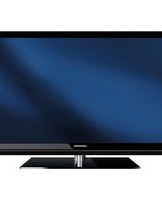
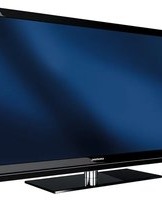
- TV
- INSTRUKCJE DLA UŻYTKOWNIKA
- KONFIGURACJA I BEZPIECZEŃSTWO
- INFORMACJE OGÓLNE
- ZAWARTOŚĆ OPAKOWANIA
- PODŁĄCZENIE/PRZYGOTOWANIE
- PRZEGLĄD
- KONFIGURACJA POCZĄTKOWA
- USTAWIENIA OBRAZU / DŹWIĘKU
- OBSŁUGA TELEWIZORA - FUNKCJE PODSTAWOWE
- OBSŁUGA TELEWIZORA – FUNKCJE DODATKOWE
- PERSONALIZACJA MENU GŁÓWNEGO
- AMAZON ALEXA
- ELEKTRONICZNY PRZEWODNIK TELEWIZYJNY
- TRYB HBBTV
- TRYB TELETEKSTU
- NAGRYWANIE USB
- OBSŁUGA USB
- GRUNDIG VISION OS
- USTAWIENIA JĘZYKA
- FUNKCJE DOSTĘPNE
- USTAWIENIA ZAAWANSOWANE
- FUNKCJE ZEGARA
- USTAWIENIA RODZICIELSKIE
- USTAWIENIA DATY I CZASU
- OPROGRAMOWANIE URZĄDZENIA
- AKCESORIA
- FUNKCJE RESETOWANIA
- KORZYSTANIE Z URZĄDZEŃ ZEWNĘTRZNYCH
- OBSŁUGA Z WSPÓLNYM
- INTERFEJSEM
- KONFIGURACJA SIECI
- USTAWIANIE DALSZYCH KANAŁÓW
- SŁOWNICZEK
- O TWOIM TELEWIZORZE
- PRZEZNACZENIE
- BEZPIECZEŃSTWO
- OSTRZEŻENIE
- RYZYKO PORAŻENIA PRĄDEM
- ZAGROŻENIE POŻAREM
- URAZY SPOWODOWANE UPADKIEM TELEWIZORA
- UWAGA
- SKRÓCONA ŻYWOTNOŚĆ Z POWODU WYSOKIEJ TEMPERATURY PRACY
- ODBARWIENIE MEBLI SPOWODOWANE GUMOWYMI NÓŻKAMI
- ZAKŁÓCENIA ELEKTROMAGNETYCZNE
- INFORMACJE O ŚRODOWISKU
- SPECJALNE FUNKCJE TELEWIZORA
- ODBIERANIE STACJI CYFROWYCH
- SYSTEM GRUNDIG SCR
- WAŻNE UWAGI DOTYCZĄCE OCHRONY ŚRODOWISKA
- UWAGI DOTYCZĄCE NIERUCHOMYCH OBRAZÓW
- STANDARDOWE AKCESORIA
- AKCESORIA OPCJONALNE
- PODŁĄCZANIE ANTENY I PRZEWODU ZASILAJĄCEGO
- USTAWIANIE LUB WIESZANIE
- USTAWIANIE ZE STOJAKIEM
- PRZYGOTOWANIE DO MONTAŻU NA UCHWYCIE VESA
- WKŁADANIE BATERII DO PILOTA
- UWAGA DOTYCZĄCA OCHRONY ŚRODOWISKA
- ELEMENTY STERUJĄCE
- PRZEŁĄCZANIE TELEWIZORA W TRYB CZUWANIA
- REGULACJA GŁOŚNOŚCI
- ZMIANA KANAŁU
- INTELIGENTNY PILOT ZDALNEGO STEROWANIA
- PILOT ZDALNEGO STEROWANIA - WSZYSTKIE FUNKCJE
- USTAWIENIA POŁĄCZENIA Z SIECIĄ DOMOWĄ
- POŁĄCZENIE AUTOMATYCZNE
- POŁĄCZENIE RĘCZNE
- STROJENIE KANAŁÓW
- PRZEPROWADŹ KONFIGURACJĘ WSTĘPNĄ
- POMOC
- PODŁĄCZANIE DO SIECI DOMOWEJ ZA POMOCĄ KABLA LAN
- AUTOMATYCZNE ŁĄCZENIE PRZEZ WPROWADZENIE HASŁA SIECIOWEGO
- WYSZUKIWANIE KANAŁÓW TELEWIZYJNYCH Z SYGNAŁEM SATELITARNYM (DVB-S)
- UWAGI
- STROJENIE KANAŁÓW TELEWIZJI KABLOWEJ (DVB-C)
- STROJENIE NAZIEMNYCH KANAŁÓW TELEWIZJI CYFROWEJ (DVB-T)
- ZMIANA EDYTORA KANAŁÓW DLA KANAŁÓW CYFROWYCH
- OTWIERANIE TABELI PROGRAMÓW
- WAŻNE
- WYSZUKIWANIE KANAŁÓW WEDŁUG NAZWY W EDYTORZE KANAŁÓW
- USUWANIE KANAŁÓW W EDYTORZE KANAŁÓW
- PRZENOSZENIE KANAŁÓW W ORGANIZATORZE KANAŁÓW NA INNE POZYCJE
- WYŚWIETLANIE KANAŁÓW W EDYTORZE KANAŁÓW WEDŁUG TYPU ANTENY
- SORTOWANIE KANAŁÓW W EDYTORZE KANAŁÓW
- TWORZENIE LISTY ULUBIONYCH
- SORTOWANIE KANAŁÓW NA LIŚCIE ULUBIONYCH
- WPROWADŹ WŁASNE NAZWY DLA LIST ULUBIONYCH (MAKS. 6 ZNAKÓW)
- ZMIANA NAZW KANAŁÓW AV
- USTAWIENIA OBRAZU
- ZAAWANSOWANE USTAWIENIA OBRAZU
- PRZYWRÓĆ USTAWIENIA DOMYŚLNE
- ZAKOŃCZENIE USTAWIEŃ
- USTAWIENIA DŹWIĘKU
- TRYB DŹWIĘKU
- MAGIC FIDELITY
- TRYB NOCNY
- WYBÓR LOKALIZACJI
- DŹWIĘK STEREO/PODWÓJNY
- BALANS
- KOREKTOR
- AUTOMATYCZNA GŁOŚNOŚĆ
- OBSŁUGA TELEWIZORA - PODSTAWOWE FUNKCJE
- WŁĄCZANIE I WYŁĄCZANIE
- WYBIERANIE KANAŁÓW
- WYBIERANIE STACJI Z LIST
- WYBIERANIE KANAŁÓW AV
- WYCISZANIE
- WYŚWIETLANIE INFORMACJI
- JĘZYK ŚCIEŻKI DŹWIĘKOWEJ
- NAPISY
- FUNKCJA ZAPISU
- OBSŁUGA TELEWIZORA - FUNKCJE DODATKOWE
- WYŁĄCZNIK CZASOWY
- FUNKCJA ZOOM
- ZMIANA FORMATU OBRAZU
- FORMAT »AUTO
- FORMATY »16:9« I
- FORMAT
- FORMAT »LETTERBOX
- FORMAT »SUBTITLE
- FORMAT »PANORAMA
- FORMAT »OVERSCAN
- USTAWIENIA AUDIO
- DODAWANIE ELEMENTÓW DO MENU GŁÓWNEGO
- EDYCJA ELEMENTÓW W MENU GŁÓWNYM
- PRZENOSZENIE ELEMENTU W INNE MIEJSCE W MENU GŁÓWNYM
- USUWANIE ELEMENTU Z MENU GŁÓWNEGO
- TWORZENIE GRUPY I GRUPOWANIE ELEMENTÓW
- ZMIANA NAZWY GRUP
- PRZYWRACANIE USTAWIEŃ DOMYŚLNYCH MENU GŁÓWNEGO
- CO TO JEST HBBTV
- KORZYSTANIE Z HBBTV
- DODATKOWE FUNKCJE DLA INDEKSÓW WIDEO
- DEZAKTYWACJA I AKTYWACJA HBBTV
- DEZAKTYWACJA I AKTYWACJA TELETEKSTU CYFROWEGO
- TRYB TEKSTU TOP LUB FLOF
- TRYB NORMALNEGO TEKSTU
- DODATKOWE FUNKCJE
- POMIJANIE CZASU OCZEKIWANIA
- ZWIĘKSZANIE ROZMIARU CZCIONKI
- ZATRZYMANIE STRONY
- BEZPOŚREDNIE WYWOŁYWANIE PODSTRONY
- UJAWNIANIE ODPOWIEDZI
- PODZIAŁ EKRANU (SPLIT SCREEN)
- INFORMACJE O NAGRYWANIU I ODTWARZANIU PROGRAMÓW TELEWIZYJNYCH
- MOŻLIWE OGRANICZENIA PODCZAS KORZYSTANIA Z ZEWNĘTRZNEGO NOŚNIKA DANYCH
- FIRMA GRUNDIG NIE MA WPŁYWU NA TE OGRANICZENIA
- PODŁĄCZANIE ZEWNĘTRZNYCH NOŚNIKÓW DANYCH
- USTAWIENIA NAGRYWANIA USB
- WYBÓR MENU
- ODŁĄCZANIE ZEWNĘTRZNYCH NOŚNIKÓW DANYCH
- WYBIERANIE ZEWNĘTRZNEGO NOŚNIKA DANYCH
- WYBIERANIE PARTYCJI NA NOŚNIKU ZEWNĘTRZNYM
- TESTOWANIE ZEWNĘTRZNEGO NOŚNIKA DANYCH
- FORMATOWANIE PARTYCJI
- PRZEŁĄCZANIE NA NAGRYWANIE CIĄGŁE
- PRZESUNIĘCIE CZASOWE – „WSTRZYMYWANIE” PROGRAMÓW
- NAGRYWANIE PROGRAMÓW TELEWIZYJNYCH
- NAGRYWANIE PROGRAMÓW JEDNYM DOTKNIĘCIEM
- NAGRYWANIE PROGRAMU Z LISTY KANAŁÓW
- USTAWIENIA PROGRAMU DO NAGRYWANIA
- Z ELEKTRONICZNYM PRZEWODNIKIEM PO PROGRAMACH
- USTAW CZAS WYPRZEDZENIA/OPÓŹNIENIA
- WPROWADZAJĄC INFORMACJE RĘCZNIE
- EDYCJA TIMERA
- USUWANIE TIMERA
- ODTWARZANIE
- WYBIERANIE AUDYCJI Z LISTY NAGRANYCH PLIKÓW
- WYSZUKIWANIE OBRAZU DO PRZODU/DO TYŁU
- ODTWARZANIE PODCZAS NAGRYWANIA
- USUWANIE PROGRAMÓW Z MENU NAGRANYCH PLIKÓW
- FORMATY PLIKÓW DLA OBSŁUGI USB
- DANE WIDEO
- DANE OBRAZU
- DANE AUDIO
- USUWANIE ZEWNĘTRZNYCH NOŚNIKÓW DANYCH
- PRZEGLĄDARKA PLIKÓW
- USTAWIENIA W MENU USB SETUP
- WYBIERANIE MENU
- WYBIERANIE TRYBU WYŚWIETLANIA
- PRZEŁĄCZANIE NA AUTOMATYCZNY PODGLĄD
- WYBIERANIE CZASU WYŚWIETLANIA POKAZU SLAJDÓW
- USTAWIENIA NAPISÓW
- PODSTAWOWE FUNKCJE ODTWARZANIA
- DODATKOWE FUNKCJE ODTWARZANIA
- WYBIERANIE PARTYCJI W PLIKACH HD
- WYBIERANIE TYTUŁÓW NA PLIKACH HD
- ODTWARZANIE WYBRANYCH ŚCIEŻEK
- WYBIERANIE ŚCIEŻKI LUB OBRAZU KROK PO KROKU (SKIP)
- PRZEJDŹ DO ŻĄDANEGO CZASU
- SZUKANIE DO PRZODU
- OBRÓĆ WYŚWIETLANIE OBRAZU
- FUNKCJE POWTARZANIA
- ODTWARZANIE FILMÓW, MUZYKI I PLIKÓW OBRAZÓW ZA POMOCĄ POŁĄCZENIA Z SIECIĄ DOMOWĄ
- WYBIERANIE SERWERA MULTIMEDIÓW CYFROWYCH
- INNE OPCJE ODTWARZANIA
- WARUNKI KORZYSTANIA Z USŁUGI I POUFNOŚĆ
- ZGODY NA WARUNKI KORZYSTANIA Z USŁUGI I POUFNOŚĆ
- PIERWSZE URUCHOMIENIE I OPERACJE
- WYŚWIETLANIE TREŚCI WARUNKÓW KORZYSTANIA Z USŁUGI I POUFNOŚCI ZAAKCEPTOWANEJ PRZEZ UŻYTKOWNIKA I USUWANIE AKCEPTACJI
- APLIKACJE INTERNETOWE GRUNDIG VISION OS
- KLAWIATURA I MYSZ USB
- WYBIERANIE APLIKACJI INTERNETOWYCH
- WYŚWIETLANIE WSZYSTKICH APLIKACJI
- DODAWANIE APLIKACJI DO ULUBIONYCH
- EKRAN GŁÓWNY PORTALU APLIKACJI
- NAWIGACJA NA EKRANIE GŁÓWNYM PORTALU APLIKACJI
- APLIKACJE PRZEGLĄDARKI INTERNETOWEJ
- ZMIANA JĘZYKA MENU
- ZMIANA JĘZYKA ŚCIEŻKI DŹWIĘKOWEJ
- ZMIANA JĘZYKA NAPISÓW
- ZMIANA JĘZYKA KLAWIATURY
- TRYB NAPISÓW
- AUDIODESKRYPCJA (NAPISY DŹWIĘKOWE)
- AUTO USYPIANIE
- WIDOK ZAPISANEGO LOGO
- JASNOŚĆ DIODY LED ZASILANIA
- TRYB OSZCZĘDZANIA ENERGII
- WŁĄCZANIE/WYŁĄCZANIE INFORMACJI O POGODZIE
- WŁĄCZANIE/WYŁĄCZANIE INFORMACJI POMOCY
- TIMER WYŁĄCZANIA
- TIMER WŁĄCZANIA (AUTO ON)
- WYŁĄCZNIK CZASOWY (AUTO OFF)
- KONTROLA RODZICIELSKA
- BLOKOWANIE MENU
- BLOKOWANIE PRZEŁĄCZNIKA WIELOFUNKCYJNEGO
- ZMIANA KODU PIN
- BLOKOWANIE KANAŁU TELEWIZYJNEGO
- OGLĄDANIE ZABLOKOWANEGO KANAŁU TELEWIZYJNEGO
- RESETOWANIE KODU PIN
- AUTOMATYCZNE STROJENIE
- STROJENIE RĘCZNE
- INFORMACJE O PRODUKCIE
- AKTUALIZACJA OPROGRAMOWANIA (OAD)
- AKTUALIZACJA OPROGRAMOWANIA (INTERNET)
- AKTUALIZACJA OPROGRAMOWANIA (USB)
- PAROWANIE INTELIGENTNEGO PILOTA
- AKTYWOWANIE/DEZAKTYWOWANIE KURSORA
- PRZYWRACANIE USTAWIEŃ FABRYCZNYCH TELEWIZORA
- USUWANIE HISTORII KANAŁÓW
- PRZYWRACANIE USTAWIEŃ
- DIGI LINK
- FUNKCJE DIGI LINK TELEWIZORA
- WŁĄCZANIE URZĄDZENIA ZEWNĘTRZNEGO Z TRYBU CZUWANIA
- WYBIERANIE ŹRÓDŁA HDMI Z TELEWIZORA
- WYBIERANIE JĘZYKA MENU
- WYŁĄCZANIE URZĄDZENIA ZEWNĘTRZNEGO Z TRYBU CZUWANIA
- WYSZUKIWANIE I WYBIERANIE AKTYWNEGO URZĄDZENIA ZEWNĘTRZNEGO
- STEROWANIE URZĄDZENIEM
- PRZEŁĄCZANIE URZĄDZENIA W TRYB CZUWANIA
- HDMI TM
- HIGH DEFINITION - HD READY
- OPCJE PODŁĄCZENIA
- PODŁĄCZANIE URZĄDZENIA ZEWNĘTRZNEGO
- Z CYFROWYM SYGNAŁEM AUDIO/WIDEO
- KORZYSTANIE Z NAGRYWARKI DVD, ODTWARZACZA DVD, MAGNETOWIDU LUB SET-TOP BOXA
- SŁUCHAWKI
- PODŁĄCZANIE SŁUCHAWEK
- USTAWIANIE GŁOŚNOŚCI SŁUCHAWEK
- SYSTEM HI-FI
- PODŁĄCZANIE CYFROWEGO WZMACNIACZA WIELOKANAŁOWEGO / AMPLITUNERA AV
- WŁĄCZ URZĄDZENIE Z FUNKCJĄ HDMI ARC I AKTYWUJ HDMI ARC
- ODTWARZANIE SYGNAŁU AUDIO PRZEZ SYSTEM HIFI
- BEZPRZEWODOWE UDOSTĘPNIANIE EKRANU (LIVESHARE)
- CO TO JEST LIVESHARE
- UDOSTĘPNIANIE EKRANU ZA POMOCĄ POŁĄCZENIA LIVESHARE
- CO TO JEST WSPÓLNY INTERFEJS
- WKŁADANIE MODUŁU CA
- KONTROLA DOSTĘPU DLA MODUŁU CA I KART INTELIGENTNYCH
- POŁĄCZENIE SIECIOWE
- SIEĆ PRZEWODOWA
- POŁĄCZENIE SIECI PRZEWODOWEJ
- USTAWIENIA SIECI PRZEWODOWEJ
- SIEĆ BEZPRZEWODOWA
- POŁĄCZENIE Z SIECIĄ BEZPRZEWODOWĄ
- USTAWIENIA SIECI BEZPRZEWODOWEJ
- WYMAGANIA TECHNICZNE
- BEZPRZEWODOWE POŁĄCZENIE SIECIOWE WPS PRZEZ NACIŚNIĘCIE PRZYCISKU
- BEZPRZEWODOWE POŁĄCZENIE SIECIOWE WPS Z KODEM PIN
- ŁĄCZENIE AUTOMATYCZNE PRZEZ WPROWADZENIE HASŁA SIECIOWEGO
- ZMIANA NAZWY TELEWIZORA
- PODŁĄCZANIE TELEWIZORA DO SIECI „UKRYTEJ
- AUTOMATYCZNE WYSZUKIWANIE WSZYSTKICH KANAŁÓW CYFROWYCH Z SATELITY
- RĘCZNE WYSZUKIWANIE KANAŁÓW CYFROWYCH Z SATELITY NA TRANSPONDERZE
- TYP USŁUGI
- TYP SKANOWANIA
- TRANSPONDER
- SYMBOL RATE
- POLARYZACJA
- WYSZUKIWANIE SIECI
- USTAWIENIA ANTENY I AUTOMATYCZNE WYSZUKIWANIE KANAŁÓW CYFROWYCH Z SATELITY
- SATELITA
- TYP LNB
- ZASILANIE LNB
- WYBÓR LNB
- USTAWIENIA ANTENY, SYSTEM SCR I AUTOMATYCZNE WYSZUKIWANIE KANAŁÓW CYFROWYCH Z SATELITY
- PASMO UŻYTKOWNIKA
- CZĘSTOTLIWOŚĆ UB (MHZ)
- WYBIERZ TRYB SKANOWANIA
- NACIŚNIJ »•« (CZERWONY), ABY ROZPOCZĄĆ WYSZUKIWANIE
- USTAWIENIA ANTENY DLA DISEQC 1.0 I AUTOMATYCZNE WYSZUKIWANIE KANAŁÓW CYFROWYCH Z SATELITY
- TRYB DISEQC
- AUTOMATYCZNE WYSZUKIWANIE KANAŁÓW CYFROWYCH OD DOSTAWCY TELEWIZJI KABLOWEJ
- RĘCZNE WYSZUKIWANIE KANAŁÓW CYFROWYCH OD DOSTAWCY TELEWIZJI KABLOWEJ
- AUTOMATYCZNE WYSZUKIWANIE NAZIEMNYCH KANAŁÓW TELEWIZJI CYFROWEJ
- RĘCZNE WYSZUKIWANIE NAZIEMNYCH KANAŁÓW TELEWIZJI CYFROWEJ
- AUTOMATYCZNA AKTUALIZACJA USŁUG
- DOSTRAJANIE ANALOGOWYCH KANAŁÓW TELEWIZYJNYCH
- USTAWIANIE WSZYSTKICH ANALOGOWYCH KANAŁÓW TELEWIZYJNYCH
- DOSTRAJANIE ANALOGOWYCH KANAŁÓW TELEWIZYJNYCH PRZEZ WPROWADZANIE NUMERÓW KANAŁÓW
- ZMIANA ZAPISANYCH KANAŁÓW ANALOGOWYCH
- WYBIERANIE LIST KANAŁÓW
- USUWANIE KANAŁÓW
- WPROWADZANIE NAZW KANAŁÓW ANALOGOWYCH (MAKSYMALNIE 8 ZNAKÓW)
- TWORZENIE LISTY ULUBIONYCH - KANAŁY ANALOGOWE
- WYŚWIETLANIE INFORMACJI O SYGNALE
- SPECYFIKACJA MODUŁU BEZPRZEWODOWEJ SIECI LAN (JEŚLI MODUŁ WIFI JEST DOSTĘPNY)
- SPECYFIKACJA MODUŁU BLUETOOTH (JEŚLI MODUŁ BLUETOOTH JEST DOSTĘPNY)
- INFORMACJE SERWISOWE DLA DEALERÓW
- UWAGI DOTYCZĄCE ODBIORU WLAN
- DLA KLIENTÓW WE WŁOSZECH
- DLA KLIENTÓW W TURCJI
- DLA KLIENTÓW W NORWEGII
- DLA KLIENTÓW W ROSJI
- DLA KLIENTÓW NA UKRAINIE
- INTERFEJSY SIECIOWE
- UTYLIZACJA OPAKOWANIA
- UWAGA DOTYCZĄCA ŚRODOWISKA
- OBJAŚNIENIE SYMBOLI, KTÓRE MOGĄ ZNAJDOWAĆ SIĘ NA TYLNEJ STRONIE TELEWIZORA
- ROZWIĄZYWANIE PROBLEMÓW
- ARC
- PODŚWIETLENIE
- REDUKCJA SZUMÓW BLOKOWYCH
- WERSJA BOOTLOADERA
- COMMON INTERFACE
- DIGILINK
- DISEQC
- DYNAMICZNE PODŚWIETLENIE
- DLNA
- SYSTEM NAZW DOMENOWYCH
- DVB-C
- DVB-S
- DVB-T
- DYNAMICZNY KONTRAST
- TRYB FILMOWY
- WERSJA OPROGRAMOWANIA
- GAMMA
- BRAMA IP
- WERSJA SPRZĘTU
- HBBTV
- HD
- ADRES IP
- LIVE SHARE
- LNB
- MP
- NAS (NETWORK ACCESS STORAGE)
- MASKA SIECI
- REDUKCJA SZUMÓW
- PERFECT CLEAR
- PRYWATNY ADRES IP
- SERWER PROXY
- ROUTER
- SCR (SINGLE CHANNEL ROUTER)
- BEZPIECZEŃSTWO (WEP/WPA)
- SYMBOLRATE
- TIMESHIFT
- TELEWIZJA UHD
- ŻYWE KOLORY
- WI-FI
- A
- B
- C
- D
- E
- F
- G
- H
- L
- M
- N
- O
- P
- R
- S
- T
- U
- W
- Z
Marka : GRUNDIG
Model : Fine Arts 65 GOB 9990
Kategoria : Telewizor