RAK-SSL186WH - Pilot zdalnego sterowania TECHNICS - Bezpłatna instrukcja obsługi
Znajdź bezpłatnie instrukcję urządzenia RAK-SSL186WH TECHNICS w formacie PDF.


Pytania użytkowników dotyczące RAK-SSL186WH TECHNICS
0 pytanie dotyczące tego urządzenia. Odpowiedz na te, które znasz, lub zadaj własne.
Zadaj nowe pytanie dotyczące tego urządzenia
Pobierz instrukcję dla swojego Pilot zdalnego sterowania w formacie PDF za darmo! Znajdź swoją instrukcję RAK-SSL186WH - TECHNICS i weź swoje urządzenie elektroniczne z powrotem w ręce. Na tej stronie opublikowane są wszystkie dokumenty niezbędne do korzystania z urządzenia. RAK-SSL186WH marki TECHNICS.
INSTRUKCJA OBSŁUGI RAK-SSL186WH TECHNICS
Technics®
How to use the remote control transmitter RAK-SL186WH
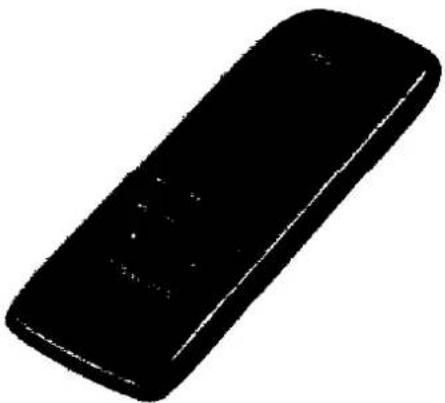
natural_image
Black rectangular object with rounded edges and small white markings (no visible text or symbols)Battery notes
Do not mix old and new batteries, or batteries of different types (carbon and alkaline, etc.).
Always remove old, weak or worn-out batteries promptly and dispose of them properly.
The average battery life is about one year.
Although the battery life varies depending on how often the device is used, you should generally replace the batteries about once a year.
The batteries should be replaced if commands from the remote control transmitter do not operate the unit even when the transmitter is held close to the front panel.
Never subject batteries to excessive heat or flame; do not attempt to disassemble them; and be sure they are not short-circuited.
If you will not use the remote control for a long period of time, remove the batteries and store them in a cool, dark place.
If a battery leaks, remove all batteries and dispose of them properly. Thoroughly clean the battery compartment before inserting new batteries.
If the leaking electrolyte comes into contact with skin or clothes, flush with water immediately.
Keep batteries out of reach of children.
Do not use rechargeable type batteries.
Do not attempt to recharge alkaline or carbon batteries.
Do not dispose of used batteries in household rubbish.
P EB GN
Before use
Battery installation
Insert the batteries included with this unit as shown below.
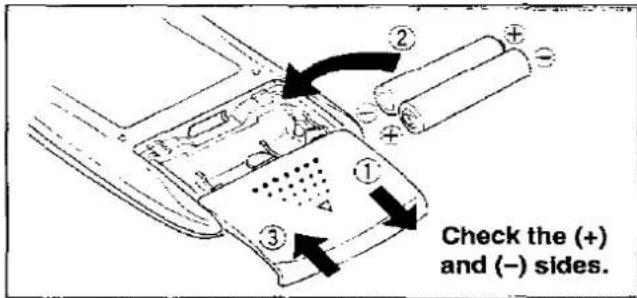
When you need to replace these batteries
Use two UM-4 "AAA", IEC R03 (1.5 V) or equivalent batteries
Method for use
Use the remote control within 60 degrees and within 7 meters (23 ft.) facing directly toward the changer's remote control signal sensor.
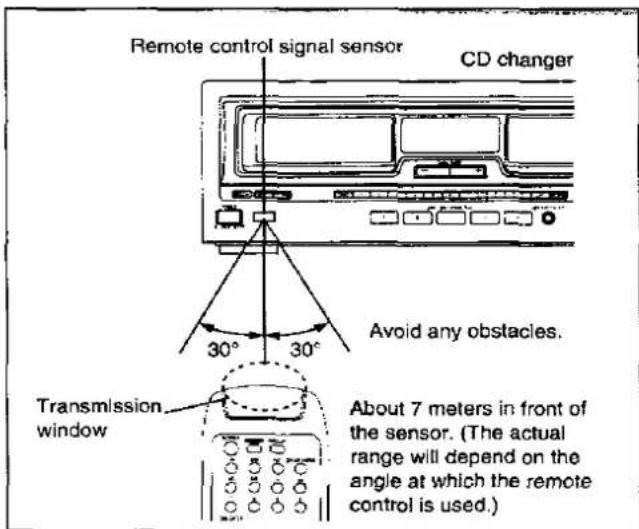
Note
Be sure the transmission window and the unit's sensor are free from dust. Excessive dust might affect performance.
The operation may not be correct if direct sunlight or another strong light source strikes the receiving sensor of this unit. If there is a problem, place the unit away from the light source.
RQT3319-P
Quick reference table for remote control operation
For details about each function, refer to the operating instructions for the main unit.
Basic operation
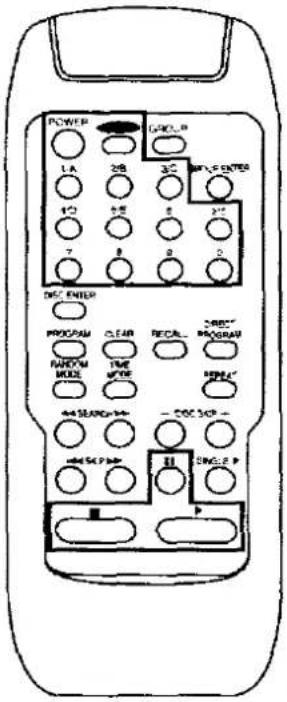 | To turn OFF/ON the main unit |  |
| To select a specific disc | 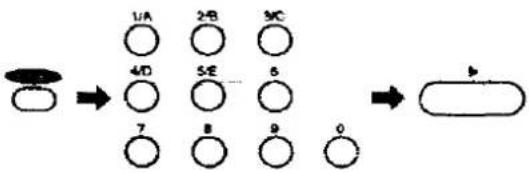 | |
| To select a specific track | 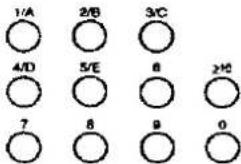 To select a track between 1 and 9:Press the corresponding number on the keypad.To select a two-digit track number 10 or higher:First press ≥10, and then press the numbers for the two digits. To select a track between 1 and 9:Press the corresponding number on the keypad.To select a two-digit track number 10 or higher:First press ≥10, and then press the numbers for the two digits. | |
| To start play | 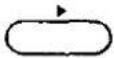 | |
| To stop play temporarily |  Press ➤ button to resume play. Press ➤ button to resume play. | |
| To stop play |  |
Random play
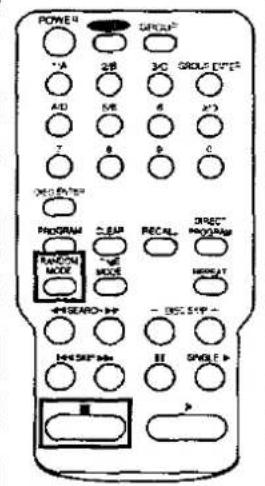 | To start one disc/full random play | [WSX5] | Each time the button is pressed, the random mode will change in the following order: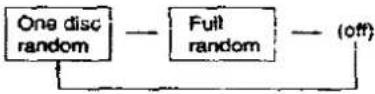 | |
| To stop random play |  | This stops play and cancels random play at the same time. | ||
| Program play | ||||
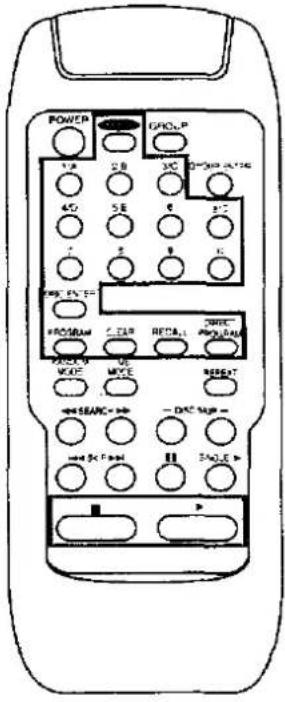 | To start program play | 1(In the stop mode)PROGRAM Select the program mode. | ||
| 21-A 2B 3CSelect a disc.DISC 4-D 5-E 6 DISC ENTER7 8 9 0 | ||||
| 31-A 2-B 3CSelect a track.4-D 5-E 6 2-C Repeat steps 2 and 3 until you have completed all entries.7 8 9 5 | ||||
| 4 Start play. | ||||
| To check programmed contents | RECALL The selections entered are displayed one by one each time this button is pressed. | |||
| To clear a single item from the program | CLEAP Only the selection which is currently displayed is cleared. | |||
| To clear all programmed contents | (In the stop mode)■ | |||
| To add the track currently being played to the program | (In the play mode)DIRECTPROGRAM | |||
| Skip discs/skip tracks/repeat/search function, Single disc play, Time mode selection | ||
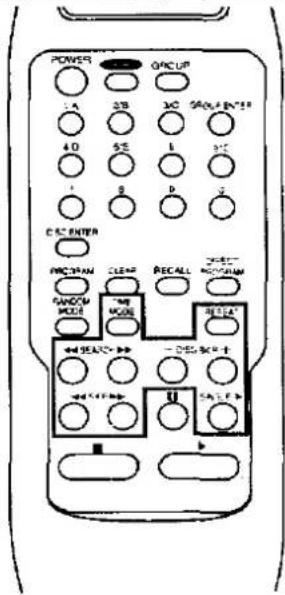 | To skip discs | —CISC SKIP —○ ○ |
| To skip tracks | ○ ○ | |
| To repeat play | (Before or during play)REPEAT To cancel repeat mode.Press REPEAT again. | |
| To search for a desired place | (In the play or pause mode)←→SEARCH→ | |
| To play the disc in slot No.0 | SINGLE ▶○ | |
| To change time data shown in the display | (In the play or pause mode)THEVOTE○ | |
| Disc grouping play | ||
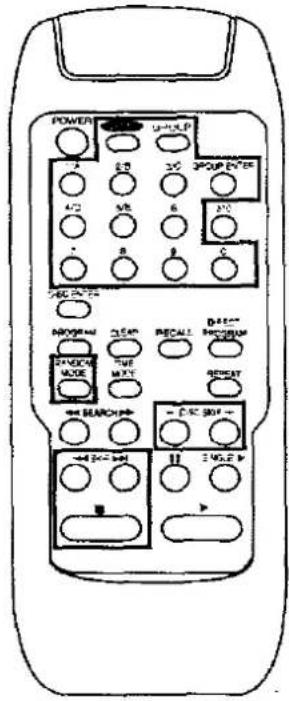 | To group discs | 1 1/4 2/B 3C Select the disc number.4/D 5/E 6or 7 8 9 0- DISC STEP + |
| 2 GROUP ENTER Select the group enter mode | ||
| 3 GROUP 1/A 2/B 3C Repeat steps 1, 2 and 3: until you have completed all items. | ||
| To cancel discs from groups | Perform above steps 1 and 2, and then select the group you want to cancel in step 3.To cancel a particular disc from all groups, press ■ in step 3 above. (In the stop mode) | |
| To name groups | 1 GROUP ENTER Select the group naming mode. | |
| 2 144 SWTH Call up the group name you want on the display. | ||
| 3 GROUP 1/A 2/B 3C Select the group you want to name. | ||
| For sequential play within a given group | GROUP 1/A 2/B 3C Select the group you want. | |
| For random play within a given group | GROUP 1/A 2/B 3C Select the group you want. | |
| 2 RANDOM MODE Select the random mode. | ||
Troubleshooting guide
| Problem | Probable cause(s) | Suggested remedy |
| The changer does not respond correctly to remote commands. | The batteries have run out. | Replace batteries with new ones. |
| There is an obstruction between the remote control and the changer. | Remove the obstruction. | |
| The batteries are inserted incorrectly.[The (+) and (−) polarities are reversed.] | Reinsert batteries so that the polarities are correct. |