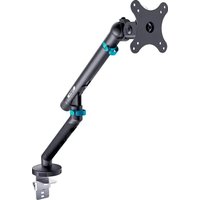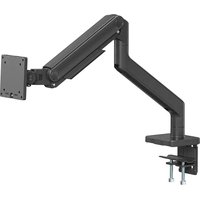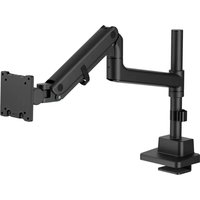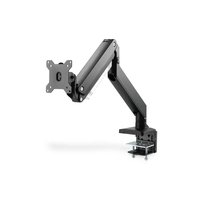
DA-90426 - Support écran plat Digitus - Notice d'utilisation et mode d'emploi gratuit
Retrouvez gratuitement la notice de l'appareil DA-90426 Digitus au format PDF.


| Type de produit | Support écran plat avec bras articulé à ressort à gaz |
| Marque | Digitus |
| Modèle | DA-90426 |
| Compatibilité VESA | 75x75 mm et 100x100 mm |
| Rotation du bras | 180° (sans butée) |
| Inclinaison | Oui, réglable via clé Allen |
| Ajustement en hauteur | Par ressort à gaz avec réglage de tension |
| Fixation au bureau | Par serrage (bord de table 10-58 mm) ou par trou de passage (Ø 10-60 mm) |
| Épaisseur de table compatible (serrage) | 10 à 58 mm |
| Diamètre du trou de passage | 10 à 60 mm |
| Matière | Acier |
| Couleur | Noir et argent |
| Contenu du colis | Bras, colonne, plaque VESA, vis M4x12 (x4), M5x12 (x4), M6x12 (x4), rondelles D5 (x4), clés Allen 3 mm, 4 mm, 6 mm |
| Entretien | Vérifier la stabilité tous les 3 mois ; nettoyer avec un chiffon doux sec |
| Sécurité | Usage intérieur uniquement ; ne pas dépasser le poids nominal ; ne pas trop serrer les vis |
| Installation | Recommandée par un professionnel ; lire le manuel avant montage |
FOIRE AUX QUESTIONS - DA-90426 Digitus
Questions des utilisateurs sur DA-90426 Digitus
0 question sur cet appareil. Repondez a celles que vous connaissez ou posez la votre.
Poser une nouvelle question sur cet appareil
Téléchargez la notice de votre Support écran plat au format PDF gratuitement ! Retrouvez votre notice DA-90426 - Digitus et reprennez votre appareil électronique en main. Sur cette page sont publiés tous les documents nécessaires à l'utilisation de votre appareil DA-90426 de la marque Digitus.
MODE D'EMPLOI DA-90426 Digitus
DIGITUS®
Single Gas Spring Monitor Desk Mount
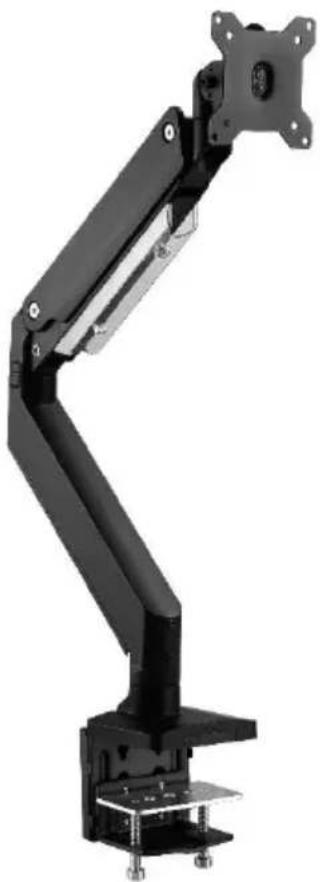
natural_image
Mechanical arm with black and silver components, no visible text or symbolsQuick Installation Guide
DA-90426
Package Content
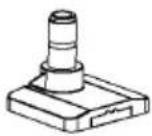 A (x1) A (x1) | 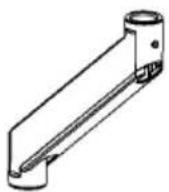 B (x1) B (x1) | 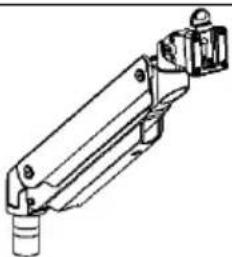 C (x1) C (x1) |
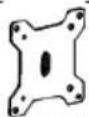 D (x1) D (x1) | 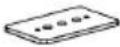 E (x1) E (x1) | 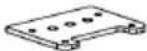 F (x1) F (x1) |
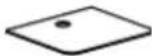 G (x1) G (x1) | 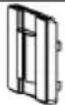 H (x1) H (x1) | 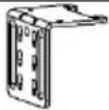 I (x1) I (x1) |
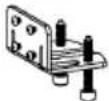 J (x1) J (x1) |  K (x4)M6x12 K (x4)M6x12 | 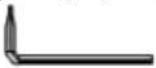 L (x1)3mm L (x1)3mm |
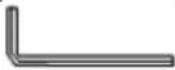 M (x1)4mm M (x1)4mm | 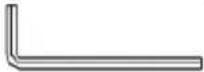 N (x1)6mm N (x1)6mm | 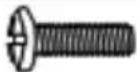 M-A (x4)M4x12 M-A (x4)M4x12 |
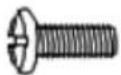 M-B (x4)M5x12 M-B (x4)M5x12 |  M-C (x4)D5 M-C (x4)D5 |
Mounting Instructions
Step 1:
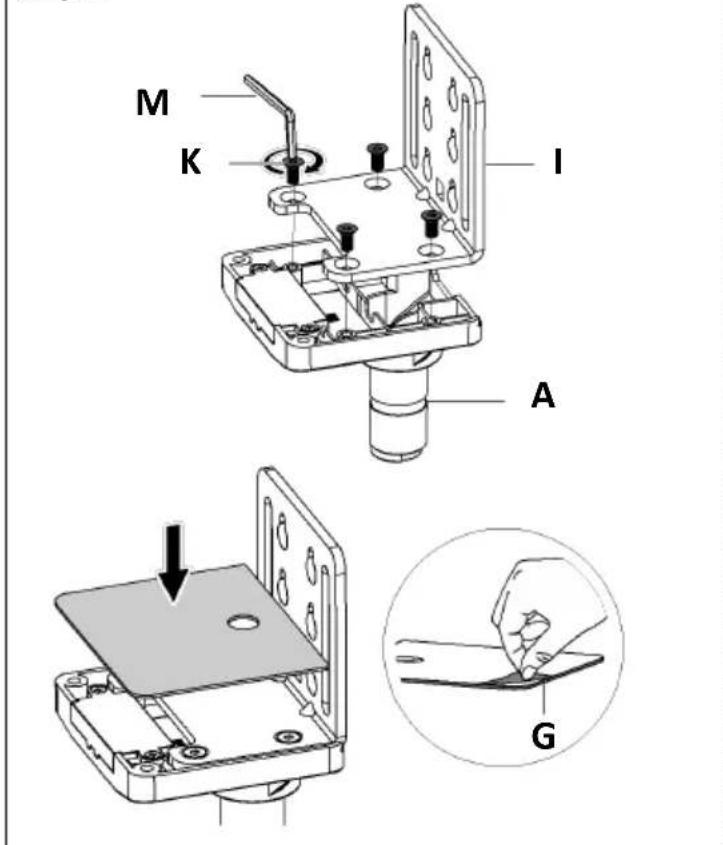
text_image
M K I A G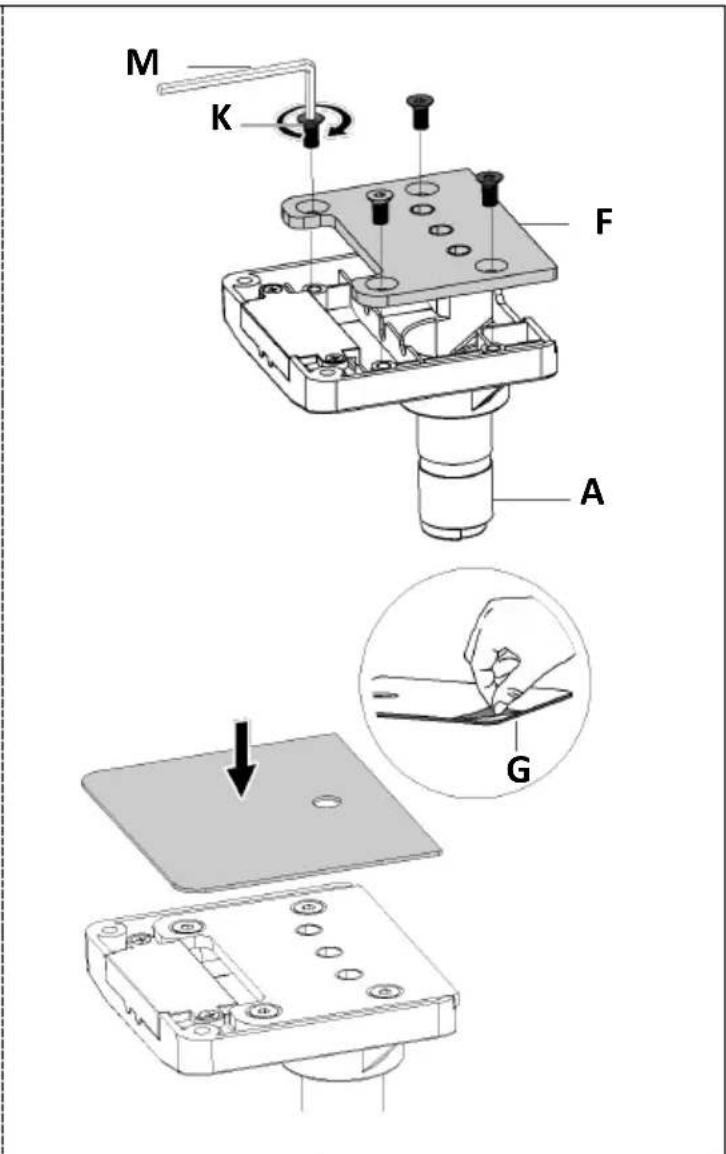
text_image
M K F A G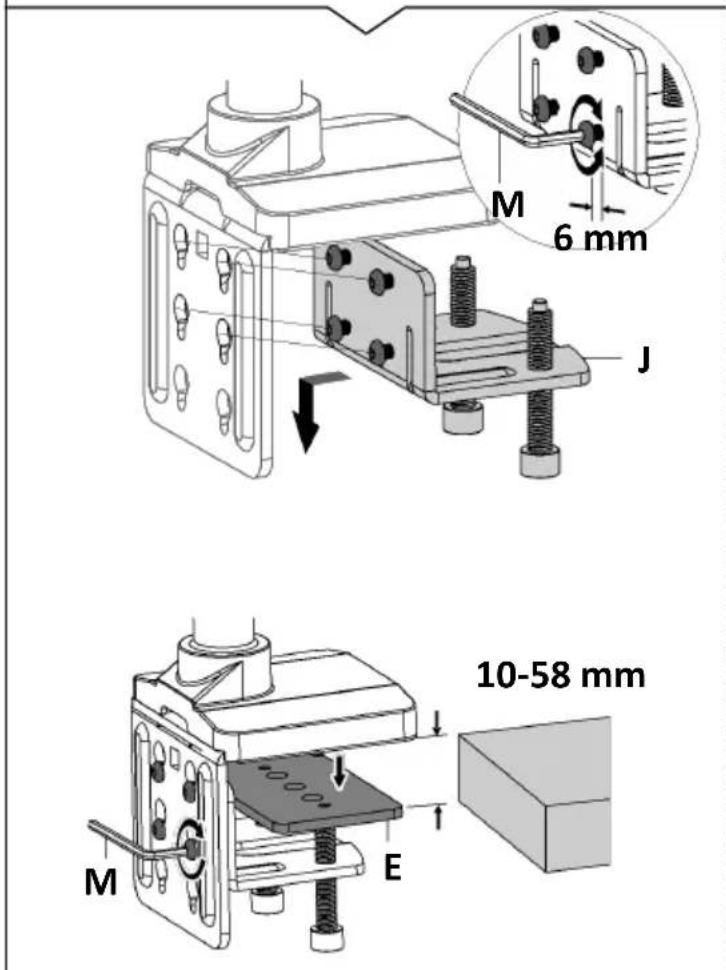
text_image
M 6 mm J 10-58 mm M E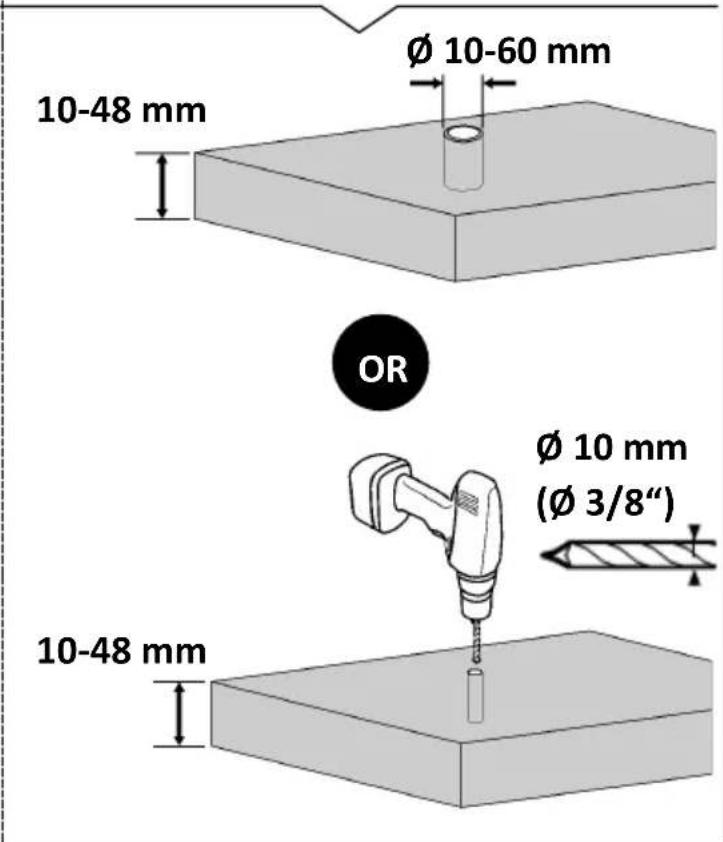
text_image
Ø 10-60 mm 10-48 mm OR Ø 10 mm (Ø 3/8") 10-48 mm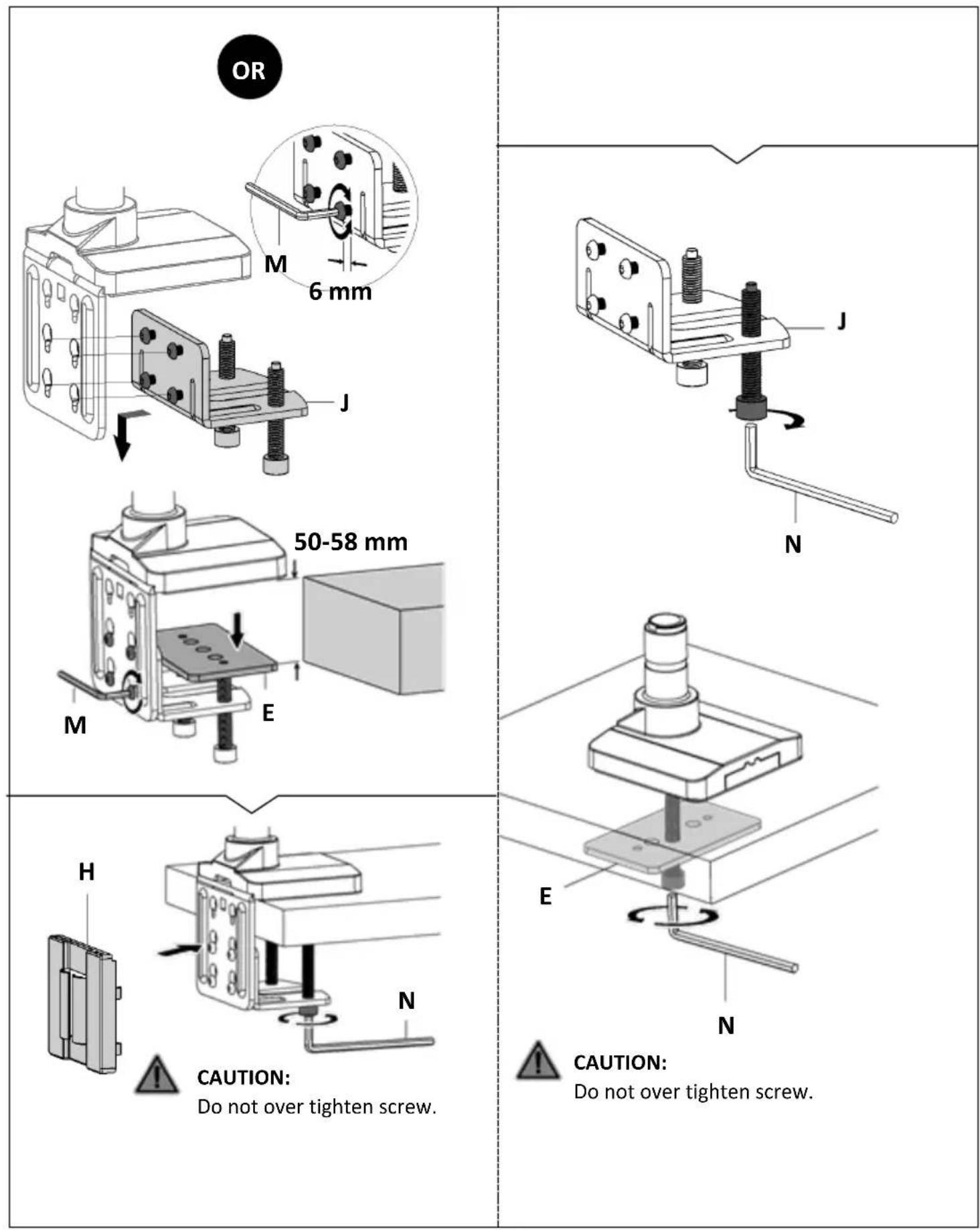
Step 2:
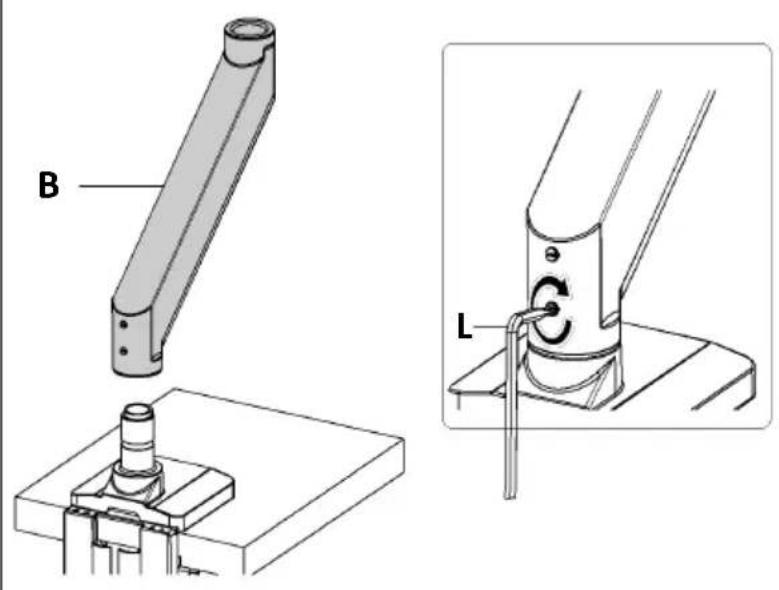
text_image
Technical diagram showing mechanical assembly with labeled parts B and L, including a pin-like component and a rotating knob.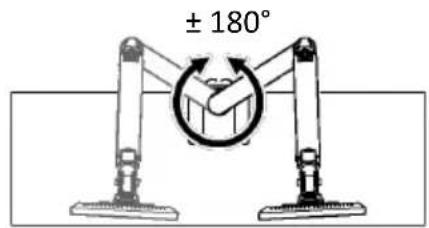
text_image
± 180°Arm can rotate without stopping.
OR
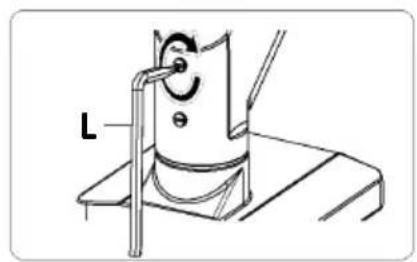
natural_image
Technical line drawing of a mechanical device with a labeled component 'L' (no text or symbols beyond label)± 90°
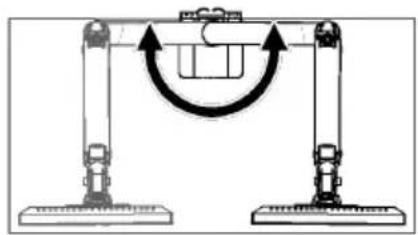
natural_image
Diagram of a mechanical device with two vertical supports and a curved arrow indicating rotation or movement (no text or symbols)Arm can rotate 180^ .
Step 3:
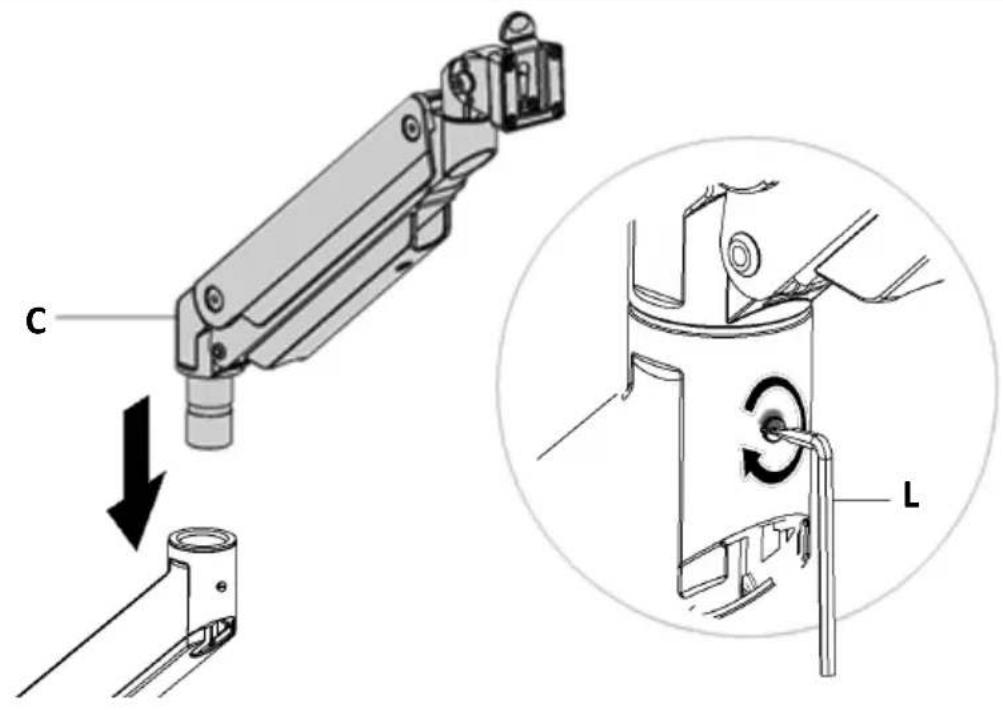
text_image
C LStep 4:
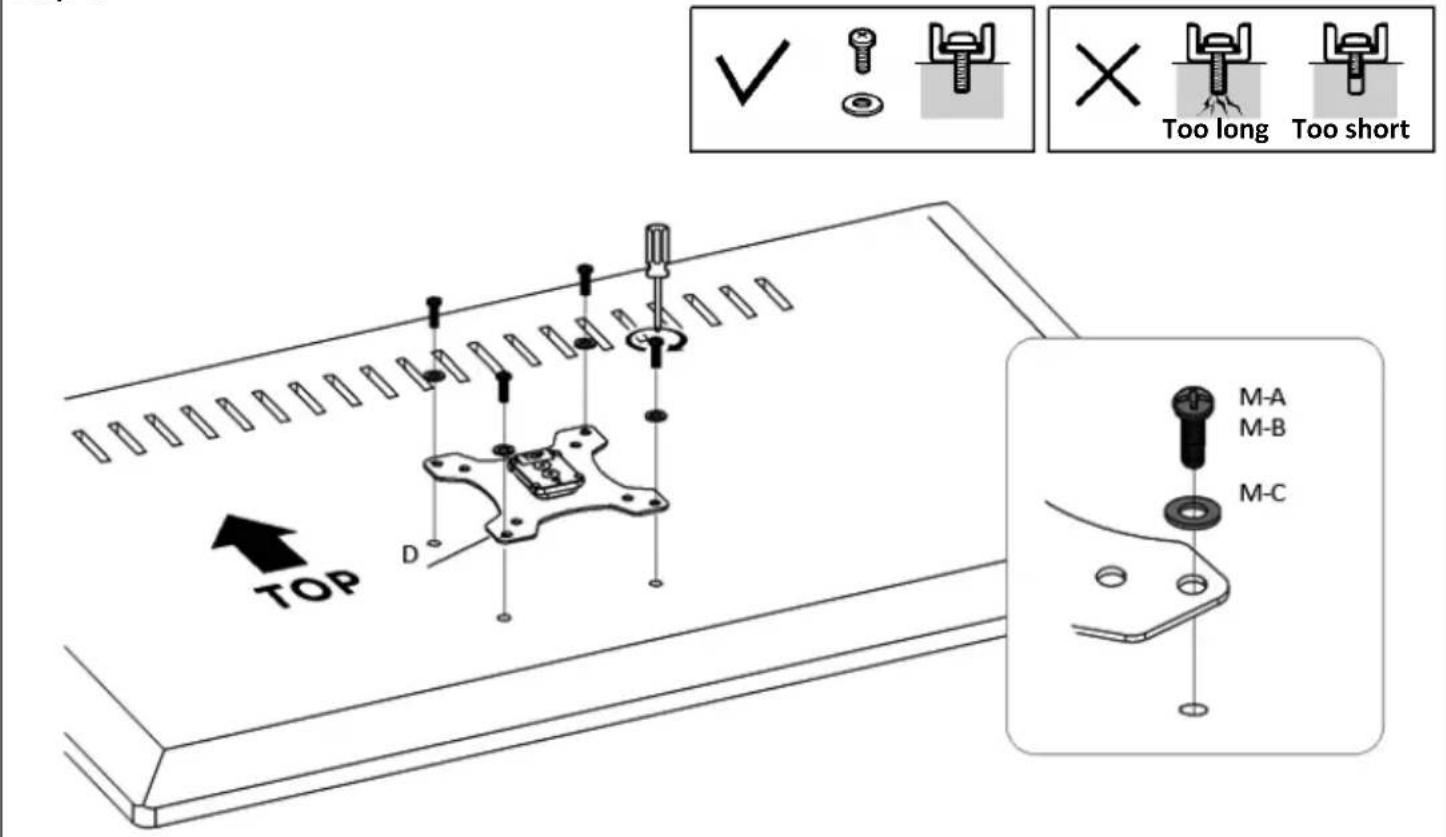
text_image
TOP D ✓ Too long Too short M-A M-B M-CStep 5:
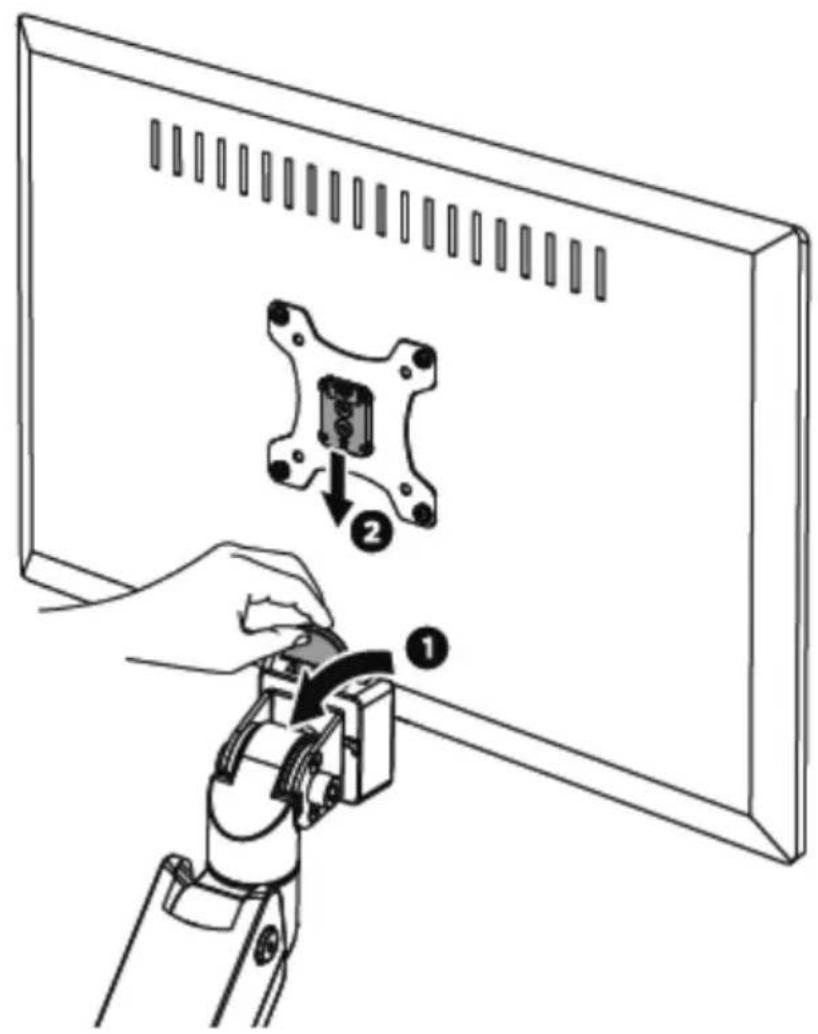
text_image
Diagram showing a robotic arm operating a device on a computer monitor, with labeled parts and directional arrows indicating movement.
Step 6:
natural_image
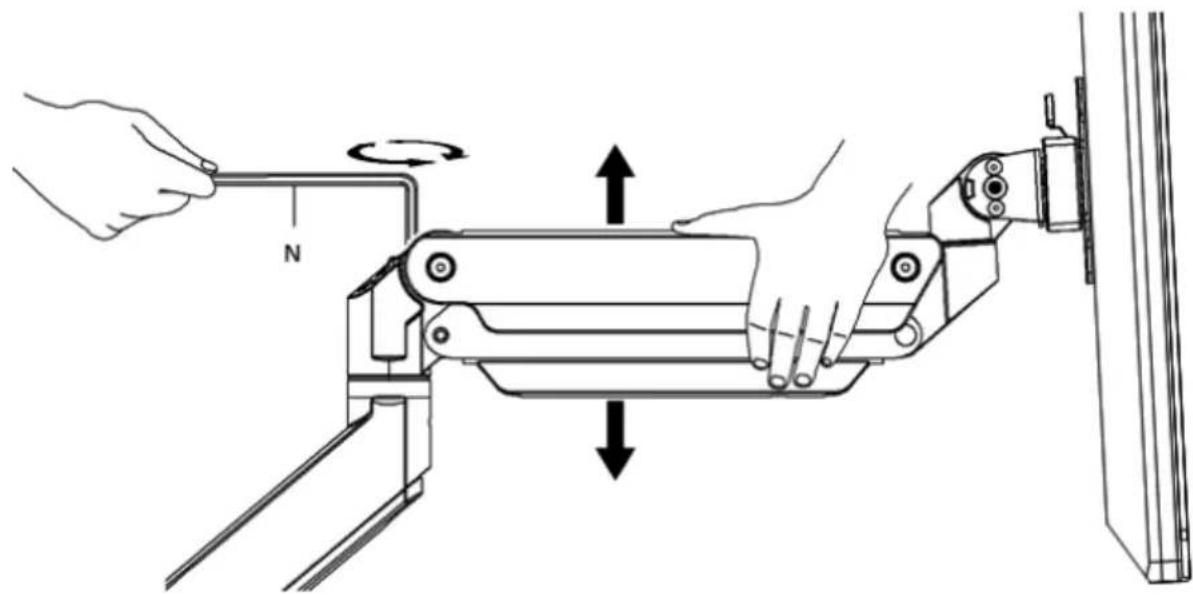
Technical line drawing of a robotic arm with force arrows indicating rotational motion (no text or symbols)To properly balance the arm with monitors mounted, adjust the spring tension using the supplied Allen Key as follows:
First, position and firmly hold the arm horizontally as shown. Ask for assistance should you require it.


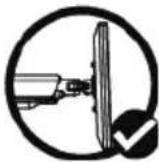

CAUTION: To avoid damage to monitors or mount, always keep the arm in a horizontal position while making adjustments. Again, ask for
assistance if required.
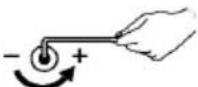
If the arm drops, turn the adjustment screw counter-clockwise until it stays in a horizontal position.
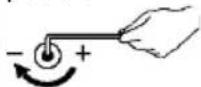
If the arm rises, turn the adjustment screw clockwise until it stays in a horizontal position.

CAUTION:
DO NOT over tighten the screws.
Step 7:
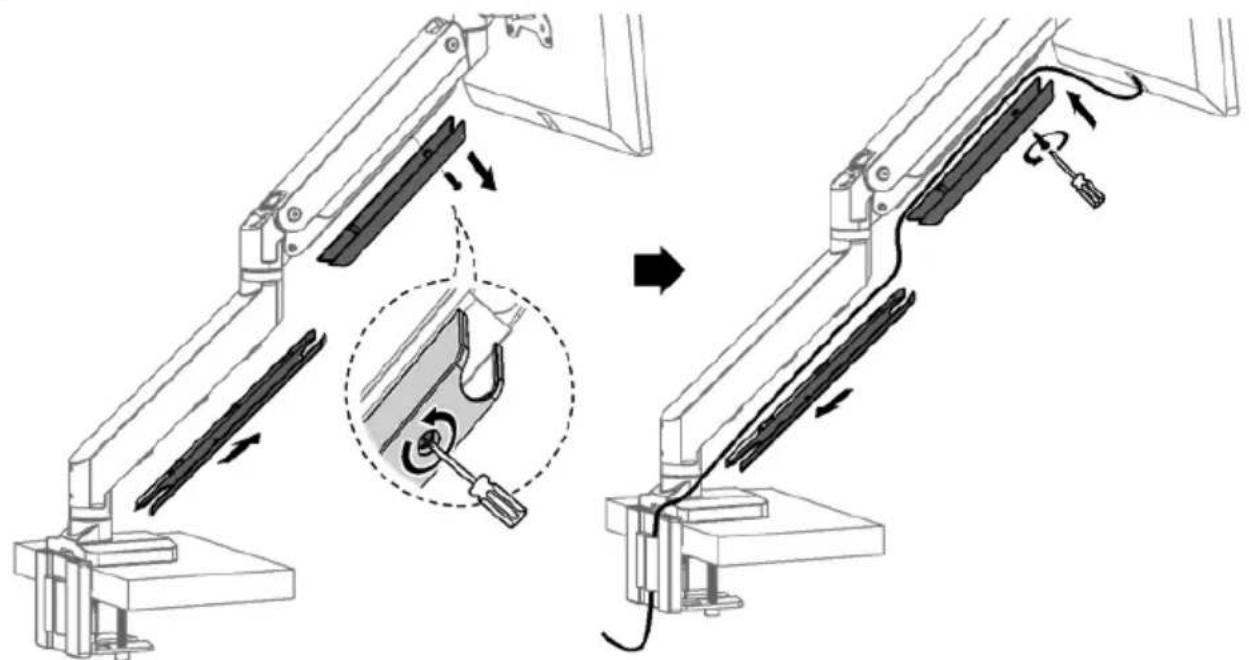
natural_image
Diagram of a robotic arm with a close-up view showing a tool interacting with the arm (no text or symbols present)Step 8:

CAUTION:
DO NOT use the display beyond the arrow range, avoid tipping.
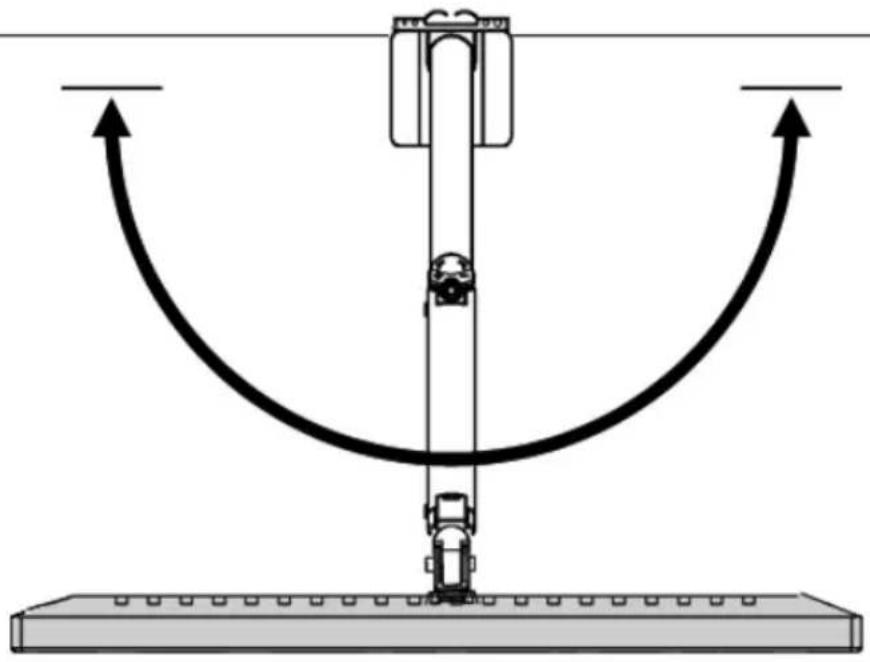
natural_image
Diagram of a mechanical system with a vertical rod and curved arrows indicating motion or force direction (no text or symbols)Step 9:
Note: If the display does not stop at your desired position, tighten the screws as shown.
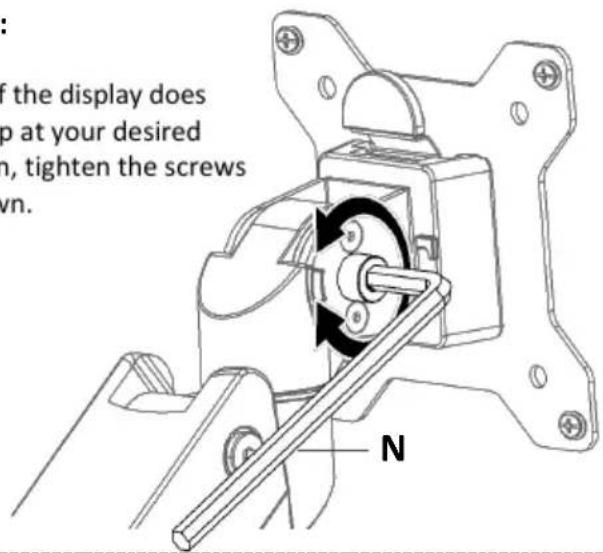
text_image
if the display does up at your desired in, tighten the screws wn. N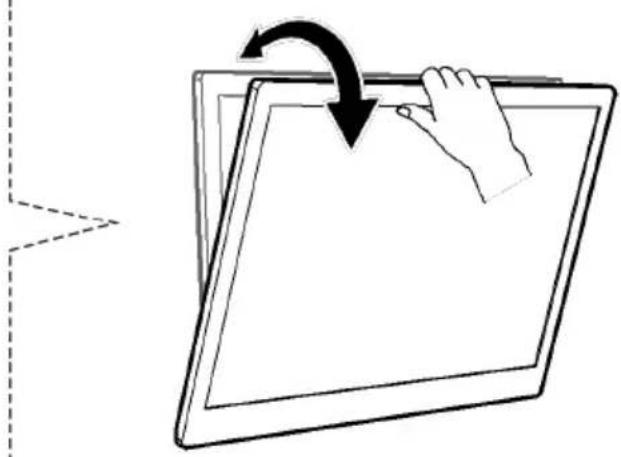
natural_image
Illustration of a hand pressing down on a tablet screen with an arrow indicating rotation (no text or symbols)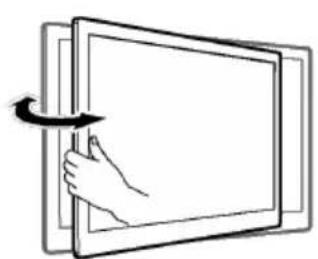
natural_image
Diagram of a hand pressing a rectangular panel with an arrow indicating rotation (no text or symbols)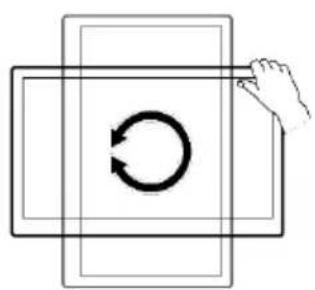
natural_image
Simple line drawing of a hand pressing a circular arrow on a rectangular frame (no text or symbols)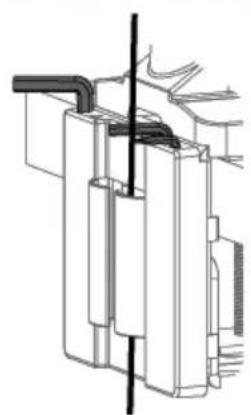
natural_image
Technical line drawing of a mechanical assembly with no visible text or symbols| EN |  | Read the entire instruction manual before you start installation and assembly. If you have any questions regarding any of the instructions or warnings, please contact your local distributor for assistance.CAUTION: Use with products heavier than the rated weights indicated may result in instability causing possible injury.Mounts must be attached as specified in the assembly instructions. Improper installation may result in damage or serious personal injury.Safety gear and proper tools must be used. This product should only be installed by professionals.Make sure that the supporting surface will safely support the combined weight of the equipment and all attached hardware and components.Use the mounting screws provided and DO NOT OVER TIGHTEN mounting screws.This product contains small items that could be a choking hazard if swallowed. Keep these items away from children.This product is intended for indoor use only. Using this product outdoors could lead to product failure and personal injury.IMPORTANT: Ensure that you have received all parts according to the component checklist prior to installation.If any parts are missing or faulty, contact your place of purchase for a replacement.MAINTANANCE: Check that the product is secure and safe to use at regular intervals (at least every three months). |
| DE |  | Lesen Sie die gesamte Bedienungsanleitung, bevor Sie mit der Installation und Montage beginnen. Wenn Sie Fragen zu einer der Anweisungen oder Warnungen haben, wenden Sie sich bitte an Ihren örtlichen Händler.VORSICHT: Die Verwendung von Produkten mit höherem Gewicht als den angegebenen Nenngewichten kann zu Instabilität führen, die mögliche Verletzungen verursacht.Die Halterungen müssen wie in der Montageanleitung angegeben angebracht werden. Eine unsachgemäße Installation kann zu Schäden oder schweren Personenschäden führen.Es müssen eine Sicherheitsausrüstung und geeignete Werkzeuge verwendet werden.Dieses Produkt sollte nur von Fachleuten installiert werden.Stellen Sie sicher, dass die Auflagefläche das Gesamtgewicht der Ausrüstung und aller angeschlossenen Geräte und Komponenten sicher tragen kann.Verwenden Sie die mitgelieferten Befestigungsschrauben und ziehen Sie die Befestigungsschrauben an. NICHT ÜBERDREHEN.Dieses Produkt enthält kleine Gegenstände, die bei Verschlucken eine Erstickungsgefahr darstellen könnten.Halten Sie diese Gegenstände von Kindern fern.Dieses Produkt ist nur für den Gebrauch in Innenräumen vorgesehen.Die Verwendung dieses Produkts im Freien kann zu Produktversagen und Personenschäden führen.WICHTIG: Vergewissern Sie sich vor der Installation, dass Sie alle Teile entsprechend der Komponenten-Checkliste erhalten haben.Wenn Teile fehlen oder fehlerhaft sind, wenden Sie sich an Ihre Verkaufsstelle, um Ersatz zu erhalten.WARTUNG: Überprüfen Sie in regelmäßigen Abständen (mindestens alle drei Monate), ob das Produkt sicher und gefahrlos zu benutzen ist. |
| FR |  | Veuillez lire l'intégralité du mode d'emploi avant de commencer l'installation et le montage. Si vous avez des questions concernant les instructions ou les avertissements, veuillez contacter votre revendeur local pour obtenir de l'aide.ATTENTION: L'utilisation avec un poids supérieur aux poids nominaux indiqués peut entraîner un déséquilibre et un risque de blessure.Veuillez suivre attentivement les instructions de montage. Une installation incorrecte peut entraîner des dégâts ou des blessures graves.Des équipements de protection et des outils appropriés doivent être utilisés. Ce produit ne doit être installé que par des professionnels.Veillez à ce que la surface d'appui puisse supporter en toute sécurité le poids combiné de l'équipement et de tous les matériels et composants qui y sont fixés.Utilisez les vis de montage fournies et NE PAS TROP LES SERRER.Ce produit contient de petits éléments qui pourraient présenter un risque d'étouffement en cas d'ingestion. Conservez ces articles hors de portée des enfants.Ce produit est destiné à un usage intérieur uniquement. L'utilisation de ce produit à l'extérieur pourrait entraîner une défaillance du produit et un risque de blessure.IMPORTANT: Veuillez vous assurez que vous avez reçu toutes les pièces conformément à la liste de contrôle des composants avant l'installation. Si une ou plusieurs pièces sont manquantes ou défectueuses, contactez votre point de vente pour un remplacement.MANUTENZIONE: Check Controllare che il prodotto sia sicuro e utilizzabile in sicurezza a intervalli regolari (almeno ogni tre mesi). |
| IT | [0362] | Leggere tutto il manuale di istruzioni prima di iniziare l'installazione e il montaggio. In caso di domande riguardanti le istruzioni o le avvertenze, si prega di contattare il proprio distributore locale per ricevere assistenza.CAUTELA: L'uso con pesi più pesanti rispetto ai pesi nominali indicati può provocare instabilità e causare lesioni.Si prega di attenersi alle istruzioni di montaggio. Un'installazione non corretta può causare danni o gravi lesioni personali.Devono essere utilizzati dispositivi di sicurezza e strumenti adeguati. Questo prodotto dovrebbe essere installato esclusivamente da professionisti.Assicuratevi che la superficie di appoggio sostenga in modo sicuro il peso combinato dell'attrezzatura e di tutti i componenti e hardware collegati.Utilizzare le viti di montaggio fornite in dotazione e NON STRINGERE TROPPO le viti di montaggio.Questo prodotto contiene piccoli oggetti che potrebbero rappresentare un pericolo di soffocamento in caso di ingestione. Tenere questi oggetti lontano dalla portata dei bambini.Questo prodotto è destinato esclusivamente all'uso in ambienti interni. L'uso di questo prodotto all'aperto potrebbe causare guasti del prodotto e lesioni personali.IMPORTANTE: Assicurarsi di avere a disposizione tutte le parti secondo la lista di controllo dei componenti prima dell'installazione.Se una qualsiasi delle parti manca o è danneggiata, contattare il punto vendita per la sostituzione.MANUTENZIONE: Controllare che il prodotto sia sicuro e utilizzabile in sicurezza a intervalli regolari (almeno ogni tre mesi). |
| ES |  | Lea el manual de instrucciones completo antes de empezar con la instalación y el montaje. Si tiene alguna consulta con respecto a las instrucciones o advertencias, póngase en contacto con su distribuidor local para solicitar ayuda.PRECAUCIÓN: El uso con un peso superior a los pesos nominales indicados puede ocasionar una inestabilidad y posibles lesiones.Observe estrictamente las instrucciones de montaje. En caso de una instalación inadecuada se pueden producir daños y lesiones graves.Es obligatorio utilizar un equipo de seguridad y herramientas adecuadas. Este producto solo debería ser instalado por profesionales.Asegúrate de que la superficie de apoyo soporte soporte de forma segura el peso combinado del equipo y de todo el hardware y los componentes adjuntos.Utilice los tornillos de montaje suministrados y NO APRIETE EXCESIVAMENTE los tornillos de montaje.Este producto contiene piezas pequeñas que podrían presentar un riesgo de asfixia en caso de ser tragadas.Mantenga estas piezas fuera del alcance de los niños.Este producto solo está previsto para el uso en el interior. El uso de este producto en el exterior podría causar el fallo del producto y daños personales.IMPORTANTE: Antes de proceder a la instalación, compruebe que ha recibido todos los elementos según la lista de componentes.En caso de faltar o estar dañada alguna de las piezas, póngase en contacto con su punto de venta para su reemplazo.MANTENIMIENTO: Compruebe regularmente (al menos cada tres meses) el buen estado y el uso seguro del producto. |
| PL |    [IMAGE] [IMAGE] | Przed rozpoczęciem instalacji i montażu należy przeczytać całą instrukcję obsługi. W przypadku jakichkolwiek pytań dotyczących instrukcji lub ostrzeżeń prosimy o kontakt z lokalnym dystrybutorem w celu uzyskania pomocy.UWAGA:Użytkowanie z ciężarami większymi niż podane może spowodować niestabilność, a w konsekwencji także obrażenia.Należy uważnie przestrzegać instrukcji montażu. Nieprawidłowa instalacja może spowodować uszkodzenie lub poważne obrażenia ciała.Stosować sprzęt ochronny i odpowiednie narzędzia. Ten produkt powinien być instalowany wyłącznie przez profesjonalistów.Upewnij się, że powierzchnia nośna bezpiecznie wytrzyma fączny ciężar sprzętu i wszystkich dołączonych do niego urządzeń i komponentów.Używać dostarczonych śrub montażowych i NIE DOKRĘCAĆ ZBYT MOCNO.Ten produkt zawiera małe części, które w przypadku połknięcia powodują ryzyko zadławienia. Należy przechowywać je z dala od dzieci.Ten produkt jest przeznaczony wyłącznie do użytku w pomieszczeniach. Używanie produktu na zewnątrz może prowadzić do jego uszkodzenia i obrażeń ciała.WAŻNE INFORMACJE:Przed montażem należy upewnić się, że dostarczono wszystkie części zgodnie z listą kontrolną komponentów.Jeśli brakuje jakichkolwiek części lub mają one wady, skontaktować się ze sprzedawcą w celu otrzymania częścilub zamiennika.KONSERWACJA:Sprawdzić, czy produkt jest bezpieczny i czy można go używać w regularnych odstępach czasu(przynajmniej co trzy miesiące). |
| TR |    [IMAGE] [IMAGE] | Kurulum ve montaja başlamadan önce tüm kullanım kılavuzunu okuyun. Yönerge ya da uyarılar hakkında sorunuz olursa, lütfen yardım için yerel bayinizle letişime geçin.DİKKAT:Belirlenmiş ağırlıklardan daha fazlasıyla kullanmak dayanıklılık sorunlarına ve muhtemel kazalanmalara yol açabilir.Lütfen montaj yönergelerini dikkatle takip edin. Uygun olmayan kurulum hasara ya da ciddi bir kişisel yaralanmaya yol açabilir.Koruyucu ekipman ve çalışmaya uygun araçların kullanılması zorunludur. Ürün yalnızca uzmanlar tarafından kurulmalıdır.Destek yüzeyinin ekipmanın ve bağlı tüm cihazların ve bileşenlerin toplam ağırlığını güvenli bir şekilde destekleyebildiğinden emin olun.Sağlanmış olan montaj vidalarını kullanın ve montaj vidalarını GEREĞİNDEN FAZLA SIKMAYIN.Üründe, yutuldüğunda boğulma tehlikesine yol açabilecek kadar küçük parçalar bulunmaktadır. Bu parçaları çocuklardan uzak tutun.Ürün yalnızca iç mekan kullanımı içindir. Ürünün dış mekanlarda kullanılması, ürün arızası ya da kişisel yaralanmaya yol açabilir.ÖNEMLÍ:Kurulumdan önce bileşen listesinde bulunan tüm parçaları edindiğinizden emin olun.Eksik veya hasarlı parçalar varsa, değiştirilmeleri için satın aldźınız yer ile iletişime geçin.BAKIM:Ürünün güvenli olduğunu ve kullanımının tehlike arz etmediğini belli aralıklarla kontrol edin (en az her üç ayda bir). |