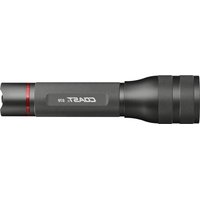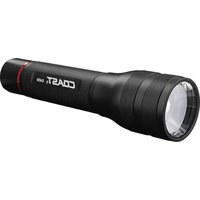
G450 - Lampe de poche Coast - Notice d'utilisation et mode d'emploi gratuit
Retrouvez gratuitement la notice de l'appareil G450 Coast au format PDF.


| Type de produit | Lampe de poche |
| Marque | Coast |
| Modèle | G450 |
| Alimentation | 6 piles AA alcalines |
| Piles incluses | Oui (6 piles AA alcalines) |
| Modes d'éclairage | Moyen, Haut, Bas |
| Technologie de commutation | Quick-Cycle™ |
| Faisceau | Ultra-View Flood à Bulls-Eye™ Spot |
| Focalisation | Twist Focus™ (rotation de la tête) |
| Optique | Pure Beam® |
| Bouton d'alimentation | Sur le culot |
| Culot | Dévissez pour accès aux piles |
| Entretien | Essuyer le corps avec un chiffon humide |
| Garantie | À vie (Lifetime Warranty) |
| Informations de contact | Coast Portland: 877-704-4545, coastportland.com |
FOIRE AUX QUESTIONS - G450 Coast
Questions des utilisateurs sur G450 Coast
0 question sur cet appareil. Repondez a celles que vous connaissez ou posez la votre.
Poser une nouvelle question sur cet appareil
Téléchargez la notice de votre Lampe de poche au format PDF gratuitement ! Retrouvez votre notice G450 - Coast et reprennez votre appareil électronique en main. Sur cette page sont publiés tous les documents nécessaires à l'utilisation de votre appareil G450 de la marque Coast.
MODE D'EMPLOI G450 Coast
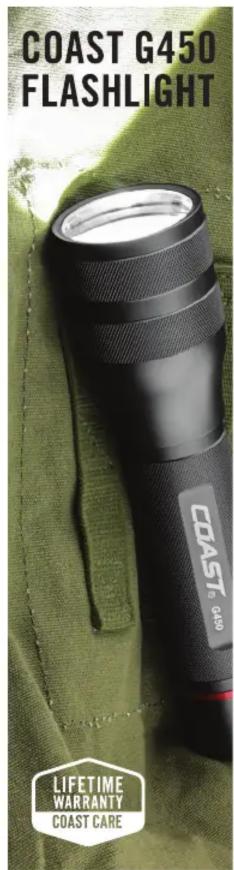
text_image
COAST G450 FLASHLIGHT COAST® G450 LIFETIME WARRANTY COAST CAREINSTRUCTIONS: COAST G450 FLASHLIGHT
LIGHT SETTINGS
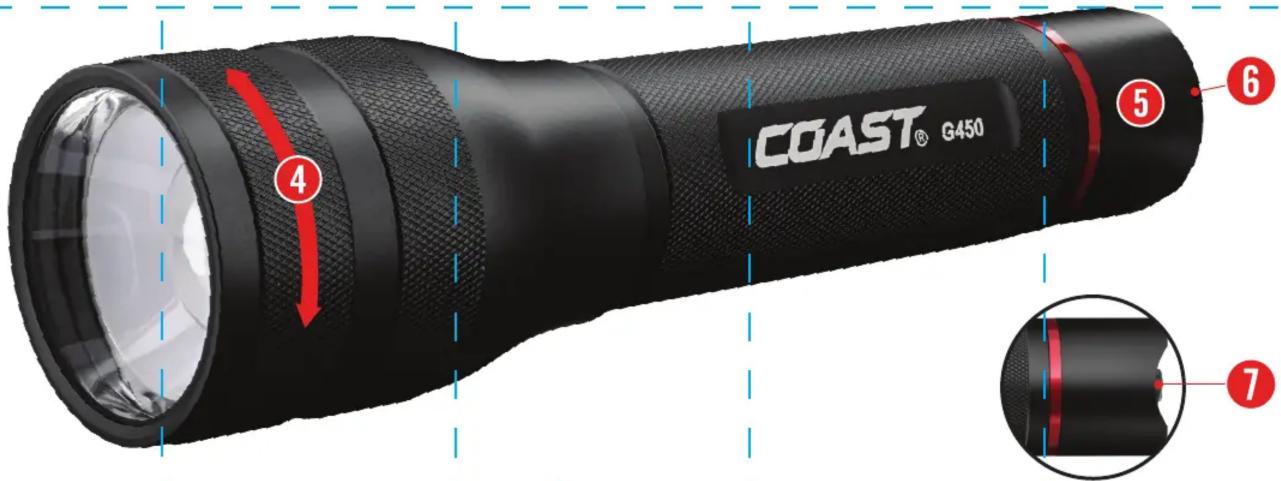
To turn on the G450, click the power button on the tail cap. The light will start on the Medium light mode, then cycle to High, and finally to Low. To cycle from one light mode to the next, quickly click the power button two times.
The G450 is also equipped with Coast's Quick-Cycle™ technology. Lightly pulse the power button to preview each mode. Fully click the power button once you've found your desired mode to select it. A single click of the power button from any mode will turn off the light.
FOCUSING
To adjust from Ultra-View Flood beam to Bulls-Eye™ Spot beam, twist the bezel clockwise.
POWER
The G450 is powered by six COAST Extreme Performance AA Alkaline Batteries. To replace the batteries, unscrew the tailcap of the flashlight and remove the battery cartridge from the battery compartment. Remove the old batteries from the battery cartridge, discard them, and refill the battery cartridge with six new AA batteries. Return the battery cartridge to the battery compartment, with the arrow pointed toward the bezel of the flashlight.
Do not mix old and new batteries. COAST Extreme Performance Alkaline Batteries can be purchased at coastportland.com/ep
MAINTENANCE
To clean your G450, wipe the external body of the flashlight with a damp cloth. Note: Do not submerge the G450
WARRANTY
At COAST, we stand behind everything we make. For warranty information specific to your country, please visit www.coastportland.com/warranty
JOIN THE COAST CREW:
- Expedited warranty service
- Earn points towards discounts off your next purchase
- Exclusive access to promotions and new product releases
GO TO COASTPORTLAND.COM/JOIN TO SIGN UP
COAST®
QUESTIONS? 877-704-4545
COASTPORTLAND.COM
22-787v01E 2210A
text_image
COAST® G450 ④ ⑤ ⑥ ⑦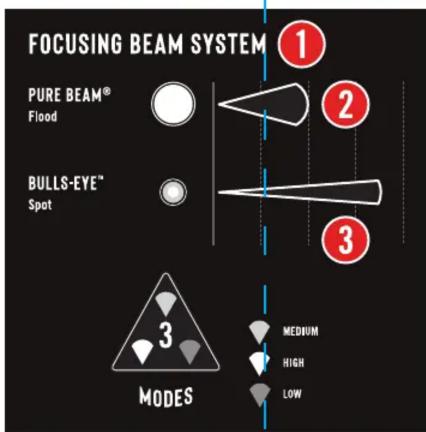
text_image
FOCUSING BEAM SYSTEM PURE BEAM® Flood BULLS-EYE™ Spot MODES 1 2 3 MEDIUM HIGH LOW
8
6 X AA ALKALINE BATTERIES (INCLUDED)

PURE BEAM® OPTIC

ULTRA VIEW FLOOD

BULLS-EYE™ SPOT

TWIST FOCUS™

TAIL CAP

POWER BUTTON

QUICK-CYCLE™ SWITCH

6 X AA ALKALINE BATTERIES