Pop Filter - Microphone ELGATO - Notice d'utilisation et mode d'emploi gratuit
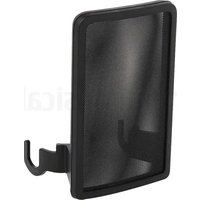
Retrouvez gratuitement la notice de l'appareil Pop Filter ELGATO au format PDF.


| Caractéristiques techniques | Filtre anti-pop pour microphone, conçu pour réduire les plosives et améliorer la qualité sonore. |
|---|---|
| Dimensions | Environ 15 cm de diamètre. |
| Matériau | Maille en nylon et cadre en métal. |
| Utilisation | Se fixe facilement sur la plupart des microphones grâce à un support flexible. |
| Maintenance | Nettoyage régulier de la maille avec un chiffon doux et humide. |
| Sécurité | Éviter l'exposition à l'humidité excessive pour préserver la qualité du filtre. |
| Informations générales | Compatible avec de nombreux modèles de microphones, idéal pour les enregistrements vocaux et le streaming. |
FOIRE AUX QUESTIONS - Pop Filter ELGATO
Questions des utilisateurs sur Pop Filter ELGATO
0 question sur cet appareil. Repondez a celles que vous connaissez ou posez la votre.
Poser une nouvelle question sur cet appareil
Téléchargez la notice de votre Microphone au format PDF gratuitement ! Retrouvez votre notice Pop Filter - ELGATO et reprennez votre appareil électronique en main. Sur cette page sont publiés tous les documents nécessaires à l'utilisation de votre appareil Pop Filter de la marque ELGATO.
MODE D'EMPLOI Pop Filter ELGATO

POP FILTER
Quick Start Guide

bar
| Category | Value | |---|---| | Category 1 | 100 | | Category 2 | 100 | | Category 3 | 100 | | Category 4 | 100 | | Category 5 | 100 | | Category 6 | 100 | | Category 7 | 100 | | Category 8 | 100 | | Category 9 | 100 | | Category 10 | 100 | | Category 11 | 100 | | Category 12 | 100 | | Category 13 | 100 | | Category 14 | 100 | | Category 15 | 100 | | Category 16 | 100 | | Category 17 | 100 | | Category 18 | 100 | | Category 19 | 100 | | Category 20 | 100 | | Category 21 | 100 | | Category 22 | 100 | | Category 23 | 100 | | Category 24 | 100 | | Category 25 | 100 | | Category 26 | 100 | | Category 27 | 100 | | Category 28 | 100 | | Category 29 | 100 | | Category 30 | 100 | | Category 31 | 100 | | Category 32 | 100 | | Category 33 | 100 | | Category 34 | 100 | | Category 35 | 100 | | Category 36 | 100 | | Category 37 | 100 | | Category 38 | 100 | | Category 39 | 100 | | Category 40 | 100 | | Category 41 | 100 | | Category 42 | 100 | | Category 43 | 100 | | Category 44 | 100 | | Category 45 | 100 | | Category 46 | 100 | | Category 47 | 100 | | Category 48 | 100 | | Category 49 | 100 | | Category 50 | 100 | | Category 51 | 100 | | Category 52 | 100 | | Category 53 | 100 | | Category 54 | 100 | | Category 55 | 100 | | Category 56 | 100 | | Category 57 | 100 | | Category 58 | 100 | | Category 59 | 100 | | Category 60 | 100 | | Category 61 | 100 | | Category 62 | 100 | | Category 63 | 100 | | Category 64 | 100 | | Category 65 | 100 | | Category 66 | 100 | | Category 67 | 100 | | Category 68 | 100 | | Category 69 | 100 | | Category 70 | 100 | | Category 71 | 100 | | Category 72 | 100 | | Category 73 | 100 | | Category 74 | 100 | | Category 75 | 100 | | Category 76 | 100 | | Category 77 | 100 | | Category 78 | 100 | | Category 79 | 100 | | Category 80 | 100 | | Category 81 | 100 | | Category 82 | 100 | | Category 83 | 100 | | Category 84 | 100 | | Category 85 | 100 | | Category 86 | 100 | | Category 87 | 100 | | Category 88 | 100 | | Category 89 | 100 | | Category 90 | 100 | | Category 91 | 100 | | Category 92 | 100 | | Category 93 | 100 | | Category 94 | 100 | | Category 95 | 100 | | Category 96 | 100 | | Category 97 | 100 | | Category 98 | 100 | | Category 99 | 100 | | Total (Total) |Contents
EN Quick Start Guide 2
FR Guide de prise en main rapide 4
DE Kurzanleitung
ES Guía de inicio rápido
IT Guida rapida
NL Snelstartgids
PT Guia de Início Rápido
NO Hurtigveiledning
FI Pikaopas
DK Lynstart guide
sv Kom igång
PL Skrócona instrukcja
RU Краткое руководство
AR دليل البدء السريع
natural_image
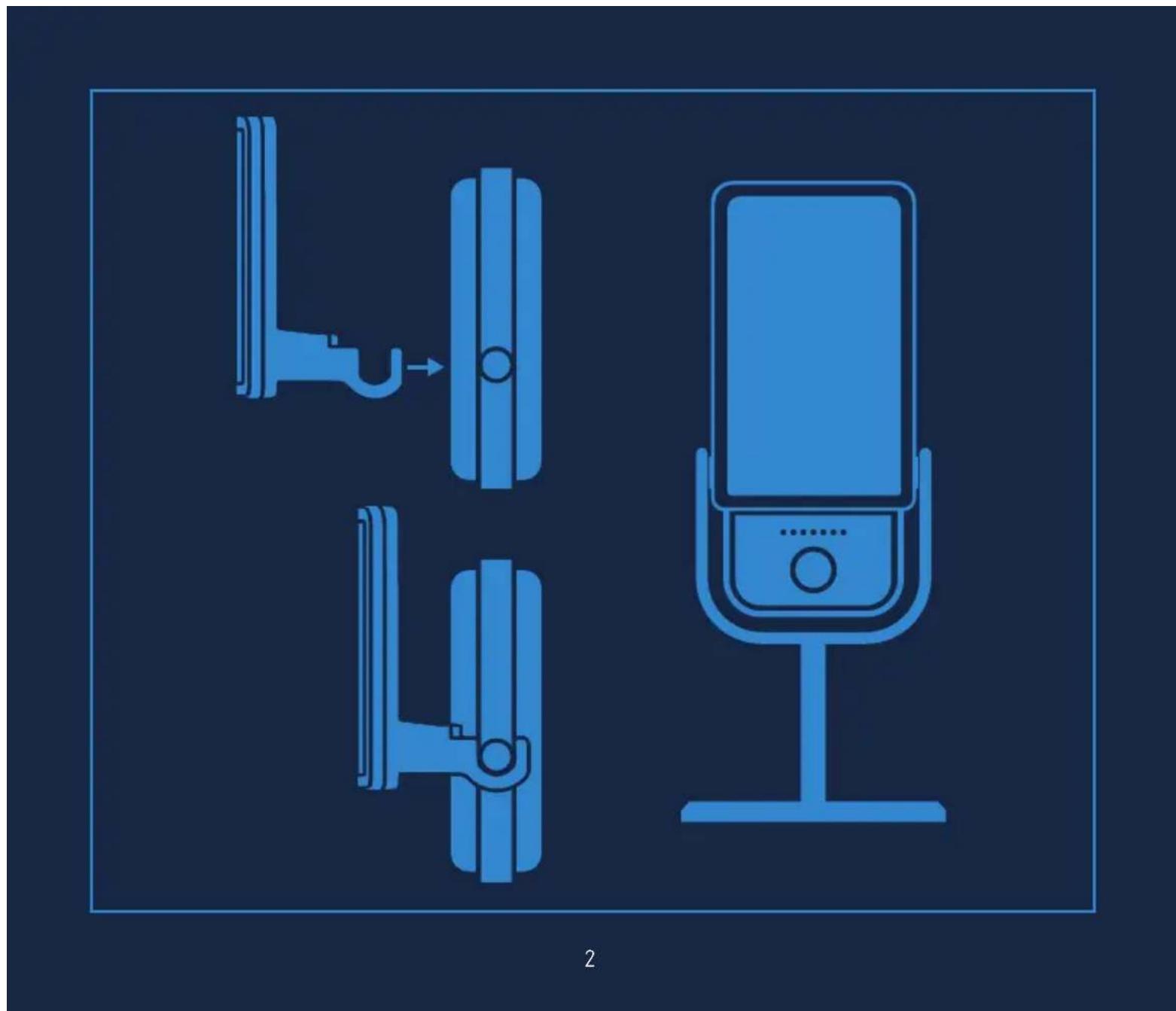
Three blue line drawings of a wall-mounted device with a lock, showing different mounting positions (no text or symbols)Align the magnetic pop filter and let it snap into place.
natural_image
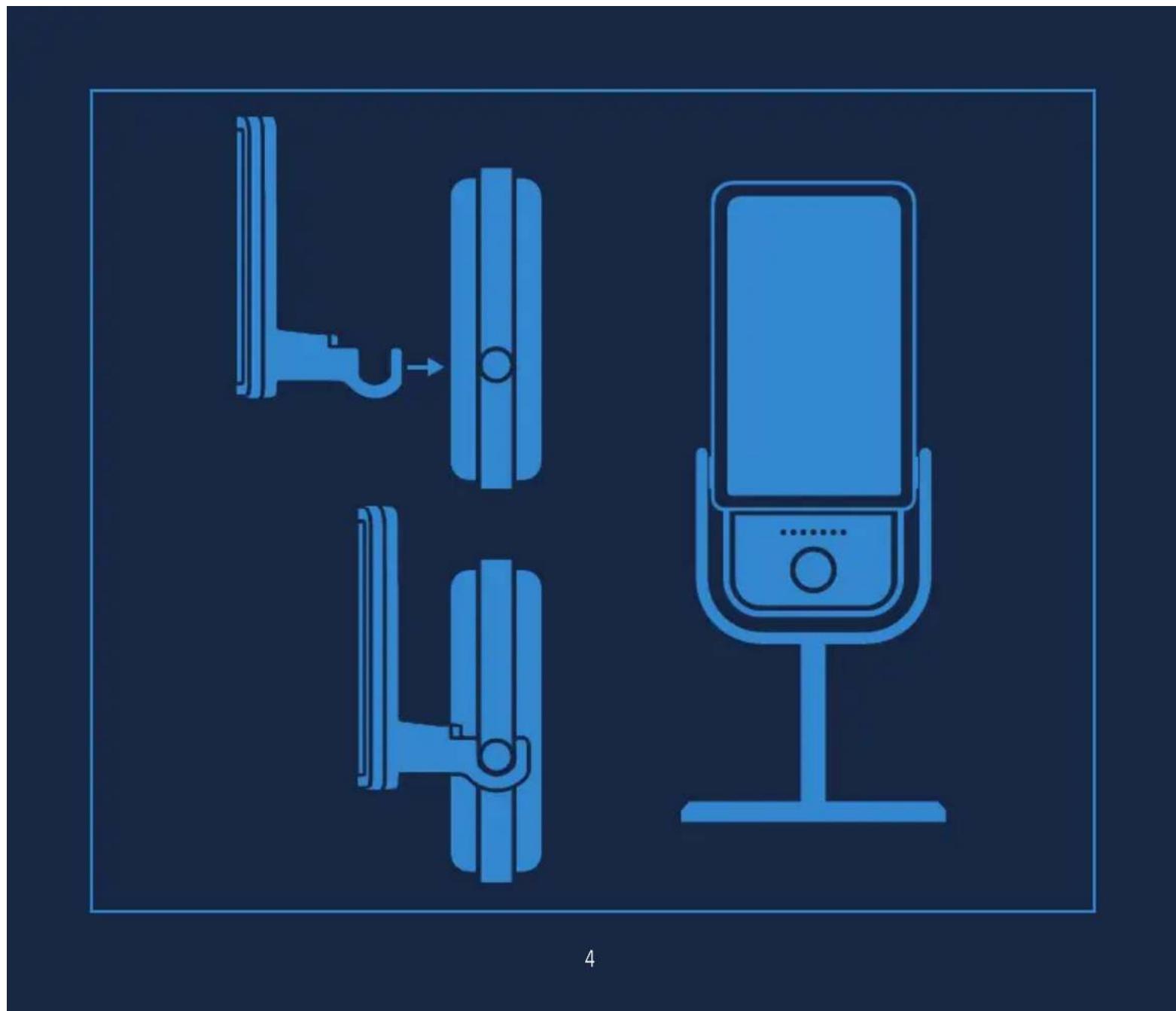
Three blue line-art icons showing a door lock, a wall-mounted device, and a microphone on a stand, all without any text or symbols.Ajustez la position du filtre anti-pop magnétique et mettez-le en place.
DE Richte den magnetischen Pop-Filter aus und lass ihn anhaften.
ES Alinea el filtro antipop magnético y deja que encaje en su posición.
Allinea il filtro antipop magnetico e fallo scattare in posizione.
Houd het magnetisch plopfilter zodanig dat het op zijn plaats vast komt te zitten.
PT Alinhe o filtro pop magnético para que ele se encaixe no local.
NO Legg det magnetiske pop-filteret på plass og la det klikke i lås.
Kohdista magneettinen pop-suodatin mikrofonin kanssa ja napsauta se paikoilleen.
DK Sæt det magnetiske pop filter på og lad det klikke på plads.
Sæt det magnetiske pop filter på og lad det klikke på plads.
PL Wyrównaj magnetyczny pop filtr, który zatrzaśnie się na miejscu.
RU Приложите магнитный поп-фильтр и позвольте ему встать на место.
AR قم بمجاذة مرشح الهواء (بوب فلتر) المغناطيسي واتركه Yemen في مكانه.
elgato



/elgatogaming
Elgato, a division of:
Corsair Memory Inc., 47100 Bayside Pkwy, Fremont, CA 94538, USA
Corsair Memory BV, Wormerweg 8, 1311 XB, Almere, Netherlands
Copyright 2011-2020 Corsair Memory Inc. All rights reserved. Elgato and the Elgato logo are trademarks of Corsair Memory Inc., registered in the U.S. and other countries. All other trademarks belong to their respective owner.
Model: 20MAD9901 • Part: 51MAD9901