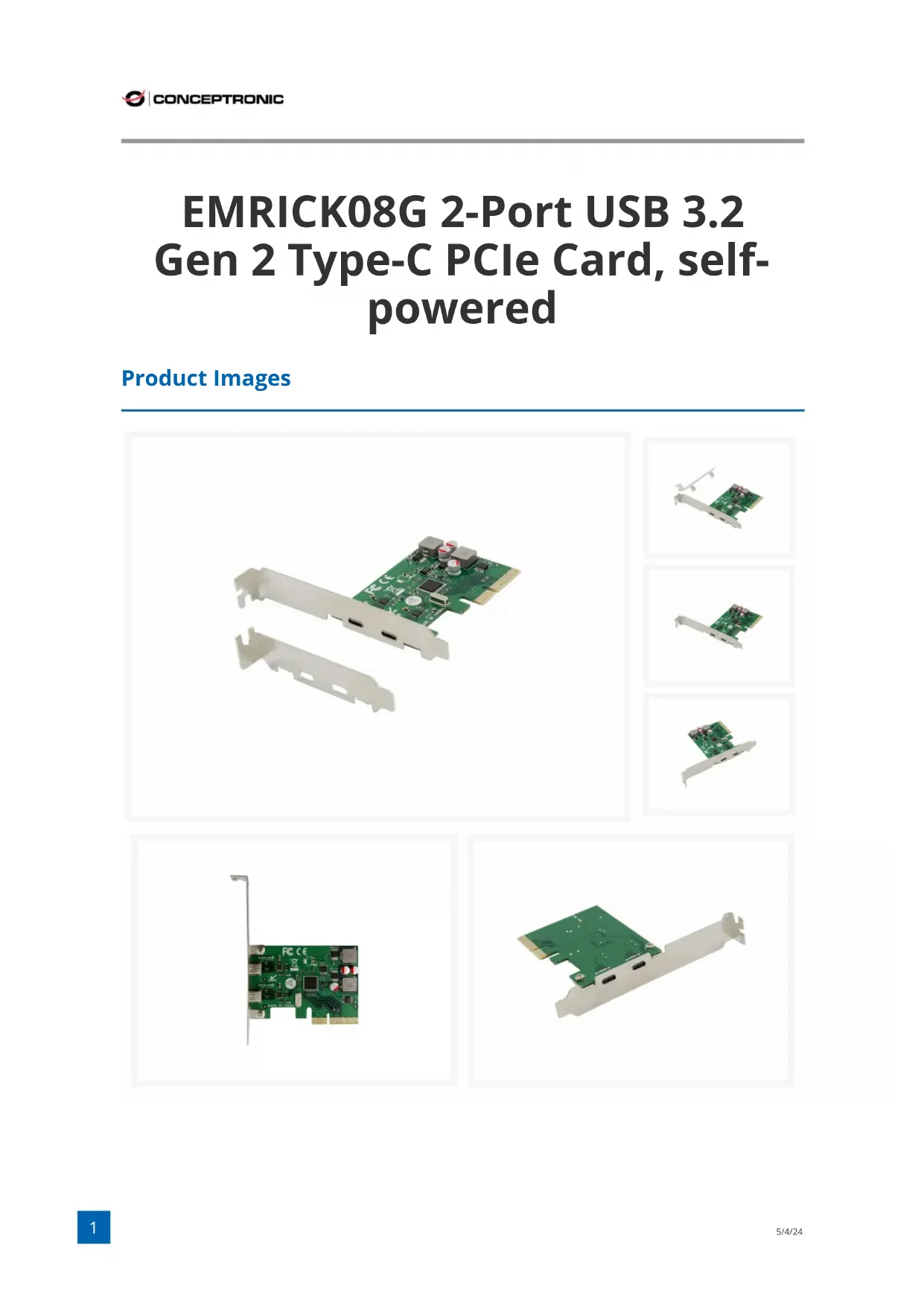
CONCEPTRONIC EMRICK08G - Carte d'extension informatique

EMRICK08G - Carte d'extension informatique CONCEPTRONIC - Notice d'utilisation et mode d'emploi gratuit

Retrouvez gratuitement la notice de l'appareil EMRICK08G CONCEPTRONIC au format PDF.

📄 3 pages Français FR Télécharger 💬 Question IA 10 questions ⚙️ Specs
Notice CONCEPTRONIC EMRICK08G - page 1
Choisissez votre langue et indiquez votre email : nous vous enverrons une version traduite specifiquement.
Type de produit Carte d'extension PCI Express
Marque Conceptronic
Modèle EMRICK08G
Couleur Vert
Connecteur PCIe x4
Version PCI PCIe 3.0
Configuration des ports 2 ports USB-C (USB 3.2 Gen 2)
Vitesse de transfert maximale 10 Gbit/s par port
Dimensions (L x P x H) 58 x 80 x 20 mm
Poids 0,039 kg
Alimentation Auto-alimentée via le bus PCIe
Consommation électrique Jusqu'à 3 A par port (max)
Fonctions prises en charge Hot-swap, UASP (USB Attached SCSI Protocol)
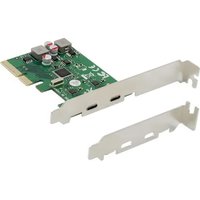
Contenu du paquet Carte EMRICK08G, équerre profile bas, CD de pilotes, guide d'installation multilingue
Compatibilité Nécessite un slot PCIe x4 ou supérieur (x8, x16) ; ne fonctionne pas sur un slot PCIe x1
Installation Insérer la carte dans un slot PCIe libre, visser, installer les pilotes
Systèmes d'exploitation pris en charge Windows, Linux (avec pilotes appropriés)
Entretien et nettoyage Débrancher l'appareil avant nettoyage ; utiliser un chiffon sec et non pelucheux
Sécurité Éviter les décharges électrostatiques ; installer dans un environnement sec et propre
Pièces détachées et réparabilité Aucune pièce réparable par l'utilisateur ; contacter le service après-vente en cas de problème

FOIRE AUX QUESTIONS - EMRICK08G CONCEPTRONIC

Comment installer la carte Conceptronic EMRICK08G ?
Éteignez votre PC, ouvrez le boîtier, insérez la carte dans un slot PCIe x4 (ou x8/x16) libre, vissez-la, puis refermez. Allumez le PC et installez les pilotes fournis sur le CD.
La carte EMRICK08G est-elle compatible avec un slot PCIe x1 ?
Non, cette carte nécessite un slot PCIe x4 ou supérieur (x8, x16). Elle ne fonctionnera pas dans un slot x1.
Quelle est la vitesse maximale des ports USB-C ?
Chaque port USB-C supporte USB 3.2 Gen 2 avec une vitesse allant jusqu'à 10 Gbit/s.
La carte nécessite-t-elle une alimentation externe ?
Non, elle est auto-alimentée via le bus PCIe. Aucune alimentation supplémentaire n'est requise.
Puis-je brancher un périphérique USB 2.0 sur cette carte ?
Oui, la carte est rétrocompatible avec les périphériques USB 2.0 et USB 3.0, mais la vitesse sera limitée à celle du périphérique.
Quelle est la fonction UASP ?
UASP (USB Attached SCSI Protocol) améliore les performances de transfert en réduisant la latence, surtout avec les disques SSD externes.
Comment savoir si je dois installer des pilotes ?
Sous Windows 10/11, les pilotes sont souvent intégrés. Si le périphérique n'est pas reconnu, installez les pilotes depuis le CD fourni ou téléchargez-les sur le site de Conceptronic.
La carte supporte-t-elle le hot-swap ?
Oui, elle supporte le hot-swap, vous pouvez brancher et débrancher des périphériques sans éteindre le PC.
Que contient le paquet de la EMRICK08G ?
Le paquet inclut : la carte elle-même, une équerre profile bas pour boîtiers slim, un CD de pilotes et un guide d'installation multilingue.
Que faire si la carte n'est pas détectée après installation ?
Vérifiez que la carte est bien enclenchée dans le slot, redémarrez le PC, et installez les derniers pilotes. Si le problème persiste, testez dans un autre slot PCIe.

Questions des utilisateurs sur EMRICK08G CONCEPTRONIC

0 question sur cet appareil. Repondez a celles que vous connaissez ou posez la votre.

Poser une nouvelle question sur cet appareil

L'email reste privé : il sert seulement à vous prévenir si quelqu'un répond à votre question.

Aucune question pour l'instant. Soyez le premier à en poser une.

Téléchargez la notice de votre Carte d'extension informatique au format PDF gratuitement ! Retrouvez votre notice EMRICK08G - CONCEPTRONIC et reprennez votre appareil électronique en main. Sur cette page sont publiés tous les documents nécessaires à l'utilisation de votre appareil EMRICK08G de la marque CONCEPTRONIC.

MODE D'EMPLOI EMRICK08G CONCEPTRONIC

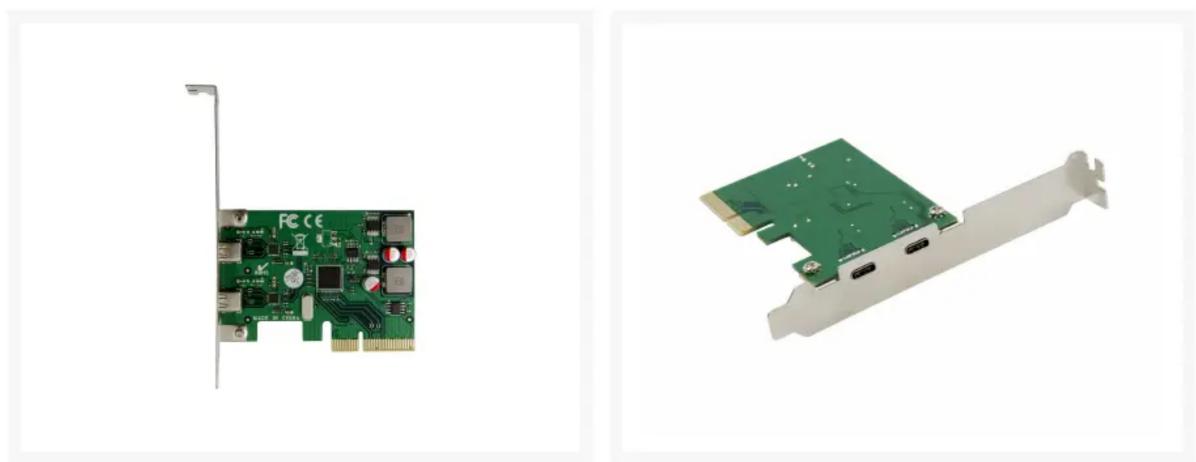
EMRICK08G 2-Port USB 3.2 Gen 2 Type-C PCIe Card, self- powered

Product Images
CONCEPTRONIC EMRICK08G - EMRICK08G 2-Port USB 3.2 Gen 2 Type-C PCIe Card, self- powered - 1

natural_image Green PCI expansion card with dual leads and connectors, shown alongside three separate close-up views of the card (no text or symbols visible)
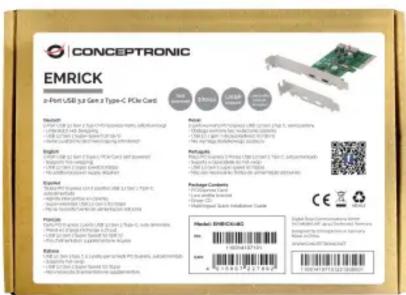
CONCEPTRONIC EMRICK08G - EMRICK08G 2-Port USB 3.2 Gen 2 Type-C PCIe Card, self- powered - 2

natural_image Two electronic circuit boards: one showing a green PCI card with ports and labels, the other showing a green PCI card with ports and connectors (no readable text or symbols)
CONCEPTRONIC EMRICK 2-4-Print USB to Get a Type-C PCIe Card Features: 1. Open the next page (PTC) is currently installed in the first three years. 2. Open the next page (USB) is currently installed in the second year. 3. Open the next page (USB) is currently installed in the third year. 4. Open the next page (USB) is currently installed in the fourth year. 5. Open the next page (USB) is currently installed in the fifth year. 6. Open the next page (USB) is currently installed in the sixth year. 7. Open the next page (USB) is currently installed in the seventh year. 8. Open the next page (USB) is currently installed in the eight years. 9. Open the next page (USB) is currently installed in the nine years. 10. Open the next page (USB) is currently installed in the ten years. 11. Open the next page (USB) is currently installed in the ten years. 12. Open the next page (USB) is currently installed in the ten years. 13. Open the next page (USB) is currently installed in the ten years. 14. Open the next page (USB) is currently installed in the ten years. 15. Open the next page (USB) is currently installed in the ten years. 16. Open the next page (USB) is currently installed in the ten years. 17. Open the next page (USB) is currently installed in the ten years. 18. Open the next page (USB) is currently installed in the ten years. 19. Open the next page (USB) is currently installed in the ten years. 20. Open the next page (USB) is currently installed in the ten years. 21. Open the next page (USB) is currently installed in the ten years. 22. Open the next page (USB) is currently installed in the ten years. 23. Open the next page (USB) is currently installed in the ten years. 24. Open the next page (USB) is currently installed in the ten years. 25. Open the next page (USB) is currently installed in the ten years. 26. Open the next page (USB) is currently installed in the ten years. 27. Open the next page (USB) is currently installed in the ten years. 28. Open the next page (USB) is currently installed in the ten years. 29. Open the next page (USB) is currently installed in the ten years. 30. Open the next page (USB) is currently installed in the ten years. 31. Open the next page (USB) is currently installed in the ten years. 32. Open the next page (USB) is currently installed in the ten years. 33. Open the next page (USB) is currently installed in the ten years. 34. Open the next page (USB) is currently installed in the ten years. 35. Open the next page (USB) is currently installed in the ten years. 36. Open the next page (USB) is currently installed in the ten years. 37. Open the next page (USB) is currently installed in the ten years. 38. Open the next page (USB) is currently installed in the ten years. 39. Open the next page (USB) is currently installed in the ten years. 40. Open the next page (USB) is currently installed in the ten years. 41. Open the next page (USB) is currently installed in the ten years. 42. Open the next page (USB) is currently installed in the ten years. 43. Open the next page (USB) is currently installed in the ten years. 44. Open the next page (USB) is currently installed in the ten years. 45. Open the next page (USB) is currently installed in the ten years. 46. Open the next page (USB) is currently installed in the ten years. 47. Open the next page (USB) is currently installed in the ten years. 48. Open the next page (USB) is currently installed in the ten years. 49. Open the next page (USB) is currently installed in the ten years. 50. Open the next page (USB) is currently installed in the ten years. 51. Open the next page (USB) is currently installed in the ten years. 52. Open the next page (USB) is currently installed in the ten years. 53. Open the next page (USB) is currently installed in the ten years. 54. Open the next page (USB) is currently installed in the ten years. 55. Open the next page (USB) is currently installed in the ten years. 56. Open the next page (USB) is currently installed in the ten years. 57. Open the next page (USB) is currently installed in the ten years. 58. Open the next page (USB) is currently installed in the ten years. 59. Open the next page (USB) is currently installed in the ten years. 60. Open the next page (USB) is currently installed in the ten years. 61. Open the next page (USB) is currently installed in the ten years. 62. Open the next page (USB) is currently installed in the ten years. 63. Open the next page (USB) is currently installed in the ten years. 64. Open the next page (USB) is currently installed in the ten years. 65. Open the next page (USB) is currently installed in the ten years. 66. Open the next page (USB) is currently installed in the ten years. 67. Open the next page (USB) is currently installed in the ten years. 68. Open the next page (USB) is currently installed in the ten years. 69. Open the next page (USB) is currently installed in the ten years. 70. Open the next page (USB) is currently installed in the ten years. 71. Open the next page (USB) is currently installed in the ten years. 72. Open the next page (USB) is currently installed in the ten years. 73. Open the next page (USB) is currently installed in the ten years. 74. Open the next page (USB) is currently installed in the ten years. 75. Open the next page (USB) is currently installed in the ten years. 76. Open the next page (USB) is currently installed in the ten years. 77. Open the next page (USB) is currently installed in the ten years. 78. Open the next page (USB) is currently installed in the ten years. 79. Open the next page (USB) is currently installed in the ten years. 80. Open the next page (USB) is currently installed in the ten years. 81. Open the next page (USB) is currently installed in the ten years. 82. Open the next page (USB) is currently installed in the ten years. 83. Open the next page (USB) is currently installed in the ten years. 84. Open the next page (USB) is currently installed in the ten years. 85. Open the next page (USB) is currently installed in the ten years. 86. Open the next page (USB) is currently installed in the ten years. 87. Open the next page (USB) is currently installed in the ten years. 88. Open the next page (USB) is currently installed in the ten years. 89. Open the next page (USB) is currently installed in the ten years. 90. Open the next page (USB) is currently installed in the ten years. 91. Open the next page (USB) is currently installed in the ten years. 92. Open the next page (USB) is currently installed in the ten years. 93. Open the next page (USB) is currently installed in the ten years. 94. Open the next page (USB) is currently installed in the ten years. 95. Open the next page (USB) is currently installed in the ten years. 96. Open the next page (USB) is currently installed in the ten years. 97. Open the next page (USB) is currently installed in the ten years. 98. Open the next page (USB) is currently installed in the ten years. 99. Open the next page (USB) is currently installed in the ten years. 100. Open the next page (USB) is currently installed in 100% of total power consumption by 100% of total power consumption.

Short Description

  • Add 2 USB-C ports to your desktop computer
    • USB 3.2 Gen 2 super speed (10Gbps)
  • No additional power supply required
    • Supports hot-swapping
  • Supports UASP

Description

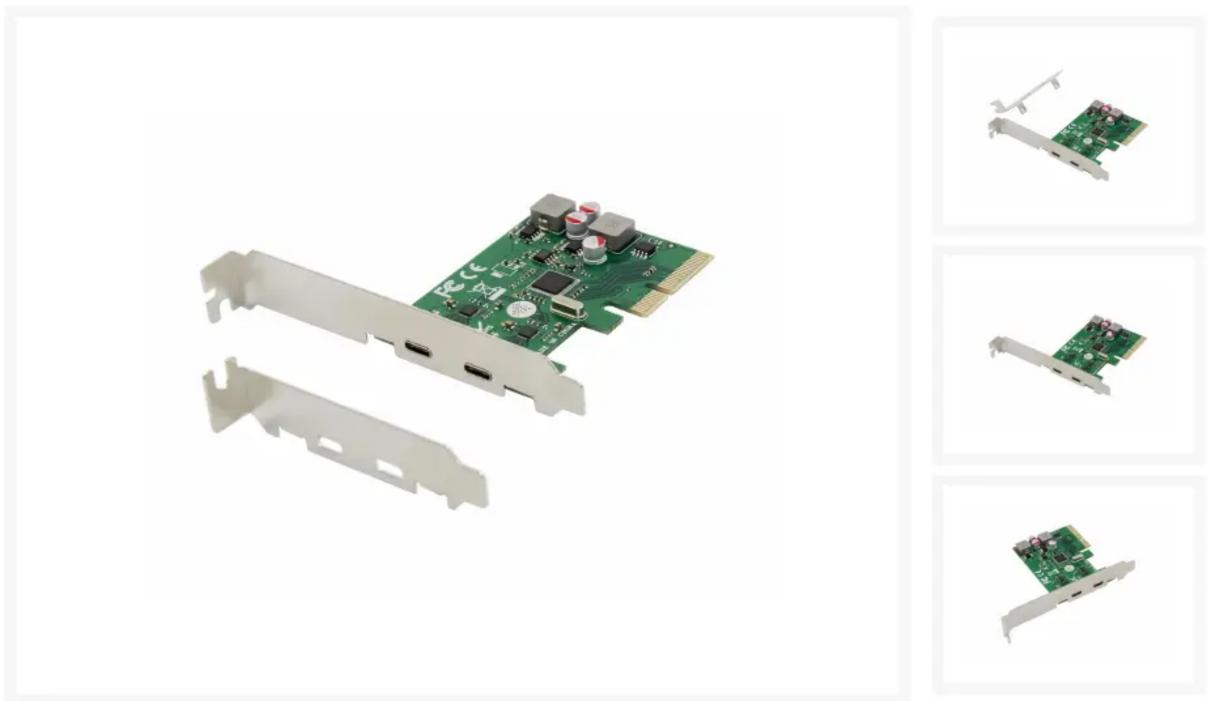
This PCI Express Card allows you to easily add 2 extra SuperSpeed USB 3.2 Gen 2 ports to your desktop computer. It has a maximum data speed of 10Gbs, which makes it very fast and capable of copying large files or documents to and from your desktop computer.

Simply place the USB 3.2 Gen 2 PCI Express Card in the Express Card slot of your computer, install the included drivers and you are right to go!

*Does not support PCI-Express x1 slot

Color Green
EAN 4015867227992
Model Number EMRICK08G
Package ContentsEMRICK08G Low profile bracket Driver CD Multilingual quick installation guide
Dimensions (W x D x H) 58 x 80 x 20 mm
Product weight (kg) 0.039
Connector PCIe x4
PCI version PCIe 3.0
Port Configuration USB-C x 2 (3.2 Gen 2)
Power consumption Maximum current 3A/each port

QR code image containing encoded data, no visible human-readable text

Assistant notice
Powered by Anthropic
En attente de votre message
Informations produit

Marque : CONCEPTRONIC

Modèle : EMRICK08G

Catégorie : Carte d'extension informatique