PrivaScreen 4800401 - Filtre d'écran FELLOWES - Notice d'utilisation et mode d'emploi gratuit
Retrouvez gratuitement la notice de l'appareil PrivaScreen 4800401 FELLOWES au format PDF.

| Type de produit | Filtre d'écran de confidentialité |
| Marque | Fellowes |
| Modèle | PrivaScreen 4800401 |
| Fonctions principales | Protection de la vie privée, réduction des reflets, onglets Quick Reveal Tabs pour installation/retrait rapide |
| Méthode de fixation | Adhésif double-face semi-permanent, onglets repositionnables |
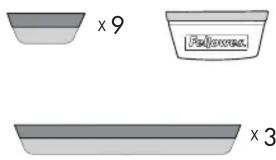
| Contenu de l'emballage | Filtre d'écran, 9 onglets (Quick Reveal Tabs), 3 adhésifs double-face |
| Compatibilité | Écrans plats d'ordinateurs portables et de moniteurs |
| Entretien et nettoyage | Nettoyer avec un chiffon doux et sec. Ne pas utiliser de solvants ou de produits abrasifs. |
| Précautions de sécurité | Ne pas exposer le filtre à des températures élevées ou à la lumière directe du soleil. Tenir hors de portée des enfants. |
| Pièces détachées et réparabilité | Adhésifs de rechange disponibles auprès du fabricant. Le filtre n'est pas réparable. |
| Garantie | Consulter le fabricant pour les conditions de garantie. |
FOIRE AUX QUESTIONS - PrivaScreen 4800401 FELLOWES
Questions des utilisateurs sur PrivaScreen 4800401 FELLOWES
0 question sur cet appareil. Repondez a celles que vous connaissez ou posez la votre.
Poser une nouvelle question sur cet appareil
Téléchargez la notice de votre Filtre d'écran au format PDF gratuitement ! Retrouvez votre notice PrivaScreen 4800401 - FELLOWES et reprennez votre appareil électronique en main. Sur cette page sont publiés tous les documents nécessaires à l'utilisation de votre appareil PrivaScreen 4800401 de la marque FELLOWES.
MODE D'EMPLOI PrivaScreen 4800401 FELLOWES

text_image
Fellowes WORK BETTER™PrivaScreen Filters™ with Quick Reveal Tabs™
Contents | Contenu | Contenido Inhalt | Contenuto | Inhoud | Innehåll Zawartość | Содержимое | Conteúdo
text_image
x 9 Fallow x 3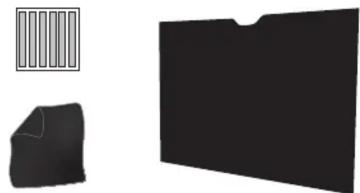
natural_image
Three abstract black shapes: a simple rectangular block, a folded paper or plastic sheet, and a solid black folder (no text or symbols)
text_image
1←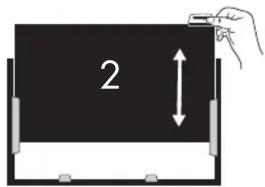
text_image
2Quick Reveal Tabs™
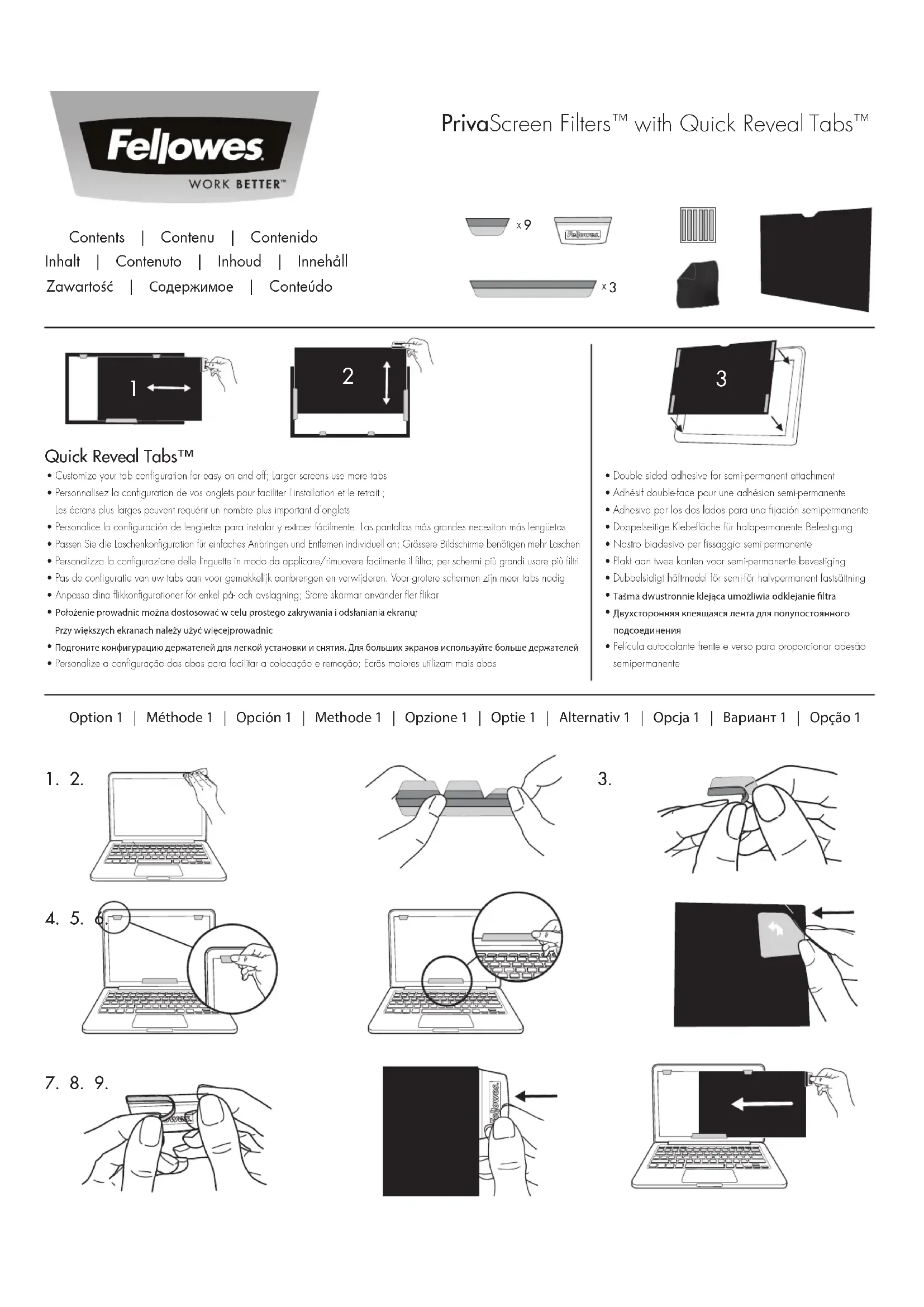
- Customize your tab configuration for easy on and off; Larger screens use more tabs
- Personnalisez la configuration de vos onglets pour faciliter l'installation et le retrait ; Les écrans plus larges peuvent requérir un nombre plus important d'onglets
- Personalice la configuración de lengüetas para instalar y extraer fácilmente. Las pantallas más grandes necesitan más lengüetas
- Passen Sie die Laschenkonfiguration für einfaches Anbringen und Entfernen individuell an; Grössere Bildschirme benötigen mehr Laschen
- Personalizza la configurazione delle linguette in modo da applicare/rimuovere facilmente il filtro; per schermi più grandi usare più filtri
- Pas de configuratie van uw tabs aan voor gemakkelijk aanbrengen en verwijderen. Voor grotere schermen zijn meer tabs nodig
- Anpassa dina flikkonfigurationer för enkel på- och avslagning; Större skärmar använder fler flikar
- Położenie prowadnic można dostosować w celu prostego zakrywania i odsłaniania ekranu; Przy większych ekranach należy użyć więcejprowadnic
- Подгоните конфигурацию держателей для легкой установки и снятия. Для больших экранов используйте больше держателей
- Personalize a configuração das abas para facilitar a colocação e remoção; Ecrãs maiores utilizam mais abas
text_image
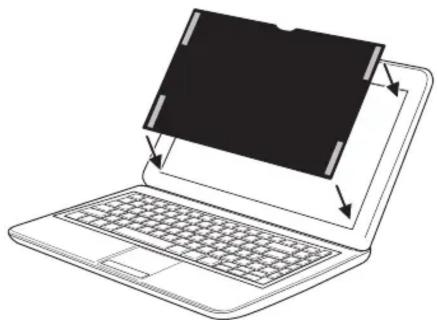
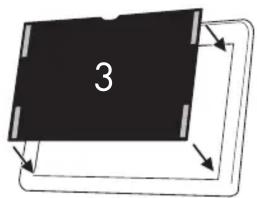
3- Double sided adhesive for semi-permanent attachment
- Adhésif double-face pour une adhésion semi-permanente
- Adhesivo por los dos lados para una fijación semipermanente
• Doppelseitige Klebefläche für halbpermanente Befestigung
• Nastro biadesivo per fissaggio semi-permanente - Plakt aan twee kanten voor semi-permanente bevestiging
- Dubbelsidigt häftmedel för semi-för halvpermanent fastsättning
- Taśma dwustronnie klejąca umożliwia odklejanie filtra
- Двухсторонняя клеящаяся лента для полупостоянного подсоединения
- Película autocolante frente e verso para proporcionar adesão semipermanente
Option 1 | Méthode 1 | Opción 1 | Methode 1 | Opzione 1 | Optie 1 | Alternativ 1 | Opcja 1 | Вариант 1 | Opção 1
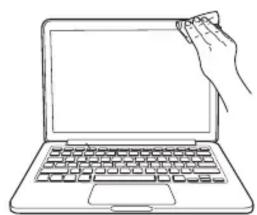
natural_image
Line drawing of a hand holding a pen on a laptop keyboard (no text or symbols)
natural_image
Line drawing of a laptop with an open screen showing a hand inserting a pencil into it (no text or symbols present)
natural_image
Illustration of two hands holding a small object, possibly a tool or device (no text or symbols visible)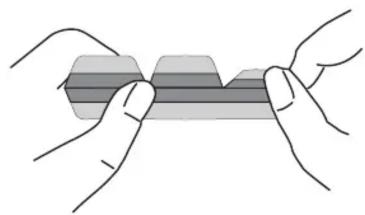
natural_image
Illustration of two hands holding a rectangular object with a shaded band (no text or symbols)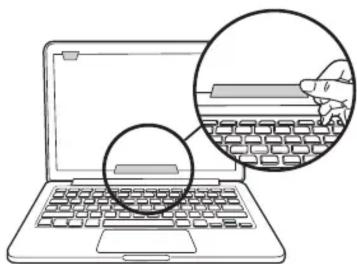
natural_image
Illustration of a laptop with a magnified inset showing a hand typing on a keyboard (no text or symbols present)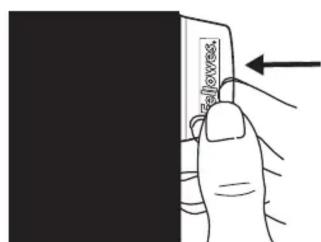
text_image
Sloves.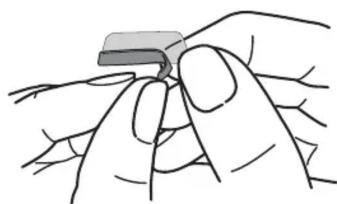
natural_image
Illustration of a hand holding a small object, possibly a tool or device, with no visible text or symbols.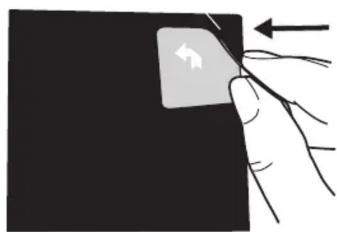
natural_image
Hand holding a square object with an arrow indicating left-hand movement (no text or symbols)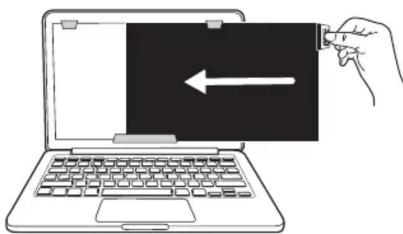
natural_image
Line drawing of a hand inserting a card into a laptop keyboard (no text or symbols)
text_image
1. 2. 3.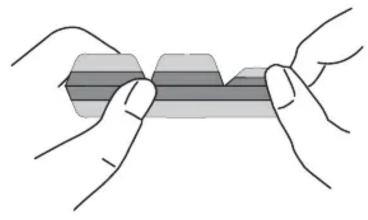
natural_image
Illustration of two hands holding a rectangular object with a shaded band (no text or symbols)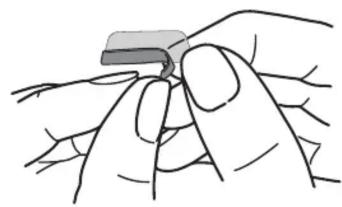
natural_image
Illustration of a hand holding a small object, possibly a tool or device, with no visible text or symbols.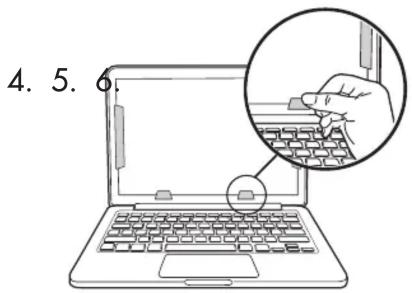
text_image
4. 5. 6
natural_image
Line drawing of a laptop with a hand pointing at the screen, showing a magnified view of its screen (no text or symbols present)
natural_image
Hand holding a small rectangular object with directional arrows, no text or symbols visible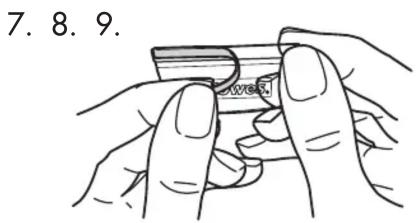
text_image
7. 8. 9.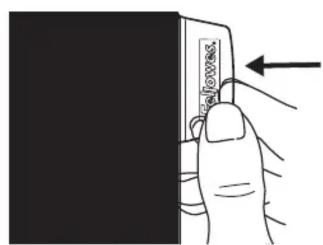
text_image
Diagram showing a hand holding a card with an arrow pointing to it, indicating a location or movement.
natural_image
Line drawing of a hand holding a laptop with an upward arrow indicating vertical motion (no text or symbols)Option 3 | Méthode 3 | Opción 3 | Methode 3 | Opzione 3 | Optie 3 | Alternativ 3 | Opcja 3 | Вариант 3 | Орção 3
-
- 3

- 3
natural_image
Hand holding a small object with an arrow indicating leftward movement (no text or symbols)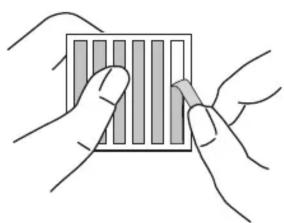
natural_image
Illustration of two hands holding a card with vertical bars (no text or symbols)
natural_image
Illustration of a hand holding a tool, partially enclosed in a circular frame (no text or symbols)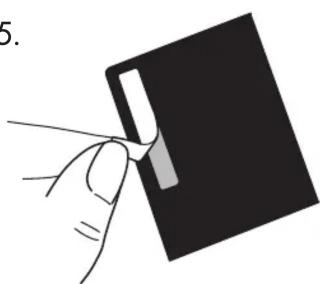
natural_image
Hand holding a black rectangular object with a white rectangular cutout, no text or symbols visible