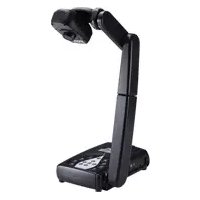
AVerVision 315AF - Caméra de document AVer - Notice d'utilisation et mode d'emploi gratuit
Retrouvez gratuitement la notice de l'appareil AVerVision 315AF AVer au format PDF.


| Type de produit | Caméra de document |
| Marque | AVer |
| Modèle | AVerVision 315AF |
| Fonctions principales | Zoom avant/arrière, mise au point automatique, capture d'images, enregistrement audio/vidéo, lecture, affichage en direct |
| Connectivité | Sorties RGB, HDMI, CVBS (RCA), RS232, port USB, lecteur de carte SD |
| Alimentation | Adaptateur secteur (non spécifié dans la notice, estimation : 12 V DC) |
| Support de stockage | Mémoire interne, clé USB, carte SD |
| Dimensions (approx.) | Environ 35 x 25 x 40 cm (pliée) |
| Poids (approx.) | Environ 2,5 kg |
| Résolution | Non spécifiée dans la notice, estimation : HD (1080p) |
| Commutation TV-RGB | Permet de choisir entre sortie RGB/HDMI ou TV/CVBS |
| Commutation caméra/PC | Bascule entre le mode caméra et le mode ordinateur (pour affichage depuis un PC) |
| Raccourci clavier (laptop) | Utiliser FN+F5 pour basculer l'affichage sur l'écran externe |
| Entretien et nettoyage | Nettoyer l'objectif avec un chiffon doux et sec. Éviter les produits chimiques. |
| Sécurité | Utiliser uniquement l'adaptateur fourni. Ne pas exposer à l'humidité. |
| Pièces détachées et réparabilité | Contacter le support AVer pour les pièces de rechange. Réparation par un technicien agréé. |
| Informations générales | Caméra de document conçue pour l'éducation et les présentations. Livrée avec notice multilingue. |
FOIRE AUX QUESTIONS - AVerVision 315AF AVer
Questions des utilisateurs sur AVerVision 315AF AVer
0 question sur cet appareil. Repondez a celles que vous connaissez ou posez la votre.
Poser une nouvelle question sur cet appareil
Téléchargez la notice de votre Caméra de document au format PDF gratuitement ! Retrouvez votre notice AVerVision 315AF - AVer et reprennez votre appareil électronique en main. Sur cette page sont publiés tous les documents nécessaires à l'utilisation de votre appareil AVerVision 315AF de la marque AVer.
MODE D'EMPLOI AVerVision 315AF AVer
| ENGLISH | 繁體中文 | 日本語 | ภาษาไทย | Deutsch | Español | |
| 1. Set the TV-RGB Switch SettingA. RGB outputs the signal to RGB and HDMI OUTPUT port of V315AF.B. TV outputs the signal from RS232/CVBS port thru RCA connection. | 1. 設置 TV-RGB 切換設定值A. RGB 傳送信號到 V315AF 的 RGB 與 HDMI 输出(HDMI OUTPUT) 连接埠。B. 在 TV 模式時,從 RS232/CVBS 坙頻由 RCA 輸出訊號。 | 1. TV-RGB スイッチを設定しますA. RGB は RGB および、V315AF の HDMI OUTPUT ポートに信号を出力します。B. RCA 接続を介して、テレビ RS232/CVBS ポートから信号を発信します。 | 1. その他のネットで TV-RGBA. RGB- Contemporaryでの商品を表示を提供する商品を提供する商品を提供する商品を提供する商品を提供する商品を提供する商品を提供する商品を提供する商品を提供する商品を提供する商品を提供する商品を提供する商品を提供する商品を提供する商品を提供する商品を提供する商品を提供する商品を提供する商品を提供する商品を提供する商品を提供する商品を提供する商品を提供する商品を提供する商品を提供する商品を提供する 商品を提供する商品を提供する商品を提供する商品を提供する商品を提供する商品を提供する商品を提供する商品を提供する商品を提供する商品を提供する商品を提供する商品を提供する商品を提供する商品を提供する商品を提供する商品を提供する商品を提供する商品を提供する商品を提供する商品を提供する商品を提供する商品を提供する商品を提供する商品を提供する商品を提供する的商品を提供する商品を提供する商品を提供する商品を提供する商品を提供する商品を提供する商品を提供する商品を提供する商品を提供する商品を提供する商品を提供する商品を提供する商品を提供する商品を提供する商品を提供する商品を提供する商品を提供する商品を提供する商品を提供する商品を提供する商品を提供する商品を提供する商品を提供する商品を提供する商品を提供する |
| Français | Indonesian | Italiano | Česky | Polski | Português | Русский | Suomi | «««»» | «««»» |
| 1. Réglez le paramètre du commutateur TV-RGBA. RGB envoie le signal vers la SORTIE du port RGB et HDMI du V315AF.B. Le téléviseur produit le signal depuis la borne de sortie RS232/CVBS via une connexion RCA. | 1. Tetapkan Pengaturan Sakelar TV-RGBA. RGB menghasilkan sinyal ke port OUTPUT RGB dan HDMI V315AF.B. TV menghasilkan sinyal dari port RS232/CVBS melalui sambungan RCA. | 1. Stabilire l'impostazione dell'interruttore TV-RGBA. RGB emette il segnale verso la porta RGB e la porta HDMI OUTPUT del V315AF.B. La TV emette il segnale dalla porta RS232/CVBS tramite il collegamento RCA. | 1. Nastavte TV-RGB Nastaveni přepinačuA. Výstupy RGB signáló do RGB a de V315AF portu HDMI OUTPUT.B. Výstupy TV signálú z portu RS232/CVBS přes připojení RCA. | 1. Skonfiguruj ustawienie przełącznika TV-RGBA. W ustawieniu RGB sygnał jest przesyłany do portu RGB oraz HDMI OUTPUT.B. Ustawienie TV powoduje wysyłanie sygnału z gniażda RS232/CVBS poprzez złącze RCA. | 1. Ajustar a Configuração do InterruptorA. RGB envia o sinal para SAI DA RGB e HDMI OUTPUT porta de V315AF. da TV-RGB.B. A TV produz o sinal da porta RS232/CVBS através de conexão RCA. | 1. Установка положения переключателя TV-RGBA. В положении RGB сигнал передается на разъемы RGB i HDMI OUPUT устройства CP.B. Выход TV выводит сигнал из порта RS232/CVBS через штекер RCA. | 1. Aseta TV-RGB-kytkin asetusA. RGB tuottaa ulos signaalin V315AF-n HDMI ULOSTULOportiin.B. TV tuottaa signaalin ulos RS232/CVBS -portista RCA-liitännän kautta. | TV-RGB تمّبین عَدْعَدْ مِقَحَ (RGB) بِلْمَجِرَ الْإِسْتَارَةُ (I) إِنْفَطَّدُ لِيْتَّهُ (II) ازْتَّهُ (III) بِلْمَجِرَ الْإِسْتَّهُ (IV) بِلْمَجِرَ الْإِسْتَّهُ (V) بِلْمَجِرَ الْإِسْتَّهُ (VI) بِلْمَجِرَ الْإِسْتَّهُ (VII) بِلْمَجِرَ الْإِسْتَّهُ (VIII) بِلْمَجِرَ الْإِسْتَّهُ (VIX) بِلْمَجِرَ الْإِسْتَّهُ (VX) بِلْمَجِرَ الْإِسْتَّهُ (VY) بِلْمَجِرَ الْإِسْتَّهُ (VZ) بِلْمَجِرَ الْإِسْتَّهُ (VX) بِلْمَجِرَ الْإِسْتَّهُ (VY) بِلْمَجِرَ الْإِسْتَّهُ (VZ) بِلْمَجِرَ الْإِسْتَّهُ (VXI) بِلْمَجِرَ الْإِسْتَّهُ (VXII) بِلْمَجِرَ الْإِسْتَّهُ (VXIII) بِلْمَجِرَ الْإِسْتَّهُ (VXIV) بِلْمَجِرَ الْإِسْتَّهُ (VXV) بِلْمَجِرَ الْإِسْتَّهُ (VXV) بِلْمَجِرَ الْإِسْتَّهُ (VXVI) بِلْمَجِرَ الْإِسْتَّهُ (VXVII) بِلْمَجِرَ الْإِسْتَّهُ (VXVIII) بِلْمَجِرَ الْإِسْتَّهُ (VXVII) بِلْمَجِرَ الْإِسْتَّهُ (VXVIII) بِلْمَجِرَ الْإِسْتَّهُ (VXVII) بِلْمَجِرَ الْإِسْت· (VXVIII) بِلْمَجِرَ الْإِسْت· (VXVII) بِلْمَجِرَ الْإِسْت· (VXVIII) بِلْمَجِرَ الْإِسْت· (VXVII) بِلْمَجِرَ الْإِسْت· (VXVIII) بِلْمَجِرَ الْإِسْت· (VXVI) بِلْمَجِرَ الْإِسْت· (VXVII) بِلْمَجِرَ الْإِسْت· (VXVIII) بِلْمَجِرَ الْإِسْت· (VXVII) بِلْمَجِرَ الْإِسْت· (VXVIII) بِيْتَالْ أَصْتَّةُ (VXVII) بِيْتَالْ أَصْتَّةُ (VXVIII) بِيْتَالْ أَصْتَّةُ (VXVII) بِيْتَالْ أَصْتَّةُ (VXVIII) بِيْتَالْ أَصْتَّةُ (VXVII) بِيْتَالْ أَصْتَّةُ (VXVIII) بٍ٠٠٠٠٠٠٠٠٠٠٠٠٠٠٠٠٠٠٠٠٠٠٠٠٠٠٠٠٠٠٠٠٠٠٠٠٠٠٠٠٠٠٠٠٠٠٠٠٠٠١٠٠٠٠٠٠٠٠٠٠٠٠٠٠٠٠٠٠٠٠٠٠٠٠٠٠٠٠٠٠٠٠٠٠٠٠٠٠٠٠٠٠٠٠٠٠٠٠٠٢٠٠٠٠٠٠٠٠٠٠٠٠٠٠٠٠٠٠٠٠٠٠٠٠٠٠٠٠٠٠٠٠٠٠٠٠٠٠٠٠٠٠٠٠٠٠٠٠٠٣٠٠٠٠٠٠٠٠٠٠٠٠٠٠٠٠٠٠٠٠٠٠٠٠٠٠٠٠٠٠٠٠٠٠٠٠٠٠٠٠٠٠٠٠٠٠٠٠٠٥١٠٠٠٠٠٠٠٠٠٠٠٠٠٠٠٠٠٠٠٠٠٠٠٠٠٠٠٠٠٠٠٠٠٠٠٠٠٠٠٠٠٠٠٠٠٠٠٠٢١٠٠٠٠٠٠٠٠٠٠٠٠٠٠٠٠٠٠٠٠٠٠٠٠٠٠٠٠٠٠٠٠٠٠٠٠٠٠٠٠٠٠٠٠٠٠٠٠١٢١٠٠٠٠٠٠٠٠٠٠٠٠٠٠٠٠٠٠٠٠٠٠٠٠٠٠٠٠٠٠٠٠٠٠٠٠٠٠٠٠٠٠٠٠٠٠٠٢٢١٠٠٠٠٠٠٠٠٠٠٠٠٠٠٠٠٠٠٠٠٠٠٠٠٠٠٠٠٠٠٠٠٠٠٠٠٠٠٠٠٠٠٠٠٠٠٠١٢٢١٠٠٠٠٠٠٠٠٠٠٠٠٠٠٠٠٠٠٠٠٠٠٠٠٠٠٠٠٠٠٠٠٠٠٠٠٠٠٠٠٠٠٠٠٠٠٢٢٢١٠٠٠٠٠٠٠٠٠٠٠٠٠٠٠٠٠٠٠٠٠٠٠٠٠٠٠٠٠٠٠٠٠٠٠٠٠٠٠٠٠٠٠٠٠٠١٢٢٢٢١٠٠٠٠٠٠٠٠٠٠٠٠٠٠٠٠٠٠٠٠٠٠٠٠٠٠٠٠٠٠٠٠٠٠٠٠٠٠٠٠٠٠٠٠٠٢٢٢٢٢١٠٠٠٠٠٠٠٠٠٠٠٠٠٠٠٠٠٠٠٠٠٠٠٠٠٠٠٠٠٠٠٠٠٠٠٠٠٠٠٠٠٠٠٠٢٢٢٢٢٢١٠٠٠٠٠٠٠٠٠٠٠٠٠٠٠٠٠٠٠٠٠٠٠٠٠٠٠٠٠٠٠٠٠٠٠٠٠٠٠٠٠٠٠٢٢٢٢٢٢٢١٠٠٠٠٠٠٠٠٠٠٠٠٠٠٠٠٠٠٠٠٠٠٠٠٠٠٠٠٠٠٠٠٠٠٠٠٠٠٠٠٠٠٢٢٢٢٢٢٢٢١١٢٢٢٢٢٢٢٢٢٢٢٢٢٢٢٢٢٢٢٢٢٢٢٢٢٢٢٢٢٢٢٢٢٢٢٢٢٢٢٢٢٢٢٢٢٢٢٢٢٢٦٢٢٢٢٢٢٢٢٢٢٢٢٢٢٢٢٢٢٢٢٢٢٢٢٢٢٢٢٢٢٢٢٢٢٢٢٢٢٢٢٢٢٢٢٢٢٢٢٢٩٢٢٢٢٢٢٢٢٢٢٢٢٢٢٢٢٢٢٢٢٢٢٢٢٢٢٢٢٢٢٢٢٢٢٢٢٢٢٢٢٢٢٢٢٢٢٢٢٢٣٢٢٢٢٢٢٢٢٢٢٢٢٢٢٢٢٢٢٢٢٢٢٢٢٢٢٢٢٢٢٢٢٢٢٢٢٢٢٢٢٢٢٢٢٢٢٢٢٢٨١٢٢٢٢٢٢٢٢٢٢٢٢٢٢٢٢٢٢٢٢٢٢٢٢٢٢٢٢٢٢٢٢٢٢٢٢٢٢٢٢٢٢٢٢٢٢٢٢٩١٢٢٢٢٢٢٢٢٢٢٢٢٢٢٢٢٢٢٢٢٢٢٢٢٢٢٢٢٢٢٢٢٢٢٢٢٢٢٢٢٢٢٢٢٢٢٢٢٣١٢٢٢٢٢٢٢٢٢٢٢٢٢٢٢٢٢٢٢٢٢٢٢٢٢٢٢٢٢٢٢٢٢٢٢٢٢٢٢٢٢٢٢٢٢٢٢٢٦١٢٢٢٢٢٢٢٢٢٢٢٢٢٢٢٢٢٢٢٢٢٢٢٢٢٢٢٢٢٢٢٢٢٢٢٢٢٢٢٢٢٢٢٢٢٢٢٢١٢٢٢٢٢٢٢٢٢٢٢٢٢٢٢٢٢٢٢٢٢٢٢٢٢٢٢٢٢٢٢٢٢٢٢٢٢٢٢٢٢٢٢٢٢٢٢٢٤١٢٢٢٢٢٢٢٢٢٢٢٢٢٢٢٢٢٢٢٢٢٢٢٢٢٢٢٢٢٢٢٢٢٢٢٢٢٢٢٢٢٢٢٢٢٢٢٢٧. بِلْمَجِرَ الْإِسْتَّهُ (I) بِلْمَجِرَ الْإِسْتَّهُ (II) بِلْمَجِرَ الْإِسْتَّهُ (III) بِلْمَجِرَ الْإِسْتَّهُ (IV) بِلْمَجِرَ الْإِسْتَّهُ (V) بِلْمَجِرَ الْإِسْتَّهُ (VI) بِلْمَجِرَ الْإِسْتَ’ (V) بِلْمَجِرَ الْإِسْتَ’ (VI) بِلْمَجِرَ الْإِسْتَ’ (VII) بِلْمَجِرَ الْإِسْتَ’ (VIII) بِلْمَجِرَ الْإِسْتَ’ (VIX) بِلْمَجِرَ الْإِسْتَ’ (VXII) بِلْمَجِرَ الْإِسْتَ’ (VXIII) بِلْمَجِرَ الْإِسْتَ’ (VXIV) بِلْمَجِرَ الْإِسْتَ’ (VXVII) بِلْمَجِرَ الْإِسْتَ’ (VXVII) بِلْمَجِرَ الْإِسْتَ’ (VXVIII) بِلْمَجِرَ الْإِسْتَ’ (VXVIX) بِلْمَجِرَ الْإِسْتَ’ (VXVIX) بِلْمَجِرَ الْإِسْتَ’ (VXVIX) بِلْمَجِرَ الْإِسْتَ’ (VXVIX) بِلْمَجِرَ الْإِسْتَ’ (VXVX) بِلْمَجِرَ الْإِسْتَ’ (VXVX) بِلْمَجِرَ الْإِسْتَ’ (VXVX) بِلْمَجِرَ الْإِسْتَ’ (VXVX) بِلْمَجِرَ الْإِسْتَ’ (VXVXI) بِلْمَجِرَ الْإِسْتَ’ (VXVXI) بِلْمَجِرَ الْإِسْتَ’ (VXVXI) بِلْمَجِرَ الْإِسْتَ’ (VXVXI) بِلْمَجِرَ الْإِسْتَ’ (VXVXII) بِلْمَجِرَ الْإِسْتَ’ (VXVXI) بِلْمَجِرَ الْإِسْتَ’ (VXVXI) بِلْمَجِرَ الْإِسْتَ’ (VXVXI) بِلْمَجِرَ الْإِسْتَ’ (VXVIX) بِلْمَجِرَ الْإِسْتَ’ (VXVIX) بِلْمَجِرَ الْإِسْتَ’ (VXVIX) بِلْمَجِرَ الْإِسْتَ’ (VXVXI) بِلْمَجِرَ الْإِسْتَ’ (VXVXI) بِلْمَجِرَ الْإِسْتَ’ (VXVXI) بِلْمَجِرَ الْإِسْتَ’ (VXVXA) بِلْمَجِرَ الْإِسْتَ’ (VXVXA) بِلْمَجِرَ الْإِسْتَ’ (VXVXA) بِلْمَجِرَ الْإِسْتَ’ (VXVXA) بِلْمَجِرَ الْإِسْتَ’ (VXVZA) بِلْمَجِرَ الْإِسْتَ’ (VXVZA) بِلْمَجِرَ الْإِسْتَ’ (VXVZA) بِلْمَجِرَ الْإِسْتَ’ (VXVZA) بِلْمَجِرَ الْإِسْتَ’ (VXVXA) بِلْمَجِرَ الْإِسْتَ’ (VXVXA) بِلْمَجِرَ الْإِسْتَ’ (VXVXA) بِلْمَجِرَ الْإِسْتَ’ (VXVX) بِلْمَجِرَ الْإِسْتَ’ (VXVXA) بِلْمَجِرَ الْإِسْتَ’ (VXVXA) بِلْمَجِرَ الْإِسْتَ’ (VXVXA) بِلْمَجِرَ الْإِسْتَ’ (VXVWA) بِلْمَجِرَ الْإِسْتَ’ (VXVWA) بِلْمَجِرَ الْإِسْتَ’ (VXVWA) بِلْمَجِرَ الْإِسْتَ’ (VXVWA) بِلْمَجِرَ الْإِسْتَ’ (VXVXA) بِلْمَجِرَ الْإِسْتَ’ (VXVXA) بِلْمَجِرَ الْإِسْتَ’ (VXVXA) بِلْمَجِرَ الْإِسْتَ’ (VXVAX) بِلْمَجِرَ الْإِسْتَ’ (VXVAX) بِلْمَجِرَ الْإِسْتَ’ (VXVAX) بِلْمَجِرَ الْإِسْتَ’ (VXVAX) بِلْمَجِرَ الْإِسْتَ’ (VXVXA) بِلْمَجِرَ الْإِسْتَ’ (VXVXA) بِلْمَجِرَ الْإِسْتَ’ (VXVXA) بِلْمَجِرَ الْإِسْتَ’ (VXVXX) بِلْمَجِرَ الْإِسْتَ’ (VXVXX) بِلْمَجِرَ الْإِسْتَ’ (VXVXX) بِلْمَجِرَ الْإِسْتَ’ (VXVXX) بِلْمَجِرَ الْإِسْتَ’ (VXVXXX) بِلْمَجِرَ الْإِسْتَ’ (VXVXXX) بِلْمَجِرَ الْإِسْتَ’ (VXVXXX) بِلْمَجِرَ الْإِسْتَ’ (VXVXXX) بِلْمَجِرَ الْإِسْتَ’ (VXVXX) بِلْمَجِرَ الْإِسْتَ’ (VXVXX) بِلْمَجِرَ الْإِسْتَ’ (VXVXX) بِلْمَجِرَ الْإِسْتَ’ (VXVXA) بِلْمَجِرَ الْإِسْتَ’ (VXVXA) بِلْمَجِرَ الْإِسْتَ’ (VXVXA) بِلْمَجِرَ الْإِسْتَ’ (VXVXL) بِلْmَجِرَ الْإِسْتَ’ (VXVXL) بِلْmَجِرَ الْإِسْتَ’ (VXVXL) بِلْmَجِرَ الْإِسْتَ’ (VXVXL) بِلْmَجِرَ الْإِسْتَ’ (VXVXL) بِلْpumakamamamamamamamamamamamamamamamamamamamamamamamamamamamamamamamamamamamamamamamamamamamamamamamam |
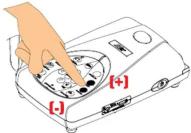 | 7. BasisImage | [H] | 繁體中文 | 日本語 | [IMAGE] | Deutsch | Español | Français | |||||||||||||||||||||||||||||||||||||||||||||||||||||||||||||||
  [A58S] [A58S]   | andit the | 7. 基本操作按 可插入影像,按則會縮小影像。 | 7. 基本操作將管道成像を拡大、あるいは 要して縮小します。 | 7. その用作等がりけ!非動の商品を換算に移動を移動 | 7. Grundlegende FunktionenVergrößern Sie mit das Bild, oder verkleinern Sie es mit | 7. Operación basicaPulse para acercar la imagen y para alejar la imagen. | |||||||||||||||||||||||||||||||||||||||||||||||||||||||||||||||||
| • Press focus |      | ly. | • 按下自動對焦器可以自動調整對焦功能。 | • 自動的に焦点を調節する場合、を押します。 | • 過を発きいただきますในみ | • Drücken Sie auf , un den Fokus automatisch zu regeln | • Pulse para enfoque manual. | ||||||||||||||||||||||||||||||||||||||||||||||||||||||||||||||||
| • Press switch CompFor laptop the output video computer key (FN+F5) t display ou |    [B4GX] [B4GX]  | °C to camera and to switch in external refer to the hand when | • 請按 CAMERA/PC (實物撮影機/電感) 切換相機和電腦模式。如果使用手提電腦,請務必確定將輸出顯示器切換到外接視訊輸出器。至於手提電腦的鍵盤指令(FN+F5),則可以在幾個顯示輸出之間做切換。 | • [カメラ/PC (CAMERA/PC)] を押して、カメラコンピュータモードを切り替えます。非オードフォーカスタイプに関しては、焦点リングから焦点を調節することで、画像の質を高めることができます。 | • CAMERA/PC非動の伝統性を確認してPCステップを提供している事項を提供している事項を提供している事項を提供している事項を提供している事項を提供している事項を提供している事項を提供している事項を提供している事項を提供している事項を提供している事項を提供している事項を提供している事項を提供している事項を提供している事項を提供している事項を提供している事項を提供している事項を提供している事項を提供している事項を提供している事 件を提供している事項を提供している事項を提供している事項を提供している事項を提供している事項を提供している事項を提供している事項を提供している事項を提供している事項を提供している事項を提供している事項を提供している事項を提供している事項を提供している事項を提供している事項を提供している事項を提供している事項を提供している事項を提供している事項を提供している事 堂を提供している事項を提供している事項を提供している事項を提供している事項を提供している事項を提供している事項を提供している事項を提供している事項を提供している事項を提供している事項を提供している事項を提供している事項を提供している事項を提供している事項を提供している事項を提供している事項を提供している事項を提供している事項を提供している事項を提供している事 隔者を提供している事項を提供している事項を提供している事項を提供している事項を提供している事項を提供している事項を提供している事項を提供している事項を提供している事項を提供している事項を提供している事項を提供している事項を提供している事項を提供している事項を提供している事項を提供している事項を提供している事項を提供している事項を提供している事項を提供している事 空を提供している事項を提供している事項を提供している事項を提供している事項を提供している事項を提供している事項を提供している事項を提供している事項を提供している事項を提供している事項を提供している事項を提供している事項を提供している事項を提供している事項を提供している事項を提供している事項を提供している事項を提供している事項を提供している事項を提供している事 キャーで提供している事項を提供している事項を提供している事項を提供している事項を提供している事項を提供している事項を提供している事項を提供している事項を提供している事項を提供している事項を提供している事項を提供している事項を提供している事項を提供している事項を提供している事項を提供している事項を提供している事項を提供している事項を提供している事項を提供している事項の提供している事項を提供している事項を提供している事項を提供している事項を提供している事項を提供している事項を提供している事項を提供している事項を提供している事項を提供している事項を提供している事項を提供している事項を提供している事項を提供している事項を提供している事項を提供している事項を提供している事項を提供している事項を提供している事項を提供している事項と提供している事項を提供している事項を提供している事項を提供している事項を提供している事項を提供している事項を提供している事項を提供している事項を提供している事項を提供している事項を提供している事項を提供している事項を提供している事項を提供している事項を提供している事項を提供している事項を提供している事項を提供している事項を提供している事項を提供している事項に提供している事項を提供している事項を提供している事項を提供している事項を提供している事項を提供している事項を提供している事項を提供している事項を提供している事項を提供している事項を提供している事項を提供している事項を提供している事項を提供している事項を提供している事項を提供している事項を提供している事項を提供している事項を提供している事項を提供している事項が提供している事項を提供している事項を提供している事項を提供している事項を提供している事項を提供している事項を提供している事項を提供している事項を提供している事項を提供している事項を提供している事項を提供している事項を提供している事項を提供している事項を提供している事項を提供している事項を提供している事項を提供している事項を提供している事項を提供している事項は提供している事項を提供している事項を提供している事項を提供している事項を提供している事項を提供している事項を提供している事項を提供している事項を提供している事項を提供している事項を提供している事項を提供している事項を提供している事項を提供している事項を提供している事項を提供している事項を提供している事項を提供している事項を提供している事項を提供している事項で提供している事項を提供している事項を提供している事項を提供している事項を提供している事項を提供している事項を提供している事項を提供している事項を提供している事項を提供している事項を提供している事項を提供している事項を提供している事項を提供している事項を提供している事項を提供している事項を提供している事項を提供している事項を提供している事項を提供している事 事を提供している事項を提供している事項を提供している事項を提供している事項を提供している事項を提供している事項を提供している事項を提供している事項を提供している事項を提供している事項を提供している事項を提供している事項を提供している事項を提供している事項を提供している事項を提供している事項を提供している事項を提供している事項を提供している事項を提供している事項目を提供している事項を提供している事項を提供している事項を提供している事項を提供している事項を提供している事項を提供している事項を提供している事項を提供している事項を提供している事項を提供している事項を提供している事項を提供している事項を提供している事項を提供している事項を提供している事項を提供している事項を提供している事項を提供している事項を提供している事目を提供している事項を提供している事項を提供している事項を提供している事項を提供している事項を提供している事項を提供している事項を提供している事項を提供している事項を提供している事項を提供している事項を提供している事項を提供している事項を提供している事項を提供している事項を提供している事項を提供している事項を提供している事項を提供している事項を提供している事類を提供している事項を提供している事項を提供している事項を提供している事項を提供している事項を提供している事項を提供している事項を提供している事項を提供している事項を提供している事項を提供している事項を提供している事項を提供している事項を提供している事項を提供している事項を提供している事項を提供している事項を提供している事項を提供している事項を提供している事間を提供している事項を提供している事項を提供している事項を提供している事項を提供している事項を提供している事項を提供している事項を提供している事項を提供している事項を提供している事項を提供している事項を提供している事項を提供している事項を提供している事項を提供している事項を提供している事項を提供している事項を提供している事項を提供している事項を提供している事段を提供している事項を提供している事項を提供している事項を提供している事項を提供している事項を提供している事項を提供している事項を提供している事項を提供している事項を提供している事項を提供している事項を提供している事項を提供している事項を提供している事項を提供している事項を提供している事項を提供している事項を提供している事項を提供している事項を提供している事面を提供している事面を提供している事面を提供している事面を提供している事面を提供している事面を提供している事面を提供している事面を提供している事面を提供している事面を提供している事面を提供している事面を提供している事面を提供している事面を提供している事面を提供している事面を提供している事面を提供している事面を提供している事面を提供している事面を提供している事画を提供している事画を提供している事画を提供している事画を提供している事画を提供している事画を提供している事画を提供している事画を提供している事画を提供している事画を提供している事画を提供している事画を提供している事画を提供している事画を提供している事画を提供している事画を提供している事画を提供している事画を提供している事画を提供している事画を提供している事面を提供している事面を提供している事面を提供している事面を提供している事面を提供している事面を提供している事面を提供している事面を提供している事面を提供している事面を提供している事面を提供している事面を提供している事面を提供している事面を提供している事面を提供している事面を提供している事面を提供している事面を提供している事面を提供している事図を提供している事面を提供している事面を提供している事面を提供している事面を提供している事面を提供している事面を提供している事面を提供している事面を提供している事面を提供している事面を提供している事面を提供している事面を提供している事面を提供している事面を提供している事面を提供している事面を提供している事面を提供している事面を提供している事面を提供している事面上の具 有機器を提供している事面を提供している事面を提供している事面を提供している事面を提供している事面を提供している事面を提供している事面を提供している事面を提供している事面を提供している事面を提供している事面を提供している事面を提供している事面を提供している事面を提供している事面を提供している事面を提供している事面を提供している事面を提供している事面を提供している事而 有機器を提供している事面を提供している事面を提供している事面を提供している事面を提供している事面を提供している事面を提供している事面を提供している事面を提供している事面を提供している事面を提供している事面を提供している事面を提供している事面を提供している事面を提供している事面を提供している事面を提供している事面を提供している事面を提供している事面の具 有機器を提供している事面を提供している事面を提供している事面を提供している事面を提供している事面を提供している事面を提供している事面を提供している事面を提供している事面を提供している事面を提供している事面を提供している事面を提供している事面を提供している事面を提供している事面を提供している事面を提供している事面を提供している事面を提供している | ||||||||||||||||||||||||||||||||||||||||||||||||||||||||||||||||||
| • Press capture memc | [TAZY] [X5ZS]          [HW7Z] [HW7Z]       [7cc8] [7cc8] [7cc8] [7cc8] [7cc8] [7cc8] [7cc8] [7cc8] [7cc8] [7cc8] [7cc8] [7cc8] [7cc8] [7cc8] [7cc8] [7cc8] [7cc8] [7cc8] [7cc8] [7cc8] [7cc8] [7cc8] [7cc8] [7cc8] [7cc8] [7cc8] [7cc8] [7cc8] [7cc8] [7cc8] [7cc8] [7cc8] [7cc8] [7cc8] [7cc8] [7cc8] [7cc8] [7cc8] [7cc8] [7cc8] [7cc8] [7cc8] [7cc8] [7cc8] [7cc8] [7cc8] [7cc8] [7cc8] [7cc8] [7cc8] [7cc8] [7cc8] [7cc8] [7cc8] [7cc8] [7cc8] [7cc8] [7cc8] [7cc8] [7cc8] [7cc8] [7cc8] [7cc8] [7cc8] [7cc8] [7cc8] [7cc8] [7cc8] [7cc8] [7cc8] [7cc8] [7cc8] [7cc8] [7cc8] [7cc8] [7cc8] [7cc8] [7cc8] [7cc8] [7cc8] [7cc8] [7cc8] [7cc8] [7cc8] [7cc8] [7cc8] [7cc8] [7cc8] [7cc8] [7cc8] [7cc8] [7cc8] [7cc8] [7cc8] [7cc8] [7cc8] [7cc8] [7cc8] [7cc8] [7cc8] [7cc8] [7cc8] [7cc8] [7cc8] [7cc8] [7cc8] [7cc8] [7cc8] [7cc8] [7cc8] [7cc8] [7cc8] [7cc8] [7cc8] [7cc8] [7cc8] [7cc8] [7cc8] [7cc8] [7cc8] [7cc8] [7cc8] [7cc8] [7cc8] [7C8] [7Cc8] [7Cc8] [7Cc8] [7Cc8] [7Cc8] [7Cc8] [7Cc8] [7Cc8] [7Cc8] [7Cc8] [7Cc8] [7Cc8] [7Cc8] [7Cc8] [7Cc8] [7Cc8] [7Cc8] [7Cc8] [7Cc8] [7Cc8] [7C8] [7C8] [7C8] [7C8] [7C8] [7C8] [7C8] [7C8] [7C8] [7C8] [7C8] [7C8] [7C8] [7C8] [7C8] [7C8] [7C8] [7C8] [7C8] [7C8] [7Cc8] [7Cc8] [7Cc8] [7Cc8] [7Cc8] [7Cc8] [7Cc8] [7Cc8] [7Cc8] [7Cc8] [7Cc8] [7Cc8] [7Cc8] [7Cc8] [7Cc8] [7Cc8] [7Cc8] [7Cc8] [7Cc8] [7Fc8] [7Fc8] [7Fc8] [7Fc8] [7Fc8] [7Fc8] [7Fc8] [7Fc8] [7Fc8] [7Fc8] [7Fc8] [7Fc8] [7Fc8] [7Fc8] [7Fc8] [7Fc8] [7Fc8] [7Fc8] [7Fc8] [7Fc8] [7F84D] [7F84D] [7F84D] [7F84D] [7F84D] [7F84D] [7F84D] [7F84D] [7F84D] [7F84D] [7F84D] [7F84D] [7F84D] [7F84D] [7F84D] [7cc8] [7cc8] [7cc8] [7cc8] [7cc8] [7cc8] [7cc8] [7cc8] [7cc8] [7cc8] [7cc8] [7cc8] [7cc8] [7cc8] [7cc8] [7cc8] [7cc8] [7cc8] [7cc8] [7cc8] [7cc8] [7cc8] [7cc8] [7cc8] [7cc8] [7cc8] [7cc8] [7cc8] [7cc8] [7cc8] [7cc8] [7cc8] [7cc8] [7cc8] [7cc8] [7cc8] [7cc8] [7cc8] [7cc8] [7cc8] [7cc8] [7cc8] [7cc8] [7cc8] [7cc8] [7cc8] [7cc8] [7cc8] [7cc8] [7cc8] [7cc8] [7cc8] [7cc8] [7cc8] [7cc8] [7cc8] [7cc8] [7cc8] [7cc8] [7cc8] [7cc8] [7cc8] [7cc8] [7cc8] [7cc8] [7cc8] [7cc8] [7cc8] [7cc8] [7cc8] [7cc8] [7cc8] [7cc8] [7cc8] [7cc8] [7cc8] [7cc8] [7cc8] [7cc8] [7cc8] [7cc8] [7cc8] [7cc8] [7cc8] [7cc8] [7cc8] [7cc8] [7cc8] [7cc8] [7cc8] [7cc8] [7cc8] [7cc8] [7cc8] [7cc8] [7cc8] [7cc8] [7cc8] [7cc8] [7cc8] [7cc8] [7cc8] [7cc8] [7cc8] [7cc8] [7cc8] [7cc8] [7cc8] [7cc8] [7cc8] [7cc8] [7cc8] [7cc8] [7cc8] [7cc8] [7cc8] [7cc8] [7cc8] [7cc8] [7cc8] [7cc8] [7cc8] [7cc8] [7cc8] [7C8] [7Cc8] [7Cc8] [7Cc8] [7Cc8] [7Cc8] [7Cc8] [7Cc8] [7Cc8] [7Cc8] [7Cc8] [7Cc8] [7Cc8] [7Cc8] [7Cc8] [7Cc8] [7Cc8] [7Cc8] [7Cc8] [7Cc8] [7Cc8] [7C8] [7C8] [7C8] [7C8] [7C8] [7C8] [7C8] [7C8] [7C8] [7C8] [7C8] [7C8] [7C8] [7C8] [7C8] [7C8] [7C8] [7C8] [7C8] [7C8] [7Cc8] [7Cc8] [7Cc8] [7Cc8] [7Cc8] [7Cc8] [7Cc8] [7Cc8] [7Cc8] [7Cc8] [7Cc8] [7Cc8] [7Cc8] [7Cc8] [7Cc8] [7Cc8] [7Cc8] [7Cc8] [7Cc8] [7Fc8] [7Fc8] [7Fc8] [7Fc8] [7Fc8] [7Fc8] [7Fc8] [7Fc8] [7Fc8] [7Fc8] [7Fc8] [7Fc8] [7Fc8] [7Fc8] [7Fc8] [7Fc8] [7Fc8] [7Fc8] [7Fc8] [7Fc8] [7F84D] [7F84D] [7F84D] [7F84D] [7F84D] [7F84D] [7F84D] [7F84D] [7F84D] [7F84D] [7F84D] [7F84D] [7F84D] [7F84D] [7F84D] | • Press capture with drive or SD USB flash drive set to the | • Press capture with drive or SD USB flash drive set to the | • Press capture with drive or SD USB flash drive set to the | • Press capture with drive or SD USB flash drive set to the | • Press capture with drive or SD USB flash drive set to the | • Press capture with drive or SD USB flash drive set to the | • Press capture with drive or SD USB flash drive set to the | • Press capture with drive or SD USB flash drive set to the | ● Press capture with drive or SD USB flash drive set to the | ● Press capture with drive or SD USB flash drive set to the | ● Press capture with drive or SD USB flash drive set to the | ● Press capture with drive or SD USB flash drive set to the | ● Press capture with drive or SD USB flash drive set to the | ● Press capture with drive or SD USB flash drive set to the | ● Press capture with drive or SD USB flash drive set to the | ● Press capturing with drive or Soudire drive set to the | ● Press capturing with drive or Soudire drive set to the | ● Press capturing with drive or Soudire drive set to the | ● Press capturing with drive or Soudire drive set to the | ● Press capturing with drive or Soudire drive set to the | ● Press capturing with drive or Soudire drive set to the | ● Press capturing with drive or Soudire drive set to the | ● Press capturing with drive or Soudire drive Set to the | ● Press capturing with drive or Soudire drive Set to the | ● Press capturing with drive or Soudire drive Set to the | ● Press capturing with drive or Soudire drive Set to the | ● Press capturing with drive or Soudire drive Set to the | ● Press capturing with drive or Soudire drive Set to the | ● Press capturing with drive or Soudire drive Set to the | ● Press capturing with drive or Soudire drive Set to The | ● Press capturing with drive or Soudire drive Set to the | ● Press capturing with drive or Soudire drive Set to the | ● Press capturing with drive or Soudire drive Set to the | ● Press capturing with drive or Soudire drive Set to the | ● Press capturing with drive or Soudire drive Set to the | ● Press capturing with drive or Soudire drive Set to the | ● Press capturing with drive or Soudire drive Set to the | ○ Press capturing with drive or Soudire drive set to the | ● Press capturing with drive or Soudire drive set to the | ● Press capturing with drive or Soudire drive set to the | ● Press capturing with drive or Soudire drive set to the | ● Press capturing with drive or Soudire drive set to the | ● Press capturing with drive or Soudire drive set to the | ● Press capturing with drive or Soudire drive set to the | ● Press accounting with drive or Soudire drive set to the | ● Press accounting with drive or Soudire drive set to the | ● Press accounting with drive or Soudire drive set to the | ● Press accounting with drive or Soudire drive set to the | ● Press accounting with drive or Soudire drive set to the | ● Press accounting with drive or Soudire drive set to the | ● Press accounting with drive or Soudire drive set to the | ● Press accounting with vehicle or vehicle or vehicle or vehicle or vehicle or vehicle or vehicle or vehicle or vehicle or vehicle or vehicle or vehicle or vehicle or vehicle or vehicle or vehicle or vehicle or vehicle or vehicle or vehicle or vehicle or vehicle or vehicle or vehicle or vehicle or vehicle or vehicle or vehicle or vehicle or vehicle or vehicle or vehicle or vehicle or vehicle or vehicle or vehicle or vehicle or vehicle or vehicle or vehicle or vehicle or vehicle or vehicle or vehicle or vehicle or vehicle or vehicle or vehicle or vehicle or vehicle or vehicle / vehicle or vehicle or vehicle or vehicle or vehicle or vehicle or vehicle or vehicle or vehicle or vehicle or vehicle or vehicle or vehicle or vehicle or vehicle or vehicle or vehicle or vehicle or vehicle or vehicle or vehicle or vehicle or vehicle or vehicle or vehicle or vehicle or vehicle or vehicle or vehicle or vehicle or vehicle or vehicle or vehicle or vehicle or vehicle or vehicle or vehicle or vehicle or vehicle or vehicle or vehicle or vehicle or vehicle or vehicle or vehicle or vehicle or vehicle or vehicle or vehicle or vehicle/ vehicle or vehicle or vehicle or vehicle or vehicle or vehicle or vehicle or vehicle or vehicle or vehicle or vehicle or vehicle or vehicle or vehicle or vehicle or vehicle or vehicle or vehicle or vehicle or vehicle or vehicle or vehicle or vehicle or vehicle or vehicle or vehicle or vehicle or vehicle or vehicle or vehicle or vehicle or vehicle or vehicle or vehicle or vehicle or vehicle or vehicle or vehicle or vehicle or vehicle or vehicle or vehicle or vehicle or vehicle or vehicle or vehicle or vehicle or vehicle or vehicle or vehicle/or vehicle or vehicle or vehicle or vehicle or vehicle or vehicle or vehicle or vehicle or vehicle or vehicle or vehicle or vehicle or vehicle or vehicle or vehicle or vehicle or vehicle or vehicle or vehicle or vehicle or vehicle or vehicle or vehicle or vehicle or vehicle or vehicle or vehicle or vehicle or vehicle or vehicle or vehicle or vehicle or vehicle or vehicle or vehicle or vehicle or vehicle or vehicle or vehicle or vehicle or vehicle or vehicle or vehicle or vehicle or vehicle or vehicle or vehicle or vehicle or vehicle or vehicleor vehicle or vehicle or vehicle or vehicle or vehicle or vehicle or vehicle or vehicle or vehicle or vehicle or vehicle or vehicle or vehicle or vehicle or vehicle or vehicle or vehicle or vehicle or vehicle or vehicle or vehicle or vehicle or vehicle or vehicle or vehicle or vehicle or vehicle or vehicle or vehicle or vehicle or vehicle or vehicle or vehicle or vehicle or vehicle or vehicle or vehicle or vehicle or vehicle or vehicle or vehicle or vehicle or vehicle or vehicle or vehicle or vehicle or vehicle or vehicle or vehicle or vehicle of vehicle or vehicle or vehicle or vehicle or vehicle or vehicle or vehicle or vehicle or vehicle or vehicle or vehicle or vehicle or vehicle or vehicle or vehicle or vehicle or vehicle or vehicle or vehicle or vehicle or vehicle or vehicle or vehicle or vehicle or vehicle or vehicle or vehicle or vehicle or vehicle or vehicle or vehicle or vehicle or vehicle or vehicle or vehicle or vehicle or vehicle or vehicle or vehicle or vehicle or vehicle or vehicle or vehicle or vehicle or vehicle or vehicle or vehicle or vehicle or vehicle or vehicle/n vehicle/n vehicle/n vehicle/n vehicle/n vehicle/n vehicle/n vehicle/n vehicle/n vehicle/n vehicle/n vehicle/n vehicle/n vehicle/n vehicle/n vehicle/n vehicle/n vehicle/n vehicle/n vehicle/n vehicle/n vehicle/n vehicle/n vehicle/n vehicle/n vehicle/n vehicle/n vehicle/n vehicle/n vehicle/n vehicle/n vehicle/n vehicle/n vehicle/n vehicle/n vehicle/n vehicle/n vehicle/n vehicle/n vehicle/n vehicle/n vehicle/n vehicle/n vehicle/n vehicle/n vehicle/n vehicle/n vehicle/n vehicle/n vehicle/n vehicle(n) | ● Press capture with drive or Soudire drive set to the | ● Press capture with drive or Soudire drive set to the | ● Press capture with drive or Soudire drive set to the | ● Press capture with drive or Soudire drive set to the | ● Press capture with drive or Soudire drive set to the | ● Press capture with drive or Soudire drive set to the | ● Press capture with drive or Soudire drive set to the | ● Press capture with drive or Soudire drive set to the | ○ Press capture with drive or Soudire drive set to the | ● Press capture with drive or Soudire drive set to the | ● Press capture with drive or Soudire drive set to the | ● Press capture with drive or Soudire drive set to the | ● Press capture with drive or Soudire drive set to the | ● Press capture with drive or Soudire drive set to the | ● Press capture with drive or Soudire drive set to the | ● Press capturing with drive or Soudire drive set to the | ● Press capturing |





| Indonesian | Italiano | Česky | Polski | Português | Русский | Suomi | العربية |
| 7. Pengoperasian DasarTekan untuk memperbesardan komperkecil gambar. | Funzionamento di basePremere per angrandiree verimpiccicoliere l'immagine. | Základní operaceStisknutí m senrazzvětší, stisknutím zmenší. | Podstawowa obsługaNacišnij przycisk powiększyć obraz lub przyczík , aby go pomniejszyć. | Operação de basePressione paraaproximar e yardafastar a imagem. | Основные операцияНажмите длиувеличення и длиуменьшения. | Grundlegende FunktionenPaina zoomataksesisásán ja zoomataksesiulos kuvasta. | 7-شغرا المروانTekan untuk otomatismenyesuaikan fokus. |
| Tekan untuk otomatismenyesuaikan fokus. | Premere per regolare il fuoco in modo automatico. | Stisknutí m maselvi te automatické zaostfování. | Nacišnij przycisk , aby ostrość była ustawiana automatycznie. | Pressione para ajustar o foco automaticamente. | Нажмите длиавтоматической настройки фокусировки. | Drücken Sie auf , unladen Fokus automatisch zu regeln | النسبةب التKKRÍZ - πλησία! |
| Tekan CAMERA/PC (KAMERA/PC) untuk beralih antara mode Kamera dan Komputer.Untuk laptop, pastikan tampilan output diubah ke perangkat output video eksternal. Gunakan perintah keyboard laptop (FN+F5) untuk beralih diantara output video. | Premere CAMERA/PC per passare dalla modalità Telecamera a quella Computer.Per i computer portatlii verificare che il display di uscita sia impostato su un dispositivo di uscita video esterno. Servirsi dei comandi da tastiera (FN+F5) per passare fra le diverse modalità di uscita video. | Stisknutim CAMERA/PC se přepínají režimy kamera a počitač.V připadě přenosného počitače zkontrolujte, zda je zobrazovací zařízení přepnutě na externí videoystup. Viz klavesový příklaz (FN+F5) na laptop, kterým se přepínají zobrazovací výstupy. | Nacišnij przycisk CAMERA/PC (APARAT / KOMPUTER), aby przełączać między trybem aparatu i komputera.W przypadku laptopa należy zadbać o przełączenie odtwarzacza sygnalu wyściowego na zewnętrzne urządzenie odwarzające sygnal video.Do przełączenia pomiędzy odtwarzaczami sygnału wyściowego można użyć polecenia z klawiatury laptopa (FN+F5). | Pressione CÂMERA/PC para trocar entre Câmera e modo de Computador.Para computador portātl, assegure-se de trocar a exposição de sai da para um equipamento de sai da de video externo. Use o teclado do computador portātl (FN F5) para trocar entre sai das de exposição. | Переключения между режимами Камера и Компьютер.Чтобы отобразить изображения с ноутбука, используйте сочетание клавиш (FN+F5) для переключения между режимами отображения. Команды сочетаний клавиш описаны в руководствие пользователя для ноутбука. | Paina CAMERA/PC vaihtaaksesi Camera ja Computer – tilojen välillä.Achten Sie bei Laptops darauf, dass Sie den Ausgabe auf an ein externes Videoausgeberät schalten. Nutzen Sie zum Umschalten zwischen Anzeigausgaben den Laptop Tastaturbefehl (FN+F5). | |
| Tekan untuk melihat gambar yang diambil dari memori. | Premere visualizzare l'immagine catturata dalla memoria. | Stisknutí m zobrazí te sejmutý obrázek z paměti. | Nacišnij przycisk , aby wyświetlć obrazy zarejestrowane w pamięci. | Pressione para aver a imagem capturada na memória. | Нажмите длипросмотра изображения, занесенного в память. | Drücken Sie auf , unaden aufgenommenes Bild aus dem Speicher zu sehen. | «طSmart» لترough الصورة لل teleфтьة من «д」と“д」と“д」と“д」と“д」と“д」と“д」と“д」と“д」と“д」と“д」と“д」と“д」と“д」と“д」と“д」と“д」と“д」と“д」と“д」と“д」と“д」と“д」と“д」と“д」と“д」と“д」と“д」と“д」と“д」と“д」と“д」と“д」と“д」と“d」と“д」と“д」と“д」と“д」と“д」と“д」と“д」と“д」と“д」と“д」と“д」と“д」と“д」と“д」と“д」と“д」と“д」と“д」と“д」と“д」と“д」と“д」と“д」と“д」と“д」と“д」と“д」と“д」と“д」と“д」と“д」と“д」と“д” |
| Tekan untuk menjeda atau melanjutkan gambar langsung dari kamera atau menghentikan pemutaran video. | Premere il tasto par mettere in pausa o riprendere l'immagine dal vivo della telecamera o per interrompere la riproduzione del video. | Stisknutí m svzastavi resp. spustí živy přenos z kamery nebo playback. | Nacišnij przycisk , aby watzrymac lub wznowić obraz z podglådem na zwyzo z aparatu lub zatrzymać odtwarzanie materiału wideo. | Pressione para pausar ou retomar a imagem ao vivo da câmera ou para a reprodução de vi deo. | Нажмите длинаузы или возобновления показа текущего изображения из камеры или остановки воспроизведения видео. | Paina kreddyttääksesi tai palataksesi elavlán kuvaan kamerasta tai pysäyttääksesi videoon toiston. | «هُمُّق» للا تَاسْتَّةِ الْمَّيْمِيرًا أَرَّاِيَّتَّلَّدَّيُّيُّيُّيُّيُّيُّيُّيُّيُّيُّيُّيُّيُّيُّيُّيُّيُّيُّيُّيُّيُّيُّيُّيُّيُّيُّيُّيُّيُّيُّيُّيُّيُّيُ" |
| Tekan untuk mengambil dan menyimpan gambar di memori internal. Dalam mode pemutaran, gunman ini untuk menghapus file yang dipilih. | Premere talo catturare e salvare l'immagine nella memoria integrata. Mentre ci si trova in modalità riproduzione, servirsi di questo tasto per eliminare il file selezionato. | Stisknutí m stiklyme a uloži obrázek do vestavéné paměti. V režimu playback se limto tiącitkem vybraný subbor odstraní . | Nacišnij przycisk wykonać zbęcie i je zapisać na wbudowanej pamięci. W tryble odtwarzania przycisk ten używany jest do usuwania wybranego pliku. | Pressione para capturar e salvar a imagem na memória embuitda. No modo de playback, use este para deletar o arquivo seleccionado. | Нажмите длиъъемки кадра и сохранения изображения востроенную память. В режиме воспроизведения используйте эту кнопку для удаления выбранного файла. | Paina nanaiksesi ja tallentaaksesi kuvan sisášnarkeneettuun muistin. Toisto-tilassa käytă tátă poistaaksesi vailitun tiedoston. | «الصورة وحليطَّةِ الْمُّسْمَّسْتَةِ فِي ضugh إigationة الت Luxury, است Matthewها ل beh对话 実ّفット市场规模. |
| Tekan untuk memula/menghentikan rekaman audio & video dengan drive flash USB atau kartu memori SD. Jika drive flash USB digunakan, pastikan sakelar diatur ke kanan. | Premere il tasto per avviare/interrompe la registrazione audio/video con un dispositivo USB o una scheda di memoria SD. Se si sita utilizando un dispositivo USB verificare che l'interruttore sia spostato verso destra. | Stisknutí m spustí zastavi nahrávní zvuku a obrazu na USB disk nebo na pamětovou kartu. Používá-ii se USB disk, ujištěte se , zda je přepínac posunutý vpravo. | Nacišnij przycisk , aby rozpoczęć zatrzymać nagrywanie dźwięku i obrazu przy użyciu napedu USB flash lub karty pamięci SD. Jeżeli naped USB jest używany, upewni się, czy przełącznik posunutý wrtawiony jest w prawa stronę. | Pressione para iniciar/parar audio & gravação de vi deo tanto com flash drive USB como cardão de memória/SD. Se o flash drive USB for usado, certifique-se o interruptor está ajustado à direta. | Нажмите длиначала/остановки аудио &видео записи на флэш-дисковод USB или SD-карту памяти. Если используете флэш-дисковод USB, убедитесь, что переключатель установлен в правое положение. | Paina klynnistääksesi/psyäyttääksesi audio & video -äñitys joko USB-muistitilkulla tai SD-muistitikulla. Jos käytä USB-muistitikkua, varmista että -kytkin on asetettu oikealle. | «الله بُسْجَالِّةِ الْمُّسْرُّةِ الْأَرْقِرِّةِ الْمُّرْمُّةِ الْمُّرْمُّةِ الْمُّرْمُّةِ الْمُّرْمُّةِ الْمُّرْمُّةِ الْمُّرْمُّةِ الْمُّرْمُّةِ الْمُّرْمُّةِ الْمُّرْمُّةِ\text { }^{1} \text{ }^{2} \text{ }^{3} \text{ }^{4} \text{ }^{5} \text{ }^{6} \text{ }^{7} \text{ }^{8} \text{ }^{9} \text{ }^{10} \text{ }^{11} \text{ }^{12} \text{ }^{13} \text{ }^{14} \text{ }^{15} \text{ }^{16} \text{ }^{17} \text{ }^{18} \text{ }^{19} \text{ }^{20} \text{ }^{21} \text{ }^{22} \text{ }^{23} \text{ }^{24} \text{ }^{25} \text{ }^{26} \text{ }^{27} \text{ }^{28} \text{ }^{29} \text{ }^{30} \text{ }^{31} \text{ }^{32} \text{ }^{33} \text{ }^{34} \text{ }^{35} \text{ }^{36} \text{ }^{37} \text{ }^{38} \text{ }^{39} \text{ }^{40} \text{ }^{41} \text{ }^{42} \text{ }^{43} \text{ }^{44} \text{ }^{45} \text{ }^{46} \text{ }^{47} \text{ }^{48} \text{ }^{49} \text{ }^{50} \text{ }^{51} \text{ }^{52} \text{ }^{53} \text{ }^{54} \text{ }^{55} \text{ }^{56} \text{ }^{57} \text{ }^{58} \text{ }^{59} \text{ }^{60} \text{ }^{61} \text{ }^{62} \text{ }^{63} \text{ }^{64} \text{ }^{65} \text{ }^{66} \text{ }^{67} \text{ }^{68} \text{ }^{69} \text{ }^{70} \text{ }^{71} \text{ }^{72} \text{ }^{73} \text{ }^{74} \text{ }^{75} \text{ }^{76} \text{ }^{77} \text{ }^{78} \text{ }^{79} \text{ }^{80} \text{ }^{81} \text{ }^{82} \text{ }^{83} \text{ }^{84} \text{ }^{85} \text{ }^{86} \text{ }^{87} \text{ }^{88} \text{ }^{89} \text{ }^{90} \text{ }^{91} \text{ }^{92} \text{ }^{93} \text{ }^{94} \text{ }^{95} \text{ }^{96} \text{ }^{97} \text{ }^{98} \text{ }^{99} \text{ }^{100} \text{ }^{101} \text{ }^{102} \text{ }^{103} \text{ }^{104} \text{ }^{105} \text{ }^{106} \text{ }^{107} \text{ }^{108} \text{ }^{109} \text{ }^{110} \text{ }^{111} \text{ }^{112} \text{ }^{113} \text{ }^{114} \text{ }^{115} \text{ }^{116} \text{ }^{117} \text{ }^{118} \text{ }^{119} \text{ }^{120} \text{ }^{121} \text{ }^{122} \text{ }^{123} \text{ }^{124} \text{ }^{125} \text{ }^{126} \text{ }^{127} \text{ }^{128} \text{ }^{129} \text{ }^{130} \text{ }^{131} \text{ }^{132} \text{ }^{133} \text{ }^{134} \text{ }^{135} \text{ }^{136} \text{ }^{137} \text{ }^{138} \text{ }^{139} \text{ }^{140} \text{ }^{141} \text{ }^{142} \text{ }^{143} \text{ }^{144} \text{ }^{145} \text{ }^{146} \text{ }^{147} \text{ }^{148} \text{ }^{149} \text{ }^{150} \text{ }^{151} \text{ }^{152} \text{ }^{153} \text{ }^{154} \text{ }^{155} \text{ }^{156} \text{ }^{157} \text{ }^{158} \text{ }^{159} \text{ }^{160} \text{ }^{161} \text{ }^{162} \text{ }^{163} \text{ }^{164} \text{ }^{165} \text{ }^{166} \text{ }^{167} \text{ }^{168} \text{ }^{169} \text{ }^{170} \text{ }^{171} \text{ }^{172} \text{ }^{173} \text{ }^{174} \text{ }^{175} \text{ }^{176} \text{ }^{177} \text{ }^{178} \text{ }^{179} \text{ }^{180} \text{ }^{181} \text{ }^{182} \text{ }^{183} \text{ }^{184} \text{ }^{185} \text{ }^{186} \text{ }^{187} \text{ }^{188} \text{ }^{189} \text{ }^{190} \text{ }^{191} \text{ }^{192} \text{ }^{193} \text{ }^{194} \text{ }^{195} \text{ }^{196} \text{ }^{197} \text{ }^{198} \text{ }^{199} \text{ }^{200} \text{ }^{201} \text{ }^{202} \text{ }^{203} \text{ }^{204} \text{ }^{205} \text{ }^{206} \text{ }^{207} \text{ }^{208} \text{ }^{209} \text{ }^{210} \text{ }^{211} \text{ }^{212} \text{ }^{213} \text{ }^{214} \text{ }^{215} \text{ }^{216} \text{ }^{217} \text{ }^{218} \text{ }^{219} \text{ }^{220} \text{ }^{221} \text{ }^{222} \text{ }^{223} \text{ }^{224} \text{ }^{225} \text{ }^{226} \text{ }^{227} \text{ }^{228} \text{ }^{229} \text{ }^{230} \text{ }^{231} \text{ }^{232} \text{ }^{233} \text{ }^{234} \text{ }^{235} \text{ }^{236} \text{ }^{237} \text{ }^{238} \text{ }^{239} \text{ }^{240} \text{ }^{241} \text{ }^{242} \text{ }^{243} \text{ }^{244} \text{ }^{245} \text{ }^{246} \text{ }^{247} \text{ }^{248} \text{ }^{249} \text{ }^{250} \text{ }^{251} \text{ }^{252} \text{ }^{253} \text{ }^{254} \text{ }^{255} \text{ }^{256} \text{ }^{257} \text{ }^{258} \text{ }^{259} \text{ }^{260} \text{ }^{261} \text{ }^{262} \text{ }^{263} \text{ }^{264} \text{ }^{265} \text{ }^{266} \text{ }^{267} \text{ }^{268} \text{ }^{269} \text{ }^{270} \text{ }^{271} \text{ }^{272} \text{ }^{273} \text{ }^{274} \text{ }^{275} \text{ }^{276} \text{ }^{277} \text{ }^{278} \text{ }^{279} \text{ }^{280} \text{ }^{281} \text{ }^{282} \text{ }^{283} \text{ }^{284} \text{ }^{285} \text{ }^{286} \text{ }^{287} \text{ }^{288} \text{ }^{289} \text{ }^{290} \text{ }^{291} \text{ }^{292} \text{ }^{293} \text{ }^{294} \text{ }^{295} \text{ }^{296} \text{ }^{297} \text{ }^{298} \text{ }^{299} \text{ }^{300} \text{ }^{301} \text{ }^{302} \text{ }^{303} \text{ }^{304} \text{ }^{305} \text{ }^{306} \text{ }^{307} \text{ }^{308} \text{ }^{309} \text{ }^{310} \text{ }^{311} \text{ }^{312} \text{ }^{313} \text{ }^{314} \text{ }^{315} \text{ }^{316} \text{ }^{317} \text{ }^{318} \text{ }^{319} \text{ }^{320} \text{ }^{321} \text{ }^{322} \text{ }^{323} \text{ }^{324} \text{ }^{325} \text{ }^{326} \text{ }^{327} \text{ }^{328} \text{ }^{329} \text{ }^{330} \text{ }^{331} \text{ }^{332} \text{ }^{333} \text{ }^{334} \text{ }^{335} \text{ }^{336} \text{ }^{337} \text{ }^{338} \text{ }^{339} \text{ }^{340} \text{ }^{341} \text{ }^{342} \text{ }^{343} \text{ }^{344} \text{ }^{345} \text{ }^{346} \text{ }^{347} \text{ }^{348} \text{ }^{349} \text{ }^{350} \text{ }^{351} \text{ }^{352} \text{ }^{353} \text{ }^{354} \text{ }^{355} \text{ }^{356} \text{ }^{357} \text{ }^{358} \text{ }^{359} \text{ }^{360} \text{ }^{361} \text{ }^{362} \text{ }^{363} \text{ }^{364} \text{ }^{365} \text{ }^{366} \text{ }^{367} \text{ }^{368} \text{ }^{369} \text{ }^{370} \text{ }^{371} \text{ }^{372} \text{ }^{373} \text{ }^{374} \text{ }^{375} \text{ }^{376} \text{ }^{377} \text{ }^{378} \text{ }^{379} \text{ }^{380} \text{ }^{381} \text{ }^{382} \text{ }^{383} \text{ }^{384} \text{ }^{385} \text{ }^{386} \text{ }^{387} \text{ }^{388} \text{ }^{389} \text{ }^{390} \text{ }^{391} \text{ }^{392} \text{ }^{393} \text{ }^{394} \text{ }^{395} \text{ }^{396} \text{ }^{397} \text{ }^{398} \text{ }^{399} \text{ }^{400} \text{ }^{401} \text{ }^{402} \text{ }^{403} \text{ }^{404} \text{ }^{405} \text{ }^{406} \text{ }^{407} \text{ }^{408} \text{ }^{409} \text{ }^{410} \text{ }^{411} \text{ }^{412} \text{ }^{4 |
Marque : AVer
Modèle : AVerVision 315AF
Catégorie : Caméra de document