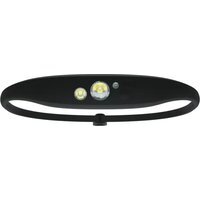
Quokka 150 - Lampe de poche Knog - Notice d'utilisation et mode d'emploi gratuit
Retrouvez gratuitement la notice de l'appareil Quokka 150 Knog au format PDF.

| Marque | Knog |
| Modèle | Quokka 150 |
| Type de produit | Lampe frontale rechargeable |
| Catégorie | Lampe de poche |
| Modes d'éclairage | Combo (projecteur + large), Spot seul, Large seul, Rouge seul |
| Puissance maximale | 150 lumens (mode combo) |
| Autonomie maximale | 100 heures (mode rouge basse) |
| Autonomie minimale | 2 heures (mode combo haute) |
| Temps de charge | 3,5 heures |
| Alimentation | Batterie rechargeable intégrée, charge via USB |
| Indicateur de batterie | LED rouge : clignotant quand batterie faible, fixe pendant charge, éteint quand chargé |
| Verrouillage | Fonction verrouillage/déverrouillage par maintien du bouton 5 secondes |
| Sangle | Sangle réglable avec attache coulissante |
| Garantie | 2 ans pour la lampe, 6 mois pour la batterie (défauts de fabrication) |
| Nettoyage | Chiffon humide non pelucheux, pas de produits chimiques, séchage à l'air libre |
| Nombre de modes | 4 modes d'éclairage, 3 niveaux de luminosité + flash moyen |
| Types d'ampoules | LED (spot, large, rouge) |
| Fonctionnalités supplémentaires | Double pression pour changer de mode, simple pression pour régler luminosité |
| Utilisation recommandée | Activités de plein air, course, vélo, camping |
FOIRE AUX QUESTIONS - Quokka 150 Knog
Questions des utilisateurs sur Quokka 150 Knog
0 question sur cet appareil. Repondez a celles que vous connaissez ou posez la votre.
Poser une nouvelle question sur cet appareil
Téléchargez la notice de votre Lampe de poche au format PDF gratuitement ! Retrouvez votre notice Quokka 150 - Knog et reprennez votre appareil électronique en main. Sur cette page sont publiés tous les documents nécessaires à l'utilisation de votre appareil Quokka 150 de la marque Knog.
MODE D'EMPLOI Quokka 150 Knog
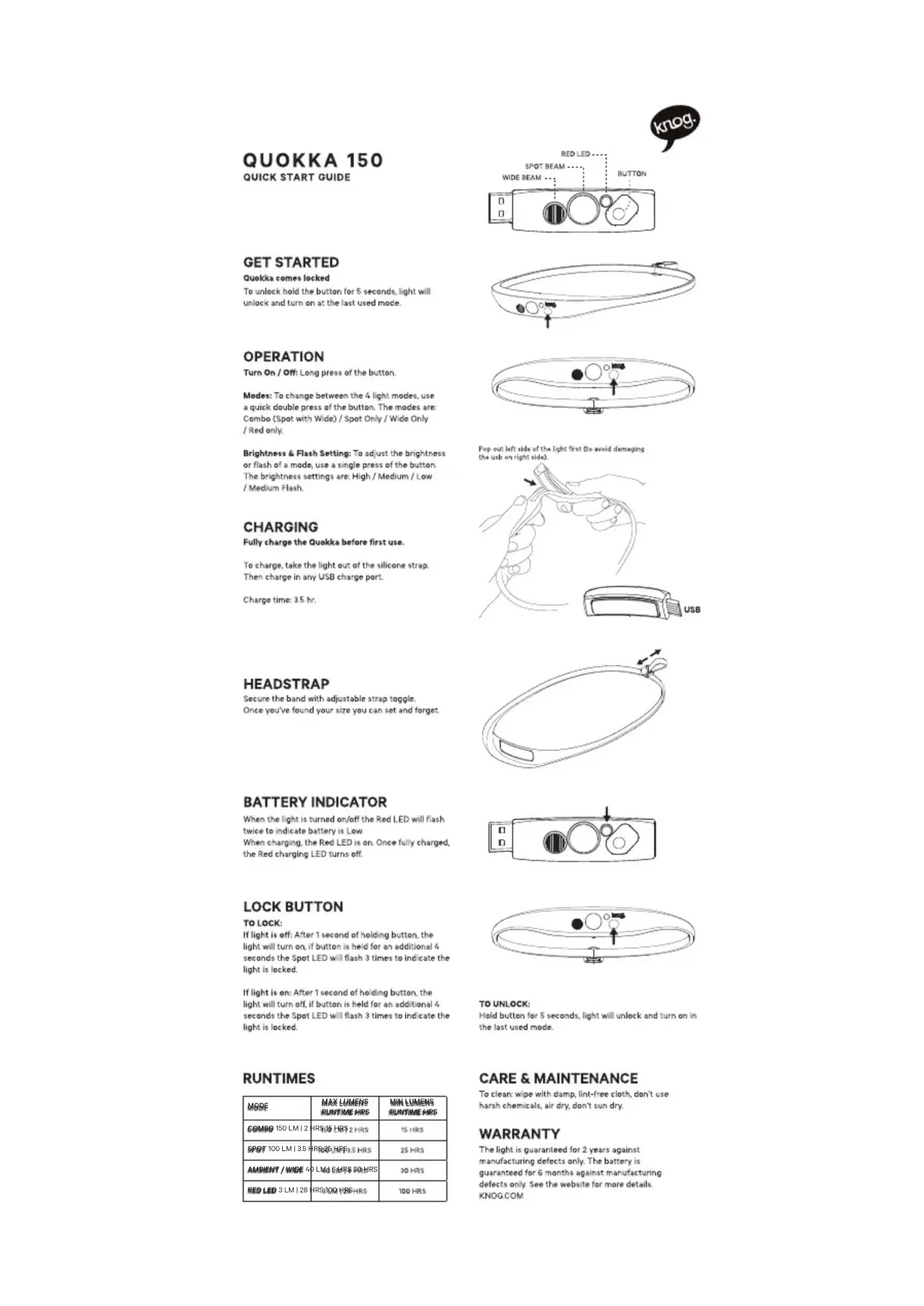
QUOKKA 150
QUICK START GUIDE
GET STARTED
Quokka comes locked
To unlock hold the button for 5 seconds, light will unlock and turn on at the last used mode.
OPERATION
Turn On / Off: Long press of the button.
Modes: To change between the 4 light modes, use a quick double press of the button. The modes are: Combo (Spot with Wide) / Spot Only / Wide Only / Red only.
Brightness & Flash Setting: To adjust the brightness or flash of a mode, use a single press of the button. The brightness settings are: High / Medium / Low / Medium Flash.
CHARGING
Fully charge the Quokka before first use.
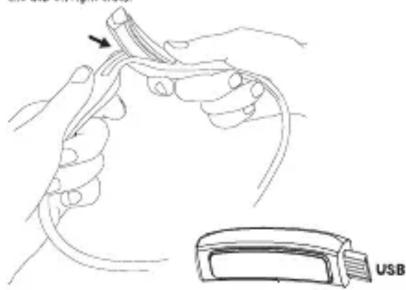
To charge, take the light out of the silicone strap. Then charge in any USB charge port.
Charge time: 3.5 hr.
HEADSTRAP
Secure the band with adjustable strap toggle. Once you've found your size you can set and forget.
BATTERY INDICATOR
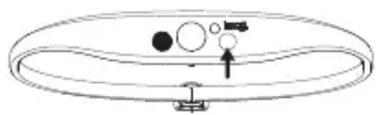
When the light is turned on/off the Red LED will flash twice to indicate battery is Low. When charging, the Red LED is on. Once fully charged, the Red charging LED turns off.
LOCK BUTTON
TO LOCK:
If light is off: After 1 second of holding button, the light will turn on, if button is held for an additional 4 seconds the Spot LED will flash 3 times to indicate the light is locked.
If light is on: After 1 second of holding button, the light will turn off, if button is held for an additional 4 seconds the Spot LED will flash 3 times to indicate the light is locked.
RUNTIMES
| MODE | MAX LUMENS RUNTIME HRS | MIN LUMENS RUNTIME HRS |
| COMPO 150 LM | 2 | HRS:35 HRS:2 HRS | 15 HRS |
| SPOT 100 LM | 3.5 | HRS:25 HRS:1.5 HRS | 25 HRS |
| AMBIENT / WIDE | 40 LM | 6 HRS 90 HRS | 30 HRS |
| RED LED 3 LM | 28 | HRS:100 HRS HRS | 100 HRS |

text_image
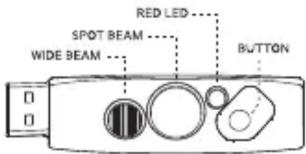
RED LED SPOT BEAM WIDE BEAM BUTTON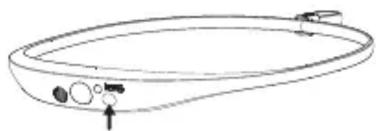
natural_image
Line drawing of a bathtub with control buttons and a pointer (no text or symbols)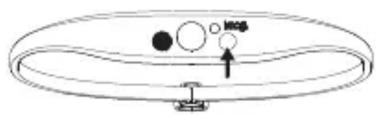
text_image
Diagram showing a circular object with labeled parts and an arrow pointing to it, possibly indicating a motion or orientation.Pop out left side of the light first (to avoid damaging the usb on right side).
natural_image
Line drawing of hands holding a medical device with an arrow pointing to the cable (no text or symbols present)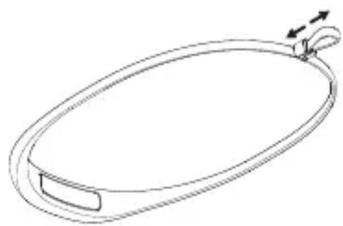
natural_image
Simple line drawing of a circular object with a handle and a looped neck, no text or symbols present.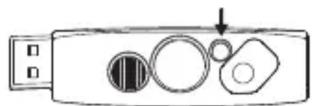
natural_image
Simple line drawing of a circular object with internal components and an arrow indicating direction (no text or symbols)TO UNLOCK:
Hold button for 5 seconds, light will unlock and turn on in the last used mode.
CARE & MAINTENANCE
To clean: wipe with damp, lint-free cloth, don't use harsh chemicals, air dry, don't sun dry.
WARRANTY
The light is guaranteed for 2 years against manufacturing defects only. The battery is guaranteed for 6 months against manufacturing defects only. See the website for more details. KNOG.COM