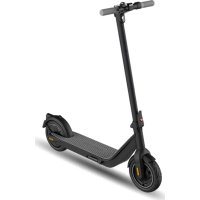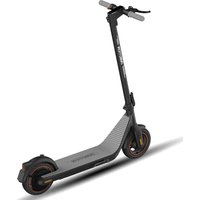
Air Pro - Scooter INMOTION - Notice d'utilisation et mode d'emploi gratuit
Retrouvez gratuitement la notice de l'appareil Air Pro INMOTION au format PDF.

| Type de produit | Trottinette électrique |
| Marque | INMOTION |
| Modèle | Air Pro (C1/C1 Pro) |
| Dimensions dépliées (L x l x H) | 1125 x 445 x 1200 mm |
| Dimensions pliées (L x l x H) | 1125 x 445 x 550 mm |
| Poids net | 15,7 kg (standard) / 17,7 kg (Pro) |
| Charge maximale | 120 kg |
| Âge recommandé | 14 à 60 ans |
| Vitesse maximale | 30 km/h (mode D) / 35 km/h (mode S) selon version |
| Autonomie typique | 35 km (standard) / 48 km (Pro) |
| Pente maximale | 18% (standard) / 20% (Pro) |
| Batterie | Lithium-ion, 270 Wh (standard) / 438 Wh (Pro), 36,5 V |
| Temps de charge | 4,5 h (standard) / 8,5 h (Pro) |
| Moteur | 350 W (standard) / 400 W (Pro) |
| Pneumatiques avant | 10 pouces, gonflables |
| Pneumatiques arrière | 10 pouces, gonflables (standard) ou pleins (Pro) |
| Indice de protection | IP55 |
| Éclairage | Phare avant 2,0 W, feu arrière 0,8 W |
| Modes de conduite | Mode D, Mode S, Mode piéton (6 km/h) |
| Connectivité | Bluetooth, application INMOTION |
| Freins | Frein à main (levier) |
| Pliage | Mécanisme de pliage avec verrou |
| Nettoyage | Chiffon humide, éviter solvants corrosifs |
| Pression des pneus maximale | 350 kPa (50 PSI) |
| Pièces détachées et réparabilité | Contactez le service après-vente ; batterie non remplaçable par l'utilisateur |
FOIRE AUX QUESTIONS - Air Pro INMOTION
Questions des utilisateurs sur Air Pro INMOTION
0 question sur cet appareil. Repondez a celles que vous connaissez ou posez la votre.
Poser une nouvelle question sur cet appareil
Téléchargez la notice de votre Scooter au format PDF gratuitement ! Retrouvez votre notice Air Pro - INMOTION et reprennez votre appareil électronique en main. Sur cette page sont publiés tous les documents nécessaires à l'utilisation de votre appareil Air Pro de la marque INMOTION.
MODE D'EMPLOI Air Pro INMOTION


text_image
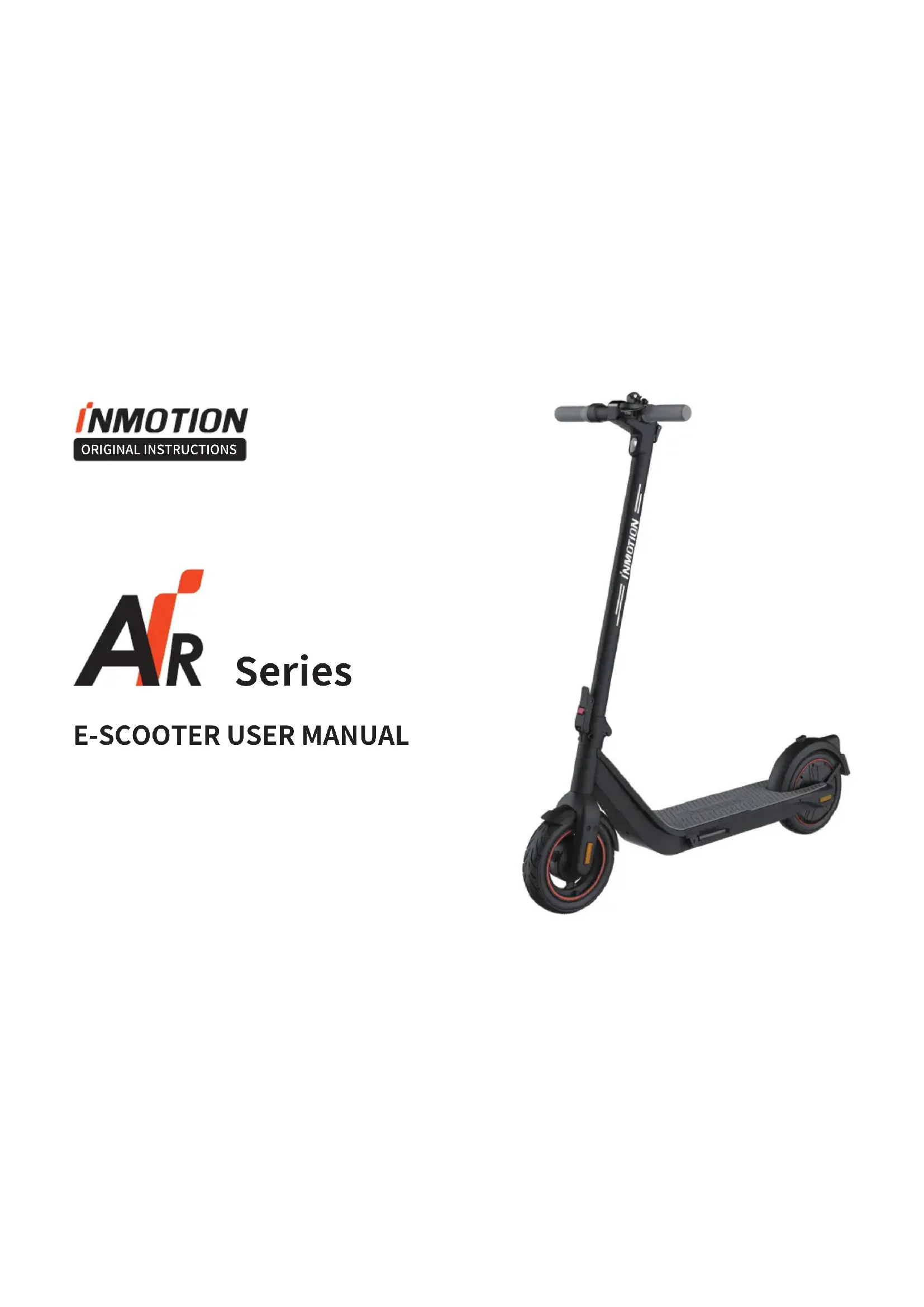
ARSeries
E-SCOOTER USER MANUAL
natural_image
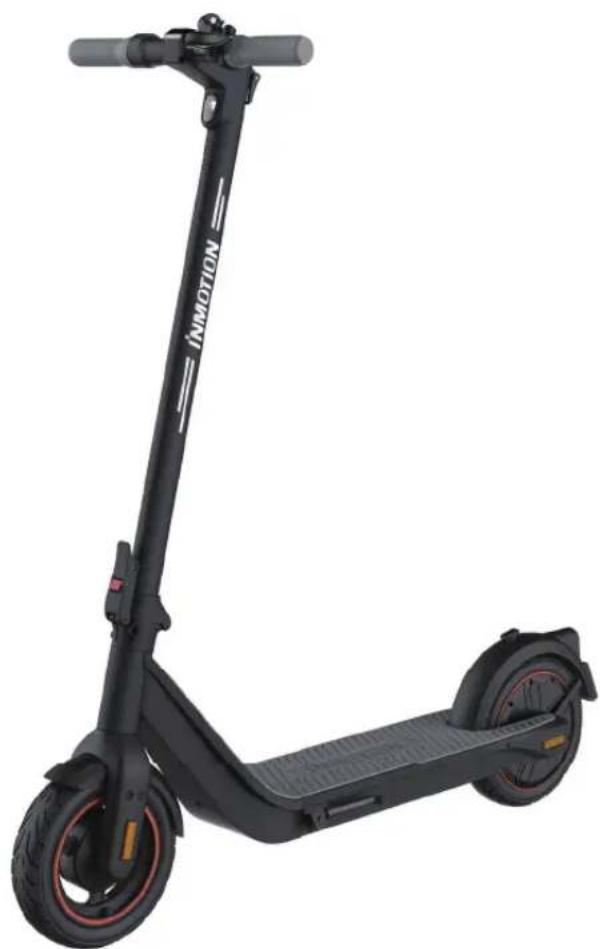
Black electric scooter with red wheels and a black body, no visible text or symbols on the scooter body.INMOTION
Contents
1 Safety Instructions .... 1
2 Parking list 4
3 Product Feation Diagram 5
4 Dashboard ....6
5 Specifications 7
6 Assembly 8
7 Folding 9
8 Inflating the tires 10
9 Charge Your Scooter 11
10 INMOTION App 12
11 How To Ride 13
12 Security Tips ....14
13 Fault Code Messages ....16
14 Maintenance .... 17
15 Before Your Ride 18
16 Environmental Protection....19
17 Certifications ....19
18 Trademarks and Legal Notices ....20
19 Contact US 20
1. Safety Instructions
- Electric scooter is a recreational device rather than a transporter. But once you ride it into a public community, it will also act as a transporter. Like any riding products, an electric scooter can and is intended to move and it is therefore, of course, possible to get into dangerous situations.
- Please understand that you can reduce the risks by following all the instructions and warnings in this manual, but you cannot eliminate all the risks.
- Remember that whenever you ride the scooter you risk injury or death from loss of control, collisions, and falls. The scooter is intended for use on flat pavement or level ground without bumps and obstacles. Be alert and slow down when entering unfamiliar areas.
- Always wear a helmet when riding. Use an approved bicycle or scooter helmet that fits properly with the chin strap in place, and provides protection for the back of your head. A long-sleeved shirt, long pants, and athletic shoes are recommended. Never ride in higheels sandals, high-heeled shoes or barefooted. Long hair or bangs that can affect vision should be tied up to avoid accidents caused by hair blocking vision.
- Do not attempt your first ride in any area where you might encounter children, pedestrians, pets, vehicles, bicycles, or other obstacles and potential hazards.
- Respect the rights and property of others. Pass on the left whenever possible. When approaching a pedestrian from the front, stay to the right and slow down. Be careful to avoid pedestrians, especially the old, children, the disabled, pregnant women. When approaching from behind, announce yourself and slow down to walking speed when passing. Please obey local traffic laws and regulations if situation is different.
- In places without laws comply with the safety guidelines outlined in this manual. INMOTION TECHNOLOGIES CO., LTD. will not be responsible for any property damage, personal injury/death, accidents or legal disputes caused by violations of the safety instructions.
- Do not allow anyone to ride your scooter on his/her own unless they have carefully read this manual and followed the riding guide video. The safety of new riders is your responsibility. Assist new riders until they are comfortable with the basic operation of the scooter. Make sure each new rider wears a helmet and other protective gear.
- Before each ride check for loose fasteners and damaged components. If the scooter makes abnormal sounds or signals an alarm, immediately stop riding. Diagnose your scooter via the INMOTION App and contact after-sales service at service@imscv.com.
- Be alert! Scan both far ahead and in front of your scooter - your eyes are your best tool for safely avoiding obstacles and low traction surfaces (including, but not limited to, wet ground, loose sand, loose gravel, and ice).
• To reduce risk of injury, you must read and follow all "CAUTION" and "WARNING" notices in this manual. Do not ride at an
unsafe speed. Under no circumstance should you ride on roads with motor vehicles. The manufacturer recommends riders aged between 14-60 years old and weighed less than 120kg. People who should not ride the scooter include:
a. Anyone under the influence of alcohol or drugs.
b. Anyone who suffers from disease that puts them at risk if they engage in strenuous physical activity.
c. Persons with reduced physical, sensory or mental capabilities or lack of experience and knowledge if they have been given supervision or instruction concerning use of the appliance in a safe way and understand the hazards involved.
d. Anyone who has problems with balance or with motor skills that would interfere with their ability to maintain balance.
e. Anyone who is severely overweighted (see specifications).
f. Pregnant women.
g. Riders under the age of 14 years old should ride under adult supervision.
• Comply with local laws and regulations when riding this product. Do not ride where prohibited by local laws.
• To ride safely, you must be able to clearly see what is in front of you and you must be clearly visible to others.
- Do not ride your scooter in wet or icy weather, or on roads which are wet, muddy, icy, or that are slippery for any reason. Do not ride over obstacles such as sand, loose gravel or sticks. Wet, slick, bumpy, uneven or rough surfaces may impair traction and contribute to a loss of balance or traction and could cause a fall.
• Do not ride at night when visibility is limited.
- Sudden acceleration or deceleration could lead to wheel slip, collision or falls.
• Do not ride faster than the speed limit.
- Do not attempt to charge your scooter if it, the charger, or the power outlet is wet.
- Only use the INMOTION supplied charger. Use only with FY-4202000 supply unit. Do not use a charger from any other different product models.
- Use only INMOTION approved parts and accessories. Do not modify your scooter. Modifications to your scooter could interfere with the operation of the scooter, could result in serious injury and/or damage, and could void the limited warranty.
- Children should not use scooter or play with scooter parts. Cleaning and maintenance shall not be done by children without supervision. The vehicle vibration will cause the driver's body vibration while riding.
- Please park on flat pavement, such as on a slope, the scooter kickstand must be facing downhill to prevent capsizing. Please check whether the scooter is parked stably to prevent it overturned.
- Perform regular inspections of equipment and conduct regular cleaning on your scooter for better ride experience.
• This scooter contains batteries that are not replaceable.
• Use any battery charger other than the original.
- Detachable supply unit.
• Any load attached to the handlebar will affect the stability of the vehicle.
- Braking distances may be extended in wet weather.
• LPA and LWA: Do not exceed 70dB(A).
- In any case, anticipate your trajectory and your speed while respecting the code of the road, the code of the sidewalk and the most vulnerable.
2. Packing List
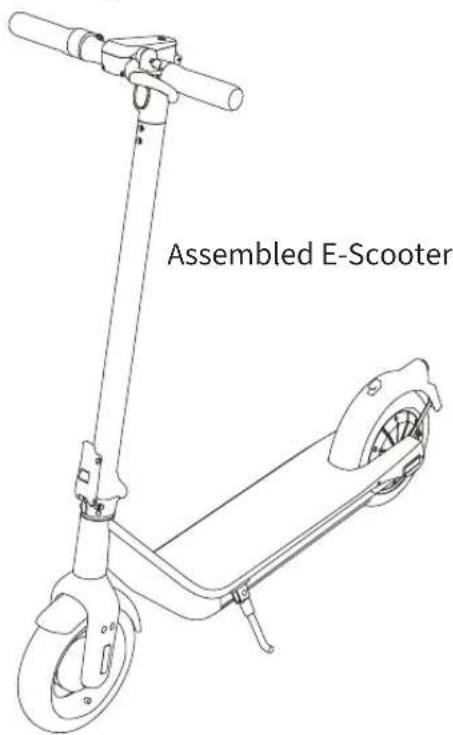
text_image
Assembled E-ScooterUser Materials
User Manual
Quick Start Guide
Accessories
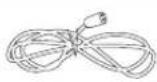 1*Power cable 1*Power cable | 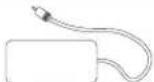 1*Power adapter 1*Handlebars 1*Power adapter 1*Handlebars | 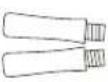 |
 1*M5 Wrench 1*M5 Wrench |  1*Inner tube 1*Inner tube |
Please carefully check whether the items in the packing box are complete and intact. If there is any part missing or damaged, please contact your point of purchase or email to manufacturer.
Please retain the box and packaging materials at least 15 days in case you need to ship your E-Scooter in the future.
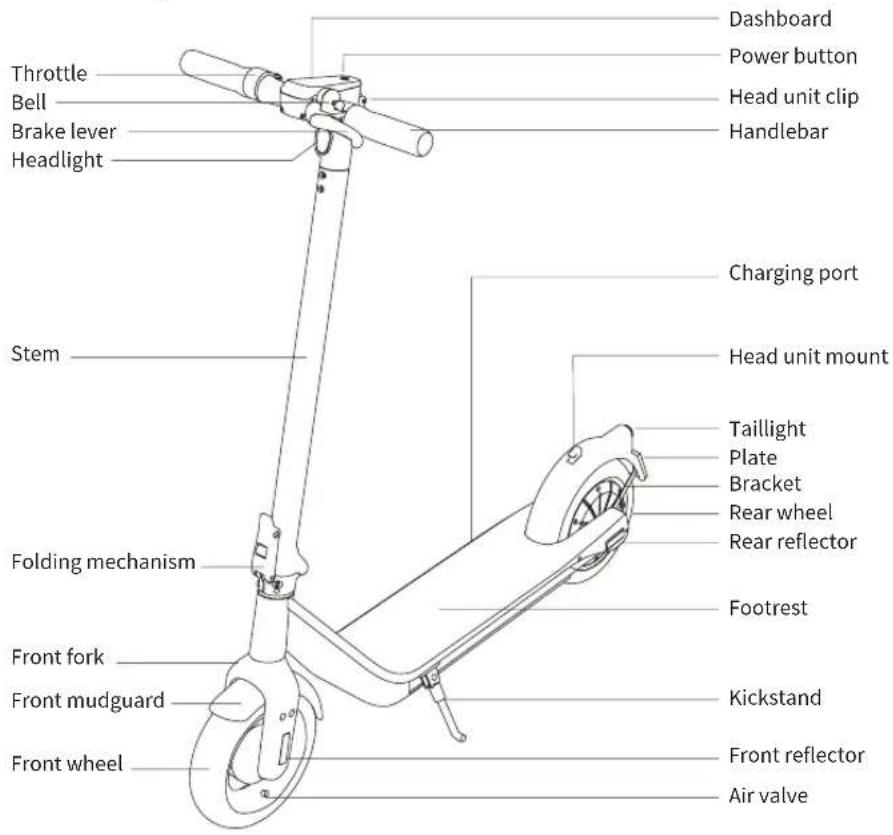
3. Product Function Diagram
text_image
Throttle Bell Brake lever Headlight Stem Folding mechanism Front fork Front mudguard Front wheel Dashboard Power button Head unit clip Handlebar Charging port Head unit mount Taillight Plate Bracket Rear wheel Rear reflector Footrest Kickstand Front reflector Air valve4. Control Panel/Dashboard
text_image
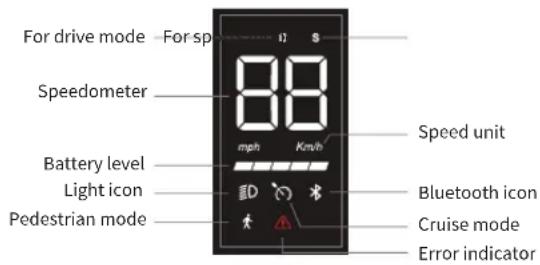
For drive mode - For sp Speedometer Battery level Light icon Pedestrian mode mph Km/h Speed unit Bluetooth icon Cruise mode Error indicator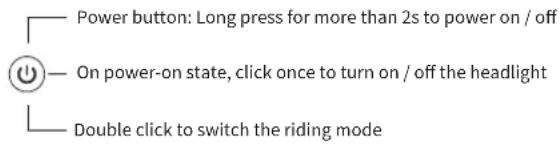
text_image
Power button: Long press for more than 2s to power on / off On power-on state, click once to turn on / off the headlight Double click to switch the riding mode| D | For drivode | The max. speed is 25km/h, suitable for general riders |
| S | For sports mode | C1 Max. speed is 30 km/h; C1 Pro Max. speed is 35km/h; suitable for skilled riders |
| Pedestrian mode | The max. speed is 6km/h | |
| BB | Speedometer | Shows the speed of the scooter in real time, the speed will be shown as two short lines when the vehicle is locked |
| Battery level | The battery level is indicated by 5 bars, the last bar flashing indicates a low-battery level | |
| ED | Light icon | The light icon will be on after turning on the light, and it will go out after switch the light off |
| Km/h mph | Speed unit | Steps to change the unit between the Imperial System and the Metric one: Hold the handlebar, short press the power button for 3 times |
| Cruise mode | Cruise mode is activated automatically when the same speed is maintained. Press the brake or the throttle to go back to the manual mode | |
| Error | The icon indicates that the scooter has detected an error. Refer to the error code talbe to find solutions | |
| Power button | Press and hold the button for 2 seconds to turn the electric scooter on/off. When the scooter is on, Press the button to turn the headlight on/off, and press twice to switch modes |
5. Assembling Your E-Scooter
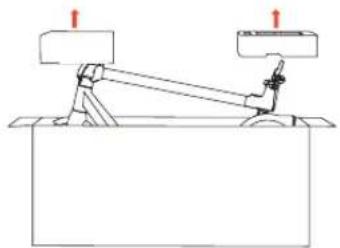
natural_image
Simple line drawing of a mechanical setup with two blocks and a lever, no text or symbols present.- Open the package, take out the inner tray and scooter.
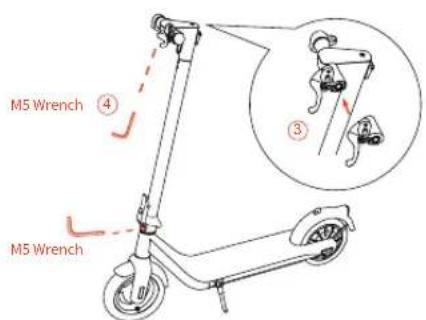
text_image
M5 Wrench ④ ③ M5 Wrench- Place the brake lever on the handlebar, tighten it firmly with hex wrench to be sure it won't loosen. (Note: Use the M5 wrench to re-tight the folding part's nuts in case it's loosen after long time use)
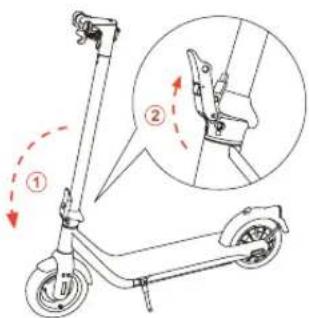
text_image
Diagram of a scooter with labeled parts and directional arrows indicating motion or assembly- Unfold the stem and fasten the folding wrench. Make sure the unlocking key springs up normally after fastening. Be sure to buckle up properly.
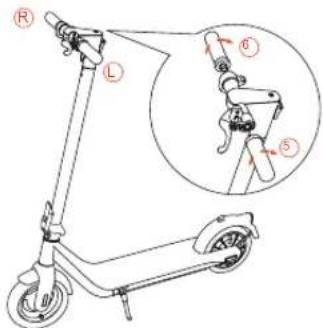
text_image
Diagram of an electric scooter with labeled parts and a magnified inset showing the lever mechanism.- Install the handles on the stem and firmly a tighten it according to the correct position and direction marked on the label.

To avoid personal injury, please follow the instructions shown in the diagram for assembly operation and inspection. Children are not allowed to involve in assembly operations.
6. First Ride

text_image
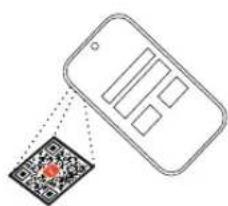
QR code with a red logo in the center, likely linking to a digital service or application.
There are safety risks when learning to ride the scooter. For your safety, your new scooter is not activated and will beep occasionally after Power ON. Until activated, the scooter maintains a riding speed at 5km/h and is not allowed to switch the ride modes. Please download INMOTION App to activate your scooter to enjoy all features.
INMOTION APP
text_image
Diagram showing a smartphone displaying a QR code with a red logo, likely linking to a digital scanning interface.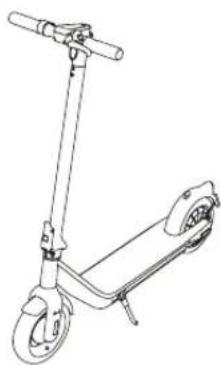
natural_image
Line drawing of a scooter with extended boom and wheels (no text or symbols)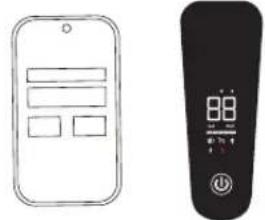
text_image
Hand-drawn diagrams showing a mobile app interface and a remote control with display and control buttons-
Download and install the App, register/login your account.
-
Power on the scooter, pair your scooter with the INMOTION App. The scooter will beep when the connection is successful.
-
Follow the App instructions to active the scooter and learn how to ride safely. You can now start to use your scooter.
7. Charging
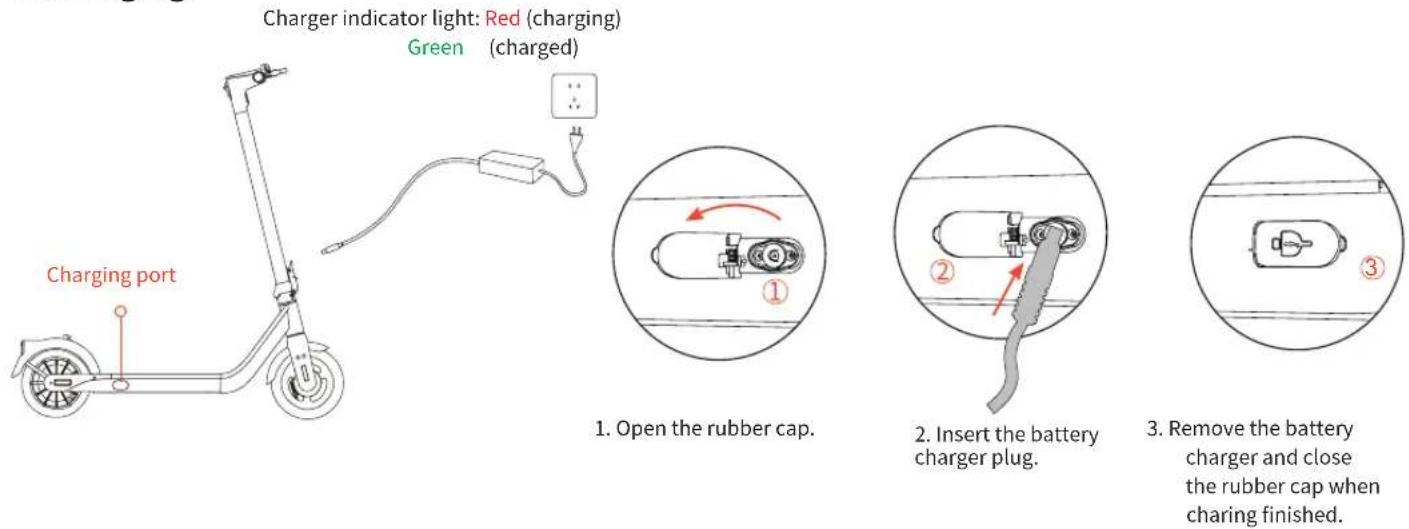

WARNING
- Do not charge if the charge port or power cord is wet.
- Use only with the original changer, do not use battery packs of other models or brands.
- Do not charge or stop using the battery immediately if it is damaged or flooded.
- Please close charge port cover tightly when not in use or after charging.
- Never charge indoors.
8. Learning to Ride
text_image
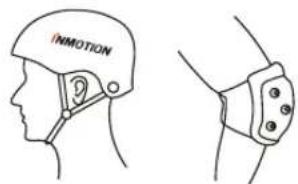
INMOTIONWear an approved helmet, elbow pads, knee pads and other protective gear to minimize any possible injury.
natural_image
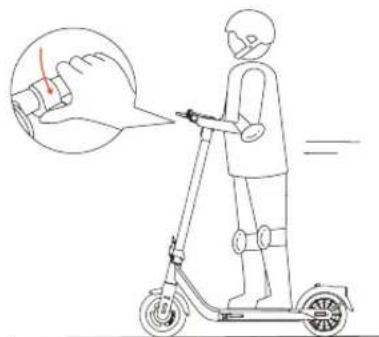
Line drawing of a person riding a scooter with a hand gesture overlay (no text or symbols)- Stand on the footrest with both feet, press the throttle on the right hand. Note: For your safety, the motor will not engage until the scooter reaches 3 km/h.
natural_image
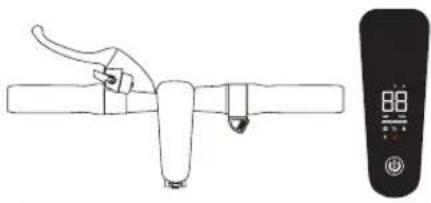
Line drawing of a hand holding a tool next to a digital remote control (no text or symbols)- Check the power level indicator after powering on. Charge the scooter if the battery level is low.
text_image
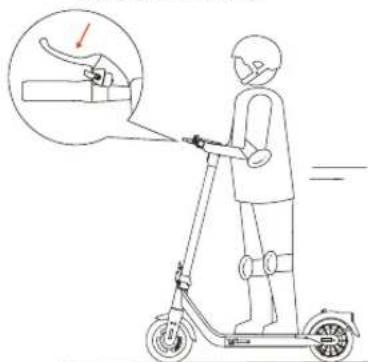
Diagram showing a person using an electric scooter with a hand gesture and a magnified view of the handle mechanism.- Slow down by releasing the throttle and hold the braking lever lightly (Do not brake suddenly and watch out for the road conditions!).
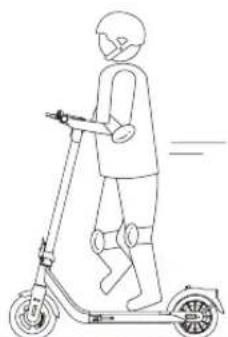
natural_image
Line drawing of a person riding a scooter with a handheld device (no text or symbols)- Stand on the footrest with one foot and push off with another foot to start gliding.
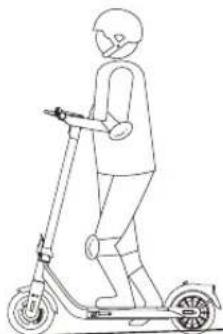
natural_image
Line drawing of a person riding a scooter (no text or symbols)- When the car stops or slides slowly, put down one foot and get off.
When hard braking, you risk serious injury due to loss of traction and falls. Maintain a moderate speed and look out for potential hazards.
9. Security Tips

Failure to follow these instructions could lead to serious injury.
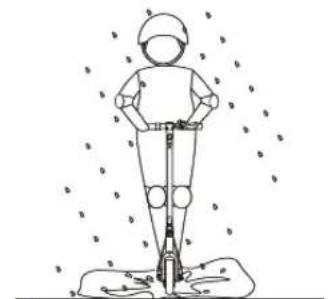
natural_image
Line drawing of a person standing on a platform with motion lines indicating movement (no text or symbols)Do not ride the scooter in the rain.
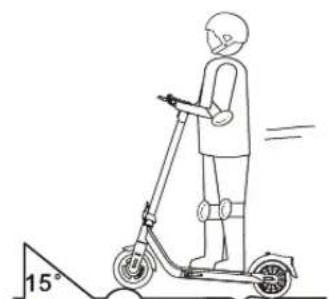
natural_image
Line drawing of a person riding an electric scooter with a 15-degree angle marker (no text or symbols on the diagram itself)Do not ride at high speed when you get over speed bumps, thresholds etc., please ride at low speed on rough roads.
text_image
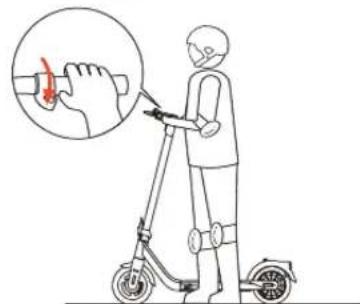
Illustration showing a person using a scooter with a hand gesture and magnified detail of the hand holding a red object.Do not press the throttle when walking with the scooter.
natural_image
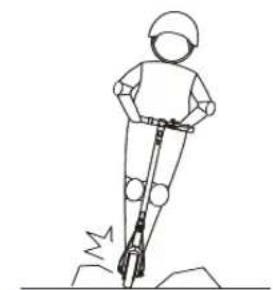
Line drawing of a person using a power tool on a rocky surface (no text or symbols)Avoid contacting obstacles and watch out for the road conditions.
natural_image
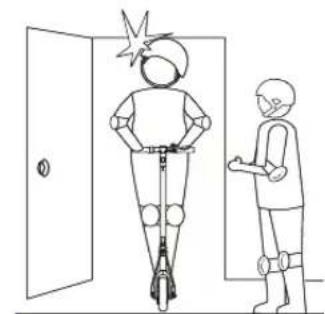
Line drawing of a person riding a scooter next to a door, with another person standing beside it (no text or symbols)Watch your head when passing through doorways.
natural_image
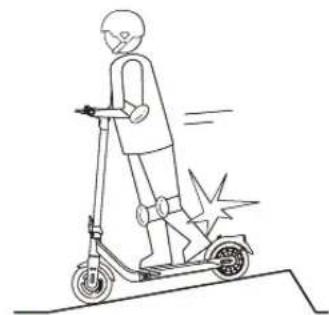
Line drawing of a person riding a scooter with motion lines indicating speed (no text or symbols)Do not step on the rear fender.
natural_image
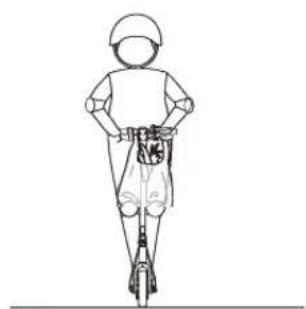
Line drawing of a person riding a scooter, wearing a helmet and uniform (no text or symbols)Do not carry heavy objects on the handlebar.
natural_image
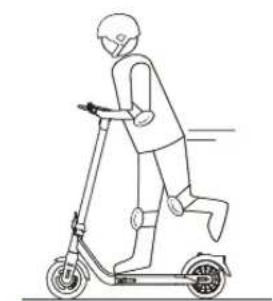
Line drawing of a person riding a scooter (no text or symbols)Do not ride the scooter with only one foot or one hand.
natural_image
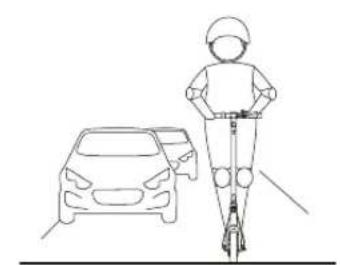
Line drawing of a person riding a scooter next to a car (no text or symbols)Do not ride on motorways, public roads, or highways.
natural_image
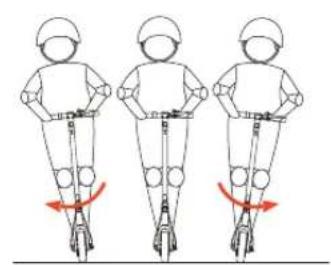
Three identical line drawings of a person riding a scooter, each with a red curved arrow indicating motion direction (no text or symbols)Do not rotate the handle violently while driving at high speed.
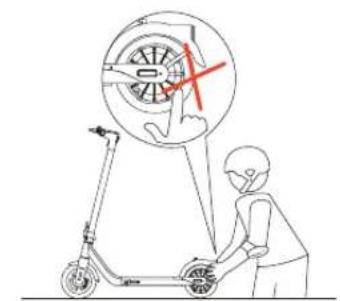
natural_image
Line drawing of a person riding a scooter with a magnified circular diagram showing a wind turbine or wheel (no text or symbols)Do not touch the motor, it may overheat after running.
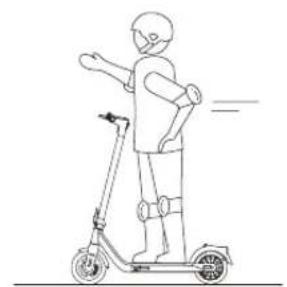
natural_image
Line drawing of a person riding a scooter with motion lines indicating speed (no text or symbols)Do not take your hands off the handlebar while riding.
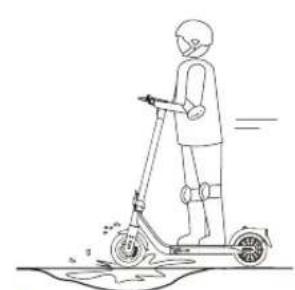
natural_image
Line drawing of a person riding a scooter on a surface (no text or symbols)Do not ride through puddles, please go around at low speed.
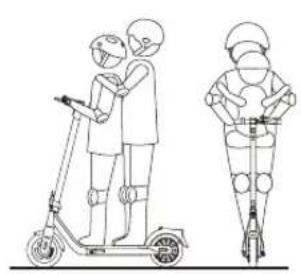
natural_image
Line drawing of two people riding scooters, one standing and one in a helmet, both viewed from the side (no text or symbols)The scooter is for one rider only. Do not carry any passengers especially a child. Do not ride when pregnant.
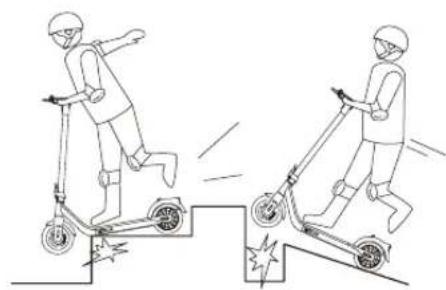
natural_image
Two cartoon figures riding a scooter on a ramp, showing dynamic motion (no text or symbols)Do not ride up and down stairs or jump over obstacles.
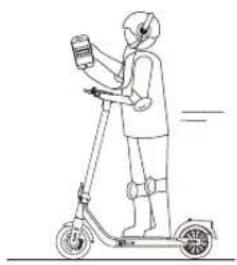
natural_image
Line drawing of a person riding a scooter with a device, no text or symbols presentDo not use mobile phone or wear earphones when riding the scooter.
10. Folding and Carrying
Folding
Press the locking button Press down the folding ring
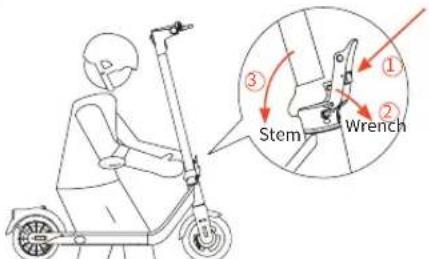
text_image
Stem Wrench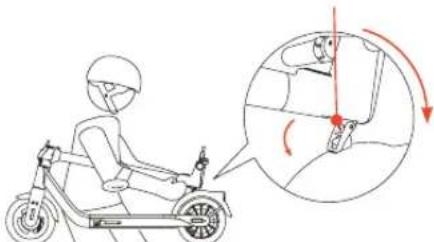
text_image
Diagram showing a person riding an electric scooter with a close-up of the seatbelt mechanism and directional arrows indicating motion.Power off the scooter, hold the stem, press the locking button and pull the lever, bend the handlebar stem towards the footrest.
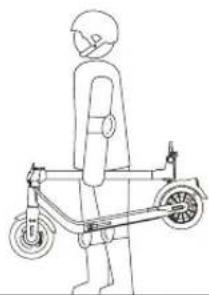
Hold the stem and pull the folding ring, attach the hook to the locking clip on the side of the mudguard.
Carrying
natural_image
Line drawing of a person riding an electric scooter (no text or symbols)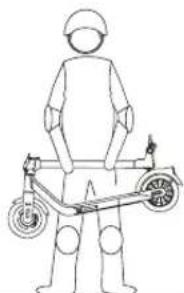
natural_image
Line drawing of a person standing beside an electric scooter (no text or symbols)Carry the scooter by holding the handlebar stem. Watch out for bumps!
- Specifications
| Index | Items | Value |
| Basic specs | Model | C1/C1 Pro |
| Unfold dimensions (L x W x H) | 44.3"x17.5"x47.2"(1125x445x1200mm) | |
| Folded dimensions (L x W x H) | 44.3"x17.5"x21.6"(1125x445x550mm) | |
| Net weight | Approx. 34.6lbs(15.7kg)/39.0lbs(17.7kg) | |
| Rider | Max. payload | 264.6lbs (120kg) |
| Recommended age | 14-60 | |
| Machine paramaters | Max. speed | Version: 19mph(30km/h)/22mph(35km/h) |
| Typical range [1] | Approx. 22miles(35km)/30miles(48km) | |
| Max. slope [2] | Approx. 18%/20% | |
| Operating temperature | -10°C ~+40°C | |
| Storage temperature | -20°C ~+50°C | |
| IP rating | IP55 | |
| Charging time | Approx.4.5h/8.5h | |
| Battery | Rating voltage | 36.5V |
| Max. Voltage | 42V | |
| Ambient temperature | 0°C ~ +40°C | |
| Nominal capacity | 270Wh/438Wh | |
| Battery management system | Overheat;Short circuit; Overcurrent; Overcharge protection | |
| Motor | Rating power | 350Wh/400Wh |
| Charger | Input voltage | AC100-240V 50/60HZ |
| Output voltage | DC42V | |
| Output current | 2A | |
| Tyre | Front | 10 inch, Air-filled low rolling resistance tire |
| Rear | 10 inch, Air-filled tire/10 inch, PU-filled soild tire | |
| Others | Headlight power | 2.0W |
| Tail light power | 0.8W | |
| Ride modes | D-mode, S-mode | |
| Maximum pressure of the tire | 350kpa (50PSI) |
[1] Typical Range: tested while riding under full power, 165.3lbs (75kg) load, 25°C , 10mph(15km/h) on average on pavement.
[2] Max slope measured under the following conditions: 165.3 lbs(75.0kg) load with 80% battery, riding 10 meter at a speed of 9 mph (15km/h) from the bottom slope to the top at a speed greater than 4 mph (6km/h).
12. Maintenance
Cleaning
Wipe the body of the scooter with a damp cloth. If stains persist, apply some toothpaste, brush with a toothbrush, then wipe with a damp cloth.
NOTE
- When cleaning the scooter, make sure that it is turned off, that the charging cable is disconnected, and the rubber cap is closed, as a water leak may cause a damage to electronic components.
• Do not clean the scooter with alcohol, petrol, kerosene or other corrosive and volatile chemical solvents, to avoid serious damage. - Do not wash the scooter with jets of high pressure water.
Charging precautions:
• Do not charge the scooter in wet environment.
• The best ambient temperature for charging is 0^ C \~ 40^ C.
- Keep out of reach of children and animals, keep away from flammable materials while charging.
- Do not store the scooter in environments with a temperature ranging from -20^ to 50^ . Do not put the battery pack into the fire. Doing so may cause fire, heat generation, leakage or bursting.
• After each use, fully recharge the battery to extend its useful life. Completely draining the battery may permanently damage the battery.
- Do not charge or use the battery if it smells, overheats or leaks.
- Do not open the battery pack or insert anything into the charging port as it contains hazardous substances.
- Please only use the original battery and adapter for your scooter.
• Always comply with local environmental protection laws about battery recycling.
Storage
When the scooter is not in use, store it in a cool, dry place. Do not store it outdoors for extended periods of time.
NOTE
Excessive sunlight, overheating, and excessive cold accelerate tire ageing and jeopardize the life of both the scooter and the battery.

WARNING
• Only use original batteries, as other models or brands may pose a safety risk.
- Please do not exceed the specified temperature for battery storage or charging. (see specifications)
- Do not touch the battery contacts. Do not dismantle or puncture the outer casing. Avoid contact between metal objects and battery terminals to prevent short circuits, physical harm or death.
• Do not throw the battery into a fire as this could damage it, cause overheating or even a fire. - Do not charge or stop using the battery if it is damaged or flooded.
- Do not attempt to remove the battery as you may damage the scooter.
- Do not attempt to disassemble the battery to prevent fire hazards. Users are now not allowed to repair spare parts and components come with the scooter.
- Do not ride when the ambient temperature is higher than the operating temperature of scooter (see Specifications) because low/high temperature will limit the maximum power/torque. Doing so could cause personal injury or property damage due to slips or falls.
• After each use, fully recharge the battery to extend its service life. Completely draining the battery may permanently damage the battery. - Improper disposal of used batteries seriously pollutes the environment. Follow local regulations regarding battery disposal. Follow battery disposal regulations to protect the environment.
Typically, a fully charged battery should retain power for 120-180 days. A low-power battery should retain power for 30–60 days. Remember to recharge it every 90 days to protect it from any damage. Electronics inside the battery record the charge-discharge condition of the battery, damage caused by over-charging or under-charging will not be covered by the limited warranty.
A well-maintained battery can perform well even after many miles of riding. When used at room temperature 25^ C, the battery range and performance is at its best; whereas using it at low temperatures can decrease range and performance. Battery range will recover when temperature rises.
13. Before Your Ride
- Read the product instructions carefully and do not attempt to ride the scooter if you cannot follow the instructions completely.
- Please do not allow others to use your scooter without carefully reading this instruction or knowing how to use this product and safety precautions.
- All parts of the scooter must be properly installed in accordance with the instructions. Improper installation may result in the risk of loss of control, collision or fall. Before installation or maintenance, please power the scooter off, install the components with proper strength. Too loose or too tight installation may cause damage or failure of the products.
- Please purchase insurance in time after purchasing the product to minimize the risk.
- Before each ride, please check all vehicle components are in place and securely fastened, the performance of wheels, the battery level, running condition, etc., to ensure any parts including the handlebar, stem, tires, brakes, screw are not loose or damaged, and the vehicle is in good condition for riding. If you've noticed anything unusual, please stop using immediately and contact after-sales service for technical support.
- You are obligated to be aware of all laws, regulations and policies of scooter riding in your area and to strictly comply with the applicable laws, regulations and policies.
14. Safety Alerts & Error Messages
When your scooter encounters any failure, the dashboard will display the relevant fault code as shown. If the following solutions still fail to solve the problem, please ask the after-sales service for help.
| Code | Error Solution Components | ||
| 01 | Controller error | Controller error, please restart the vehicle or contact after-sales service for replacement. | Controller |
| 02 | Hall error Motor error, contact after-sales service for motor replacement. Motor | ||
| 03 | Battery error Battery error, contact after-sales service for battery replacement. Battery | ||
| 04 | Battery low voltage The battery voltage is low, please charge now. Battery | ||
| 05 | Battery high voltage | The battery voltage is too high, please stop using and contact after-sales service for support. | Battery |
| 06 | Brake self-test failure | The brake handlebar is unreleased. Release the brake handlebar or check condition of the throttle. | Battery lever |
| 07 | Throttle power-on self-test failure | The throttle is unreleased. Release the brake handlebar or check the condition of the throttle. | Throttle |
| 08 | / | / | / |
| 09 | Dashboard communication error | Please restart the vehicle or contact after-sales service for replacement. | Dashboard |
| 10 | Controller communication error | Please restart the vehicle or contact after-sales service for replacement. | Controller |
| 11 | Mos overheating | Controller board overheating, stop riding and wait for it to cool down. | Controller |
| 12 | Mos overheating Controller board overheating, stop riding and wait for it to cool down. Motor | ||
15. Trademarks and Legal Notices
INMOTION is a registered trademark of INMOTION TECHNOLOGIES CO., LTD; Android, Google Play are trademarks of Google Inc., App Store is a service mark of Apple Inc., The respective owners reserve the rights of their trademarks referred to in this manual.
We have attempted to include descriptions and instructions for all the functions of the scooter at the time of printing. However, due to constant improvement of product features and changes of design, your scooter may differ slightly from the one shown in this document. The manufacturer reserves the right to change the design and functionality of the scooter product and documentation without prior notice.
All rights reserved by INMOTION TECHNOLOGIES CO., LTD.
16. Certifications
For model: C1/C1 Pro
This product is certified to ANSI/CAN/UL-2272 by UTL.
The battery complies with UN/DOT 38.3.
FCC ID: 2ADUSC1/2ADUSC1PRO
Federal Communications Commission (FCC) Compliance Statement for USA:
This device complies with part 15 of the FCC rules. Operation is subject to the following two conditions: (1) This device may not cause harmful interference, and (2) this device must accept any interference received, including interference that may cause undesired operation.
NOTE:
This equipment has been tested and found to comply with the limits for a Class B digital device, pursuant to part 15 of the FCC Rules. These limits are designed to provide reasonable protection against harmful interference in a residential installation. This equipment generates, uses and can radiate radio frequency energy and, if not installed and used in accordance with the instructions, may cause harmful interference to radio communications. However, there is no guarantee that interference will not occur in a particular installation. If this equipment does cause harmful interference to radio or television reception, which can be determined by turning the equipment off and on, the user is encouraged to try to correct the interference by one or more of the following measures:
• Reorient or relocate the receiving antenna.
- Increase the separation between the equipment and receiver.
- Connect the equipment into an outlet on a circuit different from that to which the receiver is connected.
- Consult the dealer or an experienced radio/TV technician for help.
This equipment complies with FCC radiation exposure limits set forth for an uncontrolled environment.
Restriction of Hazardous Substances (RoHS) Directive
INMOTION TECHNOLOGIES CO., LTD. product, with included parts (cables, cords, and so on) meets the requirements of Directive 2011/65/EU on the restriction of the use of certain hazardous substances in electrical and electronic equipment ("RoHS recast" or "RoHS 2").
Radio Equipment Directive
CE
Hereby, INMOTION TECHNOLOGIES CO., LTD. declares that the radio equipment type is in compliance with Directive 2006/42/EC.
| Bluetooth | Frequency Band(S) 2.4000-2.4835GHz | |
| Max. RF Power | 100mW |
17. Contact US
Contact us if you experience issues relating to riding, maintenance, and safety, or errors/faults with your scooter.
INMOTION TECHNOLOGIES CO., LTD.
Address: 18/F, B1, Nanshan iPark, No.1001 Xueyuan Ave., Nanshan, Shenzhen, China
Tel: 4000100012 ext.8015
E-mail Service: service@imscv.com
E-mail Amazon USA Service: AmazonService@imscv.com
Website: www.inmotionworld.com
INMOTION App: Me → Online Service.
NOTE:
Write your scooter serial number on hand when contacting INMOTION.
You can find your serial number next to the deck of the scooter or in the App under "Vehicle Management" → "About Vehicle".

Join our Facebook group

www.inmotionworld.com
INMOTION
Version: V1.0
The manufacturer reserves the right to make changes to the product, release firmware updates, and update this manual at any time. Visit www.inmotionworld.com or check the App to download the latest user materials. You must install the App, activate your E-Scooter, and obtain the latest updates and safety instructions.