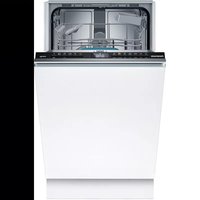
CP6VX01HLD - Lave-vaisselle CONSTRUCTA - Notice d'utilisation et mode d'emploi gratuit
Retrouvez gratuitement la notice de l'appareil CP6VX01HLD CONSTRUCTA au format PDF.


Choisissez votre langue et indiquez votre email : nous vous enverrons une version traduite specifiquement.
| Type de produit | Lave-vaisselle pose libre |
| Marque | Constructa |
| Modèle | CP6VX01HLD |
| Dimensions (L x H x P) | 60 x 85 x 60 cm |
| Poids net | 45 kg |
| Alimentation électrique | 230 V / 50 Hz / 10 A |
| Classe énergétique | A+ |
| Capacité | 12 couverts |
| Niveau sonore | 48 dB(A) re 1 pW |
| Programmes de lavage | Eco, Intensif, Rapide, Verre, Prélavage |
| Températures | 45°C, 50°C, 60°C, 70°C |
| Fonctions spéciales | Départ différé, Sécurité enfants, Demi-charge |
| Type de séchage | Séchage par condensation |
| Matériau de la cuve | Acier inoxydable |
| Entretien et nettoyage | Nettoyage régulier du filtre, bras de lavage et joint de porte |
| Filtre | Filtre triple couche amovible |
| Sécurité | Système anti-fuite (AquaStop), sécurité enfant |
| Pièces détachées et réparabilité | Pièces disponibles via service après-vente Constructa ou revendeurs agréés |
| Longueur du câble d'alimentation | 1,5 m |
| Longueur des tuyaux d'arrivée et d'évacuation | 1,5 m chacun |
FOIRE AUX QUESTIONS - CP6VX01HLD CONSTRUCTA
Quels sont les programmes disponibles sur le lave-vaisselle Constructa CP6VX01HLD ?
Les programmes incluent Eco, Intensif, Rapide, Verre et Prélavage. Adaptez le programme à votre vaisselle pour économiser l'énergie.
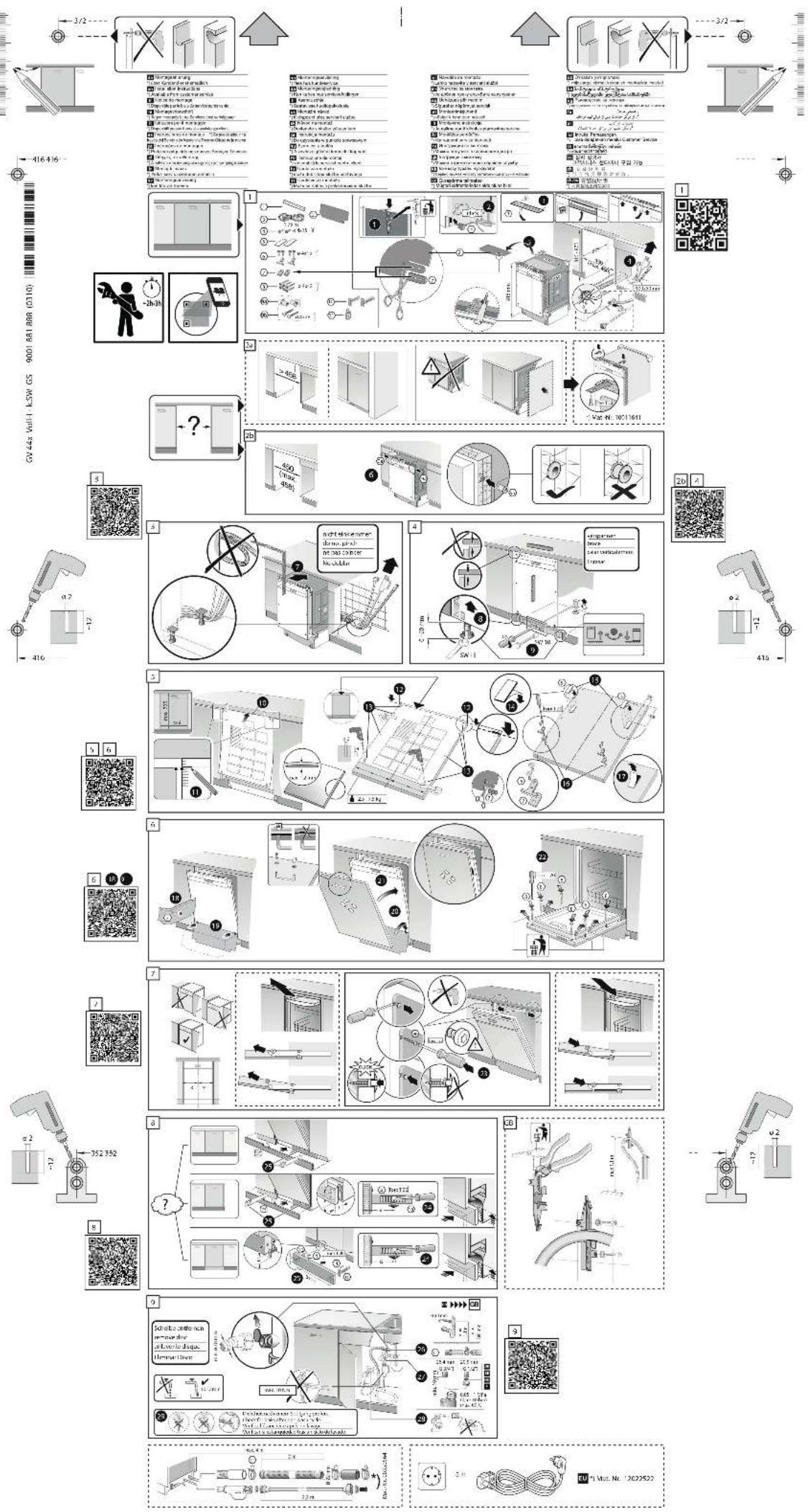
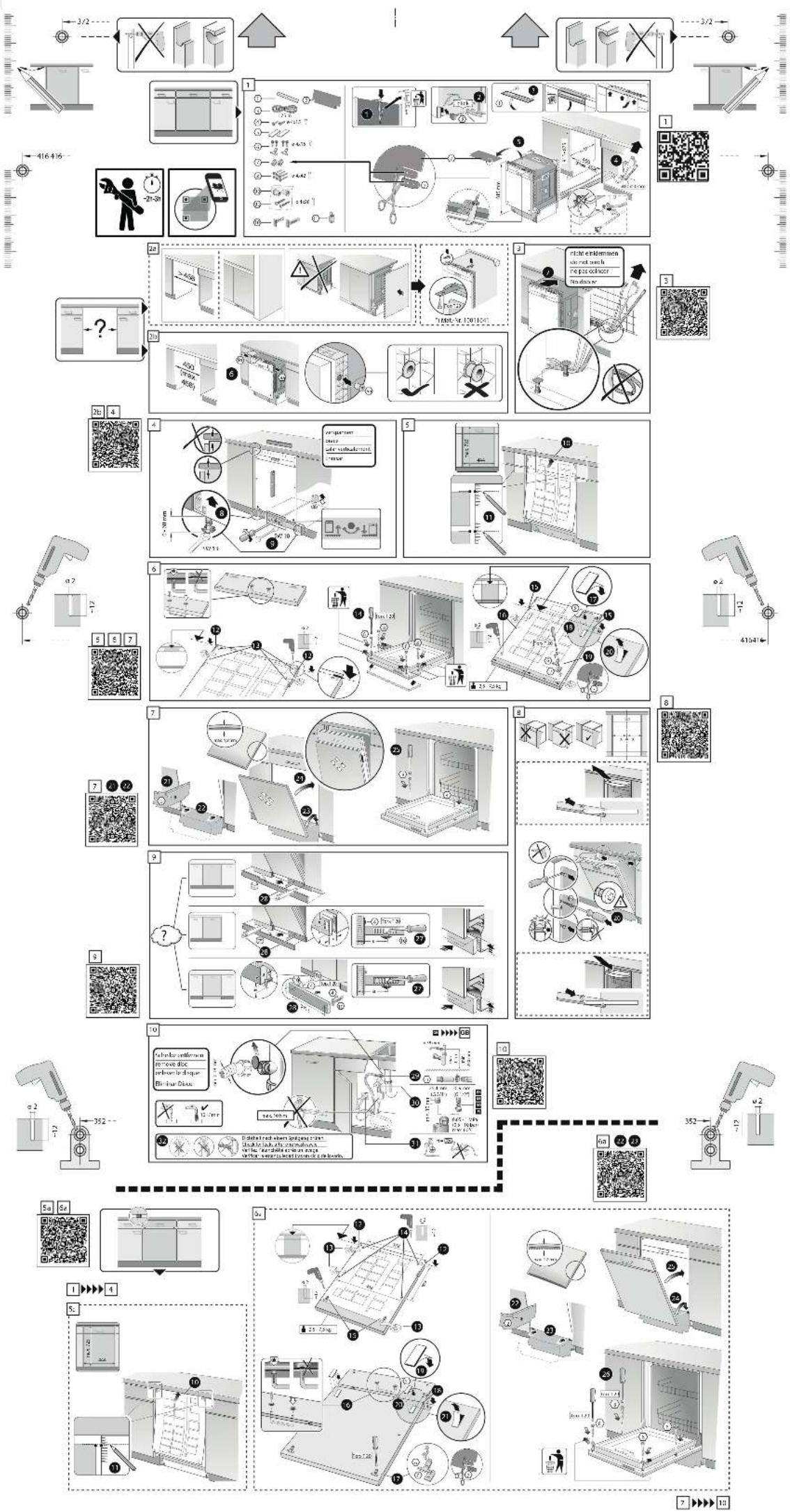
Comment installer le lave-vaisselle CP6VX01HLD ?
Suivez les instructions de la notice : branchez l'arrivée d'eau froide à l'entrée 3/4, raccordez le tuyau d'évacuation au siphon et branchez l'appareil sur une prise 230 V avec terre. Assurez-vous que l'appareil est de niveau à l'aide des pieds réglables.
Que faire si le lave-vaisselle ne démarre pas ?
Vérifiez que la porte est bien fermée, que le programme est sélectionné et que la touche Départ est enfoncée. Assurez-vous que l'arrivée d'eau est ouverte et que le filtre d'arrivée n'est pas obstrué.
Comment nettoyer le filtre du lave-vaisselle ?
Retirez le panier inférieur, dévissez le filtre cylindrique en tournant dans le sens inverse des aiguilles d'une montre. Nettoyez-le sous l'eau courante et remettez-le en place en vérifiant qu'il est bien enclenché.
Que signifie le code d'erreur E15 sur l'affichage ?
Le code E15 indique un problème d'arrivée d'eau. Vérifiez que le robinet est ouvert, que le tuyau d'arrivée n'est pas plié et que le filtre d'arrivée n'est pas bouché. Si le problème persiste, contactez le service après-vente.
Le lave-vaisselle fait du bruit anormal, que faire ?
Vérifiez que la vaisselle est correctement placée et qu'aucun objet (couvercle, petit ustensile) ne gêne les bras de lavage. Nettoyez les bras de lavage pour éliminer d'éventuels bouchons.
Comment utiliser la fonction Départ différé ?
Sélectionnez le programme souhaité, puis appuyez plusieurs fois sur la touche 'Départ différé' pour choisir le nombre d'heures de report (1 à 24 h). Appuyez sur 'Départ' pour confirmer. Le démarrage est automatiquement reporté.
La vaisselle reste mouillée en fin de cycle, pourquoi ?
Utilisez un produit de rinçage et ajustez le dosage. Sélectionnez un programme avec séchage renforcé (par ex. Intensif). Vérifiez que le séchage par condensation n'est pas entravé par une surcharge.
Où trouver des pièces détachées pour le CP6VX01HLD ?
Les pièces détachées (filtres, bras de lavage, joints, etc.) sont disponibles auprès du service après-vente Constructa au 01 23 45 67 89 ou sur le site pieces-constructa.fr. Munissez-vous de la référence modèle CP6VX01HLD.
Quel produit de lavage utiliser pour ce lave-vaisselle ?
Utilisez des produits spécifiques pour lave-vaisselle (pastilles, poudre, liquide). Choisissez des produits écologiques de préférence. Ajoutez du sel régénérant si l'eau est dure et un produit de rinçage pour un séchage optimal.
Questions des utilisateurs sur CP6VX01HLD CONSTRUCTA
0 question sur cet appareil. Repondez a celles que vous connaissez ou posez la votre.
Poser une nouvelle question sur cet appareil
Aucune question pour l'instant. Soyez le premier à en poser une.
Téléchargez la notice de votre Lave-vaisselle au format PDF gratuitement ! Retrouvez votre notice CP6VX01HLD - CONSTRUCTA et reprennez votre appareil électronique en main. Sur cette page sont publiés tous les documents nécessaires à l'utilisation de votre appareil CP6VX01HLD de la marque CONSTRUCTA.
MODE D'EMPLOI CP6VX01HLD CONSTRUCTA
flowchart
graph TD
    A["1: Inspection of mechanical parts"] --> B["2: Assembly of components"]
    B --> C["3: Assembly of parts"]
    C --> D["4: Assembly of products"]
    D --> E["5: Assembly of tools"]
    E --> F["6: Assembly of tools"]
    F --> G["7: Assembly of tools"]
    G --> H["8: Assembly of tools"]
    H --> I["9: Assembly of tools"]
    I --> J["Final Product Delivery"]

    subgraph Process Steps
        A -->|✓| K["1. Inspection of mechanical parts"]
        K --> L["2. Assembly of components"]
        L --> M["3. Assembly of parts"]
        M --> N["4. Assembly of tools"]
        N --> O["5. Assembly of products"]
        O --> P["6. Assembly of tools"]
        P --> Q["7. Assembly of tools"]
        Q --> R["8. Assembly of products"]
        R --> S["9. Assembly of tools"]
        S --> T["Final Product Delivery"]

    end

    subgraph Testing Details
        A -->|✓| U["1. Inspection of mechanical parts"]
        U --> V["2. Assembly of components"]
        V --> W["3. Assembly of parts"]
        W --> X["4. Assembly of tools"]
        X --> Y["5. Assembly of products"]
        Y --> Z["6. Assembly of tools"]
        Z --> AA["7. Assembly of tools"]
        AA --> AB["8. Assembly of products"]
        AB --> AC["9. Assembly of tools"]
        AC --> AD["Final Product Delivery"]

    end

    subgraph Testing Conditions
        A -->|✓| AE["1. Inspection of mechanical parts"]
        AE --> AF["2. Assembly of components"]
        AF --> AG["3. Assembly of parts"]
        AG --> AH["4. Assembly of tools"]
        AH --> AI["5. Assembly of products"]
        AI --> AJ["6. Assembly of tools"]
        AJ --> AK["7. Assembly of tools"]
        AK --> AL["8. Assembly of products"]
        AL --> AM["9. Assembly of tools"]
        AM --> AN["Final Product Delivery"]

    end

    subgraph Testing Details
        A -->|✓| AO["1. Inspection of mechanical parts"]
        AO --> AP["2. Assembly of components"]
        AP --> AQ["3. Assembly of parts"]
        AQ --> AR["4. Assembly of tools"]
        AR --> AS["5. Assembly of products"]
        AS --> AT["6. Assembly of tools"]
        AT --> AU["7. Assembly of tools"]
        AU --> AV["8. Assembly of products"]
        AV --> AW["9. Assembly of tools"]
        AW --> AX["Final Product Delivery"]

flowchart
graph TD
    A["1: Inspection"] --> B["2: Assembly"]
    B --> C["3: Control"]
    C --> D["4: Display"]
    D --> E["5: Assembly"]
    E --> F["6: Control"]
    F --> G["7: Assembly"]
    G --> H["8: Control"]
    H --> I["9: Assembly"]
    I --> J["10: Final Product Delivery"]

    subgraph Process Steps
        K["1: Inspection & Control"] --> L["2: Assembly & Control"]
        L --> M["3: Control & Assembly"]
        M --> N["4: Display & Control"]
        N --> O["5: Assembly & Control"]
        O --> P["6: Control & Assembly"]
        P --> Q["7: Assembly & Control"]
        Q --> R["8: Control & Assembly"]
        R --> S["9: Assembly & Control"]
        S --> T["10: Final Product Delivery"]

    end

    subgraph Testing Details
        U["1: Inspection & Control"] --> V["2: Assembly & Control"]
        V --> W["3: Control & Assembly"]
        W --> X["4: Display & Control"]
        X --> Y["5: Assembly & Control"]
        Y --> Z["6: Control & Assembly"]
        Z --> AA["7: Assembly & Control"]
        AA --> AB["8: Control & Assembly"]
        AB --> AC["9: Assembly & Control"]
        AC --> AD["10: Final Product Delivery"]

    end

    subgraph Testing Conditions
        AE["1: Inspection & Control"] --> AF["2: Assembly & Control"]
        AF --> AG["3: Control & Assembly"]
        AG --> AH["4: Display & Control"]
        AH --> AI["5: Assembly & Control"]
        AI --> AJ["6: Control & Assembly"]
        AJ --> AK["7: Assembly & Control"]
        AK --> AL["8: Control & Assembly"]
        AL --> AM["9: Assembly & Control"]
        AM --> AN["10: Final Product Delivery"]

    end

    subgraph Testing Details
        AO["1: Inspection & Control"] --> AP["2: Assembly & Control"]
        AP --> AQ["3: Control & Assembly"]
        AQ --> AR["4: Display & Control"]
        AR --> AS["5: Assembly & Control"]
        AS --> AT["6: Control & Assembly"]
        AT --> AU["7: Assembly & Control"]
        AU --> AV["8: Control & Assembly"]
        AV --> AW["9: Assembly & Control"]
        AW --> AX["10: Final Product Delivery"]

    end

    subgraph Testing Conditions
        AY["1: Inspection & Control"] --> AZ["2: Assembly & Control"]
        AZ --> BA["3: Control & Assembly"]
        BA --> BB["4: Display & Control"]
        BB --> BC["5: Assembly & Control"]
        BC --> BD["6: Control & Assembly"]
        BD --> BE["7: Assembly & Control"]
        BE --> BF["8: Control & Assembly"]
        BF --> BG["9: Assembly & Control"]
        BG --> BH["10: Final Product Delivery"]

    end

    subgraph Testing Details
        BI["1: Inspection & Control"] --> BJ["2: Assembly & Control"]
        BJ --> BK["3: Control & Assembly"]
        BK --> BL["4: Display & Control"]
        BL --> BM["5: Assembly & Control"]
        BM --> BN["6: Control & Assembly"]
        BN --> BO["7: Assembly & Control"]
        BO --> BP["8: Control & Assembly"]
        BP --> BQ["9: Assembly & Control"]
        BQ --> BR["10: Final Product Delivery"]

    end

    subgraph Testing Conditions
        BS["1: Inspection & Control"] --> BT["2: Assembly & Control"]
        BT --> BU["3: Control & Assembly"]
        BU --> BV["4: Display & Control"]
        BV --> BW["5: Assembly & Control"]
        BW --> BX["6: Control & Assembly"]
        BX --> BY["7: Assembly & Control"]
        BY --> BZ["8: Control & Assembly"]
        BZ --> CA["9: Assembly & Control"]
        CA --> CB["10: Final Product Delivery"]