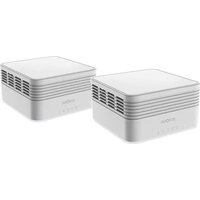
Atria AX3000 - Antenne WiFi STRONG - Notice d'utilisation et mode d'emploi gratuit
Retrouvez gratuitement la notice de l'appareil Atria AX3000 STRONG au format PDF.

| Type de produit | Routeur 5G/4G LTE avec antenne WiFi |
| Modèle | Atria AX3000 (5GROUTERAX3000) |
| Norme WiFi | WiFi 6 (AX3000) - double bande 2,4 et 5 GHz |
| Débit WiFi théorique | Jusqu'à 3000 Mbps |
| Alimentation | 12 V DC, 2 A |
| Interface réseau | Ports LAN/WAN Gigabit (non spécifié, estimation) |
| Compatibilité SIM | Carte SIM standard (verrouillage PIN possible) |
| Support 5G/4G | Oui, 5G et 4G LTE |
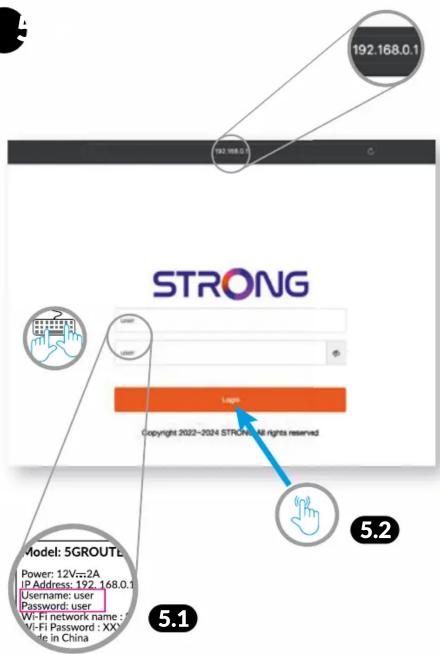
| Adresse IP par défaut | 192.168.0.1 |
| Identifiant par défaut | user |
| Mot de passe par défaut | user |
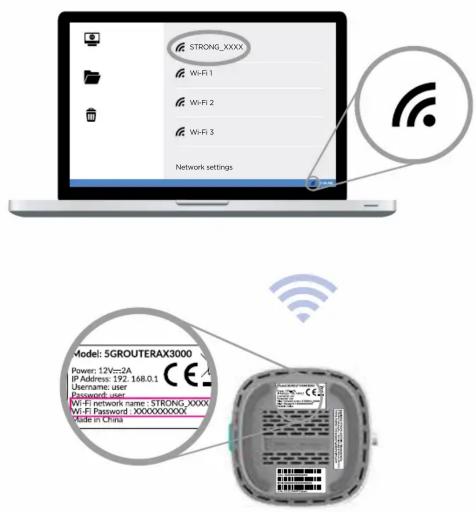
| Nom du réseau WiFi par défaut | STRONG_XXXX (variable) |
| Mot de passe WiFi par défaut | Imprimé sur l'étiquette de l'appareil |
| Fonctions de sécurité | WPA2/WPA3, verrouillage PIN SIM |
| Entretien | Nettoyer avec un chiffon sec et doux |
| Température de fonctionnement | 0 °C à 40 °C (estimation) |
| Dimensions | 200 x 150 x 30 mm (estimation) |
| Poids | 500 g (estimation) |
| Garantie | 4 ans (mentionnée dans la notice) |
FOIRE AUX QUESTIONS - Atria AX3000 STRONG
Questions des utilisateurs sur Atria AX3000 STRONG
0 question sur cet appareil. Repondez a celles que vous connaissez ou posez la votre.
Poser une nouvelle question sur cet appareil
Téléchargez la notice de votre Antenne WiFi au format PDF gratuitement ! Retrouvez votre notice Atria AX3000 - STRONG et reprennez votre appareil électronique en main. Sur cette page sont publiés tous les documents nécessaires à l'utilisation de votre appareil Atria AX3000 de la marque STRONG.
MODE D'EMPLOI Atria AX3000 STRONG
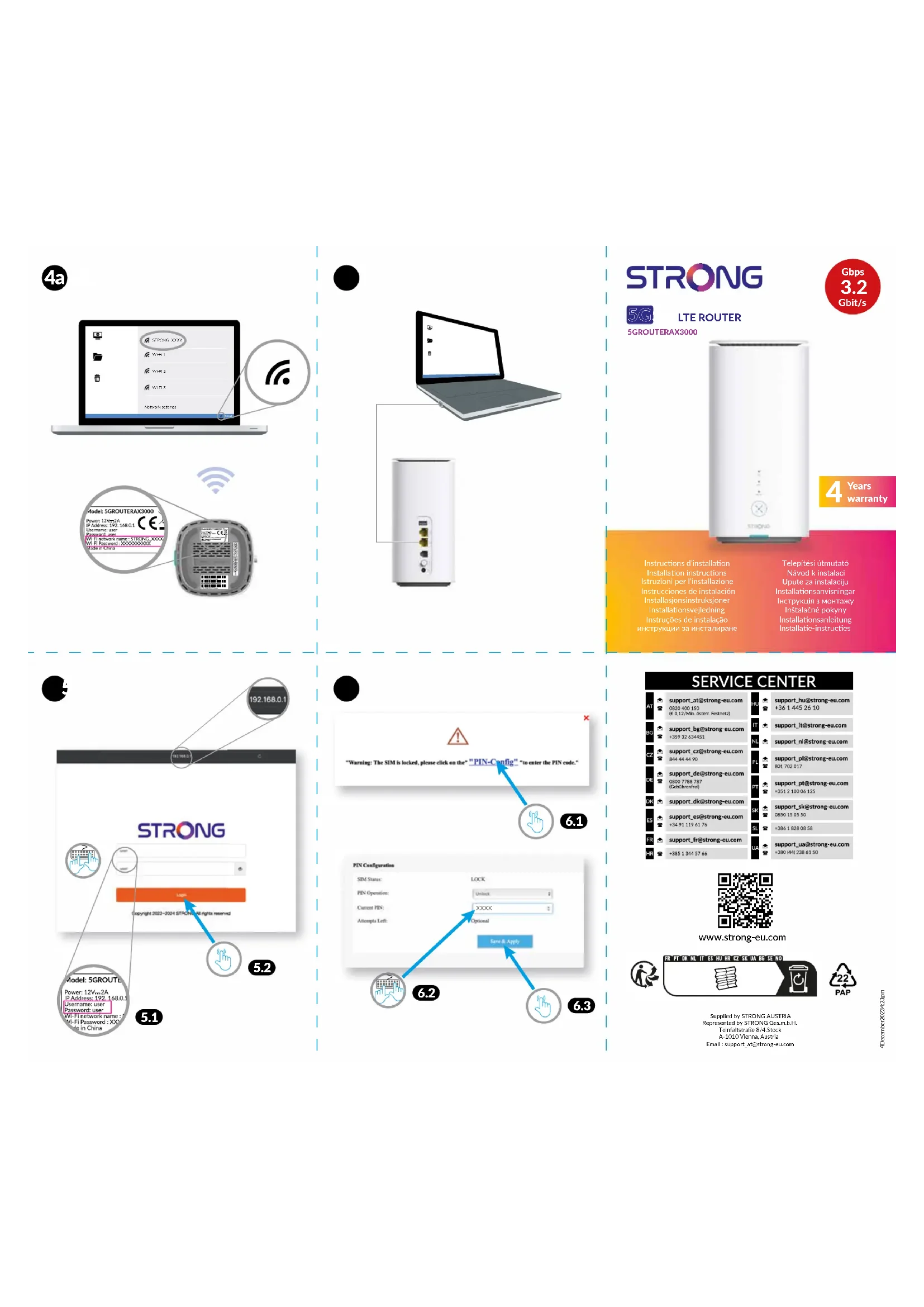
4a
text_image
STRONG_XXXX Wi-Fi 1 Wi-Fi 2 Wi-Fi 3 Network settings Model: 5GROUTERAX3000 Power: 12V=2A IP Address: 192.168.0.1 Username: user Password: user Wi-Fi network name: STRONG_XXXX Wi-Fi Password: XXXXXXXXXXXXX Made in China●
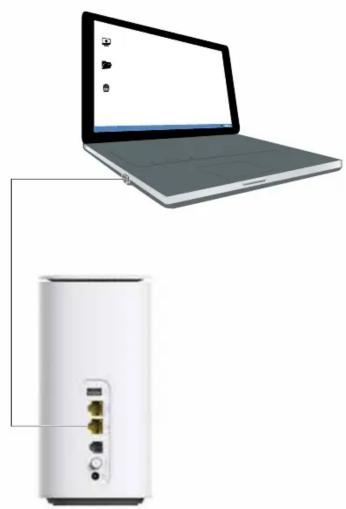
natural_image
Laptop connected to a white portable device with ports and connectors (no text or symbols visible)STRONG

LTE ROUTER
5GROUTERAX3000
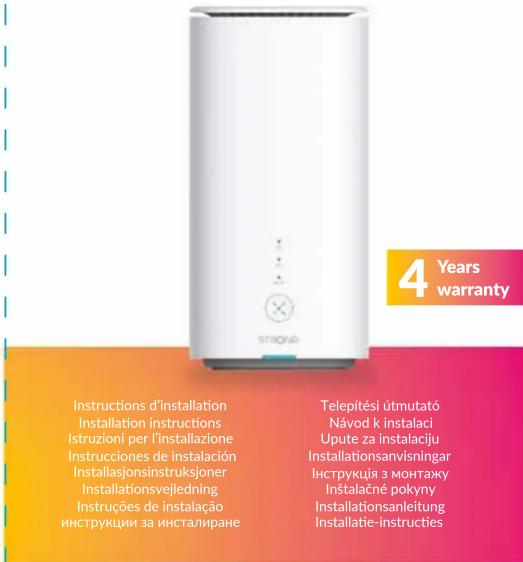
text_image
4 Years warranty Instructions d'installation Installation instructions Istruzioni per l'installazione Instrucciones de instalación Installasjonsinstruksjoner Installationsvejledning Instruções de instalação инструкции за инсталиране Telepítési útmutató Návod k instalaci Upute za instalaciju Installationsanvisningar Инструкція з монтажу Instalačné pokyny Installationsanleitung Installatie-instructies[Non-Text]
text_image
192.168.0.1 192.168.0.1 STRONG Copyright 2022-2024 STRONG: All rights reserved Model: 5GROUT Power: 12Vz=2A IP Address: 192.168.0.1 Username: user Password: user Wi-Fi network name: Wi-Fi Password : XX Made in China 5.1 5.2 5.1●
text_image
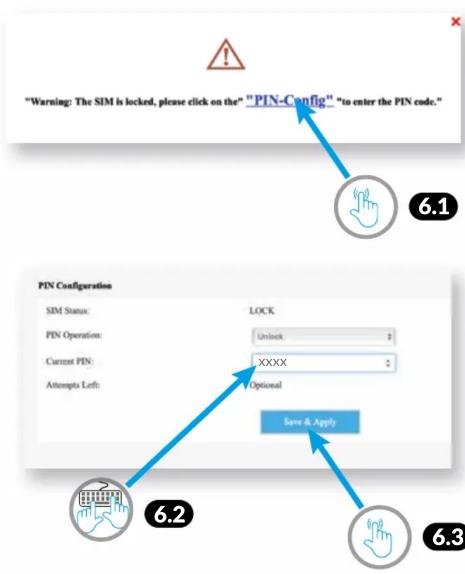
"Warning: The SIM is locked, please click on the" "PIN-Config" "to enter the PIN code." 6.1 PIN Configuration SIM Status: LOCK PIN Operation: Unlock Current PIN: XXXX Options 6.2 Save & Apply 6.3SERVICE CENTER
bar
| Country | Value | | :--- | :--- | | AI | support_at@strong-eu.com 0820 400 150 (€ 0.12/Min. Osten. Festnetz) | | BC | support_bg@strong-eu.com +359 32 634451 | | CZ | support_cz@strong-eu.com 844 44 44 90 | | DE | support_de@strong-eu.com 0800 7788 787 (Gebührenfrei) | | DN | support_dk@strong-eu.com | | ES | support_es@strong-eu.com +34 91 119 61 76 | | FR | support_fr@strong-eu.com +385 1 344 57 66 | | HR | support_ua@strong-eu.com +380 (44) 238 61 50 |
www.strong-eu.com

Supplied by STRONG AUSTRIA
Represented by STRONG Ges.m.b.H.
Teilmraftstrasse 8/4.30CK A-1010Vienna, Austria
Email : support_at@strong-eu.com
1
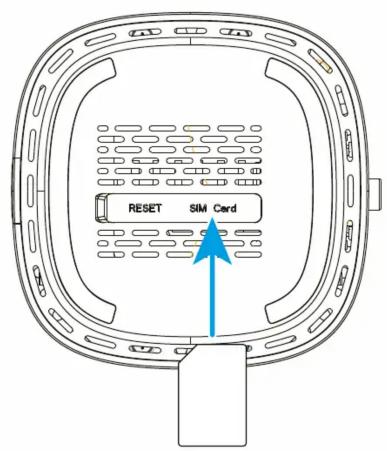
text_image
RESET SIM Card2
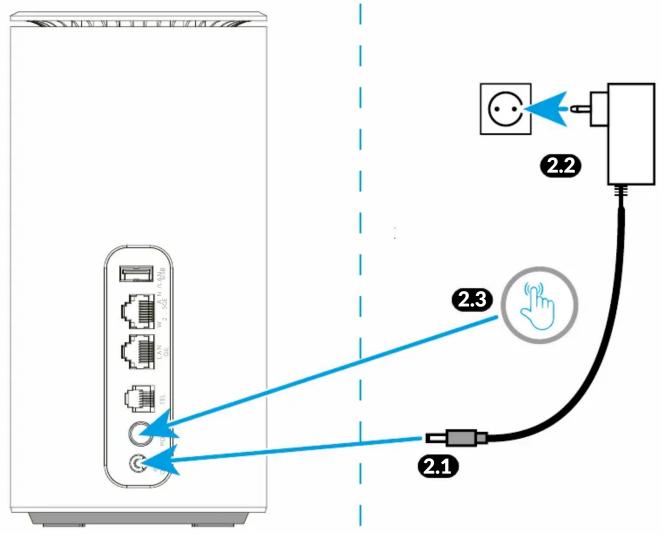
text_image
Diagram showing connection between a server and a device with labeled components and connections3
text_image
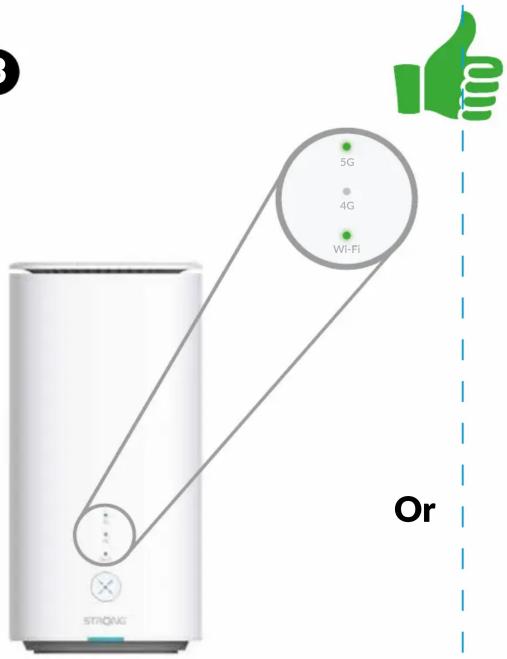
5G 4G Wi-Fi Strong Or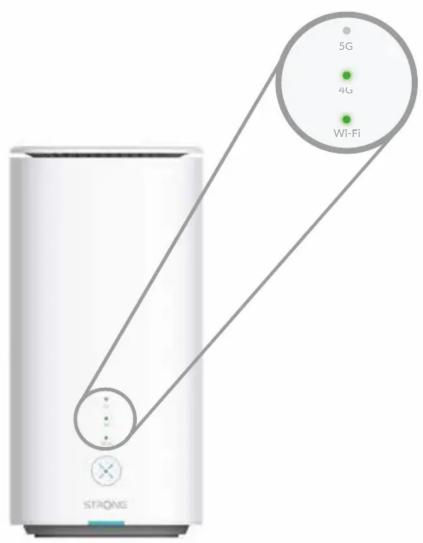
text_image
STIONE 5G 4G Wi-Fi

EN: If required, please enter the PIN code of your SIM card going through steps 5 and 6
FR : Si nécessaire, entrez le code PIN de votre carte SIM, en suivant les étapes 5 et 6
DE : Falls erforderlich, geben Sie den PIN-Code Ihrer SIM-Karte ein, indem Sie die Schritte 5 und 6 ausführen
NL : Voer indien nodig de PIN-code van uw SIM-kaart in en doorloop de stappen 5 en 6
IT : Se richiesto, per favore, inserite il codice PIN della vostra SIM andando ai passaggi 5 e 6.
ES: Si es necesario, introduzca el código PIN de su tarjeta SIM siguiendo los pasos 5 y 6
DK : Indtast om nødvendigt PIN-koden på dit SIM-kort gennem trin 5 og 6
PT: Se necessário, introduza o código PIN do seu cartão SIM, passando pelos passos 5 e 6
NO : Om nødvendig, skriv inn PIN-koden til SIM-kortet ditt gjennom trinn 5 og 6
SE : Om det behövs anger du PIN-koden för ditt SIM-kort genom steg 5 och 6
HU : Ha szükséges, adja meg a SIM kártyája PIN kódját a 5. és 6. lépésben
HR : Po potrebi unesite PIN za SIM karticu prema koracima 5 i 6.
CZ : V případě potřeby zadejte v krocích 5 a 6 kód PIN vaší SIM karty.
SK : Ak je to potrebné, zadajte PIN kód vašej SIM karty tak, že prejdete cez kroky 5 a 6
UA: Якщо потрібно, введіть PIN-код своєї SIM-карти, виконуючи кроки 5 і 6
BG: Ако е необходимо, моля, въведете ПИН кода на вашата SIM карта, преминавайки през стъпки 5 и 6.