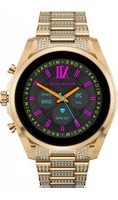
Gen 6 Bradshaw - Smartwatch Michael Kors - Notice d'utilisation et mode d'emploi gratuit
Retrouvez gratuitement la notice de l'appareil Gen 6 Bradshaw Michael Kors au format PDF.

| Type de produit | Smartwatch |
| Marque | Michael Kors |
| Modèle | Gen 6 Bradshaw |
| Dimensions | Environ 44 mm x 44 mm x 11 mm |
| Poids | Environ 60 g |
| Écran | AMOLED 1,28 pouces |
| Résolution | 416 x 416 pixels |
| Processeur | Qualcomm Snapdragon Wear 4100+ |
| Mémoire RAM | 1 Go |
| Stockage | 8 Go |
| Batterie | Lithium-ion rechargeable 300 mAh |
| Autonomie | Jusqu'à 24 heures |
| Rechargement | Chargeur magnétique inclus |
| Système d'exploitation | Wear OS par Google |
| Capteurs | Accéléromètre, altimètre, gyroscope, fréquence cardiaque, SpO2 |
| Connectivité | Bluetooth 5.0, Wi-Fi 802.11 b/g/n, GPS, NFC |
| Étanchéité | 5 ATM (50 mètres) |
| Matériau du boîtier | Acier inoxydable |
| Contenu de la boîte | Montre, chargeur, guide de démarrage rapide |
FOIRE AUX QUESTIONS - Gen 6 Bradshaw Michael Kors
Questions des utilisateurs sur Gen 6 Bradshaw Michael Kors
0 question sur cet appareil. Repondez a celles que vous connaissez ou posez la votre.
Poser une nouvelle question sur cet appareil
Téléchargez la notice de votre Smartwatch au format PDF gratuitement ! Retrouvez votre notice Gen 6 Bradshaw - Michael Kors et reprennez votre appareil électronique en main. Sur cette page sont publiés tous les documents nécessaires à l'utilisation de votre appareil Gen 6 Bradshaw de la marque Michael Kors.
MODE D'EMPLOI Gen 6 Bradshaw Michael Kors
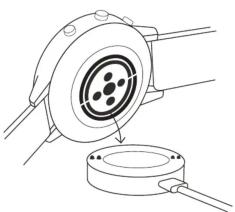
natural_image
Technical line drawing of a mechanical component with a circular housing and a base, no text or symbols present.
CHARGE & POWER ON
Connect your smartwatch to the included charging cord. Once it automatically turns on, tap the screen to begin and choose your language. Keep your smartwatch charging during pairing and setup.
WARNING: To avoid damage to your watch, only use with included charger cord. Do not use a USB hub, USB splitter, USB y-cable, battery pack or other peripheral device to charge

DOWNLOAD & PAIR
On your phone, enable Bluetooth™, then download the Wear OS by Google™ app from the App Store™ or Google Play store. Open the app and follow the onscreen instructions to pair Once paired, your smartwatch will give you an interactive tutorial.

USEFUL TIPS
Remember to turn on your phone's Bluetooth™ and keep the Wear OS by Google® app running in the background to ensure your watch stays connected. Continue to charge your smartwatch throughout the pairing process, as initial setup can drain battery life.
Connect your smartwatch to Wi-fi so it can download updates. These can take a few minutes.
RESOURCES & SUPPORT
To learn more about the Google services on your watch, visit: support.google.com/wearos Visit michaelkors/fgservices.com for how-to's, troubleshooting, frequently asked questions & more.
STORMANIZATION 1. 2014 (the National Bank of New York) is the only one of the four major financial institutions, including the United States and China. The United States has a majority of its assets held by these entities in the U.S. and is distributed across all other countries. The United States holds an additional share of the total assets held by these entities in the U.S. and is distributed across all other countries. The United States holds an additional share of the total assets held by these entities in the U.S. and is distributed across all other countries. The United States holds an additional share of the total assets held by these entities in the U.S. and is distributed across all other countries. The United States holds an additional share of the total assets held by these entities in the U.S. and is distributed across all others. The United States holds an additional share of the total assets held by these entities in the U.S. and is distributed across all other countries. The United States holds an additional share of the total assets held by these entities in the U.S. and is distributed across all other countries. The United States holds an additional share of the total assets held by these entities in the U.S. and is distributed across all other countries. The United States holds an additional share of the total assets held by these companies in the U.S. and is distributed across all other countries. The United States holds an additional share of the total assets held by these companies in the U.S. and is distributed across all other countries. The United States holds an additional share of the total assets held by these companies in the U.S. and is distributed across all other countries. The United States holds an additional share of the total assets held by these companies in the U.S. and is distributed across all other countries. The United Suisse Securities (USA) LLC (The Securities Exchange Limited) (USA) LLC (The Securities Management LLC) (USA) LLC (The Securities Management LLC) (USA) LLC (The Securities Management LLC) (USA) LLC (The Securities Management LLC) (USA) LLC (The Securities Management LLC) (USA) LLC (The Securities Management LLC) (USA) LLC (The Securities Management LLC) (USA) LLC (The Securities Management LLC) (USA) LLC (The Securities Management LLC) (USA) LLC (The Securities Management LLC) (USA) LLC (The Securities Management Inc.) (USA) LLC (The Securities Management LLC) (USA) LLC (The Securities Management LLC) (USA) LLC (The Securities Management LLC) (USA) LLC (The Securities Management LLC) (USA) LLC (The Securities Management LLC) (USA) LLC (The Securities Management LLC) (USA) LLC (The Securities Management LLC) (USA) LLC (The Securities Management LLC) (USA) LLC (The Securities Management LLC) (USA) LLC (The Securities Management LLC).
Los Alves de la Bioté e Sanitaria Aplicaciones Weir Bioté de la Bioté e Sanitaria Aplicaciones Weir Bioté de la Bioté e Sanitaria Aplicaciones Weir Ajuste a la Bioté, a la Bioté, a la Bioté, a la Bioté, a la Bioté, a la Bioté, a la Bioté, a la Bioté, a la Bioté, a la Bioté, a la Bioté, a la Bioté, a la Bioté, a la Bioté, a la Bioté, a la Bioté, a la Bioté, a la Biat. Oval de Mio. 2014 Oval de Mio. 2015 Oval de Mio. 2016 Oval de Mio. 2017 Oval de Mio. 2018 Oval de Mio. 2019 Oval de Mio. 2020 Oval de Mio. 2021 Oval de Mio. 2022 Oval de Mio. 2023 Oval de Mio. 2024 Oval de Mio. 2025 Oval de Mio. 2026 Oval de Mio. 2027 Oval de Mio. 2028 Oval de Mio. 2029 Oval de Mio. 2030 Oval de Mio. 2031 Oval de Mio. 2032 Oval de Mio. 2033 Oval de Mio. 2034 Oval de Mio. 2035 Oval de Mio. 2036 Oval de Mio. 2037 Oval de Mio. 2038 Oval de Mio. 2039 Oval de Mio. 2040 Oval de Mio. 2041 Oval de Mio. 2042 Oval de Mio. 2043 Oval de Mio. 2044 Oval de Mio. 2045 Oval de Mio. 2046 Oval de Mio. 2047 Oval de Mio. 2048 Oval de Mio. 2049 Oval de Mio. 2050 Oval de Mio. 2051 Oval de Mio. 2052 Oval de Mio. 2053 Oval de Mio. 2054 Oval de Mio. 2055 Oval de Mio. 2056 Oval de Mio. 2057 Oval de Mio. 2058 Oval de Mio. 2059 Oval de Mio. 2060 Oval de Mio. 2061 Oval de Mio. 2062 Oval de Mio. 2063 Oval de Mio. 2064 Oval de Mio. 2065 Oval de Mio. 2066 Oval de Mio. 2067 Oval de Mio. 2068 Oval de Mio. 2069 Oval de Mio. 2070 Oval de Mio. 2071 Oval de Mio. 2072 Oval de Mio. 2073 Oval de Mio. 2074 Oval de Mio. 2075 Oval de Mio. 2076 Oval de Mio. 2077 Oval de Mio. 2078 Oval de Mio. 2079 Oval de Mio. 2080 Oval de Mio. 2081 Oval de Mio. 2082 Oval de Mio. 2083 Oval de Mio. 2084 Oval de Mio. 2085 Oval de Mio. 2086 Oval de Mio. 2087 Oval de Mio. 2088 Oval de Mio. 2089 Oval de Mio. 2090 Oval de Mio. 2091 Oval de Mio. 2092 Oval de Mio. 2093 Oval de Mio. 2094 Oval de Mio. 2095 Oval de Mio. 2096 Oval de Mio. 2097 Oval de Mio. 2098 Oval de Mio. 2099 Oval de Mio. 2100
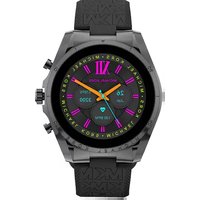
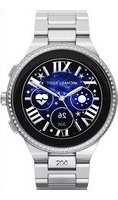
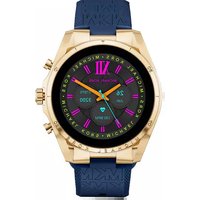
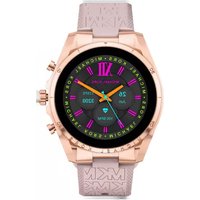
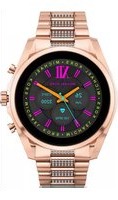
Marque : Michael Kors
Modèle : Gen 6 Bradshaw
Catégorie : Smartwatch