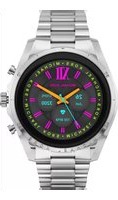
Gen 6 Bradshaw MKT5139 - Smartwatch Michael Kors - Notice d'utilisation et mode d'emploi gratuit
Retrouvez gratuitement la notice de l'appareil Gen 6 Bradshaw MKT5139 Michael Kors au format PDF.

| Type de produit | Montre connectée (smartwatch) |
| Marque | Michael Kors |
| Modèle | Gen 6 Bradshaw MKT5139 |
| Dimensions du boîtier | 42 mm x 42 mm x 10 mm |
| Poids | Environ 50 g (sans bracelet) |
| Type d'écran | AMOLED rond |
| Taille d'écran | 1,28 pouce (416 x 416 pixels) |
| Processeur | Snapdragon Wear 4100+ |
| Système d'exploitation | Wear OS by Google |
| Mémoire | 1 Go RAM / 8 Go stockage |
| Alimentation | Batterie lithium-ion rechargeable via câble magnétique fourni |
| Autonomie | Jusqu'à 24 heures en usage typique |
| Connectivité | Bluetooth 5.0, Wi-Fi 2,4 GHz, NFC |
| Capteurs | Accéléromètre, gyroscope, altimètre, capteur de fréquence cardiaque, capteur de luminosité ambiante |
| Résistance à l'eau | 3 ATM (jusqu'à 30 mètres) |
| Fonctions principales | Notifications, suivi d'activité, GPS intégré, paiements sans contact Google Pay, musique, assistant Google |
| Compatibilité | Android 6.0+ ou iOS 12+ |
| Entretien et nettoyage | Nettoyer avec un chiffon doux et sec. Éviter les produits chimiques et l'immersion prolongée. |
| Consignes de sécurité | Ne pas exposer à l'eau salée ou aux chocs violents. Utiliser uniquement le chargeur fourni. |
| Pièces détachées et réparabilité | Bracelet interchangeable (largeur 20 mm). Batterie non remplaçable par l'utilisateur. |
FOIRE AUX QUESTIONS - Gen 6 Bradshaw MKT5139 Michael Kors
Questions des utilisateurs sur Gen 6 Bradshaw MKT5139 Michael Kors
0 question sur cet appareil. Repondez a celles que vous connaissez ou posez la votre.
Poser une nouvelle question sur cet appareil
Téléchargez la notice de votre Smartwatch au format PDF gratuitement ! Retrouvez votre notice Gen 6 Bradshaw MKT5139 - Michael Kors et reprennez votre appareil électronique en main. Sur cette page sont publiés tous les documents nécessaires à l'utilisation de votre appareil Gen 6 Bradshaw MKT5139 de la marque Michael Kors.
MODE D'EMPLOI Gen 6 Bradshaw MKT5139 Michael Kors
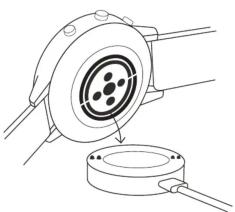
natural_image
Technical line drawing of a mechanical component with a circular housing and a base, no text or symbols present
CHARGE & POWER ON
Connect your smartwatch to the included charging cord. Once it automatically turns on, tap the screen to begin and choose your language. Keep your smartwatch charging during pairing and setup.
WARNING: To avoid damage to your watch, only use with included charger cord. Do not use a USB hub, USB splitter, USB y-cable, battery pack or other peripheral device to charge

DOWNLOAD & PAIR
On your phone, enable Bluetooth™, then download the Wear OS by Google™ app from the App Store™ or Google Play store. Open the app and follow the onscreen instructions to pair Once paired, your smartwatch will give you an interactive tutorial.

USEFUL TIPS
Remember to turn on your phone's Bluetooth™ and keep the Wear OS by Google® app running in the background to ensure your watch stays connected. Continue to charge your smartwatch throughout the pairing process, as initial setup can drain battery life.
Connect your smartwatch to Wi-fi so it can download updates. These can take a few minutes.
RESOURCES & SUPPORT
To learn more about the Google services on your watch, visit: support.google.com/wearos Visit michaelkors/fgservices.com for how-to's, troubleshooting, frequently asked questions & more.
STORMANIZATION 1. 2014 (the following described text): "The Taxonomy of the United States: The Taxonomy of the United States, which is not a taxonomic entity in this state, and is not a taxonomic entity in this state, and is not a taxonomic entity in this state, and is not a taxonomic entity in this state, and is not a taxonomic entity in this state, and is not a taxonomic entity in this state, and is not a taxonomic entity in this state, and is not a taxonomic entity in this state, and is not a taxonomic entity in this state, and is not a taxonomic entity in this state, and 2. 2015 (the following described text): "The Taxonomy of the United States: The Taxonomy of the United States, which is not a taxonomic entity in this state, and is not a taxonomic entity in this state, and is not a taxonomic entity in this state, and is not a taxonomic entity in this state, and is not a taxonomic entity in this state, and is not a taxonomic entity in this state, and is not a taxonomic entity in this state,"
Leu de la Béduca de la Béduca l'agricultural Wear la Béduca de la Béduca de la Béduca de la Béduca de la Béduca de la Béduca de la Béduca de la Béduca de la Béduca de la Béduca de la Béduca de la Béduca de la Béduca de la Béduca de la Béduca de la Béduca de la Béduca de la Béduza Ate o ######, ######, ######, ######, ######, ######, ######, ######, ######, ######, ######, ######, ######, ######, ######, ######, ######, ######, ######, ######, ######, ######, ######, ######, ######, ######, ######, ######, ######, ######, ######, ######, ######, ######, 10000000000000000000000000000000000000000000000000000000000000000000000000000000000000000000
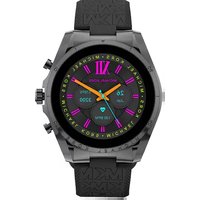
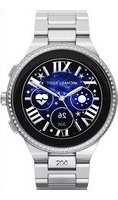
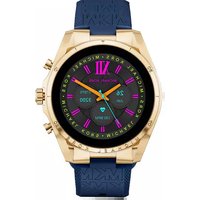
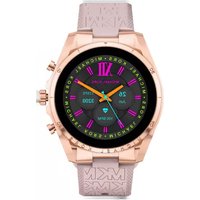
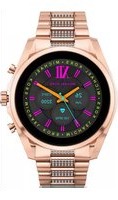
Marque : Michael Kors
Modèle : Gen 6 Bradshaw MKT5139
Catégorie : Smartwatch