NetShelter ACCS1001 - Autres accessoires informatique APC - Notice d'utilisation et mode d'emploi gratuit
Retrouvez gratuitement la notice de l'appareil NetShelter ACCS1001 APC au format PDF.


| Type de produit | Kit de confinement d'air arrière pour baie réseau |
| Marque | APC |
| Modèle | NetShelter ACCS1001 |
| Utilisation prévue | Confinement de l'air chaud/froid dans les baies NetShelter SX / InfraStruXure InRow RP |
| Hauteur de baie compatible | 42U |
| Largeur de baie compatible | 600 mm |
| Matériaux principaux | Acier, polycarbonate (Lexan) |
| Contenu de l'emballage | Plénum gauche et droit, insert arrière (porte non verrouillable et verrouillable), retenues, plénums haut/bas, vis M4, rivets à enclenchement 6 mm, écrous à bride M6, fils de terre |
| Fonctions principales | Amélioration de l'efficacité de refroidissement, séparation des flux d'air, réduction de la recirculation |
| Installation | Montage à l'arrière de la baie, fixation par vis et rivets, mise à la terre requise |
| Entretien et nettoyage | Nettoyer avec un chiffon doux et sec ; ne pas utiliser de solvants abrasifs |
| Sécurité | Respecter les consignes de mise à la terre ; ne pas dépasser la capacité de charge de la baie |
| Pièces détachées et réparabilité | Pièces disponibles auprès d'APC ; réparation par un technicien qualifié recommandée |
| Garantie | Garantie constructeur standard APC (se référer aux conditions générales) |
| Service client | Support technique disponible sur www.apc.com/support ou par téléphone (voir notice) |
FOIRE AUX QUESTIONS - NetShelter ACCS1001 APC
Questions des utilisateurs sur NetShelter ACCS1001 APC
0 question sur cet appareil. Repondez a celles que vous connaissez ou posez la votre.
Poser une nouvelle question sur cet appareil
Téléchargez la notice de votre Autres accessoires informatique au format PDF gratuitement ! Retrouvez votre notice NetShelter ACCS1001 - APC et reprennez votre appareil électronique en main. Sur cette page sont publiés tous les documents nécessaires à l'utilisation de votre appareil NetShelter ACCS1001 de la marque APC.
MODE D'EMPLOI NetShelter ACCS1001 APC
Rack Air Containment Rear Assembly for 42-U 600-mm Wide NetShelter® SX/InfraStruXure™ InRow RP (ACCS1001)—Installation
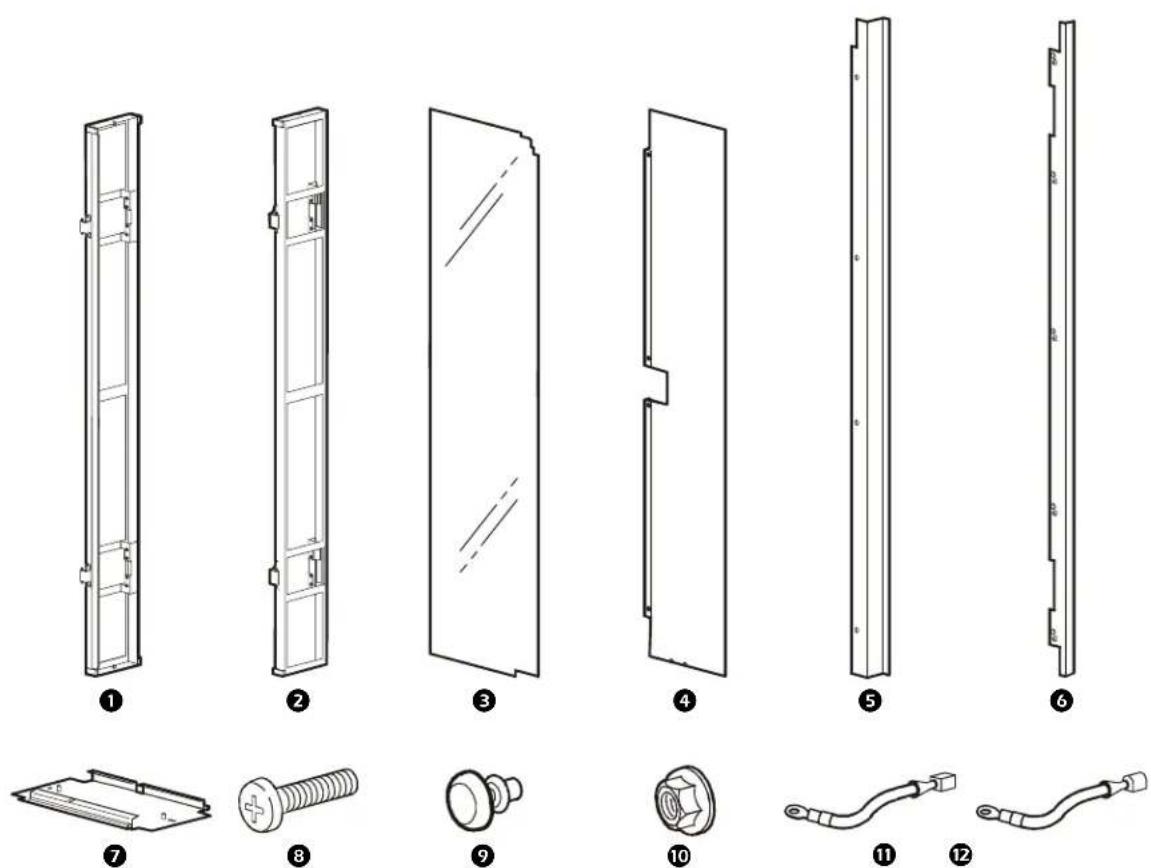
ItemDescriptionQuantity
1 Left side plenum 1
② Right side plenum 1
③ Rear Lexan® insert for non-locking door 1
4 Rear insert assembly for locking door 1
⑤ Rear insert retainer for non-locking door 1
6 Rear insert retainers for locking door 2
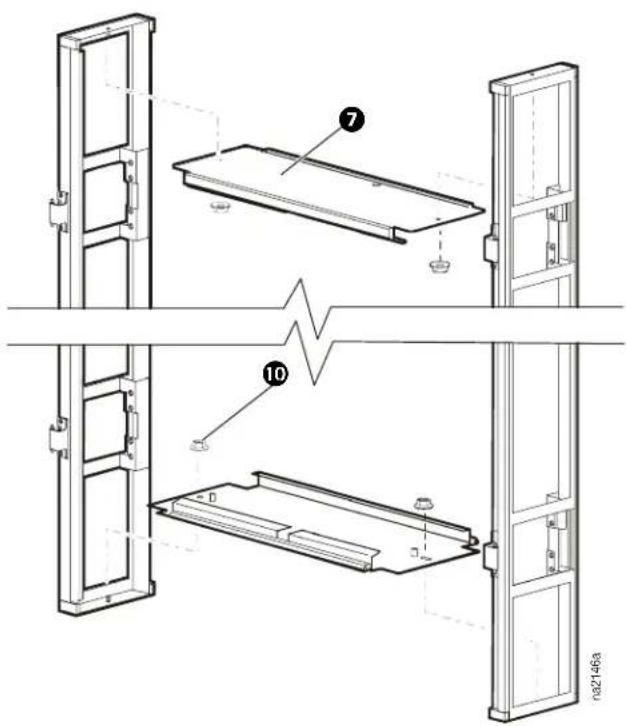
7 Top/bottom plenums 2
M4 × 12-mm pan-head screw
6-mm snap rivets 6
10 M6 flanged hex nuts 6
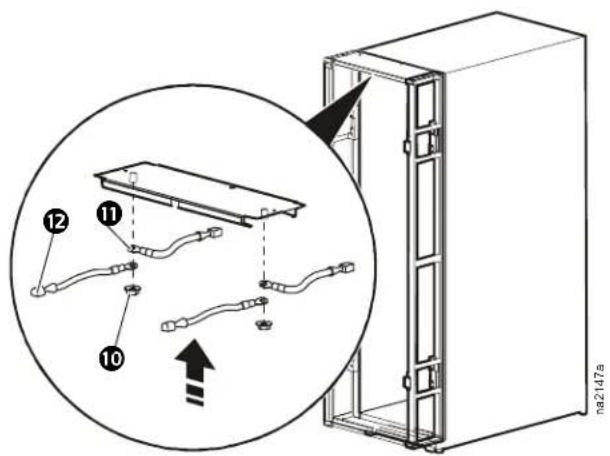
⑪ Grounding wires, female 2
⑫ Grounding wires, male 2
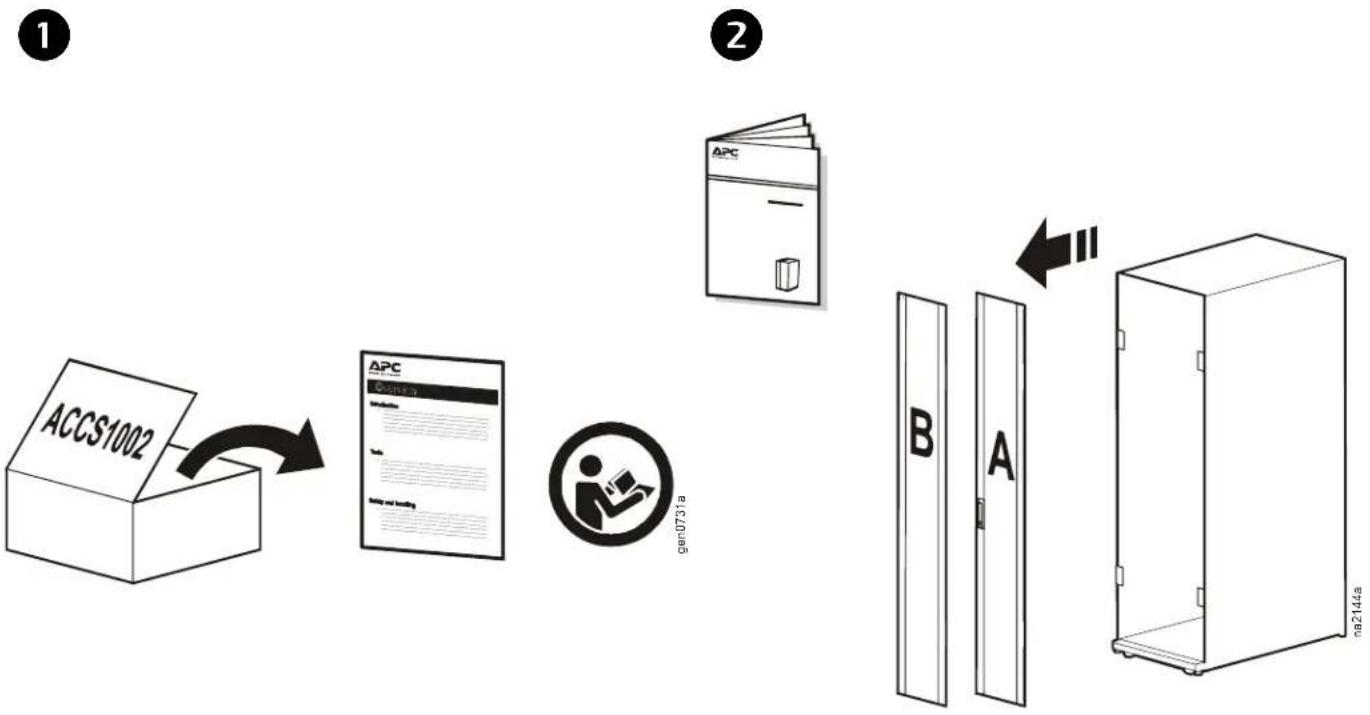
3
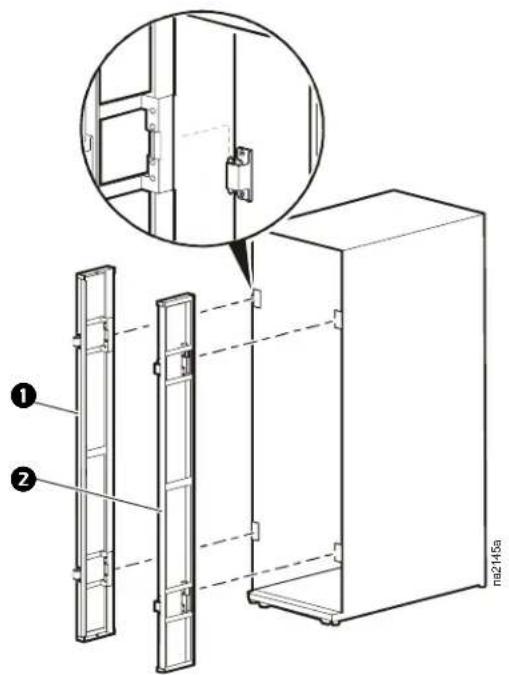
text_image
ma2145a ① ②4
text_image
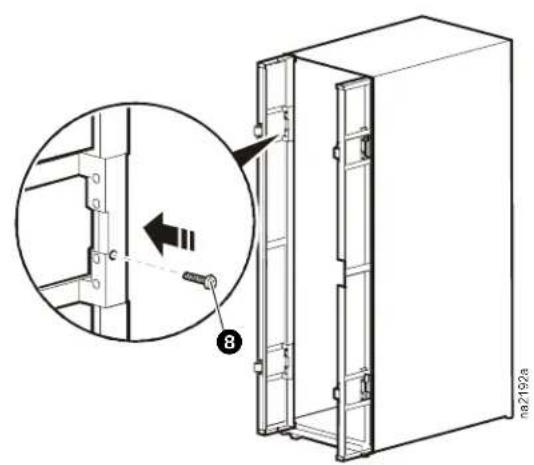
na2192a5
text_image
Technical diagram of a multi-panel refrigerator with labeled components and structural details6
text_image
Technical diagram showing assembly of a server rack with labeled components and an inset view highlighting internal wiring connections.7
natural_image
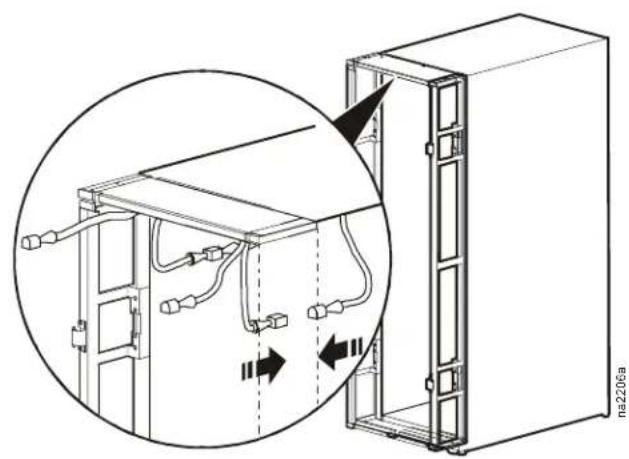
Technical diagram of a server rack with cable connections and wiring, showing internal components and directional arrows (no text or symbols)8
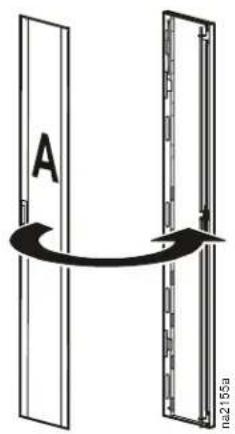
text_image
A 21559 10
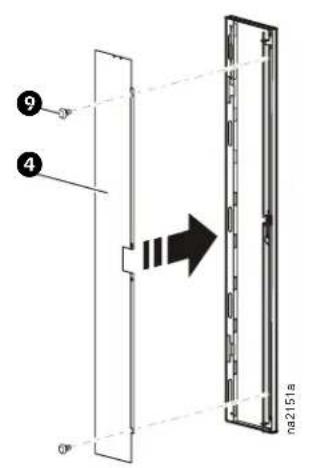
text_image
q 4 na2151a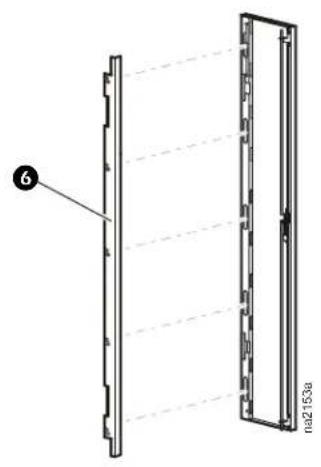
text_image
6 na2153a11
12
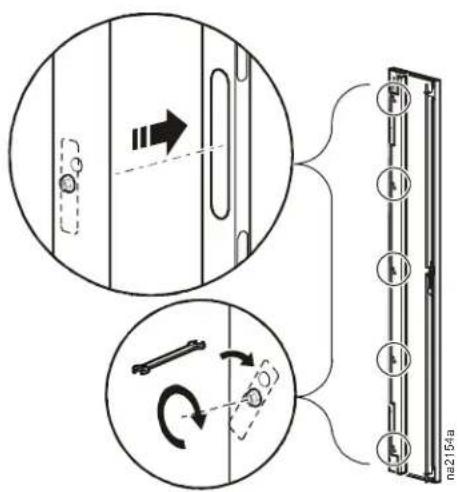
text_image
Diagram illustrating mechanical assembly steps with labeled components and directional arrows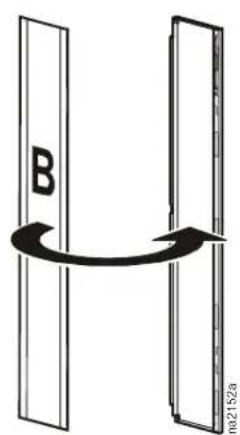
text_image
B H ma2152a13 14
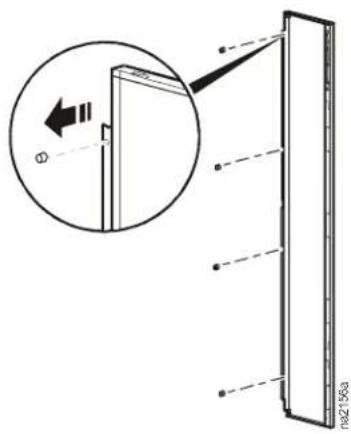
text_image
Technical diagram showing a door assembly with an inset magnified view highlighting a component and dimension lines.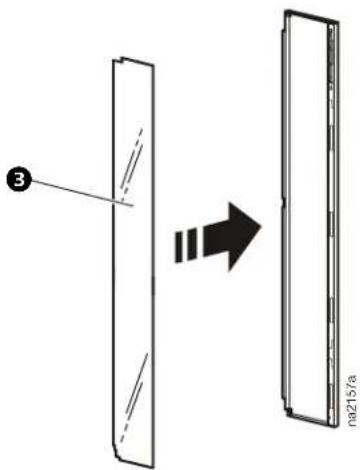
text_image
③ na215/a15 16
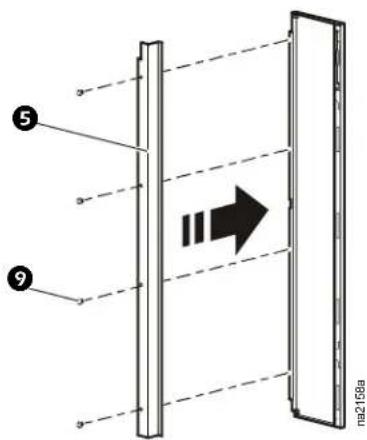
text_image
Diagram showing a vertical structure with labeled components and an arrow indicating direction, likely illustrating a physical or engineering concept.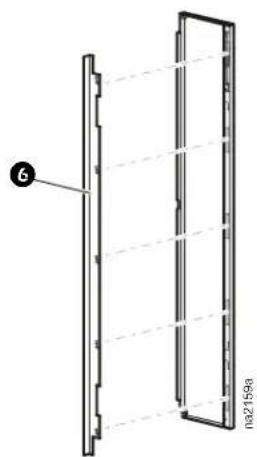
natural_image
Technical line drawing of a vertical panel with dashed lines indicating hidden edges, no text or symbols present17
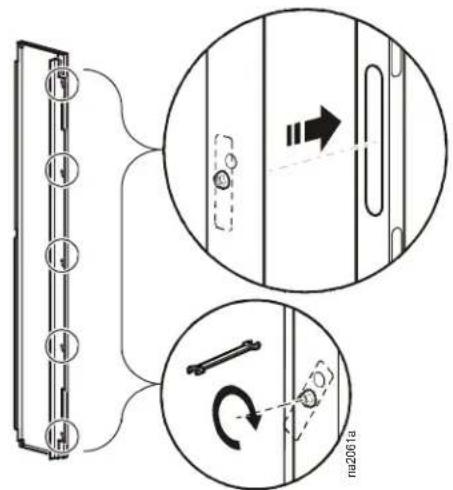
text_image
Diagram illustrating a mechanical assembly with labeled parts and directional arrows, including a magnified inset showing motion paths.18
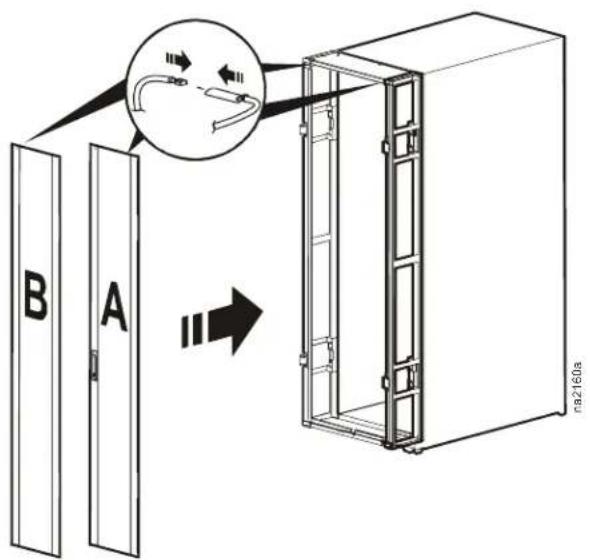
text_image
B A na2160aAPC Worldwide Customer Support
Customer support for this or any other APC product is available at no charge in any of the following ways:
- Visit the APC Web site to access documents in the APC Knowledge Base and to submit customer support requests.
- www.apc.com (Corporate Headquarters)
Connect to localized APC Web sites for specific countries, each of which provides customer support information.
- www.apc.com/support/
Global support searching APC Knowledge Base and using e-support.
- Contact an APC Customer Support center by telephone or e-mail.
Regional centers
Direct InfraStruXure (1)(877)537-0607
Customer Support Line (toll free)
APC headquarters U.S., (1)(800)800-4272
Canada (toll free)
Latin America (1)(401)789-5735 (USA)
Europe, Middle East, (353)(91)702000
Africa (Ireland)
Western Europe (inc. +800 0272 0272
Scandinavia) +800 0272 0272
Japan (0) 36402-2001
Australia, New Zealand, (61) (2) 9955 9366
South Pacific area (Australia)
- Local, country-specific centers: go to www.apc.com/support/contact for contact information.
Contact the APC representative or other distributor from whom you purchased your APC product for information on how to obtain local customer support.
Entire contents copyright 2007 American Power Conversion Corporation. All rights reserved. Reproduction in whole or in part without permission is prohibited. APC, the APC logo, NetShelter, and InfraStruXure are trademarks of American Power Conversion Corporation. All other trademarks, product names, and corporate names are the property of their respective owners and are used for informational purposes only.