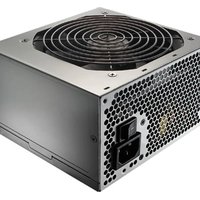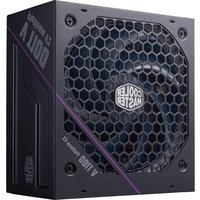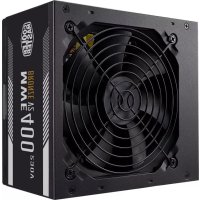
MWE 400 Bronze V2 - Bloc d'alimentation COOLER MASTER - Notice d'utilisation et mode d'emploi gratuit
Retrouvez gratuitement la notice de l'appareil MWE 400 Bronze V2 COOLER MASTER au format PDF.


| Caractéristique | Détails |
|---|---|
| Modèle | COOLER MASTER MWE 400 Bronze V2 |
| Type d'alimentation | Alimentation ATX |
| Puissance | 400 Watts |
| Certification | 80 PLUS Bronze |
| Ventilateur | Ventilateur de 120 mm |
| Dimensions | 150 x 140 x 86 mm |
| Connecteurs | 1 x 24-pin, 1 x 4+4-pin CPU, 2 x 6+2-pin PCIe, 4 x SATA, 3 x Molex |
| Utilisation recommandée | PC de bureau, gaming léger |
| Garantie | 3 ans |
| Sécurité | Protection contre les surcharges, courts-circuits et surchauffes |
| Certification environnementale | RoHS |
FOIRE AUX QUESTIONS - MWE 400 Bronze V2 COOLER MASTER
Questions des utilisateurs sur MWE 400 Bronze V2 COOLER MASTER
0 question sur cet appareil. Repondez a celles que vous connaissez ou posez la votre.
Poser une nouvelle question sur cet appareil
Téléchargez la notice de votre Bloc d'alimentation au format PDF gratuitement ! Retrouvez votre notice MWE 400 Bronze V2 - COOLER MASTER et reprennez votre appareil électronique en main. Sur cette page sont publiés tous les documents nécessaires à l'utilisation de votre appareil MWE 400 Bronze V2 de la marque COOLER MASTER.
MODE D'EMPLOI MWE 400 Bronze V2 COOLER MASTER
Safety Instructions
- Don't open the power supply unit since this can lead to injuries or may even lead to certain death.
- Don't insert an object into a spinning fan. This will damage the power supply unit of one lead to invasion.
- Don't use any brute force when connecting the power connectors. When the right
connectors are selected it shouldn't
be necessary to use any brute force. - Keep the power supply in dov environments away from humidity. If case the power
I keep the power supply in any way we are well-study with making it safe. For power supply gets wet directly pull out the power plug if needed. It is for your own safety to
avoid using the power supply again.
- Try to award using extension cables for the power car. Fit can cover the cable to graft or wear in bed to 20
- This power supply unit has been tested for PC usage.
We cannot guarantee any safe or proper operation when used for
cvs
to add the consensus
installing the power supply
-
Make sure the power switch is turned off before installing the power supply unit.
-
Secure the power supply within the enclosure using a 3 or 4 screens for grounding purpose.
- Connect the power connectors according to the motherboard, graphic card or any other
devicel's user guide.
- Connect the AC power connector
S. S
Troubleshooting
Troubleshooting
If your system does not turn on after freezing the power supply inside town of the troubleshooting guide as lined below.
-
Please make sure the AC power cord is correctly connected
-
Please make sure the power switch is turned on.
-
Please make sure the main power connector and the +12V power connectors are
connected correctly to the motherboard.
- If the power supply does not work properly, please contact our customer support information.
2018
Warranty
Codler Master guarantees this device to be free of defects in material and workmanship
and provide a minimum 5-year hardware limited warranty for the power supply on the date
of purchase. Please register on our official website for your limited warranty.
This product is designed for computer usage only. Using this device in any other application will unit the instrument. You are not familiar with, however, hardware
applicator will vote the authority, if you are not familiar with Competent Hardware installation, please ask for professional aversion.
The warranty applies to the power supply unit and does not include accessories.
The warranty applies to damages caused through normal use and is void if it is determined
that the device was damaged because of abuse, alteration, misuse,
regligence, incorrect voltage supply, air/water pollution, accidents or natural disasters.
In case of any defect during the warranty period, please return your product to the dealer as mailing from whom you posted for a commercial property.
of recaler from whom you purchased for a replacement repair. Please contract our customer support team for any technical related questions.
Please call here for customer support email at my technical dealer or server.
Limited warranty period: http://www.coolermaster.com/service/warranty.htm
Customer support: https://localhost.//blue/rrsable.com
(see 3-6)2018/87
-
m = 311
[Non-Text]
Sigurnosne upute
- Nomojte obvanotí jedinicu na napazanie ier to maže doversá do orliendo ili ček i do
sigume unrti.
■ Nemope umetari predmete u ventilator koji se ofrece. To će oštesti jedinicu za
napajarje i može dovesti do orijeđa.
- Nemojte siom spajati strujne konektore. Kad su odabrani pravi konektori, nema
potrebe za konštenjeni srie.
- Naipajanje duvaje u tumbin okruženju dariko do maje. U tucaju da te napajanja simpli na potrabičenje (nučine stejnictih). Podluičnite vinyemstiljednava
inšću, po posveči denimo travolce te oşni sekat. Akti vatuor se gitar hokl tujegavaja sogavna kociftraje sanația
■ Konzivite ihirinavati koroZorak pravužnla iustanie os struizir konziktaros, dinnu trava
kubel može otzopěti ili uzročováci požar.
- Ova je jedimica za napajanje testirana za upotrebu s osobnim računalom. Ne možemo
jamčti siguran ni ispravan nad kad se koristi za druge namjene.
“
Ugradnja elektriclog napajanja
-
Potrinite se da je prekitač za uđiđačavanje isključen prije instasiacije jedinice ra napajanje
-
Učvršlje napajanje urutar kučišta pomoću 3 ili 4 vijka za užervljenje.
-
Spojite dva kanoktora u skladu s korisničkim priručnikom za matičnu ploču, građičku
Karticu in druge urebajo.
- Sprüge sojahr konskof za trzijem
-
Ubruktse erkladet na dity fruinte
-
Оквітлія приводіє, та апізначення ще:
2016.03.25
Otklanjanje poteskoca
Ako se vaš sučav ne uključuje nakon instalacije napajanja, slijedite donji vodić za
Deklantjarije potenskozal: A. Pravujeke in II revučini kabel na leminarilnu struvičinovna ospiun
- Privjenje je li strajim Kabel za lančenichu sluja šoravno spađeš
-
Ponderite in i prostitel' vizišne
-
Pržinite se do su plavni strušni korpektac i stručni kornektrovi net +17 V ispravno senjeni
na medčnu složu.
- Ako napalanje ne sađi izpravna, odmah se ok
[Non-Text]
lametvo
Satislato Sartes Humei impôltive ou coum ouinou vada kiwi os festeyleu comorini. Tijusté
Cóšler: Master jainu kako na ovoim pročevsou nece ble: hedaštaka u maderjati: II izraš,
We saye by a lom to hark očen sko jemlato do najnante (1) godine za napajanje na darun! kupcje. Za svoje na opraniženo isamtya varojinicsita na pašni sluštensu irvanici.
Dvač je proizvod dizvinirze samo za uporahu na začunaju. Korišterje ovno proizveda za
bilo koja drugu potresby će porišti jamoživo. Ako nizis vidži s instušacijom načunalnoz
hardvera, za pomoć zamolite stručnjaka.
Jamstvo se odnosi na jedinlou za napajanje i ne uključuje dvađatke.
Jamstvo se odnosi na olticečenja uzrokovana normalnim kariščenjem i poništava se ako se
utvrzi da je uređaj oitećen zbog zloporabe, mijenjanja, pogrešne uporabe, nemara,
negravlimog naporna, zugađenja zrakalvođe, nesneča ili prinodnih katastrofa.
U slučaju Neodskatzaka tijokom názdobrja jarmstva vratite svoj proizvod proklavatoju do
To our knowledge of the science, we have to be a good way.
Es Ns 127.103.2018, se est abat baset in 2019 (ex 10.01.103) real data:
Razdoblje ograničenog jamstova: http://www.csolermaster.com/service/warranty.html
Korlenička podrška: https://account.coolermaster.com
-
[Non-Text]
[Non-Text]
Pin Layout Connectors
الصوي، مزاب عناي، حوي، سياح، عطاعي / Конекторي / 建位配置措施 / 针算布局接口
Konektary a rozsodeni kiizaki / Pin belargring vilk / Pin Layout Anadirázse / Tuplatens telefonies milkus (Zlavičnávita do měžíve. Čreuzmog: Libromomod)
de brasilien de concenimiento / Dibeler/illimero evjetima / Fondatori se agregel jerika
Csatlakozók ér irkszö-kiosztáva / forektor Tata Letak Pin / Connettal, layout pin
ピンレイアウトコネクタ / ハンガマトキ Ent ノリル / Polisetting van connecties
/Kontaktemos pinnelfordeling / Złączna układu siyków / Correctores-de-pinkas /
Yorfcıim Konokteleri / -1/1997
(1) 2017年1月1日
Main Power Connector
Pin1 Pin12
Pin Description Pin Description
□□ | 1 | +2.7V | +2 | +3.3V
□□ | 1 | +3.3V | 13 | +3.3V.
□□ 2 +3.3Y 14 -12Y
□□ 1 COM 15 COM
1
□□4+5V
□□. 5 COM
6 +5V
7 COM
□□ | 9 | RG
□□ 9 17.6 0 25V
00 9 +2V _2
10 +12V
11 +12V
12 +3.3Y
(二) 2017年1月1日
+12V Power connector
Pin Description Pin1 Pin5 Pin1 Pin5 Pin2 Description
Air Description
1 COM 2011 3 =129
2 COM 6 -1.2V
3 COM [CICU] [CICU] 7 +1.2V
4 COM 4-DF
2014年
PCIe Power connector
Pin Description Pin1
1 +12V
2 +12V
3 +12V
4 COM
□ 0.27
Serial ATA Power Connector Paripheral Connector
SERIAL POWER COM
Pin Descripti
E 1 +3.7%
E 2 COM
E 2 COM
| E | 3 +5V
E 4 COM
5 +124
Pin Description
1 +17V
1 COM 1
||O|| 2 COM
3 COM
4 +5V
1
m = 311
[Non-Text]
Germany information
Company Information
مGRADES-TORKE / Информация за констанента / 公司資訊 / 公司信息 /
Informace o społecnostki / Firmasplysnieger / Unternehmensinformationen
Trastria esquipes; l'información sobre la empresa/ Informatorio de Entrepreneuria
YR50v Textat / Informacije o tvrti / Vala/abi Informacia / Informasi perusahaan
Inominazioni sulabenda/ sviziature / 2014. U.S. / dostrysinformale /
O segment / Clients/informative / Información a Compañía / Sábet Hilényi /
- In addition, the following text will be used to create a large, stylized character:
[Non-Text]
Europe - Cooler Master Europe B.V.
Lodewijkstraat 1b, 5652AC Eindhoven, The Netherlands
Tel: +31-040-702-0900
(1) 2017年,公司与上海浦东发展银行股份有限公司签订了《关于使用部分闲置募集资金进行现金管理的协议》。
Asia Pacific - Cooler Master Technology Inc.
8F., No. 788-1, Zhongzheng Rd., Zhonghe Dist., New
Taipei City 23586, Taiwa
Tel: +06-2-2225-3517
North America, Convis Homes Kit
North America - Courier Master NA 2023 East Imperial Highway, Ste. 115
Brea, CA 92821, USA
Tel: +1 888 624 5099
(1) 2017年1月1日
China - Cooler Master China
China - Locker Master China Room 2062 Floor 6, No. 421
Room 2022, Room 4, No. 421; Weiqong No. jinhai District Shanghai City, China
Tel: +86-21-51872177
- 2021年7月27日
[Non-Text]
[Non-Text]
[Non-Text]
[Non-Text]
[Non-Text]
For Australia only:
For Australia only: Our goods come with guarantees that cannot be excluded.
our goods come with guarantees that cannot be excluded under the Australian Consumer Law. You are entitled to a
replacement or refund for a major failure and far compensation
for any other reasonably foreseeable loss or damage. You are
also entitled to have the goods repaired or replaced if the goods
fail to be of acceptable quality and the failure does not amount
to a major failure.
[Cooler Master Technology, Inc. 67., No.: 7ee-1, Zhongzheng Ltd., Zhonghe Dtd., New Jersey City 23584, Jersey (P.O.C.)].
Telecom: +856-2-2225-15;7 Internet international cell changes proxy
The following table provides the information in the future years of 2017:
[Non-Text]
[Non-Text]
[Non-Text]
[Non-Text]
[Non-Text]
□
A
-
[Non-Text]
m = 311
-
[Non-Text]
[Non-Text]
[Non-Text]
dikom
m = 311
je nap
[Non-Text]
or lives
[Unreadable]
Hindi
3 Vanta
1350
(四)
48.
广力云
[Non-Text]
[Non-Text]
广力云
-
ficial
广力云
[Non-Text]
[Non-Text]
[Non-Text]
[Non-Text]
Sky pe
(1)
[Non-Text]
- 陈
sprain
add
10.3
[Non-Text]
[Non-Text]
10
ngai
6.2.14
。
atio
talaci
[Non-Text]
表决情况:
de la
method
Figure 2
elkoví
-
ké poc
。
1
[Non-Text]
[Non-Text]
[Non-Text]
[Non-Text]
[Non-Text]
-
[Non-Text]
[Non-Text]
[Non-Text]
[Non-Text]
[Non-Text]
[Non-Text]
[Non-Text]
[Non-Text]
[Non-Text]
[Non-Text]
[Non-Text]
[Non-Text]
[Non-Text]
[Non-Text]
[Non-Text]
[Non-Text]
[Non-Text]
[Non-Text]
[Non-Text]
[Non-Text]
[Non-Text]
[Non-Text]
[Non-Text]
[Non-Text]
[Non-Text]
[Non-Text]
[Non-Text]
[Non-Text]
[Non-Text]
[Non-Text]
[Non-Text]
[Non-Text]
[Non-Text]
[Non-Text]
[Non-Text]
[Non-Text]
[Non-Text]
[Non-Text]
[Non-Text]
[Non-Text]
Εγκληνετιοή γροφοσεικού 1. ικληνετιοή σ. δυκάττας τιμί
- Аграждано от 3. Аграждано (отел. видали, дата, при 5. Куаланав), по профобетжой.
- Аграждано по георобетжё оріпб тон тауційнікторос хорену котонікторс 3.0.4 Тібег, но
Επιαραστο τε ζεφαντητε έτης, πό τεφαριστος, δρεφολικαντης, 9.7.4 μάσες, για λέγους γείλωσης;
-
Συνδόστε τοις εκλεθετίρες τροφεβοσίας αξιψημα με τις οδηγέκς χρήσης της υτησικής πλομέτσας της κάστες νοσημήν και στροσαβέστης άθλος δυφαρες.
-
Συπέστε τον συμβετέρα τραφοδοκίας Αζ;
-
Αναβες τιο δυκείτηση (δυκείτησης).
Αντιμετώπιση προβλημάτων
Εαν το σύστημία σας δεν ινεργισποιλήσει, μετά την ιγκατασταση του τροφοδοτικού, προϊλυβέστα τις οδονίες πρυγικπίμητας προϊλεισητων /όπης προσχυτάζοντην προσφάτης.
-
Βελαιώθείας ότ. το καλώδιο τροφοδοσίας ΑС έχη. συνδεθεί. υωστά.
-
Βεβαλωθείτε ότ. α διακόπηγ, τροφοδασίας είκαι ενεργοποιμένιος.
- Βεβαλωθείτε ότ. α συνδετήσες δικτύου πλεκτοικής γιέσσειας και ο τυνδετήσες
трофоваиках +12V échoun συνβείει ανοτά με τη μητρική πλακέτα.
- Eds 15 Tjopadotos de Aztisupyti duod, chakivaiayote με το τραγια οπαβείνημή, mäkatsv osóyes.
February 20
Eyyution To Crease M
Το Ισκού Ιπαλει τηγατας στήν (θεξτα) δεν δερί κανευταβατάμα υλεκού (θε) να κατακού) του και παρέχοι την ελάχυστη 5 καινια περιοφιαμίνη εγγόηση υλεκού για τα
торородоко юс искій-аил техн підвалиткіз ауорбів. Ьyyрафейікія олан втівогуа улогохано их сь на зафіктік зріш телеронськійн ріжілен.
Το επαιόν ίχη σχειδιαστιά αποκλευστικά γνα χρήση ακ υπολομεστή. Η χρήση της διάπαθης:
σκ ανακαλήτοτε Κλλε: οράδμούή θα κεταταξια την ιγγύηση διμος. ήων-θεν κέστε εβακευμόνη νε στην πρεκαβεταροι υλικού του ηφαλομετ/Σ. ζετάξει στη Αγγίφουή
επαγησίμεια.
Н супоген изгий улі та грофовитико на біні нерілафровів, щартијжата. Н супіння изгий улі Ьлійік, гань магалібітмам якай зл. окив'їн қоліпін кав жабатати.
ἀκωση άν κρυδί. ὁσ. η τινατολη υπάτη βίκάρη λίγω κατάγρησης, τρεπεπαίσησης, σμέλωσες, μερεθέλειας αξην ερεναβούνε πει δύντο τεντήνειατής πρός τημεύνει ν.
акапторов, таки, профилота, докинет, агропарта, мрив, одноголов и рундия кататоров.
2ε παρίπτυοη όπαρξης οποιουβέπητε κλεστύμετος κατά τεν περίοδο ικόσος της.
уборога, апаратки то превні вім відповідське її тел. підого! Хамкір, інші овопою та воредані улі опталівкі: «фальник»).
Επικενλυήσε με το εξίμα υποιτέριός, καλατών για σποισάμποτε απορία ποχημή;
2007.
Παρικοίας παρικούμανης ιγγύησης: http://www.cosiermaster.com/service/warranty.html https://www.to.nationalc.https://account.cosiermaster.com/
(1) 2017年,公司与关联方发生的关联交易