PFS31064ET60 - Commutateur Dahua Technology - Notice d'utilisation et mode d'emploi gratuit
Retrouvez gratuitement la notice de l'appareil PFS31064ET60 Dahua Technology au format PDF.

| Caractéristiques techniques | Commutateur PoE 10/100/1000 Mbps, 64 ports, 60W par port |
|---|---|
| Utilisation | Idéal pour les réseaux de surveillance, intégration de caméras IP et autres dispositifs PoE |
| Maintenance et réparation | Vérification régulière des connexions, mise à jour du firmware recommandée |
| Sécurité | Protection contre les surtensions, gestion des VLAN pour la sécurité réseau |
| Informations générales | Compatible avec les normes IEEE 802.3, 802.3u, 802.3ab, dimensions compactes pour un montage facile |
FOIRE AUX QUESTIONS - PFS31064ET60 Dahua Technology
Questions des utilisateurs sur PFS31064ET60 Dahua Technology
0 question sur cet appareil. Repondez a celles que vous connaissez ou posez la votre.
Poser une nouvelle question sur cet appareil
Téléchargez la notice de votre Commutateur au format PDF gratuitement ! Retrouvez votre notice PFS31064ET60 - Dahua Technology et reprennez votre appareil électronique en main. Sur cette page sont publiés tous les documents nécessaires à l'utilisation de votre appareil PFS31064ET60 de la marque Dahua Technology.
MODE D'EMPLOI PFS31064ET60 Dahua Technology
DH-PFS3106-4ET-60
4-Port PoE Switch (Unmanaged)

natural_image
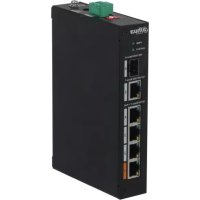
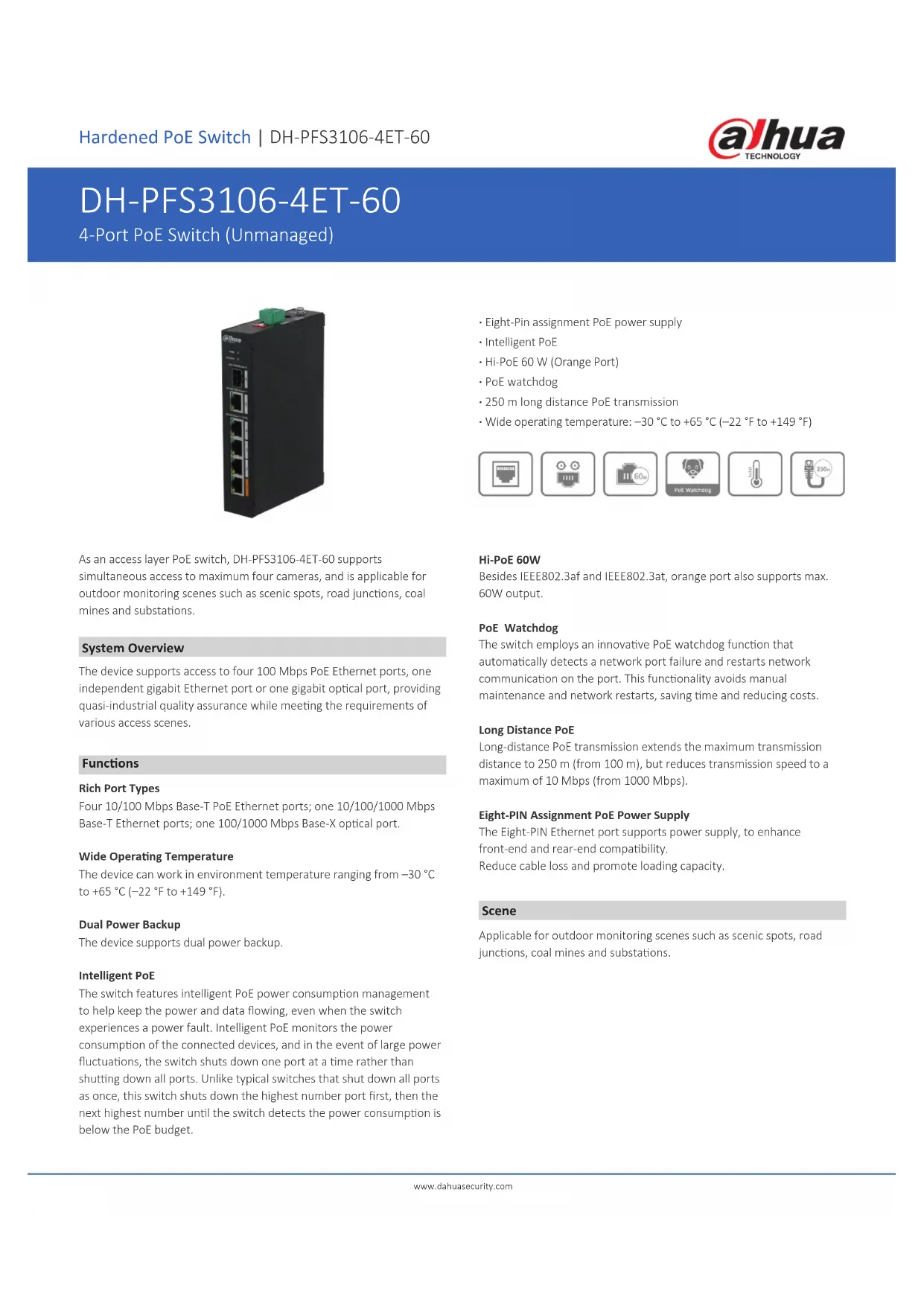
Exterior view of a black networking device with multiple ports and network switches (no visible text or labels)As an access layer PoE switch, DH-PFS3106-4ET-60 supports simultaneous access to maximum four cameras, and is applicable for outdoor monitoring scenes such as scenic spots, road junctions, coal mines and substations.
System Overview
The device supports access to four 100 Mbps PoE Ethernet ports, one independent gigabit Ethernet port or one gigabit optical port, providing quasi-industrial quality assurance while meeting the requirements of various access scenes.
Functions
Rich Port Types
Four 10/100 Mbps Base-T PoE Ethernet ports; one 10/100/1000 Mbps Base-T Ethernet ports; one 100/1000 Mbps Base-X optical port.
Wide Operating Temperature
The device can work in environment temperature ranging from -30 ^ to +65 ^ ( -22 ^ to +149 ^ ).
Dual Power Backup
The device supports dual power backup.
Intelligent PoE
The switch features intelligent PoE power consumption management to help keep the power and data flowing, even when the switch experiences a power fault. Intelligent PoE monitors the power consumption of the connected devices, and in the event of large power fluctuations, the switch shuts down one port at a time rather than shutting down all ports. Unlike typical switches that shut down all ports as once, this switch shuts down the highest number port first, then the next highest number until the switch detects the power consumption is below the PoE budget.
- Eight-Pin assignment PoE power supply
- Intelligent PoE
• Hi-PoE 60 W (Orange Port) - PoE watchdog
• 250 m long distance PoE transmission - Wide operating temperature: -30^ to +65^ ( -22^ to +149^ )




Hi-PoE 60W
Besides IEEE802.3af and IEEE802.3at, orange port also supports max. 60W output.
PoE Watchdog
The switch employs an innovative PoE watchdog function that automatically detects a network port failure and restarts network communication on the port. This functionality avoids manual maintenance and network restarts, saving time and reducing costs.
Long Distance PoE
Long-distance PoE transmission extends the maximum transmission distance to 250 m (from 100 m), but reduces transmission speed to a maximum of 10 Mbps (from 1000 Mbps).
Eight-PIN Assignment PoE Power Supply
The Eight-PIN Ethernet port supports power supply, to enhance front-end and rear-end compatibility.
Reduce cable loss and promote loading capacity.
Scene
Applicable for outdoor monitoring scenes such as scenic spots, road junctions, coal mines and substations.
Technical Specification
Hardware
| Ethernet Port | 4 |
| Optical Port | 1 |
| Ethernet Port Speed | 100 Mbps |
| Data Transmission Port | Port 1–4: 4 × RJ-45 10/100 Mbps (PoE)Port 5: 1 × RJ-45 10/100/1000 Mbps (Uplink)Port 6: 1 × SFP 100/1000 Mbps (Uplink) |
| Power Supply | 53 VDC |
| Operating Temperature | -30 °C to +65 °C (-22 °F to +149 °F) |
| Operating Humidity | 5%–95% (RH) |
| Storage Temperature | -30 °C to +70 °C (-22 °F to +158 °F) |
| Storage Humidity | 5%–95% (RH) |
| Power Consumption | Idling: 2.5 WFull load: 60 W |
Performance
| Capacity | 6.80 Gbps |
| Packet Forwarding Rate | 3.57 Mpps |
| Packet Buffer Memory | 1 Mbit |
| MAC Table Size | 8K |
| Communication Standard | IEEE802.3; IEEE802.3u; IEEE802.3X; IEEE 802.3ab; IEEE 802.3z |
PoE
| PoE Standard | IEEE802.3af; IEEE802.3at; Hi-PoE |
| PoE Power | 60 W |
| Power Consumption Management | Yes |
| PoE Pin Assignment | PoE/Hi-PoE: 1, 2, 4, 5 (V+), 3, 6, 7, 8 (V-) |
| Long Distance PoE | 250 m long distance PoE transmission |
General
| Statics Protection | Air discharge: 15 kVContact discharge: 8 kV |
| Thunder-proof | Common mode: 4 kVDifferential mode: 2 kV |
| Net Weight | 0.45 kg (0.99 lb) |
| Gross Weight | 1.10 kg (2.43 lb) |
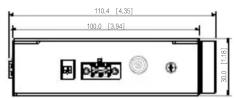
| Product Dimensions | 150 mm × 100 mm × 30 mm (5.91" × 3.94" × 1.18") (L × W × H) |
| Packing Dimensions | Packing box: 270 mm × 240 mm × 75 mm (10.63" × 9.45" × 2.95") (L × W × H)Protective box: 544 mm × 253 mm × 331 mm (21.42" × 9.96" × 13.03") (L × W × H) |
Transmission Performance:
Switch power supply voltage 53 V.
CAT5E/CAT6. Max. DC resistance < 10Ω/100 m
| Cable (m) | Load Capacity (W) Bandwidth (Mbps) |
IEEE802.3bt 90 W
| 100 | 71.3 100 | |
| 150 | 62 | 10 |
| 200 | 51 | 10 |
| 250 | 40 | 10 |
Hi-PoE 60 W
| 100 | 53 | 100 |
| 150 | 50 | 10 |
| 200 | 47 | 10 |
| 250 | 37 | 10 |
IEEE802.3at 30 W
| 100 | 25.5 100 | |
| 150 | 25.5 10 | |
| 200 | 25.5 10 | |
| 250 | 25.5 10 |
Note: Data from this table was collected by Dahua test lab and is for reference only. If there is inconsistency between field application and the table, the field result shall prevail.
Dimensions (mm[inch])
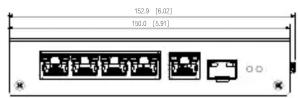
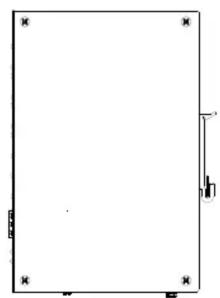
natural_image
Blank rectangular frame with corner markers and a small vertical line on the right side (no text or symbols)
natural_image
Isometric line drawing of a rectangular electronic device with ports and connectors (no text or symbols)Application

flowchart
graph LR
    A["Switch 1"] --> B["L2+ Managed Switch"]
    C["Switch 2"] --> B
    D["Switch 3"] --> B
    E["Switch 4"] --> B
    B --> F["Output Port"]
    B --> G["External Port"]
    B --> H["External Port"]
    B --> I["External Port"]
Rear Panel

text_image
@hua N 3 A 5 S 6 @hua N 3 A 5 S 6