PowerExpand+ 5in1 USBC Ethernet Hub - USB hub Anker - Notice d'utilisation et mode d'emploi gratuit
Retrouvez gratuitement la notice de l'appareil PowerExpand+ 5in1 USBC Ethernet Hub Anker au format PDF.

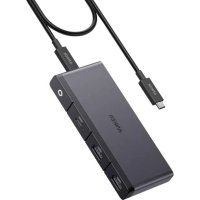
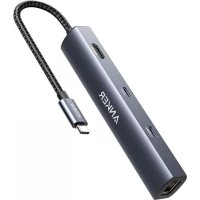
| Type de produit | Hub USB-C 5 en 1 |
| Marque | Anker |
| Modèle | PowerExpand+ 5in1 USB-C Ethernet Hub |
| Ports | 1 port USB-C hôte, 1 port HDMI, 3 ports USB-A, 1 port Ethernet RJ45 |
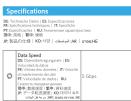
| Version USB | USB 3.0 (jusqu'à 5 Gbps) |
| Résolution HDMI | Jusqu'à 4K à 30 Hz |
| Vitesse Ethernet | Gigabit (10/100/1000 Mbps) |
| Alimentation | Bus-powered (alimenté par l'hôte USB-C) |
| Compatibilité | Ordinateurs et appareils avec port USB-C prenant en charge le mode alternatif |
| Matériau du boîtier | Aluminium |
| Longueur du câble | Environ 15 cm |
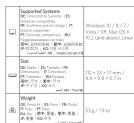
| Dimensions (L x l x h) | Environ 11,5 x 3,5 x 1,5 cm |
| Poids | Environ 60 g |
| Température de fonctionnement | 0 °C à 40 °C |
| Entretien et nettoyage | Essuyer avec un chiffon sec et doux. Ne pas utiliser de liquides. |
| Sécurité | Ne pas exposer à l'humidité ou à la chaleur excessive. Ne pas démonter. |
| Pièces détachées et réparabilité | Non réparable par l'utilisateur. Contacter le support Anker. |
| Garantie | 18 mois (consulter les conditions Anker) |
FOIRE AUX QUESTIONS - PowerExpand+ 5in1 USBC Ethernet Hub Anker
Questions des utilisateurs sur PowerExpand+ 5in1 USBC Ethernet Hub Anker
0 question sur cet appareil. Repondez a celles que vous connaissez ou posez la votre.
Poser une nouvelle question sur cet appareil
Téléchargez la notice de votre USB hub au format PDF gratuitement ! Retrouvez votre notice PowerExpand+ 5in1 USBC Ethernet Hub - Anker et reprennez votre appareil électronique en main. Sur cette page sont publiés tous les documents nécessaires à l'utilisation de votre appareil PowerExpand+ 5in1 USBC Ethernet Hub de la marque Anker.
MODE D'EMPLOI PowerExpand+ 5in1 USBC Ethernet Hub Anker

text_image
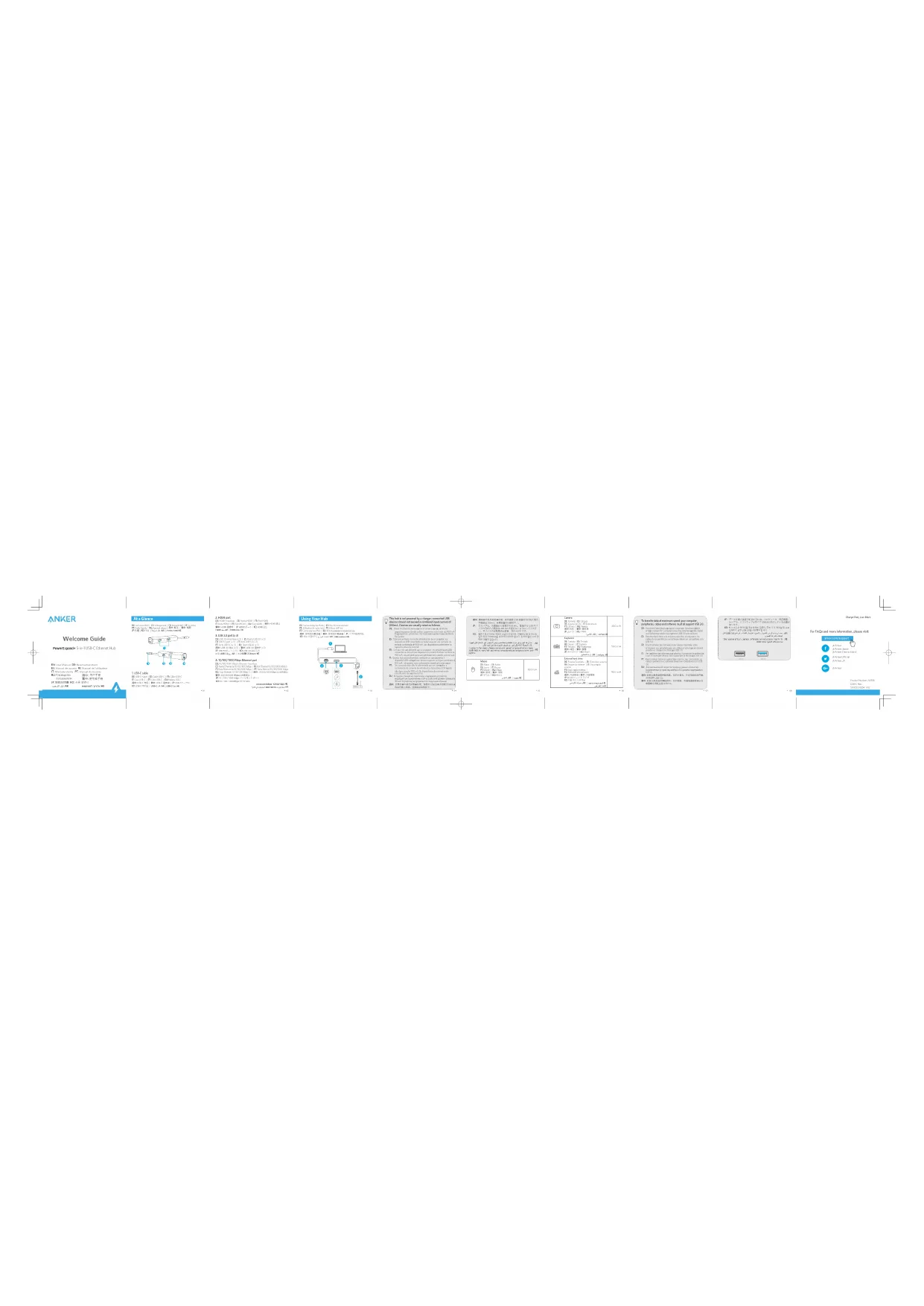
ANKER Welcome Guide PowerExpand® 5-in-USB-C Ethernet Hub 1. USB color 2. HDMI port 3. USB port (3) 4. USB port (3) 5. USB port (3) 6. USB port (3) 7. USB port (3) 8. USB port (3) 9. USB port (3) 10. USB port (3) 11. USB port (3) 12. USB port (3) 13. USB port (3) 14. USB port (3) 15. USB port (3) 16. USB port (3) 17. USB port (3) 18. USB port (3) 19. USB port (3) 20. USB port (3) 21. USB port (3) 22. USB port (3) 23. USB port (3) 24. USB port (3) 25. USB port (3) 26. USB port (3) 27. USB port (3) 28. USB port (3) 29. USB port (3) 30. USB port (3) 31. USB port (3) 32. USB port (3) 33. USB port (3) 34. USB port (3) 35. USB port (3) 36. USB port (3) 37. USB port (3) 38. USB port (3) 39. USB port (3) 40. USB port (3) 41. USB port (3) 42. USB port (3) 43. USB port (3) 44. USB port (3) 45. USB port (3) 46. USB port (3) 47. USB port (3) 48. USB port (3) 49. USB port (3) 50. USB port (3) 51. USB port (3) 52. USB port (3) 53. USB port (3) 54. USB port (3) 55. USB port (3) 56. USB port (3) 57. USB port (3) 58. USB port (3) 59. USB port (3) 60. USB port (3) 61. USB port (3) 62. USB port (3) 63. USB port (3) 64. USB port (3) 65. USB port (3) 66. USB port (3) 67. USB port (3) 68. USB port (3) 69. USB port (3) 70. USB port (3) 71. USB port (3) 72. USB port (3) 73. USB port (3) 74. USB port (3) 75. USB port (3) 76. USB port (3) 77. USB port (3) 78. USB port (3) 79. USB port (3) 80. USB port (3) 81. USB port (3) 82. USB port (3) 83. USB port (3) 84. USB port (3) 85. USB port (3) 86. USB port (3) 87. USB port (3) 88. USB port (3) 89. USB port (3) 90. USB port (3) 91. USB port (3) 92. USB port (3) 93. USB port (3) 94. USB port (3) 95. USB port (3) 96. USB port (3) 97. USB port (3) 98. USB port (3) 99. USB port (3) 100. USB port (3) Using Your Hub The hub is not powered by a charger, connected LOS. Device should not be installed in the core of NVIDIA devices and/or other networks that are available for NVIDIA devices and/or other networks that are available for NVIDIA devices and/or other networks that are available for NVIDIA devices and/or other networks that are available for NVIDIA devices and/or other networks that are available for NVIDIA devices and/or other networks that are available for NVIDIA devices and/or other networks that are available for NVIDIA devices and/or other networks that are available for NVIDIA devices and/or other networks that are available for NVIDIA device and/or other networks that are available for NVIDIA device and/or other networks that are available for NVIDIA device and/or other networks that are available for NVIDIA device and/or other networks that are available for NVIDIA device and/or other networks that are available for NVIDIA device and/or other networks that are available for NVIDIA device and/or other networks that are available for NVIDIA device and/or other networks that are available for NVIDIA device and/or other network that are available for NVIDIA device and/or other networks that are available for NVIDIA device and/or other networks that are available for NVIDIA device and/or other networks that are available for NVIDIA device and/or other networks that are available for NVIDIA device and/or other networks that are available for NVIDIA device and/or other networks that are available for NVIDIA device and/or other networks that are available for NVIDIA device and/or other networks that are availablefor NVIDIA device and/or other networks that are availablefor NVIDIA device and/or other networks that are availablefor NVIDIA device and/or other networks that are availablefor NVIDIA device and/or other networks that are availablefor NVIDIA device and/or other networks that are availablefor NVIDIA device and/or other networks that are availablefor NVIDIA device and/or other networks that are availablefor NVIDIA device and/or other networks that are availablefor NVIDIA devices and/or other networks that are availablefor NVIDIA device and/or other networks that are availablefor NVIDIA device and/or other networks that are availablefor NVIDIA device and/or other networks that are availablefor NVIDIA device and/or other networks that are availablefor NVIDIA device and/or other networks that are availablefor NVIDIA device and/or other networks that are availablefor NVIDIA device and/or other networks that are availablefor NVIDIA device and/or other network that are availablefor NVIDIA device and/or other networks that are availablefor NVIDIA device and/or other networks that are availablefor NVIDIA device and/or other networks that are availablefor NVIDIA device and/or other networks that are availablefor NVIDIA device and/or other networks that are availablefor NVIDIA device and/or other networks that are availablefor NVIDIA device and/or other networks that are availablefor NVIDIA device and/or other networks that are available for NVIDIA device and/or other networks that are available for NVIDIA device and/or other networks that are available for NVIDIA device and/or other networks that are available for NVIDIA device and/or other networks that are available for NVIDIA device and/or other networks that are available for NVIDIA device and/or other networks that are available for NVIDIA device and/or other networks that are available for NVIDIA devices and/or other networks that are available for NVIDIA device and/or other networks that are available for NVIDIA device and/or other networks that are available for NVIDIA device and/or other networks that are available for NVIDIA device and/or other networks that are available for NVIDIA device and/or other networks that are available for NVIDIA device and/or other networks that are available for NVIDIA device and/or other network that are available for NVIDIA device and/or other network that are available for NVIDIA device and/or other network that are available for NVIDIA device and/or other network that are available for NVIDIA device and/or other network that are available for NVIDIA device and/or other network that are available for NVIDIA device and/or other network that are available for NVIDIA device and/or other network that are available for NVIDIA device and/or other network that are availablefor NVIDIA device and/or other network that are availablefor NVIDIA device and/or other network that are availablefor NVIDIA device and/or other network that are availablefor NVIDIA device and/or other network that are availablefor NVIDIA device and/or other network that are availablefor NVIDIA device and/or other network that are availablefor NVIDIA device and/or other network that are availablefor NVIDIA device and/or other network that are availablefor NVIDIA devices and/or other network that are availablefor NVIDIA devices and/or other network that are availablefor NVIDIA devices and/or other network that are availablefor N NVIDIA devices and/or other network that are availablefor N NVIDIA devices and/or other network that are availablefor N NVIDIA devices and/or other network that are availablefor N NVIDIA devices and/or other network that are availablefor N NVIDIA devices and/or other network that are availablefor N NVIDIA devices and/or other network that are availablefor N NVIDIA devices and/or other network that are availablefor N NVIDIA devices and/or other network that are availablefor N NVIDIA devices and/or others from the main components of the main components of the main components of the main components of the main components of the main components of the main components of the main components of the main components of the main components of the main components of the main components of the main components of the main components of the main components of the main components of the main components of the main components of the main components of the main components of the main components of the main components of the main components of the main components of the main components of the main components, including NVIDIA devices, which include NVR, NVR, NVR, NVR, NVR, NVR, NVR, NVR, NVR, NVR, NVR, NVR, NVR, NVR, NVR, NVR, NVR, NVR, NVR, NVR, NVR, NVR, NVR, NVR, NVR, NVR, NVR, NVR, NVR, NVR, NVR, NVR, NVR, NVR, MVR, NVR, NVR, NVR, NVR, NVR, NVR, NVR, NVR, NVR, NVR, NVR, NVR, NVR, NVR, NVR, NVR, NVR, NVR, NVR, NVR, NVR, NVR, NVR, NVR, NVR, NVR, NVR, NVR, NVR, NVR, NVR, NVR, N VR, NVR, NVR, NVR, NVR, NVR, NVR, NVR, NVR, NVR, NVR, NVR, NVR, NVR, NVR, NVR, NVR, NVR, NVR, NVR, NVR, NVR, NVR, NVR, NVR, NVR, NVR, NVR, NVR, NVR, NVR, NVR, NVR, NVR, 100 nA 100 nA Charge Fast: Live More For FAQs and more information please visit: Product Number: 100/100/100/100/100/100/100/100/100/100/100/100/100/100/100/100/100/100/100/100/100/100/100/100/100/100/ Anker: Anker System: Anker System - Anker System - Anker System - Anker System - Anker System - Anker System - Anker System - Anker System - Anker System - Anker System - Anker System - Anker System - Anker System - Anker System - Anker System - Anker System - Anker System - Anker System - Anker System - Anker System - Anker System - Anker System - Anker System - Anker System - Anker System - Anker System- Anker System - Anker System - Anker System - Anker System - Anker System - Anker System - Anker System - Anker System - Anker System - Anker System - Anker System - Anker System - Anker System - Anker System - Anker System - Anker System - Anker System - Anker System - Anker System - Anker System - Anker System - Anker System - Anker System - Anker System - Anker System - Anker: Anker System: Anker System - Anker System - Anker System - Anker System - Anker System - Anker System - Anker System - Anker System - Anker System - Anker System - Anker System - Anker System - Anker System - Anker System - Anker System - Anker System - Anker System - Anker System - Anker System - Anker System - Anker System - Anker System - Anker System - ANR: ANR: ANR: ANR: ANR: ANR: ANR: ANR: ANR: ANR: ANR: ANR: ANR: ANR: ANR: ANR: ANR: ANR: ANR: ANR: ANR: ANR: ANR: ANR: ANR: ANR: ANR: ANR: ANR: ANR: ANR: ANR: ANR: ANR:ANR: ANR: ANR: ANR: ANR: ANR: ANR: ANR: ANR: ANR: ANR: ANR: ANR: ANR: ANR: ANR: ANR: ANR: ANR: ANR: ANR: ANR: ANR: ANR: ANR: ANR: ANR: ANR: ANR: ANR: ANR: ANR: ANR: ANr:ANr:ANr:ANr:ANr:ANr:ANr:ANr:ANr:ANr:ANr:ANr:ANr:ANr:ANr:ANr:ANr:ANr:ANr:ANr:ANr:ANr:ANr:ANr:ANr:ANr:ANr:ANr:ANr:ANr:ANr:ANr:Nanr:Nanr:Nanr:Nanr:Nanr:Nanr:Nanr:Nanr:Nanr:Nanr:Nanr:Nanr:Nanr:Nanr:Nanr:Nanr:Nanr:Nanr:Nanr:Nanr:Nanr:Nanr:Nanr:Nanr:Nanr:Nanr:Nanr:Nanr:Nanr:Nanr:Nanr:Nanr:Nanr:Nanf:Nanr:Nanf:Nanf:Nanf:Nanf:Nanf:Nanf:Nanf:Nanf:Nanf:Nanf:Nanf:Nanf:Nanf:Nanf:Nanf:Nanf:Nanf:Nanf:Nanf:Nanf:Nanf:Nanf:Nanf:Nanf:Nanf:Nanf:Nanf:Nanf:Nanf:Nanf:Nanf:Nanf:Nanf:Nanf,Nonk(Nonk) : 100 / 100 / 100 / 100 / 100 / 100 / 100 / 100 / 100 / 100 / 100 / 100 / 100 / 100 / 100 / 100 / 100 / 100 / 100 / 100 / 100/100/100/100/100/100/100/100/100/100/100/100/100/100/100/100/100/100/100/100/1

natural_image
Completely blank white image with no visible content, text, or symbols.
natural_image
Completely blank white image with no visible content, text, or symbols.
natural_image
Blank white image with no visible content, text, or symbols.
natural_image
Blank white image with no visible content, text, or symbols.
natural_image
Blank white image with no visible content, text, or symbols.
natural_image
Blank white image with no visible content, text, or symbols
natural_image
Blank white image with no visible content, text, or symbols.
natural_image
Completely blank white image with no visible content, text, or symbols.
natural_image
Blank white image with no visible content, text, or symbols
natural_image
Blank white image with no visible content, text, or symbols.
natural_image
Blank white image with no visible content, text, or symbols
natural_image
Blank white image with no visible content, text, or symbols
natural_image
Blank white image with no visible content, text, or symbols
natural_image
Blank white image with no visible content, text, or symbols
natural_image
Blank white image with no visible content, text, or symbols
natural_image
Blank white image with no visible content, text, or symbols
natural_image
Blank white image with no visible content, text, or symbols
natural_image
Blank white image with no visible content, text, or symbols
natural_image
Blank white image with no visible content, text, or symbols
natural_image
Blank white image with no visible content, text, or symbols
natural_image
Blank white image with no visible content, text, or symbols
natural_image
Blank white image with no visible content, text, or symbols
natural_image
Blank white image with no visible content, text, or symbols
natural_image
Blank white image with no visible content, text, or symbols
natural_image
Blank white image with no visible content, text, or symbols
natural_image
Blank white image with no visible content, text, or symbols
natural_image
Blank white image with no visible content, text, or symbols
natural_image
Blank white image with no visible content, text, or symbols
natural_image
Blank white image with no visible content, text, or symbols
natural_image
Blank white image with no visible content, text, or symbols
natural_image
Blank white image with no visible content, text, or symbols
natural_image
Blank white image with no visible content, text, or symbols
natural_image
Blank white image with no visible content, text, or symbols
natural_image
Pure geometric lines forming a crosshair symbol (no text or labels)
text_image
ANKER At a Chance 2 HDMI port D:\300\Hardware (D:\Farms\CPU) (D:\Farms\CPU) D:\300\Hardware (D:\Farms\CPU) (D:\Farms\CPU) Using Your Hub This hub is not presented by a charger connected USB devices should not exceed a combined input current Device should not exceed a combined input current Camera D:\300\Hardware (D:\Farms\CPU) (D:\Farms\CPU) Device should not exceed a combined input current To transfer data at maximum speed, your computer user, or other devices, or to the same device, or to the same device, or to the same device, or to the same device, or to the same device, or to the same device, or to the same device, or to the same device, or to the same device, or to the same device, or to the same device, or to the same device, or to the same device, or to the same device, or to the same device, or to the same device, or to the same device, or to be able to access any connection to the system.
text_image
Welcome Guide A: A B C D E F G (1): B D E F G (2): B D E F G (3): B D E F G (4): B D E F G (5): B D E F G (6): B D E F G (7): B D E F G (8): B D E F G (9): B D E F G (10): B D E F G (11): B D E F G (12): B D E F G (13): B D E F G (14): B D E F G (15): B D E F G (16): B D E F G (17): B D E F G (18): B D E F G (19): B D E F G (20): B D E F G (21): B D E F G (22): B D E F G (23): B D E F G (24): B D E F G (25): B D E F G (26): B D E F G (27): B D E F G (28): B D E F G (29): B D E F G (30): B D E F G (31): B D E F G (32): B D E F G (33): B D E F G (34): B D E F G (35): B D E F G (36): B D E F G (37): B D E F G (38): B D E F G (39): B D E F G (40): B D E F G (41): B D E F G (42): B D E F G (43): B D E F G (44): B D E F G (45): B D E F G (46): B D E F G (47): B D E F G (48): B D E F G (49): B D E F G (50): B D E F G (51): B D E F G (52): B D E F G (53): B D E F G (54): B D E F G (55): B D E F G (56): B D E F G (57): B D E F G (58): B D E F G (59): B D E F G (60): B D E F G (61): B D E F G (62): B D E F G (63): B D E F G (64): B D E F G (65): B D E F G (66): B D E F G (67): B D E F G (68): B D E F G (69): B D E F G (70): B D E F G (71): B D E F G (72): B D E F G (73): B D E F G (74): B D E F G (75): B D E F G (76): B D E F G (77): B D E F G (78): B D E F G (79): B D E F G (80): B D E F G (81): B D E F G (82): B D E F G (83): B D E F G (84): B D E F G (85): B D E F G (86): B D E F G (87): B D E F G (88): B D E F G (89): B D E F G (90): B D E F G (91): B D E F G (92): B D E F G (93): B D E F G (94): B D E F G (95): B D E F G (96): B D E F G (97): B D E F G (98): B D E F G (99): B D E F G (100): B: A: A B C D E F G B: A C C D E F G B: A D C E A N M B: A E C A N M B: A Z C A N M B: A Z C A N M B: A Z C A N M B: A Z C A N M B: A Z C A N M B: A Z C A N M B: A Z C A N M B: A Z C A N M B: A Z C A N M B: A Z C A N M B: A Z C A N M B: A ZC A N M B: A ZC A N M B: A ZC A N M B: A ZC A N M B: A ZC A N M B: A ZC A N M B: A ZC A N M B: A ZC A N M B: A ZC A N M B: A ZC A N M B: A ZC A N M B: A ZC T O R S O R S O R S O R S O R S O R S O R S O R S O R S O R S O R S O R S O R S O R S O R S O R S O R S O R S O R S O R S O R S O R S O R S O R S O R S O R S O R S O R S O R S O R S O R S O R S O R S O R S B: A ZC T O R S O R S O R S O R S O R S O R S O R S O R S O R S O R S O R S O R S O R S O R S O R S O R S O R S O R S O R S O R S O R S O R S O R S O R S O R S O R S O R S O R S O R S B: A ZC T O R S O R B: A ZC T O R S O R B: A ZC T O R S O R B: A ZC T O R S O R B: A ZC T O R S O R B: A ZC T O R S O R B: A ZC T O R S O R B: A ZC T O R S O R B: A ZC TO R S O R B: A ZC TO R S O R B: A ZC TO R S O R B: A ZC TO R S O R B: A ZC TO R S O R B: A ZC TO R S O R B: A ZC TO R S O R B: A ZC TO R S O R B: A ZC TO R S O.R B: A ZC TO R S O.R B: A ZC TO R S O.R B: A ZC TO R S O.R B: A ZC TO R S O.R B: A ZC TO R S O.R B: A ZC TO R S O.R B: A ZC TO R S O.R B: A ZC TO R S O.R B: T O U P I K I K I K I K I K I K I K I K I K I K I K I K I K I K I K I K I K I K I K I K I K I K I K I K I K I K I K I K I K I K I K I K I K I K I K I K I K I K I K I K I K I K I K I K I K I K I K I K I K I K IK I K I K I K I K I K I K I K I K I K I K I K I K I K I K I K I K I K I K I K I K I K I K I K I K I K I K I K I K I K I K I K I K I K I K I K I K I K I K I K I K I K I K I K I K I K I K I K I K I K I.KI 100% B: A Z C T O U P I K I K I K I K I K I K I K I K I K I K I K I K IK IK IK IK IK IK IK IK IK IK IK IK IK IK IK IK IK IK IK IK IK IK IK IK IK IK IK IK IK IK IK IK IK IK IK IK IK IK II. B: A Z C T O U P I KI L H B: A Z C T O U P I L H B: A Z C T O U P U L H B: A Z C T O U P U L H B: A Z C T O U P U L H B: A Z C T O U P U L H B: A Z C T O U P U L H B: A Z C T O U P U L H B: A Z C T O U P U L H B: A Z C T O U P U L H B: A Z CT U P U L H B: A Z C T U P U L H B: A Z C T U P U L H B: A Z C T U P U L H B: A Z C T U P U L H B: A Z C T U P U L H B: A Z C T U P U L H B: A Z C T U P U L H B: A Z C T U P U L H B: A Z C T U P U U L H B: A Z C T U P U L H B: A Z C T U P U L H B: A Z C T U P U L H B: A Z C T U P U L H B: A Z C T U P U L H B: A Z C T U P U L H B: A Z C T U P U L H B: A Z C T U P U L H S/O V, Deviation of the specific parameters: - The deviation of the specific parameters: - The deviation of the specific parameters: - The deviation of the specific parameters: - The deviation of the specific parameters: - The deviation of the specific parameters: - The deviation of the specific parameters: - The deviation of the specific parameters: - The deviation of the specific parameters: - The deviation of the specific parameters: - The deviation of the specific parameters: - The deviation of the specific parameters: - The deviation of the specific parameters: - The deviation of the specific parameter: - The deviation of the specific parameters: - The deviation of the specific parameters: - The deviation of the specific parameters: - The deviation of the specific parameters: - The deviation of the specific parameters: - The deviation of the specific parameters: - The deviation of the specific parameters: - The deviation of the specific parameters: - The deviation of the specific parameters: - The deviation of the specific parameters: - The deviation of the specific parameters: - The deviation of the specific parameters: - The deviations from the deviation of the specific parameters: - The deviations from the deviation of the specific parameters: - The deviations from the deviation of the specific parameters: - The deviations from the deviation of the specific parameters: - The deviations from the deviation of the specific parameters: - The deviations from the deviation of the specific parameters: - The deviations from the deviation of the specific parameters: - The deviations from the deviation of the specific parameters: - The deviations from the deviation of the specific parameters: - The deviations from the deviations from the deviation of the specific parameters: - The deviations from the deviations from the deviation of the specific parameters: - The deviations from the deviations from the deviation of the specific parameters: - The deviations from the deviations from the deviation of the specific parameters: - The deviations from the deviations from the deviation of the specific parameters: - The deviations from the deviations from the deviation of the specific parameters: - The deviations from the deviations from the deviation of the specific parameters: - The deviations from the deviations to the deviation of the specific parameters: - The deviations from the deviations from the deviation of the specific parameters: - The deviations from the deviations from the deviation of the specific parameters: - The deviations from the deviations from the deviation of the specific parameters: - The deviations from the deviations from the deviation of the specific parameters: - The deviations from the deviations from the deviation of the specific parameters: - The deviations from the deviations from the deviation of the specific parameters: - The deviations from the deviations from the deviations from the deviation of the specific parameters: - The deviations from the deviations from the deviations from the deviation of the specific parameters: - The deviations from the deviations from the deviations from the deviation of the specific parameters: - The deviations from the deviations from the deviations from the deviation of the specific parameters: - The deviations from the deviations from the deviations from the deviation of the specific parameters: - The deviations from the deviations from the deviations from the deviation of the specific parameters: - The deviates from the deviations from the deviation of the specific parameters: - The deviations from the deviations from the deviation of the specific parameters: - The deviations from the deviations from the deviation of the specific parameters: - The deviations from the deviations from the deviation of the specific parameters: - The deviations from the deviations from the deviation of the specific parameters: - The deviations from the deviations from the deviation of the specific parameters: - The deviations from the deviations from the deviation of the specific parameters: - The deviations from this deviation is not yet determined by its method.
text_image
PowerUpende 5-in-USB-C Ethernet Hub 4.10/10000000000000000000000000000000000000000000000000000000000000000000000000000000000000000000000000000 File Edit: 1234476789 File Open: 1234476789 File Print: 1234476789 File Output: 1234476789 File Link: 1234476789 File Performance: 1234476789 File Security: 1234476789 File Protection: 1234476789 File Security Performance: 1234476789 File Security Output: 1234476789 File Security Output: 1234476789 File Security Output: 1234476789 File Security Output: 1234476789 File Security Output: 1234476789 File Security Output: 1234476789 File Security Output: 1155555555 File Security Output: 1155555555 File Security Output: 1155555555 File Security Output: 1155555555 File Security Output: 1155555555 File Security Output: 1155555555 File Security Output: 1155555555 File Security Input: 1155555555 File Security Input: 1155555555 File Security Input: 1155555555 File Security Input: 1155555555 File Security Input: 1155555555 File Security Input: 1155555555 File Security Input: 1234476789 File Security Input: 1234476789 File Security Input: 1234476789 File Security Input: 1234476789 File Security Input: 1234476789 File Security Input: 1234476789 File Security Input: 1234476789 File Security Output: 1234476789 File Security Output: 1234476789 File Security Output: 1234476789 File Security Output: 1234476789 File Security Output: 1234476789 File Security Output: 1334476789 File Security Output: 1334476789 File Security Output: 1334476789 File Security Output: 1334476789 File Security Output: 1334476789 File Security Output: 1334476789 File Security Output: 13344
text_image
EN: Umler (M) DE: Beteiligungs- und EN: Maures de laufrika. EN: Umler in der Betrieb. EN: Manulier sowie. Maures in der Schulze. EN: Pwährungsteuern. EN: 10/12. 31. 10. 15. 16. 17. 18. 19. 20. 21. 22. 23. 24. 25. 26. 27. 28. 29. 30. 31. 32. 33. 34. 35. 36. 37. 38. 39. 40. 41. 42. 43. 44. 45. 46. 47. 48. 49. 50. 51. 52. 53. 54. 55. 56. 57. 58. 59. 60. 61. 62. 63. 64. 65. 66. 67. 68. 69. 70. 71. 72. 73. 74. 75. 76. 77. 78. 79. 80. 81. 82. 83. 84. 85. 86. 87. 88. 89. 90. 91. 92. 93. 94. 95. 96. 97. 98. 99. 100.
text_image
P: 电能国际 (K) 华能公司 www.psd.com www.psd.com www.psd.com www.psd.com www.psd.com www.psd.com www.psd.com www.psd.com www.psd.com www.psd.com www.psd.com www.psd.com www.psd.com www.psd.com www.psd.com www.psd.com www.psd.com www.psd.com www.psd.com www.psd.com www.psd.mn www.psd.mn www.psd.mn www.psd.mn www.psd.mn www.psd.mn www.psd.mn www.psd.mn www.psd.mn www.psd.mn www.psd.mn www.psd.mn www.psd.mn www.psd.mn www.psd.mn www.psd.mn www.psd.mn www.pds.com www.psd.com www.psd.com www.psd.com www.psd.com www.psd.com www.psd.com www.psd.com www.psd.com www.psd.com www.psd.com www.psd.com www.psd.com www.psd.com www.psd.com www.psd.com www.psd.com www.psd.com www.psd.com www.psd.com www.pds.com www.psd.com www.psd.com www.psd.com www.psd.com www.psd.com www.psd.com www.psd.com www.psd.com www.psd.com www.psd.com www.psd.com www.psd.com www.psd.com www.psd.com www.psd.com www.psd.com www.psd.com www.psd.com www.psd.mn www.nmnmn www.nmnmn www.nmnmn www.nmnmn www.nmnmn www.nmnmn www.nmnmn www.nmnmn www.nmnmn www.nmnmn www.nmnmn www.nmnmn
natural_image
Pure geometric lines without any text, numbers, or symbols
natural_image
Blank white image with no visible content, text, or symbols.
natural_image
Blank white image with no visible content, text, or symbols
natural_image
Blank white image with no visible content, text, or symbols
natural_image
Blank white image with no visible content, text, or symbols.
natural_image
Blank white image with no visible content, text, or symbols.
natural_image
Blank white image with no visible content, text, or symbols.
natural_image
Blank white image with no visible content, text, or symbols
natural_image
Blank white image with no visible content, text, or symbols.
natural_image
Blank white image with no visible content, text, or symbols.
natural_image
Blank white image with no visible content, text, or symbols.
natural_image
Blank white image with no visible content, text, or symbols
natural_image
Blank white image with no visible content, text, or symbols.
natural_image
Blank white image with no visible content, text, or symbols.
natural_image
Blank white image with no visible content, text, or symbols.
natural_image
Blank white image with no visible content, text, or symbols
natural_image
Blank white image with no visible content, text, or symbols.
natural_image
Blank white image with no visible content, text, or symbols.
natural_image
Blank white image with no visible content, text, or symbols.
natural_image
Blank white image with no visible content, text, or symbols
natural_image
Blank white image with no visible content, text, or symbols.
natural_image
Blank white image with no visible content, text, or symbols.
natural_image
Blank white image with no visible content, text, or symbols.
natural_image
Blank white image with no visible content, text, or symbols
natural_image
Blank white image with no visible content, text, or symbols.
natural_image
Blank white image with no visible content, text, or symbols.
natural_image
Blank white image with no visible content, text, or symbols
natural_image
Blank white image with no visible content, text, or symbols.
natural_image
Blank white image with no visible content, text, or symbols.
natural_image
Blank white image with no visible content, text, or symbols.
natural_image
Blank white image with no visible content, text, or symbols
natural_image
Blank white image with no visible content, text, or symbols.
natural_image
Blank white image with no visible content, text, or symbols.


2、交易对方情况