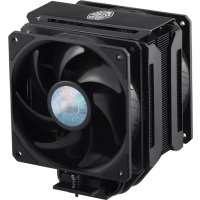
COOLER MASTER MasterAir MA612 Stealth - Ventirad pour processeur

MasterAir MA612 Stealth - Ventirad pour processeur COOLER MASTER - Notice d'utilisation et mode d'emploi gratuit

Retrouvez gratuitement la notice de l'appareil MasterAir MA612 Stealth COOLER MASTER au format PDF.

📄 20 pages Français FR Télécharger 💬 Question IA 10 questions ⚙️ Specs
Notice COOLER MASTER MasterAir MA612 Stealth - page 1
Choisissez votre langue et indiquez votre email : nous vous enverrons une version traduite specifiquement.
Type de produit Ventirad pour processeur
Marque Cooler Master
Modèle MasterAir MA612 Stealth
Compatibilité sockets Intel LGA 1700, LGA 1200, LGA 115X, LGA 2066, LGA 2011-v3, LGA 2011
Compatibilité sockets AMD AM4, AM3+, AM3, AM2+, AM2, FM2+, FM2, FM1
Dissipation thermique (TDP) Jusqu'à 220 W (estimation)
Dimensions du dissipateur 120 x 108 x 154 mm (estimation)
Poids Environ 800 g (estimation)
Ventilateur(s) 1 x 120 mm ARGB
Vitesse du ventilateur 650 ~ 1800 RPM (estimation)
Débit d'air 62 CFM (estimation)
Niveau sonore 8 ~ 27 dBA (estimation)
Alimentation ventilateur 4-pin PWM
Éclairage ARGB 3-pin 5V
Compatibilité ARGB ASUS AURA SYNC, ASRock POLYCHROME SYNC, GIGABYTE FUSION READY, MSI MYSTIC LIGHT SYNC
Matériau du radiateur Base en cuivre, ailettes en aluminium, caloducs en cuivre (6 x 6 mm)
Méthode de montage Backplate et brackets
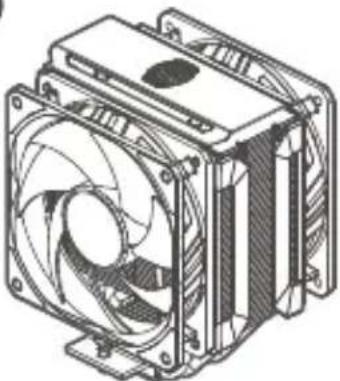
Contenu du colis Dissipateur, ventilateur, backplate, brackets, pâte thermique, vis, manuel
Entretien et nettoyage Nettoyez régulièrement la poussière à l'air comprimé ou avec un chiffon doux
Sécurité Assurez-vous que le ventilateur est correctement connecté et que le radiateur est bien fixé
Garantie 2 ans (estimation)
Contact support https://account.coolermaster.com/

FOIRE AUX QUESTIONS - MasterAir MA612 Stealth COOLER MASTER

Comment installer le MasterAir MA612 Stealth sur un socket Intel LGA 1700 ?
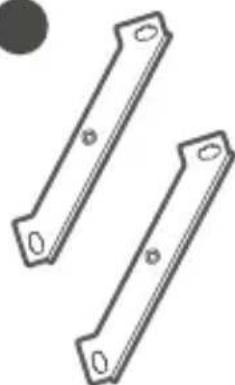
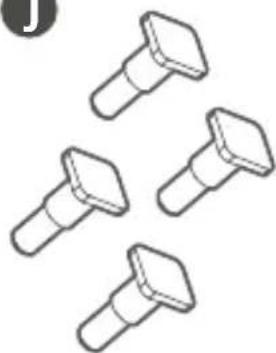
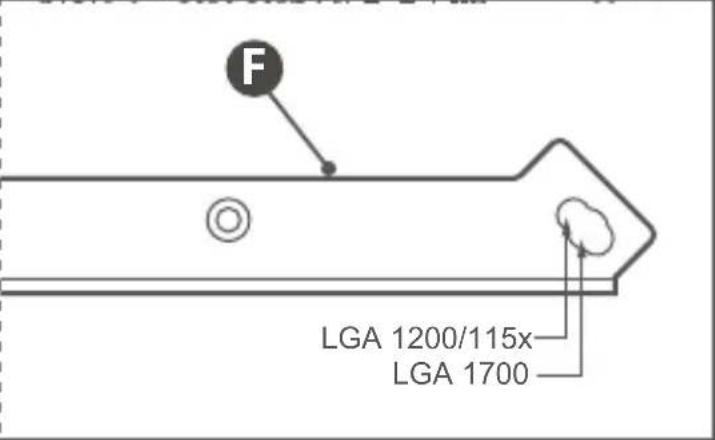
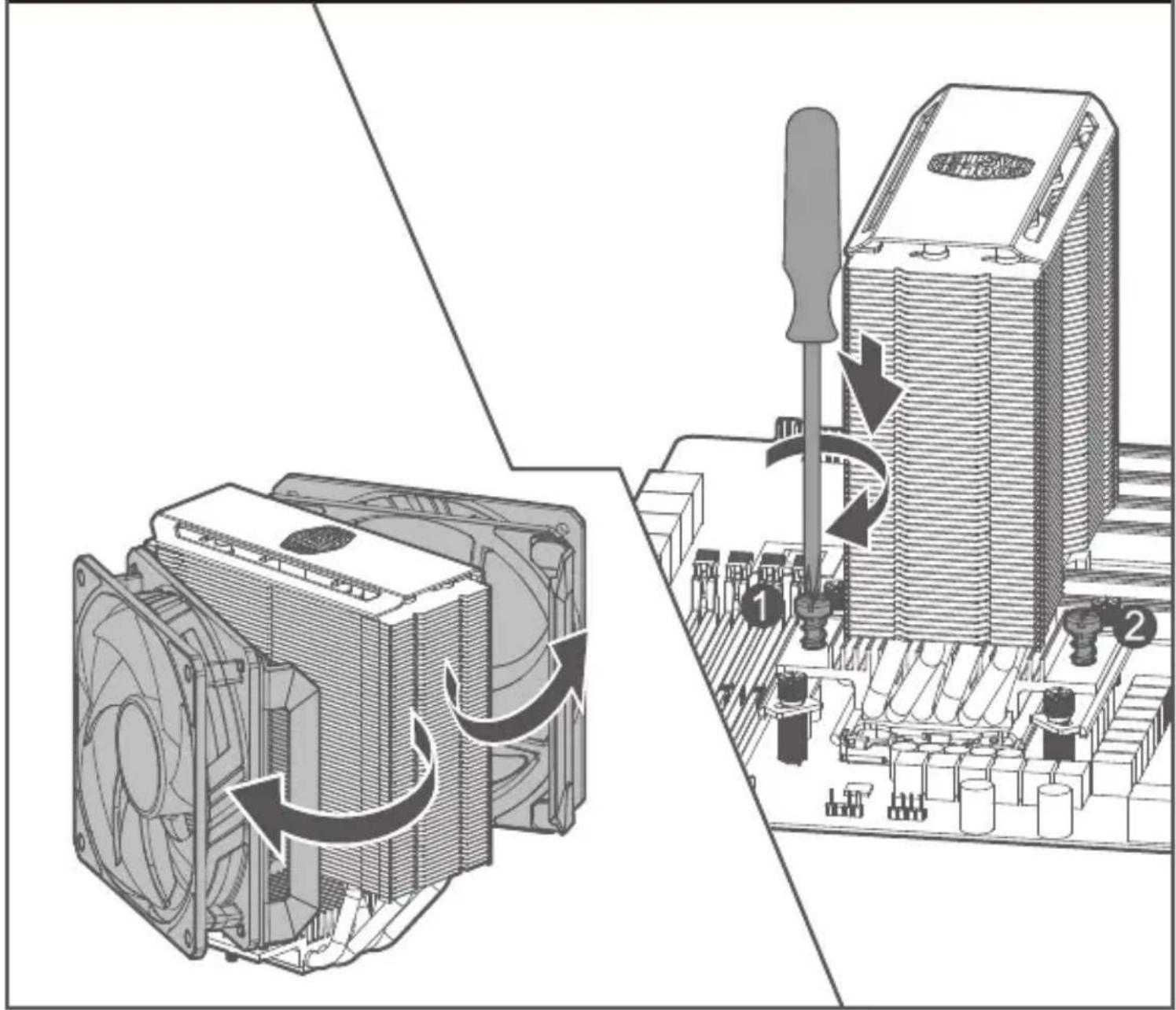
Suivez la section 'Intel - LGA 1700/1200/115x' du manuel. Utilisez les brackets B et les vis F (pour LGA 1700) ou J (pour LGA 1200/115x). Fixez d'abord la backplate, puis les supports de montage, appliquez la pâte thermique et installez le dissipateur en serrant les vis en croix.
Quelle pâte thermique est incluse avec le ventirad ?
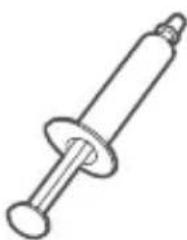
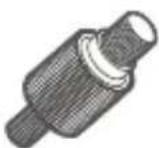
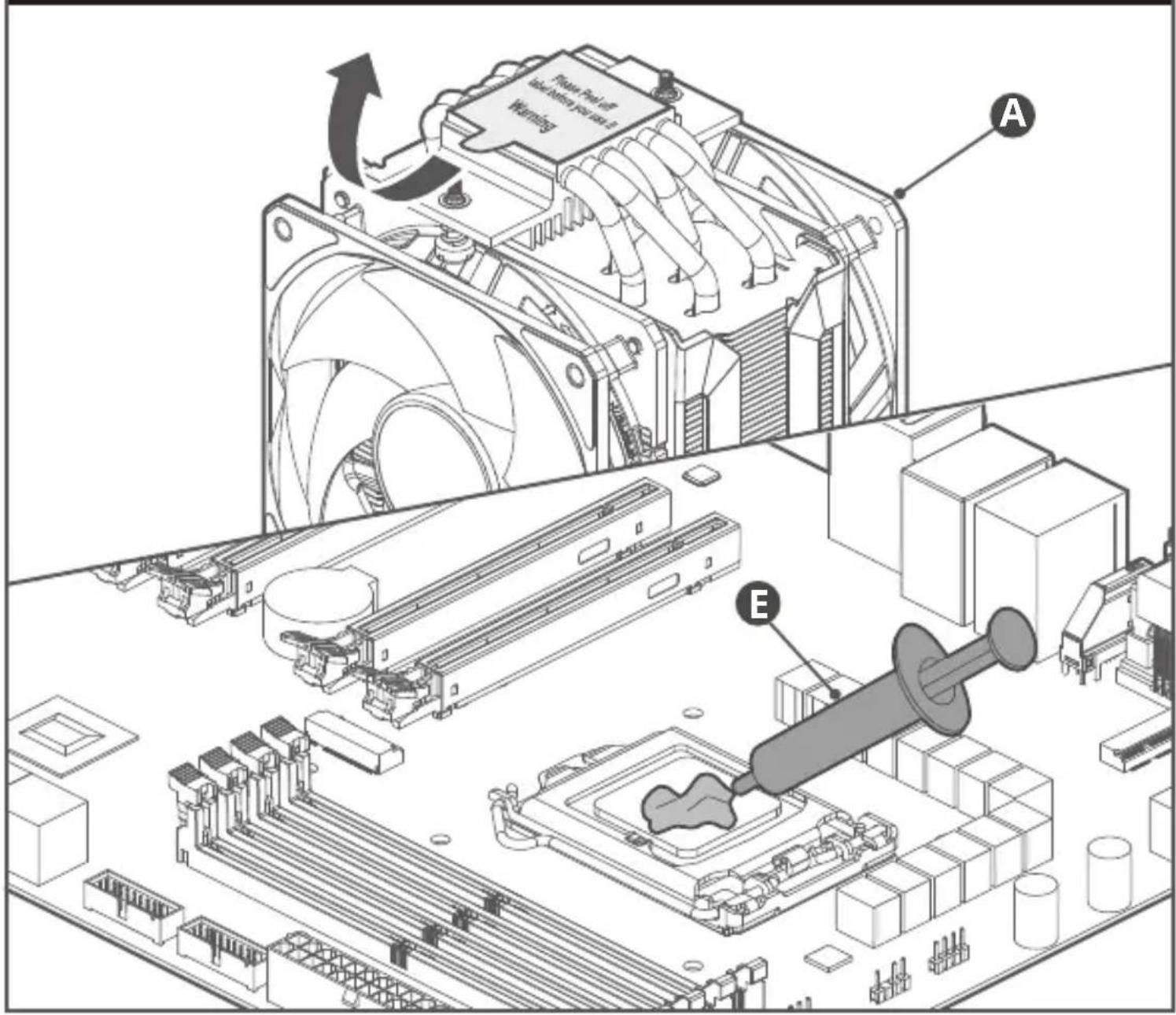
Le colis contient une seringue de pâte thermique Cooler Master MasterGel Pro (voir pièce E dans le manuel). Appliquez une quantité de la taille d'un petit pois au centre du processeur avant d'installer le dissipateur.
Comment brancher l'éclairage ARGB du ventirad ?
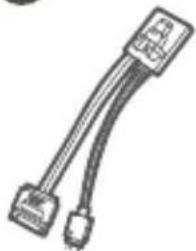
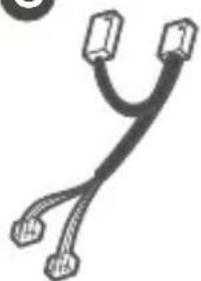
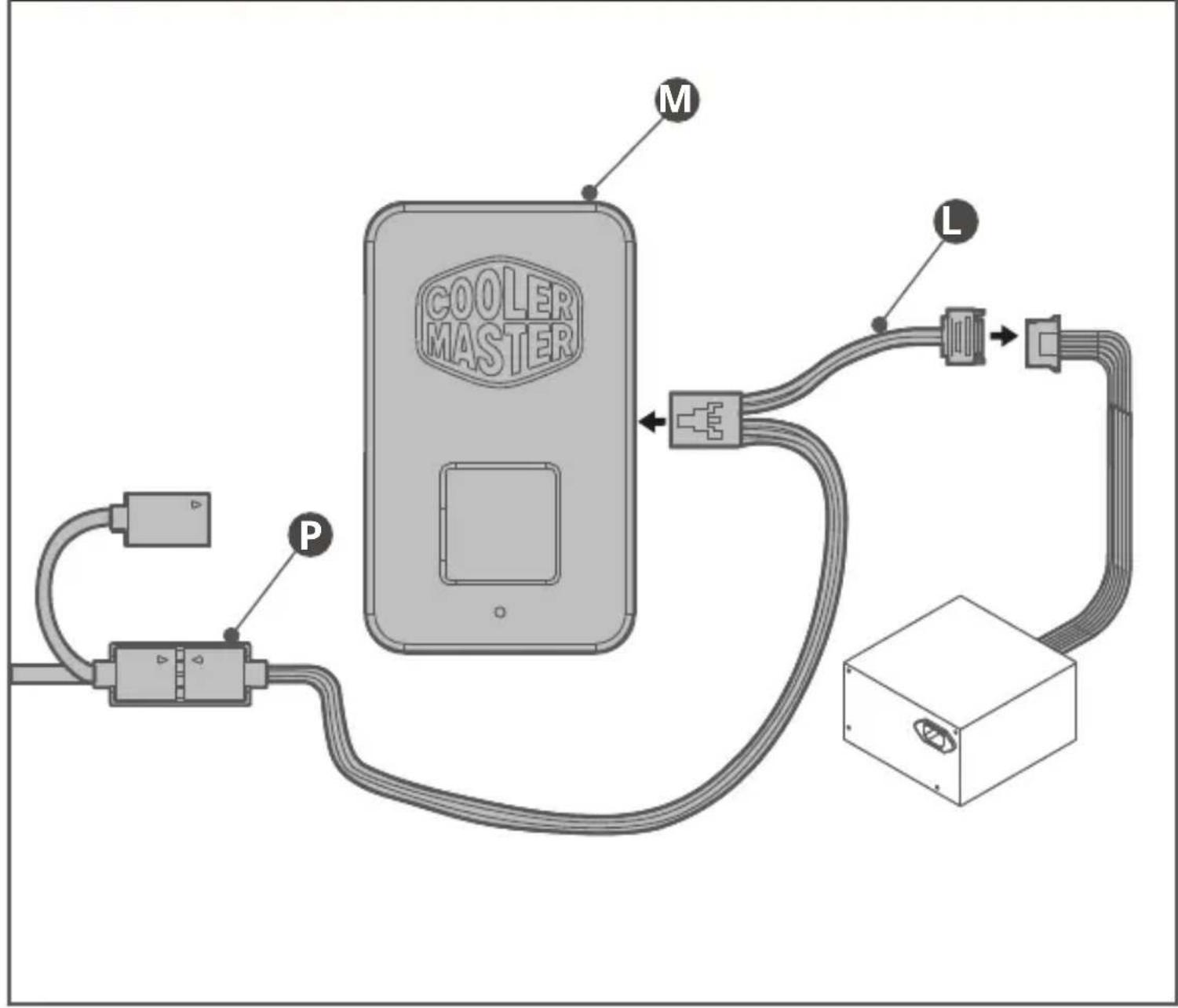
Connectez le câble ARGB 3-pin 5V (pièce M) au connecteur correspondant sur votre carte mère. Assurez-vous que la flèche du connecteur est alignée avec le pin 5V (généralement marqué). Il est compatible avec les technologies ASUS AURA SYNC, ASRock POLYCHROME SYNC, GIGABYTE FUSION READY et MSI MYSTIC LIGHT SYNC.
Puis-je utiliser ce ventirad avec un socket AMD AM5 ?
Le manuel liste la compatibilité avec AM4 mais pas explicitement AM5. Cependant, le système de montage AM4 est souvent compatible avec AM5. Vérifiez auprès de Cooler Master si un kit de montage AM5 est disponible ou si les brackets fournis conviennent.
Comment nettoyer le dissipateur sans l'endommager ?
Débranchez l'alimentation et retirez le ventilateur. Utilisez de l'air comprimé pour souffler la poussière entre les ailettes. Pour les taches tenaces, un chiffon microfibre légèrement humide peut être utilisé. Évitez tout liquide sur les composants électriques. Laissez sécher complètement avant de remonter.
Ma carte mère ne reconnaît pas l'éclairage ARGB, que faire ?
Vérifiez d'abord que le connecteur ARGB est bien enfoncé sur le header 3-pin 5V de la carte mère. Assurez-vous que votre carte mère supporte le standard Adressable RGB (5V) et non un header RGB classique (12V). Si le problème persiste, essayez un autre header ou utilisez le logiciel de contrôle RGB fourni par le fabricant de la carte mère.
Le ventilateur émet un bruit anormal, est-ce normal ?
Un léger bruit de roulement peut être normal, mais un bruit fort ou irrégulier peut indiquer un problème. Vérifiez que le ventilateur est correctement fixé et qu'aucun câble ne touche les pales. Assurez-vous que la pâte thermique n'a pas coulé sur le ventilateur. Si le bruit persiste, contactez le support Cooler Master pour un éventuel remplacement.
Quelle est la hauteur maximale de la RAM compatible avec ce ventirad ?
Le MasterAir MA612 Stealth est conçu pour dégager les slots RAM. La hauteur maximale des barrettes de mémoire vive est d'environ 46 mm au-dessus du socket, mais vérifiez avec votre carte mère. Pour les modules très hauts, il est possible de décaler le ventilateur vers le haut si l'espace le permet.
Puis-je ajouter un deuxième ventilateur pour améliorer les performances ?
Oui, le dissipateur permet d'installer un second ventilateur en configuration push-pull. Utilisez des attaches en métal ou en plastique (non fournies) pour fixer un ventilateur supplémentaire de 120 mm à l'arrière du radiateur. Branchez-le sur un autre header PWM de la carte mère.
Comment contacter le support Cooler Master pour des pièces détachées ?
Rendez-vous sur le site officiel https://account.coolermaster.com/ pour créer une demande de support. Vous pouvez également consulter les adresses régionales: Asie (Taipei), Europe (Eindhoven), Chine (Shanghai) ou Amérique du Nord (Brea, CA). Préparez le numéro de modèle (MasterAir MA612 Stealth) et la preuve d'achat.

Questions des utilisateurs sur MasterAir MA612 Stealth COOLER MASTER

0 question sur cet appareil. Repondez a celles que vous connaissez ou posez la votre.

Poser une nouvelle question sur cet appareil

L'email reste privé : il sert seulement à vous prévenir si quelqu'un répond à votre question.

Aucune question pour l'instant. Soyez le premier à en poser une.

Téléchargez la notice de votre Ventirad pour processeur au format PDF gratuitement ! Retrouvez votre notice MasterAir MA612 Stealth - COOLER MASTER et reprennez votre appareil électronique en main. Sur cette page sont publiés tous les documents nécessaires à l'utilisation de votre appareil MasterAir MA612 Stealth de la marque COOLER MASTER.

MODE D'EMPLOI MasterAir MA612 Stealth COOLER MASTER

COOLER MASTER MasterAir MA612 Stealth - 1

text_image COOLER MASTER

MASTERAIR MA612 STEALTH ARGB

MANUAL

01.Package Content

A
COOLER MASTER MasterAir MA612 Stealth - 01.Package Content - 1

natural_image Technical line drawing of a CPU cooling fan with heatsink (no text or symbols)

B
COOLER MASTER MasterAir MA612 Stealth - 01.Package Content - 2

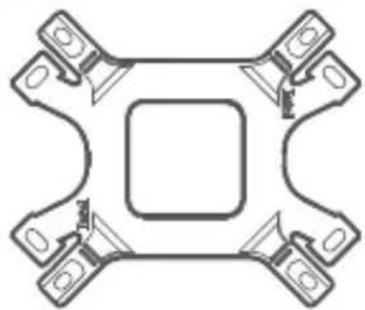
natural_image Symmetrical mechanical component diagram with four symmetrical arms and a central square (no text or symbols)

C

COOLER MASTER MasterAir MA612 Stealth - 01.Package Content - 3

D
COOLER MASTER MasterAir MA612 Stealth - 01.Package Content - 4

E
COOLER MASTER MasterAir MA612 Stealth - 01.Package Content - 5

natural_image Simple line drawing of a syringe with a flanged shaft (no text or symbols)

x1

F
COOLER MASTER MasterAir MA612 Stealth - 01.Package Content - 6

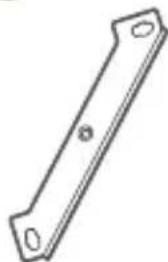
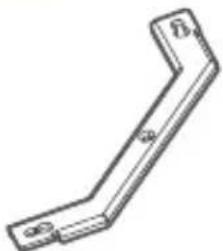
natural_image Simple line drawing of a diagonal metal bracket with two circular ends (no text or symbols)

x2

G
COOLER MASTER MasterAir MA612 Stealth - 01.Package Content - 7

natural_image Simple line drawing of a bent metal bracket (no text or symbols)

x2

H
COOLER MASTER MasterAir MA612 Stealth - 01.Package Content - 8

x4

I
COOLER MASTER MasterAir MA612 Stealth - 01.Package Content - 9

x4

J
COOLER MASTER MasterAir MA612 Stealth - 01.Package Content - 10

x4

K
COOLER MASTER MasterAir MA612 Stealth - 01.Package Content - 11

x4

L
COOLER MASTER MasterAir MA612 Stealth - 01.Package Content - 12

natural_image Illustration of two connected electrical connectors (no text or symbols)

M
COOLER MASTER MasterAir MA612 Stealth - 01.Package Content - 13

x1

N
COOLER MASTER MasterAir MA612 Stealth - 01.Package Content - 14

natural_image Pure electrical connector diagram without any text or symbols

|

0
COOLER MASTER MasterAir MA612 Stealth - 01.Package Content - 15

natural_image Pure electrical circuit lines without any symbols

P
COOLER MASTER MasterAir MA612 Stealth - 01.Package Content - 16

natural_image Pure technical line drawing of a mechanical part (no text or symbols)

02. Intel & AMD

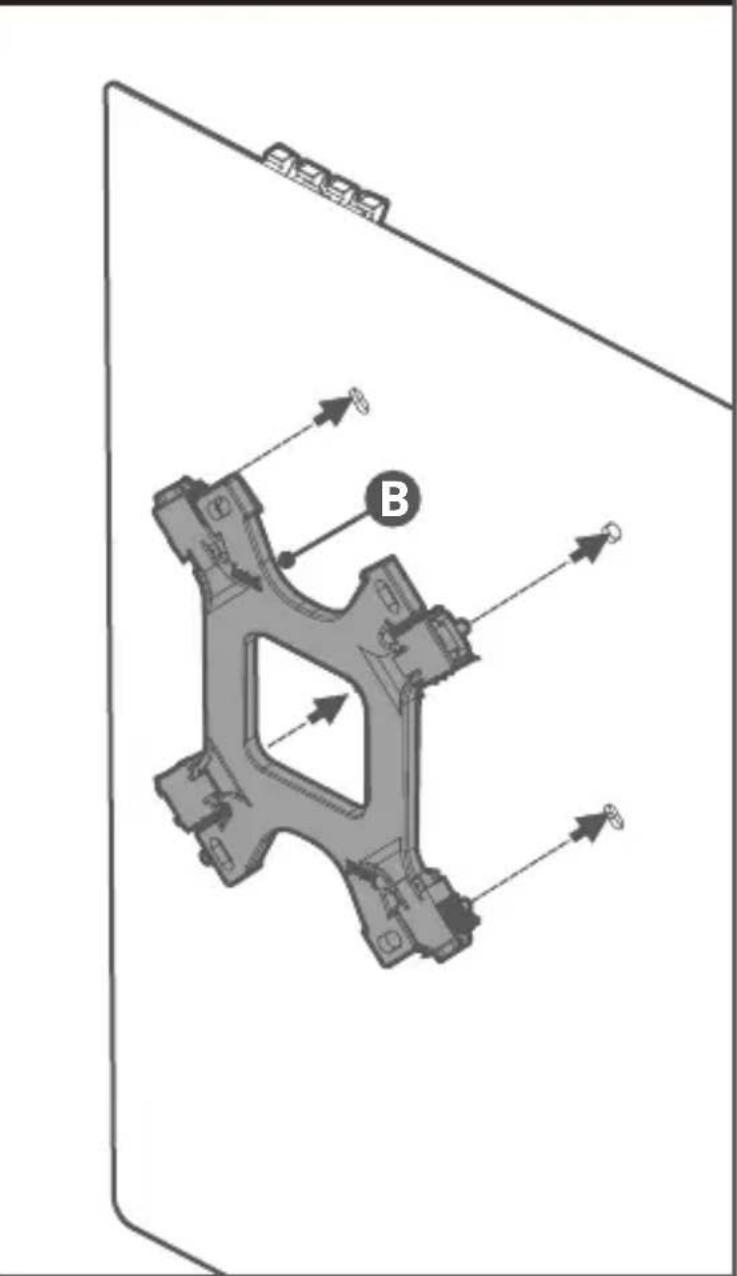
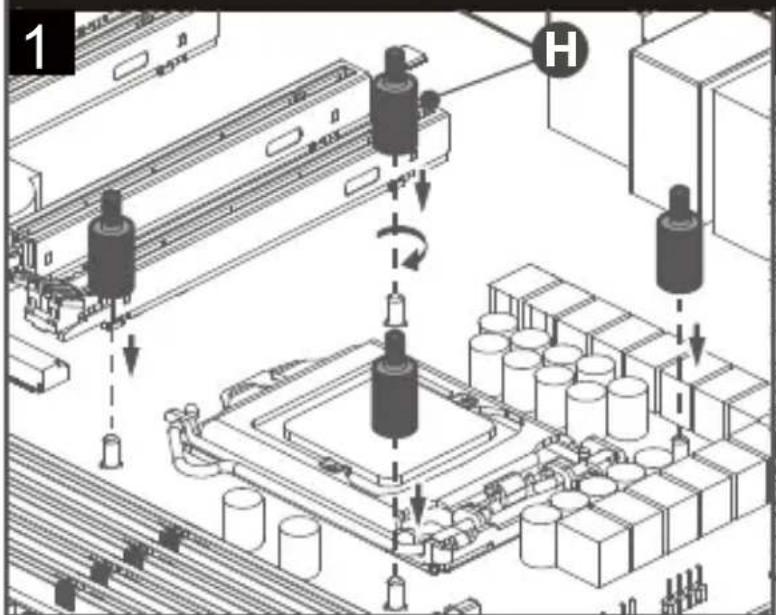
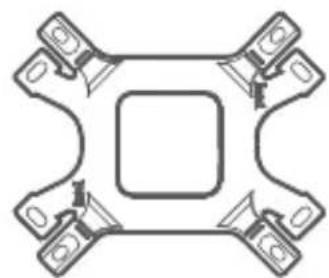
Intel LGA 1700/1200/115X:B,C,F,H,I,J

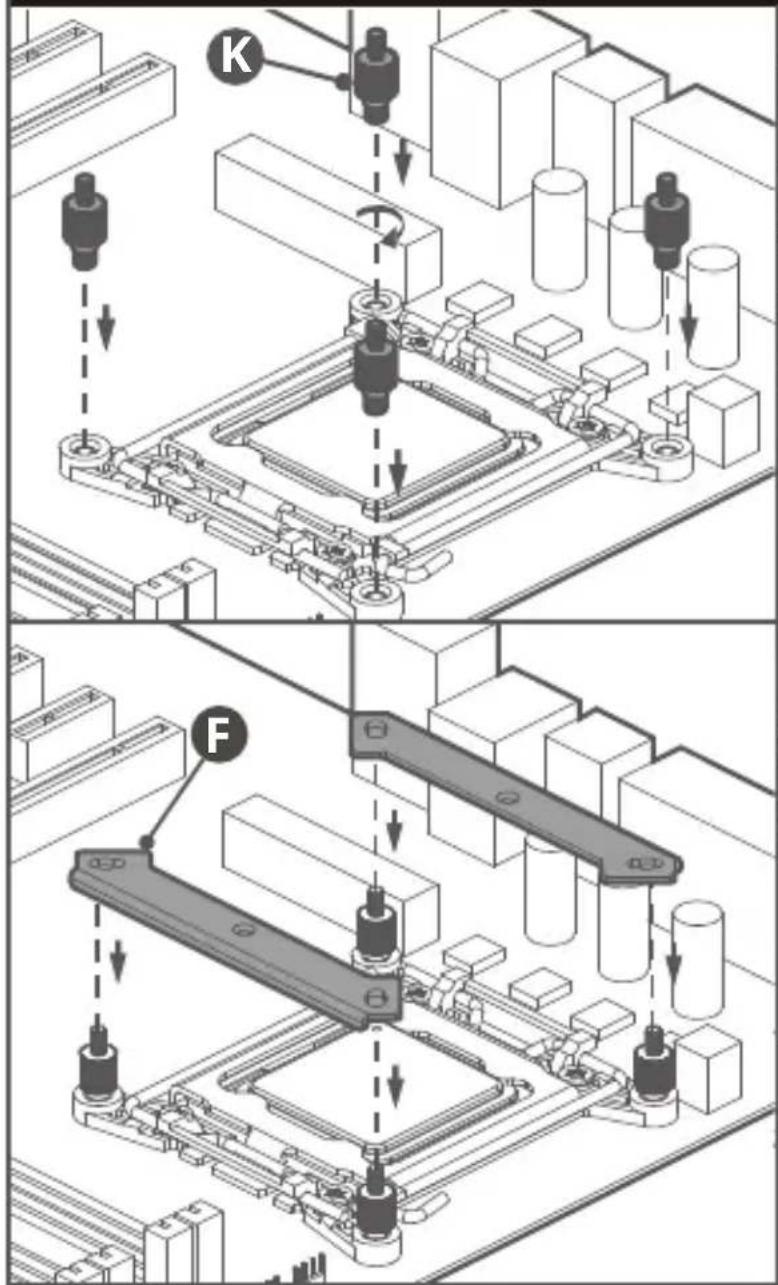
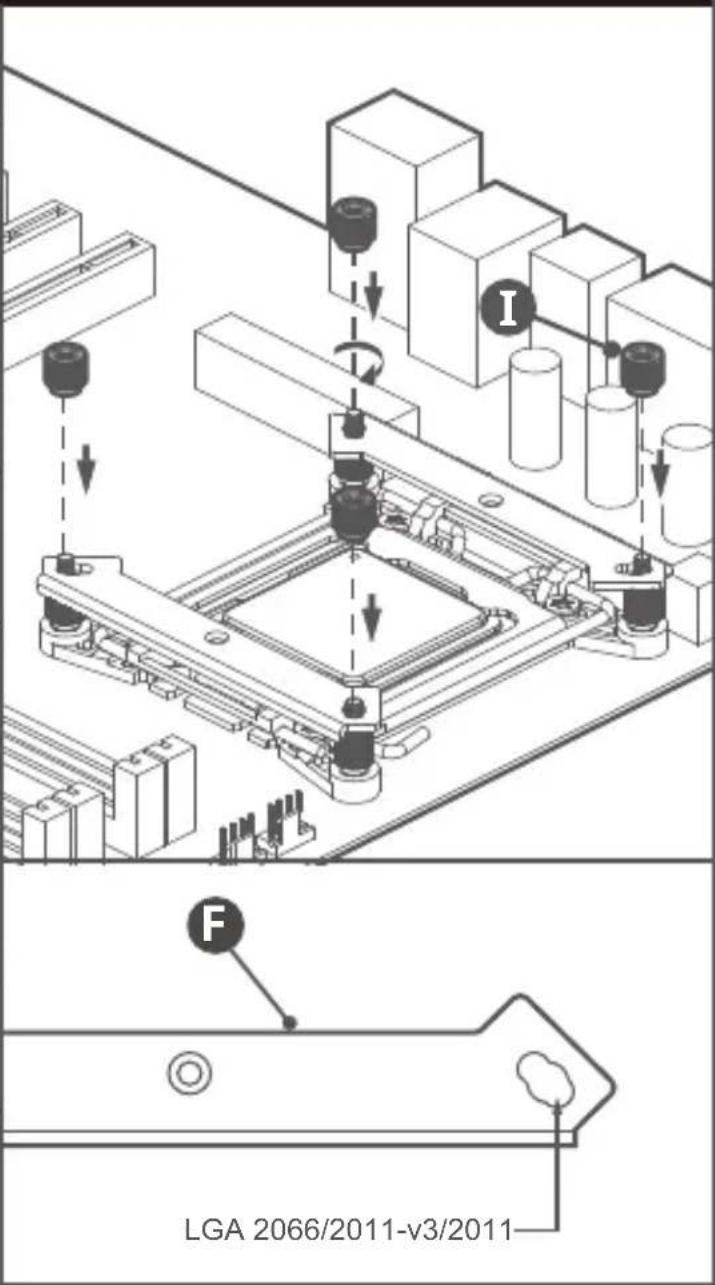
Intel LGA 2066/2011-v3/2011: F,I,K

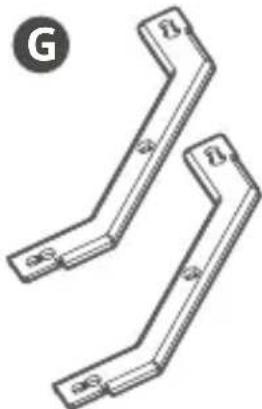
AM4/AM3+/AM3/AM2+/AM2/FM2+/FM2/FM1: B,D,G,H,I,J

BO
COOLER MASTER MasterAir MA612 Stealth - Intel & AMD - 1

natural_image Pure mechanical component diagram without any text, numbers, or symbols


COOLER MASTER MasterAir MA612 Stealth - Intel & AMD - 2

natural_image Four identical 3D mechanical parts with curved cutouts, arranged in a triangular pattern (no text or symbols)

D
COOLER MASTER MasterAir MA612 Stealth - Intel & AMD - 3

natural_image Four identical mechanical component designs arranged in a row (no text or symbols visible)


COOLER MASTER MasterAir MA612 Stealth - Intel & AMD - 4

natural_image Two identical metal bracket components with mounting holes, shown in isometric view (no text or symbols)
COOLER MASTER MasterAir MA612 Stealth - Intel & AMD - 5

natural_image Two identical 3D L-shaped metal brackets with labeled ends (no text or symbols beyond 'G' and 'B')

H
COOLER MASTER MasterAir MA612 Stealth - Intel & AMD - 6

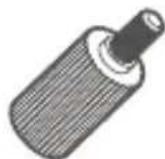
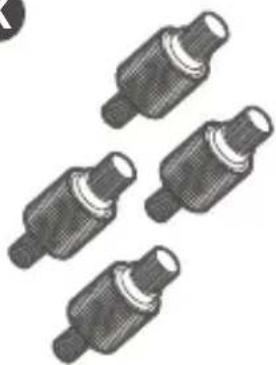
natural_image Four identical cylindrical electronic components with textured surfaces, arranged in a row (no text or symbols visible)

I
COOLER MASTER MasterAir MA612 Stealth - Intel & AMD - 7

natural_image Four identical cylindrical objects with textured surfaces, arranged in a row (no text or symbols visible)

J
COOLER MASTER MasterAir MA612 Stealth - Intel & AMD - 8

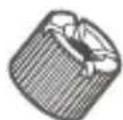
natural_image Five identical mechanical screw or nut components arranged in a row (no text or symbols visible)

K
COOLER MASTER MasterAir MA612 Stealth - Intel & AMD - 9

natural_image Four identical mechanical component designs arranged in a row (no text or symbols visible)

03. Intel & AMD

COOLER MASTER MasterAir MA612 Stealth - Intel & AMD - 1

text_image Power Pool All Inventory Power Warning A E

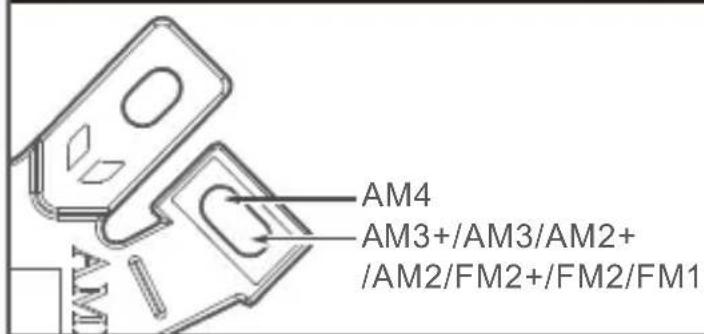
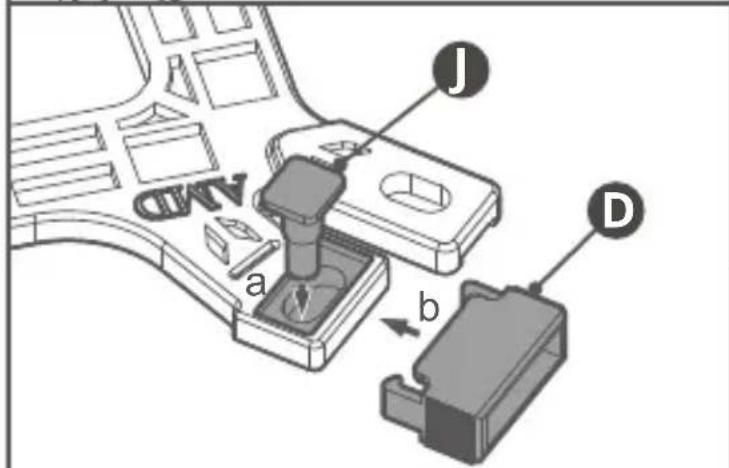
04. AMD AM4/AM3+/AM3/AM2+/AM2/FM2+/FM2/FM1
COOLER MASTER MasterAir MA612 Stealth - AMD AM4/AM3+/AM3/AM2+/AM2/FM2+/FM2/FM1 - 1
text_image AM4 AM3+/AM3/AM2+ /AM2/FM2+/FM2/FM1

COOLER MASTER MasterAir MA612 Stealth - AMD AM4/AM3+/AM3/AM2+/AM2/FM2+/FM2/FM1 - 2
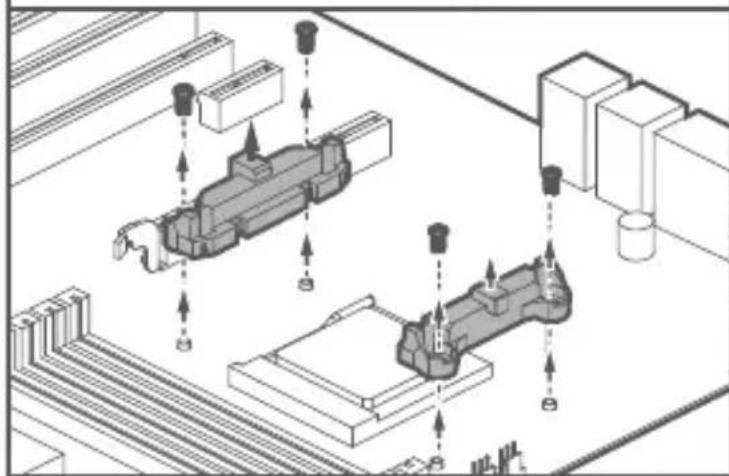
text_image A b a J D

COOLER MASTER MasterAir MA612 Stealth - AMD AM4/AM3+/AM3/AM2+/AM2/FM2+/FM2/FM1 - 3

natural_image Isometric technical diagram showing two mechanical components with directional arrows, no visible text or symbols
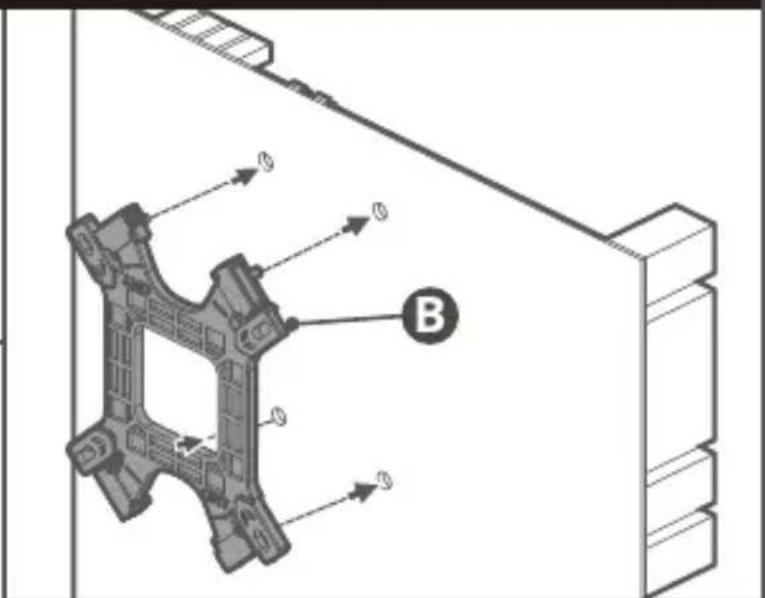
COOLER MASTER MasterAir MA612 Stealth - AMD AM4/AM3+/AM3/AM2+/AM2/FM2+/FM2/FM1 - 4

text_image Technical diagram showing a mechanical component with labeled parts and directional arrows, including part B.

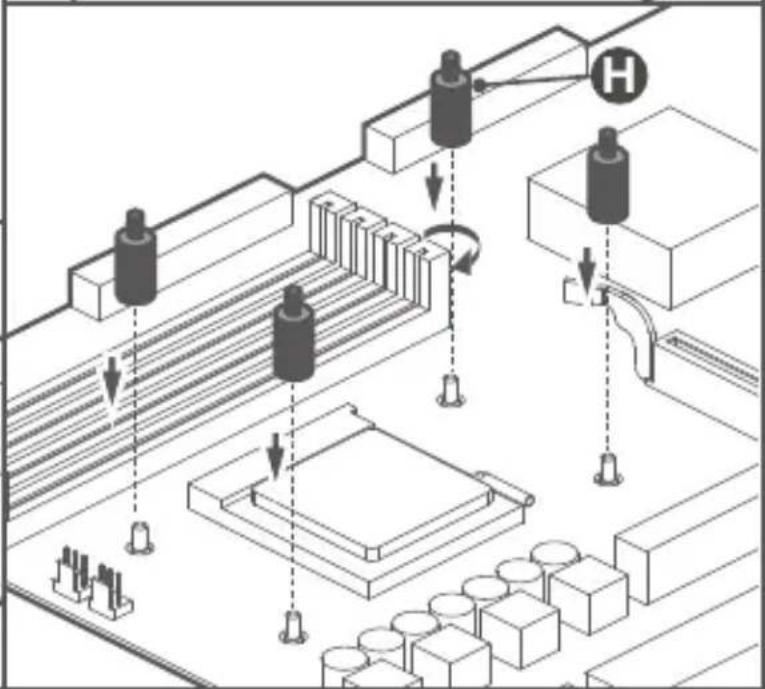
COOLER MASTER MasterAir MA612 Stealth - AMD AM4/AM3+/AM3/AM2+/AM2/FM2+/FM2/FM1 - 5

flowchart
graph TD
    A["Start"] --> B["Pulley"]
    B --> C["Roller"]
    C --> D["Control Unit H"]
    D --> E["Pulley"]
    E --> F["Roller"]
    F --> G["Control Unit H"]
    G --> H["End"]

05. AMD AM4/AM3+/AM3/AM2+/AM2/FM2+/FM2/FM1
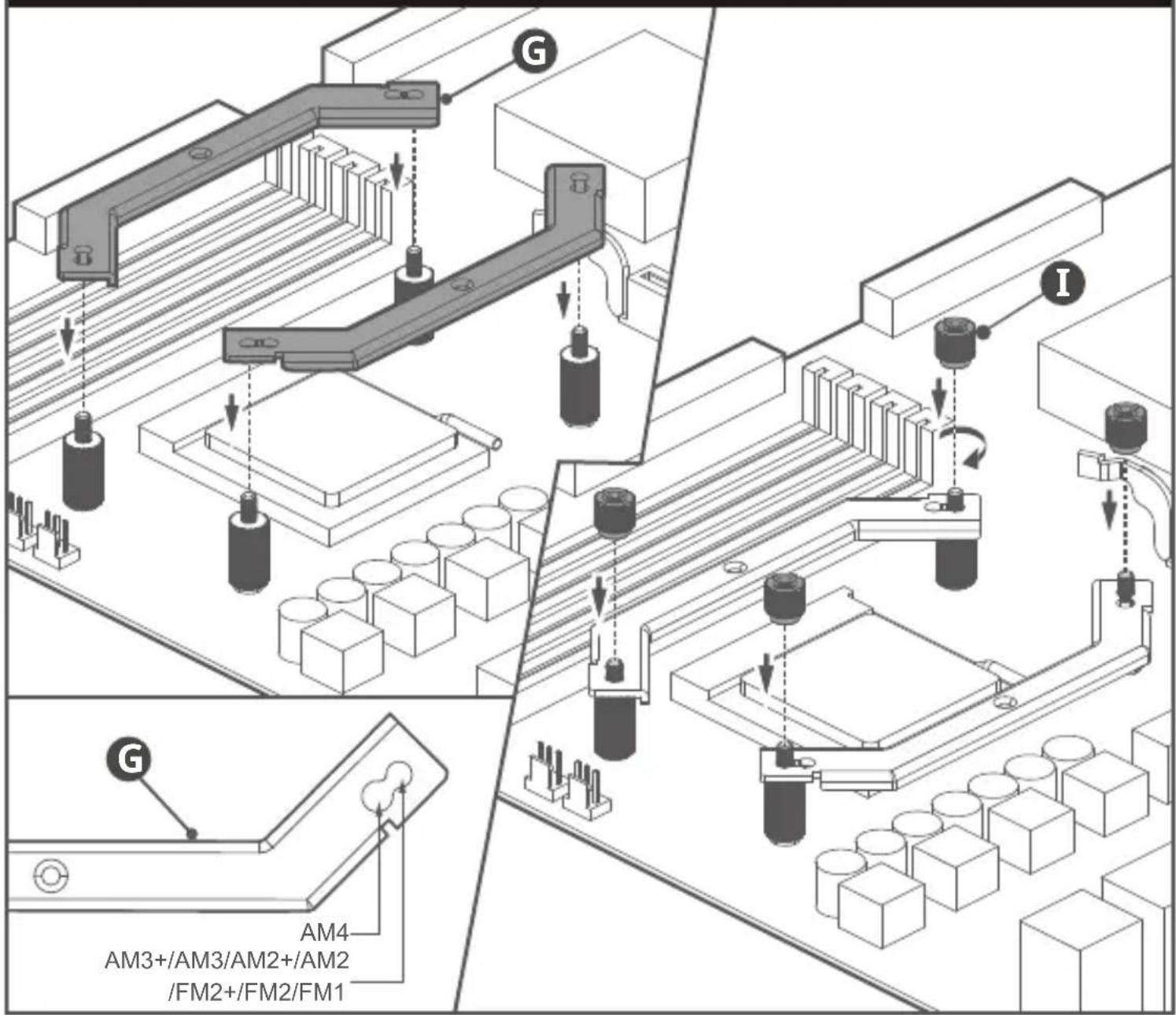
COOLER MASTER MasterAir MA612 Stealth - AMD AM4/AM3+/AM3/AM2+/AM2/FM2+/FM2/FM1 - 1
text_image G I G AM4 AM3+/AM3/AM2+/AM2 /FM2+/FM2/FM1
  1. AMD AM4/AM3+/AM3/AM2+/AM2/FM2+/FM2/FM1
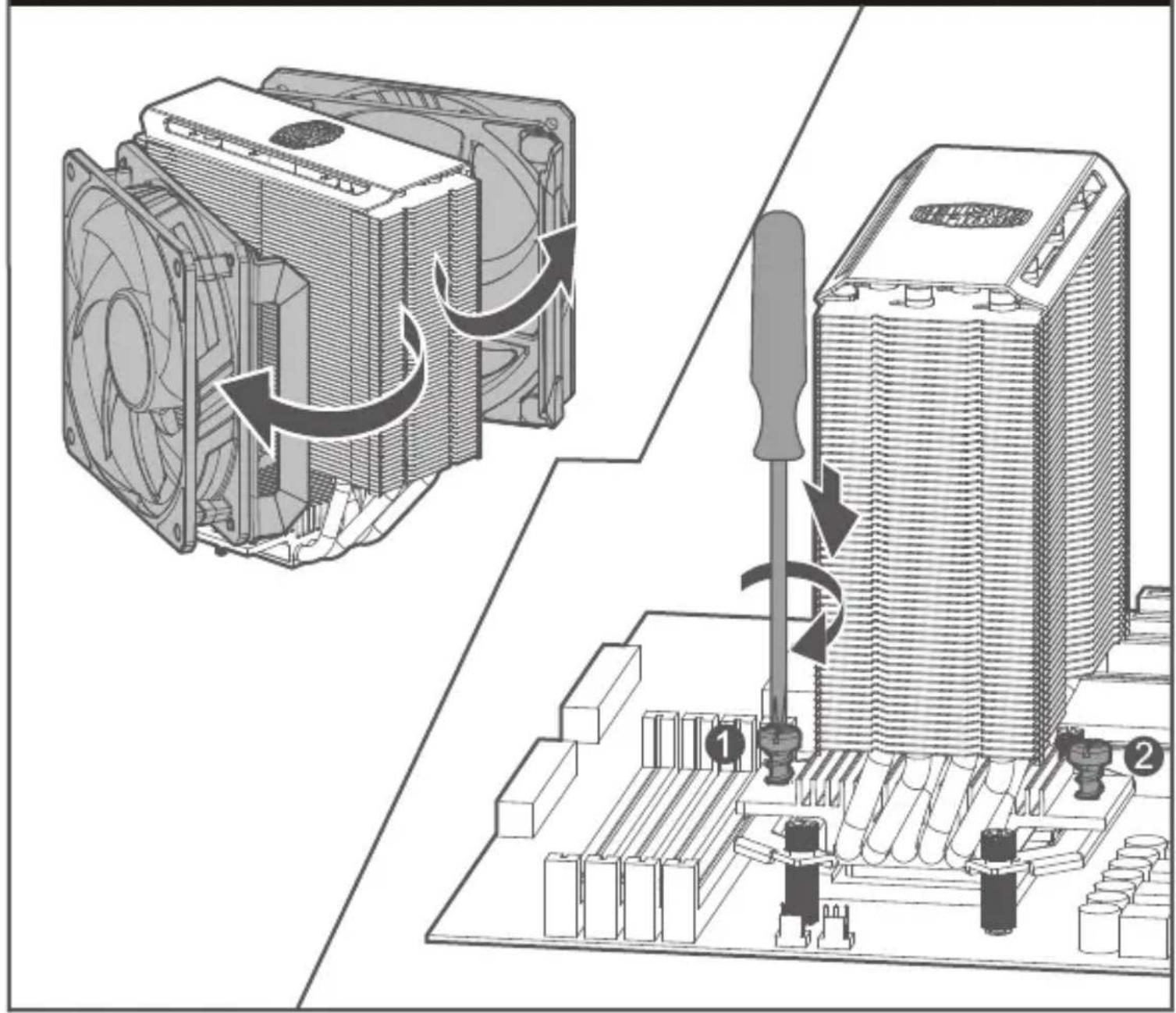
    COOLER MASTER MasterAir MA612 Stealth - AMD AM4/AM3+/AM3/AM2+/AM2/FM2+/FM2/FM1 - 2
text_image Technical diagram illustrating the process of cooling a CPU into a heatsink, with numbered annotations indicating steps 1 and 2.
  1. AMD AM4/AM3+/AM3/AM2+/AM2/FM2+/FM2/FM1
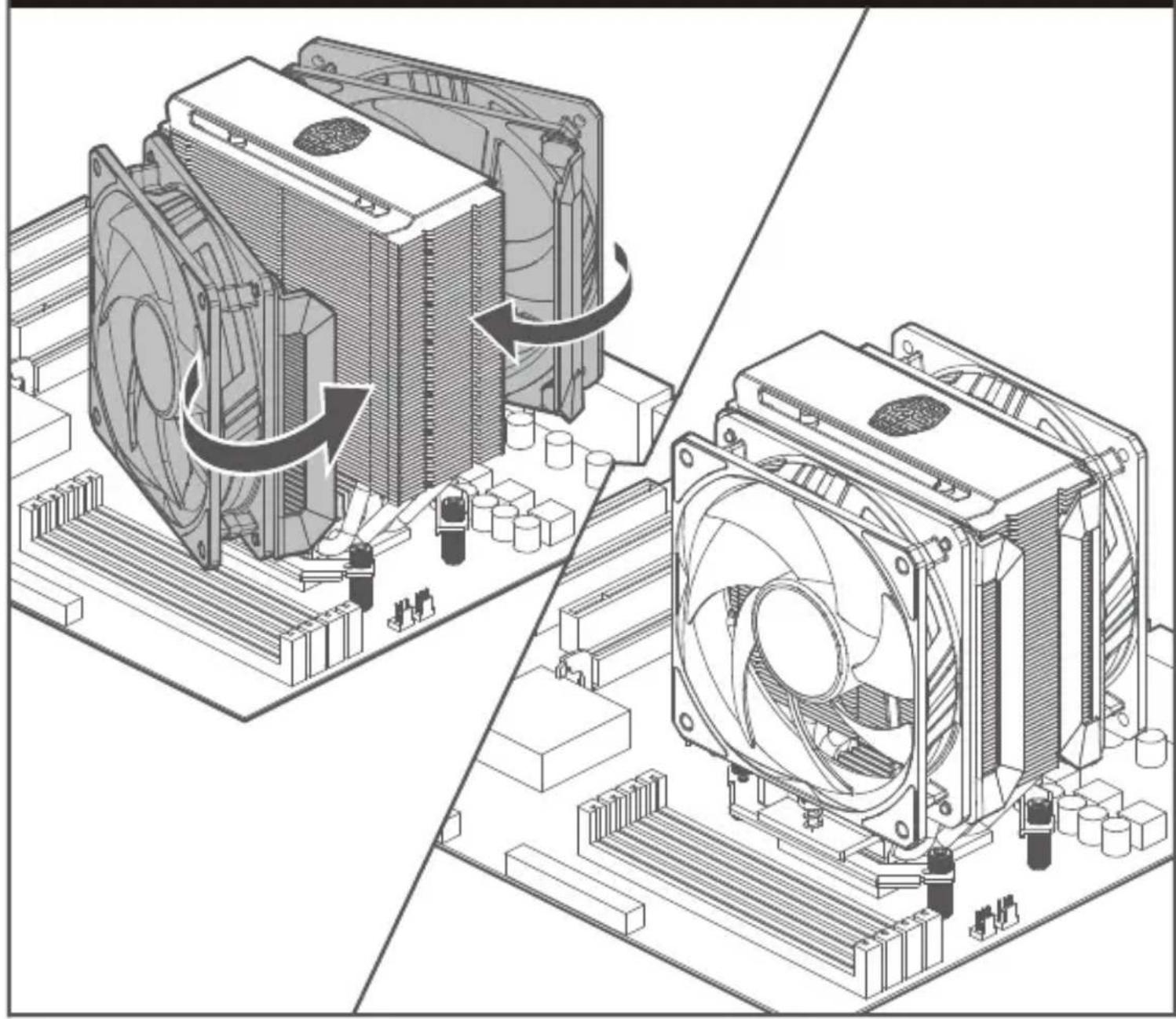
    COOLER MASTER MasterAir MA612 Stealth - AMD AM4/AM3+/AM3/AM2+/AM2/FM2+/FM2/FM1 - 3
natural_image Technical illustration of a computer cooling system showing fan assembly and cooling mechanism (no text or symbols)

08. Intel - LGA 1700/1200/115x

COOLER MASTER MasterAir MA612 Stealth - Intel - LGA 1700/1200/115x - 1

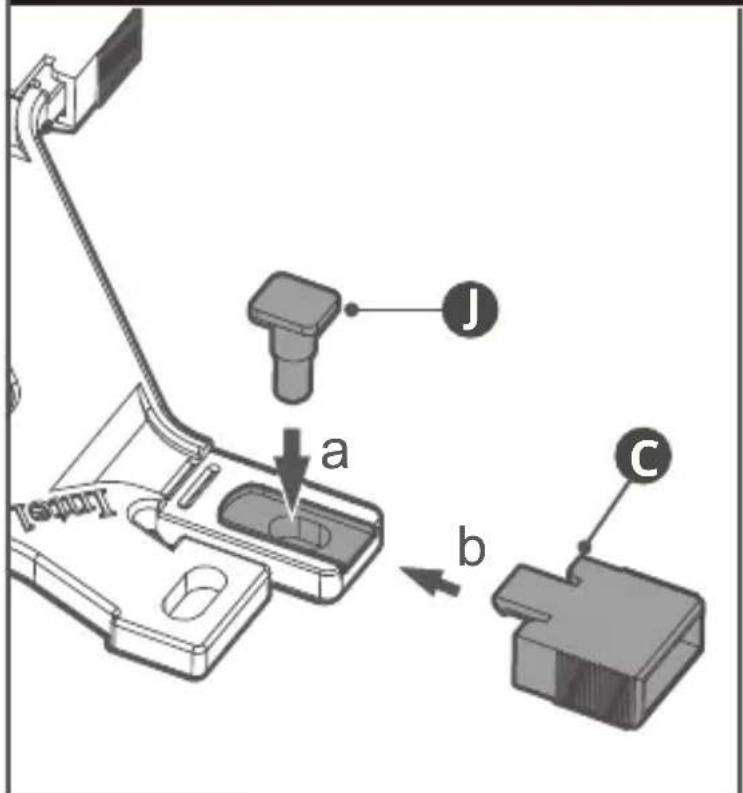
text_image J a b C

COOLER MASTER MasterAir MA612 Stealth - Intel - LGA 1700/1200/115x - 2

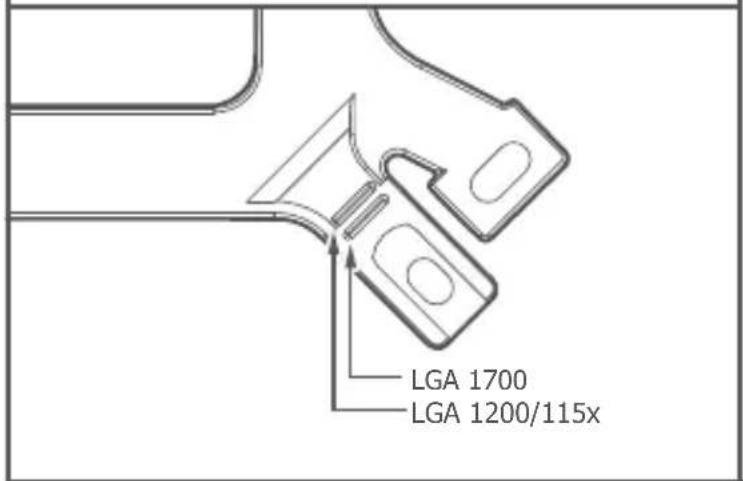
text_image LGA 1700 LGA 1200/115x

COOLER MASTER MasterAir MA612 Stealth - Intel - LGA 1700/1200/115x - 3

text_image Technical diagram of a mechanical component with labeled parts and directional arrows indicating assembly or flow.

09. Intel - LGA 1700/1200/115x

COOLER MASTER MasterAir MA612 Stealth - Intel - LGA 1700/1200/115x - 1

flowchart
graph TD
    A["Start"] --> B{Component 1}
    B -->|Downward Arrow| C["Process Step"]
    B -->|Upward Arrow| D["Component 2"]
    D --> E["Output"]
    C --> F["Recirculation Loop"]
    F --> G["Storage Tank"]
    G --> H["Product Output"]
    style A fill:#f9f,stroke:#333
    style H fill:#bbf,stroke:#333
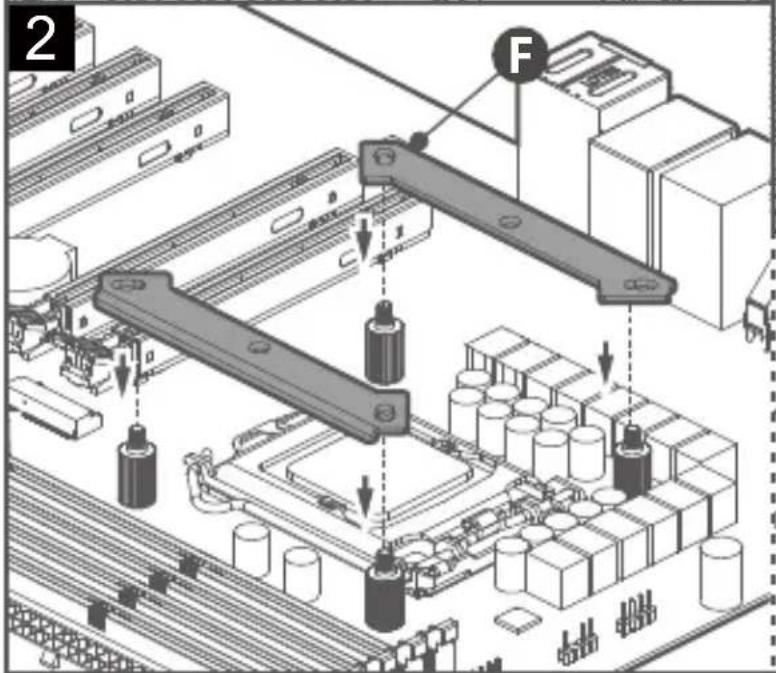
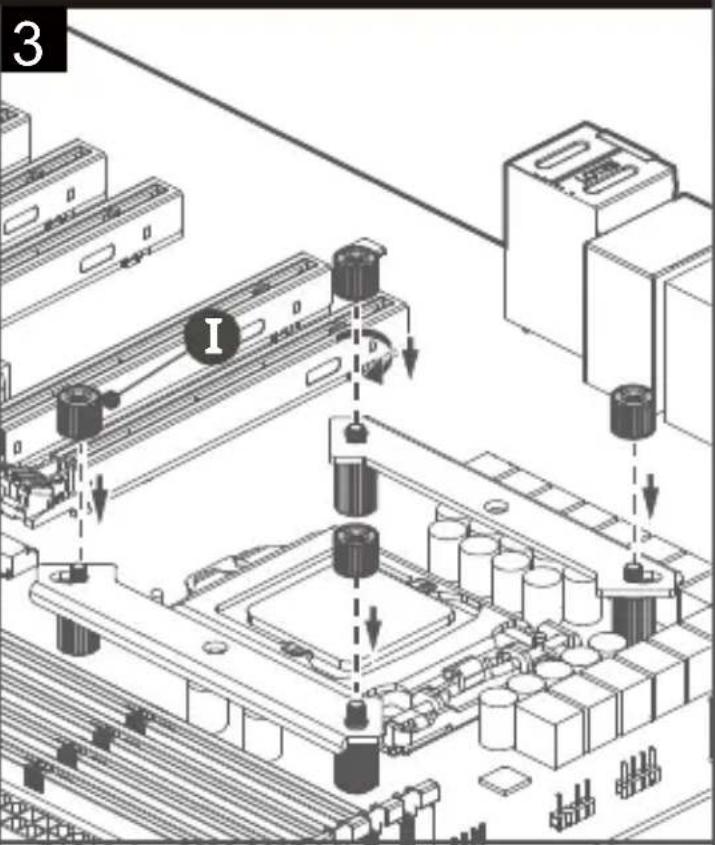
COOLER MASTER MasterAir MA612 Stealth - Intel - LGA 1700/1200/115x - 2

text_image 2 F

COOLER MASTER MasterAir MA612 Stealth - Intel - LGA 1700/1200/115x - 3

text_image 3 I

COOLER MASTER MasterAir MA612 Stealth - Intel - LGA 1700/1200/115x - 4

text_image F LGA 1200/115x LGA 1700

10. Intel - LGA 1700/1200/115x

COOLER MASTER MasterAir MA612 Stealth - Intel - LGA 1700/1200/115x - 1

text_image Technical diagram showing the installation of a CPU cooling fan and its internal components, with numbered annotations indicating steps 1 and 2.

11. Intel - LGA 1700/1200/115x

COOLER MASTER MasterAir MA612 Stealth - Intel - LGA 1700/1200/115x - 1

natural_image Technical illustration of a computer motherboard with CPU cooling and fan assembly (no text or symbols)

12. Intel - LGA 2066/2011-v3/2011

COOLER MASTER MasterAir MA612 Stealth - Intel - LGA 2066/2011-v3/2011 - 1

text_image Technical diagram illustrating mechanical assembly steps with labeled components and directional arrows

COOLER MASTER MasterAir MA612 Stealth - Intel - LGA 2066/2011-v3/2011 - 2

text_image LGA 2066/2011-v3/2011

13. Intel - LGA 2066/2011-v3/2011
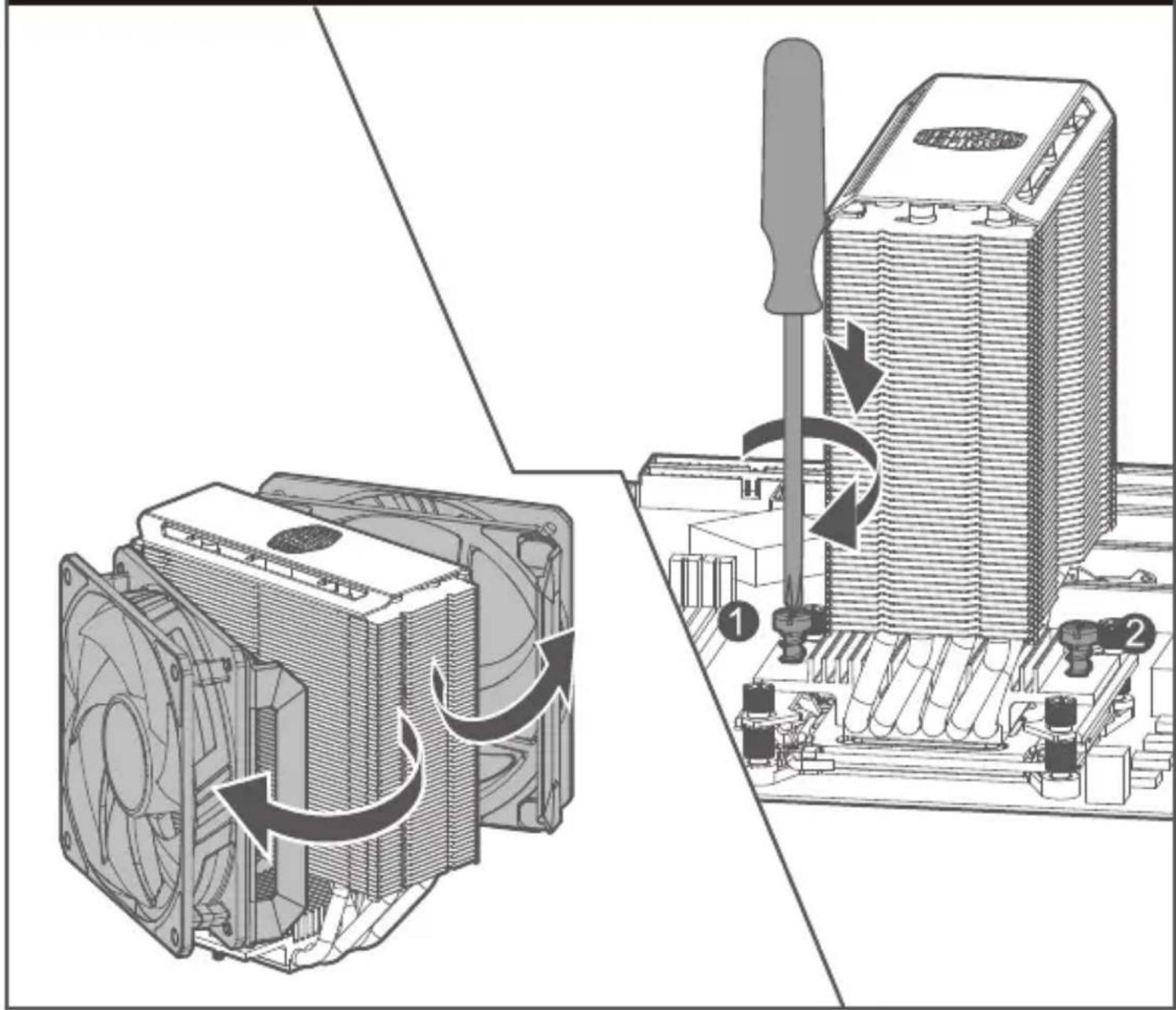
COOLER MASTER MasterAir MA612 Stealth - Intel - LGA 2066/2011-v3/2011 - 1

text_image Technical diagram showing the installation of a CPU cooling tower with labeled components and directional arrows indicating rotation.

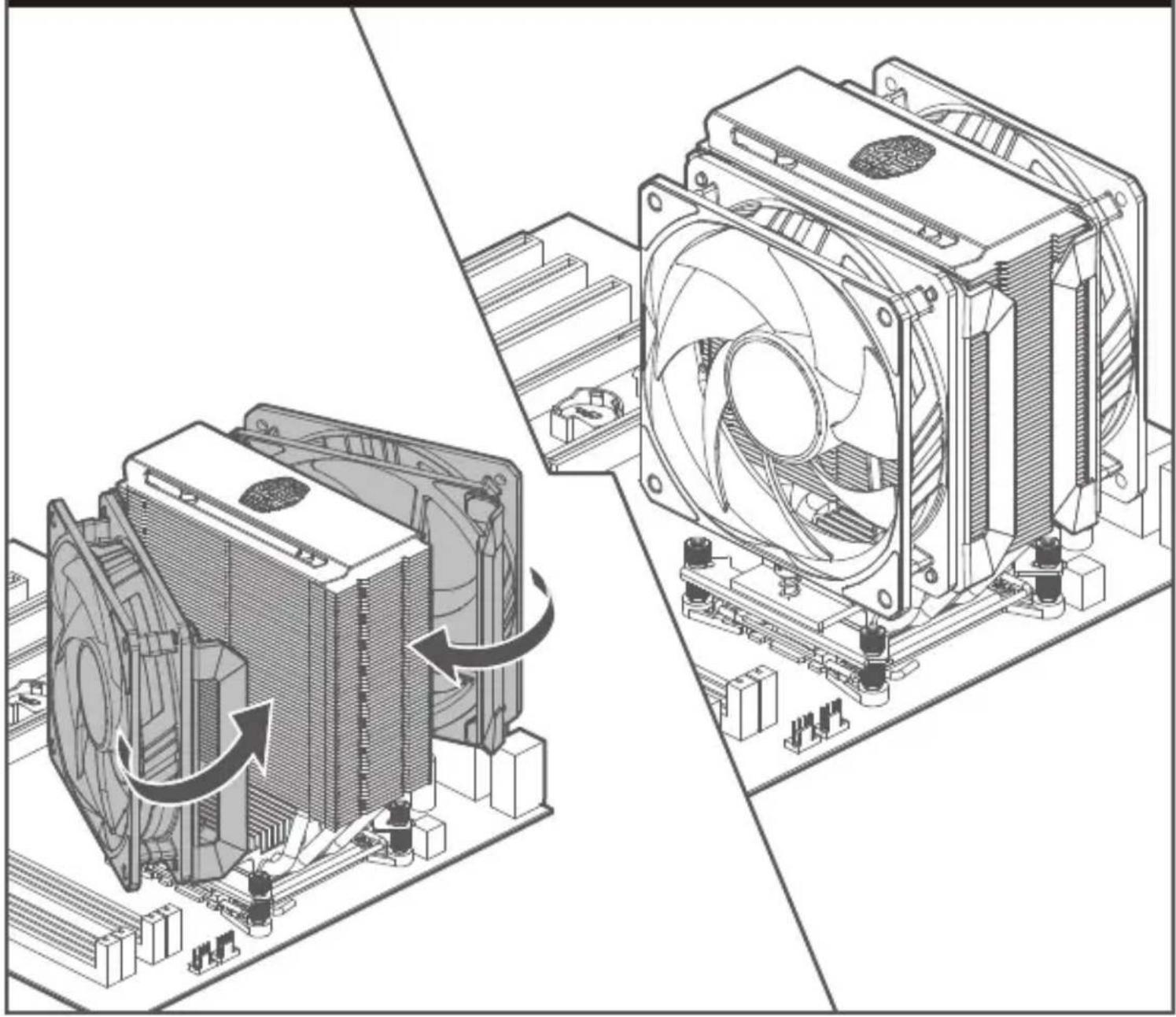
14. Intel - LGA 2066/2011-v3/2011

COOLER MASTER MasterAir MA612 Stealth - Intel - LGA 2066/2011-v3/2011 - 1

natural_image Technical illustration of a computer cooling system showing fan assembly and cooling mechanism (no text or symbols)

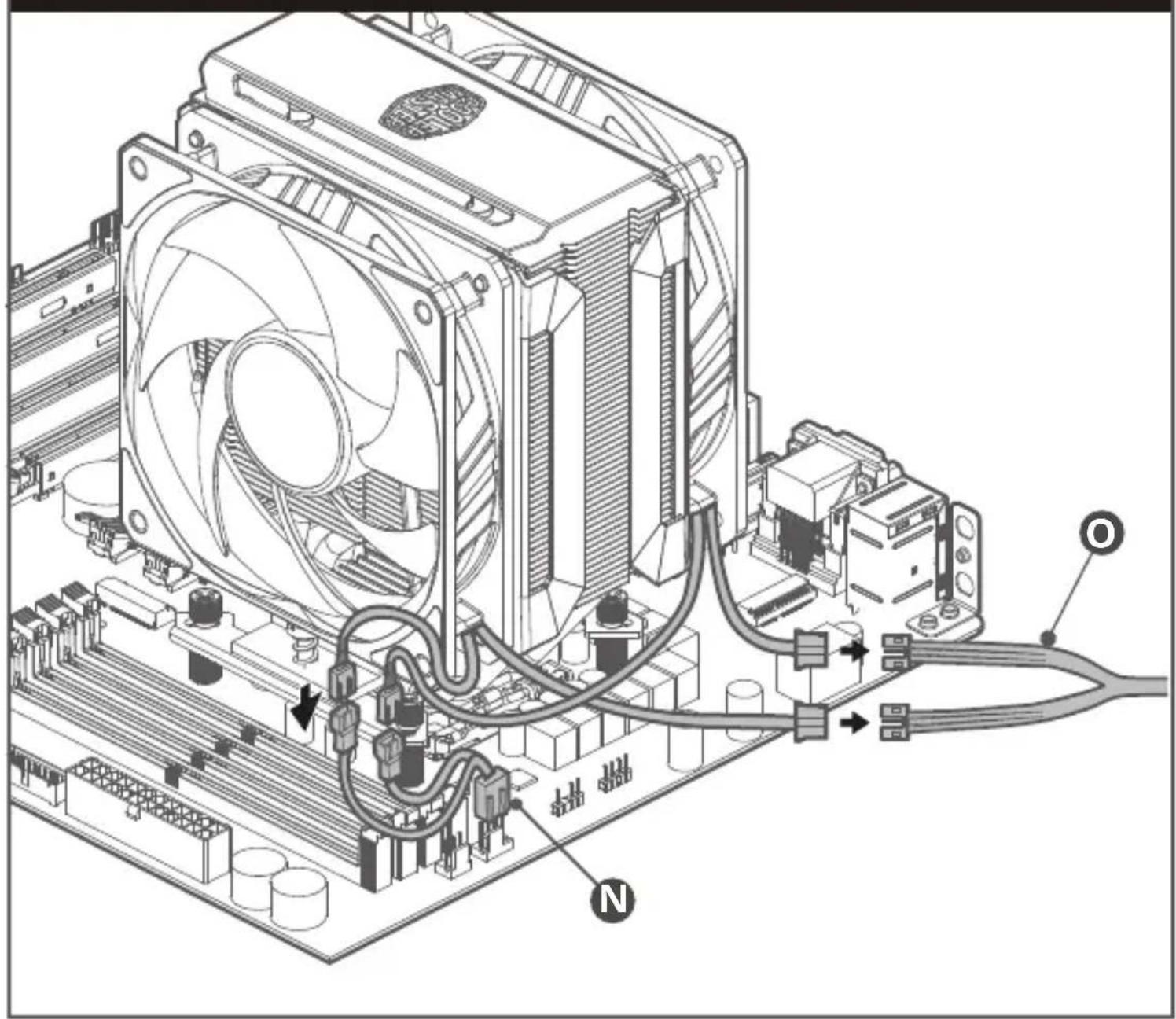
15. Intel & AMD

COOLER MASTER MasterAir MA612 Stealth - Intel & AMD - 1

natural_image Technical diagram of a computer motherboard showing CPU socket, cooling fan, and wiring connections (no text or labels)

16. Intel & AMD

COOLER MASTER MasterAir MA612 Stealth - Intel & AMD - 1

text_image COOLER MASTER M P L

17. ASUS AURA SYNC/ASROCK POLYCHROME SYNC/GIGABYTE FUSION READY/MSI MYSTIC LIGHT SYNC
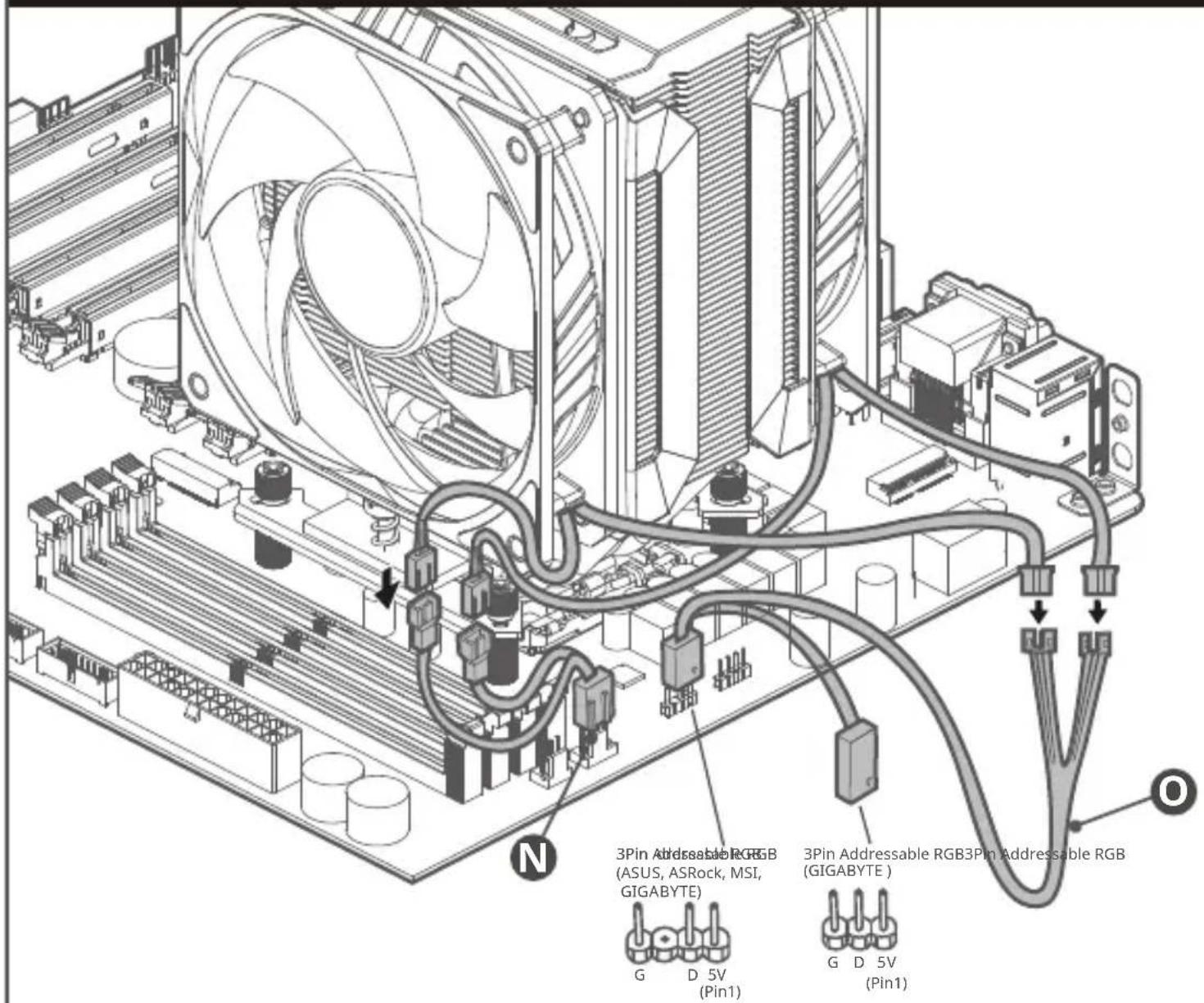
COOLER MASTER MasterAir MA612 Stealth - ASUS AURA SYNC/ASROCK POLYCHROME SYNC/GIGABYTE FUSION READY/MSI MYSTIC LIGHT SYNC - 1

text_image 3Pin Addressable RGB (ASUS, ASRock, MSI, GIGABYTE) 3Pin Addressable RGB3Pin Addressable RGB (GIGABYTE) G D 5V (Pin1) G D 5V (Pin1)

Please visit our website at www.coolermaster.com

Asia Pacific – Cooler Master Technology Inc. 7F., No. 398, Xinhu 1st Rd., Neihu Dist., Taipei City 114065, Taiwan (R.O.C.)

Tel: +886-2-2225-3517

Europe - Cooler Master Europe B.V. Lodewijkstraat 1b, 5652AC Eindhoven, The Netherlands

Tel: +31-(0)40-702-0900

China – Cooler Master China Room 2062, Floor 6, No. 421, Weiquing Rd., Jinshan District, Shanghai City, China

Tel: +86-21-51872177

North America - Cooler Master Technology NA 2929 E Imperial Highway, Ste 110 Brea CA, 92821, USA

Tel: +1-888-624-5099

For the most updated information, please visit our official website: www.coolermaster.com Cooler Master Support: https://account.coolermaster.com/

COOLER MASTER MasterAir MA612 Stealth - ASUS AURA SYNC/ASROCK POLYCHROME SYNC/GIGABYTE FUSION READY/MSI MYSTIC LIGHT SYNC - 2

512003891-GP Ver 2.0 2021/07

©2021 Cooler Master Technology Inc. All Rights Reserved. All trademarks are registered to their respective owners.

COOLER MASTER MasterAir MA612 Stealth - ASUS AURA SYNC/ASROCK POLYCHROME SYNC/GIGABYTE FUSION READY/MSI MYSTIC LIGHT SYNC - 3

text_image COOLER MASTER

Make It Yours.

Assistant notice
Powered by Anthropic
En attente de votre message
Informations produit

Marque : COOLER MASTER

Modèle : MasterAir MA612 Stealth

Catégorie : Ventirad pour processeur