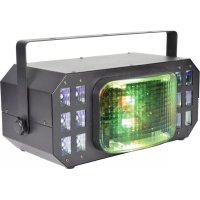
Cortina - Éclairage Qtx - Notice d'utilisation et mode d'emploi gratuit
Retrouvez gratuitement la notice de l'appareil Cortina Qtx au format PDF.

| Marque | Qtx |
| Modèle | Cortina |
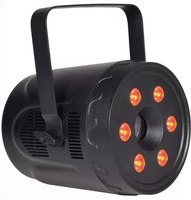
| Type de produit | Projecteur LED à effets (Derby, UV, Strobe) |
| Alimentation | 110-240 Vca, 50/60 Hz (prise IEC) |
| Consommation électrique | 60 W |
| LED | 2 x 10 W RGBW Derby + 12 x 4 W UV/Strobe |
| Modes de fonctionnement | Auto, Son, Maître/Esclave, DMX512 |
| Connexion DMX | XLR 3 broches (entrée et sortie) |
| Nombre de canaux DMX | 7 |
| Dimensions | 380 x 200 x 160 mm |
| Poids | 2,53 kg |
| Fonctions Derby | Rouge, Vert, Bleu, Blanc, changement de couleur, mixage, stroboscope, auto |
| UV | Activable/désactivable via menu ou DMX |
| Strobe | Intégré avec réglage de vitesse |
| Fixation | Support de montage inclus, sécurité secondaire recommandée |
| Entretien et nettoyage | Chiffon doux avec détergent neutre, pas de solvants forts |
| Sécurité | Ne pas ouvrir le boîtier, risque de choc électrique, ne pas exposer à l'humidité |
| Pièces détachées et réparabilité | Aucune pièce réparable par l'utilisateur, contacter un service qualifié |
| Informations générales | Notice disponible en PDF sur notice-facile.com |
FOIRE AUX QUESTIONS - Cortina Qtx
Questions des utilisateurs sur Cortina Qtx
0 question sur cet appareil. Repondez a celles que vous connaissez ou posez la votre.
Poser une nouvelle question sur cet appareil
Téléchargez la notice de votre Éclairage au format PDF gratuitement ! Retrouvez votre notice Cortina - Qtx et reprennez votre appareil électronique en main. Sur cette page sont publiés tous les documents nécessaires à l'utilisation de votre appareil Cortina de la marque Qtx.
MODE D'EMPLOI Cortina Qtx
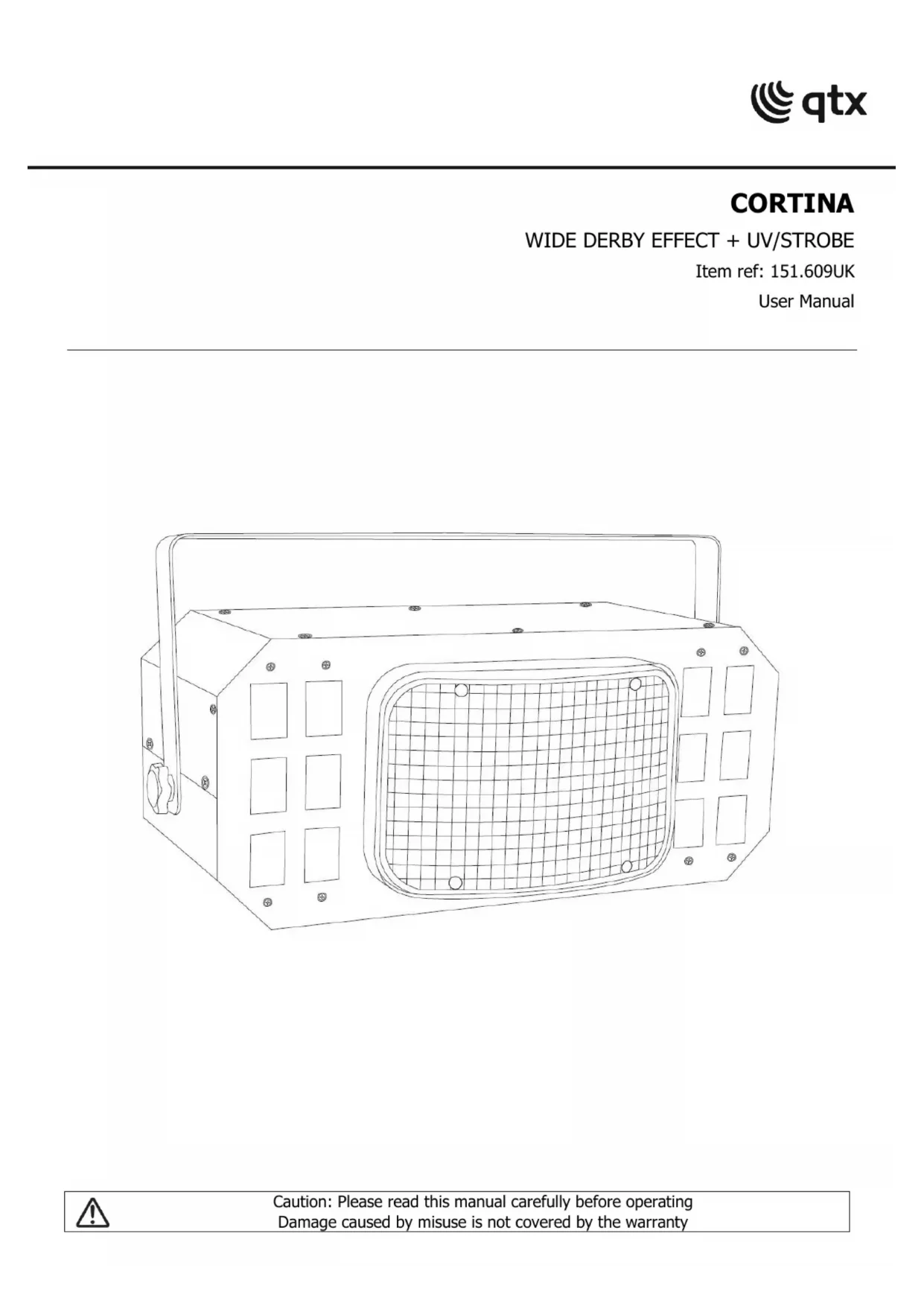
CORTINA
WIDE DERBY EFFECT + UV/STROBE
Item ref: 151.609UK
User Manual

natural_image
Line drawing of a rectangular electronic device with grid pattern and mounting holes (no text or symbols)Introduction
Thank you for your purchase of the QTX CORTINA LED light effect. This model can deliver an extra wide array of colourful shapes coupled with powerful UV and strobe effects. Please read and keep this user manual to get the best from your purchase and avoid damage through misuse
SAFETY SYMBOL AND MESSAGE CONVENTIONS

| CAUTIONRISK OF ELECTRIC SHOCKDO NOT OPEN | AVISRISQUE DE CHOC ELECTRIQUENE PAS OUVRIR |


This symbol indicates that dangerous voltage constituting a risk of electric shock is present within this unit

This symbol indicates that there are important operating and maintenance instructions in the literature accompanying this unit.
Warning
To prevent the risk of fire or electric shock, avoid contact with moisture or humid environments. No user serviceable parts inside – Do not open the case – refer all servicing to qualified service personnel.
Safety
Check for correct mains voltage and condition of power lead before connecting to a power outlet.
Placement
• Use the included mounting bracket to fix to a stand or lighting truss
• Use secondary safety fixings if mounting overhead.
- Ensure adequate airflow around the fixture housings
- Ensure adequate access to controls and connections
Cleaning
• Use a soft cloth with a neutral detergent to clean the casing as required
• Do not use strong solvents for cleaning the unit
In the box
Please open the package carefully and check that all contents are present and in good condition. Contact your retailer if any part is missing or broken.
• CORTINA LED light effect
- Mounting bracket
• UK mains plug to IEC lead
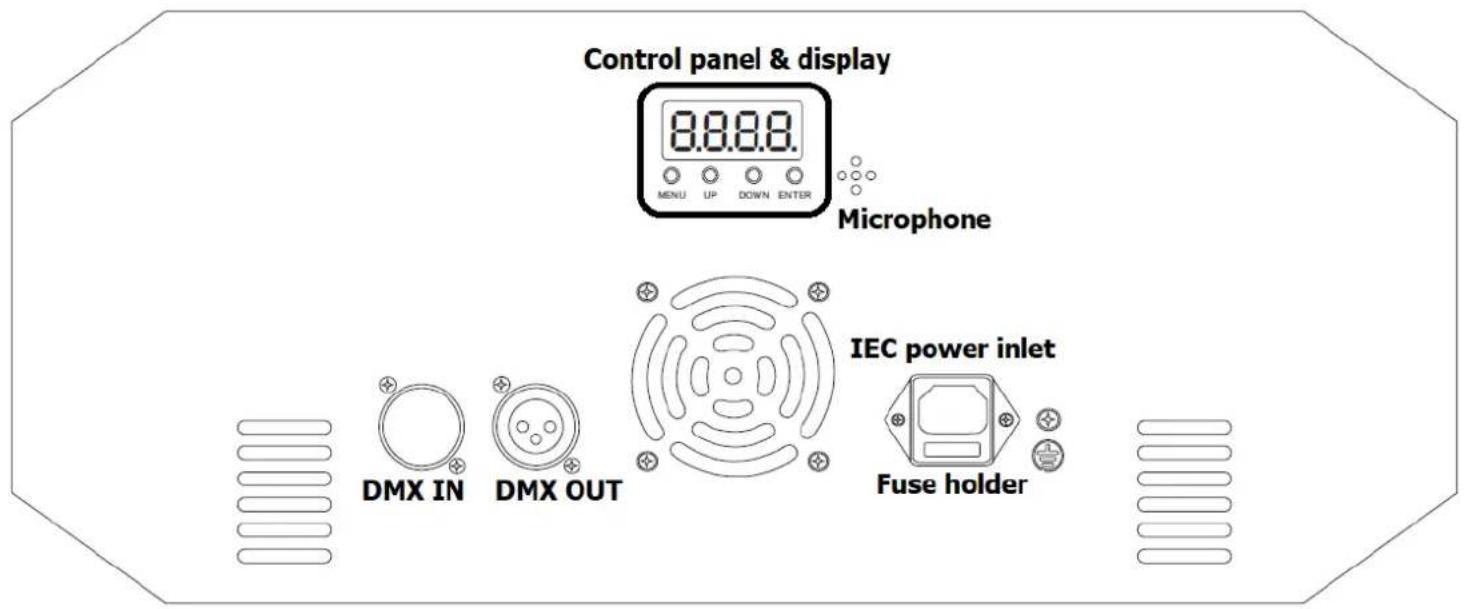
Rear panel
Standalone operation
Standalone settings for the CORTINA include Derby, Flash, UV on/off, Auto and Sound-activated modes. From the onboard menu, it is possible to pre-set the operating mode as described in the table below.
| Mode | Display | Function | Press ENTER | Press ENTER | |
| Rxxx | A00 1 - AS 12 | DMX start address | |||
| LE x | LE 1 | Red derby | SP 1 - SP 9 rotation speed | ||
| LE 2 | Green derby | ||||
| LE 3 | Blue derby | ||||
| LE 4 | White derby | ||||
| LE 5 | Color change derby | Sd 1 - SP d colour speed | SP 1 - SP 9 rotation speed | ||
| LE 6 | Color mix derby | Sd 1 - SP d colour speed | |||
| LE 7 | Strobe derby | Sd 1 - SP d strobe speed | |||
| LE 8 | Auto colour derby | Sd 1 - SP d colour speed | |||
| FLxx | FLoF | Strobe off | |||
| FL 1 - 9 | Strobe speed | Sd 0 - Sd 9 LED speed | uAL0 - uAL9 White dimmer | ||
| PUxx | PUOn | UV On | |||
| PUOF | UV Off | ||||
| AUxx | AU 1 | Auto Mode 1 | |||
| AU 2 | Auto Mode 2 | ||||
| AU 3 | Auto Mode 3 | ||||
| Sx x | S 1 1-20 | Sound Mode 1 (last 2 digits are beat steps) | uOL 1 - uOL9 Mic. sensitivity | ||
| S2 1-20 | Sound Mode 2 (last 2 digits are beat steps) | ||||
| S3 1-20 | Sound Mode 3 (last 2 digits are beat steps) | ||||
DMX operation
The CORTINA light effect is also compatible with standard DMX512 control.
Connect a DMX controller to the CORTINA using an XLR DMX lead into the DMX IN connector (****)
Connect further DMX light fixtures that are being controlled from the DMX OUT connector (****) to the DMX IN of each fixture in a daisy-chain.
Set the DMX start address of the CORTINA and all other lighting fixtures in the chain to accommodate all the required channels for each. The CORTINA has 7 DMX channels and the table on the following page is described with the DMX start address set to ROD I
| DMX Channel | Value | Function |
| 1 | 001 - 009 | UV off |
| 010 - 255 | UV on | |
| 2 | 000 | White LED off |
| 001 - 017 | White LED 1 + 2 + 3 + 4 | |
| 018 - 035 | White LED 2 | |
| 036 - 053 | White LED 3 | |
| 054 - 071 | White LED 4 | |
| 072 - 089 | White LED 1 | |
| 090 - 107 | White LED 2 + 3 | |
| 108 - 125 | White LED 1 + 4 | |
| 126 - 143 | White LED 3 + 4 | |
| 144 - 161 | White LED 1 + 2 | |
| 162 - 179 | White LED 2 + 4 | |
| 180 - 197 | White LED 1 + 3 | |
| 198 - 215 | White LED 2 + 3 + 4 | |
| 216 - 233 | White LED 1 + 2 + 3 | |
| 234 - 251 | White LED 1 + 2 + 4 | |
| 252 - 255 | White LED 1 + 3 + 4 | |
| 3 | 000 - 009 | Derby off |
| 010 - 255 | Derby colour combinations | |
| 4 | 000 - 042 | Derby + White + UV |
| 043 - 084 | UV only | |
| 085 - 126 | White only | |
| 127 - 169 | Derby only | |
| 170 - 211 | White + UV | |
| 212 - 253 | Derby + UV | |
| 254 - 255 | Derby + White | |
| 5 | 000 - 011 | No Strobe |
| 012 - 255 | Strobe - fast to slow | |
| 6 | 000 - 006 | Rotation off |
| 007 - 146 | Rotation position | |
| 147 - 255 | Continuous rotation from slow to fast | |
| 7 | 000 - 009 | Manual Mode, Available from CH1-CH6 |
| 010 - 049 | Same as Auto mode 1, from fast to slow | |
| 050 - 099 | Same as Auto mode 2, from fast to slow | |
| 100 - 149 | Same as Auto mode 3, from fast to slow | |
| 150 - 199 | Sound Mode 1 | |
| 200 - 250 | Sound Mode 2 | |
| 250 - 255 | Sound Mode 3 |
Specifications
| Power supply | 110-240Vac, 50/60Hz (IEC) |
| Power consumption | 60W |
| LED: power | 2 x 10W RGBW derby + 12 x 4W UV/strobe |
| Modes | Auto, sound-activated, master-slave, DMX512 |
| DMX connection | XLRM in, XLRF out |
| DMX channels | 7 |
| Dimensions | 380 x 200 x 160mm |
| Weight | 2.53kg |
This product is classed as Electrical or Electronic equipment and should not be disposed with other household or commercial waste at the end of its useful life. The goods must be disposed of according to your local council guidelines.
Errors and omissions excepted.
Copyright© 2021 AVSL Group Ltd, Unit 2 Bridgewater Park,
Taylor Road, Trafford Park, Manchester. M41 7JQ.
AVSL (Europe) Ltd, Unit 3D North Point House, North Point Bus. Park, New Mallow Road, Cork, Ireland.

Marque : Qtx
Modèle : Cortina
Catégorie : Éclairage