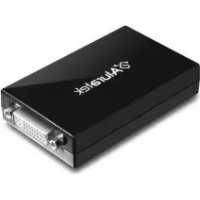
AUD200F - Adaptateur vidéo Aluratek - Notice d'utilisation et mode d'emploi gratuit
Retrouvez gratuitement la notice de l'appareil AUD200F Aluratek au format PDF.

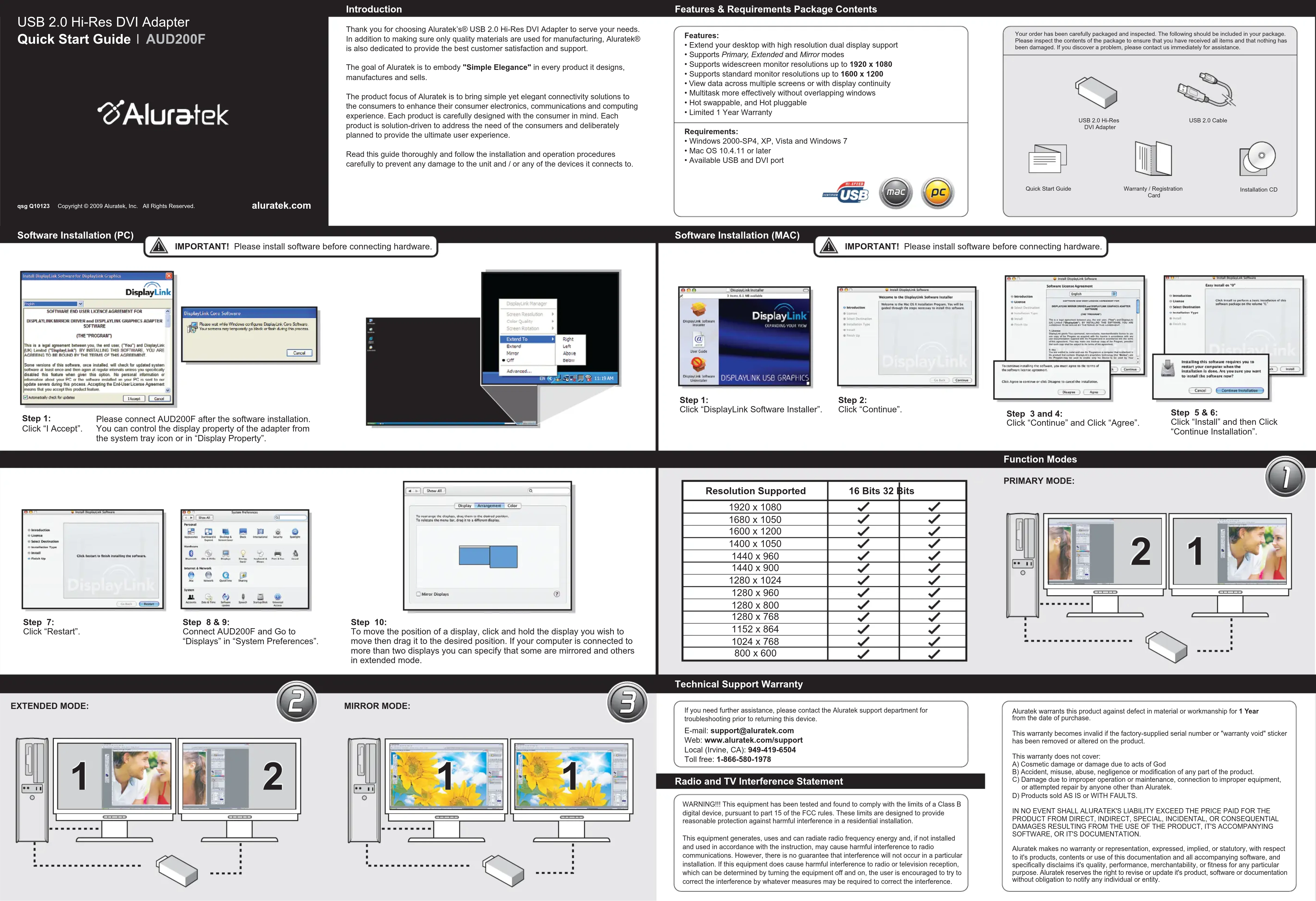
| Marque | Aluratek |
| Modèle | AUD200F |
| Type de produit | Adaptateur vidéo USB 2.0 vers DVI |
| Résolutions supportées | Jusqu'à 1920 x 1080 (écran large) et 1600 x 1200 (standard) |
| Modes d'affichage | Primaire, Étendu, Miroir |
| Interface | USB 2.0 et DVI |
| Compatibilité système | Windows 2000 SP4, XP, Vista, 7 ; Mac OS 10.4.11 ou ultérieur |
| Hot swappable | Oui |
| Hot pluggable | Oui |
| Garantie | 1 an limitée |
| Contenu du package | Adaptateur, câble USB 2.0, guide de démarrage rapide, carte de garantie, CD d'installation |
| Alimentation | Alimenté par le port USB |
| Fonctions principales | Étendre le bureau, duplication d'écran, prise en charge de résolutions élevées |
| Entretien et nettoyage | Nettoyer avec un chiffon doux et sec |
| Sécurité | Conforme à la norme FCC Classe B ; éviter les interférences radio |
| Informations générales | Installation logicielle requise avant branchement ; support technique par e-mail et téléphone |
FOIRE AUX QUESTIONS - AUD200F Aluratek
Questions des utilisateurs sur AUD200F Aluratek
0 question sur cet appareil. Repondez a celles que vous connaissez ou posez la votre.
Poser une nouvelle question sur cet appareil
Téléchargez la notice de votre Adaptateur vidéo au format PDF gratuitement ! Retrouvez votre notice AUD200F - Aluratek et reprennez votre appareil électronique en main. Sur cette page sont publiés tous les documents nécessaires à l'utilisation de votre appareil AUD200F de la marque Aluratek.
MODE D'EMPLOI AUD200F Aluratek
USB 2.0 Hi-Res DVI Adapter Quick Start Guide | AUD2001
Aluratek
qsg Q10123 Copyright © 2009 Auratake, Inc. All Rights Reserved.
aluratek.com
Introduction
Thank you for choosing Alutaket® USB 2.0 Hi-Res DVI Adapter to serve your needs. In addition to making sure only quality materials are used for manufacturing, Alutaket® USB 2.0 Hi-Res DVI Adapter is also available in the following variants:
The goal of Alaratek is to embody "Simple Elegance" in every product it designs, manufactures and sells.
The product focus of Aluratelak is to bring simple yet elegant connectivity solutions to the consumers to enhance their consumer electronics, communications and computing experience. Each product is carefully designed with the consumer in mind. Each product is designed specifically for the consumer and deliberately planned to provide the ultimate user experience.
Read this guide thoroughly and follow the installation and operation procedures carefully to prevent any damage to the unit and / or any of the devices it connects to.
Features & Requirements Package Contents
Features:
- Extend your desktop with high resolution dual display support
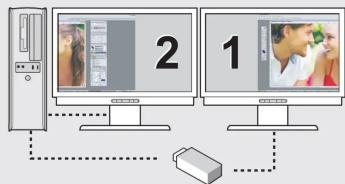
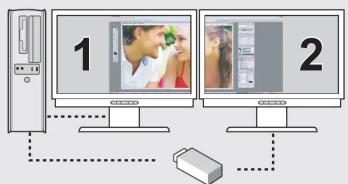
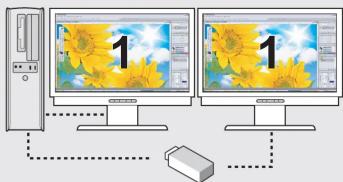
- Supports Primary, Extended and Mirror modes
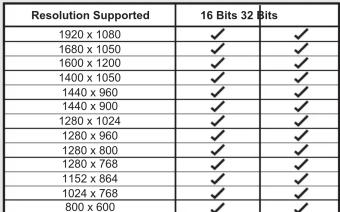
Supports Primary, Extended and Mirror Models Supports widescreen monitor resolutions up to 1920 x 1080
Supports standard monitor resolutions up to 1600 x 1200
View data across multiple screens or with display continuity. Multilevel mass effectivethroughoutvarlloping windows - Midtask more effectively without a
- Hot swappable, and Hot pluggable.
Limited 1 Year Warranty
Requirements:
Windows 2000-SP4, XP, Vista and Windows 7
- Mac OS 10.4.11 or later
- Available USB and DVI port


Your order has carefully been packaged and inspected. The following should be included in your package:
1. Your order must be a 20% of the total value of the product.
2. Your order must not exceed the sum of the price and that nothing has been damaged.
3. If you discover a problem, please contact us immediately for assistance.

USB 2.0 Hi-Res

USB 2.0 Cable

Quick Start Guide

Warranty / Registration

Installation CD
Software Installation (MAC)
IMPORTANT! Please install software before connecting hardware.
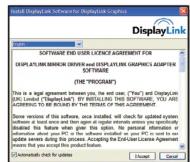
Step 1:
Click "I Accept".
Please connect AUD200F after the software installation.
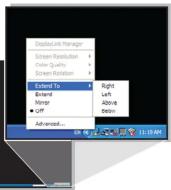
You can control the display property of the adapter from the system tray icon or in "Display Property".
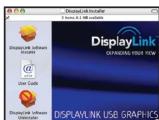
Step 1:
Click "DisplayLink Software Installer".
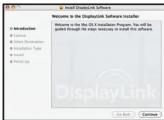
Step 2
Click "Continue"
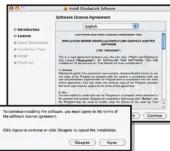
Step 3 and 4:
Click "Continue" and Click "Agree"
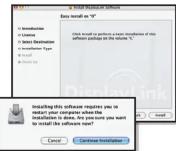
Step 5 & 6:
Click "Install" and then Click "Continue Installation".
Function Modes
PRIMARY MODE:

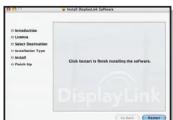
Step 7
Click "Restart".
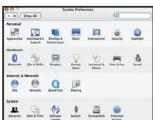
Step 8 & 9:
Connect AUD200F and Go to
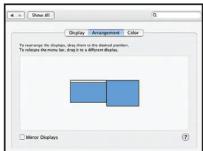
"Displays" in "System Preferences".
Step 10:
To move the position of a display, click and hold the display you wish to move then drag it to the desired position. If your computer is connected to more than two displays you can specify that some are mirrored and others in extended mode.
Technical Support Warranty
If you need further assistance, please contact the Aluratek support department for
toubleshooting prior to returning this device .Easily support your home
E-mail: support@aiuratek.com Web: www.aiuratek.com/support
Web: www.aharatek.com/support/ Local (Living, CA): 949-419-6504
Toll free: 1-866-580-1978
Radio and TV Interference Statement
WARNING!!! This equipment has been tested and found to comply with the limits of a Class B
digital device, pursuant to part 15 of the FCC rules. These limits are designed to provide reasonable protection against harmful interference in a residential installation.
This equipment generates, uses and can radiate radio frequency energy and, if not installed and used in accordance with the instructions, may serve harmful interference to radio.
and used in accordance with the instruction, may cause harmful interference to radio communications. However, there is no guarantee that interference will not occur in a particular
installation. If this equipment does cause harmful interference to radio or television reception,
which can be determined by turning the equipment off and on, the user is encouraged to try to correct the interference by whatever measures may be required to correct the interference.
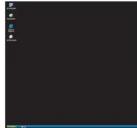
PRIMARY MODE


EXTENDED MODE:
MIRROR MODE:

This equipment generates, uses and can radiate radio frequency energy and, if not installed and used in accordance with the instructions may cause harmful interference to radio.
and used in accordance with the instruction, may cause harmful interference to radio communications. However, there is no guarantee that interference will not occur in a particular
installation. If this equipment does cause harmful interference to radio or television reception,
which can be determined by turning the equipment off and on, the user is encouraged to try to correct the interference by whatever measures may be required to correct the interference.
Aluratek warrants this product against defect in material or workmanship for 1 Year from the date of purchase.
This warranty becomes invalid if the factory-supplied serial number or "warranty void" sticker has been removed or altered on the product.
This warranty does not cover
A) Cosmetic damage or damage due to acts of God; B) Accident, misuse, abuse, negligence or modification
C) Damage due to improper operation or maintenance, connection to improper
or attempted repair by anyone other than Aluralek. D) Products sold AS IS or WITH FAUL TS
IN NO EVENT SHALL ALURATEK'S LIABILITY EXCEED THE PRICE PAID FOR THE
PRODUCT FROM DIRECT, INDIRECT, SPECIAL, INCIDENTAL, OR CONSEQUENTIALL DAMAGES RESULTING FROM THE USE OF THE PRODUCT, ITS ACCOMPANYING
DAMAGES OF RECEIVING FROM THE USE SOFTWARE, OR ITS DOCUMENTATION.
Aluratek makes no warranty or representation, expressed, implied, or statutory, with respect to the contents and appearance of this document and all rights reserved. Please note:
to its products, contents or use of this documentation and all accompanying software, and specifically disclaims its quality, performance, merchantability, or fitness for any particular
purpose. Aluralek reserves the right to revise or update it's product, software or documentation without obligation to notify any individual or entity.