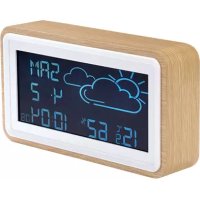
WS72 - Station Météo DENVER - Notice d'utilisation et mode d'emploi gratuit
Retrouvez gratuitement la notice de l'appareil WS72 DENVER au format PDF.

Choisissez votre langue et indiquez votre email : nous vous enverrons une version traduite specifiquement.
| Type de produit | Station météo sans fil |
| Marque | Denver |
| Modèle | WS72 |
| Capteurs extérieurs | 1 capteur sans fil (température et humidité) |
| Portée de transmission | Jusqu'à 30 mètres en champ libre |
| Température intérieure | 0 °C à 50 °C |
| Température extérieure | -20 °C à 60 °C |
| Humidité intérieure/extérieure | 20% à 95% HR |
| Prévisions météo | Icônes de prévisions (ensoleillé, nuageux, pluvieux, etc.) |
| Affichage | Écran LCD rétroéclairé |
| Alimentation station | 2 piles AA (non fournies) |
| Alimentation capteur | 2 piles AA (non fournies) |
| Dimensions station | 140 x 90 x 25 mm |
| Poids station | 150 g (sans piles) |
| Dimensions capteur | 60 x 40 x 20 mm |
| Poids capteur | 50 g (sans piles) |
| Fonctions principales | Température intérieure/extérieure, humidité, tendance, prévisions 12-24h, affichage de l'heure |
| Entretien et nettoyage | Nettoyer avec un chiffon doux et sec. Ne pas utiliser de solvants. |
| Sécurité | Protéger de l'eau et des chocs. Ne pas ouvrir l'appareil. |
| Pièces détachées et réparabilité | Piles standard. Aucune pièce détachée disponible. En cas de panne, contacter le SAV Denver. |
| Informations générales | Station météo Denver WS72, notice disponible en ligne. |
FOIRE AUX QUESTIONS - WS72 DENVER
Comment installer la station météo Denver WS72 ?
Installez d'abord les piles dans le capteur extérieur, puis dans la station. Placez le capteur à l'extérieur à l'abri de la pluie directe. La station recherche automatiquement le signal. Consultez la notice pour plus de détails.
Que faire si la station n'affiche pas la température extérieure ?
Vérifiez que les piles du capteur sont correctement installées et que celui-ci est à moins de 30 mètres de la station. Appuyez sur le bouton RESET du capteur pour resynchroniser.
Comment changer les piles de la station ?
Ouvrez le compartiment à piles situé à l'arrière de la station. Retirez les piles usagées et insérez deux piles AA neuves en respectant la polarité. Refermez le couvercle.
Que signifient les icônes de prévisions météo ?
Les icônes indiquent les tendances : ensoleillé, partiellement nuageux, nuageux, pluvieux ou neigeux. Elles sont basées sur les variations de pression atmosphérique et ne remplacent pas les prévisions professionnelles.
Peut-on utiliser la station sans capteur extérieur ?
Oui, la station affichera uniquement la température et l'humidité intérieure. Les fonctions extérieures et les prévisions ne seront pas disponibles.
Comment régler l'heure sur la station Denver WS72 ?
L'heure se règle automatiquement via le signal radio DCF (si disponible) ou manuellement en maintenant enfoncé le bouton SET pendant 3 secondes. Utilisez les touches ▲ et ▼ pour ajuster.
La station affiche des températures inexactes. Que faire ?
Vérifiez que la station et le capteur ne sont pas exposés à des sources de chaleur directes (soleil, radiateur). Placez le capteur à l'ombre et à au moins 1,5 m du sol. Attendez 30 minutes pour une stabilisation.
Peut-on connecter plusieurs capteurs à la station ?
Non, la Denver WS72 est conçue pour un seul capteur extérieur. Pour ajouter d'autres capteurs, il faut un modèle compatible multipoint.
Comment nettoyer l'écran de la station ?
Utilisez un chiffon doux et sec (microfibre). Évitez les produits chimiques ou abrasifs qui pourraient rayer l'écran.
La station ne s'allume pas. Que vérifier ?
Assurez-vous que les piles sont installées dans le bon sens et qu'elles sont neuves. Essayez de remplacer les piles. Si le problème persiste, contactez le service client Denver.
Questions des utilisateurs sur WS72 DENVER
0 question sur cet appareil. Repondez a celles que vous connaissez ou posez la votre.
Poser une nouvelle question sur cet appareil
Aucune question pour l'instant. Soyez le premier à en poser une.
Téléchargez la notice de votre Station Météo au format PDF gratuitement ! Retrouvez votre notice WS72 - DENVER et reprennez votre appareil électronique en main. Sur cette page sont publiés tous les documents nécessaires à l'utilisation de votre appareil WS72 de la marque DENVER.
MODE D'EMPLOI WS72 DENVER

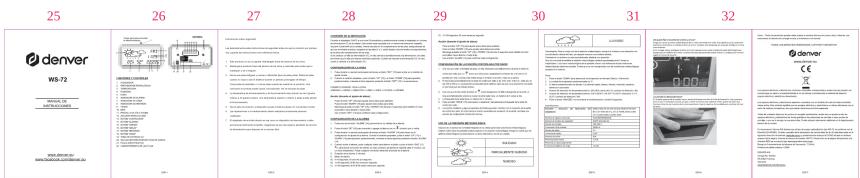
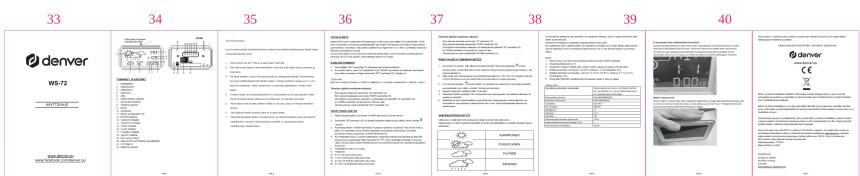
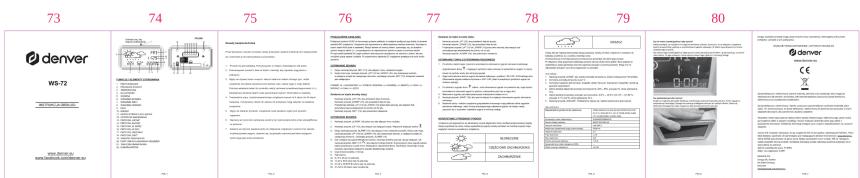
![49 50 51 52 53 54 55 56 Denver WS-72 DESIGNER [IMAGE] DESIGNER NAME SHEET NAME DESCRIPTION ITEMS ITEMS BY: ITEMS NUMBER: ITEMS NAME: ITEMS SIGN: ITEMS SIGN ITEMS SIGN ITEMS SIGN ITEMS SIGN ITEMS SIGN ITEMS SIGN ITEMS SIGN ITEMS SIGN ITEMS SIGN ITEMS SIGN ITEMS SIGN ITEMS SIGN ITEMS SIGN ITEMS SIGN ITEMS SIGN ITEMS SIGN ITEMS SIGN ITEMS SIGN ITEMS SIGN ITEMS SIGN ITEMS SIGN ITEMS SIGN ITEMS SIGN ITEMS SIGN ITEMS SIGN ITEMS SIGN](/content/2026/03/559136/images/a75bcf29a3c4d6746caa82f5ad1b7442f9c359711b9a61f8d3ce47de28098fc8.jpg)
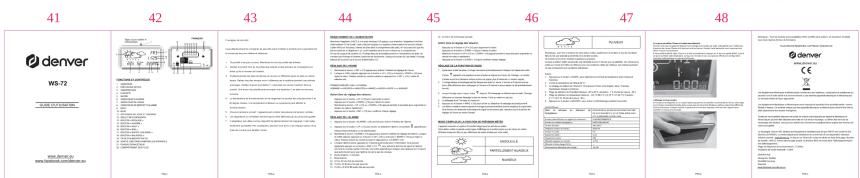
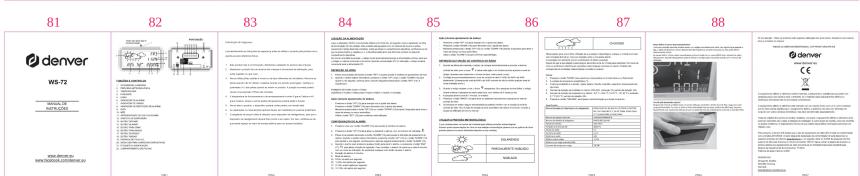
![65 66 67 68 69 70 71 72 DENVER WS-72 [IMAGE] SALADIS SESSACH 1. Air Condition: Air Condition is not specified in the legend. 2. Air Condition: Air Condition is not specified in the legend. 3. Air Condition: Air Condition is not specified in the legend. 4. Air Condition: Air Condition is not specified in the legend. 5. Air Condition: Air Condition is not specified in the legend. 6. Air Condition: Air Condition is not specified in the legend. 7. Air Condition: Air Condition is not specified in the legend. 8. Air Condition: Air Condition is not specified in the legend. 9. Air Condition: Air Condition is not specified in the legend. 10. Air Condition: Air Condition is not specified in the legend. 11. Air Condition: Air Condition is not specified in the legend. 12. Air Condition: Air Condition is not specified in the legend. 13. Air Condition: Air Condition is not specified in the legend. 14. Air Condition: Air Condition is not specified in the legend. 15. Air Condition: Air Condition is not specified in the legend. 16. Air Condition: Air Condition is not specified in the legend. 17. Air Condition: Air Condition is not specified in the legend. 18. Air Condition: Air Condition is not specified in the legend. 19. Air Condition: Air Condition is not specified in the legend. 20. Air Condition: Air Condition is not specified in the legend. 21. Air Condition: Air Condition is not specified in the legend. 22. Air Condition: Air Condition is not specified in the legend. 23. Air Condition: Air Condition is not specified in the legend. 24. Air Condition: Air Condition is not specified in the legend. 25. Air Condition: Air Condition is not specified in the legend. 26. Air Condition: Air Condition is not specified in the legend. 27. Air Condition: Air Condition is not specified in the legend. 28. Air Condition: Air Condition is not specified in the legend. 29. Air Condition: Air Condition is not specified in the legend. 30. Air Condition: Air Condition is not specified in the legend. 31. Air Condition: Air Condition is not specified in the legend. 32. Air Condition: Air Condition is not specified in the legend. 33. Air Condition: Air Condition is not specified in the legend. 34. Air Condition: Air Condition is not specified in the legend. 35. Air Condition: Air Condition is not specified in the legend. 36. Air Condition: Air Condition is not specified in the legend. 37. Air Condition: Air Condition is not specified in the legend. 38. Air Condition: Air Condition is not specified in the legend. 39. Air Condition: Air Condition is not specified in the legend. 40. Air Condition: Air Condition is not specified in the legend. 41. Air Condition: Air Condition is not specified in the legend. 42. Air Condition: Air Condition is not specified in the legend. 43. Air Condition: Air Condition is not specified in the legend. 44. Air Condition: Air Condition is not specified in the legend. 45. Air Condition: Air Condition is not specified in the legend. 46. Air Condition: Air Condition is not specified in the legend. 47. Air Condition: Air Condition is not specified in the legend. 48. Air Condition: Air Condition is not specified in the legend. 49. Air Condition: Air Condition is not specified in the legend. 50. Air Condition: Air Condition is not specified in the legend. 51. Air Condition: Air Condition is not specified in the legend. 52. Air Condition: Air Condition is not specified in the legend. 53. Air Condition: Air Condition is not specified in the legend. 54. Air Condition: Air Condition is not specified in the legend. 55. Air Condition: Air Condition is not specified in the legend. 56. Air Condition: Air Condition is not specified in the legend. 57. Air Condition: Air Condition is not specified in the legend. 58. Air Condition: Air Condition is not specified in the legend. 59. Air Condition: Air Condition is not specified in the legend. 60. Air Condition: Air Condition is not specified in the legend. 61. Air Condition: Air Condition is not specified in the legend. 62. Air Condition: Air Condition is not specified in the legend. 63. Air Condition: Air Condition is not specified in the legend. 64. Air Condition: Air Condition is not specified in the legend. 65. Air Condition: Air Condition is not specified in the legend. 66. Air Condition: Air Condition is not specified in the legend. 67. Air Condition: Air Condition is not specified in the legend. 68. Air Condition: Air Condition is not specified in the legend. 69. Air Condition: Air Condition is not specified in the legend. 70. Air Condition: Air Condition is not specified in the legend. 71. Air Condition: Air Condition is not specified in the legend. 72. Air Condition: Air Condition is not specified in the legend. 73. Air Condition: Air Condition is not specified in the legend. 74. Air Condition: Air Condition is not specified in the legend. 75. Air Condition: Air Condition is not specified in the legend. 76. Air Condition: Air Condition is not specified in the legend. 77. Air Condition: Air Condition is not specified in the legend. 78. Air Condition: Air Condition is not specified in the legend. 79. Air Condition: Air Condition is not specified in the legend. 80. Air Condition: Air Condition is not specified in the legend. 81. Air Condition: Air Condition is not specified in the legend. 82. Air Condition: Air Condition is not specified in the legend. 83. Air Condition: Air Condition is not specified in the legend. 84. Air Condition: Air Condition is not specified in the legend. 85. Air Condition: Air Condition is not specified in the legend. 86. Air Condition: Air Condition is not specified in the legend. 87. Air Condition: Air Condition is not specified in the legend. 88. Air Condition: Air Condition is not specified in the legend. 89. Air Condition: Air Condition is not specified in the legend. 90. Air Condition: Air Condition is not specified in the legend. 91. Air Condition: Air Condition is not specified in the legend. 92. Air Condition: Air Condition is not specified in the legend. 93. Air Condition: Air Condition is not specified in the legend. 94. Air Condition: Air Condition is not specified in the legend. 95. Air Condition: Air Condition is not specified in the legend. 96. Air Condition: Air Condition is not specified in the legend. 97. Air Condition: Air Condition is not specified in the legend. 98. Air Condition: Air Condition is not specified in the legend. 99. Air Condition: Air Condition is not specified in the legend. 100. AIR CONDITION AIR CONDITION IS NOT SPECIFIED IN THE SAGAR ORDER (SEE) OF THIS SAGAR ORDER (SEE) 100% AIR CONDITION IS NOT SPECIFIED IN THE SAGAR ORDER (SEE) 100% AIR CONDITION IS NOT SPECIFIED IN THE SAGAR ORDER (SEE) 100% AIR CONDITION IS NOT SPECIFIED IN THE SAGAR ORDER (SEE) 100% AIR CONDITION IS NOT SPECIFIED IN THE SAGAR ORDER (SEE) 100% AIR CONDITION IS NOT SPECIFIED IN THE SAGAR ORDER (SEE) 100% AIR CONDITION IS NOT SPECIFIED IN THE SAGAR ORDER 100% AIR CONDITION IS NOT SPECIFIED IN THE SAGAR ORDER (SEE) 100% AIR CONDITION IS NOT SPECIFIED IN THE SAGAR ORDER (SEE) 100% AIR CONDITION IS NOT SPECIFIED IN THE SAGAR ORDER (SEE) 100% AIR CONDITION IS NOT SPECIFIED IN THE SAGAR ORDER (SEE) 100% AIR CONDITION IS NOT SPECIFIED IN THE SAGAR ORDER (SEE) 100% AERICTION AERICTION AERICTION AERICTION AERICTION AERICTION AERICTION AERICTION AERICTION AERICTION AERICTION AERICTION AERICTION AERICTION AERICTION AERICTION AERICTION AERICTION AERICTION AERICTION AERICTION BUTTER BUTTER BUTTER BUTTER BUTTER BUTTER BUTTER BUTTER BUTTER BUTTER BUTTER BUTTER BUTTER BUTTER BUTTER BUTTER BUTTER BUTTER BUTTER BUTTER BUTTER BUTTER BUTTER BUTTER BUTTER BUTTERM BUTTERM IS NOT SPECIFIED IN THE SAGAR ORDER (SEE) 100% AIR CONDITION IS NOT SPECIFIED IN THE SAGAR ORDER (SEE) 100% AIR CONDITION IS NOT SPECIFIED IN THE SAGAR ORDER (SEE) 100% AIR CONDITION IS NOT SPECIFIED IN THE SAGAR ORDER (SEE) 100% AIR CONDITION IS NOT SPECIFIED IN THE SAGAR ORDER (SEE) 100% AIR CONDITION IS NOT SPECIFIEDIN THE SAGAR ORDER (SEE) 100% AIR CONDITION IS NOT SPECIFIED IN THE SAGAR ORDER (SEE) 100% AIR CONDITION IS NOT SPECIFIED IN THE SAGAR ORDER (SEE) 100% AIR CONDITION IS NOT SPECIFIED IN THE SAGAR ORDER (SEE) 100% AIR CONDITION IS NOT SPECIFIED IN THE SAGAR ORDER (SEE) 100% AIR CONDITION IS NOT SPECIFIED IN THE SAGAR 2/3/2/2/2/2/2/2/2/2/2/2/2/2/2/2/2/2/2/2/2/2/2/2/2/2/2/2/2/2/2/2/2/2/2/2/2/2/2/2/2/2/2/2/2/2/2/2/2/2/2/2/](/content/2026/03/559136/images/08925ed4d14ac6724fa969fd4c28764309a6f1c9e6322931f1d294163fbc5c6b.jpg)
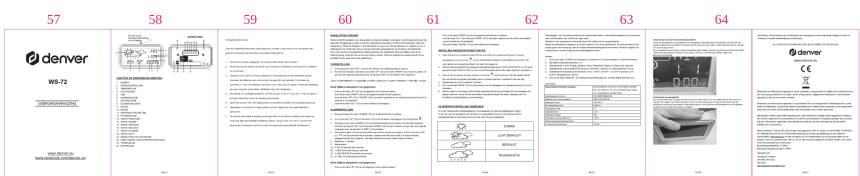
![89 90 91 92 93 94 95 96 Denver W8-72 [IMAGE] DESIGNER DESIGNER DESIGNER DESIGNER DESIGNER DESIGNER DESIGNER DESIGNER DESIGNER DESIGNER DESIGNER DESIGNER DESIGNER DESIGNER DESIGNER DESIGNER DESIGNER DESIGNER DESIGNER DESIGNER DESIGNER DESIGNER DESIGNER DESIGNER DESIGNER DESIGNER](/content/2026/03/559136/images/2d3d87cb3c8cd97bf25eaaaf031aacfff1cebd015d3144d40ff80eddcdff9427.jpg)



Assistant notice
Powered by Anthropic
En attente de votre message
Informations produit
Marque : DENVER
Modèle : WS72
Catégorie : Station Météo