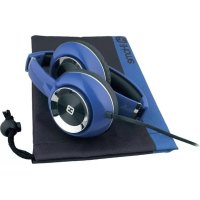
Uproar iB46 - Casque audio IHOME - Notice d'utilisation et mode d'emploi gratuit
Retrouvez gratuitement la notice de l'appareil Uproar iB46 IHOME au format PDF.

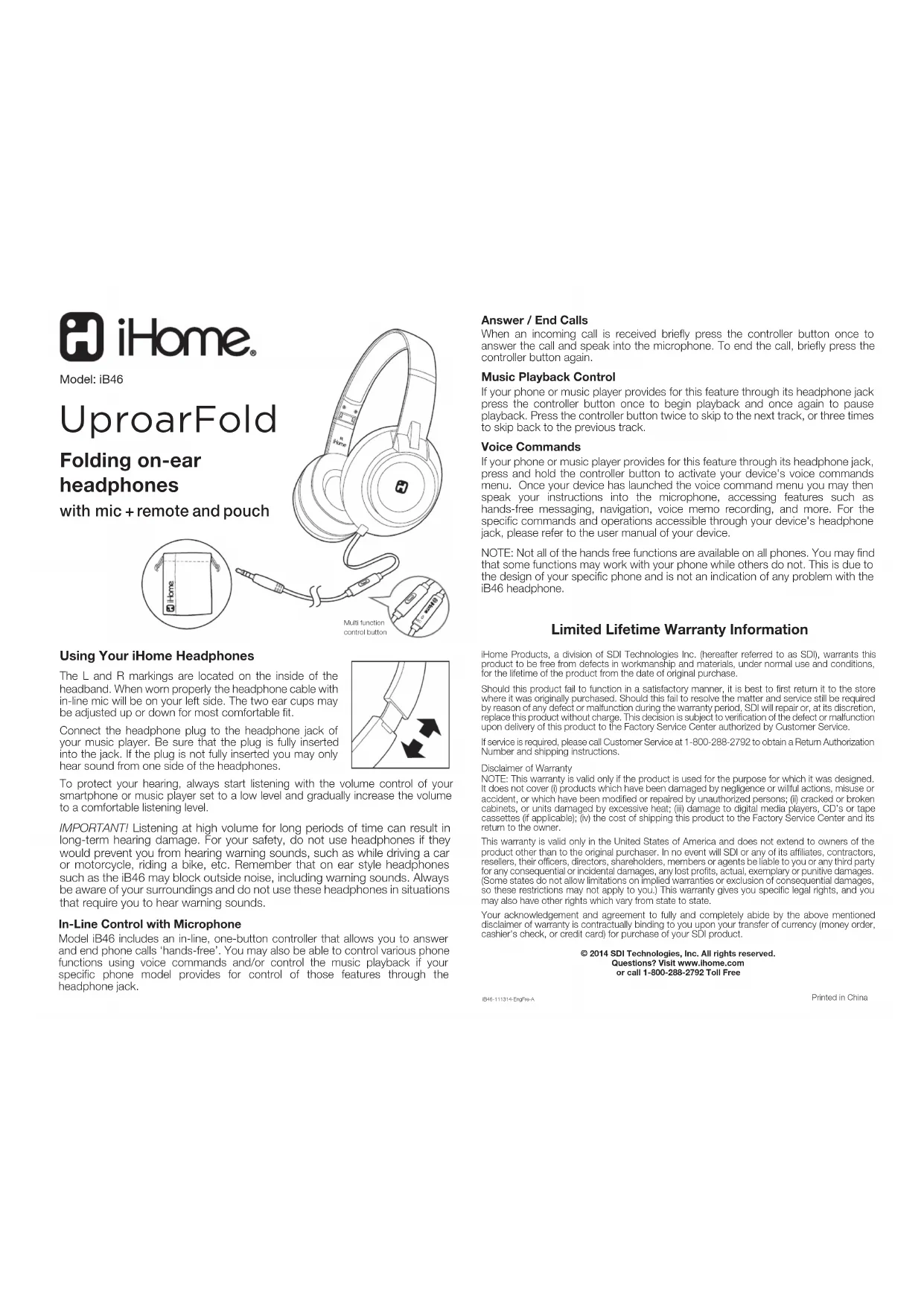
| Type de produit | Casque audio pliable supra-auriculaire |
| Marque | iHome |
| Modèle | Uproar iB46 |
| Type de connexion | Jack 3,5 mm |
| Impédance | 32 ohms |
| Réponse en fréquence | 20 Hz - 20 kHz |
| Diamètre des haut-parleurs | 40 mm |
| Poids | 150 g |
| Longueur de câble | 1,2 m |
| Fonctions principales | Commande en ligne avec microphone, contrôle de la musique, appel mains libres, pliable |
| Accessoires inclus | Pochette de rangement |
| Entretien et nettoyage | Nettoyer avec un chiffon doux et sec |
| Sécurité | Ne pas utiliser à volume élevé longtemps ; ne pas utiliser dans des situations nécessitant l'audition de signaux d'avertissement |
| Garantie | Garantie à vie limitée |
| Alimentation | Aucune (passif) |
FOIRE AUX QUESTIONS - Uproar iB46 IHOME
Questions des utilisateurs sur Uproar iB46 IHOME
0 question sur cet appareil. Repondez a celles que vous connaissez ou posez la votre.
Poser une nouvelle question sur cet appareil
Téléchargez la notice de votre Casque audio au format PDF gratuitement ! Retrouvez votre notice Uproar iB46 - IHOME et reprennez votre appareil électronique en main. Sur cette page sont publiés tous les documents nécessaires à l'utilisation de votre appareil Uproar iB46 de la marque IHOME.
MODE D'EMPLOI Uproar iB46 IHOME

Model: iB46
UproarFold
Folding on-ear headphones
with mic + remote and pouch

Using Your iHome Headphones
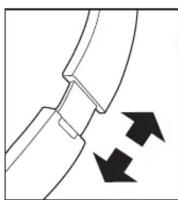
The L and R markings are located on the inside of the headband. When worn properly the headphone cable with in-line mic will be on your left side. The two ear cups may be adjusted up or down for most comfortable fit.
Connect the headphone plug to the headphone jack of your music player. Be sure that the plug is fully inserted into the jack. If the plug is not fully inserted you may only hear sound from one side of the headphones.
To protect your hearing, always start listening with the volume control of your smartphone or music player set to a low level and gradually increase the volume to a comfortable listening level.
IMPORTANT! Listening at high volume for long periods of time can result in long-term hearing damage. For your safety, do not use headphones if they would prevent you from hearing warning sounds, such as while driving a car or motorcycle, riding a bike, etc. Remember that on ear style headphones such as the iB46 may block outside noise, including warning sounds. Always be aware of your surroundings and do not use these headphones in situations that require you to hear warning sounds.
In-Line Control with Microphone
Model iB46 includes an in-line, one-button controller that allows you to answer and end phone calls 'hands-free'. You may also be able to control various phone functions using voice commands and/or control the music playback if your specific phone model provides for control of those features through the headphone jack.
Answer / End Calls
When an incoming call is received briefly press the controller button once to answer the call and speak into the microphone. To end the call, briefly press the controller button again.
MusicPlaybackControl
If your phone or music player provides for this feature through its headphone jack press the controller button once to begin playback and once again to pause playback. Press the controller button twice to skip to the next track, or three times to skip back to the previous track.
Voice Commands
If your phone or music player provides for this feature through its headphone jack, press and hold the controller button to activate your device's voice commands menu. Once your device has launched the voice command menu you may then speak your instructions into the microphone, accessing features such as hands-free messaging, navigation, voice memo recording, and more. For the specific commands and operations accessible through your device's headphone jack, please refer to the user manual of your device.
NOTE: Not all of the hands free functions are available on all phones. You may find that some functions may work with your phone while others do not. This is due to the design of your specific phone and is not an indication of any problem with the iB46 headphone.
Limited Lifetime Warranty Information
iHome Products, a division of SDI Technologies Inc. (hereafter referred to as SDI), warrants this product to be free from defects in workmanship and materials, under normal use and conditions, for the lifetime of the product from the date of original purchase.
Should this product fail to function in a satisfactory manner, it is best to first return it to the store where it was originally purchased. Should this fail to resolve the matter and service still be required by reason of any defect or malfunction during the warranty period, SDI will repair or, at its discretion, replace this product without charge. This decision is subject to verification of the defect or malfunction upon delivery of this product to the Factory Service Center authorized by Customer Service.
If service is required, please call Customer Service at 1-800-288-2792 to obtain a Return Authorization Number and shipping instructions.
Disclaimer of Warranty
NOTE: This warranty is valid only if the product is used for the purpose for which it was designed. It does not cover (i) products which have been damaged by negligence or willful actions, misuse or accident, or which have been modified or repaired by unauthorized persons; (ii) cracked or broken cabinets, or units damaged by excessive heat; (iii) damage to digital media players, CD's or tape cassettes (if applicable); (iv) the cost of shipping this product to the Factory Service Center and its return to the owner.
This warranty is valid only in the United States of America and does not extend to owners of the product other than to the original purchaser. In no event will SDI or any of its affiliates, contractors, resellers, their officers, directors, shareholders, members or agents be liable to you or any third party for any consequential or incidental damages, any lost profits, actual, exemplary or punitive damages. (Some states do not allow limitations on implied warranties or exclusion of consequential damages, so these restrictions may not apply to you.) This warranty gives you specific legal rights, and you may also have other rights which vary from state to state.
Your acknowledgement and agreement to fully and completely abide by the above mentioned disclaimer of warranty is contractually binding to you upon your transfer of currency (money order, cashier's check, or credit card) for purchase of your SDI product.
© 2014 SDI Technologies, Inc. All rights reserved.
Questions? Visit www.ihome.com
or call 1-800-288-2792 Toll Free

Marque : IHOME
Modèle : Uproar iB46
Catégorie : Casque audio