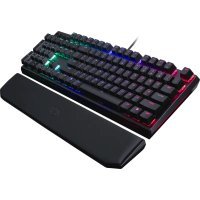
MasterKeys MK750 - Clavier CM Storm - Notice d'utilisation et mode d'emploi gratuit
Retrouvez gratuitement la notice de l'appareil MasterKeys MK750 CM Storm au format PDF.

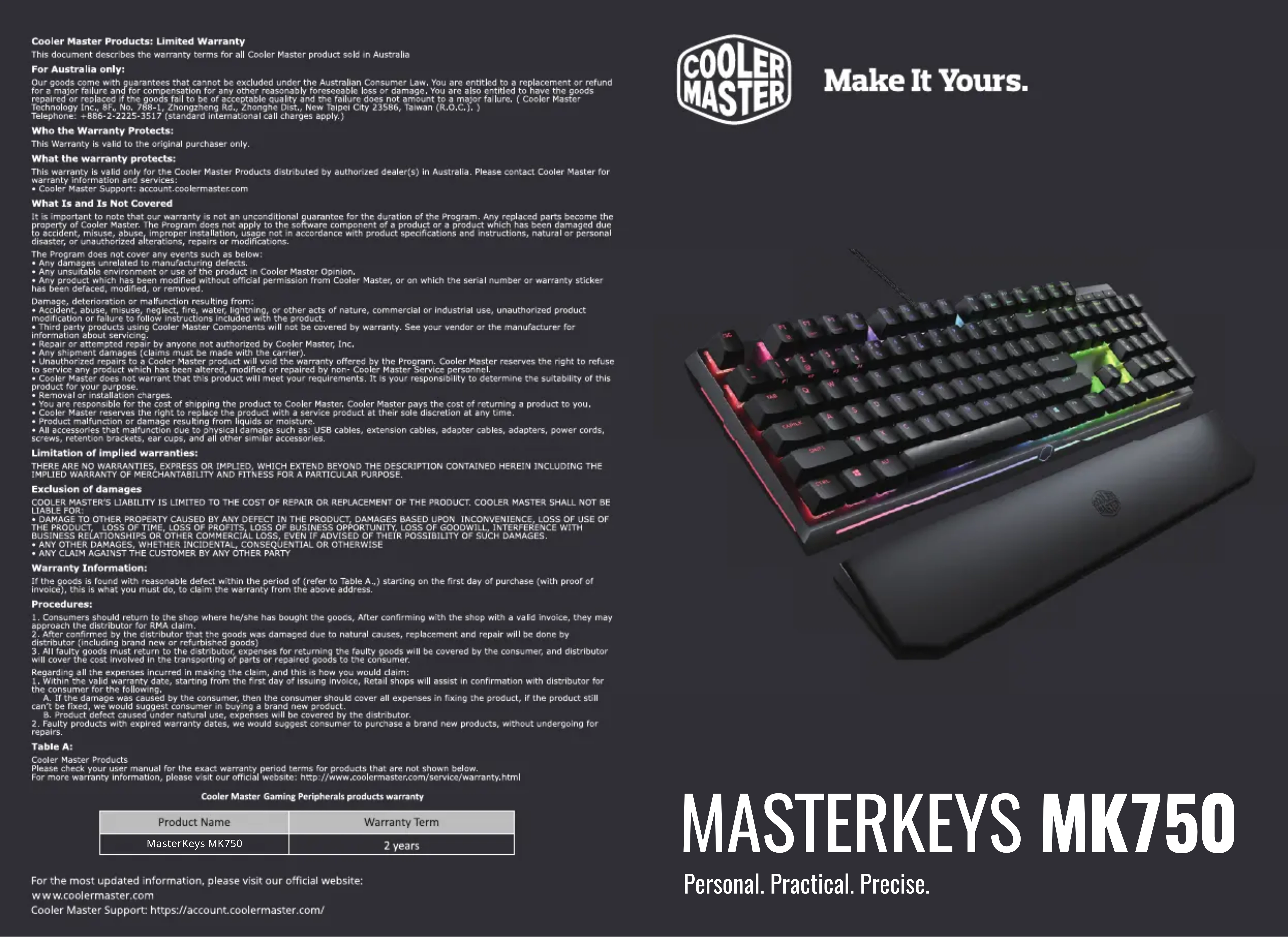
| Type de produit | Clavier mécanique gaming |
| Marque | CM Storm |
| Modèle | MasterKeys MK750 |
| Dimensions (approx.) | 440 x 135 x 40 mm |
| Poids (avec repose-poignet) | 1,2 kg |
| Alimentation | USB (bus-powered) |
| Type de connexion | USB Type-C amovible |
| Longueur du câble | 1,8 m tressé |
| Rétroéclairage | RGB personnalisable avec 9 niveaux de couleur |
| Touches de macro | Programmables (enregistrement et lecture) |
| Profils de configuration | 4 profils assignables |
| Touches multimédia | Intégrées via touches FN |
| Matériau du châssis | Plastique avec structure métallique |
| Contenu du coffret | Clavier, repose-poignet, câble USB, extracteur de touches, 8 touches supplémentaires, housse anti-poussière |
| Garantie | 2 ans |
| Entretien et nettoyage | Nettoyer avec un chiffon doux et sec ; éviter les liquides |
| Sécurité | Ne pas exposer à l'eau ou à l'humidité excessive |
| Pièces détachées et réparabilité | Câble USB amovible ; touches interchangeables ; switches mécaniques soudés |
FOIRE AUX QUESTIONS - MasterKeys MK750 CM Storm
Questions des utilisateurs sur MasterKeys MK750 CM Storm
0 question sur cet appareil. Repondez a celles que vous connaissez ou posez la votre.
Poser une nouvelle question sur cet appareil
Téléchargez la notice de votre Clavier au format PDF gratuitement ! Retrouvez votre notice MasterKeys MK750 - CM Storm et reprennez votre appareil électronique en main. Sur cette page sont publiés tous les documents nécessaires à l'utilisation de votre appareil MasterKeys MK750 de la marque CM Storm.
MODE D'EMPLOI MasterKeys MK750 CM Storm
Cooler Master Products: Limited Warranty
This document describes the warranty terms for all Cooler Master product sold in Australia
For Australia only
Our goods come with guarantees that cannot be excluded under the Australian Consumer Law. You are entitled to a replacement or refund
for a major failure and for compensation for any other reasonably foreseeable loss or damage, you are also entitled to have the go repaired or replaced if the goods fail to be of acceptable quality and the failure does not amount to a major failure. (Cool Master
Technology Inc., 8F, No. 788-1, Zhongzheng Rd., Zhonghe Dist., New Taipei City 23586, Taiwan (R.O.C.), Tel: Telephone: +866-2-2225-3517 (standard international call charges apply).
Who the Warranty Protect
This warranty is valid to the prior
This warranty is valid to the original purchaser only.
What the warranty protects:
This warranty is valid only for the Cooler Master Products distributed by authorized dealer(s) in Australia. Please contact Cooler Master for
Warranty information and services: -Cooler Master Support: account coolermaster.com
What Is and Is Not Covered
It is important to note that our warranty is not an unconditional guarantee for the duration of the Program. Any replaced parts become the
Property of Cook Master. The program does not apply to the software component of a product or a product which has been damaged due to the use of an unlicensed device. This program is intended to ensure that the system is in accordance with product specifications and instructions, natural or personal disaster, or unauthorized alterations, repairs or modifications.
The Program does not cover any events such as below:
Any damages unrelated to manufacturing defects
Any unsuitable environment or use of the product in Cooler Master Opinion,
- Any product which has been modified without official permission from Cool Master, or on which the serial number of warranty sticker has been defaced, modified, or removed.
P
A
Modification or failure to follow instructions included with the product.
Third party products using Cooler Master Components will not be covered by warranty. See your vendor or the manufacturer for
information about servicing.
Repair or attempted repair by anyone not authorized by Colder Master, Inc. Any shipment damage (claims must be made with the carrier).
- Unauthorized repairs to a Cool Master product will yield the warranty offered by the Program. Cool Master reserves the right to refuse
to service any product which has been altered, modified or repaired by non- Cooler Master Service personnel.
Cooler Master does not warrant that this product will meet your requirements. It is your responsibility to determine the suitability of this product for your purpose.
- Removal or Installation charges.
You are responsible for the cost of shipping the product to Cooler Master. Cooler Master pays the cost of returning a product to you.
Cooler Master reserves the right to replace the product with a service product at their sole discretion at any time.
Product mction of darnage ronging from iques or niscure.
- All accessories that malfunction due to physical damage such as: USB cables, extension cables, adapter cables, adapters, power cords, screws, retention brackets, ear cups, and all other similar accessories.
Limitation of implied warranties
THERE ARE NO WARDAN TIES, EXCEPTS OR IMPLIED, WHICH EXTEND BEYOND THE DESCRIPTION CONTAINED HEREIN INCLUDING THE
TRENTHEIRATNOWARGANTIES,EXPRESSORIMPLIED,WHICHEXTENDBEYONDTHEDESCRIPTIONCONTAINEDHEREININCLUDING THE IMPLIED WARRANTY OF MERCHANTABILITY AND FITNESS FOR A PARTICULAR PURPOSE.
Exclusion of damages
COOLER MASTER'S LIABILITY IS LIMITED TO THE COST OF REPAIR OR REPLACEMENT OF THE PRODUCT. COOLER MASTER SHALL NOT BE
LIABLE FOR:
THE PRODUCT LOSS OF TIME LOSS OF PROBETS LOSS OF BUSINESS OPPORTUNITY LOSS OF GOODWILL INTERFERENCE WITH
BUSINESS RELATIONSHIPS OR OTHER COMMERCIAL LOSS, EVEN IF ADVISED OF THEIR POSSIBILITY OF SUCH DAMAGES.
ANY OTHER DAMAGES, WHETHER INCIDENTAL, CONSEQUENTIAL OR OTHERWISE
ANYCLAIMAGAINSTHECUSTOMERBYANYOTHERPARTY
Warranty Information:
If the goods is found with reasonable defect within the period of (refer to Table A.) starting on the first day of purchase (with proof of
invoice), this is what you must do, to claim the warranty from the above address.
Procedures:
- Consumers should return to the shop where he/she has bought the goods, After confirming with the shop with a valid invoice, they may
approach the distributor for RMA claim. 2. After confirmed by the distributor that the goods was damaged due to natural causes, replacement and repair will be done by
distractor (including brand new or republisbed apps)
- All faulty goods must return to the distributor, expenses for returning the faulty goods will be covered by the consumer, and distributor
will cover the cost involved in the transporting of parts or repaired goods to the consumer
Regarding all the expenses incurred in making the claim, and this is how you would claim:
- within the valid warranty date, starting from the first day of issuing invoice, retail shops will assist in confirmation with distributor for the consumer for the following:
A. If the damage was caused by the consumer, then the consumer should cover all expenses in fixing the product, if the product still
can't be fixed, we would suggest consumer in buying a brand new product.
B. Product defect caused under natural use, expenses will be covered by the distributor. 2. Faulty products with expired warranty dates, we would suggest consumers to purchase a brand new products, without undergoing for
reals
Table A:
Guarantor Material Product
Coffer Master Products Please check your user manual for the exact warranty period terms for products that are not shown below.
For more warranty information, please visit our official website: http://www.coolermaster.com/service/warranty.html
Cooler Master Gaming Peripherals products warranty
| Product Name | Warranty Term |
| MasterKeys MK750 | 2 years |
For the most updated information, please visit our official website:
www.coolermaster.com
Cooler Master Support: https://account.coolermaster.com/

Make It Yours.
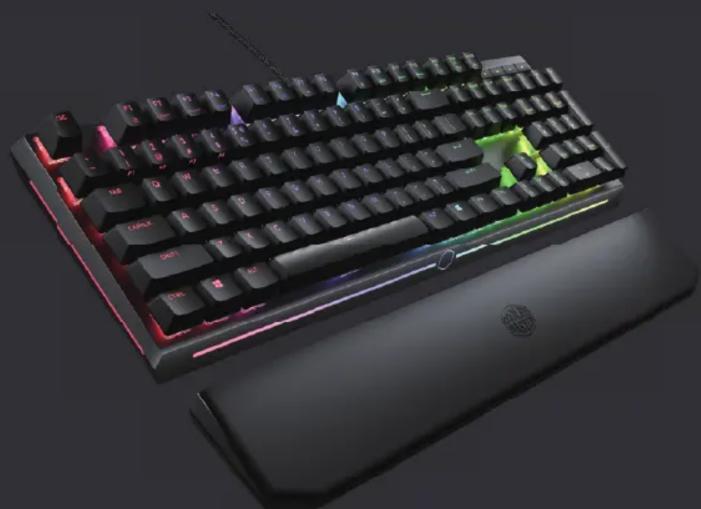
MASTERKEYS MK750
Personal. Practical. Precise.
Package Contents
·MasterKeys MK750
Wristrest
- 1.8m Braided USB Type-C Cable
Keycap Puller
Anti-Dust Sleeve
- 8 Extra Keycap
Quick Start Guide
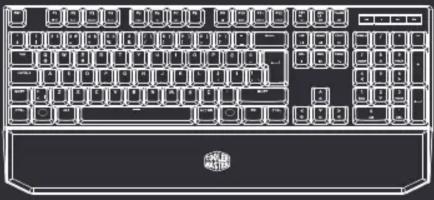

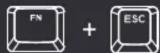
FN + ESC = Default Profile
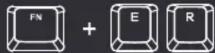
FN+E = Reset all to default
FN+R = Reset Profile to Default

FN+F1 = Quick Pick/Cycle 9 Colors and Modes
FN+F2 = Red Color Levels (0-9)
FN+F3 = Green Color Levels (0-9)
FN+F4 = Blue Color Levels (0-9)

FN+F5 = Cycle LED Lighting Mode
FN+F6 = Repeat Rate Normal Mode 1x
FN+F7 = Repeat Rate Turbo Mode 8x

FN+F9 = Windows
FN+F10 = Record LED Backlight
FN+F11=Record Macro T10,T11
FN+F12 = Delete Macro
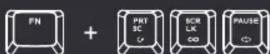
FN+ PRT SC = Single Loop Macro
FN+ SCR LK = Infinite Macro Loop
FN+PAUSE = Repeat Macro

FN+1 = Profile 1
FN+2 = Profile 2
FN+3 = Profile 3
FN+4 = Profile 4
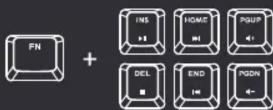
FN+Ins = Play/Pause
FN+Home Next Track
FN+Page Up = Volume Up
FN+Del = Stop
FN+End = Previous Track
FN+Page Down = Volume Down
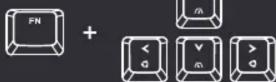
FN+Upward/DownwardArrow keys:
Speed up / Slow Down LED Lighting Effect
FN + Leftward / Rightward Arrow Keys:
Switch Lighting Effect Direction
TR
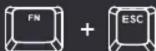
FN+ESC = Standart profil
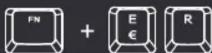
FN+E = Fabrika Ayarlarina Don
FN + R = Profil Bålangic Ayarlarina Don

FN+F1 = Hizli seçim/ 9 Renk ve Modiar
FN+F2 = Kirmizi Renk Seviyesi (0-9)
FN+3 = Yesil Ren Seviyesi (0-9) FN+4 = Nisir Raghav Kumar (2-3)
TN14 - Mavri Kenik Seviyesi (0-9)

FN+F5 = LED dongusu modu
FN+F6 = On Isiklandirma elekti
FN+F7 = Arka lskiandirma Efekti

FN+F9 = Windows kilidi / Būtún klavye kilidi
FN+F10 = LED Aydinlatma Kaydet
FN+F11= Makro Kaydet F11-F10
FN+F12 = Makro Si
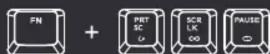
FN + PRT SC = Tek Makro Dongusu
FN + SCR LK = Sonsuz Makro Dongusu
FN + PAUSE = Makro Tekran

FN+1 = Profil 1
FN+2= Profil 2
FN+3=Profl 3FN+4=Pl1
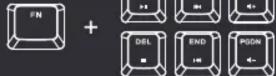
FN+INS = Oynat / durdur
FN+HOME = Sonraki Parça
FN+PageUp=SESartt FN+D1= D2
FN+DEL=DuradurBar FN+END=Onsekz Bar
FN+END=Onetcl+TclcFN+PageDown = SesAzalt

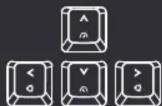
FN +Yukari/Asagi Yon Tuşlari
Aydinlatma Efektini Hizlandir / Yavaşlat
FN +Sag / Sol Yön Tuşlari
Aydinlatma Efektinin Yonunu Değistir
| 部件名称 | 有毒有害物质或元素 | |||||
| 铅(Pb) | 汞(Hg) | 镉(Cd) | 六价铬(Cr(VI)) | 多溴联苯(PBB) | 多溴二苯醚(PBDE) | |
| 结构壳体 | X | ○ | ○ | ○ | ○ | ○ |
| 开关组件PCB,USB | X | ○ | ○ | ○ | ○ | ○ |
| 线材 | X | ○ | ○ | ○ | ○ | ○ |
| 螺丝 | X | ○ | ○ | ○ | ○ | ○ |
© 2018 cooler Master Technology Inc. All Rights Reserved.
All trademarks are registered to their respective owners.
51200833-GP Ver 4.4: 2018/05

Asia Pacific -Cooler Master Technology Inc.
8F,No.788-1,Zhongzheng Rd,Zhanghe Dist.,New Telopei City 27586, Taiwan (B.O.C.)
New Taipei City 23580, Taiwan (R.O.C.) Tel: +886-2-2225-3517
China-Cooler Master China
Room 2052, Floor 6, No.421, Weiqing Rd.,
Jinshan District, Shanghai City, China Tel: +86-21-51872177
Europe -Cooler Master Europe B.V.
Lodewijkstraat 1b, 56S2AC Eindhoven,
The Netherlands
Tel: 31 (0)40 701
North America -Cooler Master NA
4820 Schaefer Ave. Chino CA, 91710, USA
Tel: +1-888-624-5099
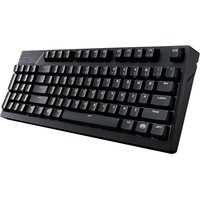
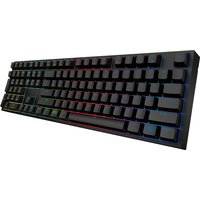
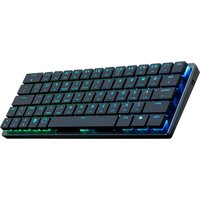
Marque : CM Storm
Modèle : MasterKeys MK750
Catégorie : Clavier