GEMINI GWAP23 - Purificateur d'air

GWAP23 - Purificateur d'air GEMINI - Notice d'utilisation et mode d'emploi gratuit

Retrouvez gratuitement la notice de l'appareil GWAP23 GEMINI au format PDF.

📄 5 pages Français FR Télécharger 💬 Question IA 10 questions ⚙️ Specs
Notice GEMINI GWAP23 - page 1
Choisissez votre langue et indiquez votre email : nous vous enverrons une version traduite specifiquement.
Type de produit Purificateur d'air portable
Marque Gemini
Modèle GWAP23
Dimensions 195 mm (diamètre) x 388 mm (hauteur)
Poids Environ 2,5 kg
Alimentation DC 24 V, 1,2 A
Puissance 23 W
Surface de couverture recommandée Moins de 170 pi² (environ 15,8 m²)
Système de filtration 3 étages : pré-filtre, filtre charbon actif, filtre HEPA 13
Efficacité de filtration Capture 99,97 % des particules de 0,3 micron (poussière, pollen, moisissures, bactéries)
Indicateur de qualité de l'air LED 3 couleurs : Bleu (bon), Jaune (normal), Rouge (mauvais)
Vitesses de ventilation 3 modes : Automatique, Haut, Sommeil
Fonction minuterie Arrêt différé 4h ou 8h
Connectivité WiFi (contrôle via l'application HKBN Home)
Entretien du filtre Filtre 3-en-1 détachable. Nettoyer le pré-filtre régulièrement avec un aspirateur. Remplacer le filtre combiné tous les 6 à 12 mois selon l'utilisation.
Sécurité Arrêt automatique en cas de basculement ou de surchauffe (non spécifié, mais typique).

FOIRE AUX QUESTIONS - GWAP23 GEMINI

Comment installer le purificateur d'air Gemini GWAP23 ?
Placez l'appareil sur une surface plane et stable à au moins 30 cm des murs. Branchez l'adaptateur secteur, puis appuyez sur le bouton marche/arrêt. Pour la connexion WiFi, suivez les étapes de l'application HKBN Home : créez un compte, ajoutez l'appareil dans la catégorie 'Électroménager' et suivez les instructions de jumelage.
Comment nettoyer le filtre du purificateur ?
Débranchez l'appareil. Ouvrez le panneau arrière et retirez le filtre 3-en-1. Passez un aspirateur doux sur le pré-filtre pour enlever la poussière. Ne lavez pas le filtre HEPA ou charbon. Remettez le filtre en place une fois sec. Remplacez le filtre combiné tous les 6 à 12 mois.
Que signifient les couleurs de la lumière LED ?
La LED indique la qualité de l'air en temps réel : Bleu = air de bonne qualité, Jaune = qualité normale, Rouge = mauvaise qualité. L'appareil ajuste automatiquement la vitesse en mode Auto.
Comment régler la minuterie d'arrêt ?
Appuyez sur le bouton de la minuterie pour basculer entre 4H, 8H ou désactiver. Le minuteur s'éteint après le délai choisi. Vous pouvez aussi le configurer via l'application.
Quelle est la surface maximale couverte par cet appareil ?
Le Gemini GWAP23 est recommandé pour des pièces jusqu'à 170 pieds carrés (environ 15,8 m²). Pour de plus grandes surfaces, les performances peuvent être réduites.
Puis-je utiliser l'application sans WiFi ?
Non, le contrôle à distance nécessite une connexion WiFi 2,4 GHz. Vous pouvez toutefois utiliser l'appareil manuellement avec les boutons physiques sans connexion.
Comment réinitialiser le purificateur d'air ?
Pour réinitialiser les paramètres WiFi, maintenez enfoncé le bouton de veille pendant 5 secondes jusqu'à entendre un bip. Pour une réinitialisation d'usine, consultez le manuel.
Le filtre HEPA 13 capture-t-il les virus ?
Oui, le filtre HEPA 13 capture 99,97 % des particules jusqu'à 0,3 micron, y compris les bactéries et certains virus (lorsqu'ils sont en suspension dans l'air). Il ne remplace pas les mesures sanitaires.
L'appareil est-il bruyant en mode Sommeil ?
En mode Sommeil, la ventilation est réduite au minimum pour un fonctionnement quasi silencieux (environ 25 dB), idéal pour la nuit.
Où puis-je acheter un filtre de remplacement ?
Les filtres de rechange sont disponibles auprès du service client Gemini ou chez les revendeurs agréés. Référez-vous au modèle GWAP23 pour commander la pièce compatible.

Questions des utilisateurs sur GWAP23 GEMINI

0 question sur cet appareil. Repondez a celles que vous connaissez ou posez la votre.

Poser une nouvelle question sur cet appareil

L'email reste privé : il sert seulement à vous prévenir si quelqu'un répond à votre question.

Aucune question pour l'instant. Soyez le premier à en poser une.

Téléchargez la notice de votre Purificateur d'air au format PDF gratuitement ! Retrouvez votre notice GWAP23 - GEMINI et reprennez votre appareil électronique en main. Sur cette page sont publiés tous les documents nécessaires à l'utilisation de votre appareil GWAP23 de la marque GEMINI.

MODE D'EMPLOI GWAP23 GEMINI
GEMINI GWAP23 - 1

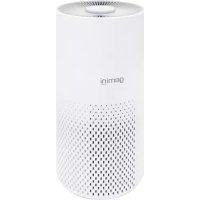
WIFI SMART HEPA FILTER AIR PURIFIER

WIFI無線網絡智能HEPA高效濾網空氣淨化機 - GWAP23

  • Portable air purifier suit for home, office, room use
  • With WIFI control function
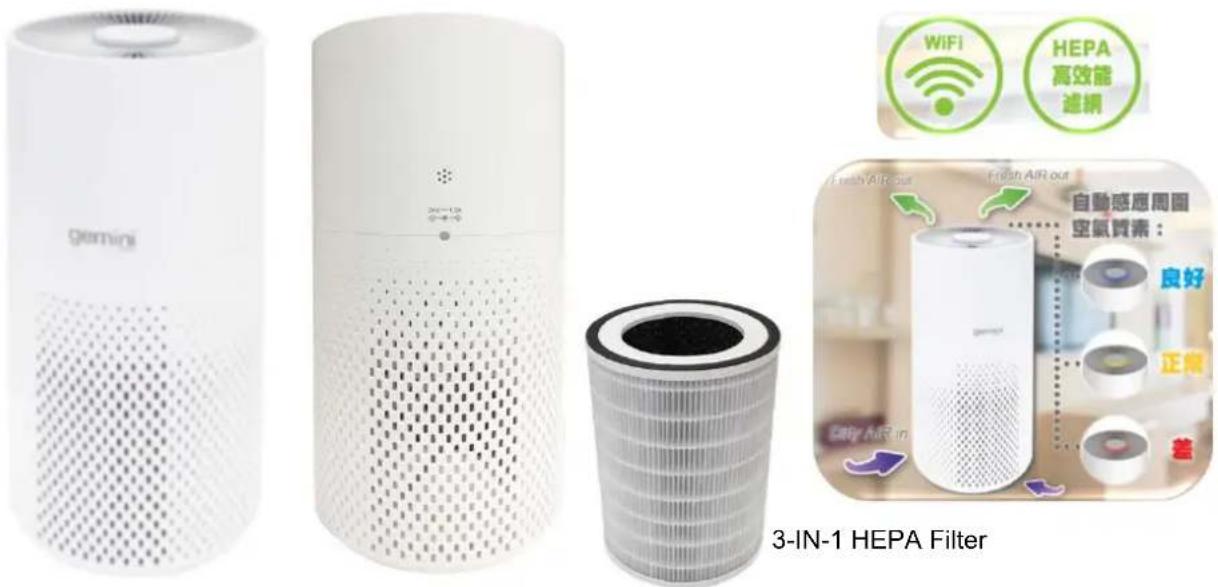
  • Three air quality levels indicator (Blue – Good / Yellow – Normal / Red – Bad)
    • 3 purification wind speeds setting (Auto / High / Sleep)
  • 3 Stage filtration systems to purify, remove dust & the bacteria in the air effectively

- PRE-FILTER : Filters large particles & remove hair dust in the air

- ACTVATED CARBON FILTER : Effectively reduce formaldehyde, smoke or ther bad odors

- HEPA 13 FILTER: Captures 99.97% of dust as small as 0.3 microns such as household dust, pet dander, mold spores, plant pollens and bacteria

• PM 2.5 removal rate 99.97%
- Detachable 3-IN-1 filter
- Timer Off function (4H/8H)
- Recommend coverage area: < 170 sq ft
• Power: 23 W / Voltage : DC 24 V 1.2A
• Product size: 195(Diameter) x 388(H)mm

  • 便攜式空氣淨化機適合家庭、辦公室、房間使用
    • 配有WiFi無線網絡控制
  • 三種顯示空氣質素LED指示燈(藍色-良好/黃色-正常/紅色-差)
    • 3檔淨化風速設置模式 (自動/高/睡眠)
  • 3重淨化過濾系統,有效去除空氣中的灰塵和細菌
  • 前置過濾網:過濾空氣中大粒的塵,去除毛髮等
  • 活性炭過濾網:有效減退甲醛、煙霧及其他難聞氣味
  • HEPA 13 高效過濾網 (99.97%): 過濾0.3微米的灰塵、如家庭灰塵、寵物皮屑、霉菌、植物粉和細菌等

  • 過濾PM2.5達99.97%
    · 3-IN-1 可拆卸過濾網

  • 定時關機功能(4小時 / 8小時)
    • 建議覆蓋面積: <170 平方呎
    • 功率:23 瓦 /電壓:DC 24 V 1.2A
    • 產品尺寸: 195(直徑) × 388(高) 毫米

Specifications may change due to product improvement. No prior notice will be given. 上述規格可能因產品改良而作出修改,恕不另行通知。
GEMINI GWAP23 - WIFI無線網絡智能HEPA高效濾網空氣淨化機 - GWAP23 - 1

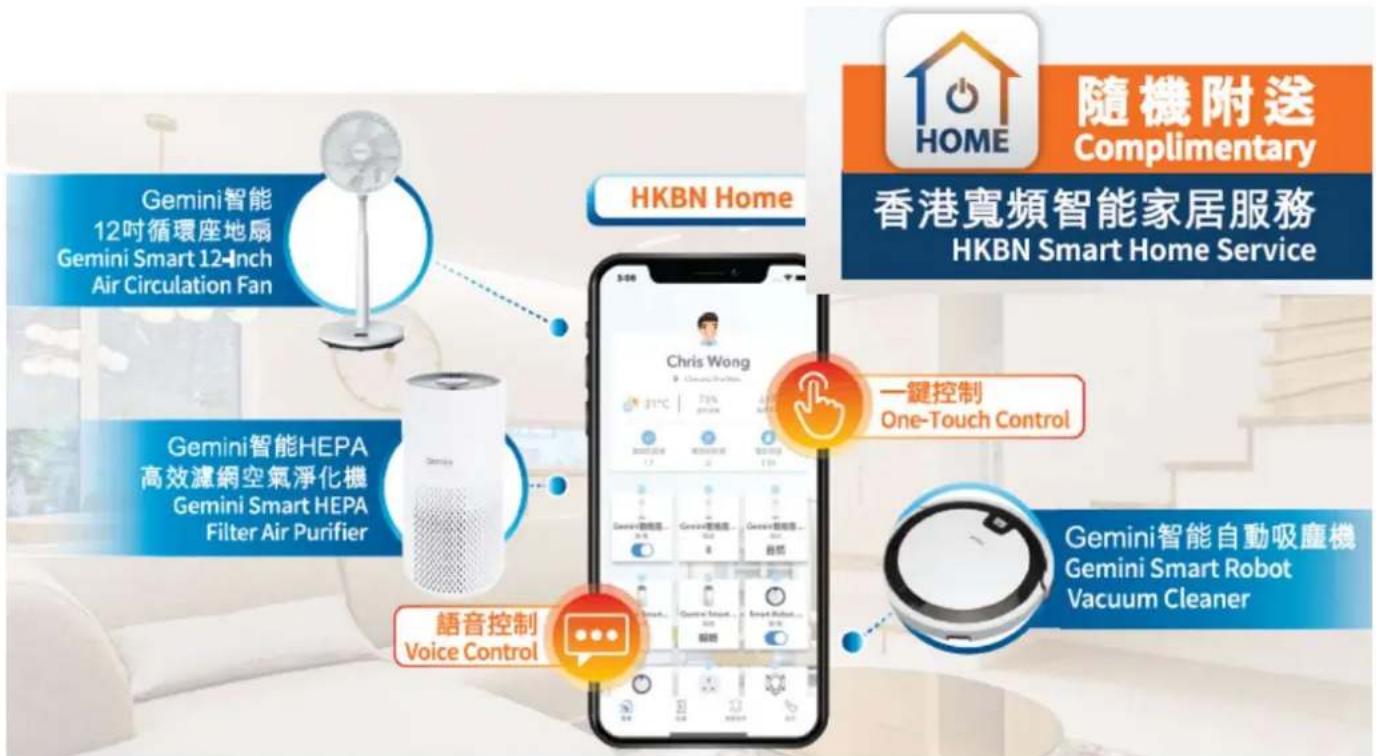
text_image Gemini智能 12吋循環座地扇 Gemini Smart 12-Inch Air Circulation Fan Gemini智能HEPA 高效濾網空氣淨化機 Gemini Smart HEPA Filter Air Purifier 語音控制 Voice Control HKBN Home 隨機附送 Complimentary 香港寬頻智能家居服務 HKBN Smart Home Service Chris Wong 31°C 70% 2024年12月 One-Touch Control 一键控制 One-Touch Control Gemini智能自動吸塵機 Gemini Smart Robot Vacuum Cleaner

HKBN Home 助您輕鬆打造智能生活: Easily build your smart life with HKBN Home :

GEMINI GWAP23 - HKBN Home 助您輕鬆打造智能生活: Easily build your smart life with HKBN Home : - 1

一App掌控全屋智能設備

Manage all smart devices with a single App

GEMINI GWAP23 - HKBN Home 助您輕鬆打造智能生活: Easily build your smart life with HKBN Home : - 2

技術支援熱線

Technical support hotline

34920110

星期一至日/早上9-下千6點

Mon – Sun, 9am – 6pm

熱線流程4步曲:

GEMINI GWAP23 - 熱線流程4步曲: - 1

flowchart
graph LR
    A["1. 服務時間內致電3492 0110"] --> B["2. 選擇語言"]
    B --> C["3. 輸入6個位的HKBN Home服務序號核實身份"]
    C --> D["4. 連接到客戶服務員"]

GEMINI GWAP23 - 熱線流程4步曲: - 2

Gilman

since 1841

Proudly Serviced by:

ToolBox

a Gilman Group Company

免費服務換領資料

Free Service Redemption Information

以下優惠碼只能使用一次,並於成功兌換服務後便作無效。

The following Promo Code can only be used once and will be invalid after successful redemption.

HKBN Home 服務序號

HKBN Home Service Code

GEMINI GWAP23 - Free Service Redemption Information - 1

text_image :

優惠碼

Promo Code

GEMINI GWAP23 - Free Service Redemption Information - 2

text_image :

服務有效期至

Service Expiry Date

GEMINI GWAP23 - Free Service Redemption Information - 3

text_image :

簡易使用3步曲

Get Started in 3 Simple Steps

第一步 Step 1

下載 HKBN Home 應用程式 Download HKBN Home App

客戶可到App Store或Google Play上搜尋

「HKBN Home」下載並安裝應用程式

Search and download "HKBN Home" App

in App Store or Google Play

GEMINI GWAP23 - 第一步 Step 1 - 1

natural_image Home icon with house and power button symbol (no text or numbers)

或 OR

使用手機掃描二維碼

Scan the QR code

GEMINI GWAP23 - 第一步 Step 1 - 2

Specifications may change due to product improvement. No prior notice will be given.

上述規格可能因產品改良而作出修改,恕不另行通知。

第二步 Step 2

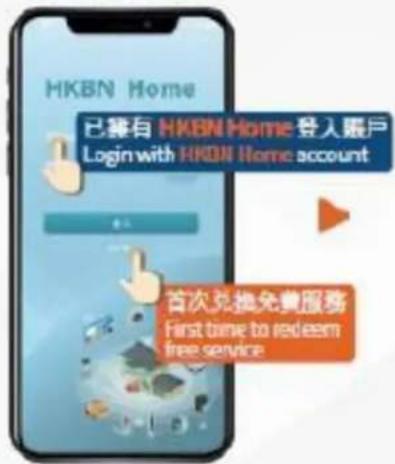
兌換免費服務 Redemption of Free Service


點擊「訪客登入」*
Tap "Guest Login"
GEMINI GWAP23 - 兌換免費服務 Redemption of Free Service - 1

text_image HKBN Home 已拥有 HKBN Home 登入賬戶 Login with HKBN Home account 首次兌換免費服務 First time to redeem free service

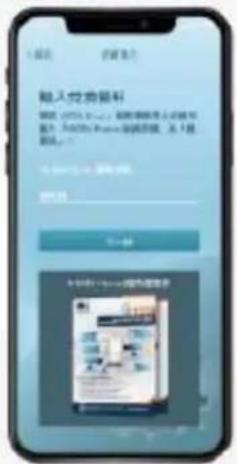
輸入「HKBN Home 服務 序號」及「優惠碼」
Enter "HKBN Home Service Code" and "Promo code"
GEMINI GWAP23 - 兌換免費服務 Redemption of Free Service - 2

text_image 输入好友编码 请输入您的密码 请输入您的密码 输入您的密码 输入您的密码 输入您的密码 输入您的密码 输入您的密码 输入您的密码 输入您的密码 输入您的密码 输入您的密码 输入您的密码 输入您的密码 输入您的密码 输入您的密码 输入您的密码 输入您的密码 输入您的密码 输入您的密码 输入您的密码 输入您的密码 输入您的密码 输入您的密码 输入您的密码 输入您的密码 输入您的密码 输入您的密码 输出您的密码 输出您的密码 输出您的密码 输出您的密码 输出您的密码 输出您的密码 输出您的密码 输出您的密码 输出您的密码 输出您的密码 输出您的密码 输出您的密码 输出您的密码 输出您的密码 输出您的密码 输出您的密码 输出您的密码 输出您的密码 输出您的密码 输出您的密码 输出您的密码 输出您的密码 输出您的密码 输出您的密码 输出您的密码 退出您的密码 退出您的密码 退出您的密码 退出您的密码 退出您的密码 退出您的密码 退出您的密码 退出您的密码 退出您的密码 退出您的密码 退出您的密码 退出您的密码 退出您的密码 退出您的密码 退出您的密码 退出您的密码 退出您的密码 退出您的密码 退出您的密码 退出您的密码 退出您的密码 退出您的密码 退出您的密码 退出您的密码 退出您的密码 输出您的密码

3
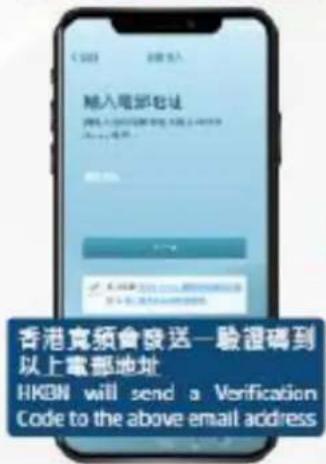
輸入您的電郵地址以
建立 HKBN Home 販戶 Enter your email address to create HKBN Home account
GEMINI GWAP23 - 兌換免費服務 Redemption of Free Service - 3

text_image 輸入電郵地址 香港寬須會發送一驗證碼到 以上電郵地址 HKDN will send a Verification Code to the above email address

4
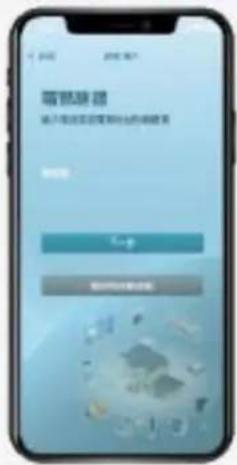
輸入驗證碼確認電郵地址
Enter Vortification Code to verify your email address
GEMINI GWAP23 - 兌換免費服務 Redemption of Free Service - 4

text_image 零點途錄 輸入電源電源電源出的數據表

GEMINI GWAP23 - 兌換免費服務 Redemption of Free Service - 5
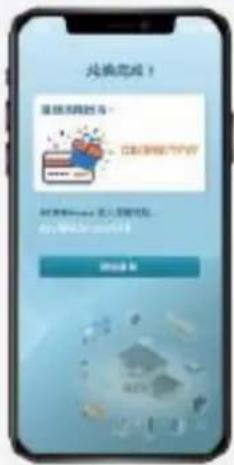
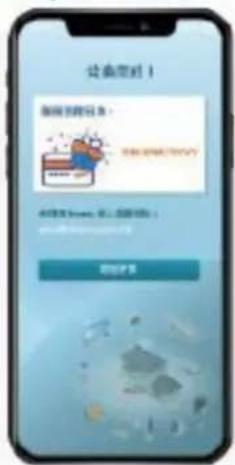
兑换完成!
Redemption Successful!

GEMINI GWAP23 - 兌換免費服務 Redemption of Free Service - 6

text_image 连接完成! 连接到网络服务 立即连接到用户 连接到网站:进入网络权限。 my.1632@1632.com 连接完成

Specifications may change due to product improvement. No prior notice will be given. 上述規格可能因產品改良而作出修改,恕不另行通知。

第三步 Step 3

建立賬戶及添加設備 Create Account and Add Device


點擊「開始使用」
Tap "Let's Start"
GEMINI GWAP23 - 建立賬戶及添加設備 Create Account and Add Device - 1

text_image 让鱼到! 我爱你我的日本: 你需要你来,我入中国吗? 你需要你来,我入中国吗?

2
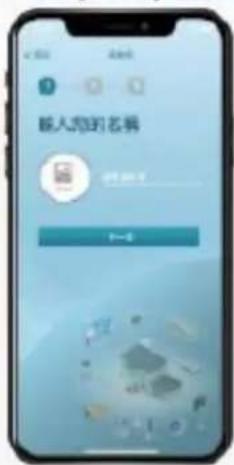
輸入您喜愛的名稱及選擇個人圖像
Create user name and select profile picture
GEMINI GWAP23 - 建立賬戶及添加設備 Create Account and Add Device - 2

text_image 输入您的名册 7-6


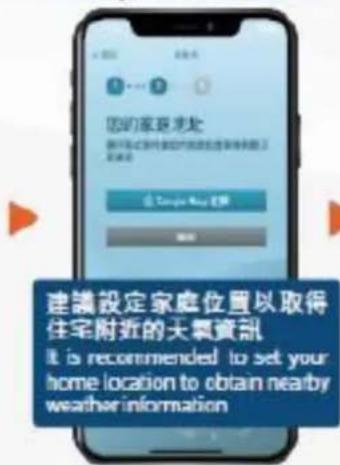
選擇您的家庭地址
Select your home location
GEMINI GWAP23 - 建立賬戶及添加設備 Create Account and Add Device - 3

text_image 您的家庭地址 新开发式家庭的家庭位置是家庭和家庭的 位置 Covage New 位置 建議設定家庭位置以取得 住宅附近的天氣資訊 It is recommended to set your home location to obtain nearby weather information

4
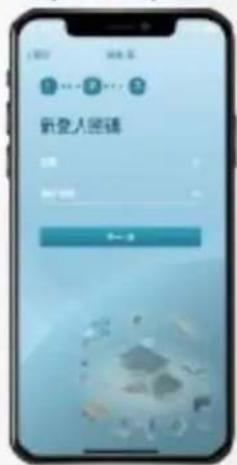
建立新登入密碼 便可完成
Create new password to complete the process
GEMINI GWAP23 - 建立賬戶及添加設備 Create Account and Add Device - 4

text_image 新登人回填 登录 退出

5
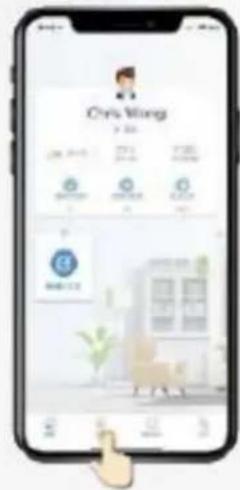
在下方目錄點擊「設備」
Tap "Devices" on the bottom menu
GEMINI GWAP23 - 建立賬戶及添加設備 Create Account and Add Device - 5

text_image Cty Wing 3-20 171 178 179 180 181 182 183 184 185 186 187 188 189 190 191 192 193 194 195 196 197 198 199 200 201 202 203 204 205 206 207 208 209 210 211 212 213 214 215 216 217 218 219 220 221 222 223 224 225 226 227 228 229 230 231 232 233 234 235 236 237 238 239 240 241 242 243 244 245 246 247 248 249 250 251 252 253 254 255 256 257 258 259 260 261 262 263 264 265 266 267 268 269 270 271 272 273 274 275 276 277 278 279 280 281 282 283 284 285 286 287 288 289 290 291 292 293 294 295 296 297 298 299 300

6
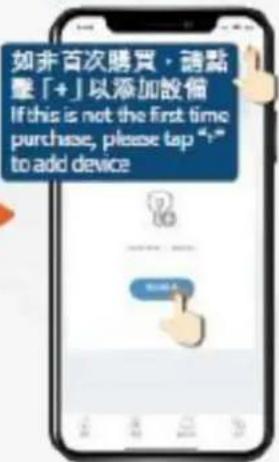
點擊「添加設備」
Tap "Add Device" button
GEMINI GWAP23 - 建立賬戶及添加設備 Create Account and Add Device - 6

text_image 如非首次購買,請點擊「+」以添加設備 If this is not the first time purchase, please tap "1-" to add device

7
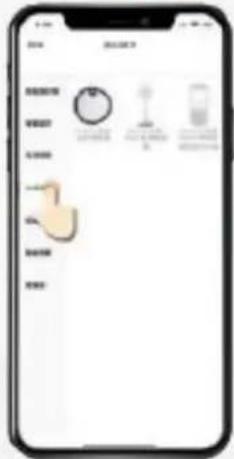
於左方目錄點擊
「生活家電」
Select "HomeAppliance" from the left menu
GEMINI GWAP23 - 建立賬戶及添加設備 Create Account and Add Device - 7

text_image Mobile app interface displaying a list of product categories with icons and labels, likely for product selection or packaging.

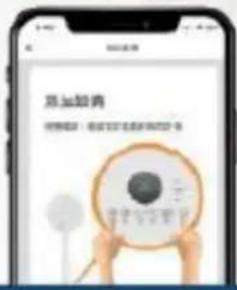
8
然後按指示進行配對
Follow the pairing instructions on screen
GEMINI GWAP23 - 建立賬戶及添加設備 Create Account and Add Device - 8

text_image 苏加拉青 经营指南:省文文化系列出版物·书


配對時手機必須連接至24GHz Wi-Fi網絡
Makesure your mobile device is connected to the 2.4GHz WiFi network during pairing

Specifications may change due to product improvement. No prior notice will be given.

上述規格可能因產品改良而作出修改,恕不另行通知。

Assistant notice
Powered by Anthropic
En attente de votre message
Informations produit

Marque : GEMINI

Modèle : GWAP23

Catégorie : Purificateur d'air